Technology Integration
in the
ES Math Classroom
Susan Weitzman-Trifman
EdTech541
Fall 2011
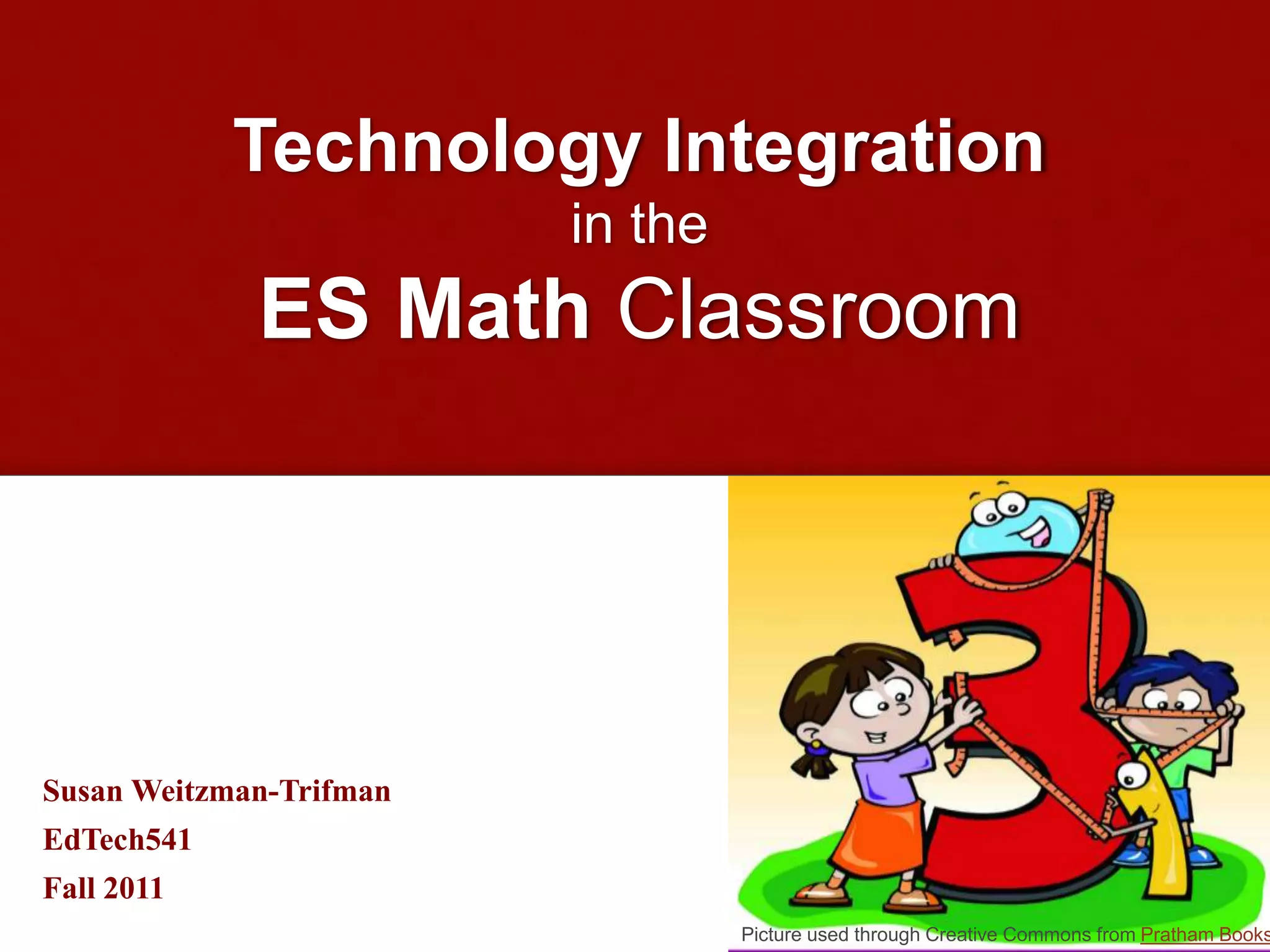
Picture used through Creative Commons from Pratham Books
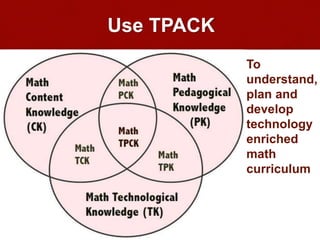
Use TPACK
Math
Content
Knowledg
e
(CK)
Math
Pedagogical
Knowledge
(PK)
Math Technological
Knowledge (TK)
Math
PCK
Math
TCK
Math
TPK
Math
TPCK
To
understand,
plan and
develop
technology
enriched
math
curriculum
Keep in mind
Technology
is a tool for
developing
student
thinking
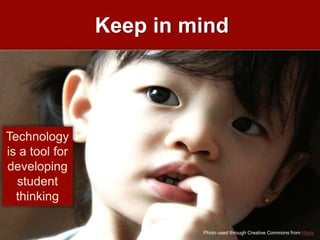
Photo used through Creative Commons from Maria
Recognize
Technology is not only a
pedagogical, but also a
mathematical, tool
Photo used through Creative Commons from minhtram0901
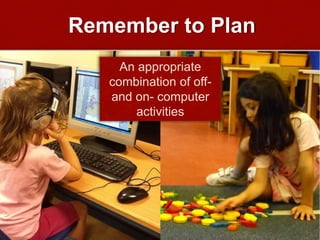
Remember to Plan
An appropriate
combination of off-
and on- computer
activities
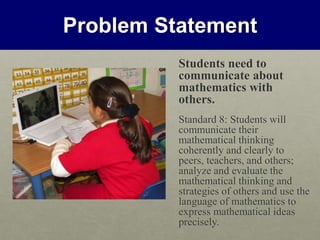
Problem Statement
Students need to
communicate about
mathematics with
others.
Standard 8: Students will
communicate their
mathematical thinking
coherently and clearly to
peers, teachers, and others;
analyze and evaluate the
mathematical thinking and
strategies of others and use the
language of mathematics to
express mathematical ideas
precisely.
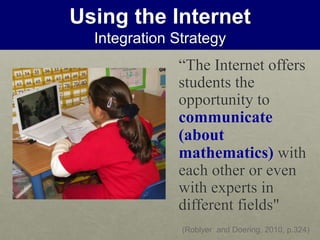
Using the Internet
Integration Strategy
“The Internet offers
students the
opportunity to
communicate
(about
mathematics) with
each other or even
with experts in
different fields"
(Roblyer and Doering, 2010, p.324)
Using the Internet
Relative Advantage
• Im
Photo used through Creative Commons from Mitzii
• Allows easy
contacts with
experts and
students in
other schools
• Promotes social
interaction &
discourse about
mathematics
• Available
anywhere,
anytime
Using the Internet
Resources & Links
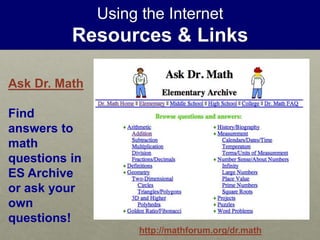
Ask Dr. Math
Find
answers to
math
questions in
ES Archive
or ask your
own
questions!
http://mathforum.org/dr.math
Using the Internet
Resources & Links
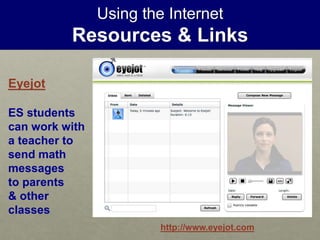
http://www.eyejot.com
Eyejot
ES students
can work with
a teacher to
send math
messages
to parents
& other
classes
Using the Internet
Resources & Links
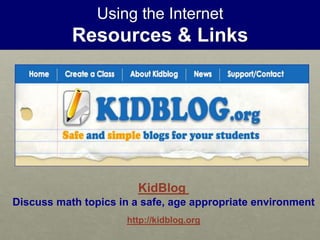
KidBlog
Discuss math topics in a safe, age appropriate environment
http://kidblog.org
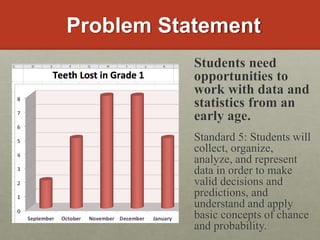
Problem Statement
Students need
opportunities to
work with data and
statistics from an
early age.
Standard 5: Students will
collect, organize,
analyze, and represent
data in order to make
valid decisions and
predictions, and
understand and apply
basic concepts of chance
and probability.
Tool Based Software
Integration Strategy
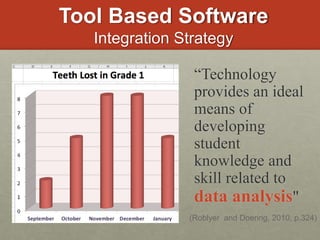
“Technology
provides an ideal
means of
developing
student
knowledge and
skill related to
data analysis"
(Roblyer and Doering, 2010, p.324)
Tool Based Software
Relative Advantage
Photo used through Creative Commons from Igor Kalimov
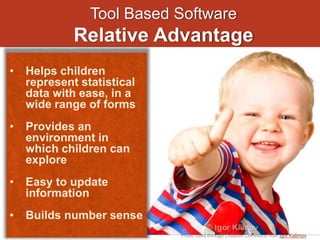
• Helps children
represent statistical
data with ease, in a
wide range of forms
• Provides an
environment in
which children can
explore
• Easy to update
information
• Builds number sense
Tool Based Software
Resources & Links
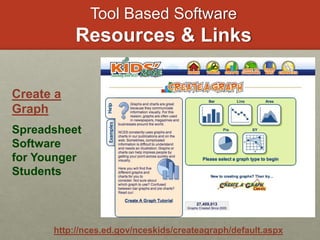
http://nces.ed.gov/nceskids/createagraph/default.aspx
Create a
Graph
Spreadsheet
Software
for Younger
Students
Tool Based Software
Resources & Links
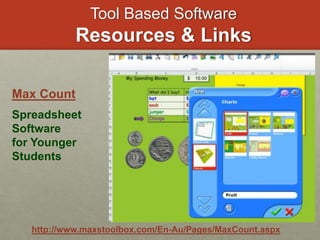
http://www.maxstoolbox.com/En-Au/Pages/MaxCount.aspx
Max Count
Spreadsheet
Software
for Younger
Students
Tool Based Software
Resources & Links
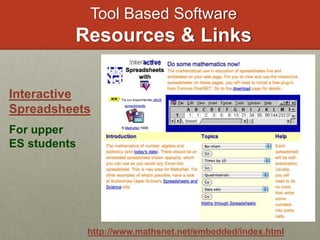
http://www.mathsnet.net/embedded/index.html
Interactive
Spreadsheets
For upper
ES students
Tool Based Software
Resources & Links
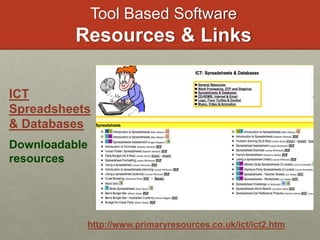
http://www.primaryresources.co.uk/ict/ict2.htm
ICT
Spreadsheets
& Databases
Downloadable
resources
Problem Statement
Standard 1: Students will
demonstrate understanding of
relationships among numbers, their
uses, and their representations.
and
Standard 2: Students will recognize
patterns and use appropriate
methods to represent, analyze, and
solve mathematical and practical
situations involving patterns and
functional relationships, with and
without technology.
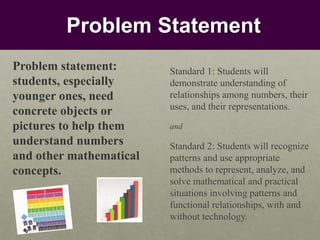
Problem statement:
students, especially
younger ones, need
concrete objects or
pictures to help them
understand numbers
and other mathematical
concepts.
Productivity Software
Integration Strategy
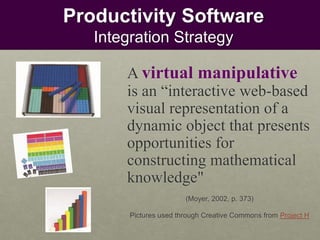
A virtual manipulative
is an “interactive web-based
visual representation of a
dynamic object that presents
opportunities for
constructing mathematical
knowledge"
(Moyer, 2002, p. 373)
Pictures used through Creative Commons from Project H
Productivity Software
Relative Advantage
Photo used through Creative Commons from Kevin Vail
• Unlimited numbers
available
anywhere, anytime
• Easy to clean up
and store
• Children may view
them as more
sophisticated than
concrete
manipulatives
• Free!
Productivity Software
Resources & Links
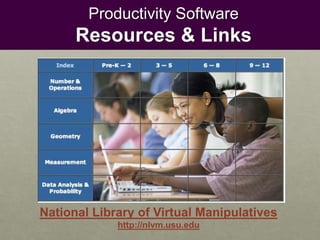
National Library of Virtual Manipulatives
http://nlvm.usu.edu
Productivity Software
Resources & Links
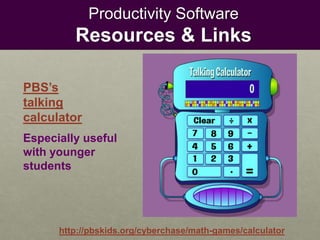
http://pbskids.org/cyberchase/math-games/calculator
PBS’s
talking
calculator
Especially useful
with younger
students
Productivity Software
Resources & Links
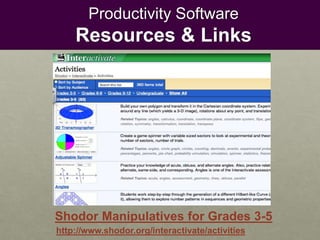
http://www.shodor.org/interactivate/activities
Shodor Manipulatives for Grades 3-5
Problem Statement
Standard 10: Students will select,
apply and translate among
mathematical representations to solve
problems and will use representations
to model and interpret physical,
social, and mathematical phenomena.
and
Standard 3: Students will use
visualization and spatial reasoning
and apply the properties of geometric
figures to represent, investigate,
analyze, and solve problems, using
tools and technology when
appropriate.
Problem: students sometimes
need individual
instruction in math topics
where they can see examples
of concepts applied in ways
they can understand.
Instructional Software
Representation of Principles
“Representation
of mathematical
principles”
includes the use of
spreadsheets and
geometry-related
software.
-Robyler and Doering (2010)
Representation of Principles
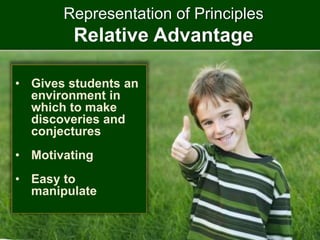
Relative Advantage
• Gives students an
environment in
which to make
discoveries and
conjectures
• Motivating
• Easy to
manipulate
Representation of Principles
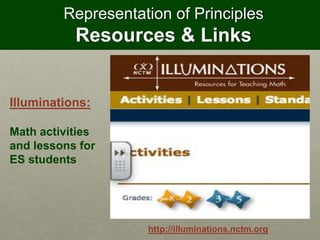
Resources & Links
http://illuminations.nctm.org
Illuminations:
Math activities
and lessons for
ES students
Representation of Principles
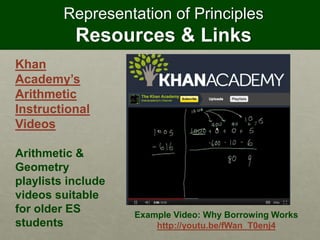
Resources & Links
Example Video: Why Borrowing Works
http://youtu.be/fWan_T0enj4
Khan
Academy’s
Arithmetic
Instructional
Videos
Arithmetic &
Geometry
playlists include
videos suitable
for older ES
students
Representation of Principles
Resources & Links
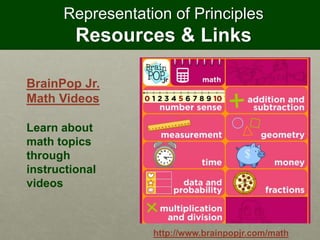
http://www.brainpopjr.com/math
BrainPop Jr.
Math Videos
Learn about
math topics
through
instructional
videos
Problem Statement
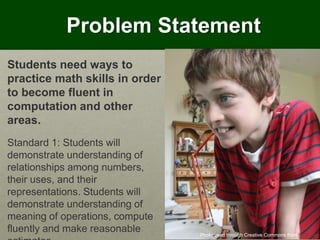
Photo used through Creative Commons from Piers Nye
Students need ways to
practice math skills in order
to become fluent in
computation and other
areas.
Standard 1: Students will
demonstrate understanding of
relationships among numbers,
their uses, and their
representations. Students will
demonstrate understanding of
meaning of operations, compute
fluently and make reasonable
Instructional Software
Skill Building and Practice
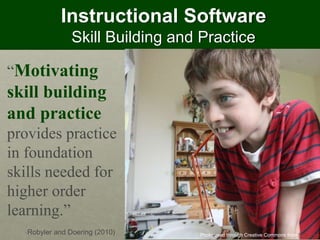
“Motivating
skill building
and practice
provides practice
in foundation
skills needed for
higher order
learning.”
-Robyler and Doering (2010) Photo used through Creative Commons from Piers Nye
Skill Building & Practice
Relative Advantage
• Provides guided
instruction within a
structured learning
environment
• Delivers instruction
when teacher may
not be available
• Immediate feedback
• Motivating
Skill Building and Practice
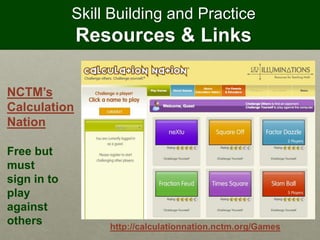
Resources & Links
http://calculationnation.nctm.org/Games
NCTM’s
Calculation
Nation
Free but
must
sign in to
play
against
others
Skill Building and Practice
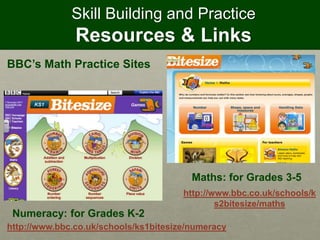
Resources & Links
BBC’s Math Practice Sites
http://www.bbc.co.uk/schools/k
s2bitesize/maths
http://www.bbc.co.uk/schools/ks1bitesize/numeracy
Numeracy: for Grades K-2
Maths: for Grades 3-5
Skill Building and Practice
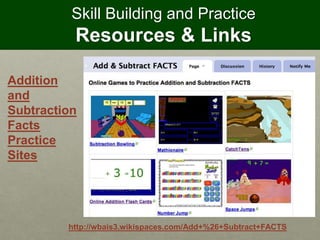
Resources & Links
Addition
and
Subtraction
Facts
Practice
Sites
http://wbais3.wikispaces.com/Add+%26+Subtract+FACTS
References
• Moyer, P. (2002, February). What are virtual manipulatives?. Teaching Children
Mathematics, 372-377. Retrieved from
http://edtechleaders.org/documents/algebra/1whatarevms.pdf
• Roblyer, M.D. & Doering, A.H. (2010).Integrating educational technology into
teaching. (fifth ed.). Boston, MA: Pearson Education, Inc.
• Wright, C. (2006, July). Virtual manipulatives. Presentation delivered at
National education computing conference, San Diego, CA. Retrieved from
http://www.slideshare.net/lwright3768/virtual-manipulatives-presentation

Technology Integration in the ES Math Classroom

  • 1.
    Technology Integration in the ESMath Classroom Susan Weitzman-Trifman EdTech541 Fall 2011 Picture used through Creative Commons from Pratham Books
  • 2.
    Use TPACK Math Content Knowledg e (CK) Math Pedagogical Knowledge (PK) Math Technological Knowledge(TK) Math PCK Math TCK Math TPK Math TPCK To understand, plan and develop technology enriched math curriculum
  • 3.
    Keep in mind Technology isa tool for developing student thinking Photo used through Creative Commons from Maria
  • 4.
    Recognize Technology is notonly a pedagogical, but also a mathematical, tool Photo used through Creative Commons from minhtram0901
  • 5.
    Remember to Plan Anappropriate combination of off- and on- computer activities
  • 6.
    Problem Statement Students needto communicate about mathematics with others. Standard 8: Students will communicate their mathematical thinking coherently and clearly to peers, teachers, and others; analyze and evaluate the mathematical thinking and strategies of others and use the language of mathematics to express mathematical ideas precisely.
  • 7.
    Using the Internet IntegrationStrategy “The Internet offers students the opportunity to communicate (about mathematics) with each other or even with experts in different fields" (Roblyer and Doering, 2010, p.324)
  • 8.
    Using the Internet RelativeAdvantage • Im Photo used through Creative Commons from Mitzii • Allows easy contacts with experts and students in other schools • Promotes social interaction & discourse about mathematics • Available anywhere, anytime
  • 9.
    Using the Internet Resources& Links Ask Dr. Math Find answers to math questions in ES Archive or ask your own questions! http://mathforum.org/dr.math
  • 10.
    Using the Internet Resources& Links http://www.eyejot.com Eyejot ES students can work with a teacher to send math messages to parents & other classes
  • 11.
    Using the Internet Resources& Links KidBlog Discuss math topics in a safe, age appropriate environment http://kidblog.org
  • 12.
    Problem Statement Students need opportunitiesto work with data and statistics from an early age. Standard 5: Students will collect, organize, analyze, and represent data in order to make valid decisions and predictions, and understand and apply basic concepts of chance and probability.
  • 13.
    Tool Based Software IntegrationStrategy “Technology provides an ideal means of developing student knowledge and skill related to data analysis" (Roblyer and Doering, 2010, p.324)
  • 14.
    Tool Based Software RelativeAdvantage Photo used through Creative Commons from Igor Kalimov • Helps children represent statistical data with ease, in a wide range of forms • Provides an environment in which children can explore • Easy to update information • Builds number sense
  • 15.
    Tool Based Software Resources& Links http://nces.ed.gov/nceskids/createagraph/default.aspx Create a Graph Spreadsheet Software for Younger Students
  • 16.
    Tool Based Software Resources& Links http://www.maxstoolbox.com/En-Au/Pages/MaxCount.aspx Max Count Spreadsheet Software for Younger Students
  • 17.
    Tool Based Software Resources& Links http://www.mathsnet.net/embedded/index.html Interactive Spreadsheets For upper ES students
  • 18.
    Tool Based Software Resources& Links http://www.primaryresources.co.uk/ict/ict2.htm ICT Spreadsheets & Databases Downloadable resources
  • 19.
    Problem Statement Standard 1:Students will demonstrate understanding of relationships among numbers, their uses, and their representations. and Standard 2: Students will recognize patterns and use appropriate methods to represent, analyze, and solve mathematical and practical situations involving patterns and functional relationships, with and without technology. Problem statement: students, especially younger ones, need concrete objects or pictures to help them understand numbers and other mathematical concepts.
  • 20.
    Productivity Software Integration Strategy Avirtual manipulative is an “interactive web-based visual representation of a dynamic object that presents opportunities for constructing mathematical knowledge" (Moyer, 2002, p. 373) Pictures used through Creative Commons from Project H
  • 21.
    Productivity Software Relative Advantage Photoused through Creative Commons from Kevin Vail • Unlimited numbers available anywhere, anytime • Easy to clean up and store • Children may view them as more sophisticated than concrete manipulatives • Free!
  • 22.
    Productivity Software Resources &Links National Library of Virtual Manipulatives http://nlvm.usu.edu
  • 23.
    Productivity Software Resources &Links http://pbskids.org/cyberchase/math-games/calculator PBS’s talking calculator Especially useful with younger students
  • 24.
    Productivity Software Resources &Links http://www.shodor.org/interactivate/activities Shodor Manipulatives for Grades 3-5
  • 25.
    Problem Statement Standard 10:Students will select, apply and translate among mathematical representations to solve problems and will use representations to model and interpret physical, social, and mathematical phenomena. and Standard 3: Students will use visualization and spatial reasoning and apply the properties of geometric figures to represent, investigate, analyze, and solve problems, using tools and technology when appropriate. Problem: students sometimes need individual instruction in math topics where they can see examples of concepts applied in ways they can understand.
  • 26.
    Instructional Software Representation ofPrinciples “Representation of mathematical principles” includes the use of spreadsheets and geometry-related software. -Robyler and Doering (2010)
  • 27.
    Representation of Principles RelativeAdvantage • Gives students an environment in which to make discoveries and conjectures • Motivating • Easy to manipulate
  • 28.
    Representation of Principles Resources& Links http://illuminations.nctm.org Illuminations: Math activities and lessons for ES students
  • 29.
    Representation of Principles Resources& Links Example Video: Why Borrowing Works http://youtu.be/fWan_T0enj4 Khan Academy’s Arithmetic Instructional Videos Arithmetic & Geometry playlists include videos suitable for older ES students
  • 30.
    Representation of Principles Resources& Links http://www.brainpopjr.com/math BrainPop Jr. Math Videos Learn about math topics through instructional videos
  • 31.
    Problem Statement Photo usedthrough Creative Commons from Piers Nye Students need ways to practice math skills in order to become fluent in computation and other areas. Standard 1: Students will demonstrate understanding of relationships among numbers, their uses, and their representations. Students will demonstrate understanding of meaning of operations, compute fluently and make reasonable
  • 32.
    Instructional Software Skill Buildingand Practice “Motivating skill building and practice provides practice in foundation skills needed for higher order learning.” -Robyler and Doering (2010) Photo used through Creative Commons from Piers Nye
  • 33.
    Skill Building &Practice Relative Advantage • Provides guided instruction within a structured learning environment • Delivers instruction when teacher may not be available • Immediate feedback • Motivating
  • 34.
    Skill Building andPractice Resources & Links http://calculationnation.nctm.org/Games NCTM’s Calculation Nation Free but must sign in to play against others
  • 35.
    Skill Building andPractice Resources & Links BBC’s Math Practice Sites http://www.bbc.co.uk/schools/k s2bitesize/maths http://www.bbc.co.uk/schools/ks1bitesize/numeracy Numeracy: for Grades K-2 Maths: for Grades 3-5
  • 36.
    Skill Building andPractice Resources & Links Addition and Subtraction Facts Practice Sites http://wbais3.wikispaces.com/Add+%26+Subtract+FACTS
  • 37.
    References • Moyer, P.(2002, February). What are virtual manipulatives?. Teaching Children Mathematics, 372-377. Retrieved from http://edtechleaders.org/documents/algebra/1whatarevms.pdf • Roblyer, M.D. & Doering, A.H. (2010).Integrating educational technology into teaching. (fifth ed.). Boston, MA: Pearson Education, Inc. • Wright, C. (2006, July). Virtual manipulatives. Presentation delivered at National education computing conference, San Diego, CA. Retrieved from http://www.slideshare.net/lwright3768/virtual-manipulatives-presentation