LEARNING SPACE EDITION
   http://todaysmeet.com/makeover
So today we are honoring a group of people
  that will be impacting our country. This
deserving group of people will be our future.


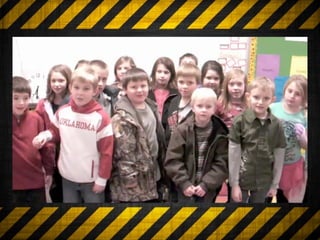
 I’d like to introduce you to your students.

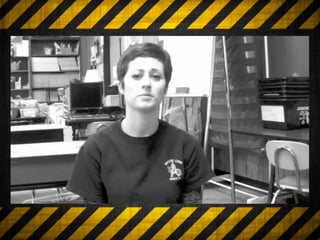
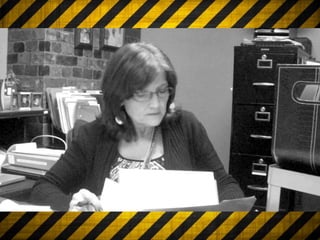
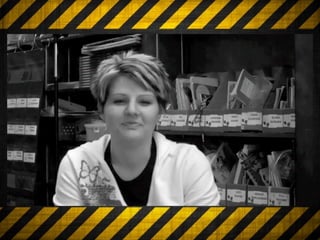
                      Let’s take a look at these videos to
                              see why we are here.
So what do these learning
    centers look like?
So what do these learning
    centers look like?


 file folders, pocket charts, block centers
What are the effects of these type of
   ‘centers’ when used alone.
What are the effects of these type of
   ‘centers’ when used alone.
            * Lack of motivation *
              * Lack of interest *
       *Lack of student engagement *
  *Lack of a clear measure of achievement *
They are
LACKING!
LEARNING SPACES
LEARNING SPACES

  A Learning Space is an imaginary
geography where learning flourishes.
So what do these learning
    spaces look like?
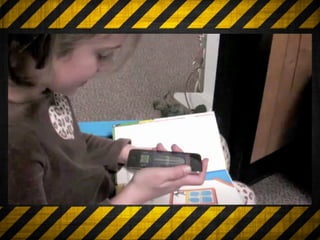
iPods
iPods
* Listening to reading (ESL students /
       Auditory discrimination)
iPods
* Listening to reading (ESL students /
       Auditory discrimination)
          * Fluency Work
iPods
* Listening to reading (ESL students /
       Auditory discrimination)
         * Fluency Work
iPods
* Listening to reading (ESL students /
       Auditory discrimination)
         * Fluency Work
          * Flash Cards
iPods
* Listening to reading (ESL students /
       Auditory discrimination)
         * Fluency Work
          * Flash Cards
* Collaborative Work (bump app)
iPods
 * Listening to reading (ESL students /
        Auditory discrimination)
          * Fluency Work
           * Flash Cards
  * Collaborative Work (bump app)
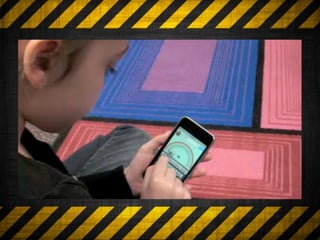
* Concept Reinforcement (using apps)
Extra! Extra!
Why spend thousands on a classroom
   response system when you can
download an app that will allow your
 iPod Touches to do the same thing.
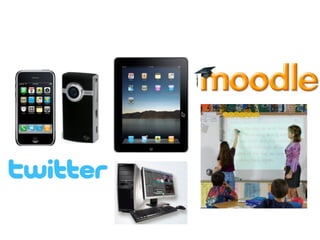
iPads
iPads
* eBooks
iPads
  * eBooks
* Fluency Work
iPads
    * eBooks
 * Fluency Work
* Letter Formation
iPads
    * eBooks
 * Fluency Work
* Letter Formation
iPads
       * eBooks
    * Fluency Work
   * Letter Formation
* Concept Reinforcement
iPads
       * eBooks
    * Fluency Work
   * Letter Formation
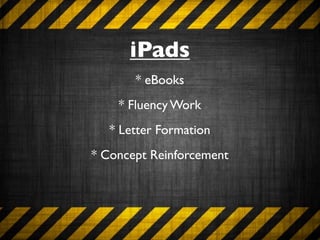
* Concept Reinforcement
       * Blogging
Mimios (Interactive
    Whiteboards)
* Allows you to target specific skills in an
             interactive way
Mimios (Interactive
         Whiteboards)
   * Allows you to target specific skills in an
                interactive way

                     BENEFITS:
Students are motivated and interested. It allows child to
        work cooperatively to complete a task.
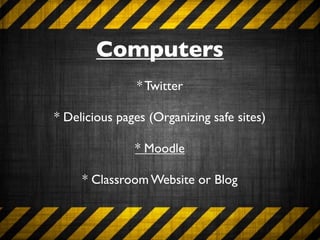
Computers
Computers
  * Twitter
Computers
                * Twitter

* Delicious pages (Organizing safe sites)
Computers
                * Twitter

* Delicious pages (Organizing safe sites)

               * Moodle
Computers
                * Twitter

* Delicious pages (Organizing safe sites)

               * Moodle

     * Classroom Website or Blog
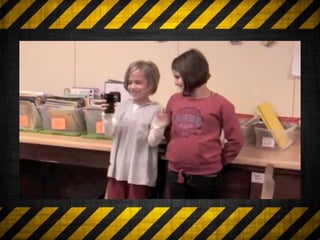
Flip Cameras
Flip Cameras
* Create a trailer for a book
Flip Cameras
              * Create a trailer for a book
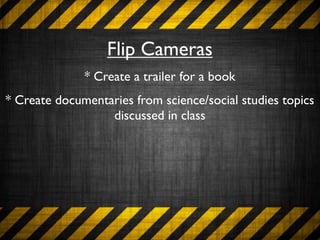
* Create documentaries from science/social studies topics
                  discussed in class
Flip Cameras
              * Create a trailer for a book
* Create documentaries from science/social studies topics
                  discussed in class
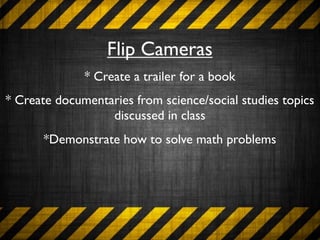
       *Demonstrate how to solve math problems
Flip Cameras
              * Create a trailer for a book
* Create documentaries from science/social studies topics
                  discussed in class
       *Demonstrate how to solve math problems
                 * Response to Reading
Flip Cameras
              * Create a trailer for a book
* Create documentaries from science/social studies topics
                  discussed in class
       *Demonstrate how to solve math problems
                 * Response to Reading
                   * Reader’s Theater
FLIP CAMERA - Teacher Uses
    * Documentation (ESL, RTI, or SPED)
FLIP CAMERA - Teacher Uses
    * Documentation (ESL, RTI, or SPED)

          * Demonstrate progress
FLIP CAMERA - Teacher Uses
    * Documentation (ESL, RTI, or SPED)

          * Demonstrate progress

              * Assess fluency
FLIP CAMERA - Teacher Uses
         * Documentation (ESL, RTI, or SPED)

                * Demonstrate progress

                    * Assess fluency

* Create how-to videos for parents to post to website or
                         blogs
Building the Foundation
        *Start slowly
Building the Foundation
          *Start slowly

    * Model your expectations
Building the Foundation
                      *Start slowly

               * Model your expectations

* Take your time in the beginning in order to save yourself
                      time in the end.
Building the Foundation
                      *Start slowly

               * Model your expectations

* Take your time in the beginning in order to save yourself
                      time in the end.

      * Add in rotations as your students are ready.
How do you monitor the
      students?
How do you monitor the
      students?

* iPods/iPads - create folders / disable internet
How do you monitor the
      students?

* iPods/iPads - create folders / disable internet


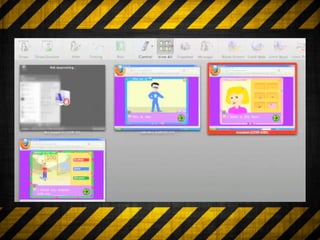
          * Computers - LanSchool
My district has no money....How
     can I implement this?
My district has no money....How
     can I implement this?
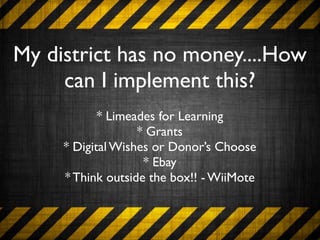
            * Limeades for Learning
                   * Grants
     * Digital Wishes or Donor’s Choose
                    * Ebay
     * Think outside the box!! - WiiMote
Should I wait until
   next year?
Should I wait until
   next year?
      * Make a plan
Should I wait until
         next year?
                    * Make a plan

* Go ahead a register with a site such as Digital Wish
Should I wait until
          next year?
                    * Make a plan

* Go ahead a register with a site such as Digital Wish

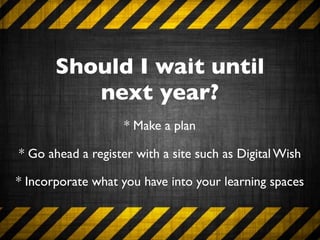
* Incorporate what you have into your learning spaces
Jennifer Saccoccio


   LEARNING SPACE EDITION
                     saccoccioj@woisd.net
Jennifer Saccoccio


   LEARNING SPACE EDITION
                     saccoccioj@woisd.net
Jennifer Saccoccio


   LEARNING SPACE EDITION
                     saccoccioj@woisd.net
Really Electric Lime   10611
Ruling Radiant Orchid   11004
Deepest Tangerine Grove   10251
Lovely Silken Ribbon   10015
Lasting Spring Beauty   10825

Makeoverpresentation

  • 1.
  • 2.
    LEARNING SPACE EDITION http://todaysmeet.com/makeover
  • 3.
    So today weare honoring a group of people that will be impacting our country. This deserving group of people will be our future. I’d like to introduce you to your students. Let’s take a look at these videos to see why we are here.
  • 10.
    So what dothese learning centers look like?
  • 11.
    So what dothese learning centers look like? file folders, pocket charts, block centers
  • 12.
    What are theeffects of these type of ‘centers’ when used alone.
  • 13.
    What are theeffects of these type of ‘centers’ when used alone. * Lack of motivation * * Lack of interest * *Lack of student engagement * *Lack of a clear measure of achievement *
  • 14.
  • 16.
  • 17.
    LEARNING SPACES A Learning Space is an imaginary geography where learning flourishes.
  • 18.
    So what dothese learning spaces look like?
  • 22.
  • 23.
    iPods * Listening toreading (ESL students / Auditory discrimination)
  • 24.
    iPods * Listening toreading (ESL students / Auditory discrimination) * Fluency Work
  • 26.
    iPods * Listening toreading (ESL students / Auditory discrimination) * Fluency Work
  • 27.
    iPods * Listening toreading (ESL students / Auditory discrimination) * Fluency Work * Flash Cards
  • 28.
    iPods * Listening toreading (ESL students / Auditory discrimination) * Fluency Work * Flash Cards * Collaborative Work (bump app)
  • 29.
    iPods * Listeningto reading (ESL students / Auditory discrimination) * Fluency Work * Flash Cards * Collaborative Work (bump app) * Concept Reinforcement (using apps)
  • 31.
    Extra! Extra! Why spendthousands on a classroom response system when you can download an app that will allow your iPod Touches to do the same thing.
  • 32.
  • 33.
  • 34.
    iPads *eBooks * Fluency Work
  • 35.
    iPads * eBooks * Fluency Work * Letter Formation
  • 37.
    iPads * eBooks * Fluency Work * Letter Formation
  • 38.
    iPads * eBooks * Fluency Work * Letter Formation * Concept Reinforcement
  • 39.
    iPads * eBooks * Fluency Work * Letter Formation * Concept Reinforcement * Blogging
  • 41.
    Mimios (Interactive Whiteboards) * Allows you to target specific skills in an interactive way
  • 42.
    Mimios (Interactive Whiteboards) * Allows you to target specific skills in an interactive way BENEFITS: Students are motivated and interested. It allows child to work cooperatively to complete a task.
  • 43.
  • 44.
    Computers *Twitter
  • 45.
    Computers * Twitter * Delicious pages (Organizing safe sites)
  • 46.
    Computers * Twitter * Delicious pages (Organizing safe sites) * Moodle
  • 47.
    Computers * Twitter * Delicious pages (Organizing safe sites) * Moodle * Classroom Website or Blog
  • 48.
  • 49.
    Flip Cameras * Createa trailer for a book
  • 50.
    Flip Cameras * Create a trailer for a book * Create documentaries from science/social studies topics discussed in class
  • 51.
    Flip Cameras * Create a trailer for a book * Create documentaries from science/social studies topics discussed in class *Demonstrate how to solve math problems
  • 52.
    Flip Cameras * Create a trailer for a book * Create documentaries from science/social studies topics discussed in class *Demonstrate how to solve math problems * Response to Reading
  • 53.
    Flip Cameras * Create a trailer for a book * Create documentaries from science/social studies topics discussed in class *Demonstrate how to solve math problems * Response to Reading * Reader’s Theater
  • 55.
    FLIP CAMERA -Teacher Uses
  • 56.
    FLIP CAMERA -Teacher Uses * Documentation (ESL, RTI, or SPED)
  • 57.
    FLIP CAMERA -Teacher Uses * Documentation (ESL, RTI, or SPED) * Demonstrate progress
  • 58.
    FLIP CAMERA -Teacher Uses * Documentation (ESL, RTI, or SPED) * Demonstrate progress * Assess fluency
  • 59.
    FLIP CAMERA -Teacher Uses * Documentation (ESL, RTI, or SPED) * Demonstrate progress * Assess fluency * Create how-to videos for parents to post to website or blogs
  • 60.
  • 61.
  • 62.
    Building the Foundation *Start slowly * Model your expectations
  • 63.
    Building the Foundation *Start slowly * Model your expectations * Take your time in the beginning in order to save yourself time in the end.
  • 64.
    Building the Foundation *Start slowly * Model your expectations * Take your time in the beginning in order to save yourself time in the end. * Add in rotations as your students are ready.
  • 65.
    How do youmonitor the students?
  • 66.
    How do youmonitor the students? * iPods/iPads - create folders / disable internet
  • 67.
    How do youmonitor the students? * iPods/iPads - create folders / disable internet * Computers - LanSchool
  • 69.
    My district hasno money....How can I implement this?
  • 70.
    My district hasno money....How can I implement this? * Limeades for Learning * Grants * Digital Wishes or Donor’s Choose * Ebay * Think outside the box!! - WiiMote
  • 71.
    Should I waituntil next year?
  • 72.
    Should I waituntil next year? * Make a plan
  • 73.
    Should I waituntil next year? * Make a plan * Go ahead a register with a site such as Digital Wish
  • 74.
    Should I waituntil next year? * Make a plan * Go ahead a register with a site such as Digital Wish * Incorporate what you have into your learning spaces
  • 75.
    Jennifer Saccoccio LEARNING SPACE EDITION saccoccioj@woisd.net
  • 76.
    Jennifer Saccoccio LEARNING SPACE EDITION saccoccioj@woisd.net
  • 77.
    Jennifer Saccoccio LEARNING SPACE EDITION saccoccioj@woisd.net
  • 78.
  • 79.
  • 80.
  • 81.
  • 82.