Digital Storytelling Midge Frazel, M.Ed.,  Presenter http://www.midgefrazel.net “ Digital Storytelling is the modern expression of the ancient art of storytelling. Digital stories derive their power by weaving images, music, narrative and voice together, thereby giving deep dimension and vivid color to characters, situations, experiences, and insights.  Tell your story now digitally.” - Leslie Rule, Center for Digital Storytelling
Subject to Change Educators Guide to Digital Storytelling
Think: “The End” “ Making a Movie” (Video) Location, Location, Location  Video size can be HUMONGOUS Acceptable Use Policy
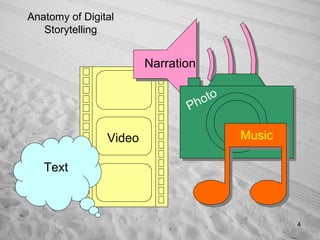
Video Narration Photo Music Anatomy of Digital Storytelling Text
Digital Story Time! Visit Historic Watch Hill, Rhode Island
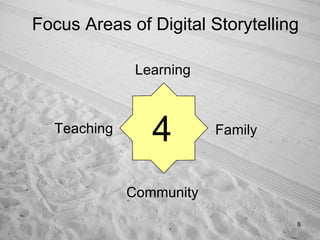
Focus Areas of Digital Storytelling 4 Learning Teaching Family Community
Digital Storytelling: Learning Doing the Twist! Teachers and Specialists Project and Problem  Based Learning
Individual  personal history Small Group  community history Whole Classroom  global awareness Digital Storytelling: Learning
Introduce Lesson/Unit Engaging Atmosphere Add Sparkle to Difficult Topics Stimulate Questions Improve Your Technology Expertise e-Portfolio for Professional Growth Digital Storytelling: Teaching
Promotes Understanding Develops Character Provides Emotional Depth Personal Connection to History Strengthens Family Communication Develops a “Point of View” Digital Storytelling: Family
Community based project Multi-generational atmosphere Oral history and narrative experience Demonstrate technology skills Promote interest in real world research Digital Storytelling: Community
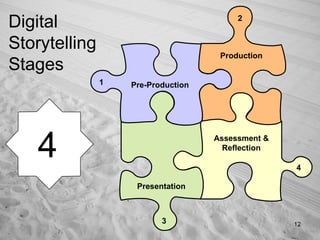
Digital Storytelling Stages Pre-Production Production Presentation Assessment & Reflection 1 2 3 4 4
Pre-Production Research Write Script (text/narration) Storyboarding & Timelines Citation, Copyright, Ethics Learn “economy of multimedia” (less=more)
Production Creating Media Elements Gathering Media Elements Sorting, Aligning, Discarding Media  Using the Software Saving the Story Project Rendering (make movie)
Presentation Power of Audience (“Gift of Voice”) Real World Skill of the Future Presentation Style and Skills Introduce Presentation on Computer Burn to DVD (“take home”) Upload to the Web
Assessment & Reflection The Dreaded Grade/Standards Met? Content vs. Technology Savvy? Learning Style Consideration Creativity Considerations Time: The Enemy!
Why Digital Storytelling? Appealing to Students Active not Passive Process Atmosphere of Excited Learning
Why Digital Storytelling?  Gives Writing New Purpose Weaves in All Subject Disciplines Visual and Auditory Learners
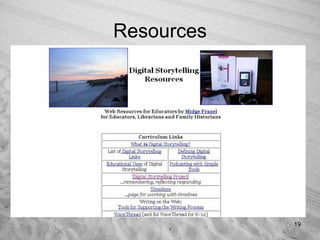
Resources
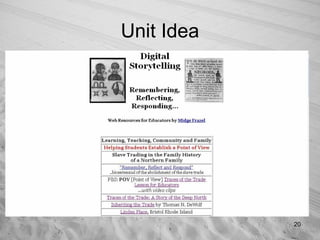
Unit Idea
 
Visual Literacy “ Visual literacy  is the ability to interpret, use, appreciate, and create images and video using both conventional and 21 st  century media in ways that advance thinking, decision making, communication, and learning.” — 21 ST  Century Skills http://www.ncrel.org/engauge/skills/vislit.htm
Materials List Movie Making Software (free) Image Editing Software (free) Digital Camera and/or Camcorder Microphone (inexpensive) Storage (DVD, HD, flash drive) Internet Access
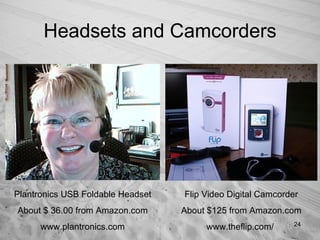
Headsets and Camcorders Plantronics USB Foldable Headset About $ 36.00 from Amazon.com www.plantronics.com Flip Video Digital Camcorder About $125 from Amazon.com www.theflip.com/
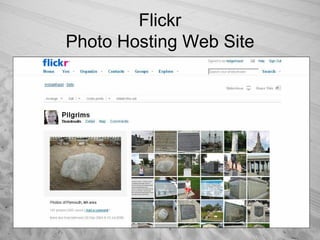
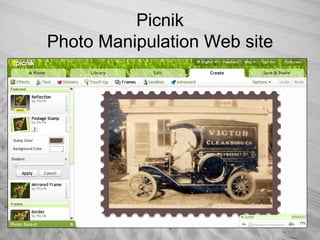
Useful Online Tools Flickr [Photo Hosting Web Site] Pro version $24.95/yr Picnik [Image Manipulation Online Project] Premium version $24.95/yr Dipity/Timetoast [Timeline Creation Online] VoiceThread or EdVoiceThread  Digital storytelling with voice and images
Flickr Photo Hosting Web Site
Picnik Photo Manipulation Web site
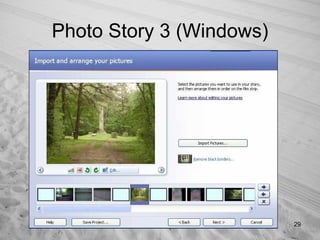
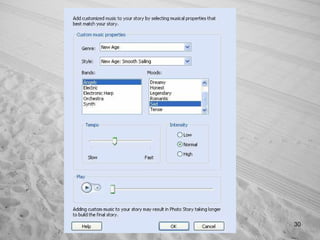
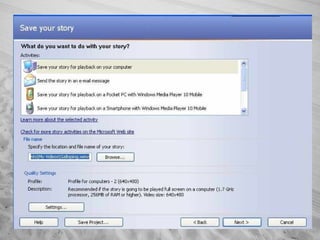
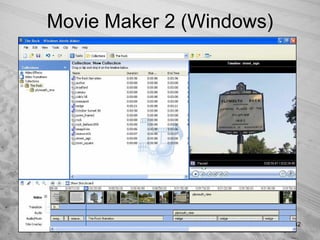
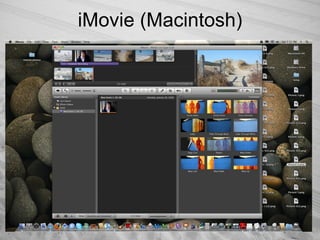
Desktop Applications Most Commonly Used in Schools Photo Story 3 for Windows MovieMaker 2 for Windows iMovie [part of iLife] for Macintosh
Photo Story 3 (Windows)
 
 
Movie Maker 2 (Windows)
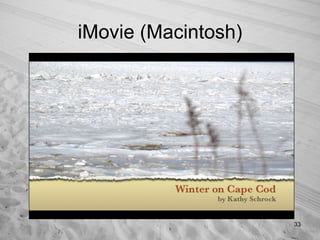
iMovie (Macintosh)
iMovie (Macintosh)
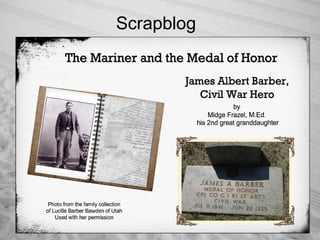
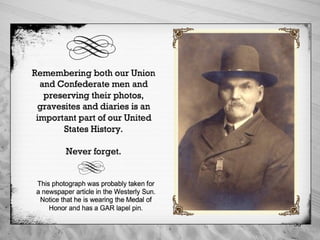
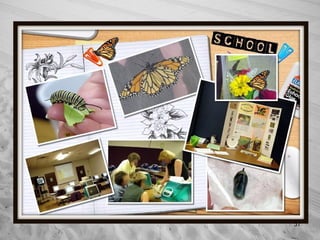
Scrapblog
 
 
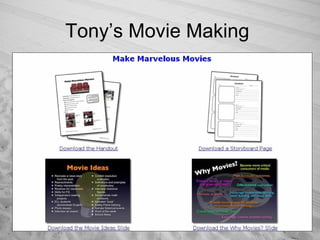
Tony’s Movie Making
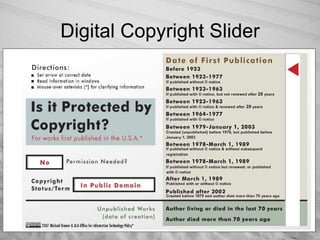
Digital Copyright Slider
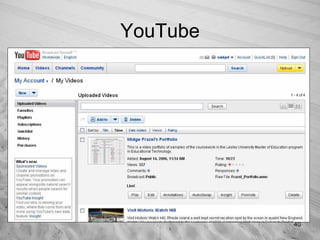
YouTube
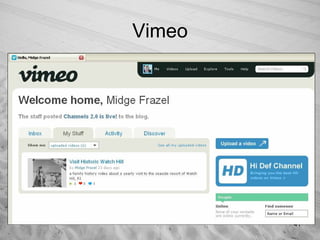
Vimeo
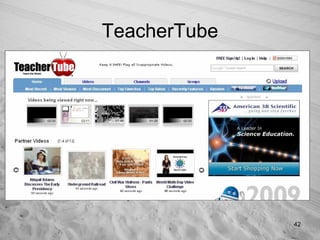
TeacherTube
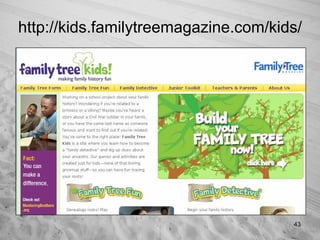
http://kids.familytreemagazine.com/kids/
Links to the Past
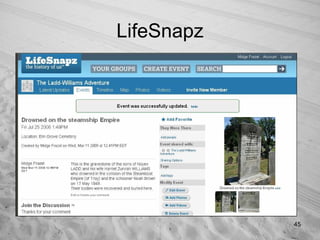
LifeSnapz
Credits Winter on Cape Cod by Kathy Schrock [used with permission] Family Photos by Midge Frazel [most posted to Flickr] Web Site Screenshots [copyright respective companies] Educator’s Guide to Digital Storytelling [courtesy of ISTE] Links to the Past Through Genealogy [courtesy Linworth]
 

Digital Storytelling

  • 1.
    Digital Storytelling MidgeFrazel, M.Ed., Presenter http://www.midgefrazel.net “ Digital Storytelling is the modern expression of the ancient art of storytelling. Digital stories derive their power by weaving images, music, narrative and voice together, thereby giving deep dimension and vivid color to characters, situations, experiences, and insights. Tell your story now digitally.” - Leslie Rule, Center for Digital Storytelling
  • 2.
    Subject to ChangeEducators Guide to Digital Storytelling
  • 3.
    Think: “The End”“ Making a Movie” (Video) Location, Location, Location Video size can be HUMONGOUS Acceptable Use Policy
  • 4.
    Video Narration PhotoMusic Anatomy of Digital Storytelling Text
  • 5.
    Digital Story Time!Visit Historic Watch Hill, Rhode Island
  • 6.
    Focus Areas ofDigital Storytelling 4 Learning Teaching Family Community
  • 7.
    Digital Storytelling: LearningDoing the Twist! Teachers and Specialists Project and Problem Based Learning
  • 8.
    Individual personalhistory Small Group community history Whole Classroom global awareness Digital Storytelling: Learning
  • 9.
    Introduce Lesson/Unit EngagingAtmosphere Add Sparkle to Difficult Topics Stimulate Questions Improve Your Technology Expertise e-Portfolio for Professional Growth Digital Storytelling: Teaching
  • 10.
    Promotes Understanding DevelopsCharacter Provides Emotional Depth Personal Connection to History Strengthens Family Communication Develops a “Point of View” Digital Storytelling: Family
  • 11.
    Community based projectMulti-generational atmosphere Oral history and narrative experience Demonstrate technology skills Promote interest in real world research Digital Storytelling: Community
  • 12.
    Digital Storytelling StagesPre-Production Production Presentation Assessment & Reflection 1 2 3 4 4
  • 13.
    Pre-Production Research WriteScript (text/narration) Storyboarding & Timelines Citation, Copyright, Ethics Learn “economy of multimedia” (less=more)
  • 14.
    Production Creating MediaElements Gathering Media Elements Sorting, Aligning, Discarding Media Using the Software Saving the Story Project Rendering (make movie)
  • 15.
    Presentation Power ofAudience (“Gift of Voice”) Real World Skill of the Future Presentation Style and Skills Introduce Presentation on Computer Burn to DVD (“take home”) Upload to the Web
  • 16.
    Assessment & ReflectionThe Dreaded Grade/Standards Met? Content vs. Technology Savvy? Learning Style Consideration Creativity Considerations Time: The Enemy!
  • 17.
    Why Digital Storytelling?Appealing to Students Active not Passive Process Atmosphere of Excited Learning
  • 18.
    Why Digital Storytelling? Gives Writing New Purpose Weaves in All Subject Disciplines Visual and Auditory Learners
  • 19.
  • 20.
  • 21.
  • 22.
    Visual Literacy “Visual literacy is the ability to interpret, use, appreciate, and create images and video using both conventional and 21 st century media in ways that advance thinking, decision making, communication, and learning.” — 21 ST Century Skills http://www.ncrel.org/engauge/skills/vislit.htm
  • 23.
    Materials List MovieMaking Software (free) Image Editing Software (free) Digital Camera and/or Camcorder Microphone (inexpensive) Storage (DVD, HD, flash drive) Internet Access
  • 24.
    Headsets and CamcordersPlantronics USB Foldable Headset About $ 36.00 from Amazon.com www.plantronics.com Flip Video Digital Camcorder About $125 from Amazon.com www.theflip.com/
  • 25.
    Useful Online ToolsFlickr [Photo Hosting Web Site] Pro version $24.95/yr Picnik [Image Manipulation Online Project] Premium version $24.95/yr Dipity/Timetoast [Timeline Creation Online] VoiceThread or EdVoiceThread Digital storytelling with voice and images
  • 26.
  • 27.
  • 28.
    Desktop Applications MostCommonly Used in Schools Photo Story 3 for Windows MovieMaker 2 for Windows iMovie [part of iLife] for Macintosh
  • 29.
    Photo Story 3(Windows)
  • 30.
  • 31.
  • 32.
    Movie Maker 2(Windows)
  • 33.
  • 34.
  • 35.
  • 36.
  • 37.
  • 38.
  • 39.
  • 40.
  • 41.
  • 42.
  • 43.
  • 44.
  • 45.
  • 46.
    Credits Winter onCape Cod by Kathy Schrock [used with permission] Family Photos by Midge Frazel [most posted to Flickr] Web Site Screenshots [copyright respective companies] Educator’s Guide to Digital Storytelling [courtesy of ISTE] Links to the Past Through Genealogy [courtesy Linworth]
  • 47.