Sayed Ahmed
Computer Engineering, BUET, Bangladesh
MSc, Computer Science, U of Manitoba, Canada
Owner/President/Architect/Developer
Justetc (Just et cetera) Technologies
http://www.justetc.net
http://sayed.justetc.net
sayed@justetc.net
Free Training by Justetc
 Training and Education in Bangla:
 http://Bangla.SaLearningSchool.com
 http://Blog. SaLearningSchool.com
 Training and Education in English:
 http://www.SaLearningSchool.com
 http://English.SaLearningSchool.com
 http://www.SitesTree.com
---------------------------------------------------------------------------------
 Ask questions and get answers
 http://Ask.JustEtc.net
---------------------------------------------------------------------------------
 Offline IT Training:
 http://University.JustEtc.net
Learning Objectives
 Concept of Database and Database
Management System
 Activities of a Database Management
System
 What is a Relational Database
Management System
 Features of Relational Database
Management System
Learning Objectives
 Create database
 Concept and explain the importance of
Data Security
 Data Encryption
 Importance
 Methods
 Querying Database: Query Language:
SQL
 Uses of Databases
What is a Database?
 Database means
 Data storage
 A good/organized/efficient way of storing data
 You can store all the information of a public
library/bank into a database
 How are information stored in computers?
 In files; you know it when you learn to use
computers
 Files are stored in computer hard drives, USB
sticks, memory cards
What is a Database
 Is there anything different of storing data
by a database
 Not much, databases also store data in files
 However, a database stores data in files in a
very organized way so that it becomes
easier to
○ Insert new data into the file/files
○ Easier to search, sort, and retrieve data from
those files
What is a Database
 Let’s see, you can store all information
of a bank in a single computer file
 All bank account information
 All employee information
 All account holder information
 All branch and department information
 You can keep them in a single file; but can
be very difficult to find something useful fast;
also inserting data and managing the file
can be difficult
What is a Database
 Now you can store all data in multiple files; just
divide the original file into multiple files;
○ Still if you do not organize the files or the data in them,
it can be very difficult to work with them
○ In a database, information are kept eventually in
computer files
 However, a database will use a good strategy on how to store
those data into files
 Databases will store the data in many files
 Will store in such a way so that it becomes easier to work with
the files and the data
 In real life, we have systems and software that knows about
the strategy and helps to deal with those files and data for
efficient storing, searching, retrieving, doing operations on the
data and store the result in the same database
- We call such systems and software to be the Database
Management System
What is a database
 One strategy
 Keep one type of data into one file
○ Such as in one file, store all bank account holders
personal information
○ In another file, keep the details of all the bank accounts
○ In another file, keep the association between these
accounts and account holders
○ If the number of records in a file is two many, divide the
files into multiple files but keeping the same type of
information; find a way to keep track which files are
related
○ Create some other files to keep track of which files
store what
○ Create some other files that can store the
location/address/position of a particular data in other
files [index file]
What is a Database Management
System
 If we have software that implements the
strategy described above, can be called a
DBMS
 When we feed data into it, if it can store the
data using that strategy and provides ways
to manipulate the data in an efficient way
 Then we can call this software to be a DBMS
 DBMSes usually display data in tabular format
(row/column - format)
Database and Database Management
Systems
 From Wikipedia, the free encyclopedia
 A database
 is an organized collection of data. The data are typically organized to
model relevant aspects of reality in a way that supports processes
requiring this information. For example, modeling the availability of
rooms in hotels in a way that supports finding a hotel with vacancies
 Database management systems (DBMSs)
 are specially designed applications that interact with the user, other
applications, and the database itself to capture and analyze data. A
general-purpose database management system (DBMS) is a software
system designed to allow the definition, creation, querying, update, and
administration of databases. Well-known DBMSs include MySQL,
PostgreSQL, SQLite, Microsoft SQL Server, Microsoft Access, Oracle,
SAP, dBASE, FoxPro, IBM DB2, LibreOffice Base and FileMaker Pro. A
database is not generally portable across different DBMS, but different
DBMSs can inter-operate by using standards such as SQL and ODBC or
JDBC to allow a single application to work with more than one database.
Activities provided by a
DBMS
 DBMS can create a database
 i.e. Create the initial structure of the database
 Allocate space and saves the database in the hard
drive
 Control who can use a database
 Take data from user and record and store it
somehow
 Organize data
 In meta files or in actual data files
 Provide means to search and display the data
 Provide security of the data
 Maintain the integrity of the data
Advantages of a DBMS
 Improved availability
 To different users, efficient retrieval of data
 Minimized redundancy
 Data are organized in a way so that the same
data are not stored in multiple places/files
 Accuracy
 Can keep data consistent as 1. redundancy
reduced and 2. data is available through one
interface (DBMS interface)
Advantages of a DBMS
 Program and file consistency
 Standardizes the storing of data; so
others can use it easily
 User-friendly
 Easier to deal with [usually provide
friendly interface]
 Improved security
 Control who can access the database
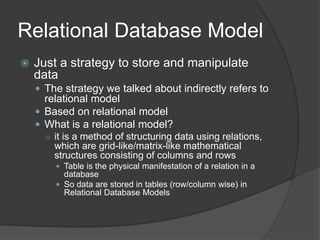
Relational Database Model
 Just a strategy to store and manipulate
data
 The strategy we talked about indirectly refers to
relational model
 Based on relational model
 What is a relational model?
○ it is a method of structuring data using relations,
which are grid-like/matrix-like mathematical
structures consisting of columns and rows
 Table is the physical manifestation of a relation in a
database
 So data are stored in tables (row/column wise) in
Relational Database Models
Relational Database Model
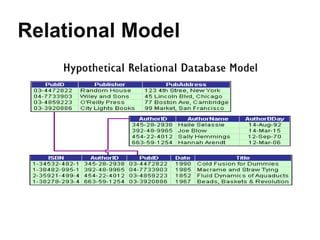
 It is composed of one or more tables [to
represent data]
 Tables also represent the
relations/associations of different related
data
 So here, we have tables of data
 Tables has columns called fields
 Tables are linked/related to other related
tables by common columns/fields
 Primary key/foreign key concept
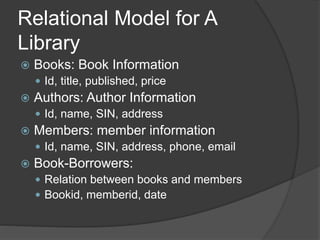
Relational Model for A
Library
 Books: Book Information
 Id, title, published, price
 Authors: Author Information
 Id, name, SIN, address
 Members: member information
 Id, name, SIN, address, phone, email
 Book-Borrowers:
 Relation between books and members
 Bookid, memberid, date
Relational Model
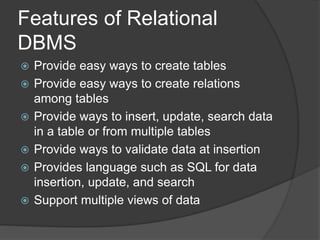
Features of Relational
DBMS
 Provide easy ways to create tables
 Provide easy ways to create relations
among tables
 Provide ways to insert, update, search data
in a table or from multiple tables
 Provide ways to validate data at insertion
 Provides language such as SQL for data
insertion, update, and search
 Support multiple views of data
Features of Relational
DBMS
 It is easy to create application software
having relational database in the
backend
Usage of Relational DBMS
 Airlines reservation system
 Banking management system
 Online banking system
 Hospital operation management
systems
 Library management system
Creating Databases
 What does it involves?
 In DBMS, usually there is an option to create
database
 It may ask for initial size of the database
 How to increment the size of the database
 Character encoding of the database
 Model to use for creating the database
(relational, object oriented)
 Security/access control for the database
 Path to store the database files
 Then it will create the basic structure of the
database and store it in hard rive.
Creating Databases
 The basic element of database creation is
fields/columns
 You have to identify the different concepts/object
and relations among concepts [in the system]
 For each, concept/object, you have to identify
fields
 Then create tables for each of the concepts (and
for relations sometimes)
 For each table define the fields/columns
 Identify data types and length for each
column/field and specify it when creating tables
Data Types for Fields
 Numeric
 Byte
 Bit
 Int
 Long
 Double
 float
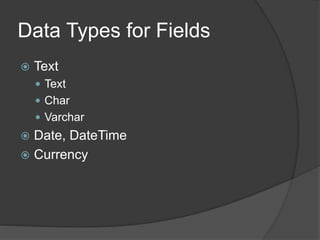
Data Types for Fields
 Text
 Text
 Char
 Varchar
 Date, DateTime
 Currency
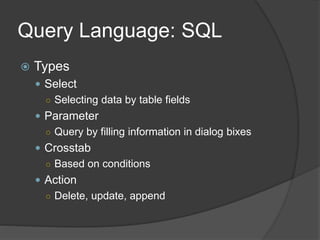
Query Language: SQL
 Types
 Select
○ Selecting data by table fields
 Parameter
○ Query by filling information in dialog bixes
 Crosstab
○ Based on conditions
 Action
○ Delete, update, append
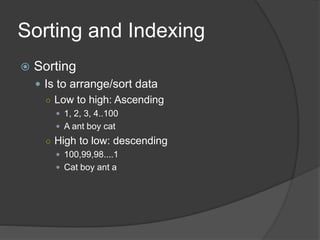
Sorting and Indexing
 Sorting
 Is to arrange/sort data
○ Low to high: Ascending
 1, 2, 3, 4..100
 A ant boy cat
○ High to low: descending
 100,99,98....1
 Cat boy ant a
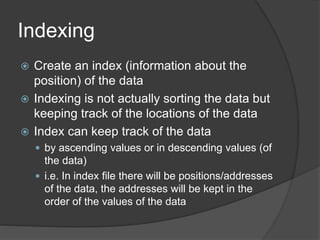
Indexing
 Create an index (information about the
position) of the data
 Indexing is not actually sorting the data but
keeping track of the locations of the data
 Index can keep track of the data
 by ascending values or in descending values (of
the data)
 i.e. In index file there will be positions/addresses
of the data, the addresses will be kept in the
order of the values of the data
Indexing
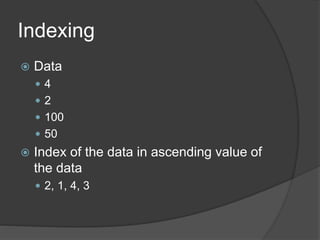
 Data
 4
 2
 100
 50
 Index of the data in ascending value of
the data
 2, 1, 4, 3
Indexing
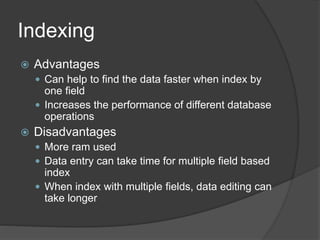
 Advantages
 Can help to find the data faster when index by
one field
 Increases the performance of different database
operations
 Disadvantages
 More ram used
 Data entry can take time for multiple field based
index
 When index with multiple fields, data editing can
take longer
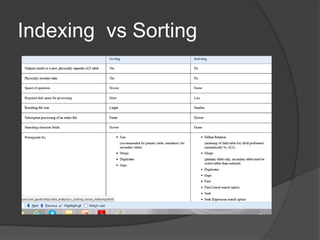
Indexing vs Sorting
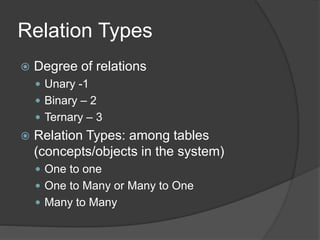
Relation Types
 Degree of relations
 Unary -1
 Binary – 2
 Ternary – 3
 Relation Types: among tables
(concepts/objects in the system)
 One to one
 One to Many or Many to One
 Many to Many
Use of Database for
Government
 E-government
 E-governance
 http://en.wikipedia.org/wiki/E-Governance
 E-Governance is the application of Information
and Communication Technology (ICT) for
delivering government services, exchange of
information communication transactions,
integration of various stand-alone systems and
services between Government-to-Citizens
(G2C), Government-to-
Business(G2B),Government-to-Government(
G2G) as well as back office processes and
interactions within the entire government frame
work.
E-government
 E-government
 http://en.wikipedia.org/wiki/E-Government
 E-Government (short for electronic government, also
known as e-gov, Internet government, digital
government, online government, or connected
government) is digital interactions between a government
and citizens (G2C), government and
businesses/Commerce (G2B), government and
employees (G2E), and also between government and
governments /agencies (G2G). Essentially, the e-
Government delivery models can be briefly summed up as
(Jeong, 2007):[1]
 G2C (Government to Citizens)
 G2B (Government to Businesses)
 G2E (Government to Employees)
 G2G (Government to Governments)
 C2G (Citizens to Governments)
Data Security
 Data is important for an organization or
government or a person
 Data should not be able to be accessed
by unauthorized person
 Data when stored in the office or when
transferred over the internet, it should
not be able to be accessed by
unauthorized person such as hackers,
or competitors
Methods to Provide Data
Security
 Restrict access to the computer
(password protect)
 Restrict access to the database
(password protect)
 Use firewalls so that outsiders cannot
access
 While sending data encrypt(unreadbale
format) data
Data Encryption
 Changing/converting the data to
unreadable format while transferring
 Usually using some methods/algorithms
data are encrypted.
 Some encryption methods use keys
 Encryption Ingredients
 Plaintext : text to be sent
 Ciphertext : encryted text
 Encryption algorithm : method to encrypt
 Key : used in encryption or decryption
Encryption Types
 Types
 Secret-key encryption
 Public-key encryption
 Secret-key encryption
 Same key used for encryption and decryption
 Both sender and receiver know the key
 Public-key encryption
 Sender: one key to encrypt : private to sender
 Receiver: another key to decrypt : private to
receiver
 One more key, known to both
Encryption Methods/Algorithms
 Caesar code
 DES
 IDEA
 RSA
Further Study
 Encryption
 http://www.salearningschool.com/searchResult.php?
queryStr=encryption&submit=Search+Database
 Encryption example
○ http://www.salearningschool.com/displayArticle.php?tab
le=Articles&articleID=1355
 Encryption algorithms
 http://www.cse-cst.gc.ca/its-sti/services/crypto-
services-crypto/ca-ac-eng.html
 Choosing encryption methods for SQL Server
 http://technet.microsoft.com/en-
us/library/ms345262.aspx
Our Addresses
 Trudelle Street, Toronto, Canada
 sayed@justetc.com
 Shimultuly, Gazipur, Bangladesh
 Justetc Computers
 Habib Complex, 2nd Floor
 rafik@justetc.com (01942747702)
References
 DBMS Theory
 http://www.salearningschool.com/index.php?table=Articles
&categoryID=6&category=DBMS%20Theory
 Database Systems
 http://www.salearningschool.com/index.php?table=Articles
&categoryID=2&category=Database%20Systems
 MySQL DBMS
 http://www.salearningschool.com/searchResult.php?query
Str=mysql&submit=Search+Database
 Indexing vs Sorting
 http://docs.acl.com/acl/920/index.jsp?topic=/com.acl.user_
guide.help/data_analysis/c_sorting_versus_indexing.html
Have fun
Guys!!!

English database management_system

  • 1.
    Sayed Ahmed Computer Engineering,BUET, Bangladesh MSc, Computer Science, U of Manitoba, Canada Owner/President/Architect/Developer Justetc (Just et cetera) Technologies http://www.justetc.net http://sayed.justetc.net sayed@justetc.net
  • 2.
    Free Training byJustetc  Training and Education in Bangla:  http://Bangla.SaLearningSchool.com  http://Blog. SaLearningSchool.com  Training and Education in English:  http://www.SaLearningSchool.com  http://English.SaLearningSchool.com  http://www.SitesTree.com ---------------------------------------------------------------------------------  Ask questions and get answers  http://Ask.JustEtc.net ---------------------------------------------------------------------------------  Offline IT Training:  http://University.JustEtc.net
  • 3.
    Learning Objectives  Conceptof Database and Database Management System  Activities of a Database Management System  What is a Relational Database Management System  Features of Relational Database Management System
  • 4.
    Learning Objectives  Createdatabase  Concept and explain the importance of Data Security  Data Encryption  Importance  Methods  Querying Database: Query Language: SQL  Uses of Databases
  • 5.
    What is aDatabase?  Database means  Data storage  A good/organized/efficient way of storing data  You can store all the information of a public library/bank into a database  How are information stored in computers?  In files; you know it when you learn to use computers  Files are stored in computer hard drives, USB sticks, memory cards
  • 6.
    What is aDatabase  Is there anything different of storing data by a database  Not much, databases also store data in files  However, a database stores data in files in a very organized way so that it becomes easier to ○ Insert new data into the file/files ○ Easier to search, sort, and retrieve data from those files
  • 7.
    What is aDatabase  Let’s see, you can store all information of a bank in a single computer file  All bank account information  All employee information  All account holder information  All branch and department information  You can keep them in a single file; but can be very difficult to find something useful fast; also inserting data and managing the file can be difficult
  • 8.
    What is aDatabase  Now you can store all data in multiple files; just divide the original file into multiple files; ○ Still if you do not organize the files or the data in them, it can be very difficult to work with them ○ In a database, information are kept eventually in computer files  However, a database will use a good strategy on how to store those data into files  Databases will store the data in many files  Will store in such a way so that it becomes easier to work with the files and the data  In real life, we have systems and software that knows about the strategy and helps to deal with those files and data for efficient storing, searching, retrieving, doing operations on the data and store the result in the same database - We call such systems and software to be the Database Management System
  • 9.
    What is adatabase  One strategy  Keep one type of data into one file ○ Such as in one file, store all bank account holders personal information ○ In another file, keep the details of all the bank accounts ○ In another file, keep the association between these accounts and account holders ○ If the number of records in a file is two many, divide the files into multiple files but keeping the same type of information; find a way to keep track which files are related ○ Create some other files to keep track of which files store what ○ Create some other files that can store the location/address/position of a particular data in other files [index file]
  • 10.
    What is aDatabase Management System  If we have software that implements the strategy described above, can be called a DBMS  When we feed data into it, if it can store the data using that strategy and provides ways to manipulate the data in an efficient way  Then we can call this software to be a DBMS  DBMSes usually display data in tabular format (row/column - format)
  • 11.
    Database and DatabaseManagement Systems  From Wikipedia, the free encyclopedia  A database  is an organized collection of data. The data are typically organized to model relevant aspects of reality in a way that supports processes requiring this information. For example, modeling the availability of rooms in hotels in a way that supports finding a hotel with vacancies  Database management systems (DBMSs)  are specially designed applications that interact with the user, other applications, and the database itself to capture and analyze data. A general-purpose database management system (DBMS) is a software system designed to allow the definition, creation, querying, update, and administration of databases. Well-known DBMSs include MySQL, PostgreSQL, SQLite, Microsoft SQL Server, Microsoft Access, Oracle, SAP, dBASE, FoxPro, IBM DB2, LibreOffice Base and FileMaker Pro. A database is not generally portable across different DBMS, but different DBMSs can inter-operate by using standards such as SQL and ODBC or JDBC to allow a single application to work with more than one database.
  • 12.
    Activities provided bya DBMS  DBMS can create a database  i.e. Create the initial structure of the database  Allocate space and saves the database in the hard drive  Control who can use a database  Take data from user and record and store it somehow  Organize data  In meta files or in actual data files  Provide means to search and display the data  Provide security of the data  Maintain the integrity of the data
  • 13.
    Advantages of aDBMS  Improved availability  To different users, efficient retrieval of data  Minimized redundancy  Data are organized in a way so that the same data are not stored in multiple places/files  Accuracy  Can keep data consistent as 1. redundancy reduced and 2. data is available through one interface (DBMS interface)
  • 14.
    Advantages of aDBMS  Program and file consistency  Standardizes the storing of data; so others can use it easily  User-friendly  Easier to deal with [usually provide friendly interface]  Improved security  Control who can access the database
  • 15.
    Relational Database Model Just a strategy to store and manipulate data  The strategy we talked about indirectly refers to relational model  Based on relational model  What is a relational model? ○ it is a method of structuring data using relations, which are grid-like/matrix-like mathematical structures consisting of columns and rows  Table is the physical manifestation of a relation in a database  So data are stored in tables (row/column wise) in Relational Database Models
  • 16.
    Relational Database Model It is composed of one or more tables [to represent data]  Tables also represent the relations/associations of different related data  So here, we have tables of data  Tables has columns called fields  Tables are linked/related to other related tables by common columns/fields  Primary key/foreign key concept
  • 17.
    Relational Model forA Library  Books: Book Information  Id, title, published, price  Authors: Author Information  Id, name, SIN, address  Members: member information  Id, name, SIN, address, phone, email  Book-Borrowers:  Relation between books and members  Bookid, memberid, date
  • 18.
  • 19.
    Features of Relational DBMS Provide easy ways to create tables  Provide easy ways to create relations among tables  Provide ways to insert, update, search data in a table or from multiple tables  Provide ways to validate data at insertion  Provides language such as SQL for data insertion, update, and search  Support multiple views of data
  • 20.
    Features of Relational DBMS It is easy to create application software having relational database in the backend
  • 21.
    Usage of RelationalDBMS  Airlines reservation system  Banking management system  Online banking system  Hospital operation management systems  Library management system
  • 22.
    Creating Databases  Whatdoes it involves?  In DBMS, usually there is an option to create database  It may ask for initial size of the database  How to increment the size of the database  Character encoding of the database  Model to use for creating the database (relational, object oriented)  Security/access control for the database  Path to store the database files  Then it will create the basic structure of the database and store it in hard rive.
  • 23.
    Creating Databases  Thebasic element of database creation is fields/columns  You have to identify the different concepts/object and relations among concepts [in the system]  For each, concept/object, you have to identify fields  Then create tables for each of the concepts (and for relations sometimes)  For each table define the fields/columns  Identify data types and length for each column/field and specify it when creating tables
  • 24.
    Data Types forFields  Numeric  Byte  Bit  Int  Long  Double  float
  • 25.
    Data Types forFields  Text  Text  Char  Varchar  Date, DateTime  Currency
  • 26.
    Query Language: SQL Types  Select ○ Selecting data by table fields  Parameter ○ Query by filling information in dialog bixes  Crosstab ○ Based on conditions  Action ○ Delete, update, append
  • 27.
    Sorting and Indexing Sorting  Is to arrange/sort data ○ Low to high: Ascending  1, 2, 3, 4..100  A ant boy cat ○ High to low: descending  100,99,98....1  Cat boy ant a
  • 28.
    Indexing  Create anindex (information about the position) of the data  Indexing is not actually sorting the data but keeping track of the locations of the data  Index can keep track of the data  by ascending values or in descending values (of the data)  i.e. In index file there will be positions/addresses of the data, the addresses will be kept in the order of the values of the data
  • 29.
    Indexing  Data  4 2  100  50  Index of the data in ascending value of the data  2, 1, 4, 3
  • 30.
    Indexing  Advantages  Canhelp to find the data faster when index by one field  Increases the performance of different database operations  Disadvantages  More ram used  Data entry can take time for multiple field based index  When index with multiple fields, data editing can take longer
  • 31.
  • 32.
    Relation Types  Degreeof relations  Unary -1  Binary – 2  Ternary – 3  Relation Types: among tables (concepts/objects in the system)  One to one  One to Many or Many to One  Many to Many
  • 33.
    Use of Databasefor Government  E-government  E-governance  http://en.wikipedia.org/wiki/E-Governance  E-Governance is the application of Information and Communication Technology (ICT) for delivering government services, exchange of information communication transactions, integration of various stand-alone systems and services between Government-to-Citizens (G2C), Government-to- Business(G2B),Government-to-Government( G2G) as well as back office processes and interactions within the entire government frame work.
  • 34.
    E-government  E-government  http://en.wikipedia.org/wiki/E-Government E-Government (short for electronic government, also known as e-gov, Internet government, digital government, online government, or connected government) is digital interactions between a government and citizens (G2C), government and businesses/Commerce (G2B), government and employees (G2E), and also between government and governments /agencies (G2G). Essentially, the e- Government delivery models can be briefly summed up as (Jeong, 2007):[1]  G2C (Government to Citizens)  G2B (Government to Businesses)  G2E (Government to Employees)  G2G (Government to Governments)  C2G (Citizens to Governments)
  • 35.
    Data Security  Datais important for an organization or government or a person  Data should not be able to be accessed by unauthorized person  Data when stored in the office or when transferred over the internet, it should not be able to be accessed by unauthorized person such as hackers, or competitors
  • 36.
    Methods to ProvideData Security  Restrict access to the computer (password protect)  Restrict access to the database (password protect)  Use firewalls so that outsiders cannot access  While sending data encrypt(unreadbale format) data
  • 37.
    Data Encryption  Changing/convertingthe data to unreadable format while transferring  Usually using some methods/algorithms data are encrypted.  Some encryption methods use keys  Encryption Ingredients  Plaintext : text to be sent  Ciphertext : encryted text  Encryption algorithm : method to encrypt  Key : used in encryption or decryption
  • 38.
    Encryption Types  Types Secret-key encryption  Public-key encryption  Secret-key encryption  Same key used for encryption and decryption  Both sender and receiver know the key  Public-key encryption  Sender: one key to encrypt : private to sender  Receiver: another key to decrypt : private to receiver  One more key, known to both
  • 39.
    Encryption Methods/Algorithms  Caesarcode  DES  IDEA  RSA
  • 40.
    Further Study  Encryption http://www.salearningschool.com/searchResult.php? queryStr=encryption&submit=Search+Database  Encryption example ○ http://www.salearningschool.com/displayArticle.php?tab le=Articles&articleID=1355  Encryption algorithms  http://www.cse-cst.gc.ca/its-sti/services/crypto- services-crypto/ca-ac-eng.html  Choosing encryption methods for SQL Server  http://technet.microsoft.com/en- us/library/ms345262.aspx
  • 41.
    Our Addresses  TrudelleStreet, Toronto, Canada  sayed@justetc.com  Shimultuly, Gazipur, Bangladesh  Justetc Computers  Habib Complex, 2nd Floor  rafik@justetc.com (01942747702)
  • 42.
    References  DBMS Theory http://www.salearningschool.com/index.php?table=Articles &categoryID=6&category=DBMS%20Theory  Database Systems  http://www.salearningschool.com/index.php?table=Articles &categoryID=2&category=Database%20Systems  MySQL DBMS  http://www.salearningschool.com/searchResult.php?query Str=mysql&submit=Search+Database  Indexing vs Sorting  http://docs.acl.com/acl/920/index.jsp?topic=/com.acl.user_ guide.help/data_analysis/c_sorting_versus_indexing.html
  • 43.