TOOLS FOR PYTHON DEVELOPMENT:
BASIC
By
Sayed Ahmed
Toronto, Canada
http://justetc.com
TOOLS THAT YOU CAN USE
 Python itself
 Version 2.7 or 3.x
 For basic python practice this is ok, though not for big
project development
 You will need more
 Such as
 PyCharm
 Anaconda
 Or Similar
PYCHARM
 Is an IDE
 What does it look like?
CODE WINDOW
PROJECT VIEW WINDOW
 Multiple options to view
 File view (right)
 Project view (left)
 Also, an error view
PYTHON CONSOLE
 Run individual python statements/commands
TERMINAL WINDOW - PYCHARM
 Run commands i.e from Dos/linux/terminal Prompts
 Such as install package or similar
 python -m pip install matplotlib
 To install a package – let’s try – it’s already there
To update pip version
You can use dos/linux prompt ot pycharm
terminal window
Requirement already up-to-date: pip in
PYCHARM – PROJECT SETTINGS
 Options such as IDE look and feel
 Select the Python interpreter to use – if you have installed multiple
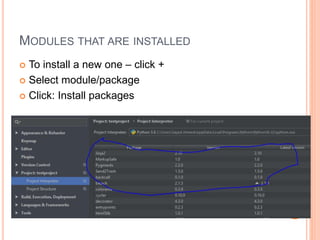
MODULES THAT ARE INSTALLED
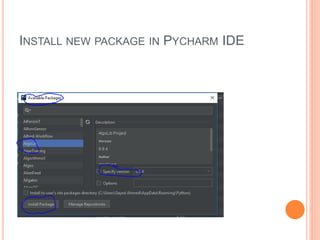
 To install a new one – click +
 Select module/package
 Click: Install packages
INSTALL NEW PACKAGE IN PYCHARM IDE
WRITE AND RUN A SIMPLE SCRIPT – PYCHARM
 The plot that showed up
 Some code – hidden from the screen
ANACONDA
 Sure Provides an IDE
 It has many other stuff – well packaged with other
related tools
 Let’s show you the Anaconda IDE/Platform
 I can show where to download Pycharm and
Anaconda
 No need though – you can do it yourself
 You can install Python before or install as part of the
IDE install
 The IDE install might not always give you the option
 I installed Python first i.e. It was there
 Then on top installed Pycharm and Anaconda
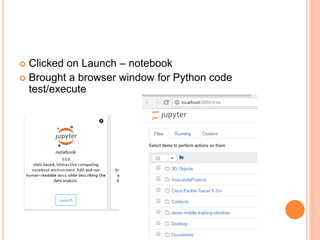
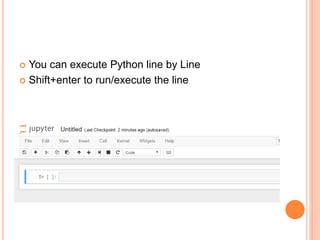
 Clicked on Launch – notebook
 Brought a browser window for Python code
test/execute
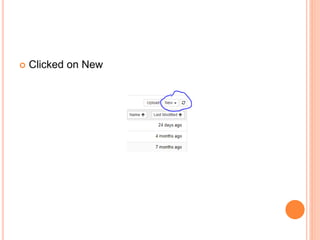
 Clicked on New
 You can execute Python line by Line
 Shift+enter to run/execute the line
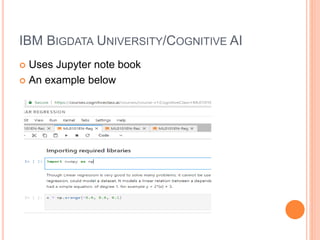
IBM BIGDATA UNIVERSITY/COGNITIVE AI
 Uses Jupyter note book
 An example below
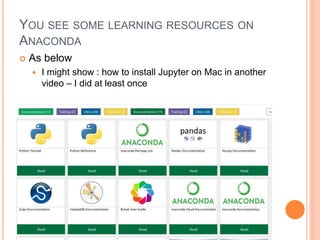
YOU SEE SOME LEARNING RESOURCES ON
ANACONDA
 As below
 I might show : how to install Jupyter on Mac in another
video – I did at least once
 I might have missed some portion to record
 So going back a bit
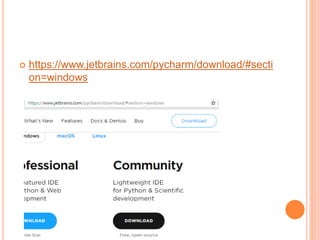
 https://www.jetbrains.com/pycharm/download/#secti
on=windows
ANACONDA
 https://conda.io/docs/user-
guide/install/download.html#choosing-a-version-of-
python
PYTHON DOWNLOAD
 https://www.python.org/downloads/
 You can run from command line as well
 You can write in a file i.e. Python code and then execute with
python filename.py command
PYTHON PACKAGES
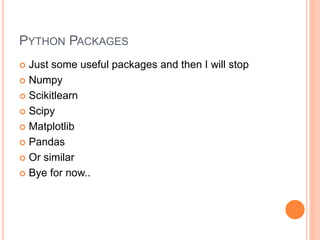
 Just some useful packages and then I will stop
 Numpy
 Scikitlearn
 Scipy
 Matplotlib
 Pandas
 Or similar
 Bye for now..