EFFECTIVE PRESENTATIONS  WORKSHOP GSLIS Tech Lab Cheryl Kohen, Career Resource Librarian
EFFECTIVE PRESENTATIONS WORKSHOP  AGENDA
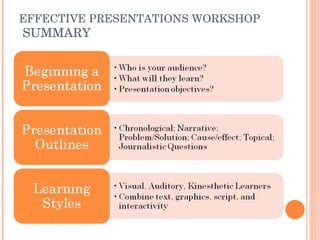
BEGINNING A PRESENTATION
RESEARCHING A TOPIC
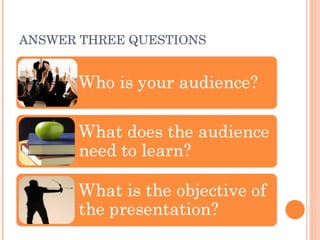
ANSWER THREE QUESTIONS
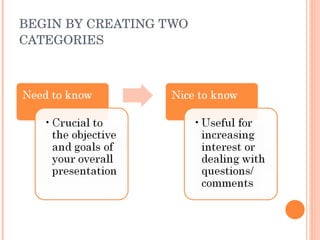
BEGIN BY CREATING TWO CATEGORIES
THREE MAIN GOALS
PRESENTATION OUTLINES
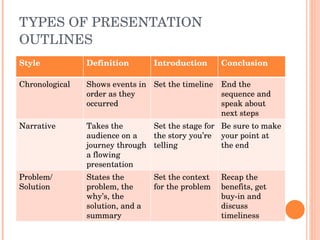
TYPES OF PRESENTATION OUTLINES Style Definition Introduction Conclusion Chronological Shows events in order as they occurred Set the timeline End the sequence and speak about next steps Narrative Takes the audience on a journey through a flowing presentation Set the stage for the story you’re telling Be sure to make your point at the end Problem/ Solution States the problem, the why’s, the solution, and a summary Set the context for the problem Recap the benefits, get buy-in and discuss timeliness
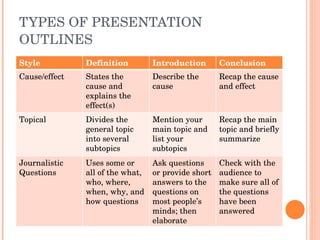
TYPES OF PRESENTATION OUTLINES Style Definition Introduction Conclusion Cause/effect States the cause and explains the effect(s) Describe the cause Recap the cause and effect Topical Divides the general topic into several subtopics Mention your main topic and list your subtopics Recap the main topic and briefly summarize Journalistic Questions Uses some or all of the what, who, where, when, why, and how questions Ask questions or provide short answers to the questions on most people’s minds; then elaborate Check with the audience to make sure all of the questions have been answered
LEARNING STYLES
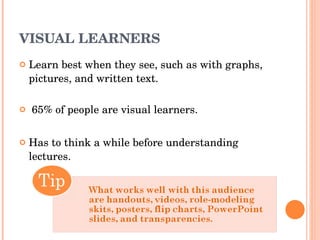
VISUAL LEARNERS Learn best when they see, such as with graphs, pictures, and written text.    65% of people are visual learners. Has to think a while before understanding lectures.
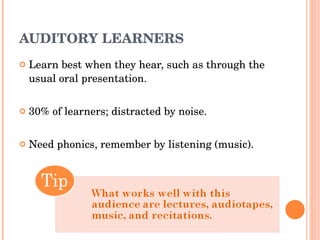
AUDITORY LEARNERS Learn best when they hear, such as through the usual oral presentation.  30% of learners; distracted by noise. Need phonics, remember by listening (music).
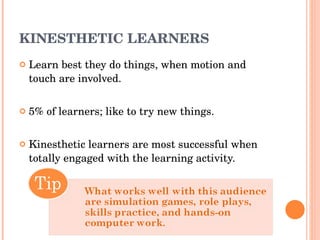
KINESTHETIC LEARNERS Learn best they do things, when motion and touch are involved. 5% of learners; like to try new things. Kinesthetic learners are most successful when totally engaged with the learning activity.
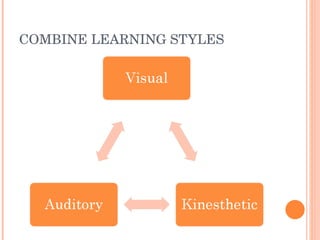
COMBINE LEARNING STYLES
CRAFTING A PRESENTATION
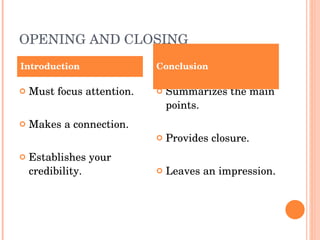
OPENING AND CLOSING Must focus attention. Makes a connection. Establishes your credibility. Summarizes the main points. Provides closure. Leaves an impression. Introduction Conclusion
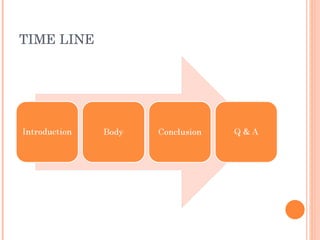
TIME LINE
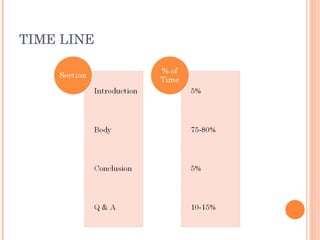
TIME LINE
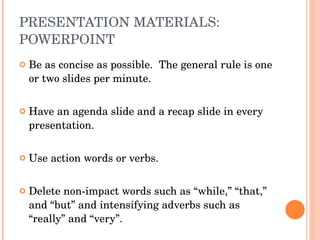
PRESENTATION MATERIALS: POWERPOINT Be as concise as possible.  The general rule is one or two slides per minute.  Have an agenda slide and a recap slide in every presentation.  Use action words or verbs. Delete non-impact words such as “while,” “that,” and “but” and intensifying adverbs such as “really” and “very”.
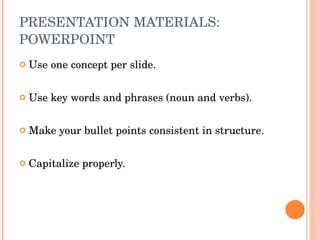
PRESENTATION MATERIALS: POWERPOINT Use one concept per slide. Use key words and phrases (noun and verbs). Make your bullet points consistent in structure.  Capitalize properly.
PRESENTATION MATERIALS: HANDOUTS Timing of handing out supplementary material. Examples: Activity handed out during the presentation. Resource guide provided after the presentation. PowerPoint slide handouts. Text  size large enough for handout format. Leave space on the handouts for the audience to make notes on them.
PRESENTATION MATERIALS: FINAL TIPS Check out the computer system before people come into the meeting room. Use a consistent layout, or organization of colors and images, on your materials.  Check for compatibility between your personal computer and the computer your presented from.
DELIVERY GUIDELINES
BASIC GUIDELINES ABOUT DELIVERY Accomplish eye contact with each person for a few seconds throughout your delivery. Look up from your materials, or notes, every 5-10 seconds, to look into the audience.  Speak a little bit louder and a little bit slower than you normally would.
BASIC GUIDELINES ABOUT DELIVERY Vary the volume and rate of your speech.  Stand with your feet at shoulder-length apart.  Keep your hands relatively still. PRACTICE!
Public Speaking Tips
DAY OF THE PRESENTATION
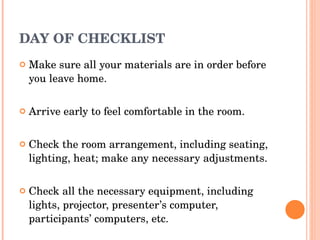
DAY OF CHECKLIST Make sure all your materials are in order before you leave home. Arrive early to feel comfortable in the room. Check the room arrangement, including seating, lighting, heat; make any necessary adjustments. Check all the necessary equipment, including lights, projector, presenter’s computer, participants’ computers, etc.
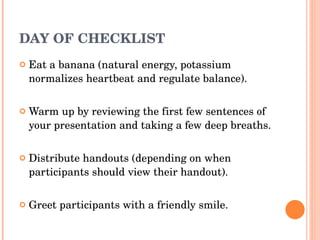
DAY OF CHECKLIST Eat a banana (natural energy, potassium normalizes heartbeat and regulate balance). Warm up by reviewing the first few sentences of your presentation and taking a few deep breaths. Distribute handouts (depending on when participants should view their handout). Greet participants with a friendly smile.
READY TO PRESENT!
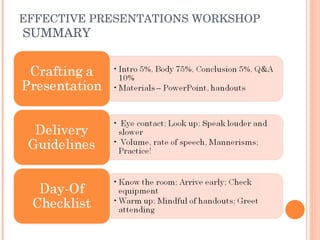
EFFECTIVE PRESENTATIONS WORKSHOP  SUMMARY
CHERYL KOHEN Career Resource Librarian Phone: 617.521.2510 Email: kohenc@simmons.edu THANK YOU

Effective Presentations Workshop

  • 1.
    EFFECTIVE PRESENTATIONS WORKSHOP GSLIS Tech Lab Cheryl Kohen, Career Resource Librarian
  • 2.
  • 3.
  • 4.
  • 5.
  • 6.
    BEGIN BY CREATINGTWO CATEGORIES
  • 7.
  • 8.
  • 9.
    TYPES OF PRESENTATIONOUTLINES Style Definition Introduction Conclusion Chronological Shows events in order as they occurred Set the timeline End the sequence and speak about next steps Narrative Takes the audience on a journey through a flowing presentation Set the stage for the story you’re telling Be sure to make your point at the end Problem/ Solution States the problem, the why’s, the solution, and a summary Set the context for the problem Recap the benefits, get buy-in and discuss timeliness
  • 10.
    TYPES OF PRESENTATIONOUTLINES Style Definition Introduction Conclusion Cause/effect States the cause and explains the effect(s) Describe the cause Recap the cause and effect Topical Divides the general topic into several subtopics Mention your main topic and list your subtopics Recap the main topic and briefly summarize Journalistic Questions Uses some or all of the what, who, where, when, why, and how questions Ask questions or provide short answers to the questions on most people’s minds; then elaborate Check with the audience to make sure all of the questions have been answered
  • 11.
  • 12.
    VISUAL LEARNERS Learnbest when they see, such as with graphs, pictures, and written text.   65% of people are visual learners. Has to think a while before understanding lectures.
  • 13.
    AUDITORY LEARNERS Learnbest when they hear, such as through the usual oral presentation. 30% of learners; distracted by noise. Need phonics, remember by listening (music).
  • 14.
    KINESTHETIC LEARNERS Learnbest they do things, when motion and touch are involved. 5% of learners; like to try new things. Kinesthetic learners are most successful when totally engaged with the learning activity.
  • 15.
  • 16.
  • 17.
    OPENING AND CLOSINGMust focus attention. Makes a connection. Establishes your credibility. Summarizes the main points. Provides closure. Leaves an impression. Introduction Conclusion
  • 18.
  • 19.
  • 20.
    PRESENTATION MATERIALS: POWERPOINTBe as concise as possible. The general rule is one or two slides per minute. Have an agenda slide and a recap slide in every presentation. Use action words or verbs. Delete non-impact words such as “while,” “that,” and “but” and intensifying adverbs such as “really” and “very”.
  • 21.
    PRESENTATION MATERIALS: POWERPOINTUse one concept per slide. Use key words and phrases (noun and verbs). Make your bullet points consistent in structure. Capitalize properly.
  • 22.
    PRESENTATION MATERIALS: HANDOUTSTiming of handing out supplementary material. Examples: Activity handed out during the presentation. Resource guide provided after the presentation. PowerPoint slide handouts. Text size large enough for handout format. Leave space on the handouts for the audience to make notes on them.
  • 23.
    PRESENTATION MATERIALS: FINALTIPS Check out the computer system before people come into the meeting room. Use a consistent layout, or organization of colors and images, on your materials. Check for compatibility between your personal computer and the computer your presented from.
  • 24.
  • 25.
    BASIC GUIDELINES ABOUTDELIVERY Accomplish eye contact with each person for a few seconds throughout your delivery. Look up from your materials, or notes, every 5-10 seconds, to look into the audience. Speak a little bit louder and a little bit slower than you normally would.
  • 26.
    BASIC GUIDELINES ABOUTDELIVERY Vary the volume and rate of your speech. Stand with your feet at shoulder-length apart. Keep your hands relatively still. PRACTICE!
  • 27.
  • 28.
    DAY OF THEPRESENTATION
  • 29.
    DAY OF CHECKLISTMake sure all your materials are in order before you leave home. Arrive early to feel comfortable in the room. Check the room arrangement, including seating, lighting, heat; make any necessary adjustments. Check all the necessary equipment, including lights, projector, presenter’s computer, participants’ computers, etc.
  • 30.
    DAY OF CHECKLISTEat a banana (natural energy, potassium normalizes heartbeat and regulate balance). Warm up by reviewing the first few sentences of your presentation and taking a few deep breaths. Distribute handouts (depending on when participants should view their handout). Greet participants with a friendly smile.
  • 31.
  • 32.
  • 33.
  • 34.
    CHERYL KOHEN CareerResource Librarian Phone: 617.521.2510 Email: kohenc@simmons.edu THANK YOU

Editor's Notes

  • #16 So, if you combine text, graphics, script, and interactivity in your presentation, you’re most likely to reach everyone in your audience and help them all get the most out of the experience.