






Skills@Work:
Presentation Skills
Presentation Objectives
At the end of this talk, you will :
• Understand why presentations are important to work &
education / our professional lives
• Know the principles of planning, preparing and writing a great
presentation
• Learn how to conquer any nerves you might have about
speaking in public
• Be aware of the basics of Powerpoint
• Result: Feel confident in creating and delivering your own
presentation during the 3rd week of April
• Questions & Answers
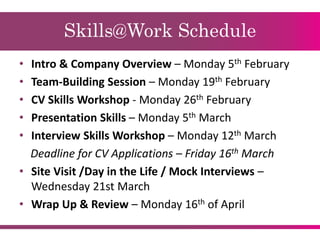
Skills@Work Schedule
• Intro & Company Overview – Monday 5th February
• Team-Building Session – Monday 19th February
• CV Skills Workshop - Monday 26th February
• Presentation Skills – Monday 5th March
• Interview Skills Workshop – Monday 12th March
Deadline for CV Applications – Friday 16th March
• Site Visit /Day in the Life / Mock Interviews –
Wednesday 21st March
• Wrap Up & Review – Monday 16th of April
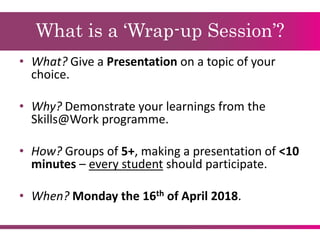
What is a ‘Wrap-up Session’?
• What? Give a Presentation on a topic of your
choice.
• Why? Demonstrate your learnings from the
Skills@Work programme.
• How? Groups of 5+, making a presentation of <10
minutes – every student should participate.
• When? Monday the 16th of April 2018.
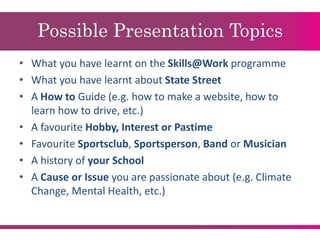
Possible Presentation Topics
• What you have learnt on the Skills@Work programme
• What you have learnt about State Street
• A How to Guide (e.g. how to make a website, how to
learn how to drive, etc.)
• A favourite Hobby, Interest or Pastime
• Favourite Sportsclub, Sportsperson, Band or Musician
• A history of your School
• A Cause or Issue you are passionate about (e.g. Climate
Change, Mental Health, etc.)
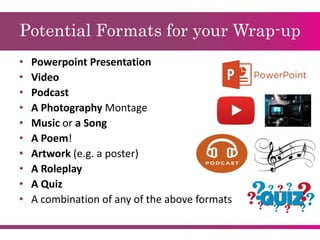
Potential Formats for your Wrap-up
• Powerpoint Presentation
• Video
• Podcast
• A Photography Montage
• Music or a Song
• A Poem!
• Artwork (e.g. a poster)
• A Roleplay
• A Quiz
• A combination of any of the above formats
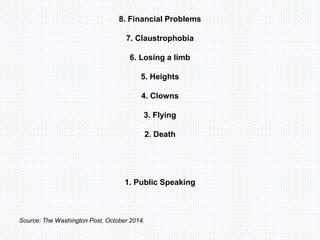
8. Financial Problems
7. Claustrophobia
6. Losing a limb
5. Heights
4. Clowns
3. Flying
2. Death
1. Public Speaking
Source: The Washington Post, October 2014.
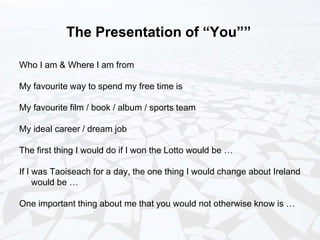
The Presentation of “You””
Who I am & Where I am from
My favourite way to spend my free time is
My favourite film / book / album / sports team
My ideal career / dream job
The first thing I would do if I won the Lotto would be …
If I was Taoiseach for a day, the one thing I would change about Ireland
would be …
One important thing about me that you would not otherwise know is …
The Purpose of Presentations
1. Persuasive – Where we aim to influence the behaviour of the
audience in some way i.e. selling an idea or product.
2. Informative – presenting factual information.
3. Instructive – Delivering information in such a way as to enable the
audience to use the new information/knowledge.
Who are your audience?
Before you start researching your presentation, you must think
about your audience:
1. What do you want them to know/ understand/ do as a result of
your presentation
2. What do they know already
3. What do they expect
4. Are there particular concerns that your audience might have
Organising the ideas for a Presentation
Organising ideas for a presentation involves five steps:
1. Determine how much time you have
2. Define the purpose of your presentation
3. Compile the information / content about your topic
4. Prioritise your content & break it into sub-categories
5. Choose a Presentation approach
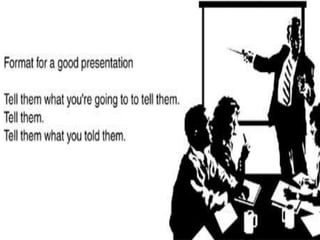
Opening (“Tell them what you’re going to
tell them”)
Your opening is very important as it sets the tone:
• Introduce yourself properly
• State how long you intend to speak for
• Outline your questions policy
• Provide the objectives and main points of your presentation
• Include an attention grabber
Middle Section (“Tell them”)
This is where you provide more details about your main message:
• Remember your presentation objectives ...
• … and what type of content will support those objectives?
• Visuals? Video?
• Audience Interaction? Handouts? Quizzes?
• Use a logical structure to organise your content.
• Ensure your support material and instructions are clear and
accurate.
Closer (“Tell them what you told them”)
Leave a good impression when closing the presentation:
• Attention Retainer - Leave a memorable impression.
• Reiterate the main points.
• Give appropriate conclusions or recommendations.
• Thank the audience.
Here’s some we made earlier …
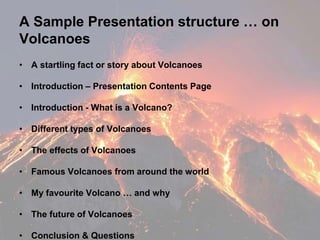
A Sample Presentation structure … on
Volcanoes
• A startling fact or story about Volcanoes
• Introduction – Presentation Contents Page
• Introduction - What is a Volcano?
• Different types of Volcanoes
• The effects of Volcanoes
• Famous Volcanoes from around the world
• My favourite Volcano … and why
• The future of Volcanoes
• Conclusion & Questions
Audience Interaction
Why is it important?
Your Questions Policy: throughout or a Q&A session at the end?
Ask your audience to participate
Use Videos and Pictures
Think-Pair-Share or Group Exercises
Handling Audience Questions
An effective Q&A session should aim to:
• Help fill in gaps in your audience’s learning.
• Reinforce your message.
• Enhance your credibility and image.
• Help you to get to know your audience.
Fielding Questions
If you do not understand, or are unsure of the meaning of questions, do
one of the following:
• Ask the person to repeat question.
• Ask the person to rephrase the question.
• Answer the part of the question you understand and move on.
• Offer to discuss the question with the person after the presentation.
• Ask if an audience member can answer the question.
Communication – How you Sound
• Pause & Speak Slowly
• Tone – Vary It
• Emphasis
• Clarity vs. Mumbling
• Don’t read your slides verbatim
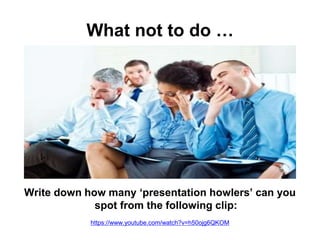
What not to do …
Write down how many ‘presentation howlers’ can you
spot from the following clip:
https://www.youtube.com/watch?v=h50ojg6QKOM
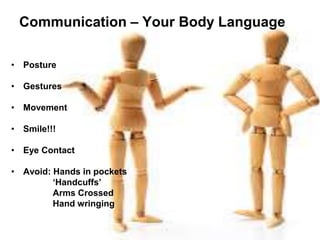
Communication – Your Body Language
• Posture
• Gestures
• Movement
• Smile!!!
• Eye Contact
• Avoid: Hands in pockets
‘Handcuffs’
Arms Crossed
Hand wringing
Communication – Record Yourself
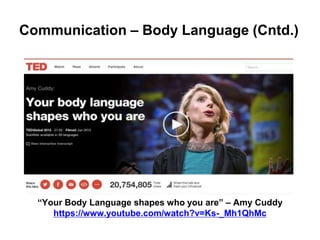
Communication – Body Language (Cntd.)
“Your Body Language shapes who you are” – Amy Cuddy
https://www.youtube.com/watch?v=Ks-_Mh1QhMc
Combatting Nerves
• Nerves are Normal!
• Proper Preparation + Know the Room + Gain Experience
• Breathing techniques
• Know the audience + Turn it into a Conversation
• Visualisation
• People want you to succeed!
• It’s not all about you …
The Science of Stage Fright … and how
to Overcome It
https://www.youtube.com/watch?v=K93fMnFKwfI
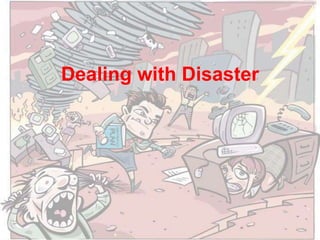
Dealing with Disaster
What could go wrong in our presentation?
And how could we put these things right?
DESIGN
We’re going to walk you through best practices for creating engaging
visual content in a presentation. Then, you can use these design
elements as building blocks for the rest of your presentation.
© Hubspot, 2015
The essential visual elements that’ll
make your slides look gorgeous.
KEEP YOUR SLIDES SIMPLE
Use slides sparingly
Use one concept per slide
Do not overload your slides
Miller’s magic number = 7
Make your bullet points consistent in nature
Capitalise properly
© Hubspot, 2015
Moneypoint Generating
Station
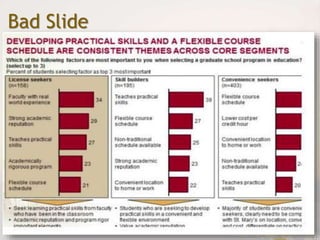
Bad Slide
Moneypoint Generating
Station
Good Slide
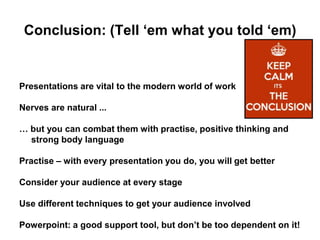
Conclusion: (Tell ‘em what you told ‘em)
Presentations are vital to the modern world of work
Nerves are natural ...
… but you can combat them with practise, positive thinking and
strong body language
Practise – with every presentation you do, you will get better
Consider your audience at every stage
Use different techniques to get your audience involved
Powerpoint: a good support tool, but don’t be too dependent on it!
Skills@work Presentation Skills Workshop - O'Connells - 5th March 2018

Skills@work Presentation Skills Workshop - O'Connells - 5th March 2018

  • 1.
  • 2.
    Presentation Objectives At theend of this talk, you will : • Understand why presentations are important to work & education / our professional lives • Know the principles of planning, preparing and writing a great presentation • Learn how to conquer any nerves you might have about speaking in public • Be aware of the basics of Powerpoint • Result: Feel confident in creating and delivering your own presentation during the 3rd week of April • Questions & Answers
  • 3.
    Skills@Work Schedule • Intro& Company Overview – Monday 5th February • Team-Building Session – Monday 19th February • CV Skills Workshop - Monday 26th February • Presentation Skills – Monday 5th March • Interview Skills Workshop – Monday 12th March Deadline for CV Applications – Friday 16th March • Site Visit /Day in the Life / Mock Interviews – Wednesday 21st March • Wrap Up & Review – Monday 16th of April
  • 4.
    What is a‘Wrap-up Session’? • What? Give a Presentation on a topic of your choice. • Why? Demonstrate your learnings from the Skills@Work programme. • How? Groups of 5+, making a presentation of <10 minutes – every student should participate. • When? Monday the 16th of April 2018.
  • 5.
    Possible Presentation Topics •What you have learnt on the Skills@Work programme • What you have learnt about State Street • A How to Guide (e.g. how to make a website, how to learn how to drive, etc.) • A favourite Hobby, Interest or Pastime • Favourite Sportsclub, Sportsperson, Band or Musician • A history of your School • A Cause or Issue you are passionate about (e.g. Climate Change, Mental Health, etc.)
  • 6.
    Potential Formats foryour Wrap-up • Powerpoint Presentation • Video • Podcast • A Photography Montage • Music or a Song • A Poem! • Artwork (e.g. a poster) • A Roleplay • A Quiz • A combination of any of the above formats
  • 8.
    8. Financial Problems 7.Claustrophobia 6. Losing a limb 5. Heights 4. Clowns 3. Flying 2. Death 1. Public Speaking Source: The Washington Post, October 2014.
  • 10.
    The Presentation of“You”” Who I am & Where I am from My favourite way to spend my free time is My favourite film / book / album / sports team My ideal career / dream job The first thing I would do if I won the Lotto would be … If I was Taoiseach for a day, the one thing I would change about Ireland would be … One important thing about me that you would not otherwise know is …
  • 11.
    The Purpose ofPresentations 1. Persuasive – Where we aim to influence the behaviour of the audience in some way i.e. selling an idea or product. 2. Informative – presenting factual information. 3. Instructive – Delivering information in such a way as to enable the audience to use the new information/knowledge.
  • 12.
    Who are youraudience? Before you start researching your presentation, you must think about your audience: 1. What do you want them to know/ understand/ do as a result of your presentation 2. What do they know already 3. What do they expect 4. Are there particular concerns that your audience might have
  • 13.
    Organising the ideasfor a Presentation Organising ideas for a presentation involves five steps: 1. Determine how much time you have 2. Define the purpose of your presentation 3. Compile the information / content about your topic 4. Prioritise your content & break it into sub-categories 5. Choose a Presentation approach
  • 15.
    Opening (“Tell themwhat you’re going to tell them”) Your opening is very important as it sets the tone: • Introduce yourself properly • State how long you intend to speak for • Outline your questions policy • Provide the objectives and main points of your presentation • Include an attention grabber
  • 16.
    Middle Section (“Tellthem”) This is where you provide more details about your main message: • Remember your presentation objectives ... • … and what type of content will support those objectives? • Visuals? Video? • Audience Interaction? Handouts? Quizzes? • Use a logical structure to organise your content. • Ensure your support material and instructions are clear and accurate.
  • 17.
    Closer (“Tell themwhat you told them”) Leave a good impression when closing the presentation: • Attention Retainer - Leave a memorable impression. • Reiterate the main points. • Give appropriate conclusions or recommendations. • Thank the audience.
  • 18.
    Here’s some wemade earlier …
  • 19.
    A Sample Presentationstructure … on Volcanoes • A startling fact or story about Volcanoes • Introduction – Presentation Contents Page • Introduction - What is a Volcano? • Different types of Volcanoes • The effects of Volcanoes • Famous Volcanoes from around the world • My favourite Volcano … and why • The future of Volcanoes • Conclusion & Questions
  • 20.
  • 21.
    Audience Interaction Why isit important? Your Questions Policy: throughout or a Q&A session at the end? Ask your audience to participate Use Videos and Pictures Think-Pair-Share or Group Exercises
  • 22.
    Handling Audience Questions Aneffective Q&A session should aim to: • Help fill in gaps in your audience’s learning. • Reinforce your message. • Enhance your credibility and image. • Help you to get to know your audience.
  • 23.
    Fielding Questions If youdo not understand, or are unsure of the meaning of questions, do one of the following: • Ask the person to repeat question. • Ask the person to rephrase the question. • Answer the part of the question you understand and move on. • Offer to discuss the question with the person after the presentation. • Ask if an audience member can answer the question.
  • 24.
    Communication – Howyou Sound • Pause & Speak Slowly • Tone – Vary It • Emphasis • Clarity vs. Mumbling • Don’t read your slides verbatim
  • 25.
    What not todo … Write down how many ‘presentation howlers’ can you spot from the following clip: https://www.youtube.com/watch?v=h50ojg6QKOM
  • 26.
    Communication – YourBody Language • Posture • Gestures • Movement • Smile!!! • Eye Contact • Avoid: Hands in pockets ‘Handcuffs’ Arms Crossed Hand wringing
  • 27.
  • 28.
    Communication – BodyLanguage (Cntd.) “Your Body Language shapes who you are” – Amy Cuddy https://www.youtube.com/watch?v=Ks-_Mh1QhMc
  • 29.
    Combatting Nerves • Nervesare Normal! • Proper Preparation + Know the Room + Gain Experience • Breathing techniques • Know the audience + Turn it into a Conversation • Visualisation • People want you to succeed! • It’s not all about you …
  • 30.
    The Science ofStage Fright … and how to Overcome It https://www.youtube.com/watch?v=K93fMnFKwfI
  • 31.
  • 32.
    What could gowrong in our presentation? And how could we put these things right?
  • 33.
    DESIGN We’re going towalk you through best practices for creating engaging visual content in a presentation. Then, you can use these design elements as building blocks for the rest of your presentation. © Hubspot, 2015 The essential visual elements that’ll make your slides look gorgeous.
  • 34.
    KEEP YOUR SLIDESSIMPLE Use slides sparingly Use one concept per slide Do not overload your slides Miller’s magic number = 7 Make your bullet points consistent in nature Capitalise properly © Hubspot, 2015
  • 36.
  • 37.
  • 38.
    Conclusion: (Tell ‘emwhat you told ‘em) Presentations are vital to the modern world of work Nerves are natural ... … but you can combat them with practise, positive thinking and strong body language Practise – with every presentation you do, you will get better Consider your audience at every stage Use different techniques to get your audience involved Powerpoint: a good support tool, but don’t be too dependent on it!