Eassessment: using technology
 and learning design to gather
 quality assessment evidence.
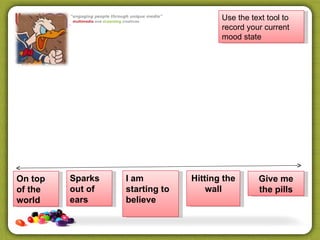
Use the text tool to
                                       record your current
                                       mood state


On top   Sparks   I am          Hitting the      Give me
of the   out of   starting to       wall         the pills
world    ears     believe
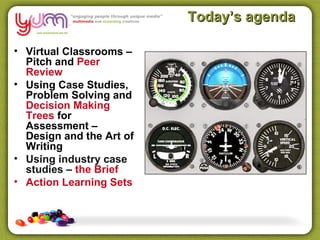
Today’s agenda

• Virtual Classrooms –
  Pitch and Peer
  Review
• Using Case Studies,
  Problem Solving and
  Decision Making
  Trees for
  Assessment –
  Design and the Art of
  Writing
• Using industry case
  studies – the Brief
• Action Learning Sets
Burning Questions

Most of our training is
conducted

•A In our training rooms
•B At clients workplace
•C Online
•D Blended
Burning Questions

Do you use eLearning
 currently?

•   A No
•   B Yes – self paced learning
•   C Yes – Blended Learning
•   D Yes – Virtual Classrooms
Burning Questions

I use the following in my
   assessments

•   A Video and Audio
•   B Group Work/Collaboration
•   C Problem Solving/Case Studies
•   D Peer Review
Delivery questions

                             Trainer/Learner
                           Communication Model


                                                          Structured
 eLearning Platform         Knowledge/Skills
                           Industry Knowledge        Self Paced

                             Staff Capacity
eLearning Training Tools                         Collaboration
                              Compliance


                              Authentic Tasks
Virtual Classroom


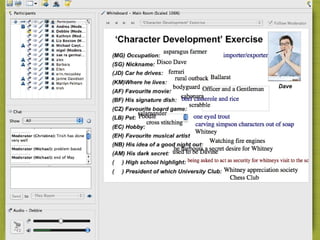
             Uses for Virtual Classroom

•   Lecture/Software demonstration
•   Student presentations/peer review
•   Q and A sessions
•   Assessment clarification
•   Role play
•   Meetings/Assessment Validation
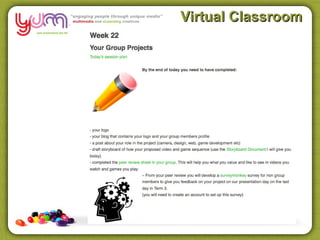
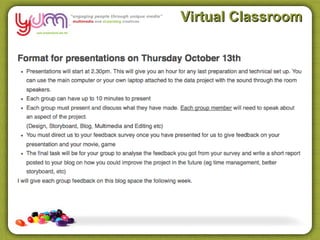
Virtual Classroom


          Uses for Virtual Classroom

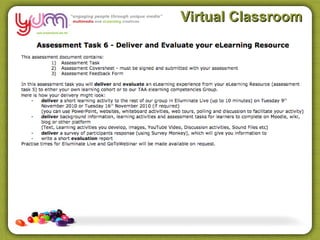
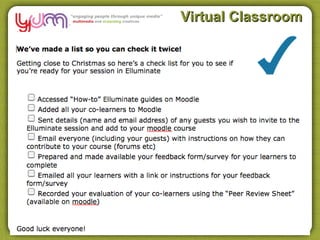
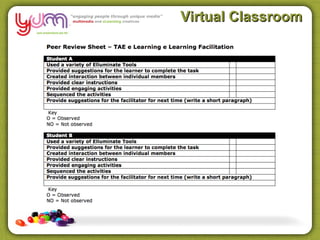
• Assessment
• Peer Review
• Resubmit
Virtual Classroom


     Assessment and Peer Review Context

•   Students self select - motivated
•   Course is fully online – Moodle and BC
•   Diploma level
•   eLearning industry focus – knowledge and skills
•   Medium to High ICT skills. Quick Learners
•   ACE, RTO, Uni, TAFE, Corporate, Industry asc.
Virtual Classroom
Virtual Classroom
Virtual Classroom
Virtual Classroom
Presentation
Presentation
Virtual Classroom


     Assessment and Peer Review Context

•   Students didn’t volunteer
•   Course is blended – F2F, Moodle and BC
•   Diploma level
•   ACE Sector
•   Wide range of technology skills. Many with entry level
    ICT skills.
Virtual Classroom

Using a Project “Pitch”
Virtual Classroom

Using Project Wiki
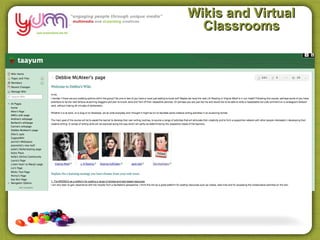
Wikis and Virtual
  Classrooms
Wikis
Issue - Content

                                               ?!
•Slabs of Text                              zzzzzzz
•Multiple Choice Questions
•Few opportunities to apply knowledge
•Poor demonstration of skills
•No supporting resources
•Fail to exploit nature of the web with
multimedia
•Working solo, without access to other
learners.
•No facilitation or group sessions online
How do you demonstrate
 you know something?
Purpose
•Most e learning courses purpose
is to share information or
change/improve job role
performance.

However, most courses
focuses on sharing information
rather than performance
improvements.

This happens because most
people focus on delivering
content rather than on changing
job role performance.
How do your learners
demonstrate they know and
  can apply something?
All shapes and sizes


•Learners exhibit a
variety of learning styles, Computer
literacy & attitudes to learning
preferences
•Have a Goers
•Reflectors
•Watchers
•Listeners
Cater for them!

• Reduce reliance on text thru multimedia
  (Audio, Visuals, Video)
• Engage learner to think
  through online material
• Get learners to make
  decisions
  (learning activities)
• Have learners understand how to
  acquire information
(decision making)
• Assess the sharing of perspectives
• Put back industry knowledge
(pre existing workplace experience)
Push or Pull
Push or Pull
Push or Pull
Push or Pull
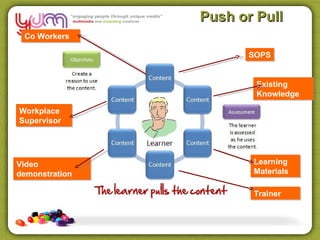
 Co Workers

                      SOPS


                        Existing
                        Knowledge

Workplace
Supervisor


Video                  Learning
demonstration          Materials

                       Trainer
Push or Pull

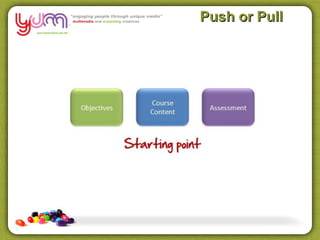
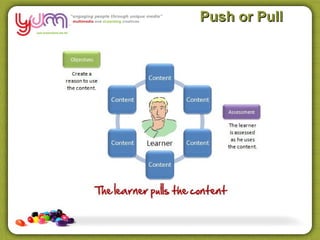
•“How do we get the learners to pull
this information?”

Making Decisions

•Case studies or scenarios can create
a need for the learners to pull the
information

•You can present some simple
questions or problem-solving activities
that require a solution.
Decision Making
                                         Trees

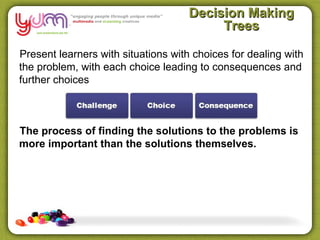
Present learners with situations with choices for dealing with
the problem, with each choice leading to consequences and
further choices


The process of finding the solutions to the problems is
more important than the solutions themselves.
Decision Making
                                         Trees

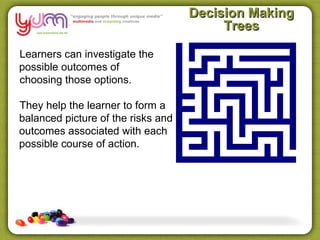
Learners can investigate the
possible outcomes of
choosing those options.

They help the learner to form a
balanced picture of the risks and
outcomes associated with each
possible course of action.
Decision Making
     Trees
Burning Questions

Well as for decision making
 trees…

• A Wouldn’t use em!
• B Can see a use NOW with an
  existing course!
• C Like to use but cant see how
  to make em
• D Didn’t you say there was free
  chocolate today Toni?
Stories
Stories

•Character                •Worker

•Setting                  •Workplace

•Disruption               •Problem/Skill

•Solving the disruption   •Asking/Reading/Policy
                           Communication
•Resolution               •Learnt the skill
Draft a scenario

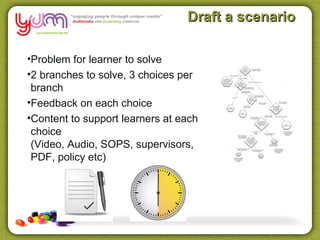
•Problem for learner to solve
•2 branches to solve, 3 choices per
 branch
•Feedback on each choice
•Content to support learners at each
 choice
 (Video, Audio, SOPS, supervisors,
 PDF, policy etc)
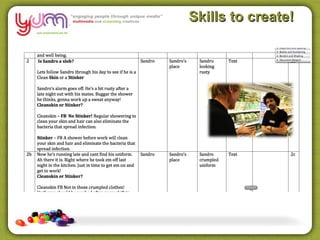
Skills to create!
Burning Questions

Roadblocks

• A Turning content into stories is
  tough for me
• B I don’t have access to a tool to
  build these
• C Convincing/training my SME
  to provide content in this way
• D Cant see the link between
  Decisions and assessment
  outcomes
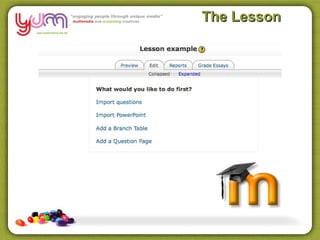
The Lesson
Tools to create

•Udutu
•PowerPoint
•Articulate
•LMS Tools – for example the
Lesson Activity in Moodle
•Adobe Captivate
•Blog/Wiki
Case Studies

Examples of real life
scenarios for problem
solving and decision making
to present the learner with a
situation that they may one
day encounter in their
normal work practice
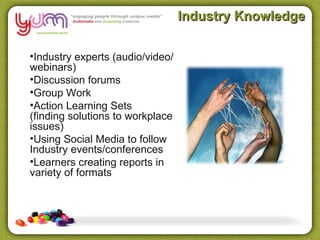
Industry Knowledge

•Industry experts (audio/video/
webinars)
•Discussion forums
•Group Work
•Action Learning Sets
(finding solutions to workplace
issues)
•Using Social Media to follow
Industry events/conferences
•Learners creating reports in
variety of formats
Industry Briefs


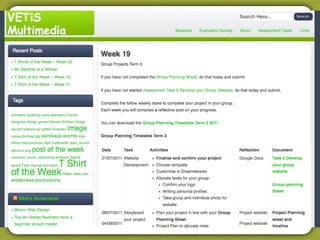
                   Industry Project

•   Students self select – Vet in Schools
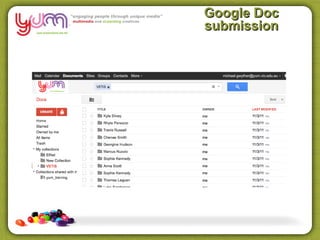
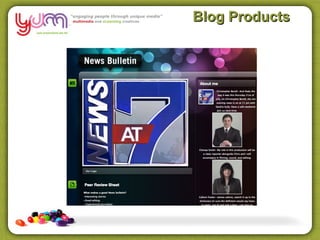
•   Course is fully F2F – Blog and Google Docs
•   Certificate II Level
•   Entry level Multimedia
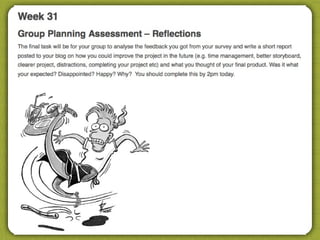
•   Focus on Team work, reflection and communication
Virtual Classroom
Virtual Classroom
Virtual Classroom
Virtual Classroom
Google Doc
submission
Blog Products
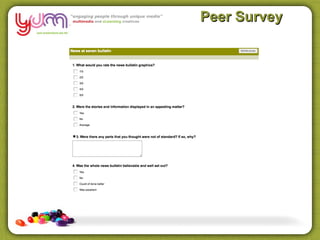
Peer Survey
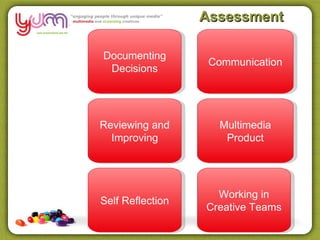
Assessment

Documenting
                   Communication
 Decisions


Reviewing and       Multimedia
  Improving          Product


                    Working in
Self Reflection
                  Creative Teams
Action Learning Sets

•Learners raises work place
problem (LMS, Webinar, F2F)
•Co Learners commence deep
questioning to uncover nature
of the problem – to understand
it (non subjective)
•Learner clarifies co learner
questioning reflects
understanding of the problem
•Co-learners provide range of
solutions (subjective)
•Learners devices strategies
from offered solutions for
implementation.
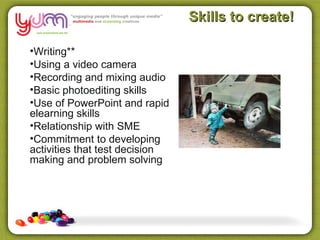
Skills to create!

•Writing**
•Using a video camera
•Recording and mixing audio
•Basic photoediting skills
•Use of PowerPoint and rapid
elearning skills
•Relationship with SME
•Commitment to developing
activities that test decision
making and problem solving
Informal Learning –
                                the next Challenge

•Motive
•Relevance
•Application
•Working with others

Princeton University Learning Process 70:20:10 model,
-70% of workplace learning is experiential,
-20% comes from interaction with fellow workers
(including coaching and mentoring) –
10% from formal learning interventions, where the
training department rules.
Resources


Any Questions?


             mick@yumstudio.com.au

e Assessment

  • 1.
    Eassessment: using technology and learning design to gather quality assessment evidence.
  • 2.
    Use the texttool to record your current mood state On top Sparks I am Hitting the Give me of the out of starting to wall the pills world ears believe
  • 3.
    Today’s agenda • VirtualClassrooms – Pitch and Peer Review • Using Case Studies, Problem Solving and Decision Making Trees for Assessment – Design and the Art of Writing • Using industry case studies – the Brief • Action Learning Sets
  • 5.
    Burning Questions Most ofour training is conducted •A In our training rooms •B At clients workplace •C Online •D Blended
  • 6.
    Burning Questions Do youuse eLearning currently? • A No • B Yes – self paced learning • C Yes – Blended Learning • D Yes – Virtual Classrooms
  • 7.
    Burning Questions I usethe following in my assessments • A Video and Audio • B Group Work/Collaboration • C Problem Solving/Case Studies • D Peer Review
  • 8.
    Delivery questions Trainer/Learner Communication Model Structured eLearning Platform Knowledge/Skills Industry Knowledge Self Paced Staff Capacity eLearning Training Tools Collaboration Compliance Authentic Tasks
  • 9.
    Virtual Classroom Uses for Virtual Classroom • Lecture/Software demonstration • Student presentations/peer review • Q and A sessions • Assessment clarification • Role play • Meetings/Assessment Validation
  • 10.
    Virtual Classroom Uses for Virtual Classroom • Assessment • Peer Review • Resubmit
  • 11.
    Virtual Classroom Assessment and Peer Review Context • Students self select - motivated • Course is fully online – Moodle and BC • Diploma level • eLearning industry focus – knowledge and skills • Medium to High ICT skills. Quick Learners • ACE, RTO, Uni, TAFE, Corporate, Industry asc.
  • 12.
  • 13.
  • 14.
  • 15.
  • 16.
  • 17.
  • 18.
    Virtual Classroom Assessment and Peer Review Context • Students didn’t volunteer • Course is blended – F2F, Moodle and BC • Diploma level • ACE Sector • Wide range of technology skills. Many with entry level ICT skills.
  • 19.
    Virtual Classroom Using aProject “Pitch”
  • 20.
  • 21.
  • 22.
  • 23.
    Issue - Content ?! •Slabs of Text zzzzzzz •Multiple Choice Questions •Few opportunities to apply knowledge •Poor demonstration of skills •No supporting resources •Fail to exploit nature of the web with multimedia •Working solo, without access to other learners. •No facilitation or group sessions online
  • 24.
    How do youdemonstrate you know something?
  • 25.
    Purpose •Most e learningcourses purpose is to share information or change/improve job role performance. However, most courses focuses on sharing information rather than performance improvements. This happens because most people focus on delivering content rather than on changing job role performance.
  • 26.
    How do yourlearners demonstrate they know and can apply something?
  • 27.
    All shapes andsizes •Learners exhibit a variety of learning styles, Computer literacy & attitudes to learning preferences •Have a Goers •Reflectors •Watchers •Listeners
  • 28.
    Cater for them! •Reduce reliance on text thru multimedia (Audio, Visuals, Video) • Engage learner to think through online material • Get learners to make decisions (learning activities) • Have learners understand how to acquire information (decision making) • Assess the sharing of perspectives • Put back industry knowledge (pre existing workplace experience)
  • 29.
  • 30.
  • 31.
  • 32.
    Push or Pull Co Workers SOPS Existing Knowledge Workplace Supervisor Video Learning demonstration Materials Trainer
  • 33.
    Push or Pull •“Howdo we get the learners to pull this information?” Making Decisions •Case studies or scenarios can create a need for the learners to pull the information •You can present some simple questions or problem-solving activities that require a solution.
  • 34.
    Decision Making Trees Present learners with situations with choices for dealing with the problem, with each choice leading to consequences and further choices The process of finding the solutions to the problems is more important than the solutions themselves.
  • 35.
    Decision Making Trees Learners can investigate the possible outcomes of choosing those options. They help the learner to form a balanced picture of the risks and outcomes associated with each possible course of action.
  • 36.
  • 37.
    Burning Questions Well asfor decision making trees… • A Wouldn’t use em! • B Can see a use NOW with an existing course! • C Like to use but cant see how to make em • D Didn’t you say there was free chocolate today Toni?
  • 38.
  • 39.
    Stories •Character •Worker •Setting •Workplace •Disruption •Problem/Skill •Solving the disruption •Asking/Reading/Policy Communication •Resolution •Learnt the skill
  • 40.
    Draft a scenario •Problemfor learner to solve •2 branches to solve, 3 choices per branch •Feedback on each choice •Content to support learners at each choice (Video, Audio, SOPS, supervisors, PDF, policy etc)
  • 41.
  • 42.
    Burning Questions Roadblocks • ATurning content into stories is tough for me • B I don’t have access to a tool to build these • C Convincing/training my SME to provide content in this way • D Cant see the link between Decisions and assessment outcomes
  • 43.
  • 44.
    Tools to create •Udutu •PowerPoint •Articulate •LMSTools – for example the Lesson Activity in Moodle •Adobe Captivate •Blog/Wiki
  • 45.
    Case Studies Examples ofreal life scenarios for problem solving and decision making to present the learner with a situation that they may one day encounter in their normal work practice
  • 46.
    Industry Knowledge •Industry experts(audio/video/ webinars) •Discussion forums •Group Work •Action Learning Sets (finding solutions to workplace issues) •Using Social Media to follow Industry events/conferences •Learners creating reports in variety of formats
  • 47.
    Industry Briefs Industry Project • Students self select – Vet in Schools • Course is fully F2F – Blog and Google Docs • Certificate II Level • Entry level Multimedia • Focus on Team work, reflection and communication
  • 48.
  • 49.
  • 50.
  • 51.
  • 52.
  • 53.
  • 54.
  • 55.
    Assessment Documenting Communication Decisions Reviewing and Multimedia Improving Product Working in Self Reflection Creative Teams
  • 56.
    Action Learning Sets •Learnersraises work place problem (LMS, Webinar, F2F) •Co Learners commence deep questioning to uncover nature of the problem – to understand it (non subjective) •Learner clarifies co learner questioning reflects understanding of the problem •Co-learners provide range of solutions (subjective) •Learners devices strategies from offered solutions for implementation.
  • 57.
    Skills to create! •Writing** •Usinga video camera •Recording and mixing audio •Basic photoediting skills •Use of PowerPoint and rapid elearning skills •Relationship with SME •Commitment to developing activities that test decision making and problem solving
  • 58.
    Informal Learning – the next Challenge •Motive •Relevance •Application •Working with others Princeton University Learning Process 70:20:10 model, -70% of workplace learning is experiential, -20% comes from interaction with fellow workers (including coaching and mentoring) – 10% from formal learning interventions, where the training department rules.
  • 59.
    Resources Any Questions? mick@yumstudio.com.au

Editor's Notes

  • #4 What is a virtual classroom – common features and capabilities Using Case Studies, Problem Solving and Decision Making Trees Doing away with vast amounts of text – Incorporating Audio and Video into e Learning Free Tools to deliver e learning Using simple tools to produce great looking activities The art of writing thought provoking learning activities that challenge and engage
  • #5 What is a virtual classroom – common features and capabilities Using Case Studies, Problem Solving and Decision Making Trees Doing away with vast amounts of text – Incorporating Audio and Video into e Learning Free Tools to deliver e learning Using simple tools to produce great looking activities The art of writing thought provoking learning activities that challenge and engage
  • #26 1. Communicate information with no performance expectations. Information-based courses communicate new information but have no built-in expectations of changed performance. A good example is a course that highlights new features of a software application. You learn about the new the features but you aren ’t required to do anything with this new information. 2. Give step-by-step instructions that have specific outcomes. These courses are focused on procedures and how to do something. They ’re made up of repeatable tasks that are very close to what the learner will do at work. A good example is showing someone how to complete a worksheet or use software. 3. Share guidelines to help the learner solve problems. The most challenging courses to design are those where you teach principles or guidelines versus repeatable steps. You really have to understand the nuances of the learner ’s situation and how the principles can be applied while respecting the fact that each application is somewhat unique.
  • #34 Instead of creating an outline of content, start by asking, “How do we get the learners to pull this information?” Doesn ’t have to be overly complicated. Well designed case studies or scenarios can create a need for the learners to pull the information You don ’t even need to have big case studies. You can present some simple questions or problem-solving activities that require a solution. Essentially, you want to create a need for the information. Once the learner has a need, then they’re motivated to fulfill it. And that’s how you get the information to them.
  • #35 Instead of creating an outline of content, start by asking, “How do we get the learners to pull this information?” Doesn ’t have to be overly complicated. Well designed case studies or scenarios can create a need for the learners to pull the information You don ’t even need to have big case studies. You can present some simple questions or problem-solving activities that require a solution. Essentially, you want to create a need for the information. Once the learner has a need, then they’re motivated to fulfill it. And that’s how you get the information to them.
  • #36 Instead of creating an outline of content, start by asking, “How do we get the learners to pull this information?” Doesn ’t have to be overly complicated. Well designed case studies or scenarios can create a need for the learners to pull the information You don ’t even need to have big case studies. You can present some simple questions or problem-solving activities that require a solution. Essentially, you want to create a need for the information. Once the learner has a need, then they’re motivated to fulfill it. And that’s how you get the information to them.
  • #37 Instead of creating an outline of content, start by asking, “How do we get the learners to pull this information?” Doesn ’t have to be overly complicated. Well designed case studies or scenarios can create a need for the learners to pull the information You don ’t even need to have big case studies. You can present some simple questions or problem-solving activities that require a solution. Essentially, you want to create a need for the information. Once the learner has a need, then they’re motivated to fulfill it. And that’s how you get the information to them.
  • #39 Instead of creating an outline of content, start by asking, “How do we get the learners to pull this information?” Doesn ’t have to be overly complicated. Well designed case studies or scenarios can create a need for the learners to pull the information You don ’t even need to have big case studies. You can present some simple questions or problem-solving activities that require a solution. Essentially, you want to create a need for the information. Once the learner has a need, then they’re motivated to fulfill it. And that’s how you get the information to them.
  • #40 Instead of creating an outline of content, start by asking, “How do we get the learners to pull this information?” Doesn ’t have to be overly complicated. Well designed case studies or scenarios can create a need for the learners to pull the information You don ’t even need to have big case studies. You can present some simple questions or problem-solving activities that require a solution. Essentially, you want to create a need for the information. Once the learner has a need, then they’re motivated to fulfill it. And that’s how you get the information to them.
  • #45 Instead of creating an outline of content, start by asking, “How do we get the learners to pull this information?” Doesn ’t have to be overly complicated. Well designed case studies or scenarios can create a need for the learners to pull the information You don ’t even need to have big case studies. You can present some simple questions or problem-solving activities that require a solution. Essentially, you want to create a need for the information. Once the learner has a need, then they’re motivated to fulfill it. And that’s how you get the information to them.
  • #46 Instead of creating an outline of content, start by asking, “How do we get the learners to pull this information?” Doesn ’t have to be overly complicated. Well designed case studies or scenarios can create a need for the learners to pull the information You don ’t even need to have big case studies. You can present some simple questions or problem-solving activities that require a solution. Essentially, you want to create a need for the information. Once the learner has a need, then they’re motivated to fulfill it. And that’s how you get the information to them.
  • #47 Organise Content into Small Chunks • Build Upon Prior Knowledge. Create processes where the learner can practice using the information in a context that integrates it with prior experience. (Case studies and practices exercises are good because they can be structured to combine the new information with the learner ’s current understanding.) • Provide Real-World Context. (Create exercises and real-world scenarios that help the learner apply the new information into a workplace context. Problem-solving scenarios help develop thinking skills that can be transferred to the working environment) • Focus on meaning and not information You don ’t even need to have big case studies. You can present some simple questions or problem-solving activities that require a solution. Essentially, you want to create a need for the information. Once the learner has a need, then they’re motivated to fulfill it. And that’s how you get the information to them.
  • #57 Organise Content into Small Chunks • Build Upon Prior Knowledge. Create processes where the learner can practice using the information in a context that integrates it with prior experience. (Case studies and practices exercises are good because they can be structured to combine the new information with the learner ’s current understanding.) • Provide Real-World Context. (Create exercises and real-world scenarios that help the learner apply the new information into a workplace context. Problem-solving scenarios help develop thinking skills that can be transferred to the working environment) • Focus on meaning and not information You don ’t even need to have big case studies. You can present some simple questions or problem-solving activities that require a solution. Essentially, you want to create a need for the information. Once the learner has a need, then they’re motivated to fulfill it. And that’s how you get the information to them.