ACPET Vic Govt
Elearning Program

Beginner Mentoring Group 2012

Induction Day
Today’s Agenda
• Getting to know the structure of this program

• Getting to know each other

• Getting to know the tools we will use during this program:
    – Moodle: our online resources & networking space
    – Elluminate Live Virtual Classroom: our online meeting room

• Getting to know eLearnng options and design techniques
    – Types of eLearnng
    – Designing eLearning: orientation to the site & a webquest!
The Mentoring
           Program
Provides a structured, mentored, goal-oriented
program
 underpinned by best practice strategies
    one-on-one and peer group mentoring
    experience elearning both as a
    learner as well as a facilitator
 2 streams - beginner and intermediate
 supported by the f2f and online workshops in the
Professional Development Workshop Series
Beginner Stream

Designed for those who have not yet investigated nor
successfully trialled eLearnng with students

 Each project team/individual will be mentored through the process
of
 • researching
 • planning
 • designing
 • developing
 • implementing
 • evaluating
their chosen trial unit of competency
Beginners –
      What do you get?
 Induction day f2f workshop
 1 on-site/online consultations
 monthly f2f practical group workshops (Mar – June)
 monthly online group mentoring sessions & peer
insight seminars (Mar – Nov)
 two f2f group project development sessions (Jul &
Oct)
 access to online resources and discussion forums
established for the beginner stream
 access to email support as needed thru the project
Workshops
    (NB. The following is a rough guide – please check Program Schedule
    for actual dates each month)

•   Online Peer Insight Seminars – learning from more experienced peers

     – Where: ACPET Elluminate Live virtual classroom

•   Online Mentoring Sessions – eLearnng foundations plus practicing online
    facilitation & participation skills

     – Where: ACPET Elluminate Live virtual classroom

•   Face-to-face Practical Workshops & Project Development sessions -
    developing practical design skills and progressing your trial project
     – Where: Training Choice at Level 3, 455 Bourke St, Melbourne
F2F Draft Calendar
Month         Topic
March 22      Preparing for & Designing ELearnng
April 19      Delivery Platforms
May 24        Enhancing, Finding, & Customising Resources
June 21       Creating Resources
July 19       Finalise Design Map & Begin Trial Development
Aug 23        N/A
Sept          N/A
Oct 11        Finalise Trial Development & Begin Sustainability Plan
Nov 14        Showcasing our Achievements
Getting to know
       each other
• Pair up, interview & introduce
   – Where is your RTO based?

   – What key quals does your RTO have on
     scope?

   – What aspect of eLearnng are you currently
     most curious to learn more about?

   – Tell us something about you that is not work-
     related 
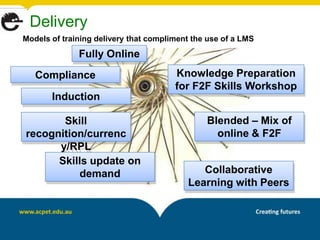
Delivery
Models of training delivery that compliment the use of a LMS
              Fully Online
   Compliance                          Knowledge Preparation
                                       for F2F Skills Workshop
       Induction

       Skill                                   Blended – Mix of
recognition/currenc                              online & F2F
      y/RPL
      Skills update on
          demand                             Collaborative
                                          Learning with Peers
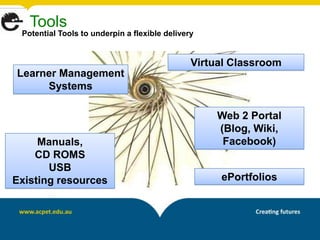
Tools
 Potential Tools to underpin a flexible delivery


                                               Virtual Classroom
Learner Management
     Systems

                                                   Web 2 Portal
                                                   (Blog, Wiki,
     Manuals,                                       Facebook)
    CD ROMS
       USB
Existing resources                                  ePortfolios
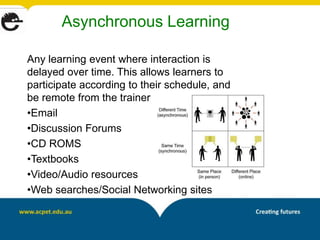
Asynchronous Learning

Any learning event where interaction is
delayed over time. This allows learners to
participate according to their schedule, and
be remote from the trainer
•Email
•Discussion Forums
•CD ROMS
•Textbooks
•Video/Audio resources
•Web searches/Social Networking sites
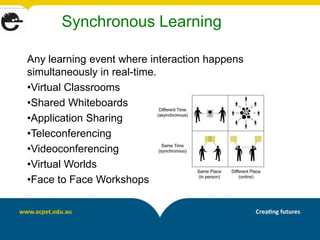
Synchronous Learning

Any learning event where interaction happens
simultaneously in real-time.
•Virtual Classrooms
•Shared Whiteboards
•Application Sharing
•Teleconferencing
•Videoconferencing
•Virtual Worlds
•Face to Face Workshops
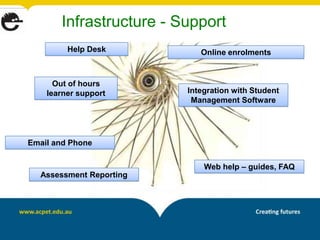
Infrastructure - Support
         Help Desk          Online enrolments


      Out of hours
    learner support      Integration with Student
                          Management Software


Email and Phone


                             Web help – guides, FAQ
  Assessment Reporting
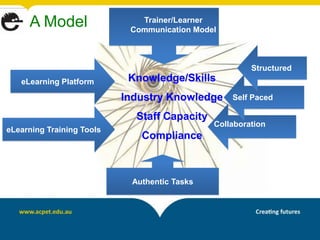
A Model                  Trainer/Learner
                            Communication Model


                                                       Structured
   eLearning Platform       Knowledge/Skills
                           Industry Knowledge     Self Paced

                             Staff Capacity
                                              Collaboration
eLearning Training Tools
                              Compliance


                            Authentic Tasks
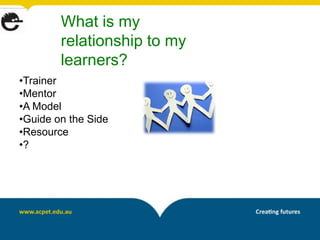
What is my
        relationship to my
        learners?
•Trainer
•Mentor
•A Model
•Guide on the Side
•Resource
•?
Elluminate Live
      Virtual Classroom
• Click on the link to our session
• Orientation
Moodle
• http://moodle.eworks.edu.au
• Login (top right) (Remember to record your login on your
                         Logins Record Sheet)

• Enter our network via ‘My Courses’ (top right)
• Orientation
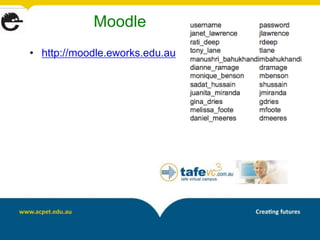
Moodle
• http://moodle.eworks.edu.au
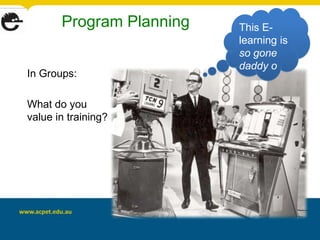
Program Planning   This E-
                          learning is
                          so gone
                          daddy o
In Groups:

What do you
value in training?
Group Snapshot
Use Feedback tool in Moodle - short questionnaire
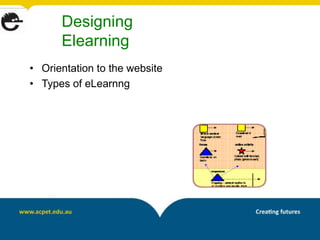
Designing
      Elearning
• Orientation to the website
• Types of eLearnng
Preparing and supporting
        learners
• Providing support for learners
• Learning about your learners - reviewing the
  research
  – http://e-learningindicators.flexiblelearning.net.au/index.htm
  – http://www.flexiblelearning.net.au/flx/go/home/pid/602
• Complete the survey provided
Survey Monkey

Time to create your own e-survey:

•   Creating an account
•   Initiating a survey
•   Creating questions
•   Collecting responses
•   Analysing the results
Lets Phlog!
Audio Post at iPadio – Your Proposed Project


 •Unit
 •Client Group and their characteristics
 •How existing training is delivered to this group
 •Your vision for eLearnng for this delivery
 •How you see the trainers role in this delivery
 •Mode of Delivery
 •Obstacles to overcome/learning to be acquired
 •Organisational Readiness for eLearnng
Call ipadio with your response
Audio Post at iPadio – Your Proposed Project


 Ring 1800-802569
 Enter the Registered Number: 1161409317625 #
 Enter the Pin number: 5676
 Begin your phonecast

 Channel Homepage:
 http://www.ipadio.com/channels/MichaelGwyther/
Networks and Resources
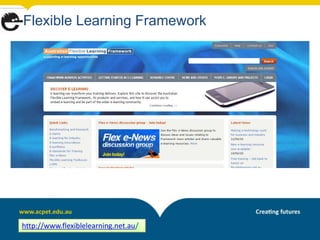
Flexible Learning Framework


http://www.flexiblelearning.net.au/
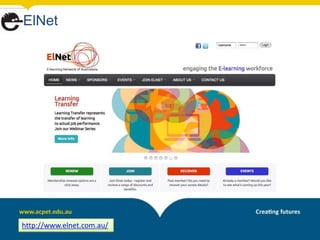
ElNet


http://www.elnet.com.au/
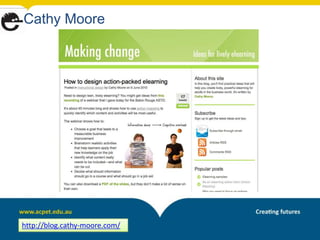
Cathy Moore


http://blog.cathy-moore.com/
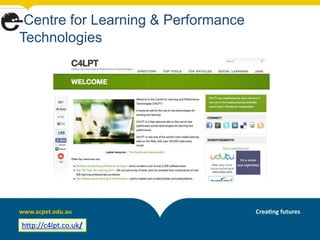
Centre for Learning & Performance
Technologies


http://c4lpt.co.uk/
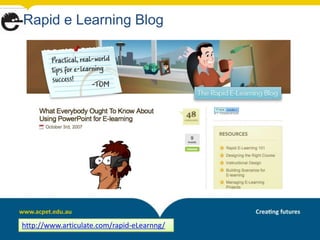
Rapid e Learning Blog


http://www.articulate.com/rapid-eLearnng/
Any Questions?


 heidinhere@yahoo.com.au
  mick@yumstudio.com.au
Sherrill.Lister@acpet.edu.au

Acpet vic beg_induction_2012_draft

  • 1.
    ACPET Vic Govt ElearningProgram Beginner Mentoring Group 2012 Induction Day
  • 2.
    Today’s Agenda • Gettingto know the structure of this program • Getting to know each other • Getting to know the tools we will use during this program: – Moodle: our online resources & networking space – Elluminate Live Virtual Classroom: our online meeting room • Getting to know eLearnng options and design techniques – Types of eLearnng – Designing eLearning: orientation to the site & a webquest!
  • 3.
    The Mentoring Program Provides a structured, mentored, goal-oriented program underpinned by best practice strategies one-on-one and peer group mentoring experience elearning both as a learner as well as a facilitator 2 streams - beginner and intermediate supported by the f2f and online workshops in the Professional Development Workshop Series
  • 4.
    Beginner Stream Designed forthose who have not yet investigated nor successfully trialled eLearnng with students Each project team/individual will be mentored through the process of • researching • planning • designing • developing • implementing • evaluating their chosen trial unit of competency
  • 5.
    Beginners – What do you get? Induction day f2f workshop 1 on-site/online consultations monthly f2f practical group workshops (Mar – June) monthly online group mentoring sessions & peer insight seminars (Mar – Nov) two f2f group project development sessions (Jul & Oct) access to online resources and discussion forums established for the beginner stream access to email support as needed thru the project
  • 6.
    Workshops (NB. The following is a rough guide – please check Program Schedule for actual dates each month) • Online Peer Insight Seminars – learning from more experienced peers – Where: ACPET Elluminate Live virtual classroom • Online Mentoring Sessions – eLearnng foundations plus practicing online facilitation & participation skills – Where: ACPET Elluminate Live virtual classroom • Face-to-face Practical Workshops & Project Development sessions - developing practical design skills and progressing your trial project – Where: Training Choice at Level 3, 455 Bourke St, Melbourne
  • 7.
    F2F Draft Calendar Month Topic March 22 Preparing for & Designing ELearnng April 19 Delivery Platforms May 24 Enhancing, Finding, & Customising Resources June 21 Creating Resources July 19 Finalise Design Map & Begin Trial Development Aug 23 N/A Sept N/A Oct 11 Finalise Trial Development & Begin Sustainability Plan Nov 14 Showcasing our Achievements
  • 8.
    Getting to know each other • Pair up, interview & introduce – Where is your RTO based? – What key quals does your RTO have on scope? – What aspect of eLearnng are you currently most curious to learn more about? – Tell us something about you that is not work- related 
  • 9.
    Delivery Models of trainingdelivery that compliment the use of a LMS Fully Online Compliance Knowledge Preparation for F2F Skills Workshop Induction Skill Blended – Mix of recognition/currenc online & F2F y/RPL Skills update on demand Collaborative Learning with Peers
  • 10.
    Tools Potential Toolsto underpin a flexible delivery Virtual Classroom Learner Management Systems Web 2 Portal (Blog, Wiki, Manuals, Facebook) CD ROMS USB Existing resources ePortfolios
  • 11.
    Asynchronous Learning Any learningevent where interaction is delayed over time. This allows learners to participate according to their schedule, and be remote from the trainer •Email •Discussion Forums •CD ROMS •Textbooks •Video/Audio resources •Web searches/Social Networking sites
  • 12.
    Synchronous Learning Any learningevent where interaction happens simultaneously in real-time. •Virtual Classrooms •Shared Whiteboards •Application Sharing •Teleconferencing •Videoconferencing •Virtual Worlds •Face to Face Workshops
  • 13.
    Infrastructure - Support Help Desk Online enrolments Out of hours learner support Integration with Student Management Software Email and Phone Web help – guides, FAQ Assessment Reporting
  • 14.
    A Model Trainer/Learner Communication Model Structured eLearning Platform Knowledge/Skills Industry Knowledge Self Paced Staff Capacity Collaboration eLearning Training Tools Compliance Authentic Tasks
  • 15.
    What is my relationship to my learners? •Trainer •Mentor •A Model •Guide on the Side •Resource •?
  • 16.
    Elluminate Live Virtual Classroom • Click on the link to our session • Orientation
  • 17.
    Moodle • http://moodle.eworks.edu.au • Login(top right) (Remember to record your login on your Logins Record Sheet) • Enter our network via ‘My Courses’ (top right) • Orientation
  • 18.
  • 19.
    Program Planning This E- learning is so gone daddy o In Groups: What do you value in training?
  • 20.
    Group Snapshot Use Feedbacktool in Moodle - short questionnaire
  • 21.
    Designing Elearning • Orientation to the website • Types of eLearnng
  • 22.
    Preparing and supporting learners • Providing support for learners • Learning about your learners - reviewing the research – http://e-learningindicators.flexiblelearning.net.au/index.htm – http://www.flexiblelearning.net.au/flx/go/home/pid/602 • Complete the survey provided
  • 23.
    Survey Monkey Time tocreate your own e-survey: • Creating an account • Initiating a survey • Creating questions • Collecting responses • Analysing the results
  • 24.
    Lets Phlog! Audio Postat iPadio – Your Proposed Project •Unit •Client Group and their characteristics •How existing training is delivered to this group •Your vision for eLearnng for this delivery •How you see the trainers role in this delivery •Mode of Delivery •Obstacles to overcome/learning to be acquired •Organisational Readiness for eLearnng
  • 25.
    Call ipadio withyour response Audio Post at iPadio – Your Proposed Project Ring 1800-802569 Enter the Registered Number: 1161409317625 # Enter the Pin number: 5676 Begin your phonecast Channel Homepage: http://www.ipadio.com/channels/MichaelGwyther/
  • 26.
  • 27.
  • 28.
  • 29.
  • 30.
    Centre for Learning& Performance Technologies http://c4lpt.co.uk/
  • 31.
    Rapid e LearningBlog http://www.articulate.com/rapid-eLearnng/
  • 32.
    Any Questions? heidinhere@yahoo.com.au mick@yumstudio.com.au Sherrill.Lister@acpet.edu.au