Academic Technology – Learning Design
Dr. Becky Sue Parton
Instructional Designer
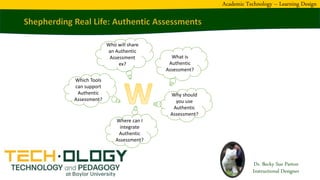
What is
Authentic
Assessment?
Why should
you use
Authentic
Assessment?
Where can I
integrate
Authentic
Assessment?
Which Tools
can support
Authentic
Assessment?
Who will share
an Authentic
Assessment
ex?
Dr. Becky Sue Parton
Instructional Designer
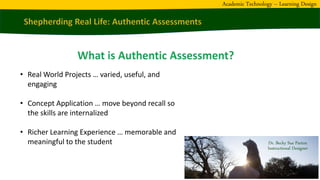
• Real World Projects … varied, useful, and
engaging
• Concept Application … move beyond recall so
the skills are internalized
• Richer Learning Experience … memorable and
meaningful to the student
Academic Technology – Learning Design
Dr. Becky Sue Parton
Instructional Designer
• Change in Information access
• Alignment with employer needs
• Less incentive or opportunity to cheat
• Allow students to shine & invest their heart
• Application of concepts & career exploration
Academic Technology – Learning Design
Dr. Becky Sue Parton
Instructional Designer
• Networking – setup a network instead of answering multiple choice questions.
• Video Production – make a video centered on interests (PSA for Casa de Critters)
• Deaf Education – create a bilingual e-book using Bible story of your choice
• Mobile Apps – create one for own need (ex – student testing – learned javascript)
• Grant Writing – find a real submission application and write for it (or conf proposal)
• Multimedia – 3D design of choosing (ex – student paint gun cap; printed on own)
• Assistive Tech – create a “low tech” device for own classroom; video on how/why
• Databases – design & create one for own use
(ex. Bible verses, movie collection, trips, etc)
• Interactive Media – create a CD-ROM to share
(ex. Deaf History & Culture – distributed)
• Tech Tools (Germany – trip highlights)
Academic Technology – Learning Design
Dr. Becky Sue Parton
Instructional Designer
• Video (share steps, presentation, & more)
• Power Point & related presentation tools
• Word Processing (Papers with a Purpose)
• Multimedia (e-books, VR, Adobe Spark)
• Mobile apps & Smart Device skills
• Interactive Games (Curriki, H5P, & more)
• Subject-specific tools too!
Academic Technology – Learning Design
Dr. Becky Sue Parton
Instructional Designer
•
•
•
•
•
•
•
•
•
•
Academic Technology – Learning Design
Dr. Becky Sue Parton,
Instructional Designer
Becky_Parton@baylor.edu
254-710-3933
Academic Technology – Learning Design

Authentic Assessment

  • 1.
    Academic Technology –Learning Design Dr. Becky Sue Parton Instructional Designer What is Authentic Assessment? Why should you use Authentic Assessment? Where can I integrate Authentic Assessment? Which Tools can support Authentic Assessment? Who will share an Authentic Assessment ex?
  • 2.
    Dr. Becky SueParton Instructional Designer • Real World Projects … varied, useful, and engaging • Concept Application … move beyond recall so the skills are internalized • Richer Learning Experience … memorable and meaningful to the student Academic Technology – Learning Design
  • 3.
    Dr. Becky SueParton Instructional Designer • Change in Information access • Alignment with employer needs • Less incentive or opportunity to cheat • Allow students to shine & invest their heart • Application of concepts & career exploration Academic Technology – Learning Design
  • 4.
    Dr. Becky SueParton Instructional Designer • Networking – setup a network instead of answering multiple choice questions. • Video Production – make a video centered on interests (PSA for Casa de Critters) • Deaf Education – create a bilingual e-book using Bible story of your choice • Mobile Apps – create one for own need (ex – student testing – learned javascript) • Grant Writing – find a real submission application and write for it (or conf proposal) • Multimedia – 3D design of choosing (ex – student paint gun cap; printed on own) • Assistive Tech – create a “low tech” device for own classroom; video on how/why • Databases – design & create one for own use (ex. Bible verses, movie collection, trips, etc) • Interactive Media – create a CD-ROM to share (ex. Deaf History & Culture – distributed) • Tech Tools (Germany – trip highlights) Academic Technology – Learning Design
  • 5.
    Dr. Becky SueParton Instructional Designer • Video (share steps, presentation, & more) • Power Point & related presentation tools • Word Processing (Papers with a Purpose) • Multimedia (e-books, VR, Adobe Spark) • Mobile apps & Smart Device skills • Interactive Games (Curriki, H5P, & more) • Subject-specific tools too! Academic Technology – Learning Design
  • 6.
    Dr. Becky SueParton Instructional Designer • • • • • • • • • • Academic Technology – Learning Design
  • 7.
    Dr. Becky SueParton, Instructional Designer Becky_Parton@baylor.edu 254-710-3933 Academic Technology – Learning Design