Recipe ideas
Video assessment
©UCEM
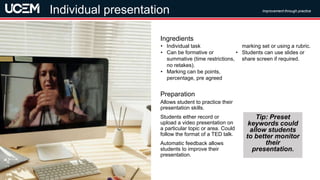
Allows student to practice their
presentation skills.
Students either record or
upload a video presentation on
a particular topic or area. Could
follow the format of a TED talk.
Automatic feedback allows
students to improve their
presentation.
Preparation
• Individual task
• Can be formative or
summative (time restrictions,
no retakes).
• Marking can be points,
percentage, pre agreed
marking set or using a rubric.
• Students can use slides or
share screen if required.
Ingredients
Improvement through practice
Video assessment
Individual presentation
Tip: Preset
keywords could
allow students
to better monitor
their
presentation.
©UCEM
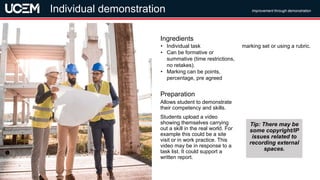
Allows student to demonstrate
their competency and skills.
Students upload a video
showing themselves carrying
out a skill in the real world. For
example this could be a site
visit or in work practice. This
video may be in response to a
task list. It could support a
written report.
Preparation
• Individual task
• Can be formative or
summative (time restrictions,
no retakes).
• Marking can be points,
percentage, pre agreed
marking set or using a rubric.
Ingredients
Improvement through demonstration
Individual demonstration
Tip: There may be
some copyright/IP
issues related to
recording external
spaces.
©UCEM
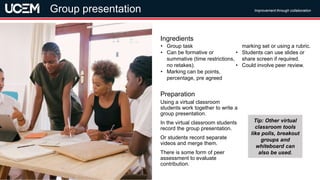
Using a virtual classroom
students work together to write a
group presentation.
In the virtual classroom students
record the group presentation.
Or students record separate
videos and merge them.
There is some form of peer
assessment to evaluate
contribution.
Preparation
• Group task
• Can be formative or
summative (time restrictions,
no retakes).
• Marking can be points,
percentage, pre agreed
marking set or using a rubric.
• Students can use slides or
share screen if required.
• Could involve peer review.
Ingredients
Improvement through collaboration
Group presentation
Tip: Other virtual
classroom tools
like polls, breakout
groups and
whiteboard can
also be used.
©UCEM
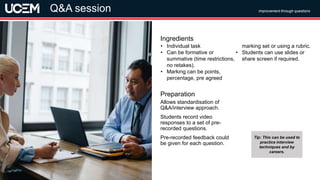
Allows standardisation of
Q&A/interview approach.
Students record video
responses to a set of pre-
recorded questions.
Pre-recorded feedback could
be given for each question.
Preparation
• Individual task
• Can be formative or
summative (time restrictions,
no retakes).
• Marking can be points,
percentage, pre agreed
marking set or using a rubric.
• Students can use slides or
share screen if required.
Ingredients
Improvement through questions
Video assessment
Q&A session
Tip: This can be used to
practice interview
techniques and by
careers.
©UCEM
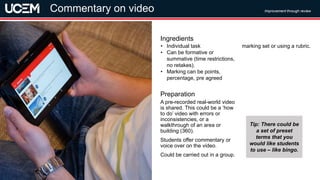
A pre-recorded real-world video
is shared. This could be a ‘how
to do’ video with errors or
inconsistencies, or a
walkthrough of an area or
building (360).
Students offer commentary or
voice over on the video.
Could be carried out in a group.
Preparation
• Individual task
• Can be formative or
summative (time restrictions,
no retakes).
• Marking can be points,
percentage, pre agreed
marking set or using a rubric.
Ingredients
Improvement through review
Commentary on video
Tip: There could be
a set of preset
terms that you
would like students
to use – like bingo.
©UCEM
Peer review builds assessment
literacy and reflection
techniques. This task could be
carried out on own previously
recorded videos to support self-
reflection.
Videos are created by students
using one of the other recipes.
These videos are then marked
and graded by a group of
peers.
Preparation
• Individual or group task
• Can be formative or
summative (time restrictions,
no retakes).
• Marking can be points,
percentage, pre agreed
marking set or using a rubric.
• Students can use slides or
share screen if required.
Ingredients
Improvement through assessment literacy
Video assessment
Peer review
Tip: Students could
build their own
rubric to use for
assessment.
©UCEM
Allows students to respond to
different real-life scenarios.
Students are shown snippets of
scenarios and then asked for their
opinions on the scenarios using
multiple choice or free text, or to
role play answers. Examples
could be court room scenarios, or
business meetings, or
construction issues. Some
scenarios could use multiple
video streams, providing the
opportunity to see the situation
from multiple angles.
Preparation
• Individual or group task
• Can be formative or
summative (time restrictions,
no retakes).
• Marking can be points,
percentage, pre agreed
marking set or using a rubric.
Ingredients
Improvement through role-play
Video assessment
Mock scenario
Tip: Media team
could create a set
of resources for
use in different
scenarios.
©UCEM
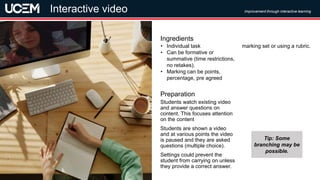
Students watch existing video
and answer questions on
content. This focuses attention
on the content
Students are shown a video
and at various points the video
is paused and they are asked
questions (multiple choice).
Settings could prevent the
student from carrying on unless
they provide a correct answer.
Preparation
• Individual task
• Can be formative or
summative (time restrictions,
no retakes).
• Marking can be points,
percentage, pre agreed
marking set or using a rubric.
Ingredients
Improvement through interactive learning
Interactive video
Tip: Some
branching may be
possible.
©UCEM
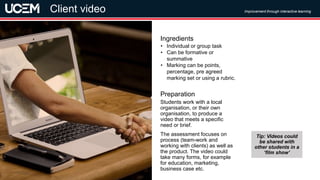
Students work with a local
organisation, or their own
organisation, to produce a
video that meets a specific
need or brief.
The assessment focuses on
process (team-work and
working with clients) as well as
the product. The video could
take many forms, for example
for education, marketing,
business case etc.
Preparation
• Individual or group task
• Can be formative or
summative
• Marking can be points,
percentage, pre agreed
marking set or using a rubric.
Ingredients
Improvement through interactive learning
Client video
Tip: Videos could
be shared with
other students in a
‘film show’
©UCEM
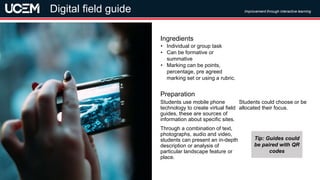
Students use mobile phone
technology to create virtual field
guides, these are sources of
information about specific sites.
Through a combination of text,
photographs, audio and video,
students can present an in-depth
description or analysis of
particular landscape feature or
place.
Students could choose or be
allocated their focus.
Preparation
• Individual or group task
• Can be formative or
summative
• Marking can be points,
percentage, pre agreed
marking set or using a rubric.
Ingredients
Improvement through interactive learning
Digital field guide
Tip: Guides could
be paired with QR
codes
©UCEM
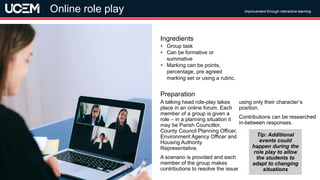
A talking head role-play takes
place in an online forum. Each
member of a group is given a
role – in a planning situation it
may be Parish Councillor,
County Council Planning Officer,
Environment Agency Officer and
Housing Authority
Representative.
A scenario is provided and each
member of the group makes
contributions to resolve the issue
using only their character’s
position.
Contributions can be researched
in-between responses.
Preparation
• Group task
• Can be formative or
summative
• Marking can be points,
percentage, pre agreed
marking set or using a rubric.
Ingredients
Improvement through interactive learning
Online role play
Tip: Additional
events could
happen during the
role play to allow
the students to
adapt to changing
situations
©UCEM
Credits
• Images taken from Pixabay and Pexels
• Some ideas taken from Assessment top trumps
by Lydia Arnold
https://lydia-arnold.com/2021/04/08/authentic-
assessment-top-reflective-trumps-cards/

Video assessment recipes

  • 1.
  • 2.
    ©UCEM Allows student topractice their presentation skills. Students either record or upload a video presentation on a particular topic or area. Could follow the format of a TED talk. Automatic feedback allows students to improve their presentation. Preparation • Individual task • Can be formative or summative (time restrictions, no retakes). • Marking can be points, percentage, pre agreed marking set or using a rubric. • Students can use slides or share screen if required. Ingredients Improvement through practice Video assessment Individual presentation Tip: Preset keywords could allow students to better monitor their presentation.
  • 3.
    ©UCEM Allows student todemonstrate their competency and skills. Students upload a video showing themselves carrying out a skill in the real world. For example this could be a site visit or in work practice. This video may be in response to a task list. It could support a written report. Preparation • Individual task • Can be formative or summative (time restrictions, no retakes). • Marking can be points, percentage, pre agreed marking set or using a rubric. Ingredients Improvement through demonstration Individual demonstration Tip: There may be some copyright/IP issues related to recording external spaces.
  • 4.
    ©UCEM Using a virtualclassroom students work together to write a group presentation. In the virtual classroom students record the group presentation. Or students record separate videos and merge them. There is some form of peer assessment to evaluate contribution. Preparation • Group task • Can be formative or summative (time restrictions, no retakes). • Marking can be points, percentage, pre agreed marking set or using a rubric. • Students can use slides or share screen if required. • Could involve peer review. Ingredients Improvement through collaboration Group presentation Tip: Other virtual classroom tools like polls, breakout groups and whiteboard can also be used.
  • 5.
    ©UCEM Allows standardisation of Q&A/interviewapproach. Students record video responses to a set of pre- recorded questions. Pre-recorded feedback could be given for each question. Preparation • Individual task • Can be formative or summative (time restrictions, no retakes). • Marking can be points, percentage, pre agreed marking set or using a rubric. • Students can use slides or share screen if required. Ingredients Improvement through questions Video assessment Q&A session Tip: This can be used to practice interview techniques and by careers.
  • 6.
    ©UCEM A pre-recorded real-worldvideo is shared. This could be a ‘how to do’ video with errors or inconsistencies, or a walkthrough of an area or building (360). Students offer commentary or voice over on the video. Could be carried out in a group. Preparation • Individual task • Can be formative or summative (time restrictions, no retakes). • Marking can be points, percentage, pre agreed marking set or using a rubric. Ingredients Improvement through review Commentary on video Tip: There could be a set of preset terms that you would like students to use – like bingo.
  • 7.
    ©UCEM Peer review buildsassessment literacy and reflection techniques. This task could be carried out on own previously recorded videos to support self- reflection. Videos are created by students using one of the other recipes. These videos are then marked and graded by a group of peers. Preparation • Individual or group task • Can be formative or summative (time restrictions, no retakes). • Marking can be points, percentage, pre agreed marking set or using a rubric. • Students can use slides or share screen if required. Ingredients Improvement through assessment literacy Video assessment Peer review Tip: Students could build their own rubric to use for assessment.
  • 8.
    ©UCEM Allows students torespond to different real-life scenarios. Students are shown snippets of scenarios and then asked for their opinions on the scenarios using multiple choice or free text, or to role play answers. Examples could be court room scenarios, or business meetings, or construction issues. Some scenarios could use multiple video streams, providing the opportunity to see the situation from multiple angles. Preparation • Individual or group task • Can be formative or summative (time restrictions, no retakes). • Marking can be points, percentage, pre agreed marking set or using a rubric. Ingredients Improvement through role-play Video assessment Mock scenario Tip: Media team could create a set of resources for use in different scenarios.
  • 9.
    ©UCEM Students watch existingvideo and answer questions on content. This focuses attention on the content Students are shown a video and at various points the video is paused and they are asked questions (multiple choice). Settings could prevent the student from carrying on unless they provide a correct answer. Preparation • Individual task • Can be formative or summative (time restrictions, no retakes). • Marking can be points, percentage, pre agreed marking set or using a rubric. Ingredients Improvement through interactive learning Interactive video Tip: Some branching may be possible.
  • 10.
    ©UCEM Students work witha local organisation, or their own organisation, to produce a video that meets a specific need or brief. The assessment focuses on process (team-work and working with clients) as well as the product. The video could take many forms, for example for education, marketing, business case etc. Preparation • Individual or group task • Can be formative or summative • Marking can be points, percentage, pre agreed marking set or using a rubric. Ingredients Improvement through interactive learning Client video Tip: Videos could be shared with other students in a ‘film show’
  • 11.
    ©UCEM Students use mobilephone technology to create virtual field guides, these are sources of information about specific sites. Through a combination of text, photographs, audio and video, students can present an in-depth description or analysis of particular landscape feature or place. Students could choose or be allocated their focus. Preparation • Individual or group task • Can be formative or summative • Marking can be points, percentage, pre agreed marking set or using a rubric. Ingredients Improvement through interactive learning Digital field guide Tip: Guides could be paired with QR codes
  • 12.
    ©UCEM A talking headrole-play takes place in an online forum. Each member of a group is given a role – in a planning situation it may be Parish Councillor, County Council Planning Officer, Environment Agency Officer and Housing Authority Representative. A scenario is provided and each member of the group makes contributions to resolve the issue using only their character’s position. Contributions can be researched in-between responses. Preparation • Group task • Can be formative or summative • Marking can be points, percentage, pre agreed marking set or using a rubric. Ingredients Improvement through interactive learning Online role play Tip: Additional events could happen during the role play to allow the students to adapt to changing situations
  • 13.
    ©UCEM Credits • Images takenfrom Pixabay and Pexels • Some ideas taken from Assessment top trumps by Lydia Arnold https://lydia-arnold.com/2021/04/08/authentic- assessment-top-reflective-trumps-cards/