Do you know what your
Drupal is doing? Observe it!
lussoluca
Luca Lusso
Drupal / PHP / Go developer @ SparkFabrik
Drupal contributor (webprofiler, monolog, …) and speaker
Drupal.org: https://www.drupal.org/u/lussoluca
Twitter: https://www.twitter.com/lussoluca
LinkedIn: www.linkedin.com/in/lussoluca
WE ARE A TECH COMPANY OF ENGINEERS,
DEVELOPERS AND DESIGNERS WHO WILL
THINK, DESIGN AND BUILD YOUR CUSTOM APPLICATIONS,
MODERNIZE YOUR LEGACY AND TAKE YOU TO THE
CLOUD NATIVE ERA.
SPARKFABRIK
We help italian businesses to bridge
the gap with China thanks to our
Official Partnership with
Alibaba Cloud.
SparkFabrik is Cloud Native
Computing Foundation
Silver Member.
SparkFabrik is Google Cloud
Platform Technology Partner.
SparkFabrik is AWS
Official Partner.
PROUD OF OUR PARTNERSHIPS
Almost everyone is working with distributed systems.
There are microservices, containers, cloud, serverless,
and a lot of combinations of these technologies. All of
these increase the number of failures that systems may encounter
because there are too many parts interacting.
And because of the distributed system’s diversity, it’s
complex to understand present problems and predict
future ones
Observability is a measure of how well
internal states of a system can be
inferred from knowledge of its external
outputs
We want to observe production environments, and
generic metrics like CPU and memory usage
are not sufficient anymore
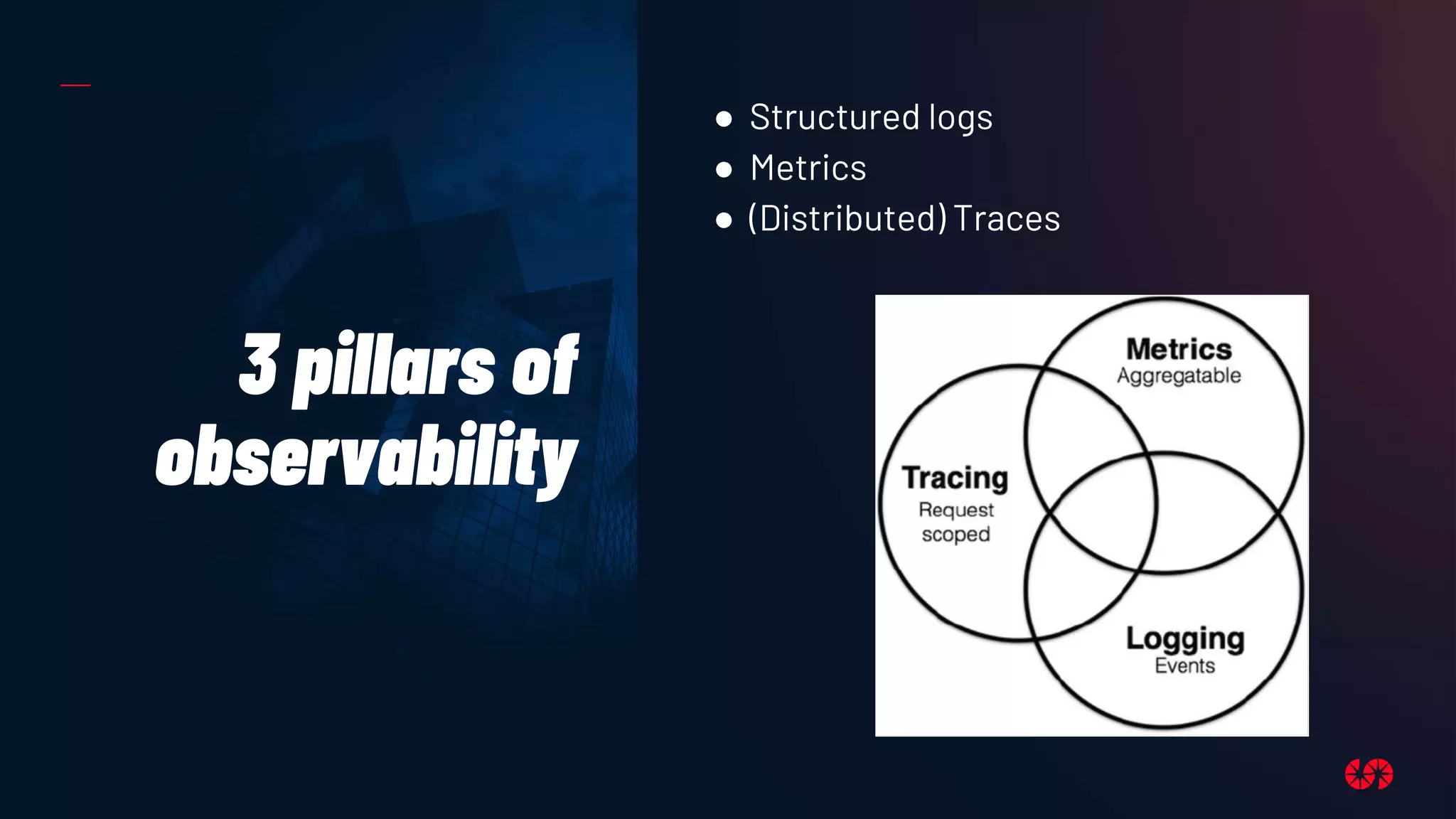
3 pillars of
observability
● Structured logs
● Metrics
● (Distributed) Traces
Tools
OpenTelemetry
OpenTelemetry is a collection of tools, APIs,
and SDKs. It can be used to instrument,
generate, collect, and export telemetry data
(metrics, logs, and traces) to help analyze
software’s performance and behavior.
OpenTelemetry is an incubating project
from the Cloud Native Computing
Foundation, created after the merger of
OpenCensus (from Google) and
OpenTracing (from Uber).
The data collected with OpenTelemetry is
vendor-agnostic and can be exported in
many formats.
https://opentelemetry.io
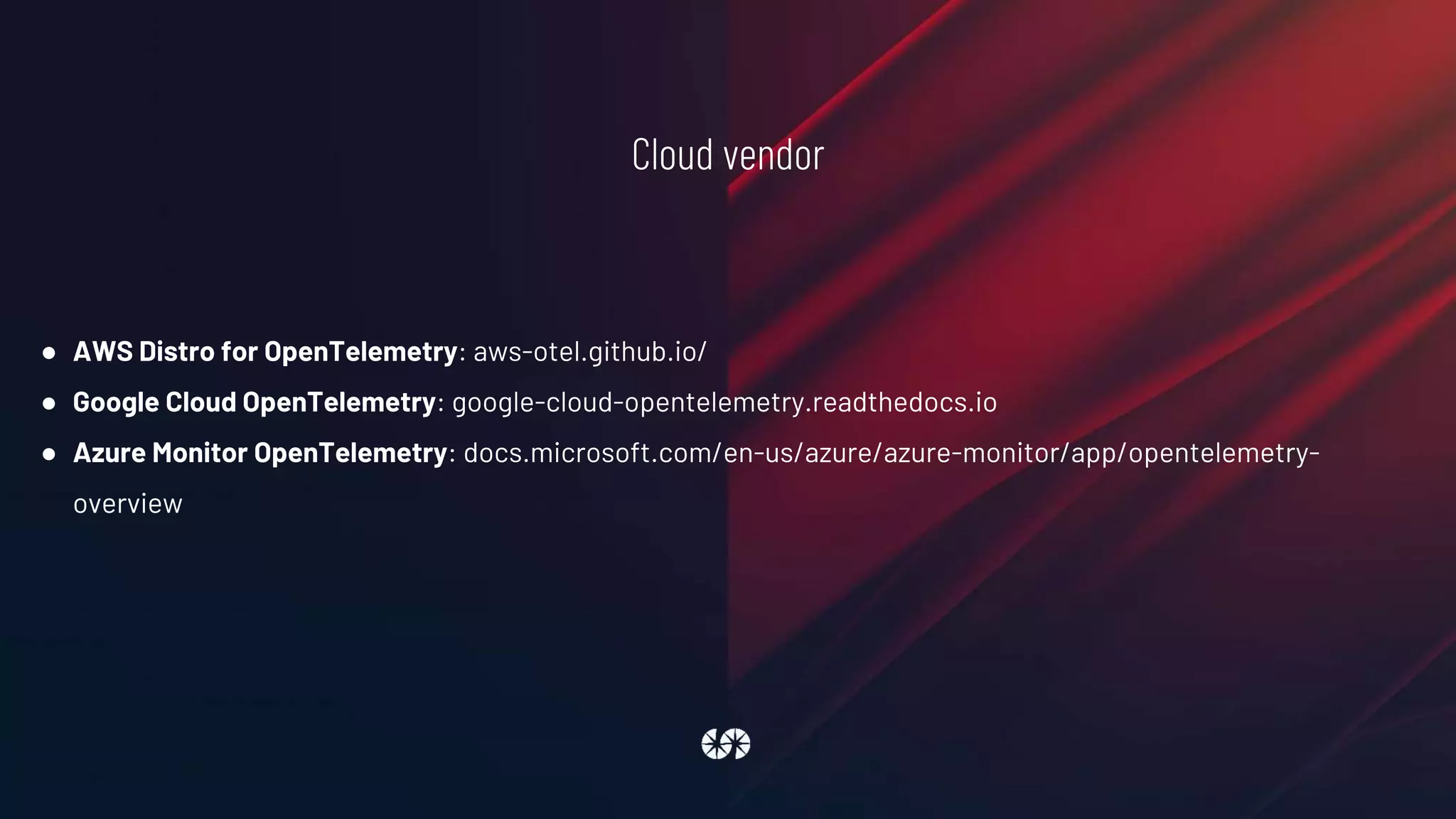
Cloud vendor
● AWS Distro for OpenTelemetry: aws-otel.github.io/
● Google Cloud OpenTelemetry: google-cloud-opentelemetry.readthedocs.io
● Azure Monitor OpenTelemetry: docs.microsoft.com/en-us/azure/azure-monitor/app/opentelemetry-
overview
Tools
OpenTelemetry
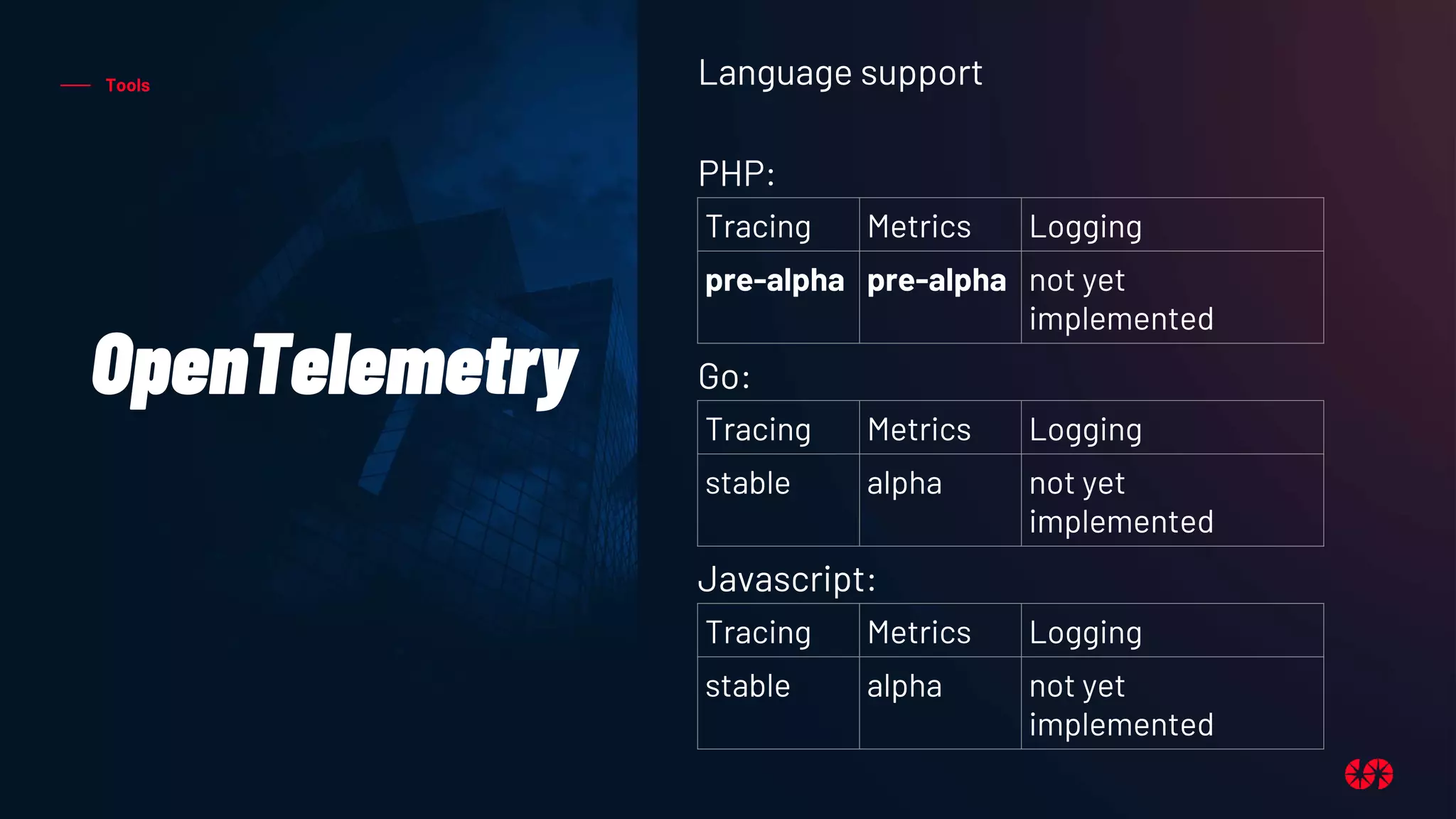
Language support
PHP:
Go:
Javascript:
Tracing Metrics Logging
pre-alpha pre-alpha not yet
implemented
Tracing Metrics Logging
stable alpha not yet
implemented
Tracing Metrics Logging
stable alpha not yet
implemented
Tools
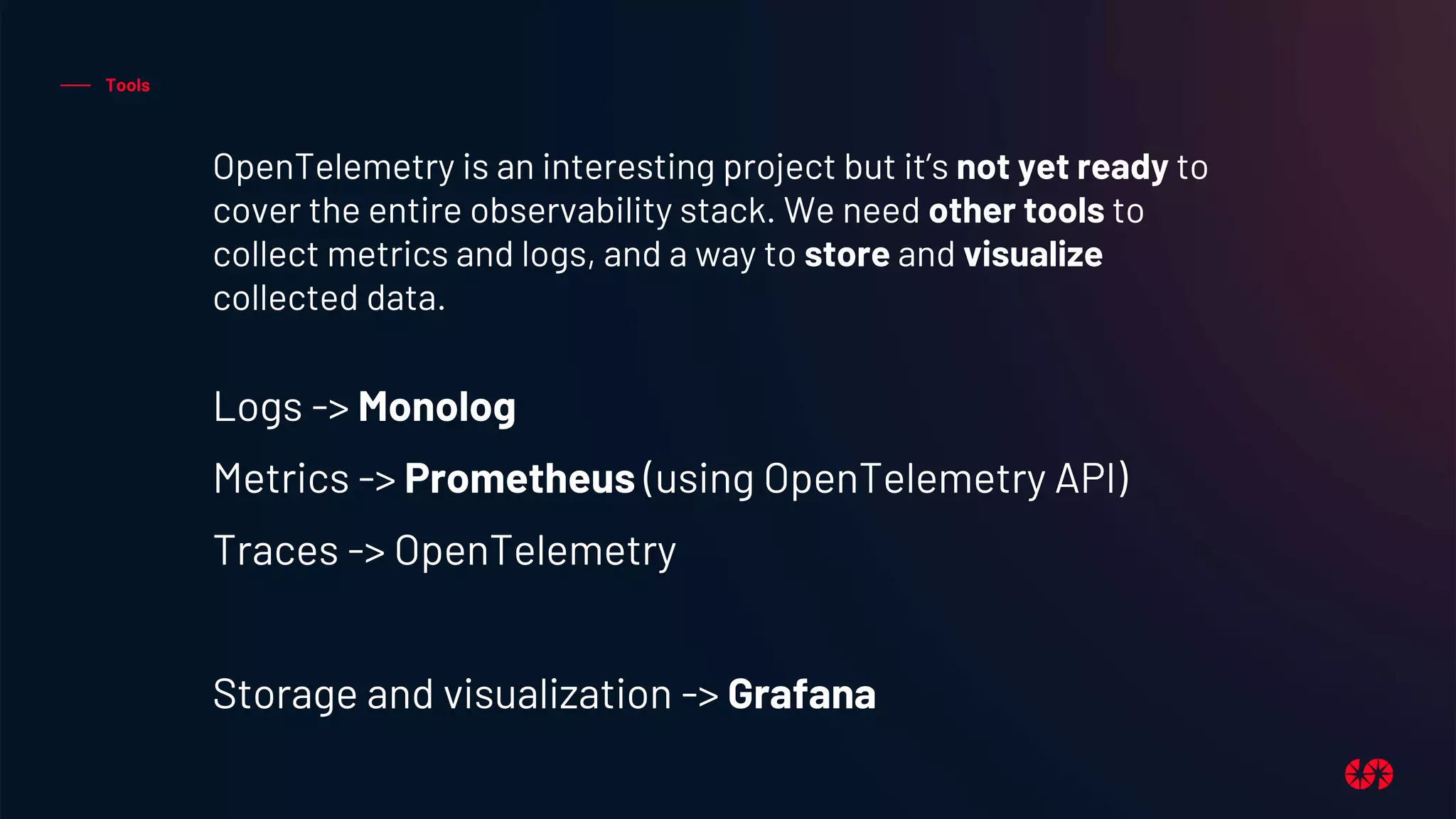
OpenTelemetry is an interesting project but it’s not yet ready to
cover the entire observability stack. We need other tools to
collect metrics and logs, and a way to store and visualize
collected data.
Logs -> Monolog
Metrics -> Prometheus (using OpenTelemetry API)
Traces -> OpenTelemetry
Storage and visualization -> Grafana
Tools
Monolog
Monolog is a standard PHP library and it can
be included in a Drupal website using a
contrib module (www.drupal.org/project/monolog)
Monolog sends logs to files, sockets,
inboxes, databases and various web
services.
Monolog implements the PSR-3 interface
that can be type-hint against in code to
keep a maximum of interoperability.
github.com/Seldaek/monolog
Tools
Prometheus
Prometheus is an open-source systems
monitoring and alerting toolkit originally built
at SoundCloud. It is now a standalone open
source project and maintained independently
of any company.
Prometheus collects and stores metrics as
time series data.
Prometheus was the second project to join
the Cloud Native Computing Foundation after
Kubernetes.
prometheus.io
Tools
Grafana
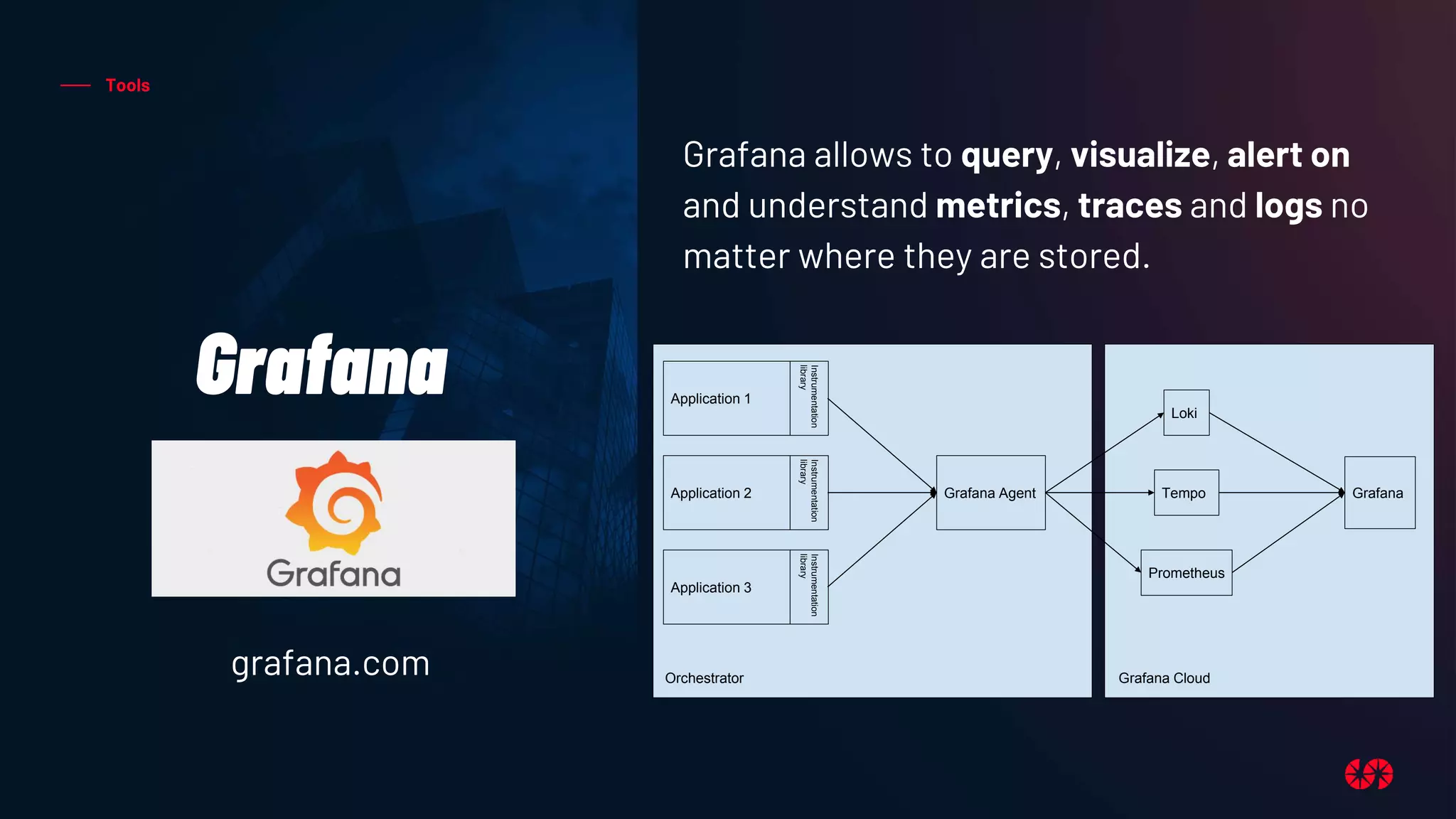
Grafana allows to query, visualize, alert on
and understand metrics, traces and logs no
matter where they are stored.
grafana.com
Application 1
Instrumentation
library
Application 2
Instrumentation
library
Application 3
Instrumentation
library
Orchestrator
Grafana Agent
Loki
Tempo
Prometheus
Grafana
Grafana Cloud
STRUCTURED LOGS
1. Logs are about storing specific events
In Drupal 8 (an in general in PHP world) we have a
battle tested library to do logging
Monolog
Monolog is a PSR-3 compliant library
from Jordi Boggiano.
There is a module for all Drupal versions (yes, also D10)
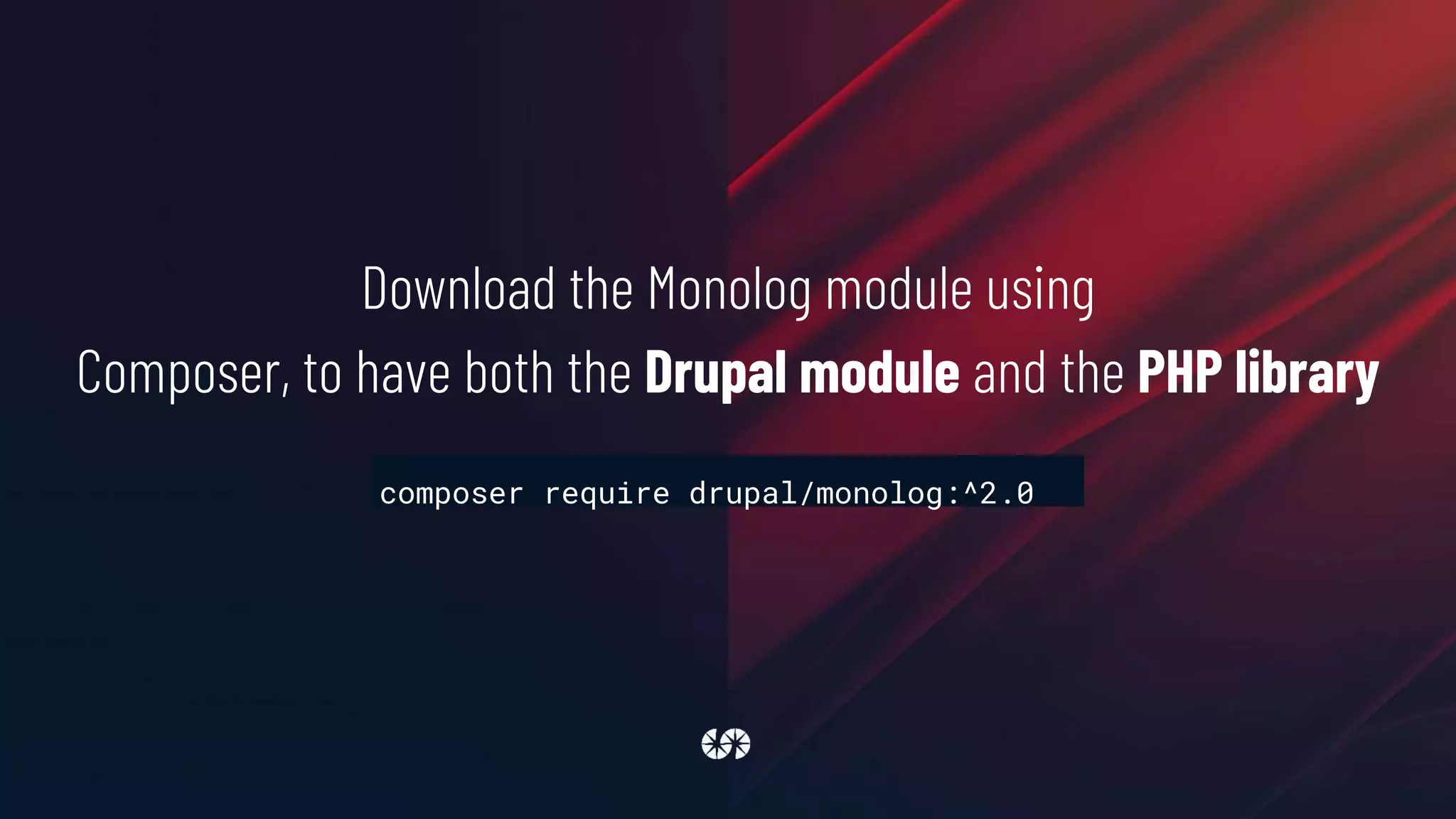
Download the Monolog module using
Composer, to have both the Drupal module and the PHP library
composer require drupal/monolog:^2.0
Monolog module doesn't have a UI, it's configured using yml files,
for example
sites/default/monolog.services.yml
services:
monolog.handler.rotating_file:
class: MonologHandlerRotatingFileHandler
arguments: ['private://logs/debug.log', 10, '%monolog.level.info%']
First of all define a new service in the service container
parameters:
monolog.channel_handlers:
default:
handlers:
- name: 'rotating_file'
formatter: 'json'
monolog.processors: [
'message_placeholder', 'current_user',
'request_uri', 'ip', 'referer',
'filter_backtrace', 'introspection'
]
Then define handlers, formatter
and processors using service
container parameters. Here we're
configuring the default channel to
catch all log messages and to save
them using the
monolog.handler.rotating_file
service, in json format and after
being processed by a set of
processors
settings.php
$settings['container_yamls'][] =
DRUPAL_ROOT . '/sites/default/monolog.services.yml';
Add monolog.services.yml to
the list of container’s yamls in settings.php file
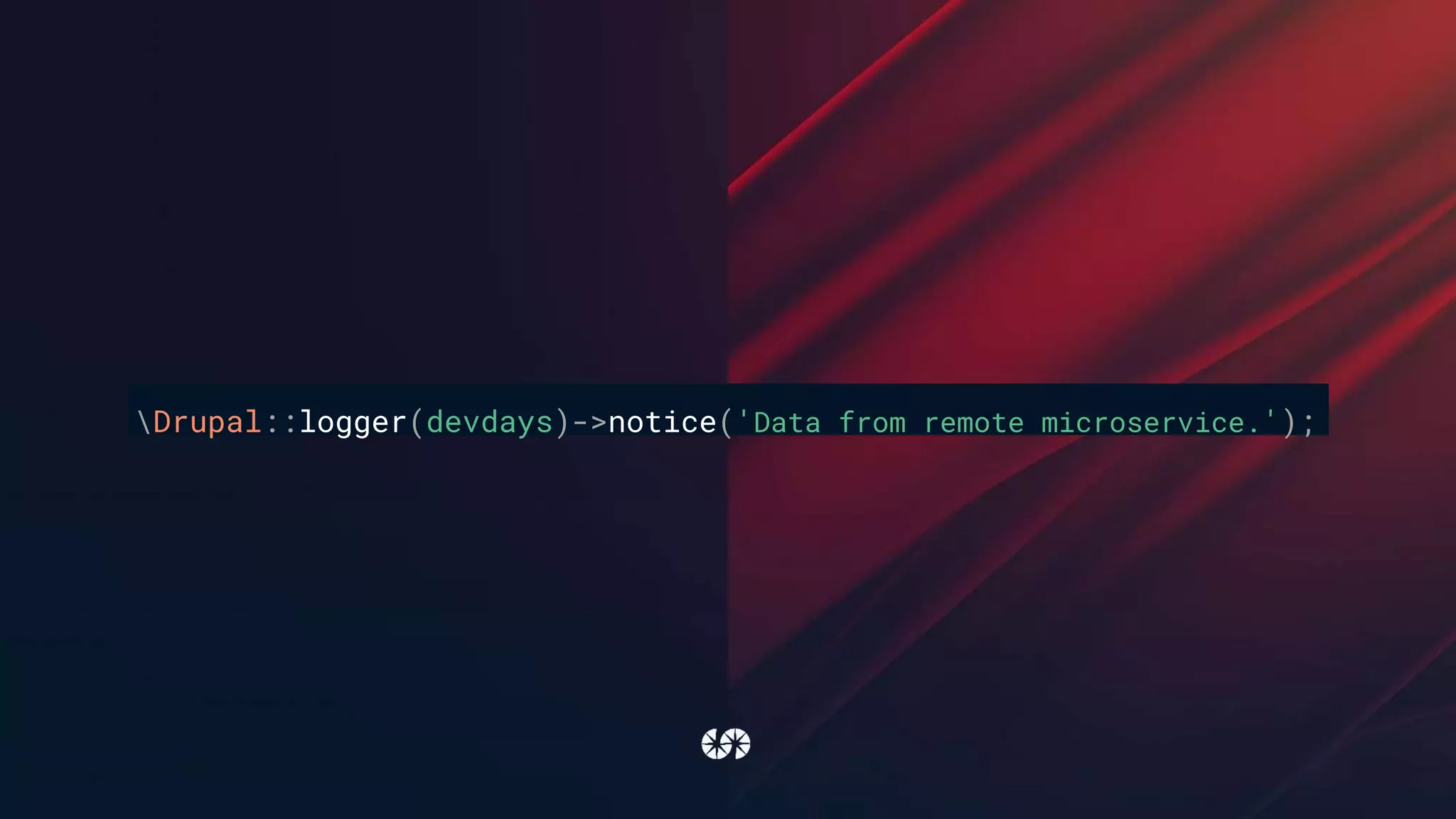
Drupal::logger(devdays)->notice('Data from remote microservice.');
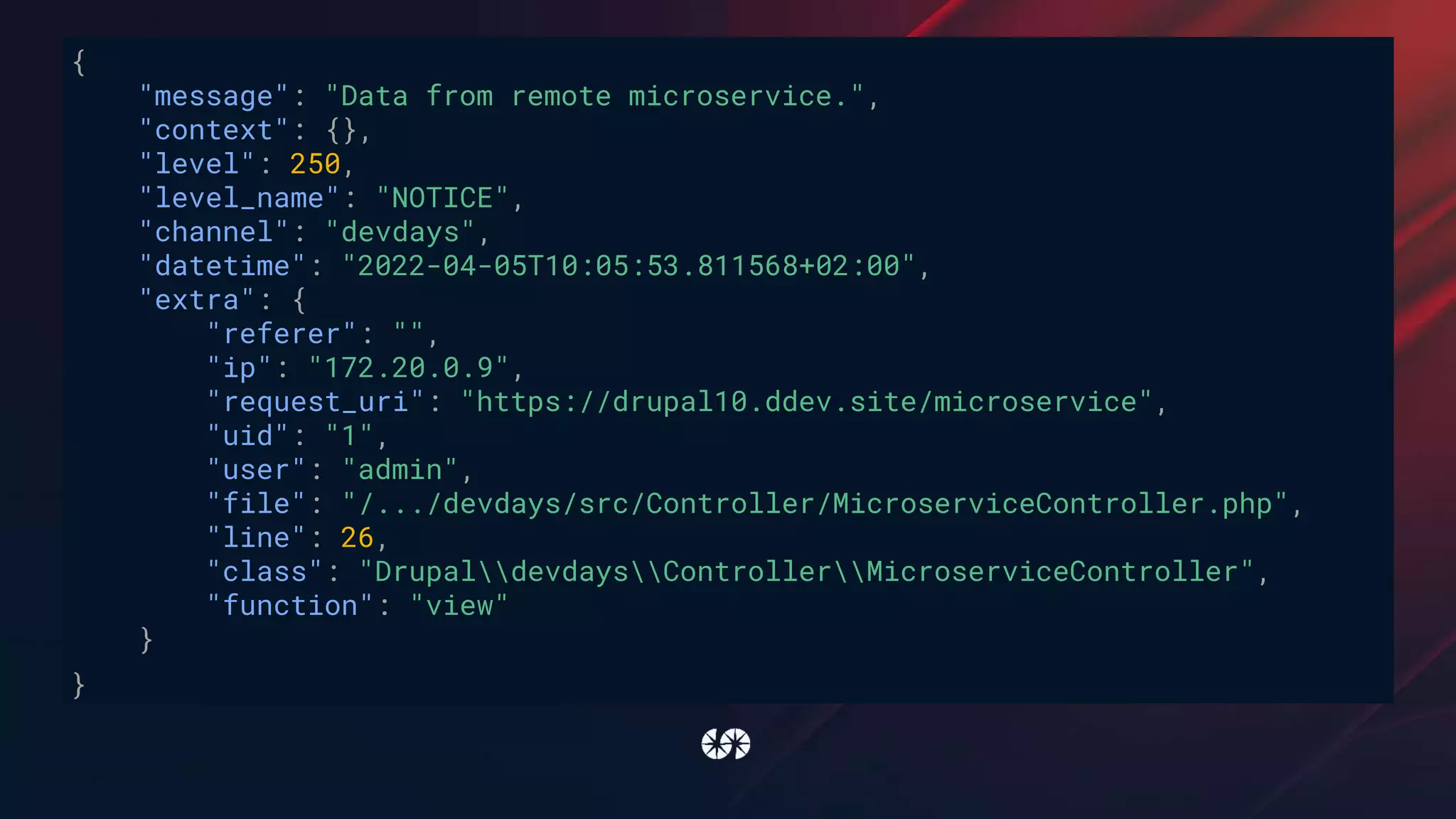
{
"message": "Data from remote microservice.",
"context": {},
"level": 250,
"level_name": "NOTICE",
"channel": "devdays",
"datetime": "2022-04-05T10:05:53.811568+02:00",
"extra": {
"referer": "",
"ip": "172.20.0.9",
"request_uri": "https://drupal10.ddev.site/microservice",
"uid": "1",
"user": "admin",
"file": "/.../devdays/src/Controller/MicroserviceController.php",
"line": 26,
"class": "DrupaldevdaysControllerMicroserviceController",
"function": "view"
}
}
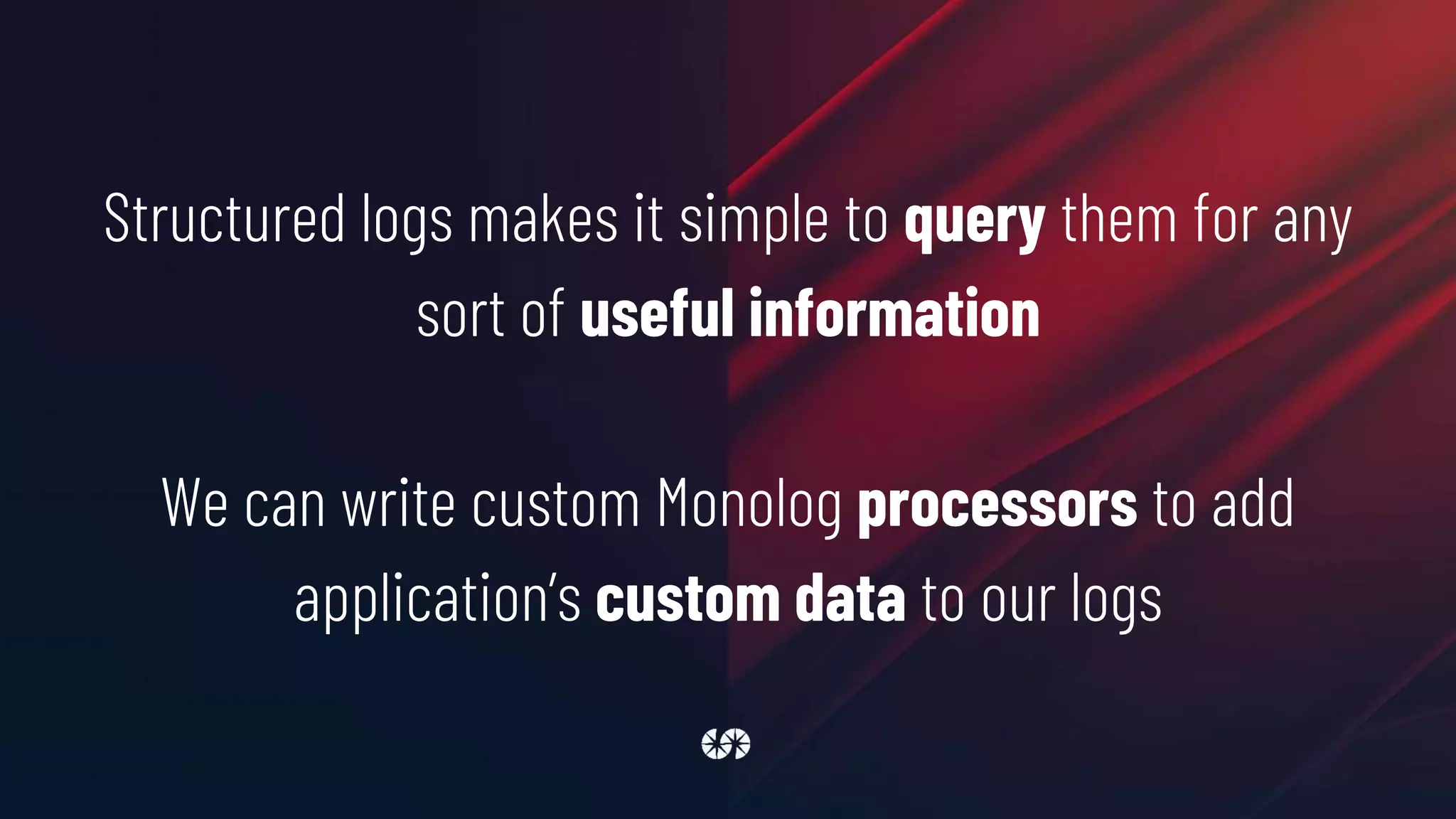
Structured logs makes it simple to query them for any
sort of useful information
We can write custom Monolog processors to add
application’s custom data to our logs
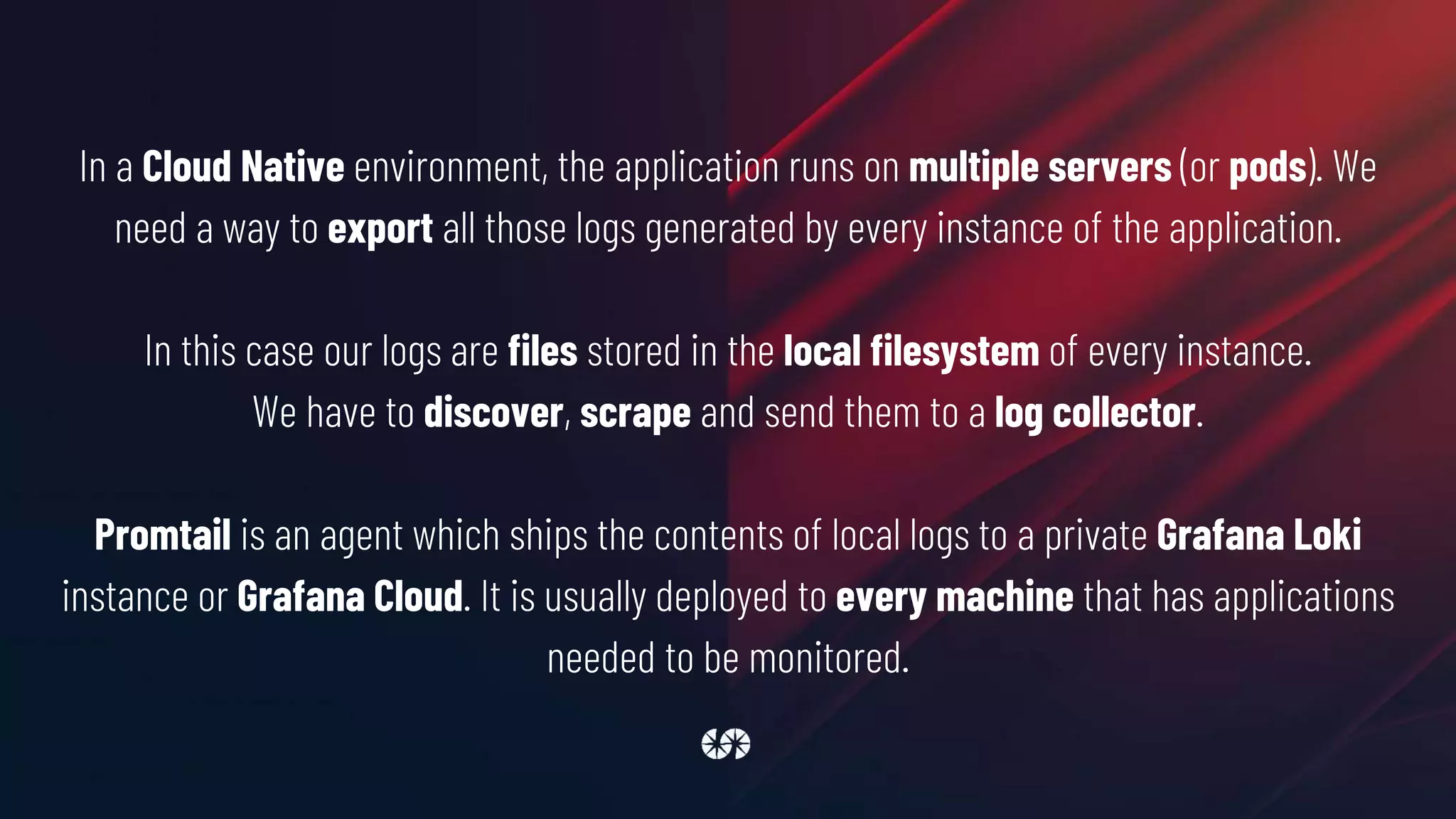
In a Cloud Native environment, the application runs on multiple servers (or pods). We
need a way to export all those logs generated by every instance of the application.
In this case our logs are files stored in the local filesystem of every instance.
We have to discover, scrape and send them to a log collector.
Promtail is an agent which ships the contents of local logs to a private Grafana Loki
instance or Grafana Cloud. It is usually deployed to every machine that has applications
needed to be monitored.
logs:
configs:
- name: default
positions:
filename: /mnt/ddev_config/grafana/positions.yaml
scrape_configs:
- job_name: drupal
pipeline_stages:
- json:
expressions:
level: level_name
- labels:
level:
static_configs:
- targets: [localhost]
labels:
job: drupal
__path__: /private/logs/*log
clients:
- url: http://***.grafana.net/loki/api/v1/push
basic_auth:
username: ***
password: ***
Scraping and sending logs to Grafana Loki
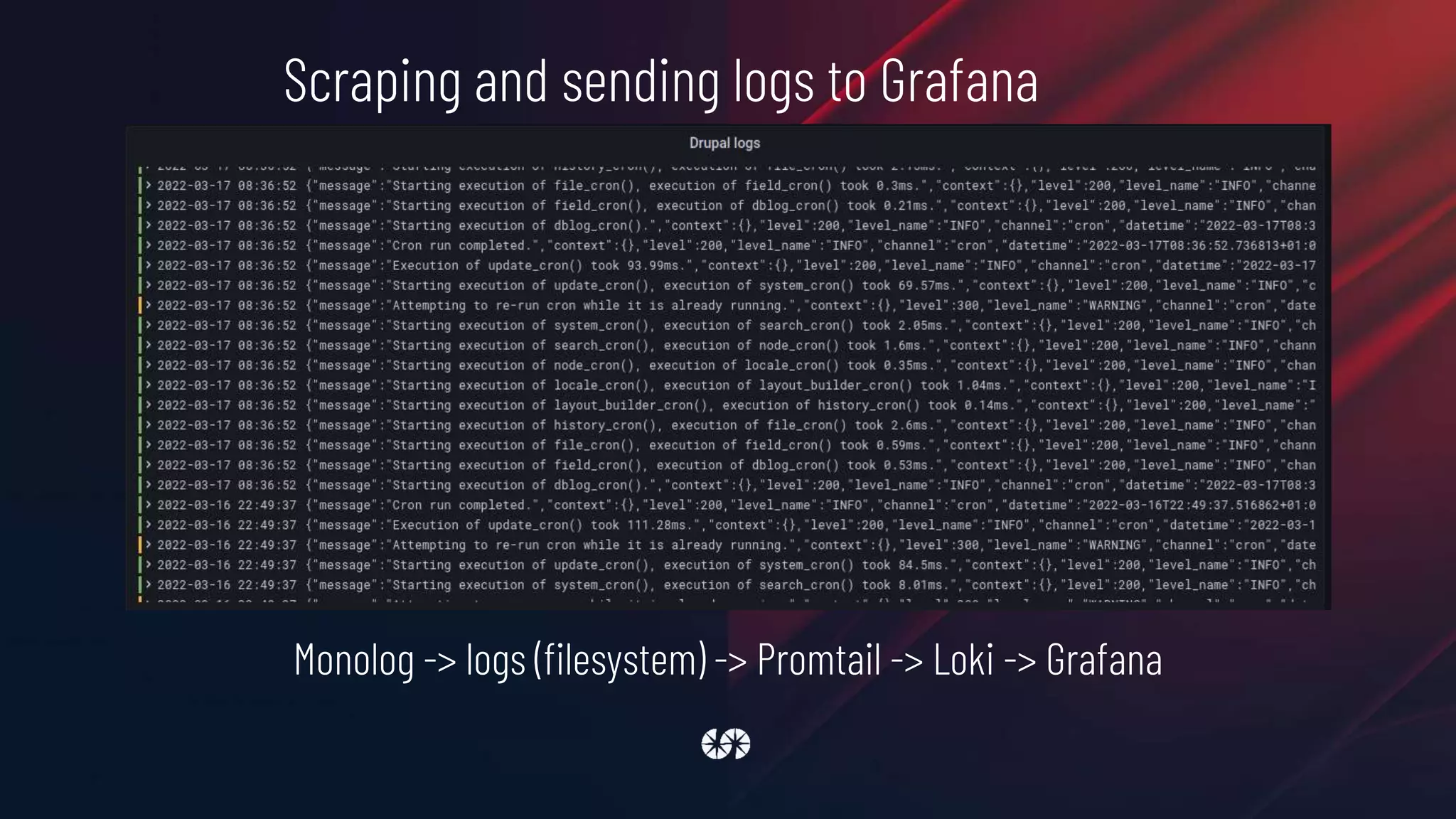
Scraping and sending logs to Grafana
Monolog -> logs (filesystem) -> Promtail -> Loki -> Grafana
METRICS
1. Logs are about storing specific events
2. Metrics are a measurement at a point in time for the system
Examples of the sort of metrics you might have would be:
● the number of times you receive an HTTP request
● how much time was spent handling requests
● how many requests are currently in progress
● the number of errors occurred
To instrument our application and record real-time
metrics we will use the Prometheus exporter
exposed by OpenTelemetry
PHP
PHP
There’s a module for that!
Observability suite
https://www.drupal.org/project/o11y
Prometheus scrapes data at the /metrics endpoint at a configured rate
PHP uses a shared-nothing architecture by default
o11y needs a way to store data between one scrape and the next
default implementation uses Redis as a storage backend
o11y_metrics module automatically instrument a Drupal website to collect data about:
● number of requests (per route)
● time of the request (per route)
● used PHP memory
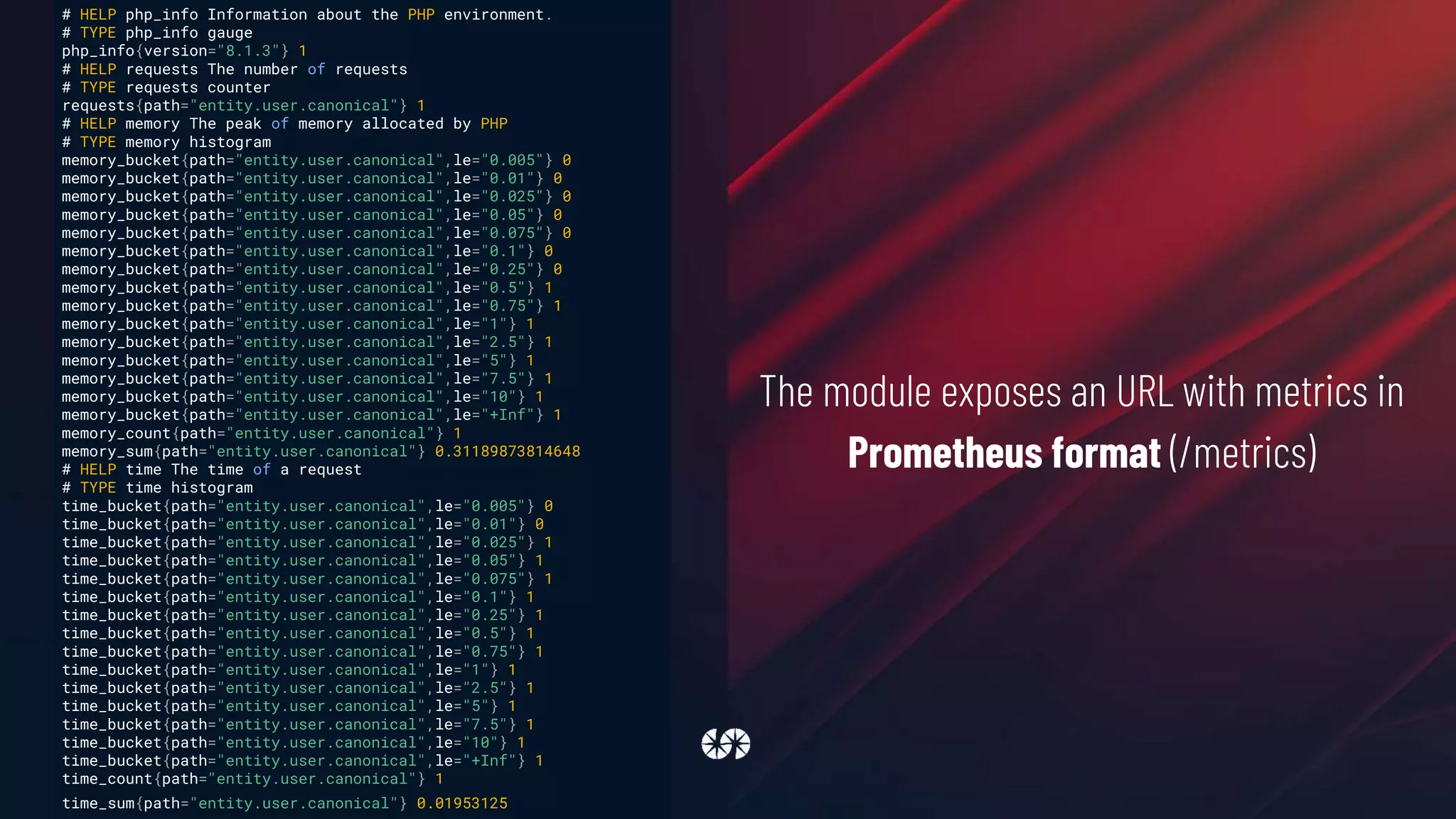
The module exposes an URL with metrics in
Prometheus format (/metrics)
# HELP php_info Information about the PHP environment.
# TYPE php_info gauge
php_info{version="8.1.3"} 1
# HELP requests The number of requests
# TYPE requests counter
requests{path="entity.user.canonical"} 1
# HELP memory The peak of memory allocated by PHP
# TYPE memory histogram
memory_bucket{path="entity.user.canonical",le="0.005"} 0
memory_bucket{path="entity.user.canonical",le="0.01"} 0
memory_bucket{path="entity.user.canonical",le="0.025"} 0
memory_bucket{path="entity.user.canonical",le="0.05"} 0
memory_bucket{path="entity.user.canonical",le="0.075"} 0
memory_bucket{path="entity.user.canonical",le="0.1"} 0
memory_bucket{path="entity.user.canonical",le="0.25"} 0
memory_bucket{path="entity.user.canonical",le="0.5"} 1
memory_bucket{path="entity.user.canonical",le="0.75"} 1
memory_bucket{path="entity.user.canonical",le="1"} 1
memory_bucket{path="entity.user.canonical",le="2.5"} 1
memory_bucket{path="entity.user.canonical",le="5"} 1
memory_bucket{path="entity.user.canonical",le="7.5"} 1
memory_bucket{path="entity.user.canonical",le="10"} 1
memory_bucket{path="entity.user.canonical",le="+Inf"} 1
memory_count{path="entity.user.canonical"} 1
memory_sum{path="entity.user.canonical"} 0.31189873814648
# HELP time The time of a request
# TYPE time histogram
time_bucket{path="entity.user.canonical",le="0.005"} 0
time_bucket{path="entity.user.canonical",le="0.01"} 0
time_bucket{path="entity.user.canonical",le="0.025"} 1
time_bucket{path="entity.user.canonical",le="0.05"} 1
time_bucket{path="entity.user.canonical",le="0.075"} 1
time_bucket{path="entity.user.canonical",le="0.1"} 1
time_bucket{path="entity.user.canonical",le="0.25"} 1
time_bucket{path="entity.user.canonical",le="0.5"} 1
time_bucket{path="entity.user.canonical",le="0.75"} 1
time_bucket{path="entity.user.canonical",le="1"} 1
time_bucket{path="entity.user.canonical",le="2.5"} 1
time_bucket{path="entity.user.canonical",le="5"} 1
time_bucket{path="entity.user.canonical",le="7.5"} 1
time_bucket{path="entity.user.canonical",le="10"} 1
time_bucket{path="entity.user.canonical",le="+Inf"} 1
time_count{path="entity.user.canonical"} 1
time_sum{path="entity.user.canonical"} 0.01953125
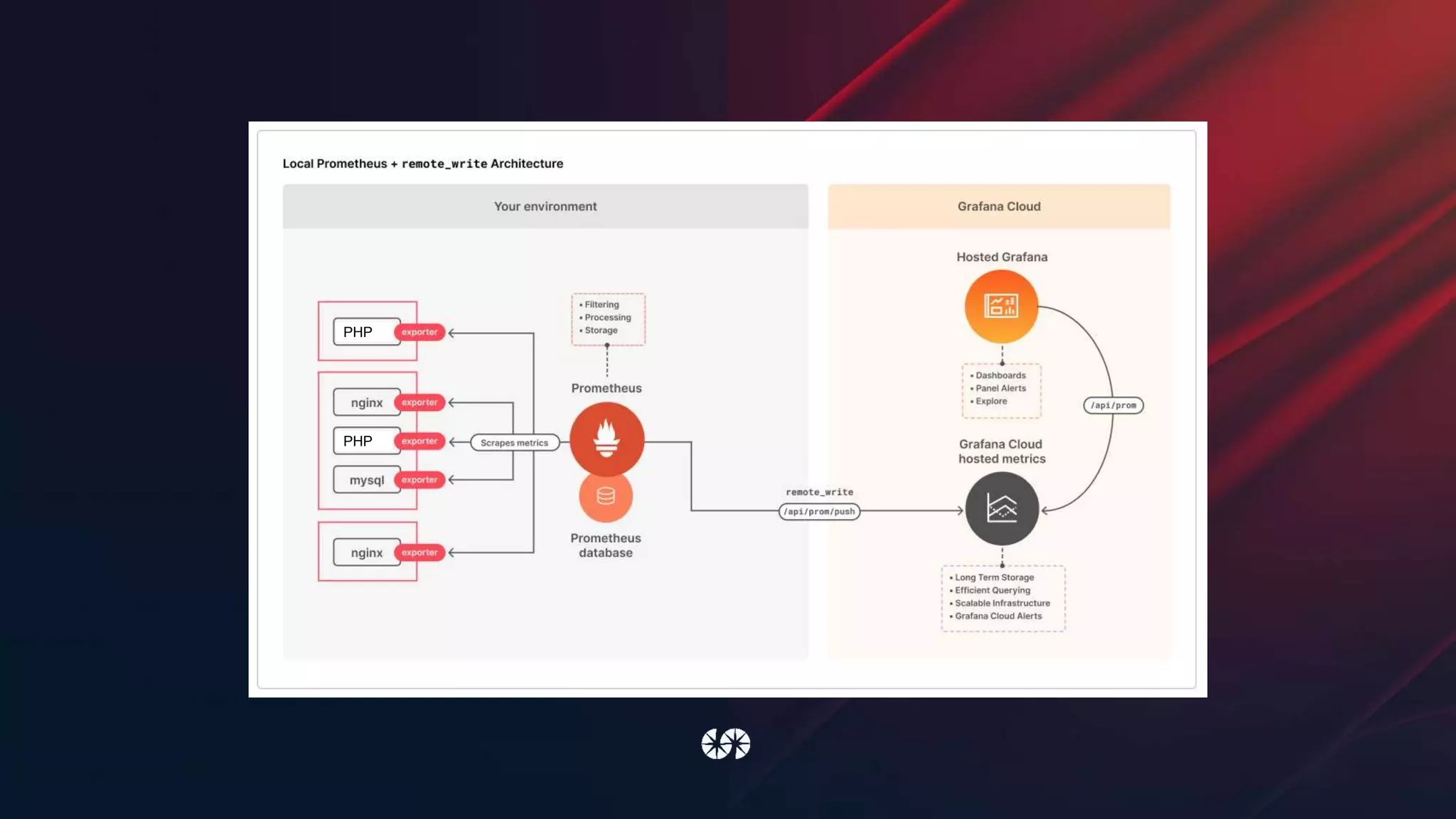
metrics:
global:
scrape_interval: 1m
remote_write:
- url: https://***.grafana.net/api/prom/push
basic_auth:
username: ***
password: ***
configs:
- name: default
scrape_configs:
- job_name: drupal
static_configs:
- targets: [ddev-drupal10-web]
Scraping and sending metrics to Grafana Prometheus
Manually instrument code
function example_entity_insert(EntityInterface $entity) {
/** @var Drupalo11y_metricsMeterInterface $meter */
$meter = Drupal::service('o11y_metrics.meter');
$meter->increment(
'entity_insert',
'Insert a new entity',
[
'type' => $entity->getEntityTypeId(),
'bundle' => $entity->bundle()
]
);
}
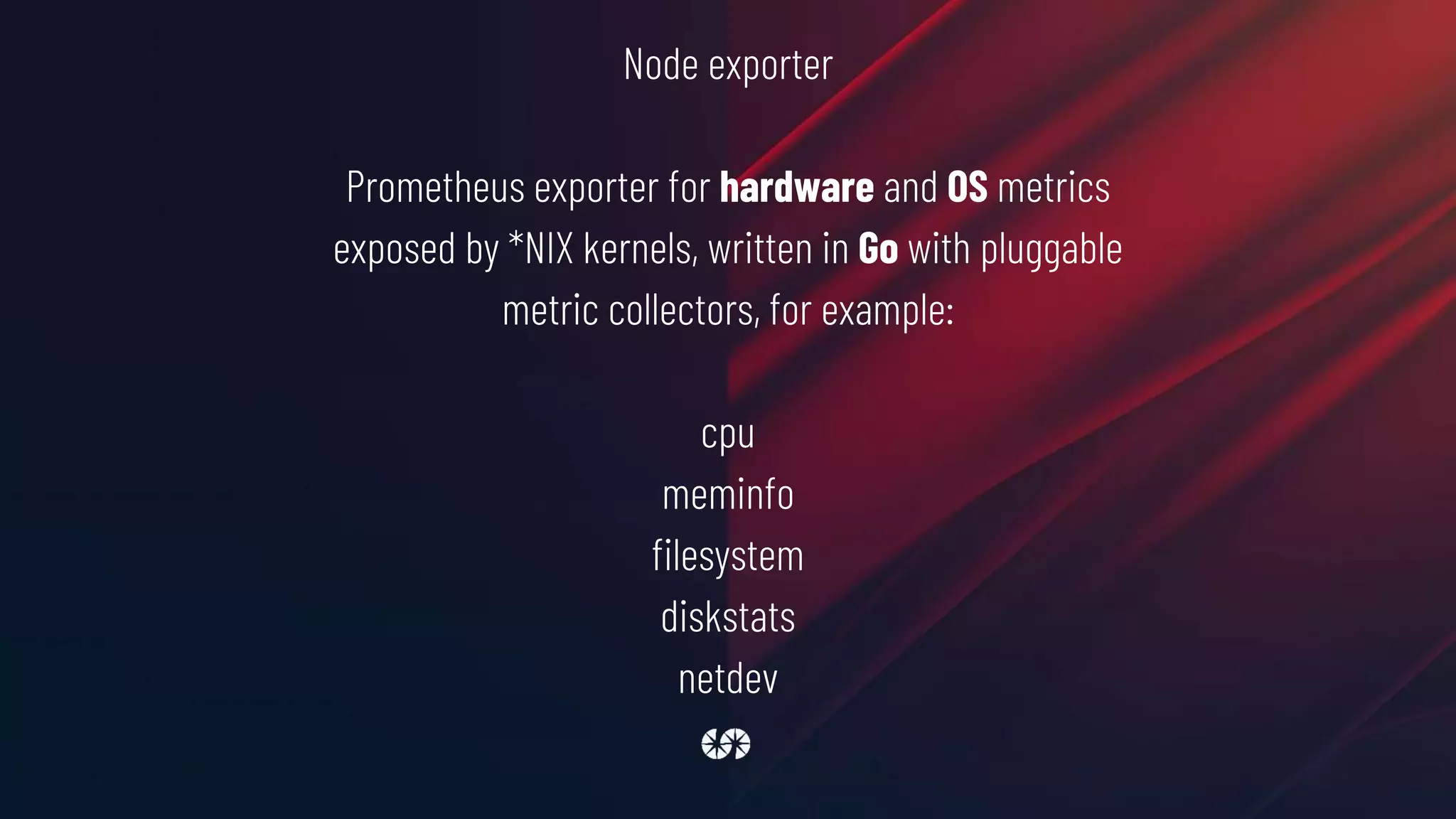
Node exporter
Prometheus exporter for hardware and OS metrics
exposed by *NIX kernels, written in Go with pluggable
metric collectors, for example:
cpu
meminfo
filesystem
diskstats
netdev
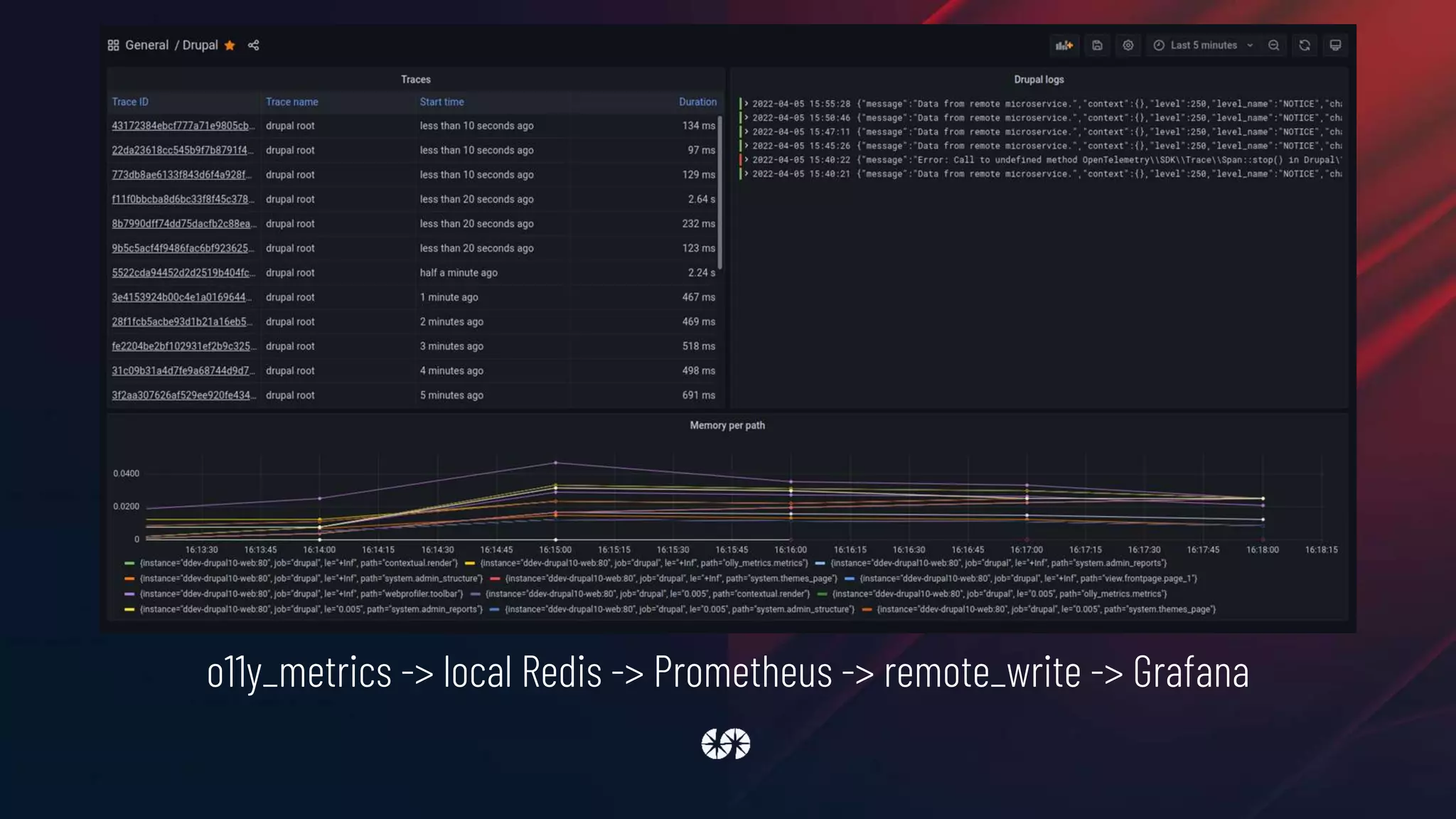
o11y_metrics -> local Redis -> Prometheus -> remote_write -> Grafana
o11y module is a POC of what we can do with the OpenTelemetry API for metrics, if you
want a more robust solution you can try the Prometheus.io Exporter module (also from
SparkFabrik):
https://www.drupal.org/project/prometheusio_exporter
DISTRIBUTED TRACES
1. Logs are about storing specific events
2. Metrics are a measurement at a point in time for the system
3. Distributed traces deals with information that is request-
scoped
We will use the Observability suite module to instrument our
application
Internally the module uses OpenTelemetry to do the hard work
Per-process logging and metric monitoring have their
place, but neither can reconstruct the elaborate
journeys that transactions take as they propagate
across a distributed system. Distributed traces are
these journeys
We take for example a Drupal 10 website
that renders a page with some data that comes from a
remote microservice
class MicroserviceController extends ControllerBase {
private Client $httpClient;
public static function create(ContainerInterface $container) {
return new static(
$container->get('http_client')
);
}
final public function __construct(Client $httpClient) {
$this->httpClient = $httpClient;
}
public function view() {
$response = $this->httpClient->get('http://ddev-drupal10-microservice:8080/hello-instrumented');
$json = json_decode($response->getBody()->getContents());
$this->loggerFactory->get('devdays')->notice($json->message);
return [
'#type' => 'markup',
'#markup' => $json->message,
];
}
}
https://play.golang.com/p/Jznc8X6t3eU
The remote microservice is implemented in GO and its code it's available here:
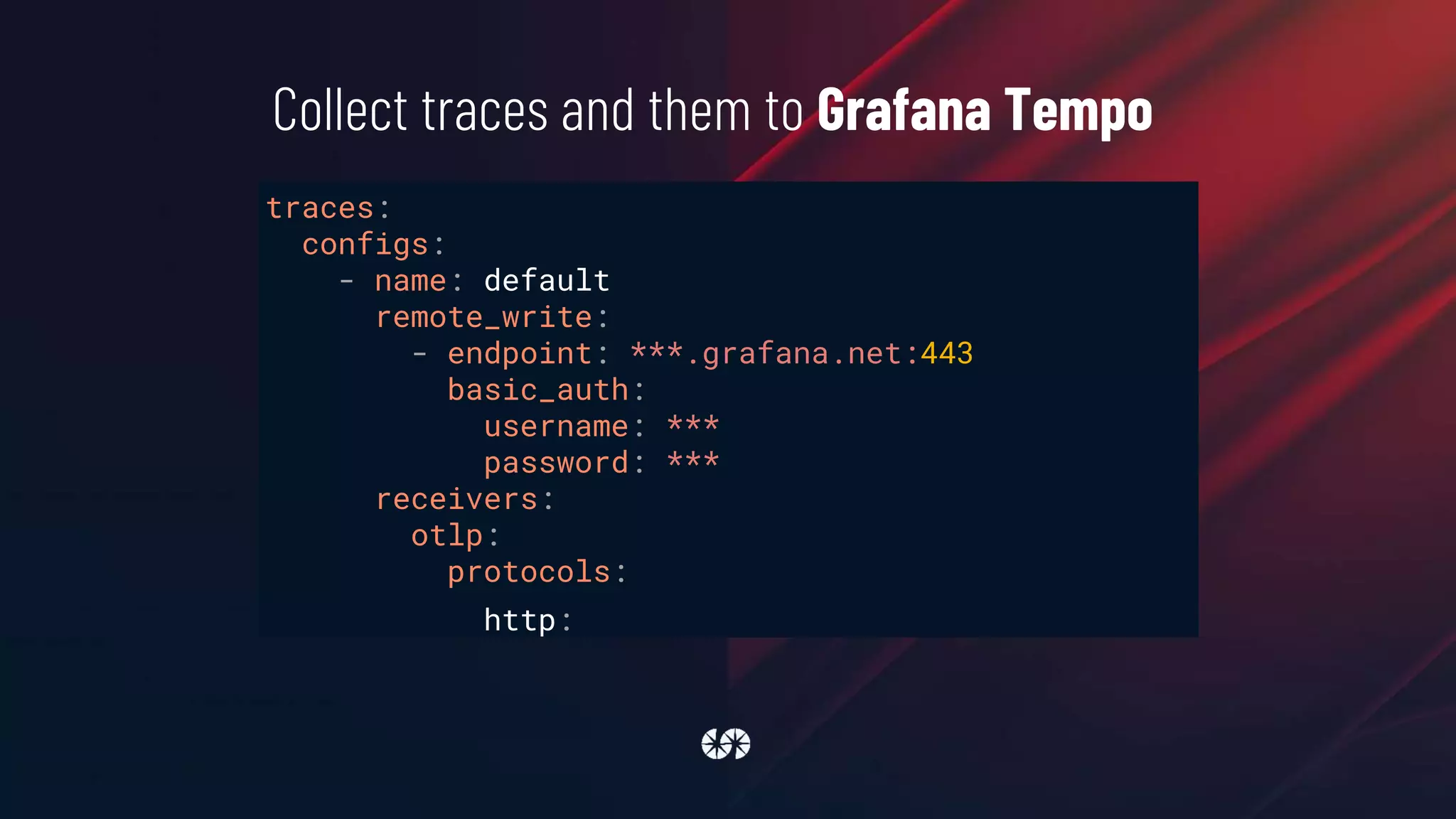
traces:
configs:
- name: default
remote_write:
- endpoint: ***.grafana.net:443
basic_auth:
username: ***
password: ***
receivers:
otlp:
protocols:
http:
Collect traces and them to Grafana Tempo
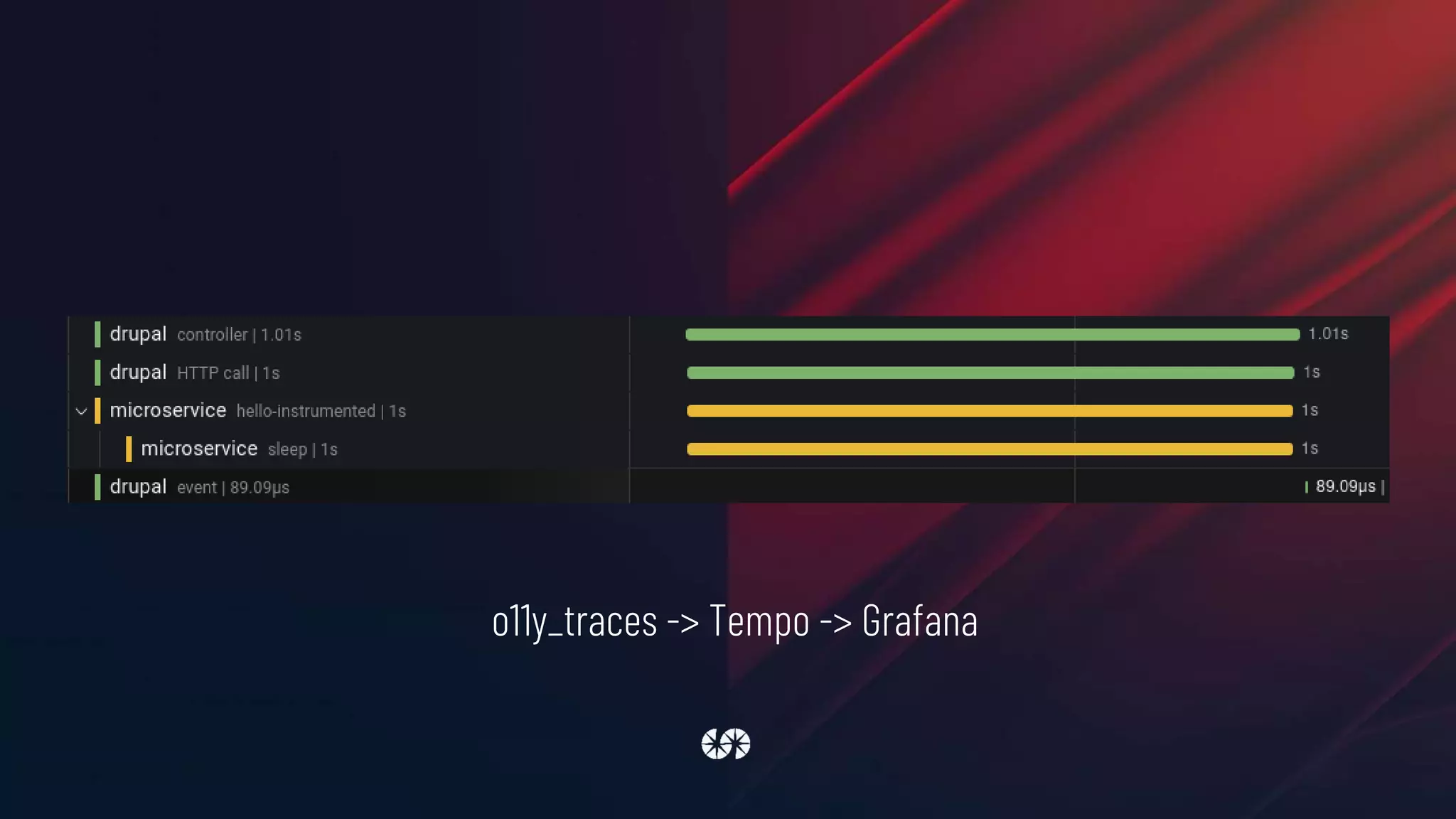
o11y_traces -> Tempo -> Grafana
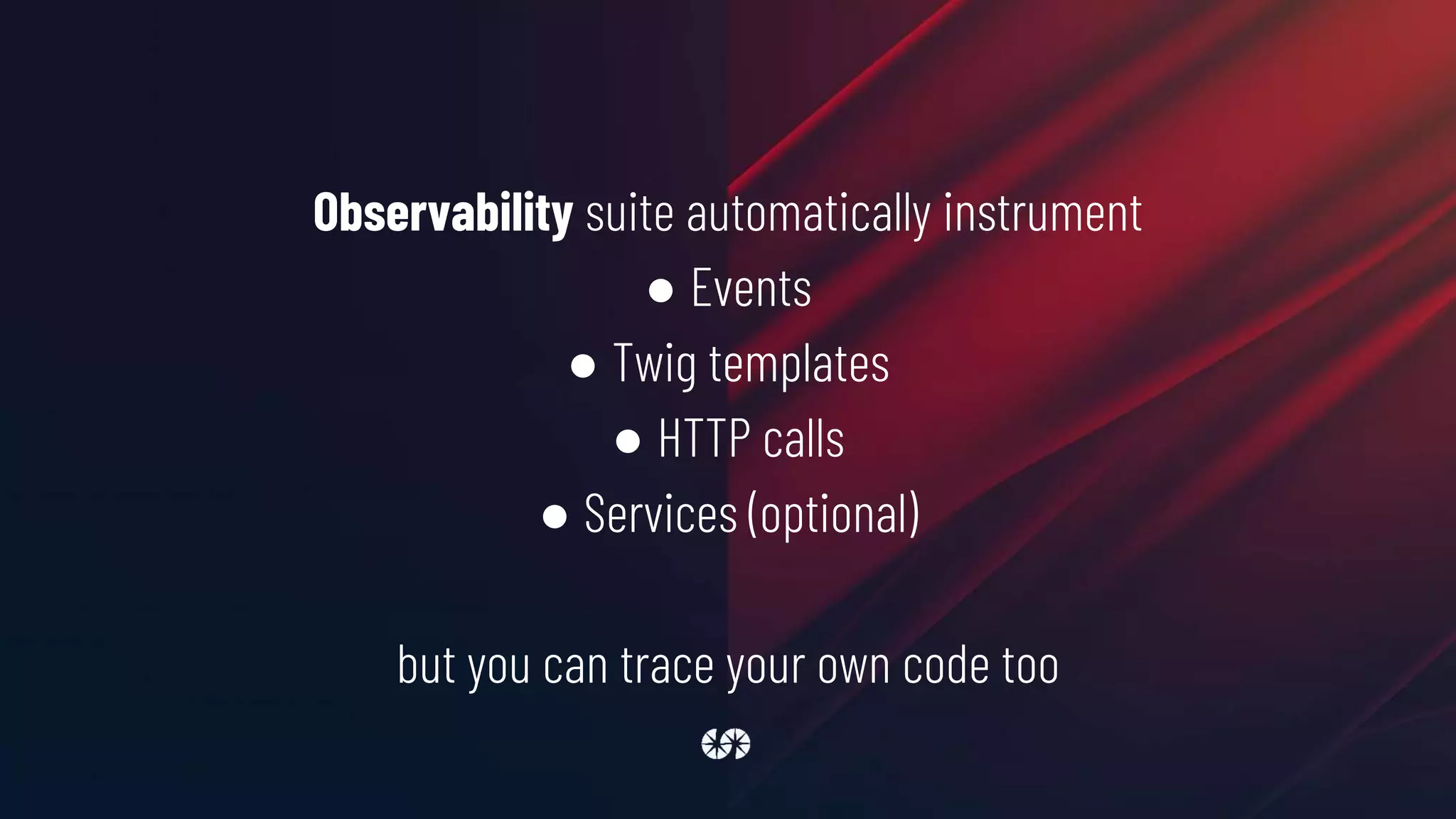
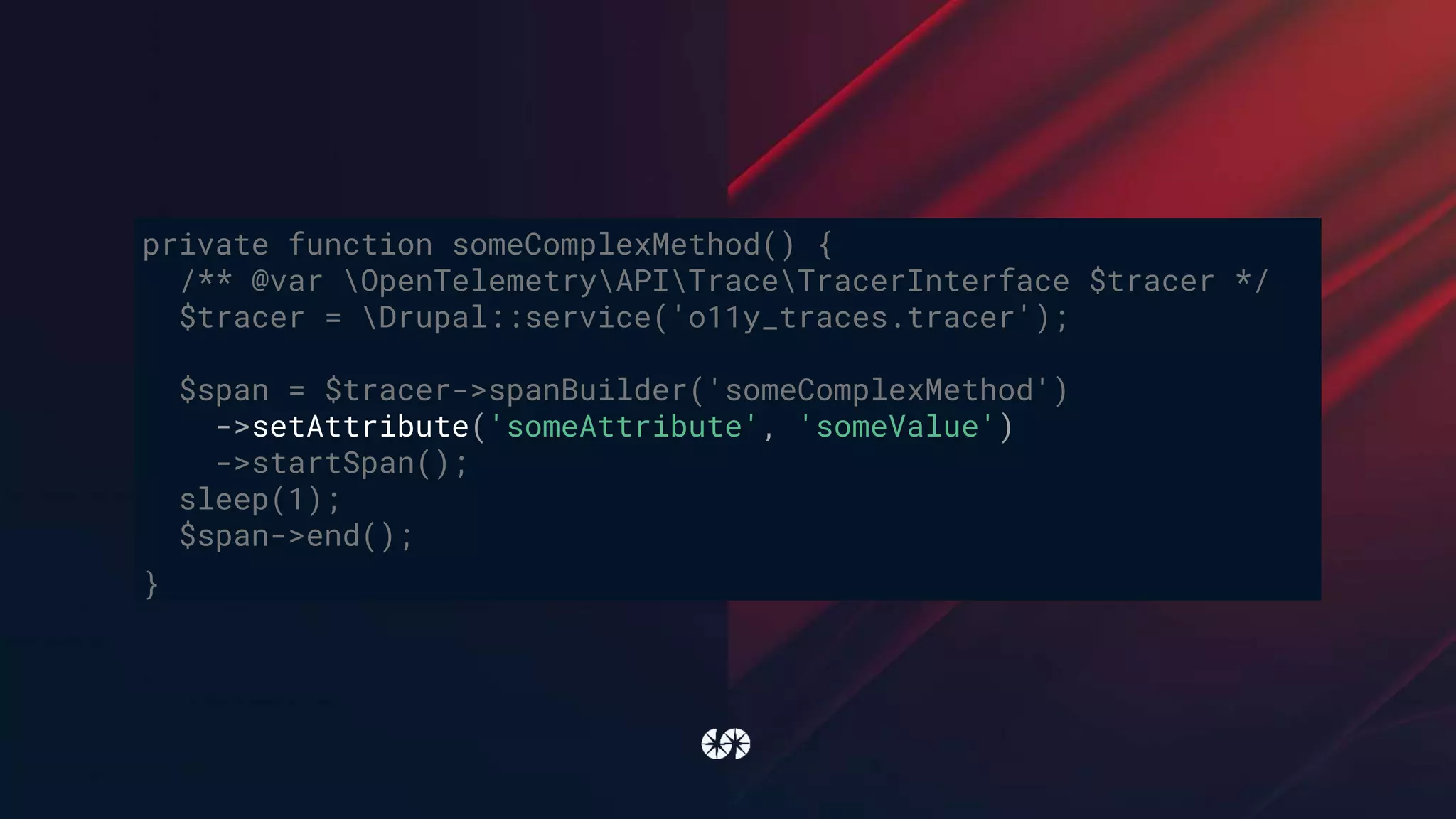
Observability suite automatically instrument
● Events
● Twig templates
● HTTP calls
● Services (optional)
but you can trace your own code too
public function view() {
$response =
$this->httpClient->get('http://ddev-drupal10-microservice:8080/hello-instrumented');
$json = json_decode($response->getBody()->getContents());
$this->getLogger('devdays')->notice($json->message);
$this->someComplexMethod($json);
return [
'#type' => 'markup',
'#markup' => $json->message,
];
}
private function someComplexMethod(string $json) {
/** @var OpenTelemetryAPITraceTracerInterface $tracer */
$tracer = Drupal::service('o11y_traces.tracer');
$span = $tracer->spanBuilder('someComplexMethod')->startSpan();
sleep(1);
$span->end();
}
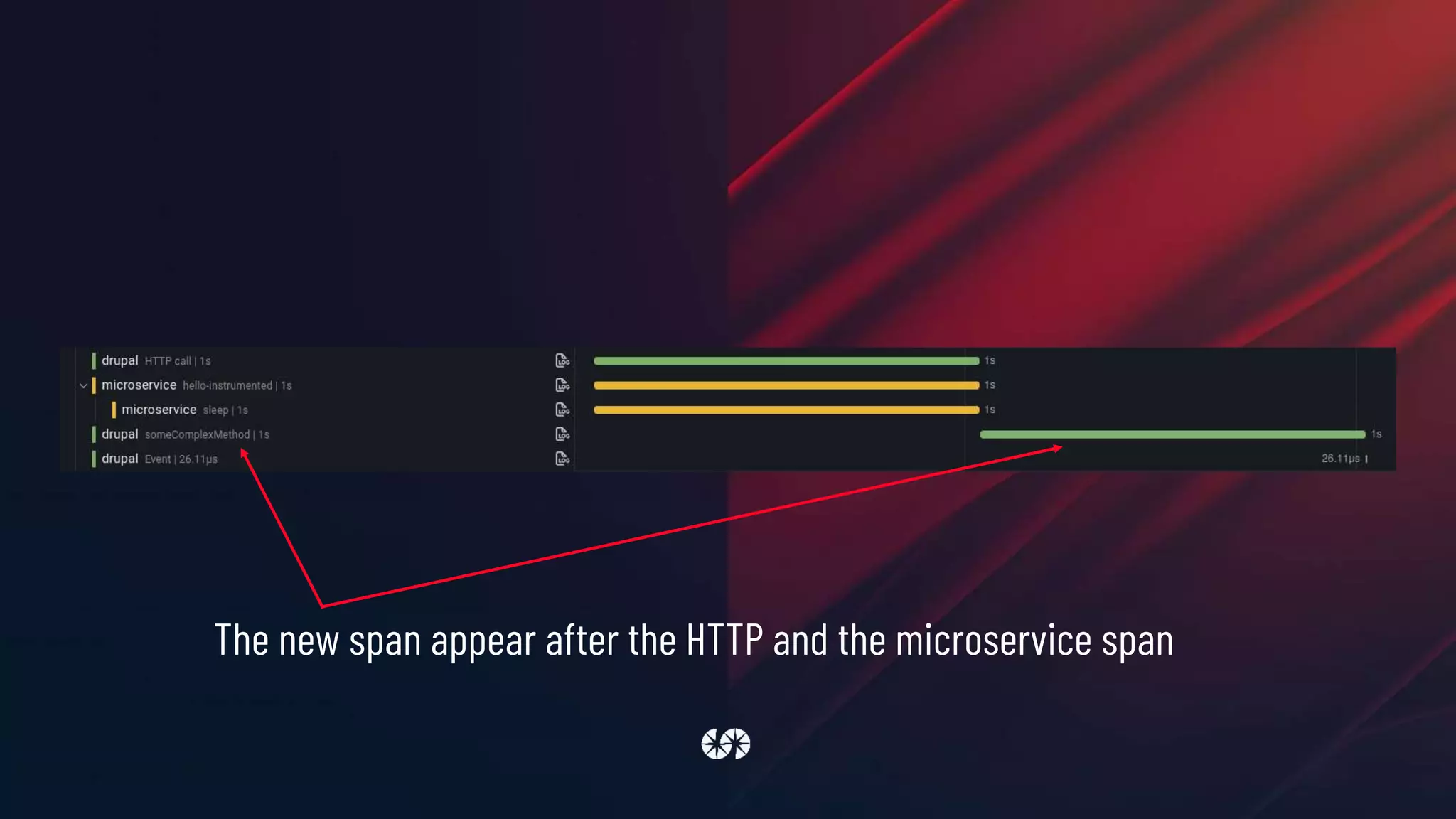
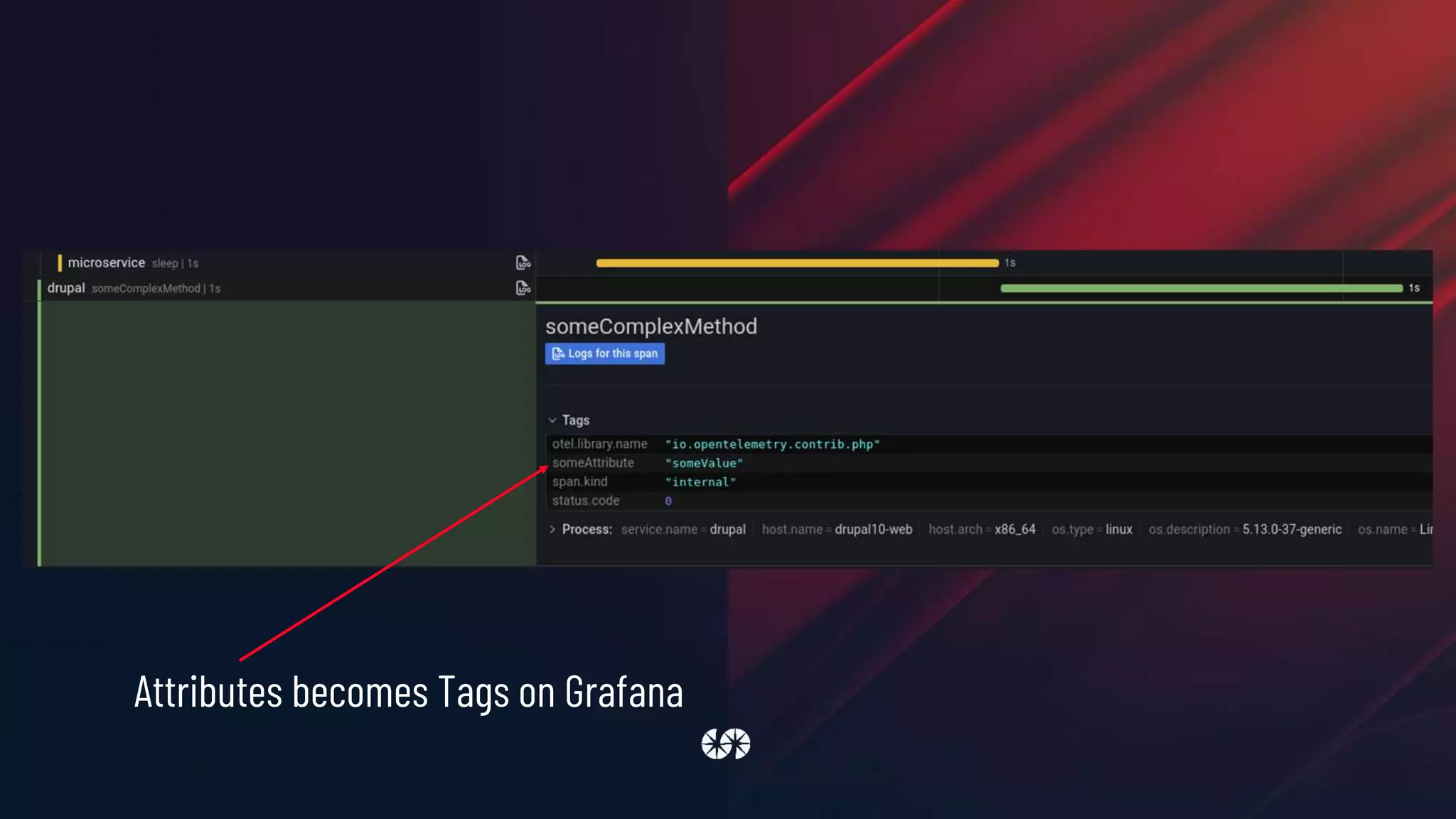
The new span appear after the HTTP and the microservice span
private function someComplexMethod() {
/** @var OpenTelemetryAPITraceTracerInterface $tracer */
$tracer = Drupal::service('o11y_traces.tracer');
$span = $tracer->spanBuilder('someComplexMethod')
->setAttribute('someAttribute', 'someValue')
->startSpan();
sleep(1);
$span->end();
}
Attributes becomes Tags on Grafana
One last thing we need is to correlate traces with logs,
so when we found a problem with a request we can go
from the trace to the logs (and viceversa)
The O11y module provides a new processor for
Monolog that adds a trace_id argument to every log
parameters:
monolog.channel_handlers:
default:
handlers:
- name: 'rotating_file'
formatter: 'json'
monolog.processors: [
'message_placeholder', 'current_user',
'request_uri', 'ip', 'referer',
'filter_backtrace', 'introspection', 'tracer'
]
THANK YOU!
Thank you
To our wonderful sponsors, our awesome community and fantastic volunteers!
Platinum sponsors
Thank you
Gold sponsors
Silver sponsors
Stay in touch
#ddd2022 on Drupal slack
@drupaldevdays
/drupaldevdays
Questions?

Do you know what your Drupal is doing_ Observe it!

  • 1.
    Do you knowwhat your Drupal is doing? Observe it! lussoluca
  • 2.
    Luca Lusso Drupal /PHP / Go developer @ SparkFabrik Drupal contributor (webprofiler, monolog, …) and speaker Drupal.org: https://www.drupal.org/u/lussoluca Twitter: https://www.twitter.com/lussoluca LinkedIn: www.linkedin.com/in/lussoluca
  • 3.
    WE ARE ATECH COMPANY OF ENGINEERS, DEVELOPERS AND DESIGNERS WHO WILL THINK, DESIGN AND BUILD YOUR CUSTOM APPLICATIONS, MODERNIZE YOUR LEGACY AND TAKE YOU TO THE CLOUD NATIVE ERA. SPARKFABRIK
  • 4.
    We help italianbusinesses to bridge the gap with China thanks to our Official Partnership with Alibaba Cloud. SparkFabrik is Cloud Native Computing Foundation Silver Member. SparkFabrik is Google Cloud Platform Technology Partner. SparkFabrik is AWS Official Partner. PROUD OF OUR PARTNERSHIPS
  • 5.
    Almost everyone isworking with distributed systems. There are microservices, containers, cloud, serverless, and a lot of combinations of these technologies. All of these increase the number of failures that systems may encounter because there are too many parts interacting. And because of the distributed system’s diversity, it’s complex to understand present problems and predict future ones
  • 6.
    Observability is ameasure of how well internal states of a system can be inferred from knowledge of its external outputs
  • 7.
    We want toobserve production environments, and generic metrics like CPU and memory usage are not sufficient anymore
  • 8.
    3 pillars of observability ●Structured logs ● Metrics ● (Distributed) Traces
  • 9.
    Tools OpenTelemetry OpenTelemetry is acollection of tools, APIs, and SDKs. It can be used to instrument, generate, collect, and export telemetry data (metrics, logs, and traces) to help analyze software’s performance and behavior. OpenTelemetry is an incubating project from the Cloud Native Computing Foundation, created after the merger of OpenCensus (from Google) and OpenTracing (from Uber). The data collected with OpenTelemetry is vendor-agnostic and can be exported in many formats. https://opentelemetry.io
  • 10.
    Cloud vendor ● AWSDistro for OpenTelemetry: aws-otel.github.io/ ● Google Cloud OpenTelemetry: google-cloud-opentelemetry.readthedocs.io ● Azure Monitor OpenTelemetry: docs.microsoft.com/en-us/azure/azure-monitor/app/opentelemetry- overview
  • 11.
    Tools OpenTelemetry Language support PHP: Go: Javascript: Tracing MetricsLogging pre-alpha pre-alpha not yet implemented Tracing Metrics Logging stable alpha not yet implemented Tracing Metrics Logging stable alpha not yet implemented
  • 12.
    Tools OpenTelemetry is aninteresting project but it’s not yet ready to cover the entire observability stack. We need other tools to collect metrics and logs, and a way to store and visualize collected data. Logs -> Monolog Metrics -> Prometheus (using OpenTelemetry API) Traces -> OpenTelemetry Storage and visualization -> Grafana
  • 13.
    Tools Monolog Monolog is astandard PHP library and it can be included in a Drupal website using a contrib module (www.drupal.org/project/monolog) Monolog sends logs to files, sockets, inboxes, databases and various web services. Monolog implements the PSR-3 interface that can be type-hint against in code to keep a maximum of interoperability. github.com/Seldaek/monolog
  • 14.
    Tools Prometheus Prometheus is anopen-source systems monitoring and alerting toolkit originally built at SoundCloud. It is now a standalone open source project and maintained independently of any company. Prometheus collects and stores metrics as time series data. Prometheus was the second project to join the Cloud Native Computing Foundation after Kubernetes. prometheus.io
  • 15.
    Tools Grafana Grafana allows toquery, visualize, alert on and understand metrics, traces and logs no matter where they are stored. grafana.com Application 1 Instrumentation library Application 2 Instrumentation library Application 3 Instrumentation library Orchestrator Grafana Agent Loki Tempo Prometheus Grafana Grafana Cloud
  • 16.
  • 17.
    1. Logs areabout storing specific events
  • 18.
    In Drupal 8(an in general in PHP world) we have a battle tested library to do logging Monolog
  • 19.
    Monolog is aPSR-3 compliant library from Jordi Boggiano. There is a module for all Drupal versions (yes, also D10)
  • 20.
    Download the Monologmodule using Composer, to have both the Drupal module and the PHP library composer require drupal/monolog:^2.0
  • 21.
    Monolog module doesn'thave a UI, it's configured using yml files, for example sites/default/monolog.services.yml
  • 22.
    services: monolog.handler.rotating_file: class: MonologHandlerRotatingFileHandler arguments: ['private://logs/debug.log',10, '%monolog.level.info%'] First of all define a new service in the service container
  • 23.
    parameters: monolog.channel_handlers: default: handlers: - name: 'rotating_file' formatter:'json' monolog.processors: [ 'message_placeholder', 'current_user', 'request_uri', 'ip', 'referer', 'filter_backtrace', 'introspection' ] Then define handlers, formatter and processors using service container parameters. Here we're configuring the default channel to catch all log messages and to save them using the monolog.handler.rotating_file service, in json format and after being processed by a set of processors
  • 24.
    settings.php $settings['container_yamls'][] = DRUPAL_ROOT .'/sites/default/monolog.services.yml'; Add monolog.services.yml to the list of container’s yamls in settings.php file
  • 25.
  • 26.
    { "message": "Data fromremote microservice.", "context": {}, "level": 250, "level_name": "NOTICE", "channel": "devdays", "datetime": "2022-04-05T10:05:53.811568+02:00", "extra": { "referer": "", "ip": "172.20.0.9", "request_uri": "https://drupal10.ddev.site/microservice", "uid": "1", "user": "admin", "file": "/.../devdays/src/Controller/MicroserviceController.php", "line": 26, "class": "DrupaldevdaysControllerMicroserviceController", "function": "view" } }
  • 27.
    Structured logs makesit simple to query them for any sort of useful information We can write custom Monolog processors to add application’s custom data to our logs
  • 28.
    In a CloudNative environment, the application runs on multiple servers (or pods). We need a way to export all those logs generated by every instance of the application. In this case our logs are files stored in the local filesystem of every instance. We have to discover, scrape and send them to a log collector. Promtail is an agent which ships the contents of local logs to a private Grafana Loki instance or Grafana Cloud. It is usually deployed to every machine that has applications needed to be monitored.
  • 29.
    logs: configs: - name: default positions: filename:/mnt/ddev_config/grafana/positions.yaml scrape_configs: - job_name: drupal pipeline_stages: - json: expressions: level: level_name - labels: level: static_configs: - targets: [localhost] labels: job: drupal __path__: /private/logs/*log clients: - url: http://***.grafana.net/loki/api/v1/push basic_auth: username: *** password: *** Scraping and sending logs to Grafana Loki
  • 30.
    Scraping and sendinglogs to Grafana Monolog -> logs (filesystem) -> Promtail -> Loki -> Grafana
  • 31.
  • 32.
    1. Logs areabout storing specific events 2. Metrics are a measurement at a point in time for the system
  • 33.
    Examples of thesort of metrics you might have would be: ● the number of times you receive an HTTP request ● how much time was spent handling requests ● how many requests are currently in progress ● the number of errors occurred
  • 34.
    To instrument ourapplication and record real-time metrics we will use the Prometheus exporter exposed by OpenTelemetry
  • 35.
  • 36.
    There’s a modulefor that! Observability suite https://www.drupal.org/project/o11y
  • 37.
    Prometheus scrapes dataat the /metrics endpoint at a configured rate PHP uses a shared-nothing architecture by default o11y needs a way to store data between one scrape and the next default implementation uses Redis as a storage backend
  • 38.
    o11y_metrics module automaticallyinstrument a Drupal website to collect data about: ● number of requests (per route) ● time of the request (per route) ● used PHP memory
  • 39.
    The module exposesan URL with metrics in Prometheus format (/metrics) # HELP php_info Information about the PHP environment. # TYPE php_info gauge php_info{version="8.1.3"} 1 # HELP requests The number of requests # TYPE requests counter requests{path="entity.user.canonical"} 1 # HELP memory The peak of memory allocated by PHP # TYPE memory histogram memory_bucket{path="entity.user.canonical",le="0.005"} 0 memory_bucket{path="entity.user.canonical",le="0.01"} 0 memory_bucket{path="entity.user.canonical",le="0.025"} 0 memory_bucket{path="entity.user.canonical",le="0.05"} 0 memory_bucket{path="entity.user.canonical",le="0.075"} 0 memory_bucket{path="entity.user.canonical",le="0.1"} 0 memory_bucket{path="entity.user.canonical",le="0.25"} 0 memory_bucket{path="entity.user.canonical",le="0.5"} 1 memory_bucket{path="entity.user.canonical",le="0.75"} 1 memory_bucket{path="entity.user.canonical",le="1"} 1 memory_bucket{path="entity.user.canonical",le="2.5"} 1 memory_bucket{path="entity.user.canonical",le="5"} 1 memory_bucket{path="entity.user.canonical",le="7.5"} 1 memory_bucket{path="entity.user.canonical",le="10"} 1 memory_bucket{path="entity.user.canonical",le="+Inf"} 1 memory_count{path="entity.user.canonical"} 1 memory_sum{path="entity.user.canonical"} 0.31189873814648 # HELP time The time of a request # TYPE time histogram time_bucket{path="entity.user.canonical",le="0.005"} 0 time_bucket{path="entity.user.canonical",le="0.01"} 0 time_bucket{path="entity.user.canonical",le="0.025"} 1 time_bucket{path="entity.user.canonical",le="0.05"} 1 time_bucket{path="entity.user.canonical",le="0.075"} 1 time_bucket{path="entity.user.canonical",le="0.1"} 1 time_bucket{path="entity.user.canonical",le="0.25"} 1 time_bucket{path="entity.user.canonical",le="0.5"} 1 time_bucket{path="entity.user.canonical",le="0.75"} 1 time_bucket{path="entity.user.canonical",le="1"} 1 time_bucket{path="entity.user.canonical",le="2.5"} 1 time_bucket{path="entity.user.canonical",le="5"} 1 time_bucket{path="entity.user.canonical",le="7.5"} 1 time_bucket{path="entity.user.canonical",le="10"} 1 time_bucket{path="entity.user.canonical",le="+Inf"} 1 time_count{path="entity.user.canonical"} 1 time_sum{path="entity.user.canonical"} 0.01953125
  • 40.
    metrics: global: scrape_interval: 1m remote_write: - url:https://***.grafana.net/api/prom/push basic_auth: username: *** password: *** configs: - name: default scrape_configs: - job_name: drupal static_configs: - targets: [ddev-drupal10-web] Scraping and sending metrics to Grafana Prometheus
  • 41.
    Manually instrument code functionexample_entity_insert(EntityInterface $entity) { /** @var Drupalo11y_metricsMeterInterface $meter */ $meter = Drupal::service('o11y_metrics.meter'); $meter->increment( 'entity_insert', 'Insert a new entity', [ 'type' => $entity->getEntityTypeId(), 'bundle' => $entity->bundle() ] ); }
  • 42.
    Node exporter Prometheus exporterfor hardware and OS metrics exposed by *NIX kernels, written in Go with pluggable metric collectors, for example: cpu meminfo filesystem diskstats netdev
  • 43.
    o11y_metrics -> localRedis -> Prometheus -> remote_write -> Grafana
  • 44.
    o11y module isa POC of what we can do with the OpenTelemetry API for metrics, if you want a more robust solution you can try the Prometheus.io Exporter module (also from SparkFabrik): https://www.drupal.org/project/prometheusio_exporter
  • 45.
  • 46.
    1. Logs areabout storing specific events 2. Metrics are a measurement at a point in time for the system 3. Distributed traces deals with information that is request- scoped
  • 47.
    We will usethe Observability suite module to instrument our application Internally the module uses OpenTelemetry to do the hard work
  • 48.
    Per-process logging andmetric monitoring have their place, but neither can reconstruct the elaborate journeys that transactions take as they propagate across a distributed system. Distributed traces are these journeys
  • 49.
    We take forexample a Drupal 10 website that renders a page with some data that comes from a remote microservice
  • 50.
    class MicroserviceController extendsControllerBase { private Client $httpClient; public static function create(ContainerInterface $container) { return new static( $container->get('http_client') ); } final public function __construct(Client $httpClient) { $this->httpClient = $httpClient; } public function view() { $response = $this->httpClient->get('http://ddev-drupal10-microservice:8080/hello-instrumented'); $json = json_decode($response->getBody()->getContents()); $this->loggerFactory->get('devdays')->notice($json->message); return [ '#type' => 'markup', '#markup' => $json->message, ]; } }
  • 51.
    https://play.golang.com/p/Jznc8X6t3eU The remote microserviceis implemented in GO and its code it's available here:
  • 52.
    traces: configs: - name: default remote_write: -endpoint: ***.grafana.net:443 basic_auth: username: *** password: *** receivers: otlp: protocols: http: Collect traces and them to Grafana Tempo
  • 53.
  • 54.
    Observability suite automaticallyinstrument ● Events ● Twig templates ● HTTP calls ● Services (optional) but you can trace your own code too
  • 55.
    public function view(){ $response = $this->httpClient->get('http://ddev-drupal10-microservice:8080/hello-instrumented'); $json = json_decode($response->getBody()->getContents()); $this->getLogger('devdays')->notice($json->message); $this->someComplexMethod($json); return [ '#type' => 'markup', '#markup' => $json->message, ]; } private function someComplexMethod(string $json) { /** @var OpenTelemetryAPITraceTracerInterface $tracer */ $tracer = Drupal::service('o11y_traces.tracer'); $span = $tracer->spanBuilder('someComplexMethod')->startSpan(); sleep(1); $span->end(); }
  • 56.
    The new spanappear after the HTTP and the microservice span
  • 57.
    private function someComplexMethod(){ /** @var OpenTelemetryAPITraceTracerInterface $tracer */ $tracer = Drupal::service('o11y_traces.tracer'); $span = $tracer->spanBuilder('someComplexMethod') ->setAttribute('someAttribute', 'someValue') ->startSpan(); sleep(1); $span->end(); }
  • 58.
  • 59.
    One last thingwe need is to correlate traces with logs, so when we found a problem with a request we can go from the trace to the logs (and viceversa)
  • 60.
    The O11y moduleprovides a new processor for Monolog that adds a trace_id argument to every log
  • 61.
    parameters: monolog.channel_handlers: default: handlers: - name: 'rotating_file' formatter:'json' monolog.processors: [ 'message_placeholder', 'current_user', 'request_uri', 'ip', 'referer', 'filter_backtrace', 'introspection', 'tracer' ]
  • 62.
  • 63.
    Thank you To ourwonderful sponsors, our awesome community and fantastic volunteers! Platinum sponsors
  • 64.
  • 65.
    Stay in touch #ddd2022on Drupal slack @drupaldevdays /drupaldevdays
  • 66.