Digital
Storytelling
   Jennifer Gingerich
   jennifergingerich@mac.com
   Presentation materials available at
   https://sites.google.com/site/edtechsimple
   Video samples available at
   http://goo.gl/jl8zM
Description
Digital storytelling is a form of project-based
learning that involves combining text, images,
audio,and video to tell a story. See how to engage
your students in higher levels of thinking as they
create movies to show their level of understanding
about a curricular concept. Digital Stories can come
in a variety of formats (poetry, riddles,
documentaries) and can be produced in any content
area (math in the real world, a science explanation,
or a literary interpretation). Explore a wide variety of
technology tools and applications to create simple to
sophisticated digital stories and discuss ways to plan,
manage, and assess your students to ensure digital
storytelling success.
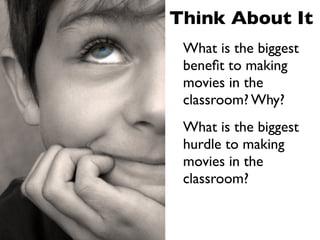
Think About It
 What is the biggest
 benefit to making
 movies in the
 classroom? Why?
 What is the biggest
 hurdle to making
 movies in the
 classroom?
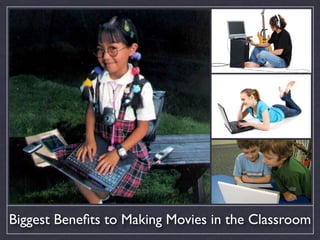
Biggest Benefits to Making Movies in the Classroom
Biggest Hurdles to Making Movies in the Classroom
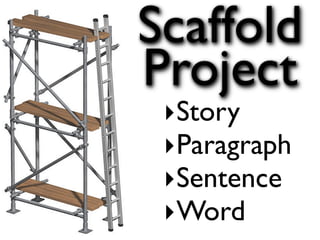
Scaffold
Project
 ‣Story
 ‣Paragraph
 ‣Sentence
 ‣Word
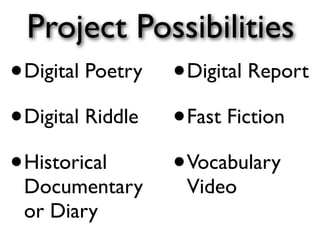
Project Possibilities
• Digital Poetry • Digital Report
• Digital Riddle • Fast Fiction
• Historical     • Vocabulary
 Documentary       Video
 or Diary
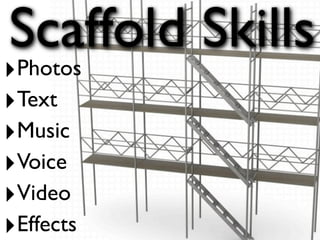
Scaffold Skills
‣Photos
‣Text
‣Music
‣Voice
‣Video
‣Effects
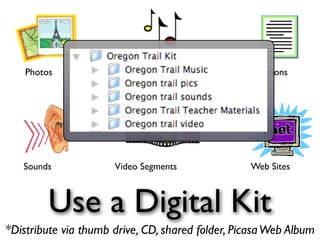
Photos                  Music                  Citations


   Sounds             Video Segments              Web Sites


         Use a Digital Kit
*Distribute via thumb drive, CD, shared folder, Picasa Web Album
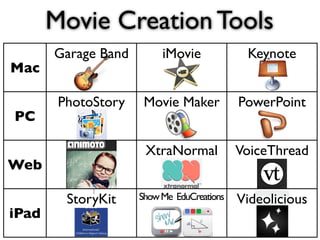
Movie Creation Tools
       Garage Band        iMovie             Keynote
Mac

        PhotoStory    Movie Maker           PowerPoint
PC

                      XtraNormal            VoiceThread
Web

         StoryKit    Show Me EduCreations   Videolicious
iPad
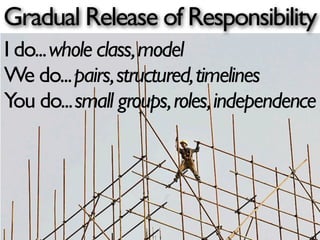
Gradual Release of Responsibility
I do... whole class, model
We do... pairs, structured, timelines
You do... small groups, roles, independence
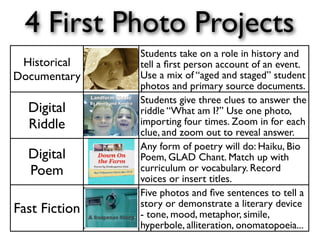
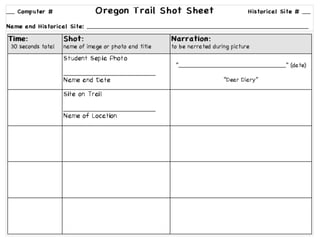
4 First Photo Projects
               Students take on a role in history and
 Historical    tell a first person account of an event.
Documentary    Use a mix of “aged and staged” student
               photos and primary source documents.
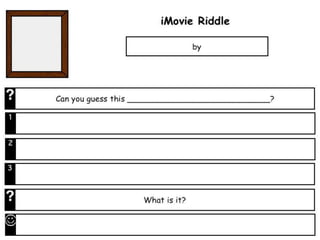
               Students give three clues to answer the
  Digital      riddle “What am I?” Use one photo,
  Riddle       importing four times. Zoom in for each
               clue, and zoom out to reveal answer.
               Any form of poetry will do: Haiku, Bio
  Digital      Poem, GLAD Chant. Match up with
  Poem         curriculum or vocabulary. Record
               voices or insert titles.
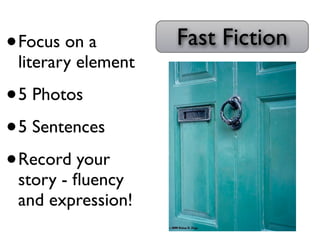
               Five photos and five sentences to tell a
               story or demonstrate a literary device
Fast Fiction   - tone, mood, metaphor, simile,
               hyperbole, alliteration, onomatopoeia...
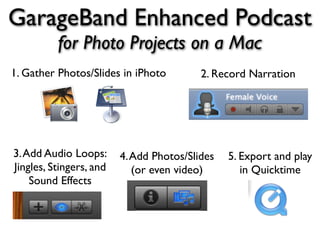
GarageBand Enhanced Podcast
          for Photo Projects on a Mac
1. Gather Photos/Slides in iPhoto         2. Record Narration


3. Add Audio Loops:      4. Add Photos/Slides   5. Export and play
Jingles, Stingers, and      (or even video)        in Quicktime
    Sound Effects
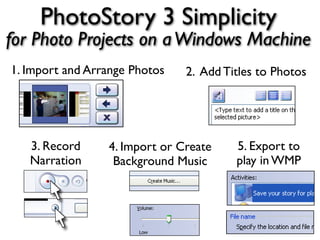
PhotoStory 3 Simplicity
for Photo Projects on a Windows Machine
1. Import and Arrange Photos   2. Add Titles to Photos


   3. Record     4. Import or Create    5. Export to
   Narration      Background Music      play in WMP
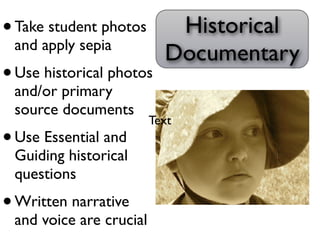
• Take student photos       Historical
 and apply sepia
                           Documentary
• Use historical photos
 and/or primary
 source documents
                         Text
• Use Essential and
 Guiding historical
 questions
• Written narrative
 and voice are crucial
plan photos, titles, narration, and timing
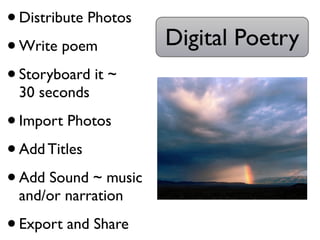
• Distribute Photos
• Write poem          Digital Poetry
• Storyboard it ~
 30 seconds

• Import Photos
• Add Titles
• Add Sound ~ music
 and/or narration

• Export and Share
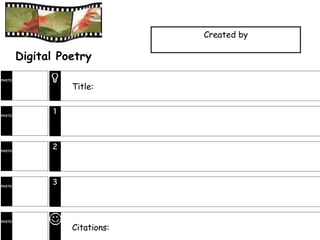
Created by

        Digital Poetry
PHOTO

                  Title:


PHOTO
              1


PHOTO
              2


PHOTO
              3


PHOTO

                  Citations:
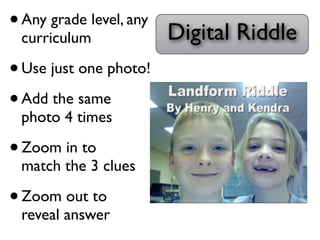
• Any grade level, any Digital Riddle
  curriculum

• Use just one photo!
• Add the same
 photo 4 times

• Zoom in to
 match the 3 clues

• Zoom out to
 reveal answer
•   Focus on a         Fast Fiction
    literary element

• 5 Photos
• 5 Sentences
• Record your
    story - fluency
    and expression!
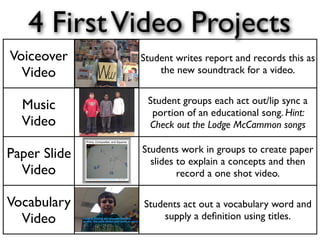
4 First Video Projects
Voiceover     Student writes report and records this as
  Video           the new soundtrack for a video.

               Student groups each act out/lip sync a
  Music         portion of an educational song. Hint:
  Video        Check out the Lodge McCammon songs

              Students work in groups to create paper
Paper Slide     slides to explain a concepts and then
  Video                record a one shot video.

Vocabulary    Students act out a vocabulary word and
  Video           supply a definition using titles.
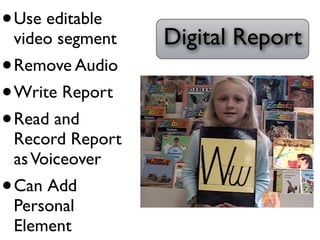
• Use editable
 video segment   Digital Report
• Remove Audio
• Write Report
• Read and
 Record Report
 as Voiceover
• Can Add
 Personal
 Element
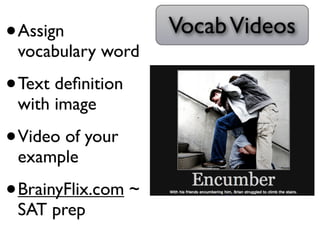
•   Assign            Vocab Videos
    vocabulary word

• Text definition
    with image

• Video of your
    example

• BrainyFlix.com ~
    SAT prep
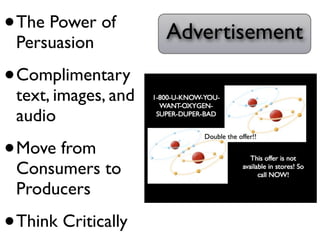
• The Power of       Advertisement
 Persuasion

• Complimentary
 text, images, and
 audio

• Move from
 Consumers to
 Producers

• Think Critically
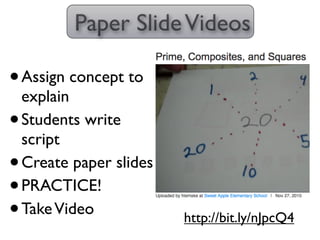
Paper Slide Videos

• Assign concept to
  explain
• Students write
  script
• Create paper slides
• PRACTICE!
• Take Video            http://bit.ly/nJpcQ4
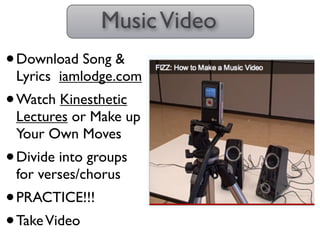
Music Video
• Download Song &
 Lyrics iamlodge.com
• Watch Kinesthetic
 Lectures or Make up
 Your Own Moves
• Divide into groups
 for verses/chorus
• PRACTICE!!!
• Take Video
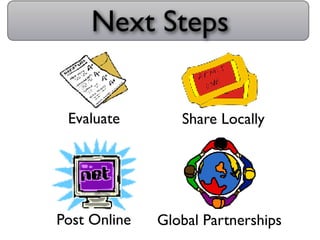
Next Steps


 Evaluate        Share Locally


Post Online   Global Partnerships
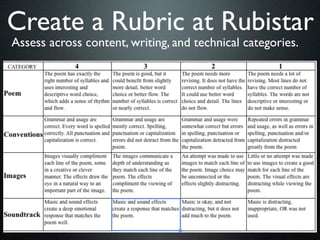
Create a Rubric at Rubistar
Assess across content, writing, and technical categories.
Think Pair Share
Which digital storytelling project
 interests you most. How would
 you modify and connect this to
your curriculum and instruction?
Tips for Project Success
• Scaffold projects/skills over the year
• Gradual Release of Responsibility --
  whole class, pairs, groups
• Use a Digital Kit
• Pre-production is the crucial step
• Stay together to minimize chaos
• Narrow choices and set timer
• Tackle one skill/task at a time
• Use Techsperts
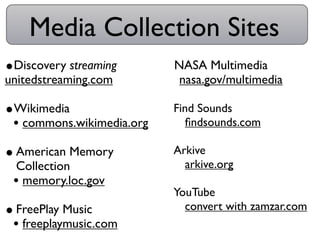
Media Collection Sites
•Discovery streaming       •NASA Multimedia
unitedstreaming.com         •nasa.gov/multimedia
•Wikimedia                 •Find Sounds
 • commons.wikimedia.org    •findsounds.com
• American Memory          •Arkive
 Collection                 •arkive.org
 • memory.loc.gov
                           •YouTube
• FreePlay Music            •convert with zamzar.com
 • freeplaymusic.com
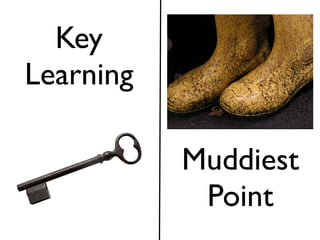
Key
Learning

           Muddiest
            Point

Digital Storytelling

  • 1.
    Digital Storytelling Jennifer Gingerich jennifergingerich@mac.com Presentation materials available at https://sites.google.com/site/edtechsimple Video samples available at http://goo.gl/jl8zM
  • 2.
    Description Digital storytelling isa form of project-based learning that involves combining text, images, audio,and video to tell a story. See how to engage your students in higher levels of thinking as they create movies to show their level of understanding about a curricular concept. Digital Stories can come in a variety of formats (poetry, riddles, documentaries) and can be produced in any content area (math in the real world, a science explanation, or a literary interpretation). Explore a wide variety of technology tools and applications to create simple to sophisticated digital stories and discuss ways to plan, manage, and assess your students to ensure digital storytelling success.
  • 3.
    Think About It What is the biggest benefit to making movies in the classroom? Why? What is the biggest hurdle to making movies in the classroom?
  • 4.
    Biggest Benefits toMaking Movies in the Classroom
  • 5.
    Biggest Hurdles toMaking Movies in the Classroom
  • 6.
  • 7.
    Project Possibilities • DigitalPoetry • Digital Report • Digital Riddle • Fast Fiction • Historical • Vocabulary Documentary Video or Diary
  • 8.
  • 9.
    Photos Music Citations Sounds Video Segments Web Sites Use a Digital Kit *Distribute via thumb drive, CD, shared folder, Picasa Web Album
  • 10.
    Movie Creation Tools Garage Band iMovie Keynote Mac PhotoStory Movie Maker PowerPoint PC XtraNormal VoiceThread Web StoryKit Show Me EduCreations Videolicious iPad
  • 11.
    Gradual Release ofResponsibility I do... whole class, model We do... pairs, structured, timelines You do... small groups, roles, independence
  • 12.
    4 First PhotoProjects Students take on a role in history and Historical tell a first person account of an event. Documentary Use a mix of “aged and staged” student photos and primary source documents. Students give three clues to answer the Digital riddle “What am I?” Use one photo, Riddle importing four times. Zoom in for each clue, and zoom out to reveal answer. Any form of poetry will do: Haiku, Bio Digital Poem, GLAD Chant. Match up with Poem curriculum or vocabulary. Record voices or insert titles. Five photos and five sentences to tell a story or demonstrate a literary device Fast Fiction - tone, mood, metaphor, simile, hyperbole, alliteration, onomatopoeia...
  • 13.
    GarageBand Enhanced Podcast for Photo Projects on a Mac 1. Gather Photos/Slides in iPhoto 2. Record Narration 3. Add Audio Loops: 4. Add Photos/Slides 5. Export and play Jingles, Stingers, and (or even video) in Quicktime Sound Effects
  • 14.
    PhotoStory 3 Simplicity forPhoto Projects on a Windows Machine 1. Import and Arrange Photos 2. Add Titles to Photos 3. Record 4. Import or Create 5. Export to Narration Background Music play in WMP
  • 15.
    • Take studentphotos Historical and apply sepia Documentary • Use historical photos and/or primary source documents Text • Use Essential and Guiding historical questions • Written narrative and voice are crucial
  • 16.
    plan photos, titles,narration, and timing
  • 17.
    • Distribute Photos •Write poem Digital Poetry • Storyboard it ~ 30 seconds • Import Photos • Add Titles • Add Sound ~ music and/or narration • Export and Share
  • 18.
    Created by Digital Poetry PHOTO Title: PHOTO 1 PHOTO 2 PHOTO 3 PHOTO Citations:
  • 19.
    • Any gradelevel, any Digital Riddle curriculum • Use just one photo! • Add the same photo 4 times • Zoom in to match the 3 clues • Zoom out to reveal answer
  • 21.
    Focus on a Fast Fiction literary element • 5 Photos • 5 Sentences • Record your story - fluency and expression!
  • 22.
    4 First VideoProjects Voiceover Student writes report and records this as Video the new soundtrack for a video. Student groups each act out/lip sync a Music portion of an educational song. Hint: Video Check out the Lodge McCammon songs Students work in groups to create paper Paper Slide slides to explain a concepts and then Video record a one shot video. Vocabulary Students act out a vocabulary word and Video supply a definition using titles.
  • 23.
    • Use editable video segment Digital Report • Remove Audio • Write Report • Read and Record Report as Voiceover • Can Add Personal Element
  • 24.
    Assign Vocab Videos vocabulary word • Text definition with image • Video of your example • BrainyFlix.com ~ SAT prep
  • 25.
    • The Powerof Advertisement Persuasion • Complimentary text, images, and audio • Move from Consumers to Producers • Think Critically
  • 26.
    Paper Slide Videos •Assign concept to explain • Students write script • Create paper slides • PRACTICE! • Take Video http://bit.ly/nJpcQ4
  • 27.
    Music Video • DownloadSong & Lyrics iamlodge.com • Watch Kinesthetic Lectures or Make up Your Own Moves • Divide into groups for verses/chorus • PRACTICE!!! • Take Video
  • 28.
    Next Steps Evaluate Share Locally Post Online Global Partnerships
  • 29.
    Create a Rubricat Rubistar Assess across content, writing, and technical categories.
  • 30.
    Think Pair Share Whichdigital storytelling project interests you most. How would you modify and connect this to your curriculum and instruction?
  • 31.
    Tips for ProjectSuccess • Scaffold projects/skills over the year • Gradual Release of Responsibility -- whole class, pairs, groups • Use a Digital Kit • Pre-production is the crucial step • Stay together to minimize chaos • Narrow choices and set timer • Tackle one skill/task at a time • Use Techsperts
  • 32.
    Media Collection Sites •Discoverystreaming •NASA Multimedia unitedstreaming.com •nasa.gov/multimedia •Wikimedia •Find Sounds • commons.wikimedia.org •findsounds.com • American Memory •Arkive Collection •arkive.org • memory.loc.gov •YouTube • FreePlay Music •convert with zamzar.com • freeplaymusic.com
  • 33.
    Key Learning Muddiest Point