Presenter
Heather Rogers
     2012
What is Digital Storytelling?

• Introduction to Digital Stories

• The art of oral storytelling through the use of
  modern multimedia to deliver stories using
  images, graphics, music, sound and voice

• As with traditional storytelling, most digital stories
  focus on a specific topic and contain a particular
  point of view.
Educational Objectives

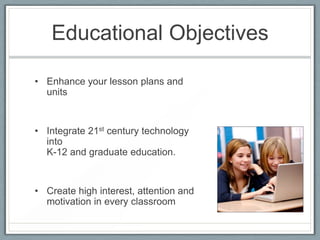
• Enhance your lesson plans and
  units


• Integrate 21st century technology
  into
  K-12 and graduate education.


• Create high interest, attention and
  motivation in every classroom
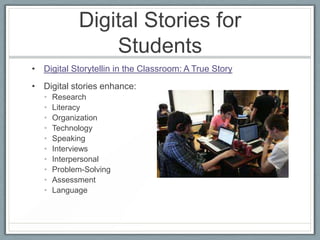
Digital Stories for
               Teachers
• Teachers can use digital stories as:
  •   A lesson hook
  •   Technology integration
  •   A tool to introduce and cover difficult content
  •   A way to encourage class discussions
Digital Stories for
                 Students
• Digital Storytellin in the Classroom: A True Story
• Digital stories enhance:
   •   Research
   •   Literacy
   •   Organization
   •   Technology
   •   Speaking
   •   Interviews
   •   Interpersonal
   •   Problem-Solving
   •   Assessment
   •   Language
Types of Digital Stories

• Grades K-5
  •   Events in history
  •   Science
  •   Fairy tales
  •   Folk Tales
  •   Poetry
  •   Personal stories
  •   Book reviews
  •   Summaries
Types of Digital Stories

• Grades 6 and beyond
  • Lesson openers
  • Lesson or unit summaries
  • Alternative assignments for research reports, essays,
    posters, and other presentations for:
    •   Social Studies
    •   Math
    •   English
    •   Science
    •   World language
    •   Electives
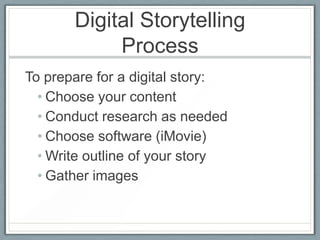
Digital Storytelling
            Process
To prepare for a digital story:
  • Choose your content
  • Conduct research as needed
  • Choose software (iMovie)
  • Write outline of your story
  • Gather images
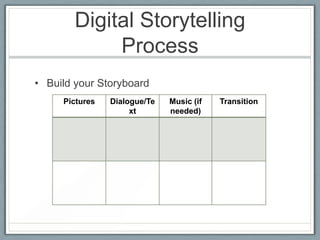
Digital Storytelling
             Process
• Build your Storyboard
     Pictures   Dialogue/Te   Music (if   Transition
                     xt       needed)
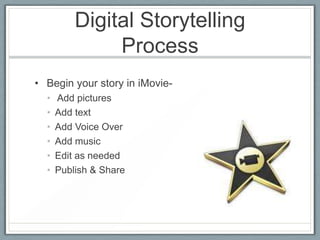
Digital Storytelling
               Process
• Begin your story in iMovie-
  •   Add pictures
  •   Add text
  •   Add Voice Over
  •   Add music
  •   Edit as needed
  •   Publish & Share
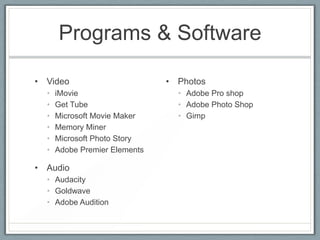
Programs & Software

• Video                        • Photos
  •   iMovie                     • Adobe Pro shop
  •   Get Tube                   • Adobe Photo Shop
  •   Microsoft Movie Maker      • Gimp
  •   Memory Miner
  •   Microsoft Photo Story
  •   Adobe Premier Elements

• Audio
  • Audacity
  • Goldwave
  • Adobe Audition
Copyright Information

• Using images from the web

• Using videos

• Using Music

• Citations in work

• Creative Commons
Personal Safety

• No full names

• No student participants (unless given parental
  permission)

• No personal information
  • Addresses
  • Phone numbers

Digital storytelling presentation

  • 1.
  • 2.
    What is DigitalStorytelling? • Introduction to Digital Stories • The art of oral storytelling through the use of modern multimedia to deliver stories using images, graphics, music, sound and voice • As with traditional storytelling, most digital stories focus on a specific topic and contain a particular point of view.
  • 3.
    Educational Objectives • Enhanceyour lesson plans and units • Integrate 21st century technology into K-12 and graduate education. • Create high interest, attention and motivation in every classroom
  • 4.
    Digital Stories for Teachers • Teachers can use digital stories as: • A lesson hook • Technology integration • A tool to introduce and cover difficult content • A way to encourage class discussions
  • 5.
    Digital Stories for Students • Digital Storytellin in the Classroom: A True Story • Digital stories enhance: • Research • Literacy • Organization • Technology • Speaking • Interviews • Interpersonal • Problem-Solving • Assessment • Language
  • 6.
    Types of DigitalStories • Grades K-5 • Events in history • Science • Fairy tales • Folk Tales • Poetry • Personal stories • Book reviews • Summaries
  • 7.
    Types of DigitalStories • Grades 6 and beyond • Lesson openers • Lesson or unit summaries • Alternative assignments for research reports, essays, posters, and other presentations for: • Social Studies • Math • English • Science • World language • Electives
  • 9.
    Digital Storytelling Process To prepare for a digital story: • Choose your content • Conduct research as needed • Choose software (iMovie) • Write outline of your story • Gather images
  • 10.
    Digital Storytelling Process • Build your Storyboard Pictures Dialogue/Te Music (if Transition xt needed)
  • 11.
    Digital Storytelling Process • Begin your story in iMovie- • Add pictures • Add text • Add Voice Over • Add music • Edit as needed • Publish & Share
  • 12.
    Programs & Software •Video • Photos • iMovie • Adobe Pro shop • Get Tube • Adobe Photo Shop • Microsoft Movie Maker • Gimp • Memory Miner • Microsoft Photo Story • Adobe Premier Elements • Audio • Audacity • Goldwave • Adobe Audition
  • 13.
    Copyright Information • Usingimages from the web • Using videos • Using Music • Citations in work • Creative Commons
  • 14.
    Personal Safety • Nofull names • No student participants (unless given parental permission) • No personal information • Addresses • Phone numbers

Editor's Notes

  • #3 http://www.youtube.com/watch?v=dKZiXR5qUlQ