Historical
Documentaries
           Jennifer Gingerich
Technology Integration Made Simple
    http://web.mac.com/jennifergingerich
Tell Me a Story

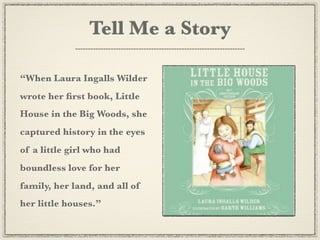
“When Laura Ingalls Wilder
wrote her first book, Little
House in the Big Woods, she
captured history in the eyes
of a little girl who had
boundless love for her
family, her land, and all of
her little houses.”
10 Steps
to Documentary
    Success
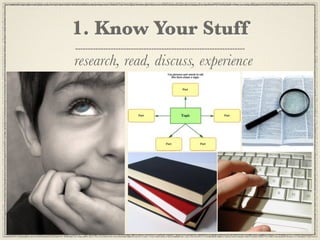
1. Know Your Stuff
research, read, discuss, experience
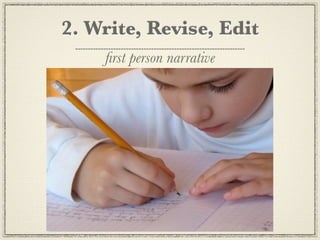
2. Write, Revise, Edit
    first person narrative
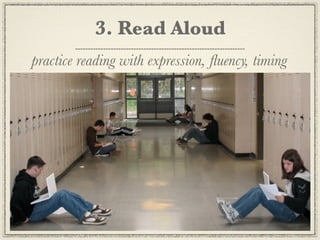
3. Read Aloud
practice reading with expression, fluency, timing
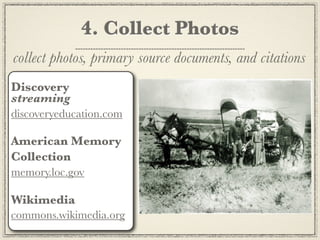
4. Collect Photos
collect photos, primary source documents, and citations
Discovery
streaming
discoveryeducation.com

American Memory
Collection
memory.loc.gov

Wikimedia
commons.wikimedia.org
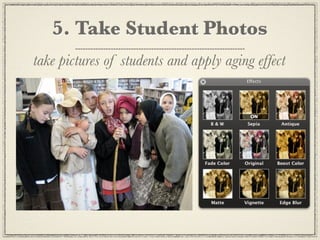
5. Take Student Photos
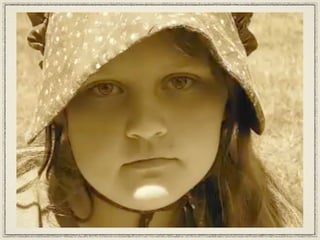
take pictures of students and apply aging effect
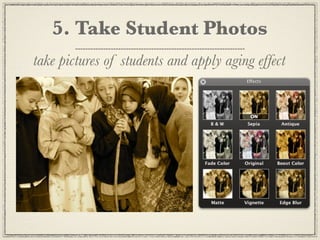
5. Take Student Photos
take pictures of students and apply aging effect
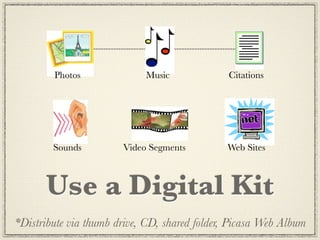
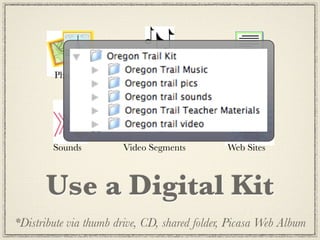
Photos              Music              Citations


        Sounds         Video Segments         Web Sites


      Use a Digital Kit
*Distribute via thumb drive, CD, shared folder, Picasa Web Album
Photos              Music              Citations


        Sounds         Video Segments         Web Sites


      Use a Digital Kit
*Distribute via thumb drive, CD, shared folder, Picasa Web Album
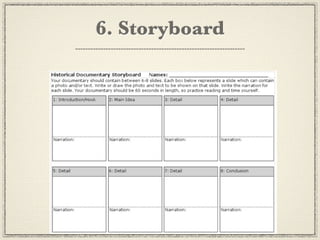
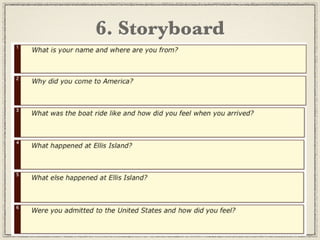
6. Storyboard
6. Storyboard
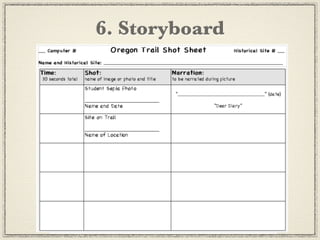
6. Storyboard
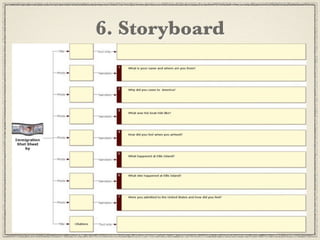
6. Storyboard
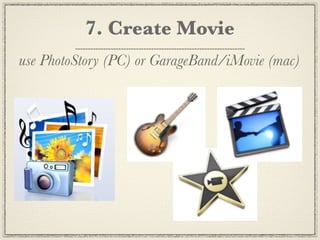
7. Create Movie
use PhotoStory (PC) or GarageBand/iMovie (mac)
GarageBand Enhanced Podcast

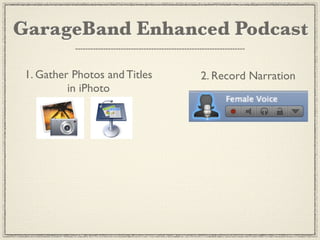
 1. Gather Photos and Titles
          in iPhoto
GarageBand Enhanced Podcast

 1. Gather Photos and Titles   2. Record Narration
          in iPhoto
GarageBand Enhanced Podcast

  1. Gather Photos and Titles   2. Record Narration
           in iPhoto


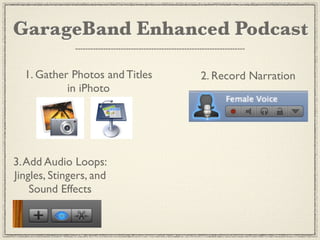
3. Add Audio Loops:
Jingles, Stingers, and
    Sound Effects
GarageBand Enhanced Podcast

  1. Gather Photos and Titles             2. Record Narration
           in iPhoto


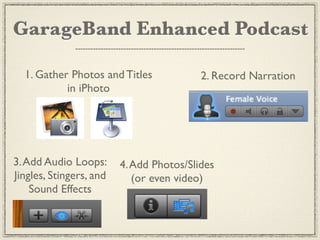
3. Add Audio Loops:      4. Add Photos/Slides
Jingles, Stingers, and      (or even video)
    Sound Effects
GarageBand Enhanced Podcast

  1. Gather Photos and Titles             2. Record Narration
           in iPhoto


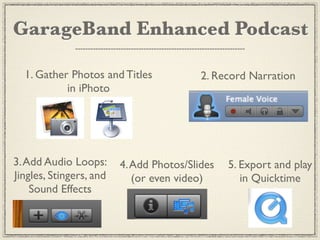
3. Add Audio Loops:      4. Add Photos/Slides   5. Export and play
Jingles, Stingers, and      (or even video)        in Quicktime
    Sound Effects
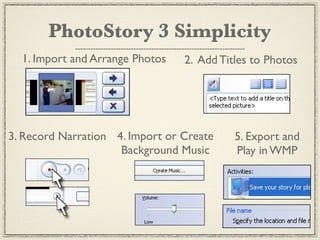
PhotoStory 3 Simplicity
  1. Import and Arrange Photos   2. Add Titles to Photos


3. Record Narration 4. Import or Create    5. Export and
                     Background Music      Play in WMP
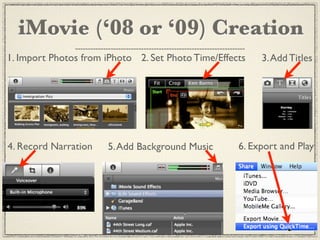
iMovie (‘08 or ‘09) Creation
1. Import Photos from iPhoto 2. Set Photo Time/Effects   3. Add Titles


4. Record Narration   5. Add Background Music       6. Export and Play
8. Export Movies
to play on other machines and post on the web
8. Export Movies
to play on other machines and post on the web
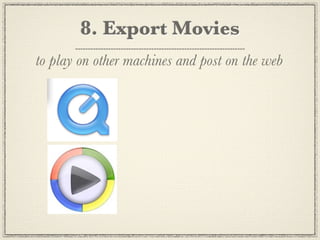
8. Export Movies
to play on other machines and post on the web

                     Your Web Site:
                        ___________________

                     Teacher Tube
                       teachertube.com

                     Other:
                        ___________________
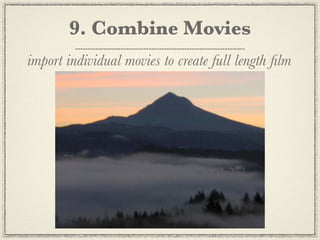
9. Combine Movies
import individual movies to create full length film
9. Combine Movies
import individual movies to create full length film
10. Celebrate
pop the popcorn and invite the public
Tips for Success
Tips for Success
Work in pairs, groups or whole class
Tips for Success
Work in pairs, groups or whole class
Set time limit of 30-60 seconds
Tips for Success
Work in pairs, groups or whole class
Set time limit of 30-60 seconds
Stay together to minimize chaos
Tips for Success
Work in pairs, groups or whole class
Set time limit of 30-60 seconds
Stay together to minimize chaos
Tackle one skill/task at a time
Tips for Success
Work in pairs, groups or whole class
Set time limit of 30-60 seconds
Stay together to minimize chaos
Tackle one skill/task at a time
Use Techsperts
Tips for Success
Work in pairs, groups or whole class
Set time limit of 30-60 seconds
Stay together to minimize chaos
Tackle one skill/task at a time
Use Techsperts
Scaffold projects over year
Tips for Success
Work in pairs, groups or whole class
Set time limit of 30-60 seconds
Stay together to minimize chaos
Tackle one skill/task at a time
Use Techsperts
Scaffold projects over year
Use a Digital Kit
Tell Stories
   from Your Community...


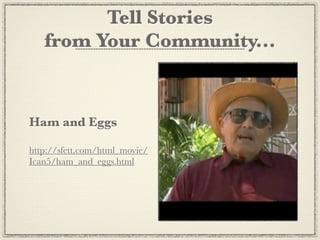
Ham and Eggs

http://sfett.com/html_movie/
Ican5/ham_and_eggs.html
Go Tell Your Story!
              Jennifer Gingerich
              Educational Technology Trainer & Coach
              Providing Dynamic Staff Development
              jennifergingerich@mac.com

  movies available at Teachertube.com under jgingerich

               Handouts available at
    Technology Integration Made Simple
       http://web.mac.com/jennifergingerich

Historical Documentaries

  • 1.
    Historical Documentaries Jennifer Gingerich Technology Integration Made Simple http://web.mac.com/jennifergingerich
  • 2.
    Tell Me aStory “When Laura Ingalls Wilder wrote her first book, Little House in the Big Woods, she captured history in the eyes of a little girl who had boundless love for her family, her land, and all of her little houses.”
  • 5.
  • 6.
    1. Know YourStuff research, read, discuss, experience
  • 7.
    2. Write, Revise,Edit first person narrative
  • 8.
    3. Read Aloud practicereading with expression, fluency, timing
  • 9.
    4. Collect Photos collectphotos, primary source documents, and citations Discovery streaming discoveryeducation.com American Memory Collection memory.loc.gov Wikimedia commons.wikimedia.org
  • 10.
    5. Take StudentPhotos take pictures of students and apply aging effect
  • 11.
    5. Take StudentPhotos take pictures of students and apply aging effect
  • 12.
    Photos Music Citations Sounds Video Segments Web Sites Use a Digital Kit *Distribute via thumb drive, CD, shared folder, Picasa Web Album
  • 13.
    Photos Music Citations Sounds Video Segments Web Sites Use a Digital Kit *Distribute via thumb drive, CD, shared folder, Picasa Web Album
  • 14.
  • 15.
  • 16.
  • 17.
  • 18.
    7. Create Movie usePhotoStory (PC) or GarageBand/iMovie (mac)
  • 19.
  • 20.
    GarageBand Enhanced Podcast 1. Gather Photos and Titles in iPhoto
  • 21.
    GarageBand Enhanced Podcast 1. Gather Photos and Titles 2. Record Narration in iPhoto
  • 22.
    GarageBand Enhanced Podcast 1. Gather Photos and Titles 2. Record Narration in iPhoto 3. Add Audio Loops: Jingles, Stingers, and Sound Effects
  • 23.
    GarageBand Enhanced Podcast 1. Gather Photos and Titles 2. Record Narration in iPhoto 3. Add Audio Loops: 4. Add Photos/Slides Jingles, Stingers, and (or even video) Sound Effects
  • 24.
    GarageBand Enhanced Podcast 1. Gather Photos and Titles 2. Record Narration in iPhoto 3. Add Audio Loops: 4. Add Photos/Slides 5. Export and play Jingles, Stingers, and (or even video) in Quicktime Sound Effects
  • 27.
    PhotoStory 3 Simplicity 1. Import and Arrange Photos 2. Add Titles to Photos 3. Record Narration 4. Import or Create 5. Export and Background Music Play in WMP
  • 28.
    iMovie (‘08 or‘09) Creation 1. Import Photos from iPhoto 2. Set Photo Time/Effects 3. Add Titles 4. Record Narration 5. Add Background Music 6. Export and Play
  • 29.
    8. Export Movies toplay on other machines and post on the web
  • 30.
    8. Export Movies toplay on other machines and post on the web
  • 31.
    8. Export Movies toplay on other machines and post on the web Your Web Site: ___________________ Teacher Tube teachertube.com Other: ___________________
  • 32.
    9. Combine Movies importindividual movies to create full length film
  • 33.
    9. Combine Movies importindividual movies to create full length film
  • 34.
    10. Celebrate pop thepopcorn and invite the public
  • 35.
  • 36.
    Tips for Success Workin pairs, groups or whole class
  • 37.
    Tips for Success Workin pairs, groups or whole class Set time limit of 30-60 seconds
  • 38.
    Tips for Success Workin pairs, groups or whole class Set time limit of 30-60 seconds Stay together to minimize chaos
  • 39.
    Tips for Success Workin pairs, groups or whole class Set time limit of 30-60 seconds Stay together to minimize chaos Tackle one skill/task at a time
  • 40.
    Tips for Success Workin pairs, groups or whole class Set time limit of 30-60 seconds Stay together to minimize chaos Tackle one skill/task at a time Use Techsperts
  • 41.
    Tips for Success Workin pairs, groups or whole class Set time limit of 30-60 seconds Stay together to minimize chaos Tackle one skill/task at a time Use Techsperts Scaffold projects over year
  • 42.
    Tips for Success Workin pairs, groups or whole class Set time limit of 30-60 seconds Stay together to minimize chaos Tackle one skill/task at a time Use Techsperts Scaffold projects over year Use a Digital Kit
  • 43.
    Tell Stories from Your Community... Ham and Eggs http://sfett.com/html_movie/ Ican5/ham_and_eggs.html
  • 44.
    Go Tell YourStory! Jennifer Gingerich Educational Technology Trainer & Coach Providing Dynamic Staff Development jennifergingerich@mac.com movies available at Teachertube.com under jgingerich Handouts available at Technology Integration Made Simple http://web.mac.com/jennifergingerich