FILM MAKING FOR
21ST CENTURY SKILLS

                 Jennifer Gingerich
                jennifergingerich@mac.com

 Movies available at Teachertube.com under keyword gingerich

            Technology Integration Made Simple
            http://web.mac.com/jennifergingerich
Digital Storytelling Reflections
What digital storytelling activities have you tried with
students? Briefly explain the nature of the project, tech
skills (such as working with photos, video, narration, or
audio) and the technology tools used by the students.

How was the activity connected to your curriculum?

What worked well?

What would you do differently?
Workshop Objectives
Learn to think like a filmmaker, as you investigate and
create powerful movies using visual storytelling
techniques from AFI Screen Education. Make
connections between the writing process and the
filming process as you collaboratively pitch,
storyboard, film, edit and exhibit. Find out how visual
storytelling can deepen understanding of curriculum
and engage students in 21st century skills.
21st Century Skills
skills, knowledge and expertise students should master
     to succeed in work and life in the 21st century.


           http://www.21stcenturyskills.org/
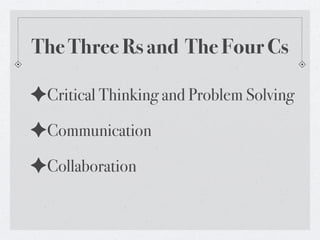
The Three Rs and The Four Cs

✦Critical Thinking and Problem Solving
The Three Rs and The Four Cs

✦Critical Thinking and Problem Solving
✦Communication
The Three Rs and The Four Cs

✦Critical Thinking and Problem Solving
✦Communication
✦Collaboration
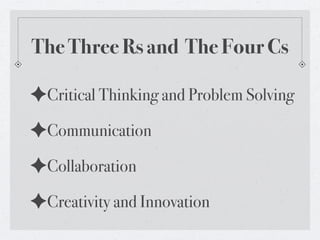
The Three Rs and The Four Cs

✦Critical Thinking and Problem Solving
✦Communication
✦Collaboration
✦Creativity and Innovation
THE DOOR SCENE
                Using a video camera, interpret and shoot
                          the following scenario:

A person is about to open a door. The person hears a sound and
becomes mildly concerned. The person finds the door locked and
searches for his or her keys. The person hears the sound again and
becomes visibly apprehensive. As the filmmaker, your goal is to build
tension and growing panic. The film closes with the person finally
opening the door and getting to the other side safely. Communicate
to the audience the character’s feeling of relief and safety.
Parameters/Limitations:
•The source of the sound is not seen in the film.
•The film can have only one actor.
•The film may not exceed 90 seconds.
•The entire film must take place within ten feet of the door.
•You must assemble the shots in camera, as you go along.
20 Minutes
   GO!
Exhibit, Review, & Reflect
✦ Did the film communicate the script?
✦ Did it communicate the rising tension and relief?
✦ What could you shoot differently?
✦ What would make your film more understandable?
✦ What would give your film more emotional impact?
The Door Scene Steps
✦STEP ONE - Introduction to Visual Storytelling
✦STEP TWO - Storyboarding the Scene
✦STEP THREE - Interpreting Storyboard to Film
✦STEP FOUR - Re-shooting and Assembling an Edit
✦STEP FIVE - Editing the Final Cut
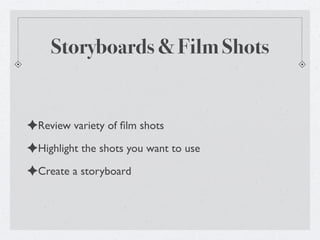
Storyboards & Film Shots


✦Review variety of film shots
✦Highlight the shots you want to use
✦Create a storyboard
The Language of Film


A shot is a word.
Several shots put together make a sentence.
A scene is a paragraph.
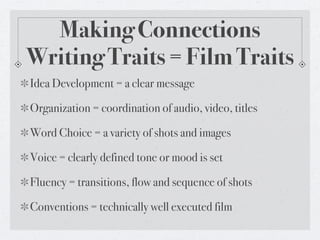
Making Connections
Writing Traits = Film Traits
Idea Development = a clear message

Organization = coordination of audio, video, titles

Word Choice = a variety of shots and images

Voice = clearly defined tone or mood is set

Fluency = transitions, flow and sequence of shots

Conventions = technically well executed film
5 Step Process
Making Connections
Film Making Process = Writing Process
 •   Pitch = Brainstorm & Discuss Ideas

 •   Prewriting = Storyboarding (Shot Sheet)

 •   Drafting and Composing = Filming

 •   Responding = Reviewing Footage

 •   Revising = Rough Edit into iMovie

 •   Editing = Audio, Transitions, Titles, etc.

 •   Publishing = Sharing Your Movie
Time to
Storyboard
Surprise
Storyboard
  Switch!
You actually did this with kids?
        Middle School Tech Class - 16 Sessions


     ✦http://voicethread.com/share/452655/
What else could you do?
                   Find Great Ideas on the Web!


✦AFI Screennation - http:// www.screennation.AFI.com
✦Teacher Tube - http://www.teachertube.com/
✦Zamzar (Dowload YouTube) - http://www.zamzar.com/
✦VoiceThread Reflections - http://voicethread.com/share/452655/
✦Brainy Flix - http://www.gotbrainy.com/videos
✦Digitales Resources - http://www.digitales.us/
✦I Am Lodge Music Videos - http://www.iamlodge.com/beans/
Project Tips
Project Tips
✦Work in pairs, groups, or even whole class
Project Tips
✦Work in pairs, groups, or even whole class
✦Pre-production is the crucial step
Project Tips
✦Work in pairs, groups, or even whole class
✦Pre-production is the crucial step
✦Tackle one skill/task at a time
Project Tips
✦Work in pairs, groups, or even whole class
✦Pre-production is the crucial step
✦Tackle one skill/task at a time
✦Stay together to minimize chaos
Project Tips
✦Work in pairs, groups, or even whole class
✦Pre-production is the crucial step
✦Tackle one skill/task at a time
✦Stay together to minimize chaos
✦Use Techsperts
Project Tips
✦Work in pairs, groups, or even whole class
✦Pre-production is the crucial step
✦Tackle one skill/task at a time
✦Stay together to minimize chaos
✦Use Techsperts
✦Narrow choices and set timer for decisions
Project Tips
✦Work in pairs, groups, or even whole class
✦Pre-production is the crucial step
✦Tackle one skill/task at a time
✦Stay together to minimize chaos
✦Use Techsperts
✦Narrow choices and set timer for decisions
✦Use a production schedule
Project Tips
✦Work in pairs, groups, or even whole class
✦Pre-production is the crucial step
✦Tackle one skill/task at a time
✦Stay together to minimize chaos
✦Use Techsperts
✦Narrow choices and set timer for decisions
✦Use a production schedule
✦Scaffold projects over year
AFI Goals

✦Help all students better express their deepest
 understanding of core classroom content through the
 AFI Screen Education process

✦Harness the appeal of technology and media to engage
 students and help them learn

✦Enable all kinds of students to master literacy
 necessary for life and work in the 21st century

Afi Screen Education Workshop

  • 1.
    FILM MAKING FOR 21STCENTURY SKILLS Jennifer Gingerich jennifergingerich@mac.com Movies available at Teachertube.com under keyword gingerich Technology Integration Made Simple http://web.mac.com/jennifergingerich
  • 2.
    Digital Storytelling Reflections Whatdigital storytelling activities have you tried with students? Briefly explain the nature of the project, tech skills (such as working with photos, video, narration, or audio) and the technology tools used by the students. How was the activity connected to your curriculum? What worked well? What would you do differently?
  • 3.
    Workshop Objectives Learn tothink like a filmmaker, as you investigate and create powerful movies using visual storytelling techniques from AFI Screen Education. Make connections between the writing process and the filming process as you collaboratively pitch, storyboard, film, edit and exhibit. Find out how visual storytelling can deepen understanding of curriculum and engage students in 21st century skills.
  • 4.
    21st Century Skills skills,knowledge and expertise students should master to succeed in work and life in the 21st century. http://www.21stcenturyskills.org/
  • 5.
    The Three Rsand The Four Cs
  • 6.
    The Three Rsand The Four Cs ✦Critical Thinking and Problem Solving
  • 7.
    The Three Rsand The Four Cs ✦Critical Thinking and Problem Solving ✦Communication
  • 8.
    The Three Rsand The Four Cs ✦Critical Thinking and Problem Solving ✦Communication ✦Collaboration
  • 9.
    The Three Rsand The Four Cs ✦Critical Thinking and Problem Solving ✦Communication ✦Collaboration ✦Creativity and Innovation
  • 10.
    THE DOOR SCENE Using a video camera, interpret and shoot the following scenario: A person is about to open a door. The person hears a sound and becomes mildly concerned. The person finds the door locked and searches for his or her keys. The person hears the sound again and becomes visibly apprehensive. As the filmmaker, your goal is to build tension and growing panic. The film closes with the person finally opening the door and getting to the other side safely. Communicate to the audience the character’s feeling of relief and safety. Parameters/Limitations: •The source of the sound is not seen in the film. •The film can have only one actor. •The film may not exceed 90 seconds. •The entire film must take place within ten feet of the door. •You must assemble the shots in camera, as you go along.
  • 11.
  • 12.
    Exhibit, Review, &Reflect ✦ Did the film communicate the script? ✦ Did it communicate the rising tension and relief? ✦ What could you shoot differently? ✦ What would make your film more understandable? ✦ What would give your film more emotional impact?
  • 13.
    The Door SceneSteps ✦STEP ONE - Introduction to Visual Storytelling ✦STEP TWO - Storyboarding the Scene ✦STEP THREE - Interpreting Storyboard to Film ✦STEP FOUR - Re-shooting and Assembling an Edit ✦STEP FIVE - Editing the Final Cut
  • 14.
    Storyboards & FilmShots ✦Review variety of film shots ✦Highlight the shots you want to use ✦Create a storyboard
  • 15.
    The Language ofFilm A shot is a word. Several shots put together make a sentence. A scene is a paragraph.
  • 16.
    Making Connections Writing Traits= Film Traits Idea Development = a clear message Organization = coordination of audio, video, titles Word Choice = a variety of shots and images Voice = clearly defined tone or mood is set Fluency = transitions, flow and sequence of shots Conventions = technically well executed film
  • 17.
  • 18.
    Making Connections Film MakingProcess = Writing Process • Pitch = Brainstorm & Discuss Ideas • Prewriting = Storyboarding (Shot Sheet) • Drafting and Composing = Filming • Responding = Reviewing Footage • Revising = Rough Edit into iMovie • Editing = Audio, Transitions, Titles, etc. • Publishing = Sharing Your Movie
  • 19.
  • 20.
  • 21.
    You actually didthis with kids? Middle School Tech Class - 16 Sessions ✦http://voicethread.com/share/452655/
  • 22.
    What else couldyou do? Find Great Ideas on the Web! ✦AFI Screennation - http:// www.screennation.AFI.com ✦Teacher Tube - http://www.teachertube.com/ ✦Zamzar (Dowload YouTube) - http://www.zamzar.com/ ✦VoiceThread Reflections - http://voicethread.com/share/452655/ ✦Brainy Flix - http://www.gotbrainy.com/videos ✦Digitales Resources - http://www.digitales.us/ ✦I Am Lodge Music Videos - http://www.iamlodge.com/beans/
  • 23.
  • 24.
    Project Tips ✦Work inpairs, groups, or even whole class
  • 25.
    Project Tips ✦Work inpairs, groups, or even whole class ✦Pre-production is the crucial step
  • 26.
    Project Tips ✦Work inpairs, groups, or even whole class ✦Pre-production is the crucial step ✦Tackle one skill/task at a time
  • 27.
    Project Tips ✦Work inpairs, groups, or even whole class ✦Pre-production is the crucial step ✦Tackle one skill/task at a time ✦Stay together to minimize chaos
  • 28.
    Project Tips ✦Work inpairs, groups, or even whole class ✦Pre-production is the crucial step ✦Tackle one skill/task at a time ✦Stay together to minimize chaos ✦Use Techsperts
  • 29.
    Project Tips ✦Work inpairs, groups, or even whole class ✦Pre-production is the crucial step ✦Tackle one skill/task at a time ✦Stay together to minimize chaos ✦Use Techsperts ✦Narrow choices and set timer for decisions
  • 30.
    Project Tips ✦Work inpairs, groups, or even whole class ✦Pre-production is the crucial step ✦Tackle one skill/task at a time ✦Stay together to minimize chaos ✦Use Techsperts ✦Narrow choices and set timer for decisions ✦Use a production schedule
  • 31.
    Project Tips ✦Work inpairs, groups, or even whole class ✦Pre-production is the crucial step ✦Tackle one skill/task at a time ✦Stay together to minimize chaos ✦Use Techsperts ✦Narrow choices and set timer for decisions ✦Use a production schedule ✦Scaffold projects over year
  • 32.
    AFI Goals ✦Help allstudents better express their deepest understanding of core classroom content through the AFI Screen Education process ✦Harness the appeal of technology and media to engage students and help them learn ✦Enable all kinds of students to master literacy necessary for life and work in the 21st century