Digital Storytelling Using Photo Story 3  & Voicethread.com J. Donaldson – 2008 Instructional Technology Berkeley County School District
What is  Digital Storytelling ? According to the Digital Storytelling Association, digital storytelling is “the modern expression of the ancient art of storytelling.”
Digital stories derive their power by weaving images, music, narrative, and voice together, giving deep dimension and vivid color to characters, situations, experiences, and insights.
Digital stories can include a number of topics. Some examples include: Book Talks Project Presentations All About Me  Digital Scrapbook  Video Yearbook Digital Stories
In order to create a digital story project,  you will need: a microphone to record voices for audio images in a digital format Materials Needed
You will want to find a quiet place if you plan to record narration. Verify that you have the program or access to the website that you need. Build-in time for editing and re-working your story. A Few Tips
If you’re using printed pictures, make sure you will have access to a scanner. Decide whether or not you will be using music. If so, you may need to check the file format for your songs. A Few Tips
Use storyboards for planning projects with students. Blank PowerPoint handouts work great, and you now have a hardcopy for grading! Provide rubrics or checklists for students as guidelines for projects. Use a rubric from  4Teachers.org  or create your own. A Few Tips
One way to create a digital story project is to use a program like  Photo Story 3.
Photo Story 3 is a  free  program from Microsoft that uses still images to create a video. This application allows you to incorporate photo effects and transitions to your pictures, as well as add audio to set the mood and tone of your story. Photo Story 3
In Berkeley County School District, this program is already installed on your PC. Access the program through the start menu of your computer. Photo Story 3
Help for  Photo Story  is always available within the program. Photo Story 3
Another way to create a digital story project is to use a web-based application, such as  Voicethread.com
Voicethread  is available online, but you must have an account to use the site. Educators are eligible for a free account. Voicethread.com
Free accounts are  always  available, but the site also offers paid accounts for classrooms and schools with some additional features. Voicethread.com
The site provides video tutorials to help you get started with creating your first “thread.” Voicethread.com
Voicethread.com
Digital pictures directly from your camera Digital pictures from a disc or flash drive Creative Commons sites  (e.g. www.sxc.hu) Educational sites  (e.g. StreamlineSC or Library of Congress) Where can I find images?
Photo Story 3 allows you to create your own music You can also use Creative Commons Music sites like  www.beatpick.com Where can I find music?
Center for Digital Storytelling University of Houston Arizona Learning Interchange Where can I find more information?
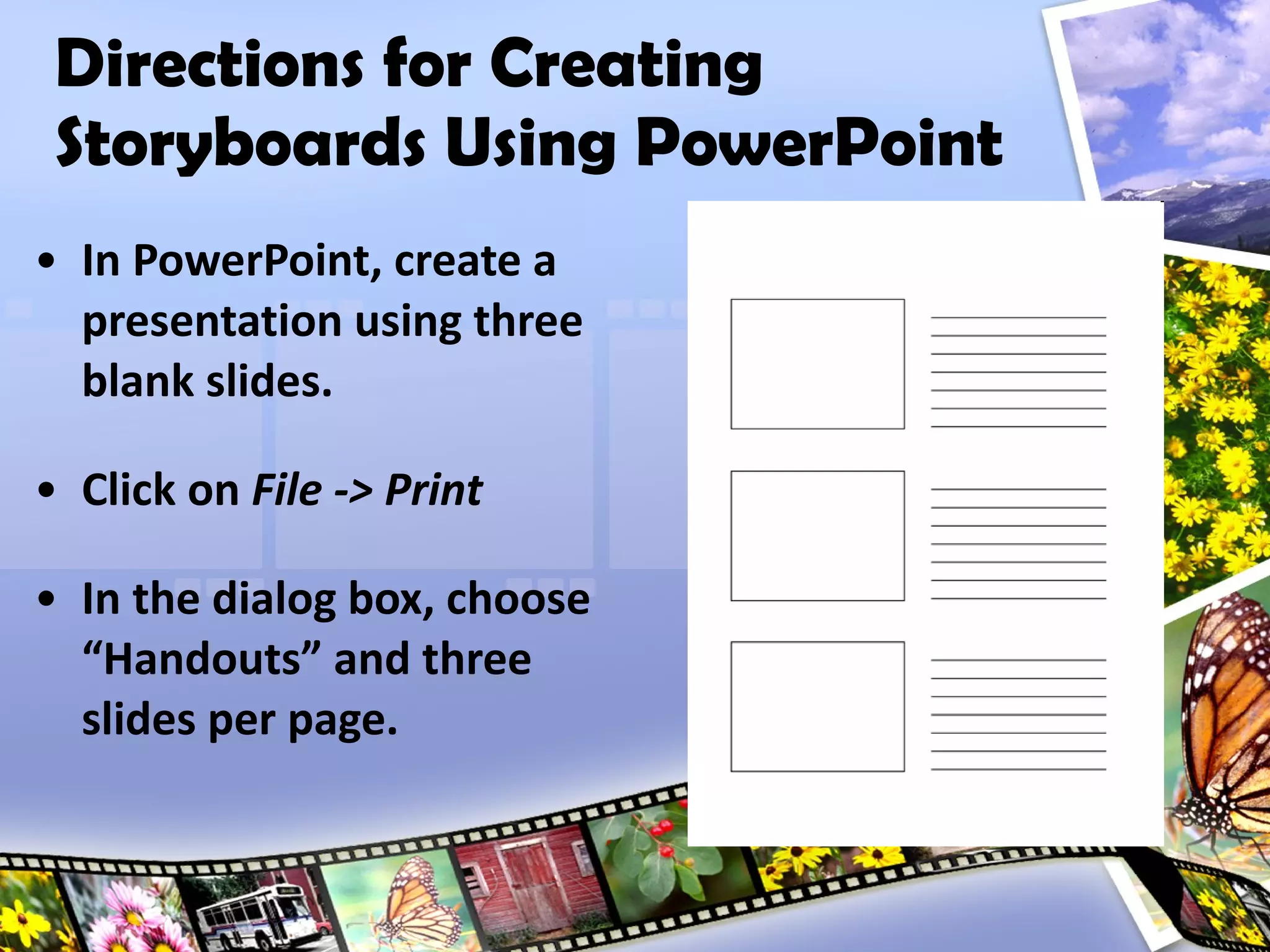
Directions for Creating Storyboards Using PowerPoint In PowerPoint, create a presentation using three blank slides. Click on  File -> Print In the dialog box, choose “Handouts” and three slides per page.

Digital Storytelling

  • 1.
    Digital Storytelling UsingPhoto Story 3 & Voicethread.com J. Donaldson – 2008 Instructional Technology Berkeley County School District
  • 2.
    What is Digital Storytelling ? According to the Digital Storytelling Association, digital storytelling is “the modern expression of the ancient art of storytelling.”
  • 3.
    Digital stories derivetheir power by weaving images, music, narrative, and voice together, giving deep dimension and vivid color to characters, situations, experiences, and insights.
  • 4.
    Digital stories caninclude a number of topics. Some examples include: Book Talks Project Presentations All About Me Digital Scrapbook Video Yearbook Digital Stories
  • 5.
    In order tocreate a digital story project, you will need: a microphone to record voices for audio images in a digital format Materials Needed
  • 6.
    You will wantto find a quiet place if you plan to record narration. Verify that you have the program or access to the website that you need. Build-in time for editing and re-working your story. A Few Tips
  • 7.
    If you’re usingprinted pictures, make sure you will have access to a scanner. Decide whether or not you will be using music. If so, you may need to check the file format for your songs. A Few Tips
  • 8.
    Use storyboards forplanning projects with students. Blank PowerPoint handouts work great, and you now have a hardcopy for grading! Provide rubrics or checklists for students as guidelines for projects. Use a rubric from 4Teachers.org or create your own. A Few Tips
  • 9.
    One way tocreate a digital story project is to use a program like Photo Story 3.
  • 10.
    Photo Story 3is a free program from Microsoft that uses still images to create a video. This application allows you to incorporate photo effects and transitions to your pictures, as well as add audio to set the mood and tone of your story. Photo Story 3
  • 11.
    In Berkeley CountySchool District, this program is already installed on your PC. Access the program through the start menu of your computer. Photo Story 3
  • 12.
    Help for Photo Story is always available within the program. Photo Story 3
  • 13.
    Another way tocreate a digital story project is to use a web-based application, such as Voicethread.com
  • 14.
    Voicethread isavailable online, but you must have an account to use the site. Educators are eligible for a free account. Voicethread.com
  • 15.
    Free accounts are always available, but the site also offers paid accounts for classrooms and schools with some additional features. Voicethread.com
  • 16.
    The site providesvideo tutorials to help you get started with creating your first “thread.” Voicethread.com
  • 17.
  • 18.
    Digital pictures directlyfrom your camera Digital pictures from a disc or flash drive Creative Commons sites (e.g. www.sxc.hu) Educational sites (e.g. StreamlineSC or Library of Congress) Where can I find images?
  • 19.
    Photo Story 3allows you to create your own music You can also use Creative Commons Music sites like www.beatpick.com Where can I find music?
  • 20.
    Center for DigitalStorytelling University of Houston Arizona Learning Interchange Where can I find more information?
  • 21.
    Directions for CreatingStoryboards Using PowerPoint In PowerPoint, create a presentation using three blank slides. Click on File -> Print In the dialog box, choose “Handouts” and three slides per page.

Editor's Notes

  • #2 Slides advance on mouse-click.
  • #3 Text appears on mouse-click.
  • #5 Bulleted items appear on mouse-click.
  • #7 Numbered items appear on mouse-click.
  • #8 Numbered items appear on mouse-click.
  • #9 Numbered items appear on mouse-click. Take participants to 4teachers.org by clicking on butterfly in bottom-right corner for hyperlink.
  • #11 Second half of text appears on mouse-click.
  • #12 Second half of text appears on mouse-click.
  • #15 Second half of text will appear on mouse-click.
  • #16 Refer participants to the site for more information about paid accounts. Access the information from the Help menu, then FAQ, then Pricing: K-12
  • #17 Demonstrate tutorials after launching link from next slide.
  • #18 Image of site is hyperlinked. Launch site and log in to browse threads- a good example is “Going and Coming.” If resources available, create a thread for PD workshop.
  • #19 Bulleted items appear on mouse-click. Picture frames at the bottom of slide are hyperlinked to website listed for Creative Commons.
  • #20 Bulleted items appear on mouse-click. Music websites are blocked by the Lightspeed filter.
  • #21 Bulleted items and icons appear on mouse-click. Mouse icons are hyperlinked to sites listed.
  • #22 Bulleted items appear on mouse-click. Image of handout appears automatically after the last bullet.