+


    Digital
    Storytelling for
    Educators
What is Digital Storytelling?
    Digital Storytelling is the process of writing about a story,
     and adding the multimedia elements of voice, imagery, and
     music to create a visual story.

    Personal or Academic Narratives:

    A personal story is one that involves a personal change or
     realization. This could be a family story about the value of a
     childhood experience, a reunion in which you reconnect with
     a long lost friend, a hero in your family,

    Digital storytelling can also be used in the content areas as
     an academic story or "unit of instruction" story. This can be a
     story about any concept, unit or idea from any area of the
     curriculum, from math to social studies.

    Watch “Digital Storytelling in Plain English”
• Students demonstrate creative thinking, construct
knowledge, and develop innovative products and
processes using technology
• Apply existing knowledge to generate new ideas,
products or processes.
• Create original works as a means of personal or group
expression.
• Use models and simulations to explore complex systems
and issues.
• Identify trends and forecast possibilities
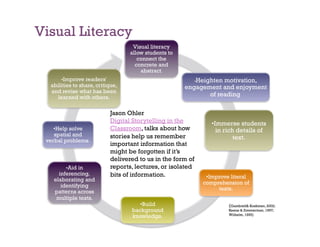
Visual Literacy
                                   Visual literacy
                                  allow students to
                                     connect the
                                    concrete and
                                      abstract.
      •Improve readers'                                  Heighten motivation,
                                                            •
  abilities to share, critique,                       engagement and enjoyment
  and revise what has been
    learned with others.                                     of reading.

                           Jason Ohler
                           Digital Storytelling in the             •Immerse students
    •Help solve            Classroom, talks about how                in rich details of
    spatial and            stories help us remember
 verbal problems.
                                                                            text.
                           important information that
                           might be forgotten if it’s
                           delivered to us in the form of
        •Aid in            reports, lectures, or isolated
     inferencing,          bits of information.                  •Improve literal
   elaborating and
                                                                comprehension of
      identifying
                                                                     texts.
   patterns across
    multiple texts.
                                     •Build                              (Gambrell& Koskinen, 2002;
                                  background                             Keene & Zimmerman, 1997;
                                                                         Wilhelm, 1995)
                                  knowledge.
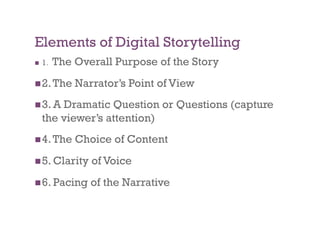
Elements of Digital Storytelling
    1.   The Overall Purpose of the Story
 2. The      Narrator’s Point of View
 3. A   Dramatic Question or Questions (capture
     the viewer’s attention)
 4. The      Choice of Content
 5. Clarity     of Voice
 6. Pacing      of the Narrative
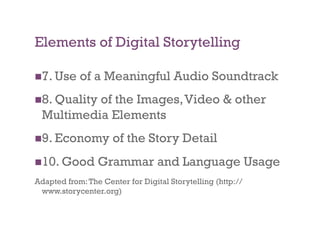
Elements of Digital Storytelling

 7. Use    of a Meaningful Audio Soundtrack
 8. Quality
           of the Images, Video & other
  Multimedia Elements
 9. Economy         of the Story Detail
 10. Good       Grammar and Language Usage
Adapted from: The Center for Digital Storytelling (http://
 www.storycenter.org)
Digital Storytelling Examples

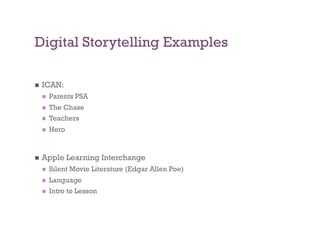
    ICAN:
         Parents PSA
         The Chase
         Teachers
         Hero


    Apple Learning Interchange
         Silent Movie Literature (Edgar Allen Poe)
         Language
         Intro to Lesson
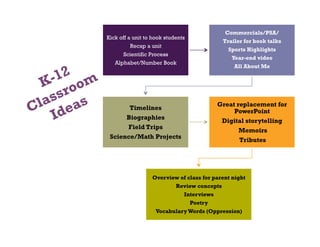
Commercials/PSA/
Kick off a unit to hook students
                                           Trailer for book talks
        Recap a unit
                                             Sports Highlights
      Scientific Process
                                              Year-end video
   Alphabet/Number Book
                                               All About Me


                                         Great replacement for
         Timelines
                                              PowerPoint
        Biographies
                                          Digital storytelling
        Field Trips
                                                 Memoirs
 Science/Math Projects
                                                 Tributes


                  Overview of class for parent night
                         Review concepts
                            Interviews
                               Poetry
                    Vocabulary Words (Oppression)
More
                                         Ideas…
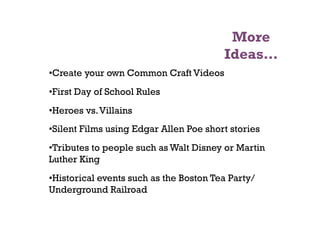
• Create your own Common Craft Videos
• First Day of School Rules
• Heroes vs. Villains
• Silent Films using Edgar Allen Poe short stories
• Tributes to people such as Walt Disney or Martin
Luther King
• Historical events such as the Boston Tea Party/
Underground Railroad
More
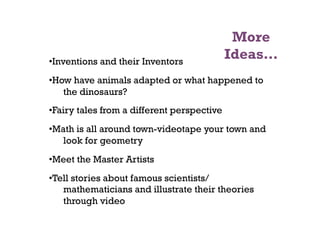
• Inventions and their Inventors
                                             Ideas…
• How have animals adapted or what happened to
    the dinosaurs?
• Fairy tales from a different perspective
• Math is all around town-videotape your town and
    look for geometry
• Meet the Master Artists
• Tell stories about famous scientists/
    mathematicians and illustrate their theories
    through video
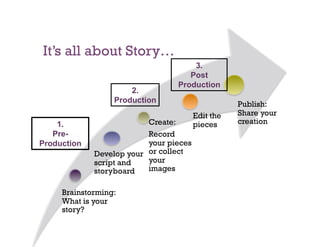
It’s all about Story…
                                     3.
                                    Post
                                 Production
                      2.
                  Production                       Publish:
                                        Edit the   Share your
    1.                    Create:       pieces     creation
   Pre-                   Record
Production                your pieces
             Develop your or collect
             script and   your
             storyboard   images

     Brainstorming:
     What is your
     story?
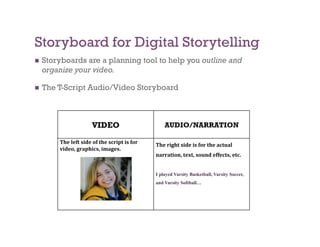
Storyboard for Digital Storytelling
    Storyboards are a planning tool to help you outline and
     organize your video.

    The T-Script Audio/Video Storyboard


                       VIDEO                       AUDIO/NARRATION

         The left side of the script is for    The right side is for the actual 
         video, graphics, images.
                                               narration, text, sound effects, etc. 


                                               I played Varsity Basketball, Varsity Soccer,
                                               and Varsity Softball…
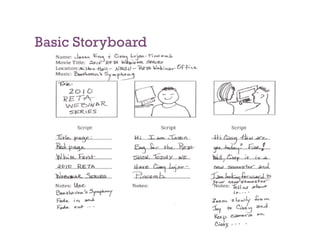
Basic Storyboard
Script and Storyboard

 Educatorswill break for script and
 storyboarding….
 Youmay use one of the scenarios or
 create one of your own choosing
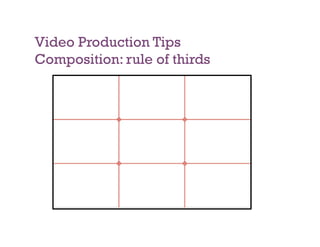
Video Production Tips
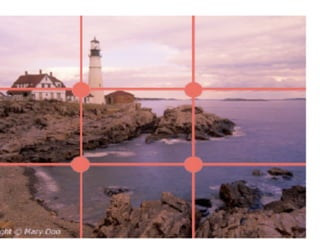
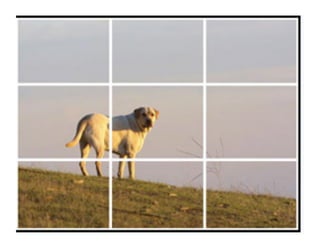
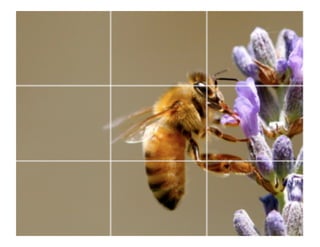
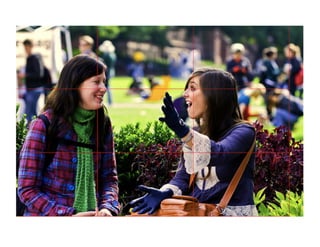
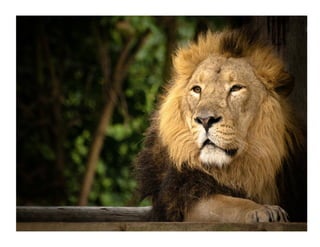
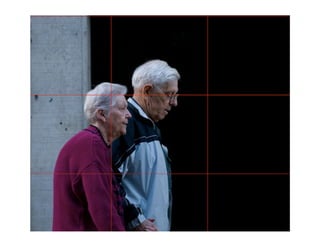
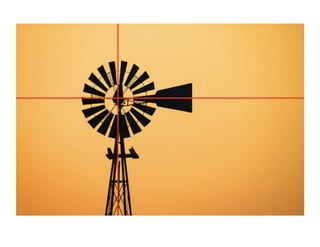
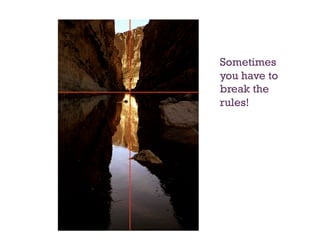
Composition: rule of thirds
Sometimes
you have to
break the
rules!
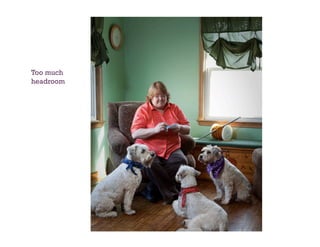
Too much
headroom
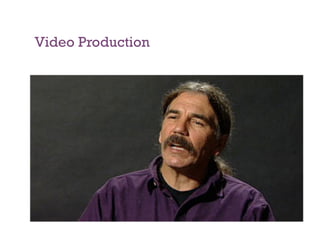
Video Production
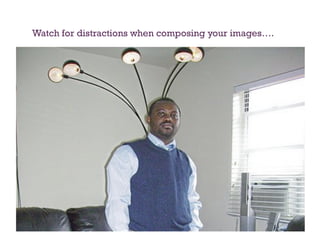
Watch for distractions when composing your images….
Video Tips

 When shooting outdoors, keep the sun behind
 you. Beware of windows.
    Plan your shoot. Shoot to edit.
 Usea tripod or other image stabilization
 device.
 For
    handheld stability, imagine that your
 camcorder is a very full cup of hot coffee.
Video Tips

  Use   the zoom to compose your shot. Avoid zooming
     while the tape is rolling.

     Move the camera only when necessary. Pan from left
     to right slowly!

  Keep    your average shot length between 5 and 10
     seconds. Keep the shot steady (no zoom or pan) for at
     least 10 seconds.

  Watch    for distractions behind the talent.
    Seven Deadly Sins of Video Work: http://www.youtube.com/
     watch?v=A-6tWTPTmcE
Resources…
RETAPEDIA: http://retapedia.pbworks.com
Copyright Free Images

    Creative commons: http://creativecommons.org/

    Flickr- http://flickr.com

    Wikipedia Public Domain Image Resources:
     http://en.wikipedia.org/wiki/Wikipedia:Public_domain_image_resources

    Pics for Learning: http://pics.tech4learning.com/

    Davis Audio & Video clips: http://www.djusd.k12.ca.us/technology/images.htm

Royalty Free Sound Sources
         Internet Archive: http://www.archive.org/details/audio
         Creative Commons: http://creativecommons.org
         The Free Sound Project: http://www.freesound.org/
         Stonewashed Sound Effects: http://www.stonewashed.net/sfx.html
         Macloops: www.macloops.com

Audacity Audio Editor:              http://audacity.sourceforge.net/download/
• Introduce video-editing using MovieMaker
• Publish your story
• Homework:
  • Bring 10 digital slides

• Assessment:
  • Peer Assessment
  • Digital Storytelling Rubric

Digstorywkshop2010

  • 1.
    + Digital Storytelling for Educators
  • 2.
    What is DigitalStorytelling?   Digital Storytelling is the process of writing about a story, and adding the multimedia elements of voice, imagery, and music to create a visual story.   Personal or Academic Narratives:   A personal story is one that involves a personal change or realization. This could be a family story about the value of a childhood experience, a reunion in which you reconnect with a long lost friend, a hero in your family,   Digital storytelling can also be used in the content areas as an academic story or "unit of instruction" story. This can be a story about any concept, unit or idea from any area of the curriculum, from math to social studies.   Watch “Digital Storytelling in Plain English”
  • 3.
    • Students demonstrate creativethinking, construct knowledge, and develop innovative products and processes using technology • Apply existing knowledge to generate new ideas, products or processes. • Create original works as a means of personal or group expression. • Use models and simulations to explore complex systems and issues. • Identify trends and forecast possibilities
  • 4.
    Visual Literacy Visual literacy allow students to connect the concrete and abstract. •Improve readers' Heighten motivation, • abilities to share, critique, engagement and enjoyment and revise what has been learned with others. of reading. Jason Ohler Digital Storytelling in the •Immerse students •Help solve Classroom, talks about how in rich details of spatial and stories help us remember verbal problems. text. important information that might be forgotten if it’s delivered to us in the form of •Aid in reports, lectures, or isolated inferencing, bits of information. •Improve literal elaborating and comprehension of identifying texts. patterns across multiple texts. •Build (Gambrell& Koskinen, 2002; background Keene & Zimmerman, 1997; Wilhelm, 1995) knowledge.
  • 5.
    Elements of DigitalStorytelling   1. The Overall Purpose of the Story  2. The Narrator’s Point of View  3. A Dramatic Question or Questions (capture the viewer’s attention)  4. The Choice of Content  5. Clarity of Voice  6. Pacing of the Narrative
  • 6.
    Elements of DigitalStorytelling  7. Use of a Meaningful Audio Soundtrack  8. Quality of the Images, Video & other Multimedia Elements  9. Economy of the Story Detail  10. Good Grammar and Language Usage Adapted from: The Center for Digital Storytelling (http:// www.storycenter.org)
  • 8.
    Digital Storytelling Examples   ICAN:   Parents PSA   The Chase   Teachers   Hero   Apple Learning Interchange   Silent Movie Literature (Edgar Allen Poe)   Language   Intro to Lesson
  • 9.
    Commercials/PSA/ Kick off aunit to hook students Trailer for book talks Recap a unit Sports Highlights Scientific Process Year-end video Alphabet/Number Book All About Me Great replacement for Timelines PowerPoint Biographies Digital storytelling Field Trips Memoirs Science/Math Projects Tributes Overview of class for parent night Review concepts Interviews Poetry Vocabulary Words (Oppression)
  • 10.
    More Ideas… • Create your own Common Craft Videos • First Day of School Rules • Heroes vs. Villains • Silent Films using Edgar Allen Poe short stories • Tributes to people such as Walt Disney or Martin Luther King • Historical events such as the Boston Tea Party/ Underground Railroad
  • 11.
    More • Inventions and theirInventors Ideas… • How have animals adapted or what happened to the dinosaurs? • Fairy tales from a different perspective • Math is all around town-videotape your town and look for geometry • Meet the Master Artists • Tell stories about famous scientists/ mathematicians and illustrate their theories through video
  • 12.
    It’s all aboutStory… 3. Post Production 2. Production Publish: Edit the Share your 1. Create: pieces creation Pre- Record Production your pieces Develop your or collect script and your storyboard images Brainstorming: What is your story?
  • 13.
    Storyboard for DigitalStorytelling   Storyboards are a planning tool to help you outline and organize your video.   The T-Script Audio/Video Storyboard VIDEO AUDIO/NARRATION The left side of the script is for  The right side is for the actual  video, graphics, images. narration, text, sound effects, etc.  I played Varsity Basketball, Varsity Soccer, and Varsity Softball…
  • 14.
  • 15.
    Script and Storyboard  Educatorswillbreak for script and storyboarding….  Youmay use one of the scenarios or create one of your own choosing
  • 16.
  • 24.
  • 25.
  • 26.
  • 27.
    Watch for distractionswhen composing your images….
  • 28.
    Video Tips  When shootingoutdoors, keep the sun behind you. Beware of windows.   Plan your shoot. Shoot to edit.  Usea tripod or other image stabilization device.  For handheld stability, imagine that your camcorder is a very full cup of hot coffee.
  • 29.
    Video Tips   Use the zoom to compose your shot. Avoid zooming while the tape is rolling.   Move the camera only when necessary. Pan from left to right slowly!   Keep your average shot length between 5 and 10 seconds. Keep the shot steady (no zoom or pan) for at least 10 seconds.   Watch for distractions behind the talent.   Seven Deadly Sins of Video Work: http://www.youtube.com/ watch?v=A-6tWTPTmcE
  • 30.
    Resources… RETAPEDIA: http://retapedia.pbworks.com Copyright FreeImages   Creative commons: http://creativecommons.org/   Flickr- http://flickr.com   Wikipedia Public Domain Image Resources: http://en.wikipedia.org/wiki/Wikipedia:Public_domain_image_resources   Pics for Learning: http://pics.tech4learning.com/   Davis Audio & Video clips: http://www.djusd.k12.ca.us/technology/images.htm Royalty Free Sound Sources   Internet Archive: http://www.archive.org/details/audio   Creative Commons: http://creativecommons.org   The Free Sound Project: http://www.freesound.org/   Stonewashed Sound Effects: http://www.stonewashed.net/sfx.html   Macloops: www.macloops.com Audacity Audio Editor: http://audacity.sourceforge.net/download/
  • 31.
    • Introduce video-editing usingMovieMaker • Publish your story • Homework: • Bring 10 digital slides • Assessment: • Peer Assessment • Digital Storytelling Rubric