Introduction to
Digital Storytelling
The Importance of Voice
“When words are
infused by the
human voice, they
come alive.”
- Maya Angelou
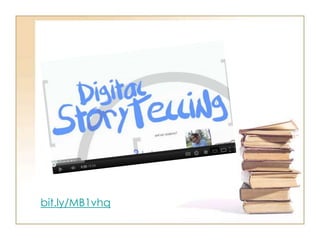
bit.ly/MB1vhq
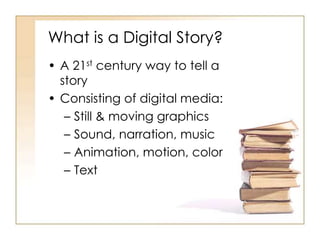
What is a Digital Story?
• A 21st century way to tell a
story
• Consisting of digital media:
– Still & moving graphics
– Sound, narration, music
– Animation, motion, color
– Text
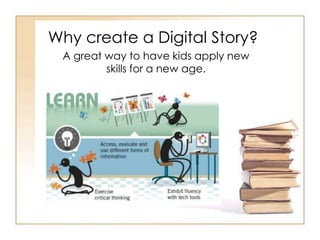
Why create a Digital Story?
A great way to have kids apply new
skills for a new age.
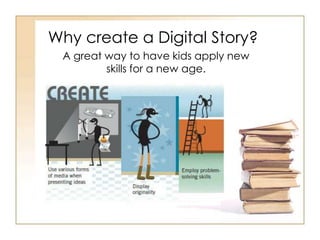
Why create a Digital Story?
A great way to have kids apply new
skills for a new age.
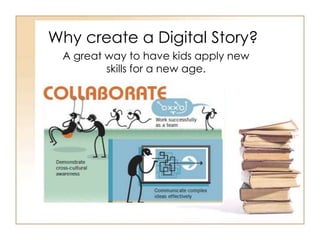
Why create a Digital Story?
A great way to have kids apply new
skills for a new age.
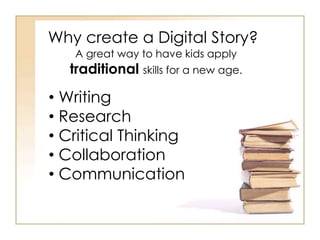
Why create a Digital Story?
A great way to have kids apply
traditional skills for a new age.
• Writing
• Research
• Critical Thinking
• Collaboration
• Communication
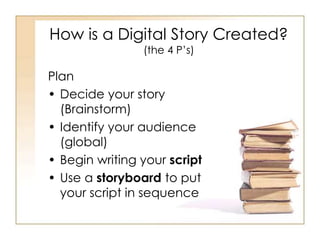
How is a Digital Story Created?
(the 4 P’s)
Plan
• Decide your story
(Brainstorm)
• Identify your audience
(global)
• Begin writing your script
• Use a storyboard to put
your script in sequence
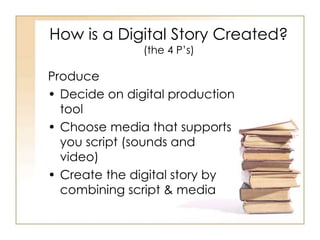
How is a Digital Story Created?
(the 4 P’s)
Produce
• Decide on digital production
tool
• Choose media that supports
you script (sounds and
video)
• Create the digital story by
combining script & media
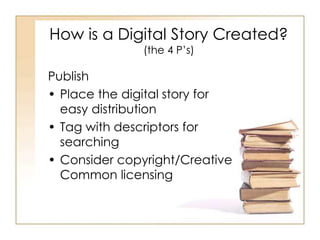
How is a Digital Story Created?
(the 4 P’s)
Publish
• Place the digital story for
easy distribution
• Tag with descriptors for
searching
• Consider copyright/Creative
Common licensing
How is a Digital Story Created?
(the 4 P’s)
Promote
• Share the story
• Connect the story with
social/learning networks
• Allow comments
Tools for Digital Storytelling
• Photo Story for Windows
• Glogster
• Animoto
• Storybird
• MovieMaker
• iMovie
• Prezi/Powerpoint/Keynote
For more - bit.ly/L1d25y
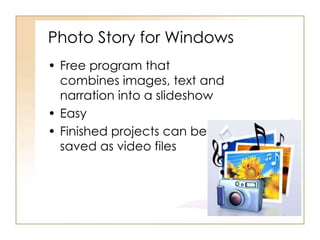
Photo Story for Windows
• Free program that
combines images, text and
narration into a slideshow
• Easy
• Finished projects can be
saved as video files
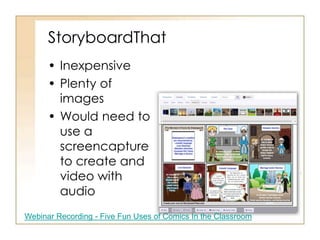
StoryboardThat
• Inexpensive
• Plenty of
images
• Would need to
use a
screencapture
to create and
video with
audio
Webinar Recording - Five Fun Uses of Comics In the Classroom
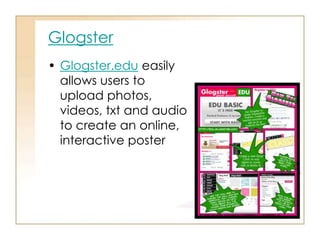
Glogster
• Glogster.edu easily
allows users to
upload photos,
videos, txt and audio
to create an online,
interactive poster
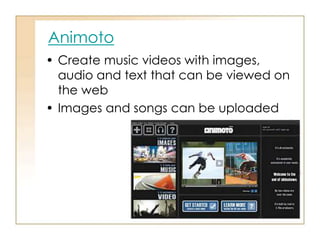
Animoto
• Create music videos with images,
audio and text that can be viewed on
the web
• Images and songs can be uploaded
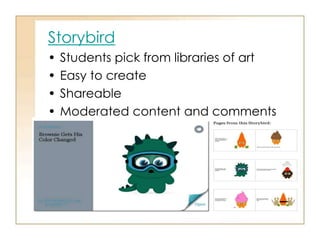
Storybird
• Students pick from libraries of art
• Easy to create
• Shareable
• Moderated content and comments
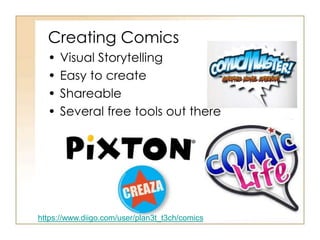
Creating Comics
• Visual Storytelling
• Easy to create
• Shareable
• Several free tools out there
https://www.diigo.com/user/plan3t_t3ch/comics
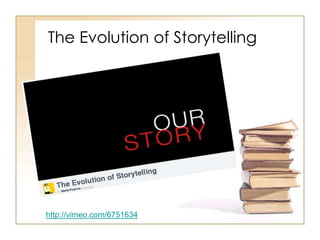
The Evolution of Storytelling
http://vimeo.com/6751634
Your Digital Story
• retell a story/fairy tale/myth/legend
• retells a story about a famous
figure-Biography/place/event
covered in your Standards
• reflection on a life event
• movie trailer for the documentary
you hope to create in the future
Consider these elements
• Point of View – What is the main
point of the story and what is
the perspective of the author?
• A Dramatic Question – keeps
the viewer’s attention and will
be answered at the end.
• Emotional Content – issues that
come alive in a personal way
and connects the story to the
audience.
Consider these elements
• The Gift of Your Voice -
personalize the story.
• The Power o the Soundtrack –
music to support and embellish
the story.
• Economy – using just enough
content to tell a story without
overloading the viewer.
• Pacing – the rhythm of the story
and how slowly or quickly it
progresses.
Digital Storytelling 2014 #ed554

Digital Storytelling 2014 #ed554

  • 1.
  • 2.
    The Importance ofVoice “When words are infused by the human voice, they come alive.” - Maya Angelou
  • 3.
  • 4.
    What is aDigital Story? • A 21st century way to tell a story • Consisting of digital media: – Still & moving graphics – Sound, narration, music – Animation, motion, color – Text
  • 5.
    Why create aDigital Story? A great way to have kids apply new skills for a new age.
  • 6.
    Why create aDigital Story? A great way to have kids apply new skills for a new age.
  • 7.
    Why create aDigital Story? A great way to have kids apply new skills for a new age.
  • 8.
    Why create aDigital Story? A great way to have kids apply traditional skills for a new age. • Writing • Research • Critical Thinking • Collaboration • Communication
  • 9.
    How is aDigital Story Created? (the 4 P’s) Plan • Decide your story (Brainstorm) • Identify your audience (global) • Begin writing your script • Use a storyboard to put your script in sequence
  • 10.
    How is aDigital Story Created? (the 4 P’s) Produce • Decide on digital production tool • Choose media that supports you script (sounds and video) • Create the digital story by combining script & media
  • 11.
    How is aDigital Story Created? (the 4 P’s) Publish • Place the digital story for easy distribution • Tag with descriptors for searching • Consider copyright/Creative Common licensing
  • 12.
    How is aDigital Story Created? (the 4 P’s) Promote • Share the story • Connect the story with social/learning networks • Allow comments
  • 13.
    Tools for DigitalStorytelling • Photo Story for Windows • Glogster • Animoto • Storybird • MovieMaker • iMovie • Prezi/Powerpoint/Keynote For more - bit.ly/L1d25y
  • 14.
    Photo Story forWindows • Free program that combines images, text and narration into a slideshow • Easy • Finished projects can be saved as video files
  • 15.
    StoryboardThat • Inexpensive • Plentyof images • Would need to use a screencapture to create and video with audio Webinar Recording - Five Fun Uses of Comics In the Classroom
  • 16.
    Glogster • Glogster.edu easily allowsusers to upload photos, videos, txt and audio to create an online, interactive poster
  • 17.
    Animoto • Create musicvideos with images, audio and text that can be viewed on the web • Images and songs can be uploaded
  • 18.
    Storybird • Students pickfrom libraries of art • Easy to create • Shareable • Moderated content and comments
  • 19.
    Creating Comics • VisualStorytelling • Easy to create • Shareable • Several free tools out there https://www.diigo.com/user/plan3t_t3ch/comics
  • 20.
    The Evolution ofStorytelling http://vimeo.com/6751634
  • 21.
    Your Digital Story •retell a story/fairy tale/myth/legend • retells a story about a famous figure-Biography/place/event covered in your Standards • reflection on a life event • movie trailer for the documentary you hope to create in the future
  • 22.
    Consider these elements •Point of View – What is the main point of the story and what is the perspective of the author? • A Dramatic Question – keeps the viewer’s attention and will be answered at the end. • Emotional Content – issues that come alive in a personal way and connects the story to the audience.
  • 23.
    Consider these elements •The Gift of Your Voice - personalize the story. • The Power o the Soundtrack – music to support and embellish the story. • Economy – using just enough content to tell a story without overloading the viewer. • Pacing – the rhythm of the story and how slowly or quickly it progresses.