DESIGN THINKING ACTION
LAB
Prototype & Test
Submitted By:
Shubham Singhal,
India
Problem Statement
A smart, intelligent, hard working student at
a reputed B-school needs a way to
manage time between studies and work
(doing projects and part time work)
Idea 1- for prototyping
Use calendars and to do list to
keep a track of meetings in the
office and assignments in the
college and prioritize the work
accordingly.
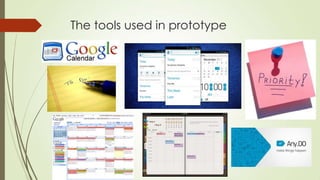
The tools used in prototype
Working of the prototype
 The student can use the tools as mentioned in the previous slide to his aid
for:
 Better organizing his work
 Keep a track of his deliverables
 These can be
 Online (like Google docs)
 Offline like physical diaries and making notes with pen/pencils
 Software based- using apps like Any.Do, Google Calender, Reminders,
Schedulers
 The student in this way can keep a track of his office work and the B-school
studies and assignments and thus complete all his deliverables in time by
prioritizing the work based on their importance and urgency
Testing the prototype
 Who?
 A smart, intelligent, hard working student at a reputed B-school
also doing part time work
 Process:- The student was explained the prototype, its
working and how he can benefit from it. A demo was
given of all these applications and software which can be
used even from his smartphone on the go keeping him
always updated and track and plan his work.
 The Required apps and softwares were installed on his laptop and his
mobile phone.
 After a few days his responses on the this new system were noted, asking
his valuable feedback
Space used
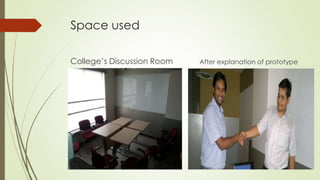
College’s Discussion Room After explanation of prototype
Observations
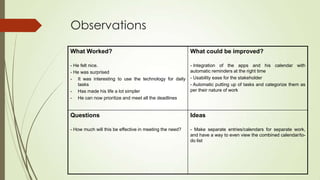
What Worked?
- He felt nice.
- He was surprised
- It was interesting to use the technology for daily
tasks
- Has made his life a lot simpler
- He can now prioritize and meet all the deadlines
What could be improved?
- Integration of the apps and his calendar with
automatic reminders at the right time
- Usability ease for the stakeholder
- Automatic putting up of tasks and categorize them as
per their nature of work
Questions
- How much will this be effective in meeting the need?
Ideas
- Make separate entries/calendars for separate work,
and have a way to even view the combined calendar/to-
do list
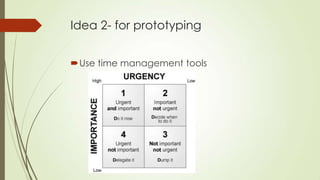
Idea 2- for prototyping
Use time management tools
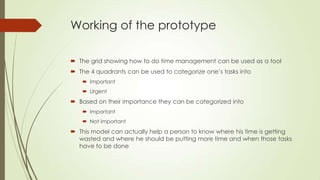
Working of the prototype
 The grid showing how to do time management can be used as a tool
 The 4 quadrants can be used to categorize one’s tasks into
 Important
 Urgent
 Based on their importance they can be categorized into
 Important
 Not important
 This model can actually help a person to know where his time is getting
wasted and where he should be putting more time and when those tasks
have to be done
Testing the prototype
 Who?
 A smart, intelligent, hard working student at a reputed B-school
also doing part time work
 Process:- The student was explained the prototype, its
working and how he can benefit from it. All the 4
quadrants were explained to him, with even creating a
mock time management table categorizing his tasks so as
to help him and give him a demo of how to go about it.
 After a few days his responses on the this new system were noted, asking
his valuable feedback
Observations
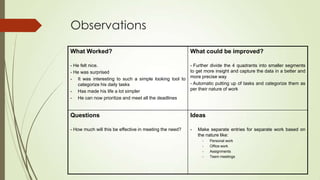
What Worked?
- He felt nice.
- He was surprised
- It was interesting to such a simple looking tool to
categorize his daily tasks
- Has made his life a lot simpler
- He can now prioritize and meet all the deadlines
What could be improved?
- Further divide the 4 quadrants into smaller segments
to get more insight and capture the data in a better and
more precise way
- Automatic putting up of tasks and categorize them as
per their nature of work
Questions
- How much will this be effective in meeting the need?
Ideas
- Make separate entries for separate work based on
the nature like:
- Personal work
- Office work
- Assignments
- Teem meetings
Reflection
 Since the idea as well as the prototype were well
received by my stakeholder, I would stick with the idea
and try to incorporate his ideas and suggestions.
 The next step would be to have a clearer understanding
about the different parts within the tools mentioned. I
would prototype each part and test it with my
stakeholder(s).
 Usually when I have ideas that I really like and present
them I am a bit disappointed by a lot of criticism. This
time, I saw it as something neutral for me which is
designed for my stakeholder. I felt more professional
about it.

Design Thinking - Prototype and Test

  • 1.
    DESIGN THINKING ACTION LAB Prototype& Test Submitted By: Shubham Singhal, India
  • 2.
    Problem Statement A smart,intelligent, hard working student at a reputed B-school needs a way to manage time between studies and work (doing projects and part time work)
  • 3.
    Idea 1- forprototyping Use calendars and to do list to keep a track of meetings in the office and assignments in the college and prioritize the work accordingly.
  • 4.
    The tools usedin prototype
  • 5.
    Working of theprototype  The student can use the tools as mentioned in the previous slide to his aid for:  Better organizing his work  Keep a track of his deliverables  These can be  Online (like Google docs)  Offline like physical diaries and making notes with pen/pencils  Software based- using apps like Any.Do, Google Calender, Reminders, Schedulers  The student in this way can keep a track of his office work and the B-school studies and assignments and thus complete all his deliverables in time by prioritizing the work based on their importance and urgency
  • 6.
    Testing the prototype Who?  A smart, intelligent, hard working student at a reputed B-school also doing part time work  Process:- The student was explained the prototype, its working and how he can benefit from it. A demo was given of all these applications and software which can be used even from his smartphone on the go keeping him always updated and track and plan his work.  The Required apps and softwares were installed on his laptop and his mobile phone.  After a few days his responses on the this new system were noted, asking his valuable feedback
  • 7.
    Space used College’s DiscussionRoom After explanation of prototype
  • 8.
    Observations What Worked? - Hefelt nice. - He was surprised - It was interesting to use the technology for daily tasks - Has made his life a lot simpler - He can now prioritize and meet all the deadlines What could be improved? - Integration of the apps and his calendar with automatic reminders at the right time - Usability ease for the stakeholder - Automatic putting up of tasks and categorize them as per their nature of work Questions - How much will this be effective in meeting the need? Ideas - Make separate entries/calendars for separate work, and have a way to even view the combined calendar/to- do list
  • 9.
    Idea 2- forprototyping Use time management tools
  • 10.
    Working of theprototype  The grid showing how to do time management can be used as a tool  The 4 quadrants can be used to categorize one’s tasks into  Important  Urgent  Based on their importance they can be categorized into  Important  Not important  This model can actually help a person to know where his time is getting wasted and where he should be putting more time and when those tasks have to be done
  • 11.
    Testing the prototype Who?  A smart, intelligent, hard working student at a reputed B-school also doing part time work  Process:- The student was explained the prototype, its working and how he can benefit from it. All the 4 quadrants were explained to him, with even creating a mock time management table categorizing his tasks so as to help him and give him a demo of how to go about it.  After a few days his responses on the this new system were noted, asking his valuable feedback
  • 12.
    Observations What Worked? - Hefelt nice. - He was surprised - It was interesting to such a simple looking tool to categorize his daily tasks - Has made his life a lot simpler - He can now prioritize and meet all the deadlines What could be improved? - Further divide the 4 quadrants into smaller segments to get more insight and capture the data in a better and more precise way - Automatic putting up of tasks and categorize them as per their nature of work Questions - How much will this be effective in meeting the need? Ideas - Make separate entries for separate work based on the nature like: - Personal work - Office work - Assignments - Teem meetings
  • 13.
    Reflection  Since theidea as well as the prototype were well received by my stakeholder, I would stick with the idea and try to incorporate his ideas and suggestions.  The next step would be to have a clearer understanding about the different parts within the tools mentioned. I would prototype each part and test it with my stakeholder(s).  Usually when I have ideas that I really like and present them I am a bit disappointed by a lot of criticism. This time, I saw it as something neutral for me which is designed for my stakeholder. I felt more professional about it.