Building the perfect PHP app for the enterprise
Episode 5: Deploying PHP apps
on the cloud
Boaz Ziniman & Dmitry Zbarski
2
Series overview
Keeping up with PHP
Developing apps faster
Resolving problems and high availability
Optimizing performance
Now: Deploying PHP applications on AWS ←
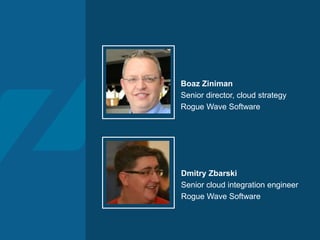
Dmitry Zbarski
Senior cloud integration engineer
Rogue Wave Software
Boaz Ziniman
Senior director, cloud strategy
Rogue Wave Software
4
Agenda
1. Introduction to deployment
2. PHP application deployment options
3. Demos
4. Q&A
Introduction to
deployment
6
What is deployment?
“Software deployment is all of the activities that make
a software system available for use.”
• OS level configuration (i.e., NFS mounts)
• Web server (Apache) configuration
• PHP installation and configuration including PHP extensions
• Delivery of code and/or data files to server(s)
• Create/upgrade database schema and/or data
7
What is a good deployment process?
• Simple and fast
• Consistent and repeatable
• Automation
• Continuous
• Reduce the human error factor
• Perform as many steps as possible
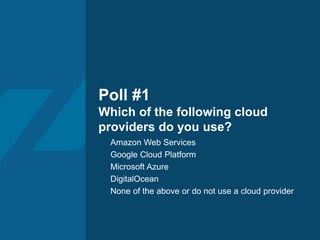
Poll #1
Which of the following cloud
providers do you use?
- Amazon Web Services
- Google Cloud Platform
- Microsoft Azure
- DigitalOcean
- None of the above or do not use a cloud provider
PHP application
deployment options
10
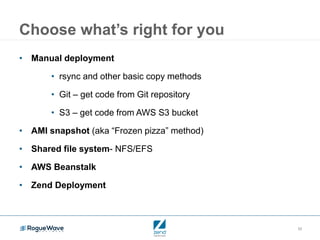
Choose what’s right for you
• Manual deployment
• rsync and other basic copy methods
• Git – get code from Git repository
• S3 – get code from AWS S3 bucket
• AMI snapshot (aka “Frozen pizza” method)
• Shared file system- NFS/EFS
• AWS Beanstalk
• Zend Deployment
11
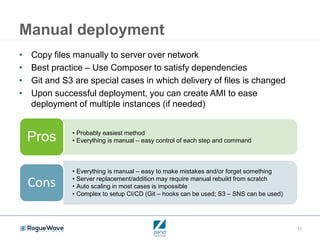
Manual deployment
• Copy files manually to server over network
• Best practice – Use Composer to satisfy dependencies
• Git and S3 are special cases in which delivery of files is changed
• Upon successful deployment, you can create AMI to ease
deployment of multiple instances (if needed)
• Probably easiest method
• Everything is manual – easy control of each step and commandPros
• Everything is manual – easy to make mistakes and/or forget something
• Server replacement/addition may require manual rebuild from scratch
• Auto scaling in most cases is impossible
• Complex to setup CI/CD (Git – hooks can be used; S3 – SNS can be used)
Cons
12
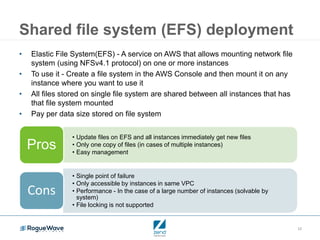
Shared file system (EFS) deployment
• Elastic File System(EFS) - A service on AWS that allows mounting network file
system (using NFSv4.1 protocol) on one or more instances
• To use it - Create a file system in the AWS Console and then mount it on any
instance where you want to use it
• All files stored on single file system are shared between all instances that has
that file system mounted
• Pay per data size stored on file system
• Update files on EFS and all instances immediately get new files
• Only one copy of files (in cases of multiple instances)
• Easy management
Pros
• Single point of failure
• Only accessible by instances in same VPC
• Performance - In the case of a large number of instances (solvable by
system)
• File locking is not supported
Cons
13
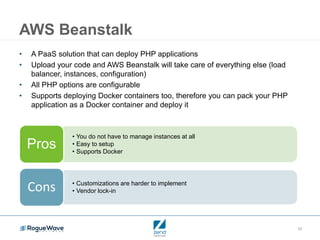
AWS Beanstalk
• A PaaS solution that can deploy PHP applications
• Upload your code and AWS Beanstalk will take care of everything else (load
balancer, instances, configuration)
• All PHP options are configurable
• Supports deploying Docker containers too, therefore you can pack your PHP
application as a Docker container and deploy it
• You do not have to manage instances at all
• Easy to setup
• Supports Docker
Pros
• Customizations are harder to implement
• Vendor lock-inCons
14
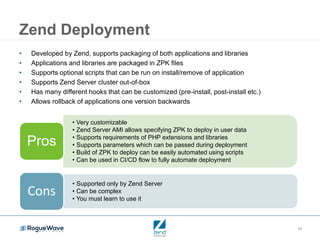
Zend Deployment
• Developed by Zend, supports packaging of both applications and libraries
• Applications and libraries are packaged in ZPK files
• Supports optional scripts that can be run on install/remove of application
• Supports Zend Server cluster out-of-box
• Has many different hooks that can be customized (pre-install, post-install etc.)
• Allows rollback of applications one version backwards
• Very customizable
• Zend Server AMI allows specifying ZPK to deploy in user data
• Supports requirements of PHP extensions and libraries
• Supports parameters which can be passed during deployment
• Build of ZPK to deploy can be easily automated using scripts
• Can be used in CI/CD flow to fully automate deployment
Pros
• Supported only by Zend Server
• Can be complex
• You must learn to use it
Cons
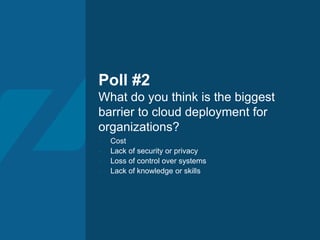
Poll #2
What do you think is the biggest
barrier to cloud deployment for
organizations?
- Cost
- Lack of security or privacy
- Loss of control over systems
- Lack of knowledge or skills
16
Watch on demand
• Watch this webinar on demand
• Read the recap blog to see the results of the
polls and Q&A session
Questions?
Building the perfect PHP app for the enterprise
Episode 5: Deploying PHP apps
on the cloud
Boaz Ziniman & Dmitry Zbarski

Deploying PHP apps on the cloud

  • 1.
    Building the perfectPHP app for the enterprise Episode 5: Deploying PHP apps on the cloud Boaz Ziniman & Dmitry Zbarski
  • 2.
    2 Series overview Keeping upwith PHP Developing apps faster Resolving problems and high availability Optimizing performance Now: Deploying PHP applications on AWS ←
  • 3.
    Dmitry Zbarski Senior cloudintegration engineer Rogue Wave Software Boaz Ziniman Senior director, cloud strategy Rogue Wave Software
  • 4.
    4 Agenda 1. Introduction todeployment 2. PHP application deployment options 3. Demos 4. Q&A
  • 5.
  • 6.
    6 What is deployment? “Softwaredeployment is all of the activities that make a software system available for use.” • OS level configuration (i.e., NFS mounts) • Web server (Apache) configuration • PHP installation and configuration including PHP extensions • Delivery of code and/or data files to server(s) • Create/upgrade database schema and/or data
  • 7.
    7 What is agood deployment process? • Simple and fast • Consistent and repeatable • Automation • Continuous • Reduce the human error factor • Perform as many steps as possible
  • 8.
    Poll #1 Which ofthe following cloud providers do you use? - Amazon Web Services - Google Cloud Platform - Microsoft Azure - DigitalOcean - None of the above or do not use a cloud provider
  • 9.
  • 10.
    10 Choose what’s rightfor you • Manual deployment • rsync and other basic copy methods • Git – get code from Git repository • S3 – get code from AWS S3 bucket • AMI snapshot (aka “Frozen pizza” method) • Shared file system- NFS/EFS • AWS Beanstalk • Zend Deployment
  • 11.
    11 Manual deployment • Copyfiles manually to server over network • Best practice – Use Composer to satisfy dependencies • Git and S3 are special cases in which delivery of files is changed • Upon successful deployment, you can create AMI to ease deployment of multiple instances (if needed) • Probably easiest method • Everything is manual – easy control of each step and commandPros • Everything is manual – easy to make mistakes and/or forget something • Server replacement/addition may require manual rebuild from scratch • Auto scaling in most cases is impossible • Complex to setup CI/CD (Git – hooks can be used; S3 – SNS can be used) Cons
  • 12.
    12 Shared file system(EFS) deployment • Elastic File System(EFS) - A service on AWS that allows mounting network file system (using NFSv4.1 protocol) on one or more instances • To use it - Create a file system in the AWS Console and then mount it on any instance where you want to use it • All files stored on single file system are shared between all instances that has that file system mounted • Pay per data size stored on file system • Update files on EFS and all instances immediately get new files • Only one copy of files (in cases of multiple instances) • Easy management Pros • Single point of failure • Only accessible by instances in same VPC • Performance - In the case of a large number of instances (solvable by system) • File locking is not supported Cons
  • 13.
    13 AWS Beanstalk • APaaS solution that can deploy PHP applications • Upload your code and AWS Beanstalk will take care of everything else (load balancer, instances, configuration) • All PHP options are configurable • Supports deploying Docker containers too, therefore you can pack your PHP application as a Docker container and deploy it • You do not have to manage instances at all • Easy to setup • Supports Docker Pros • Customizations are harder to implement • Vendor lock-inCons
  • 14.
    14 Zend Deployment • Developedby Zend, supports packaging of both applications and libraries • Applications and libraries are packaged in ZPK files • Supports optional scripts that can be run on install/remove of application • Supports Zend Server cluster out-of-box • Has many different hooks that can be customized (pre-install, post-install etc.) • Allows rollback of applications one version backwards • Very customizable • Zend Server AMI allows specifying ZPK to deploy in user data • Supports requirements of PHP extensions and libraries • Supports parameters which can be passed during deployment • Build of ZPK to deploy can be easily automated using scripts • Can be used in CI/CD flow to fully automate deployment Pros • Supported only by Zend Server • Can be complex • You must learn to use it Cons
  • 15.
    Poll #2 What doyou think is the biggest barrier to cloud deployment for organizations? - Cost - Lack of security or privacy - Loss of control over systems - Lack of knowledge or skills
  • 16.
    16 Watch on demand •Watch this webinar on demand • Read the recap blog to see the results of the polls and Q&A session
  • 17.
  • 18.
    Building the perfectPHP app for the enterprise Episode 5: Deploying PHP apps on the cloud Boaz Ziniman & Dmitry Zbarski