Building the perfect PHP app for the enterprise
Episode 3: Resolving
problems & high availability
Clark Everetts
September 28, 2016
2
Series overview
Now: Resolving problems and high availability
October 13: Optimizing performance (revised date)
Keep users on your site by learning how to use background jobs and caching,
measure performance, and make data-driven decisions.
Clark Everetts
Professional services
Rogue Wave Software
4
Agenda
1. How’s your reputation?
2. Monitoring: Know you have a problem
3. Fault diagnosis / Root cause analysis
4. Optimizing scale: Cluster management
5. Synchronizing session data
6. Conclusion
7. Q&A
How’s your
reputation?
6
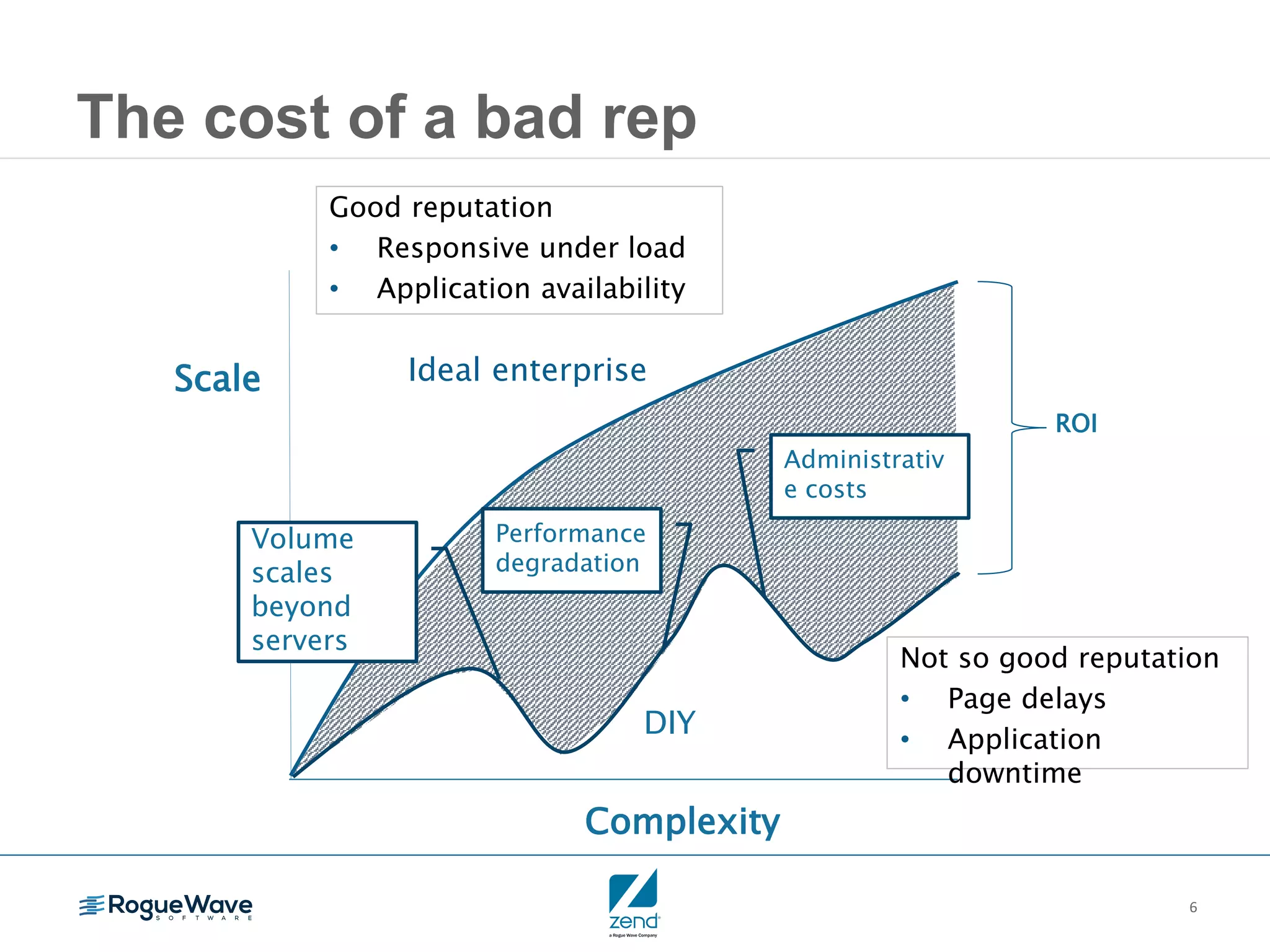
The cost of a bad rep
Complexity
Scale
ROI
DIY
Ideal enterprise
Volume
scales
beyond
servers
Performance
degradation
Administrativ
e costs
Not so good reputation
• Page delays
• Application
downtime
Good reputation
• Responsive under load
• Application availability
Monitoring:
Know you have a
problem
8
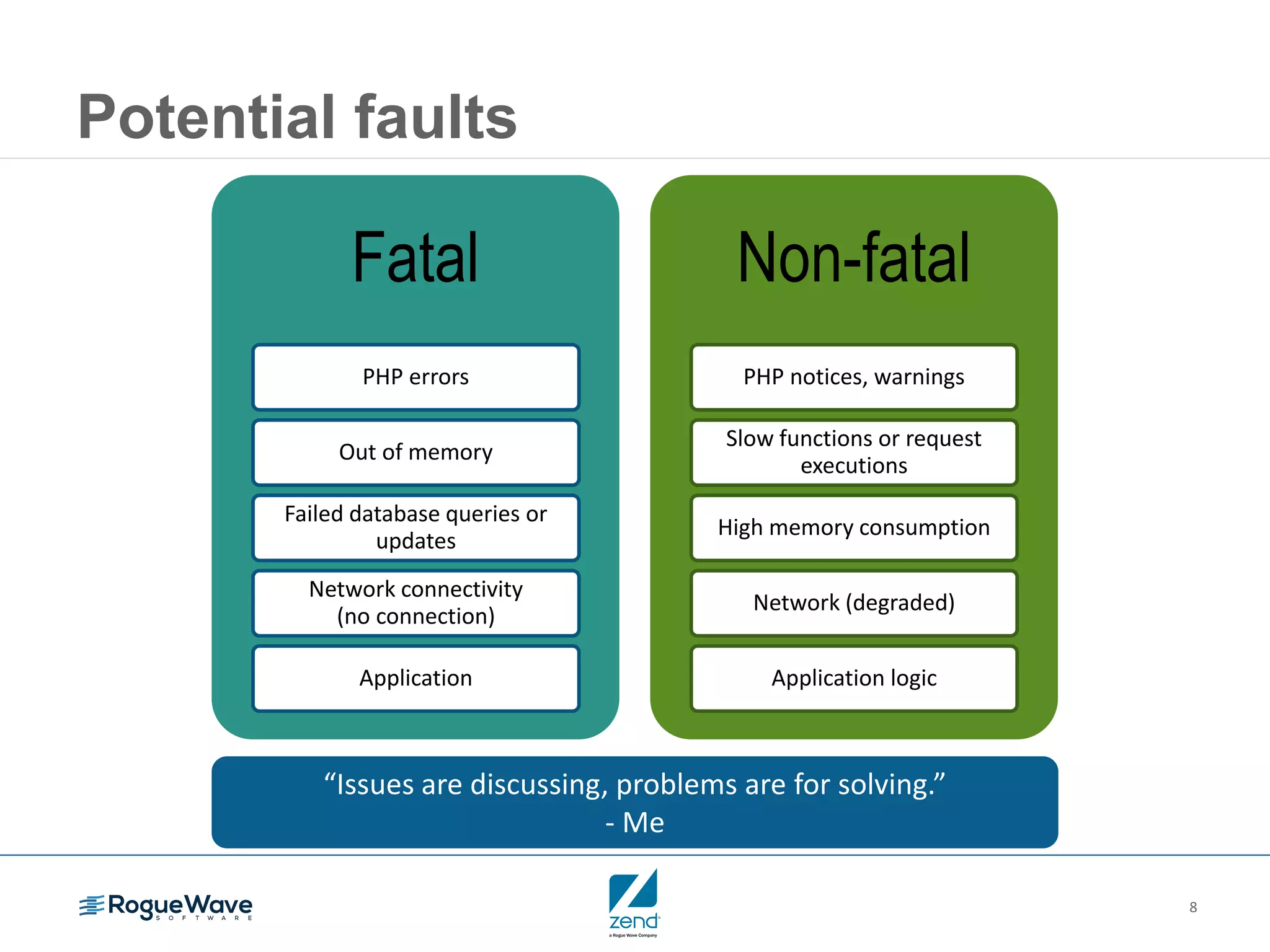
Potential faults
“Issues are discussing, problems are for solving.”
- Me
Fatal
PHP errors
Out of memory
Failed database queries or
updates
Network connectivity
(no connection)
Application
Non-fatal
PHP notices, warnings
Slow functions or request
executions
High memory consumption
Network (degraded)
Application logic
9
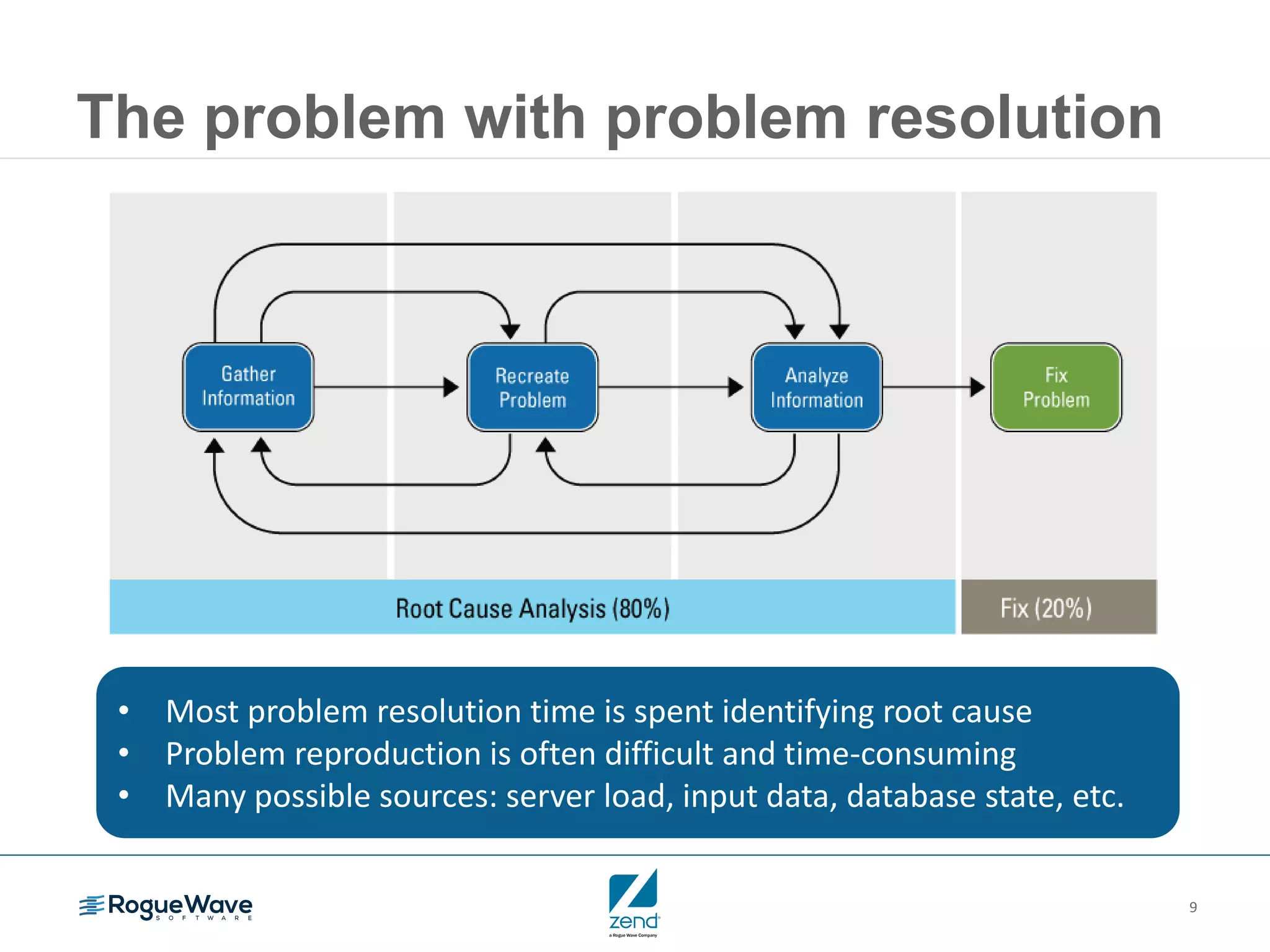
The problem with problem resolution
• Most problem resolution time is spent identifying root cause
• Problem reproduction is often difficult and time-consuming
• Many possible sources: server load, input data, database state, etc.
10
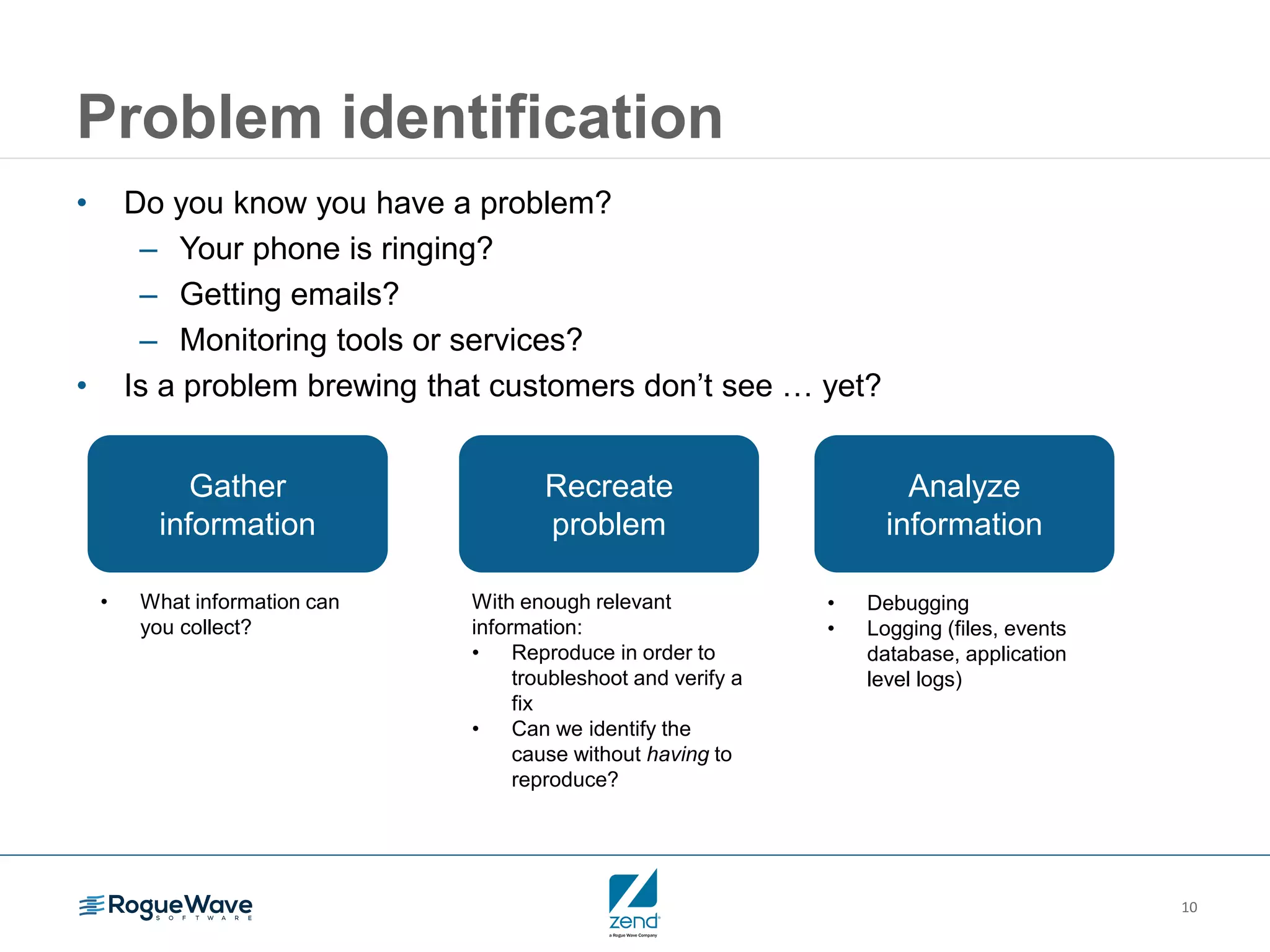
Problem identification
• Do you know you have a problem?
– Your phone is ringing?
– Getting emails?
– Monitoring tools or services?
• Is a problem brewing that customers don’t see … yet?
Analyze
information
• Debugging
• Logging (files, events
database, application
level logs)
Recreate
problem
With enough relevant
information:
• Reproduce in order to
troubleshoot and verify a
fix
• Can we identify the
cause without having to
reproduce?
Gather
information
• What information can
you collect?
11
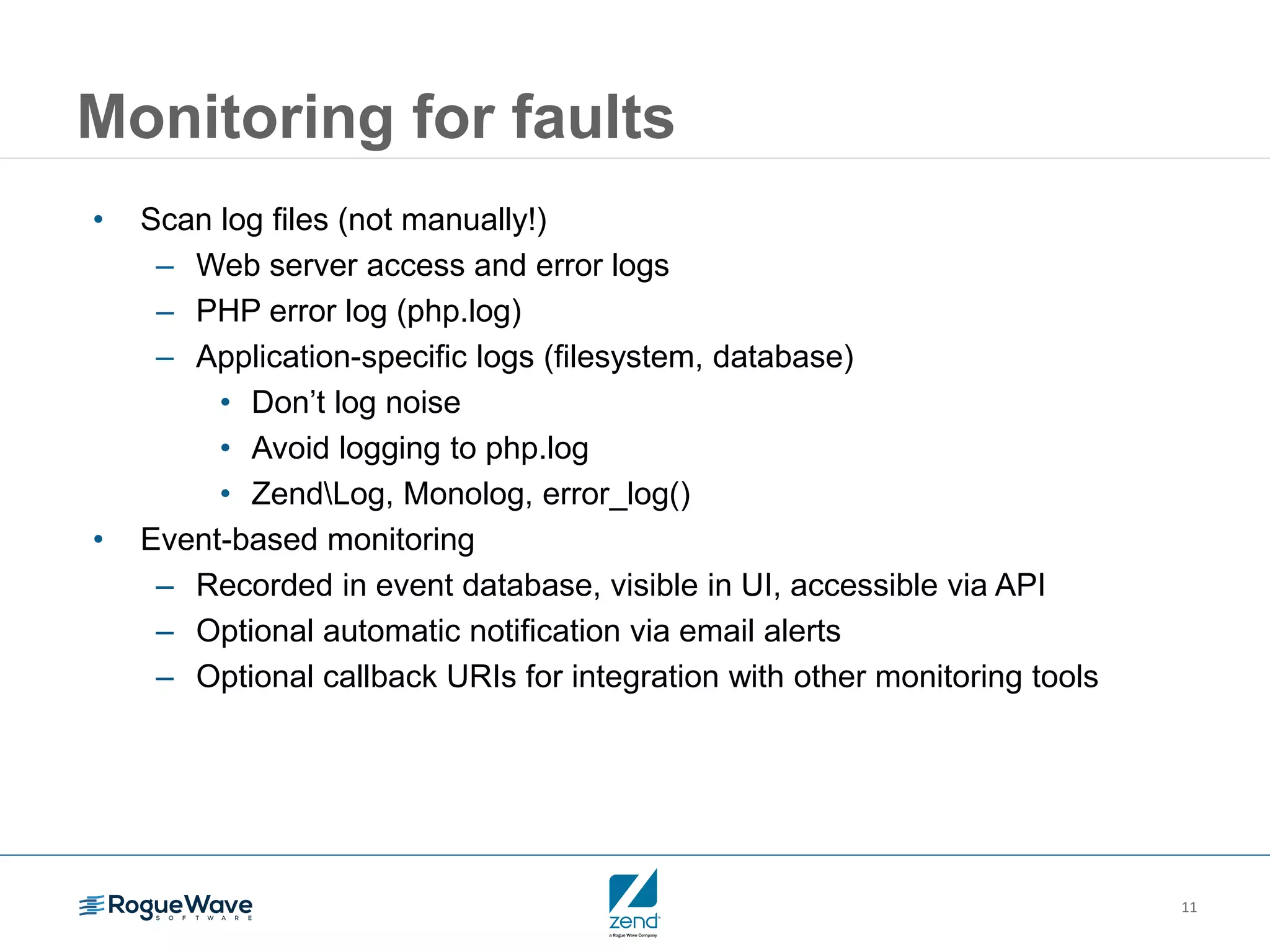
Monitoring for faults
• Scan log files (not manually!)
– Web server access and error logs
– PHP error log (php.log)
– Application-specific logs (filesystem, database)
• Don’t log noise
• Avoid logging to php.log
• ZendLog, Monolog, error_log()
• Event-based monitoring
– Recorded in event database, visible in UI, accessible via API
– Optional automatic notification via email alerts
– Optional callback URIs for integration with other monitoring tools
12
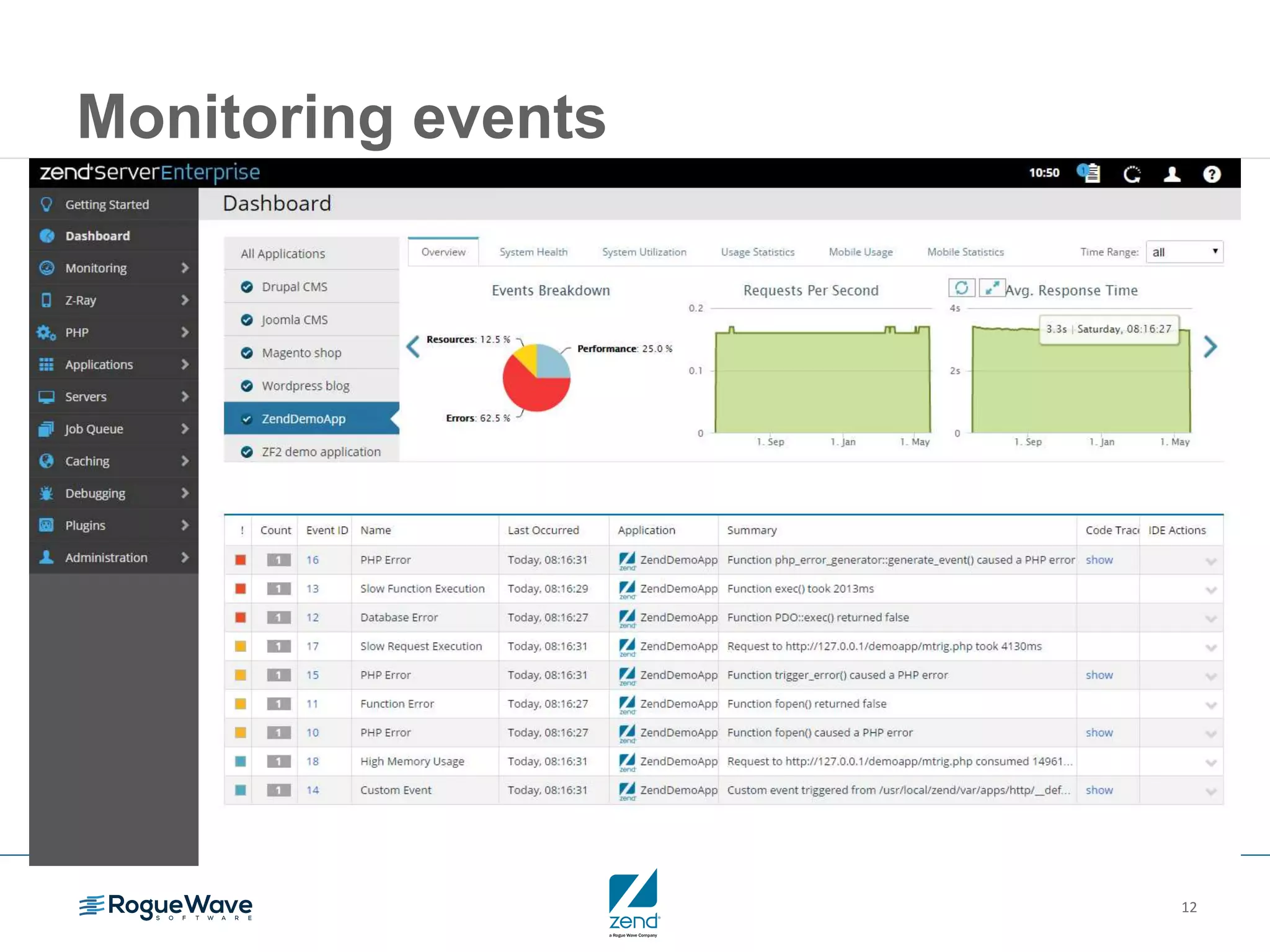
Monitoring events
13
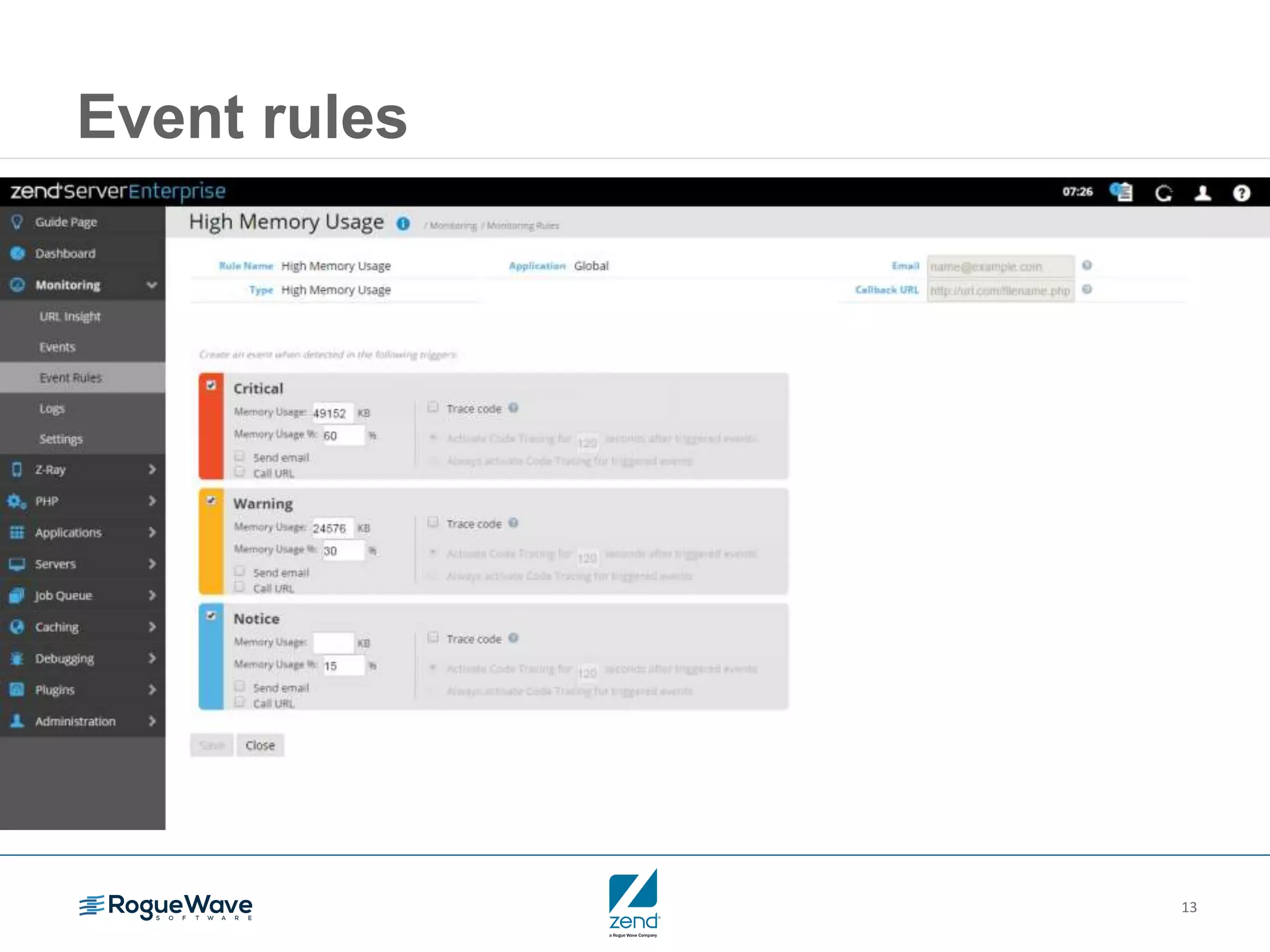
Event rules
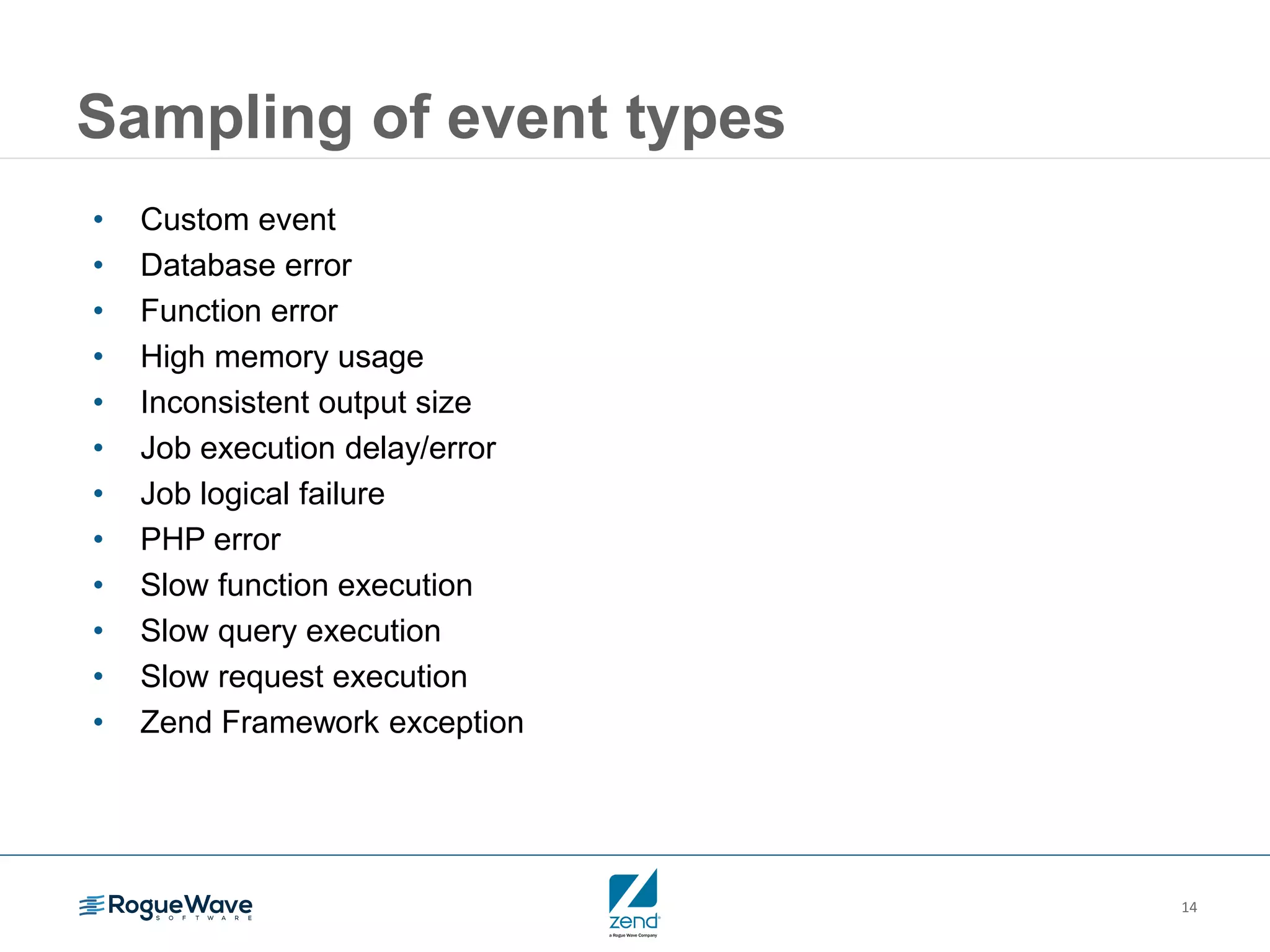
14
Sampling of event types
• Custom event
• Database error
• Function error
• High memory usage
• Inconsistent output size
• Job execution delay/error
• Job logical failure
• PHP error
• Slow function execution
• Slow query execution
• Slow request execution
• Zend Framework exception
15
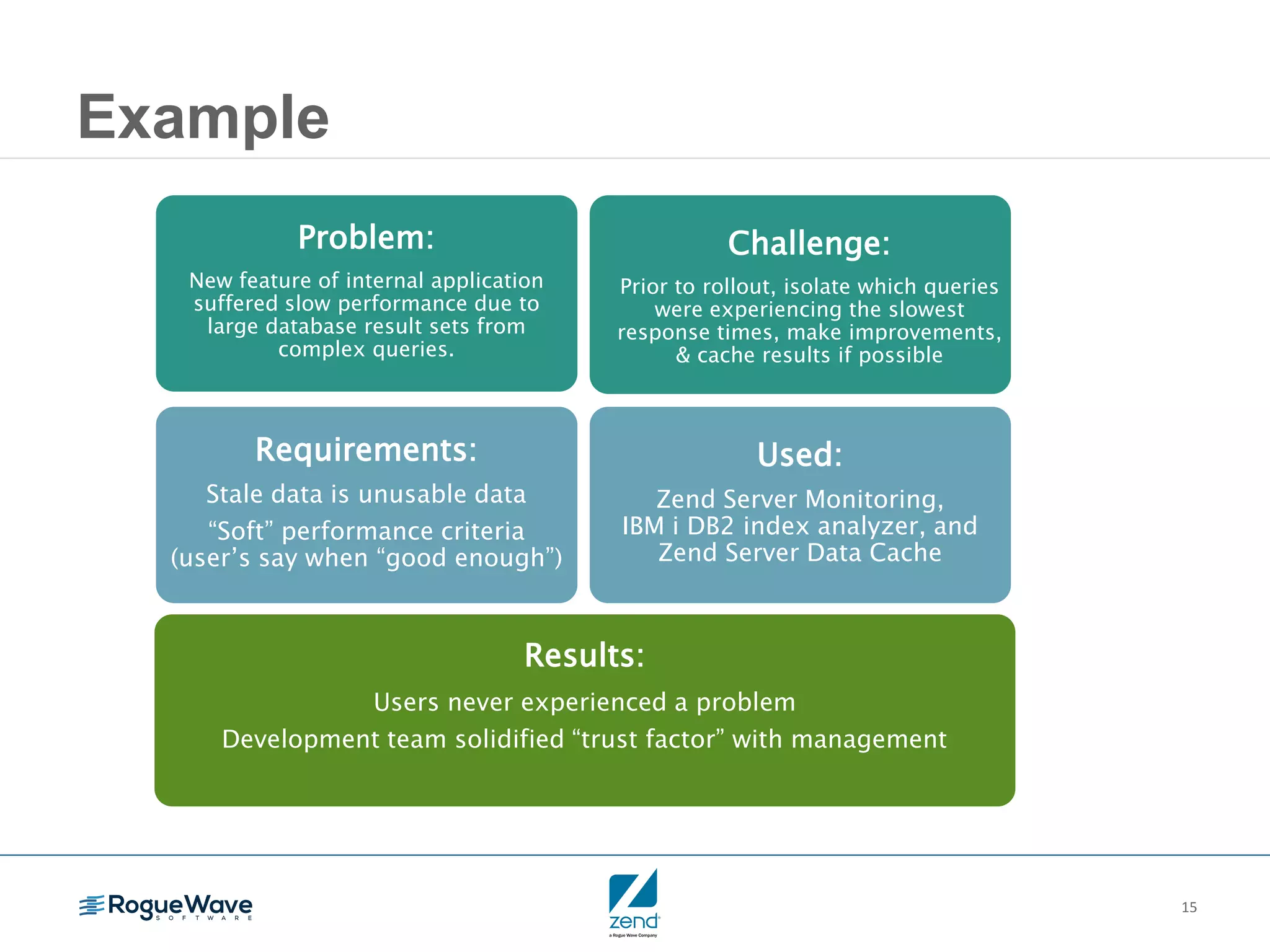
Example
Results:
Users never experienced a problem
Development team solidified “trust factor” with management
Requirements:
Stale data is unusable data
“Soft” performance criteria
(user’s say when “good enough”)
Problem:
New feature of internal application
suffered slow performance due to
large database result sets from
complex queries.
Challenge:
Prior to rollout, isolate which queries
were experiencing the slowest
response times, make improvements,
& cache results if possible
Used:
Zend Server Monitoring,
IBM i DB2 index analyzer, and
Zend Server Data Cache
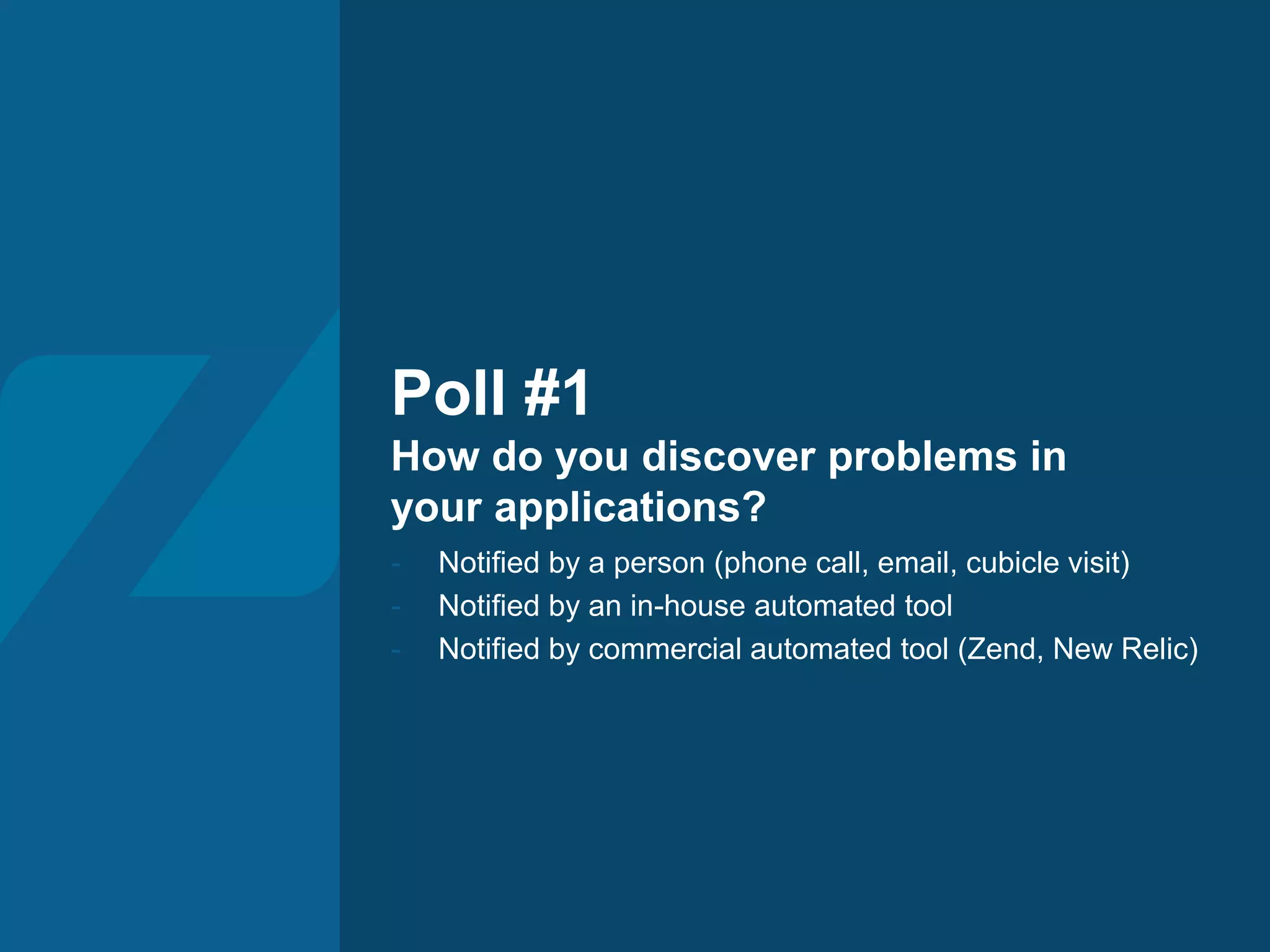
Poll #1
How do you discover problems in
your applications?
- Notified by a person (phone call, email, cubicle visit)
- Notified by an in-house automated tool
- Notified by commercial automated tool (Zend, New Relic)
Fault diagnosis /
Root cause analysis
18
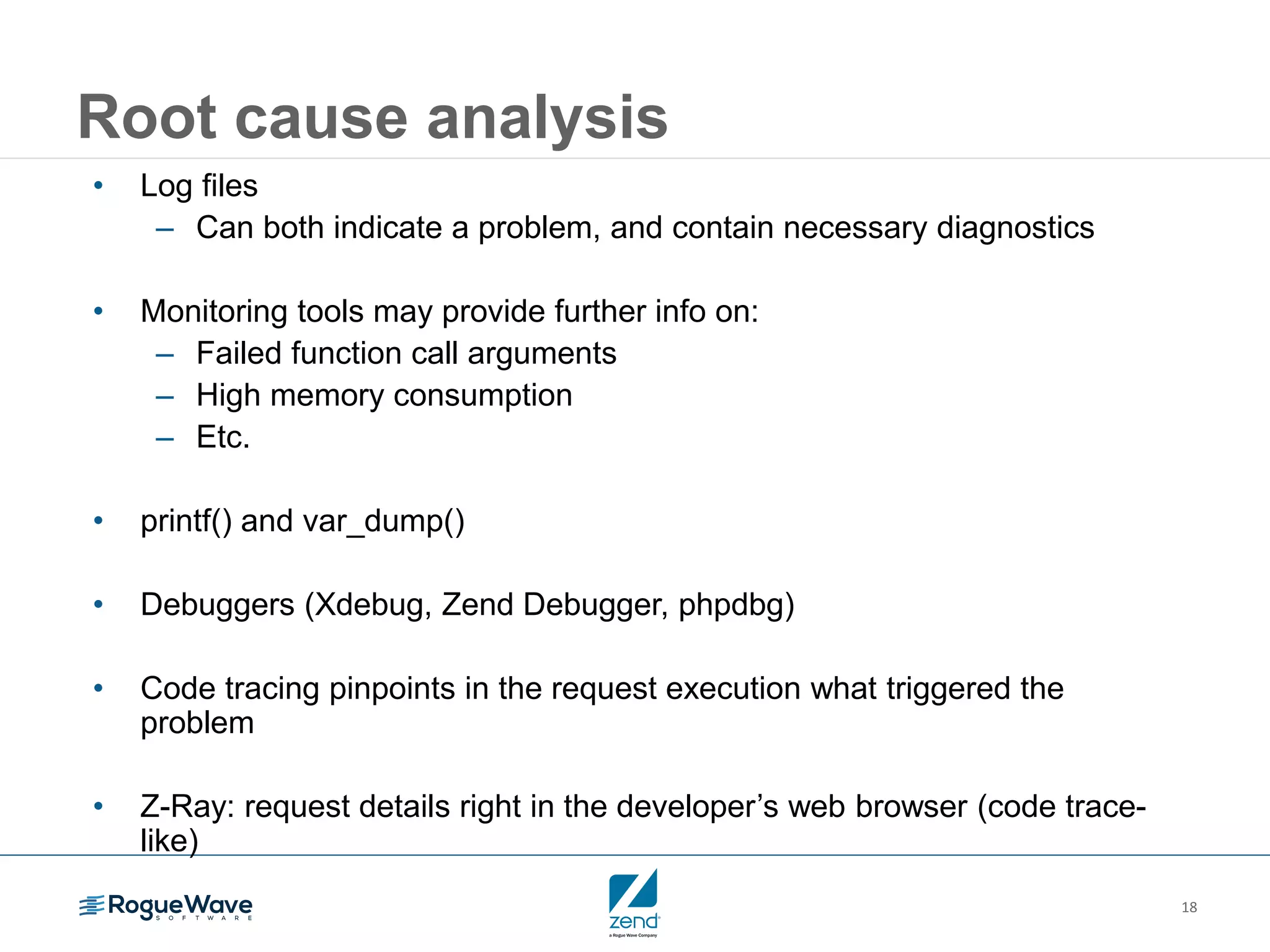
Root cause analysis
• Log files
– Can both indicate a problem, and contain necessary diagnostics
• Monitoring tools may provide further info on:
– Failed function call arguments
– High memory consumption
– Etc.
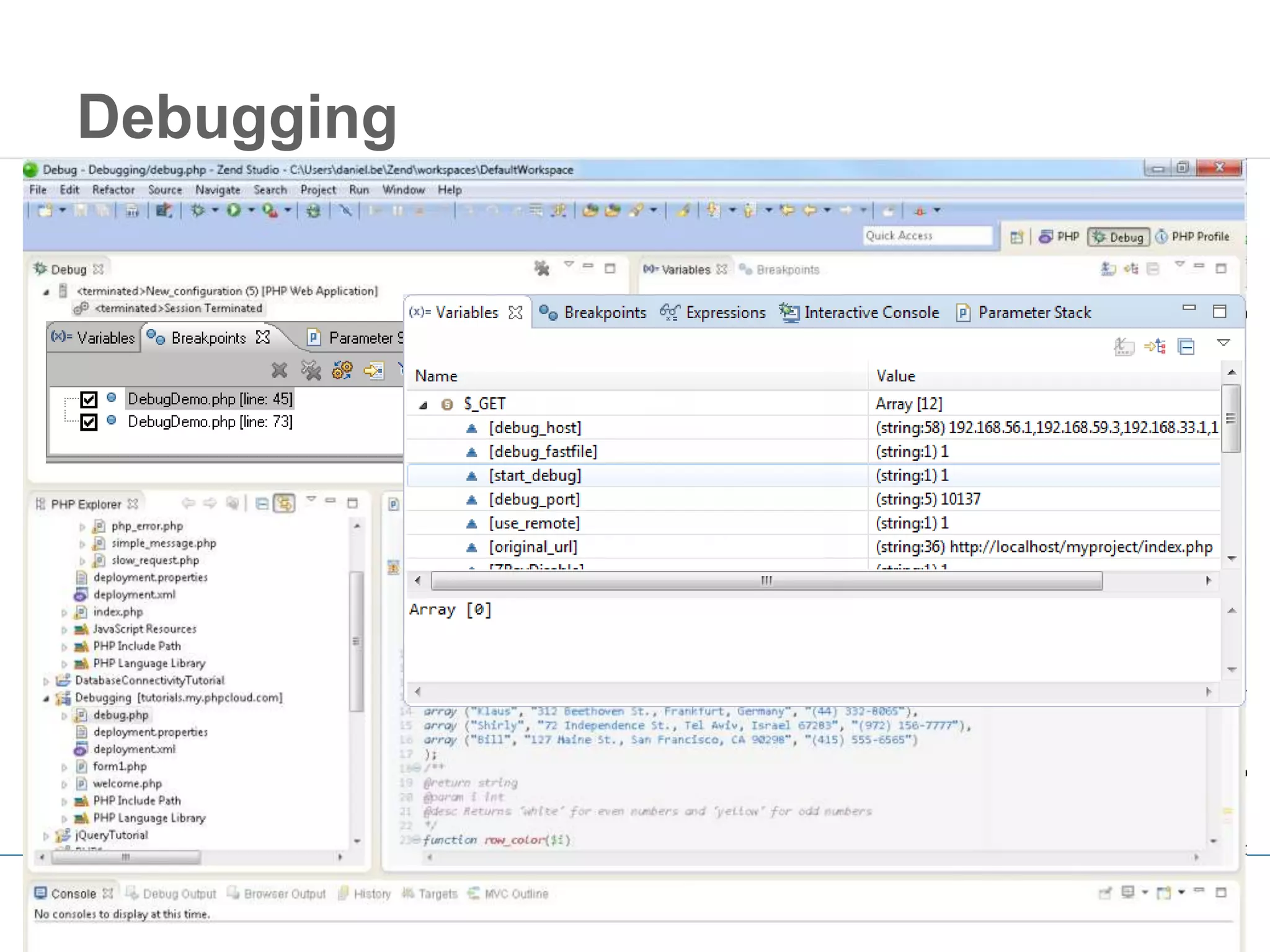
• printf() and var_dump()
• Debuggers (Xdebug, Zend Debugger, phpdbg)
• Code tracing pinpoints in the request execution what triggered the
problem
• Z-Ray: request details right in the developer’s web browser (code trace-
like)
19
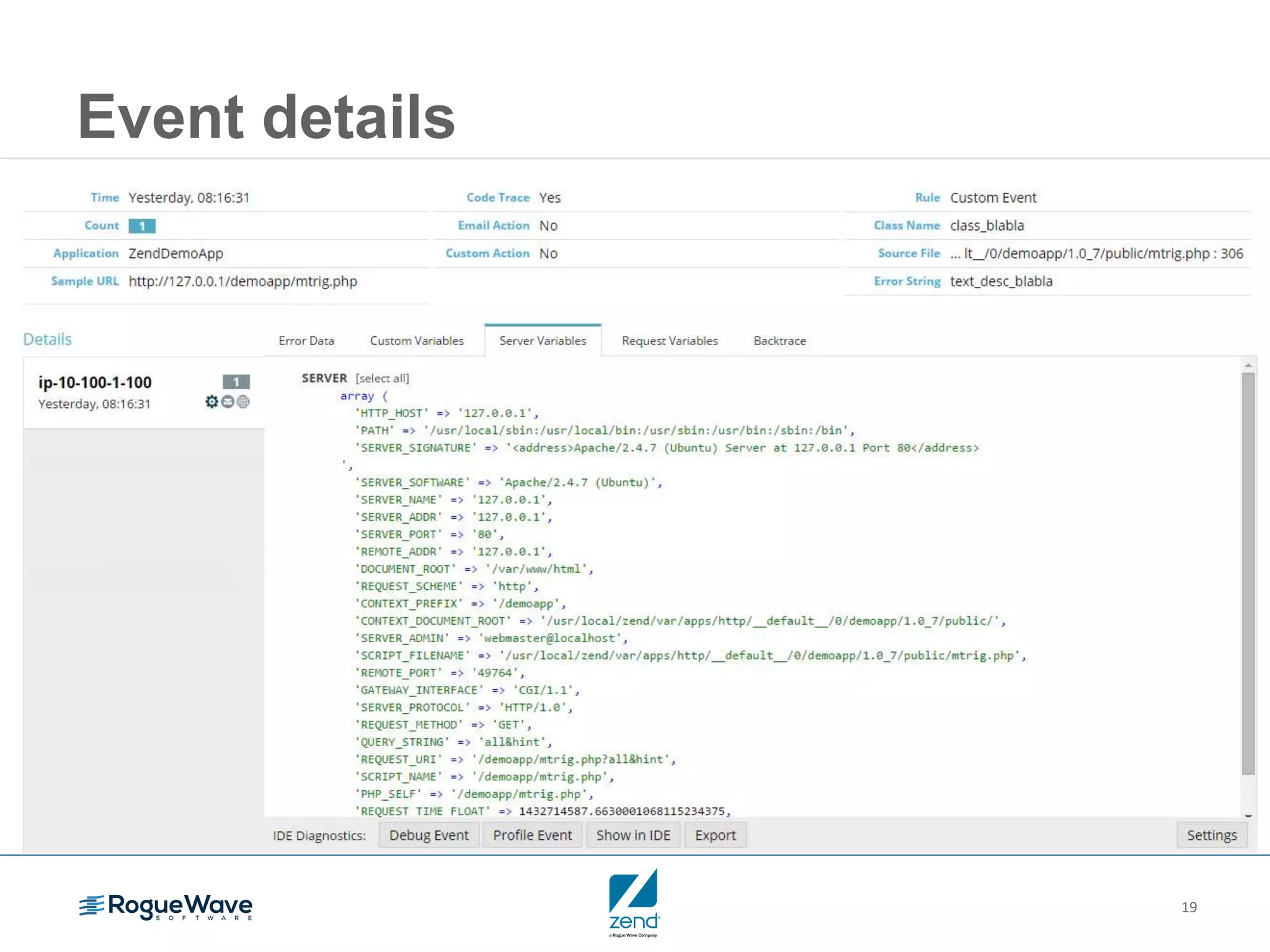
Event details
20
Debugging
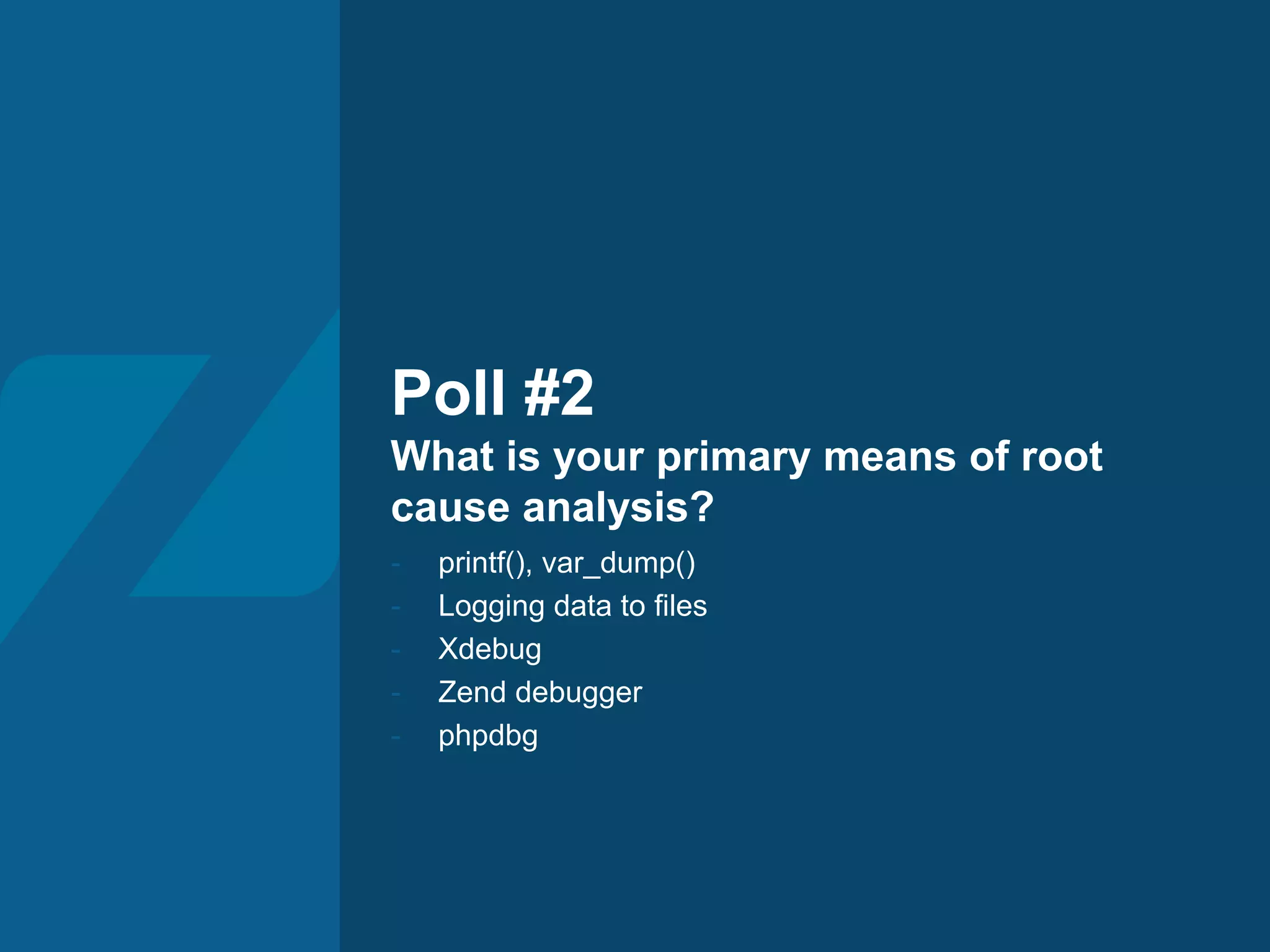
Poll #2
What is your primary means of root
cause analysis?
- printf(), var_dump()
- Logging data to files
- Xdebug
- Zend debugger
- phpdbg
Optimizing scale:
Cluster management
23
What is a cluster?
24
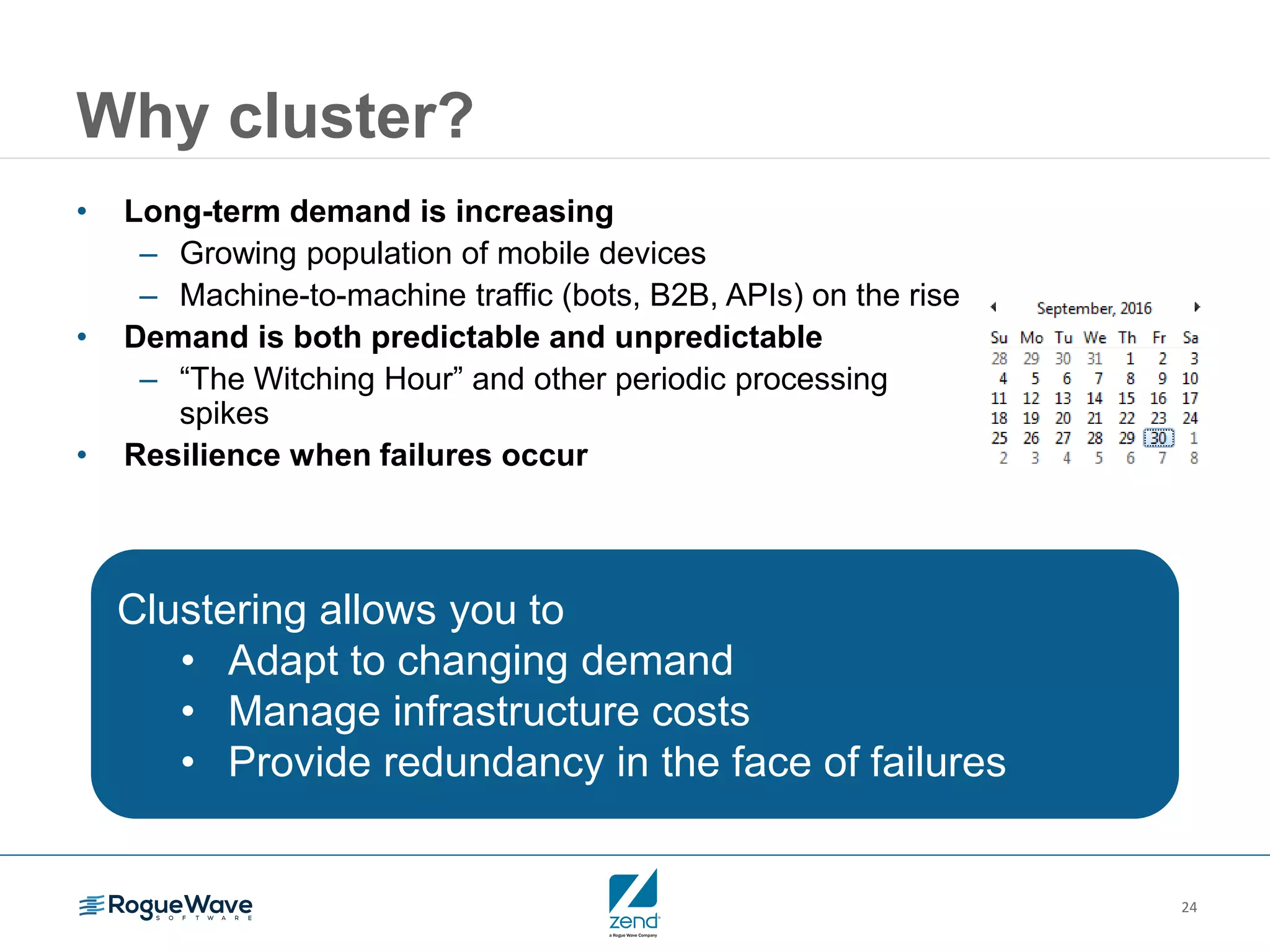
Why cluster?
• Long-term demand is increasing
– Growing population of mobile devices
– Machine-to-machine traffic (bots, B2B, APIs) on the rise
• Demand is both predictable and unpredictable
– “The Witching Hour” and other periodic processing
spikes
• Resilience when failures occur
Clustering allows you to
• Adapt to changing demand
• Manage infrastructure costs
• Provide redundancy in the face of failures
25
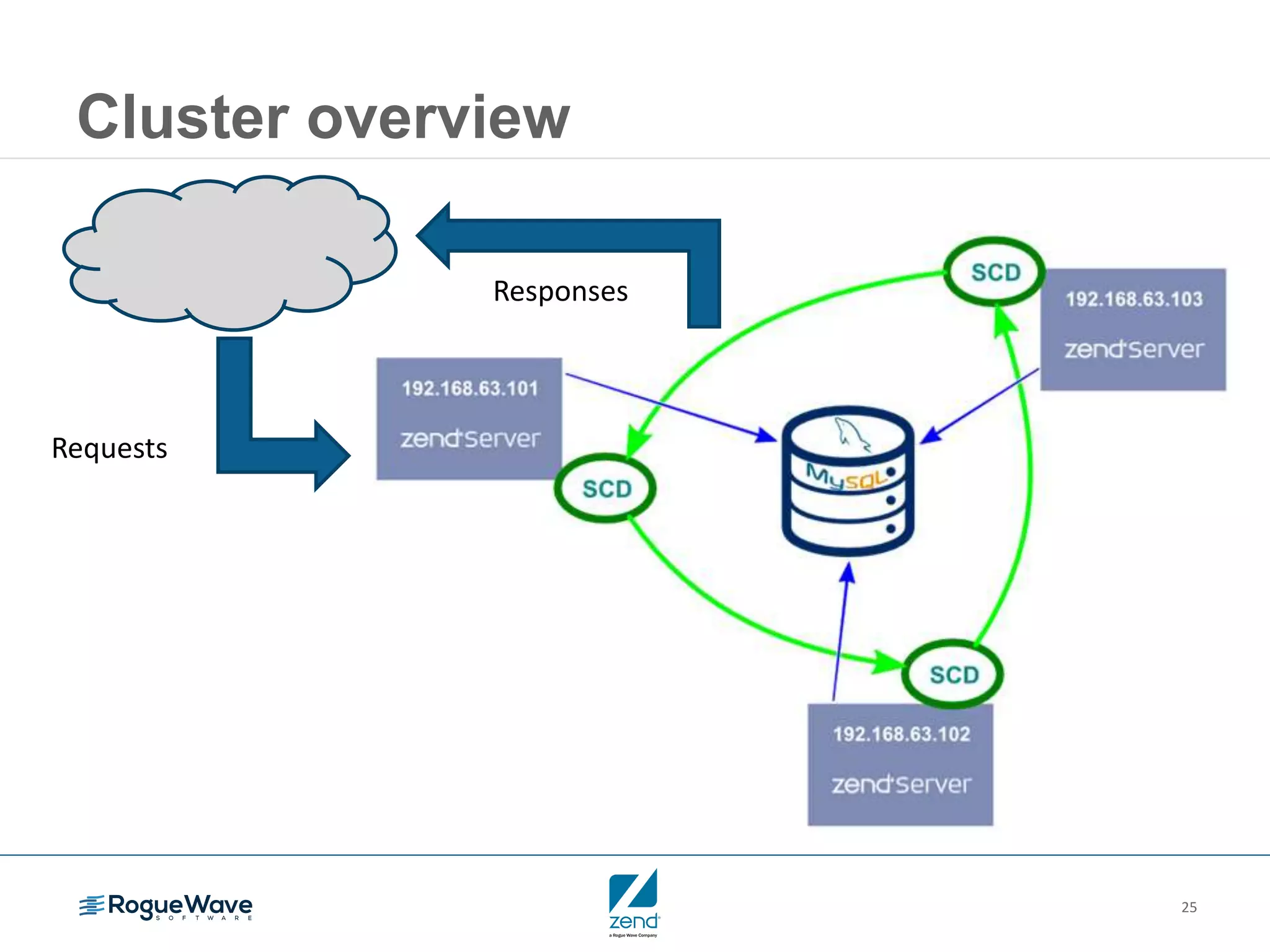
Cluster overview
Requests
Responses
26
Cluster characteristics
• Nodes are the same
– Any node can do the same work as all others
– Same specs
• Operating system, installed software base
• Hardware (RAM, disk, etc.)
• Virtual machines
– Containerization and provisioning (Docker, Rocket, Puppet, Chef,
Ansible, SaltStack, Fabric, Capistrano, etc.)
Provides for:
• Scaling out/in as traffic increases/decreases
• Redundancy in the face of failures
Synchronizing
session data
28
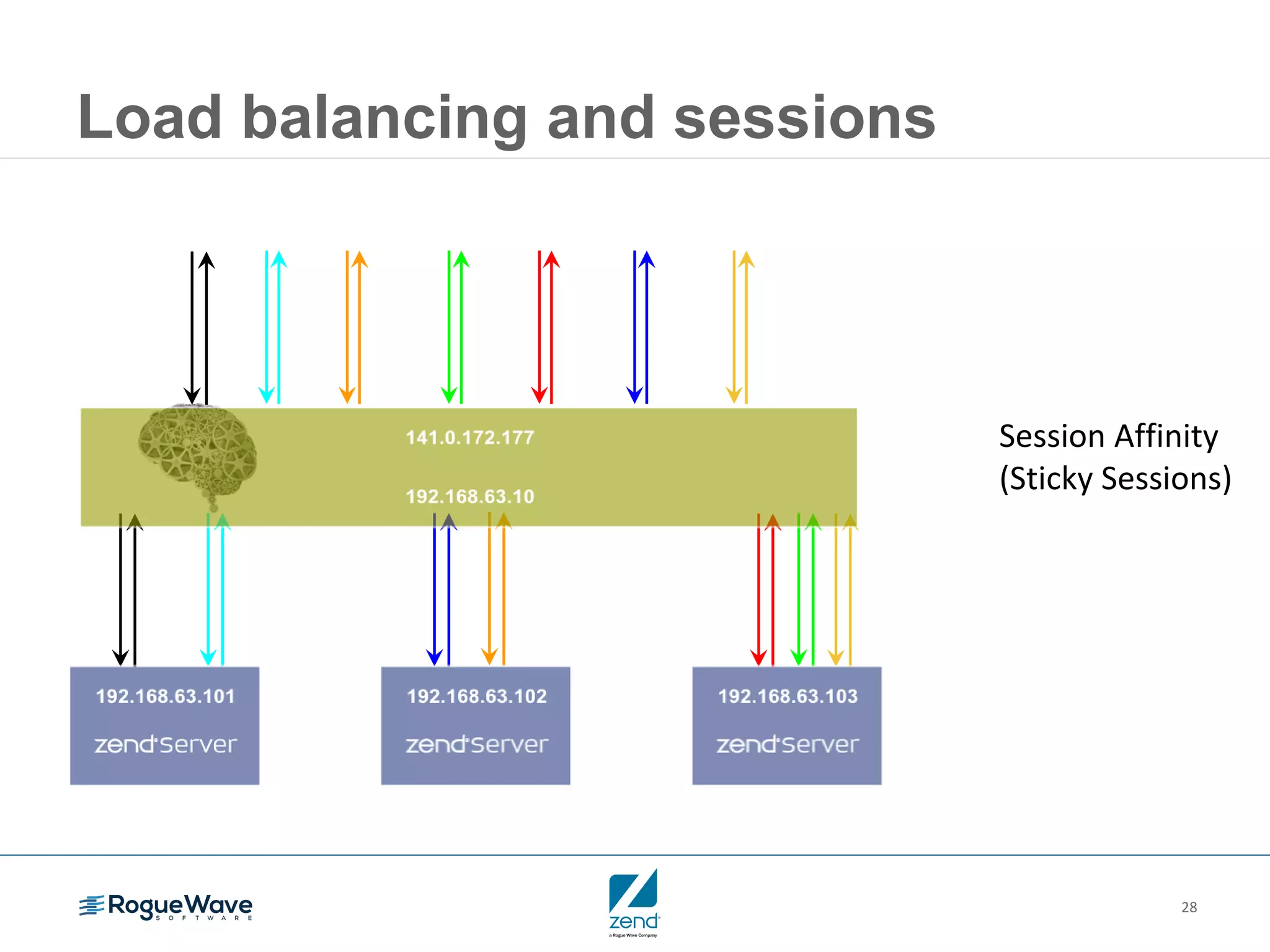
Load balancing and sessions
Session Affinity
(Sticky Sessions)
29
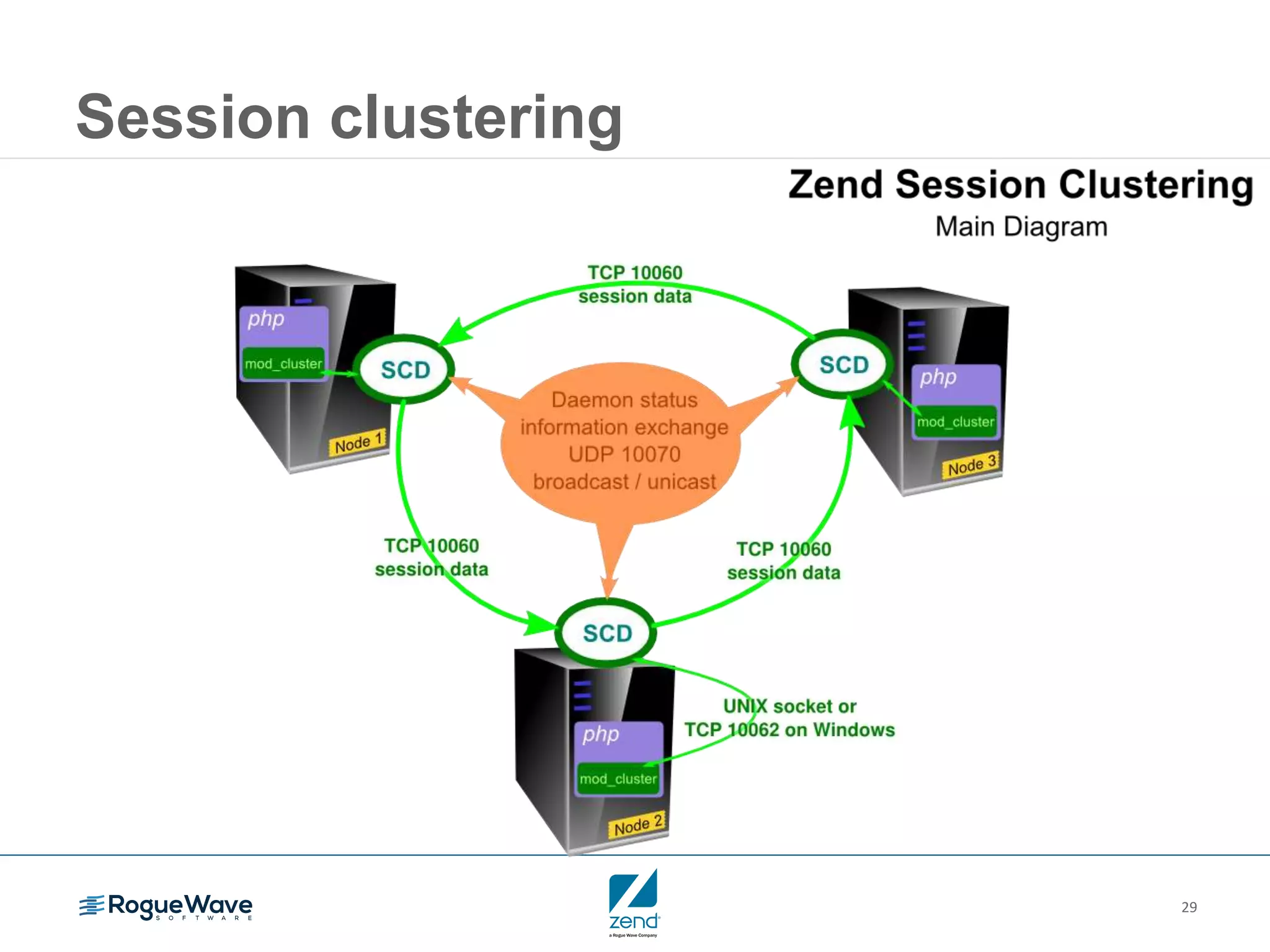
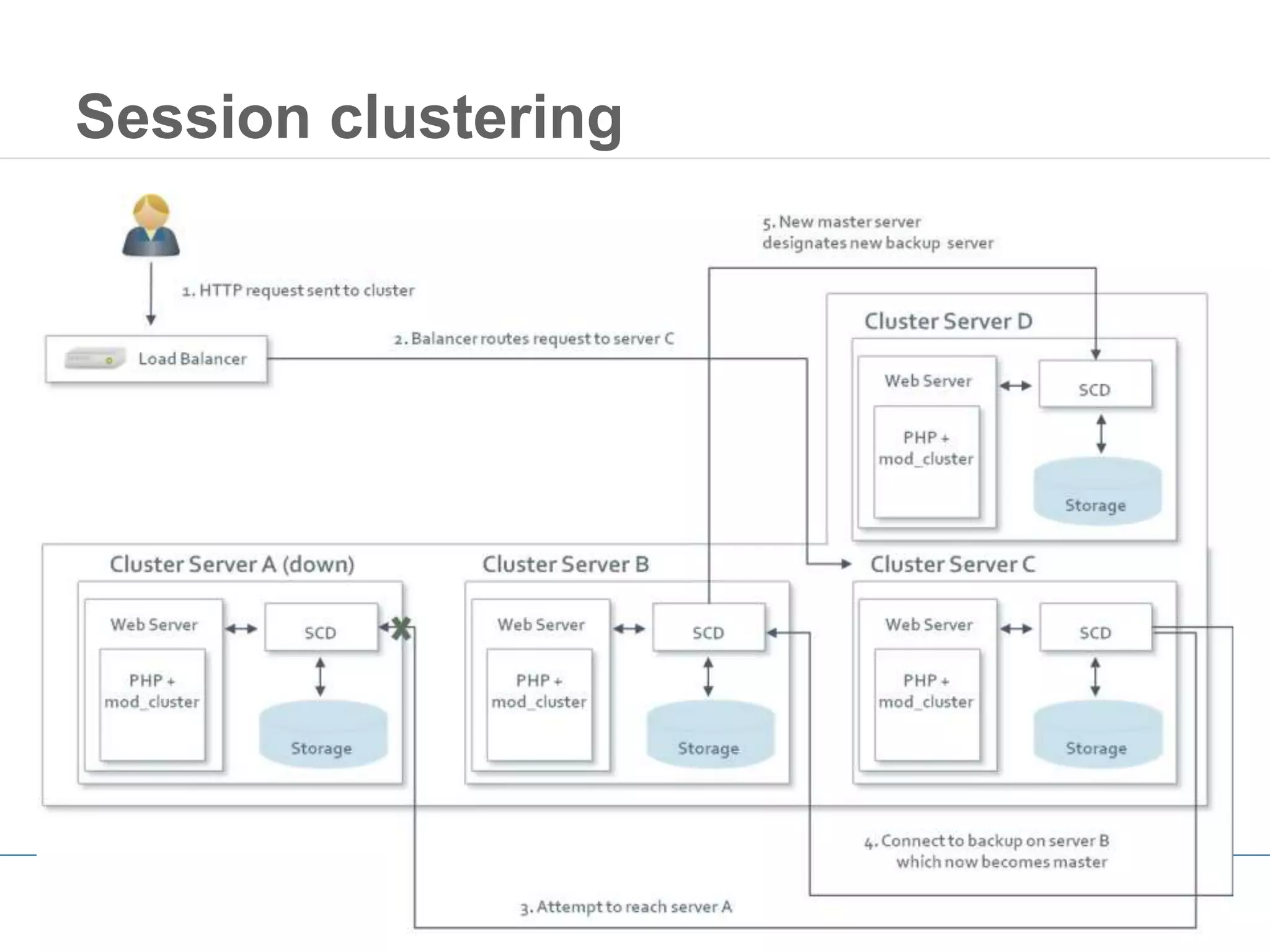
Session clustering
30
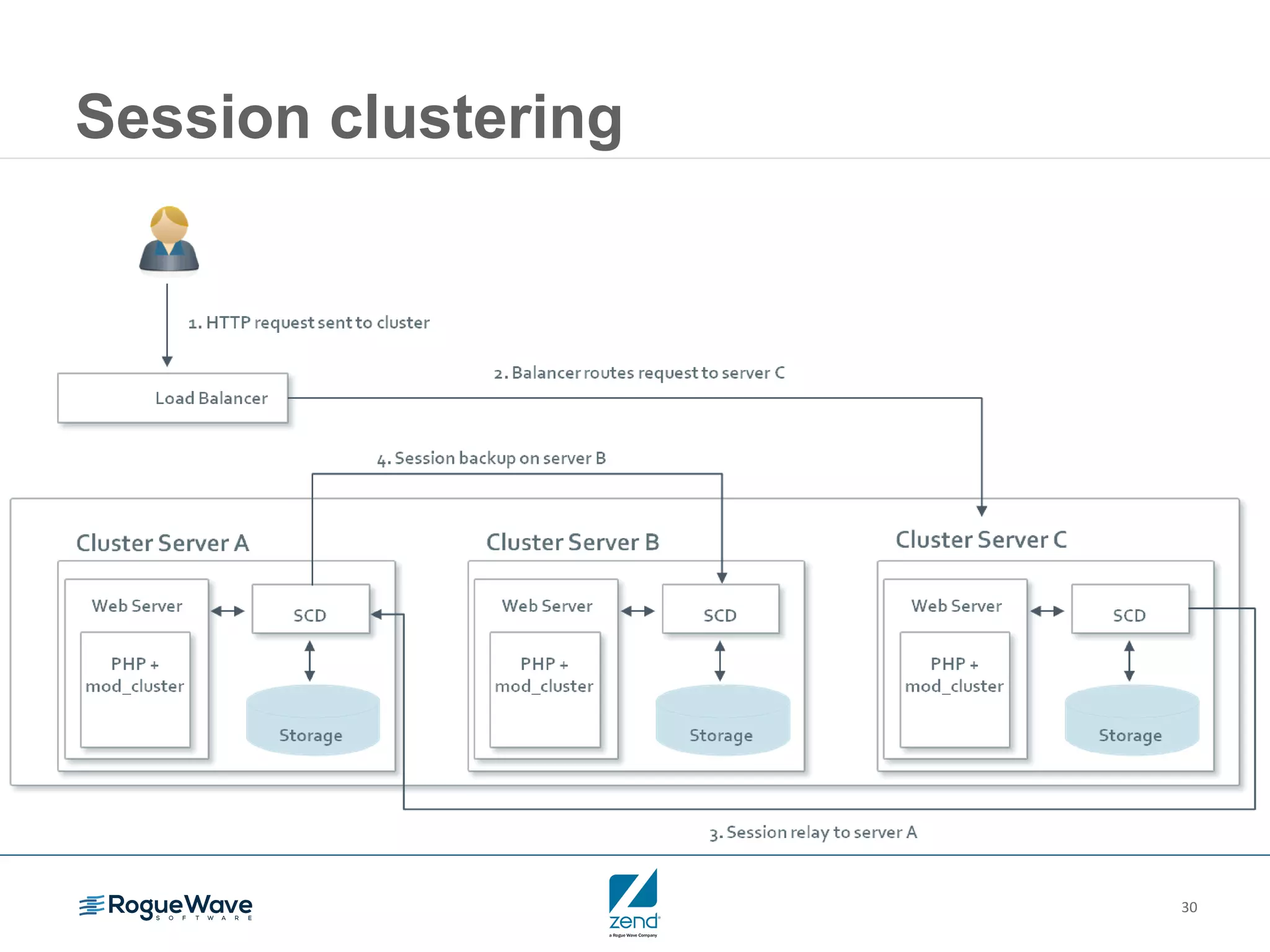
Session clustering
31
Session clustering
32
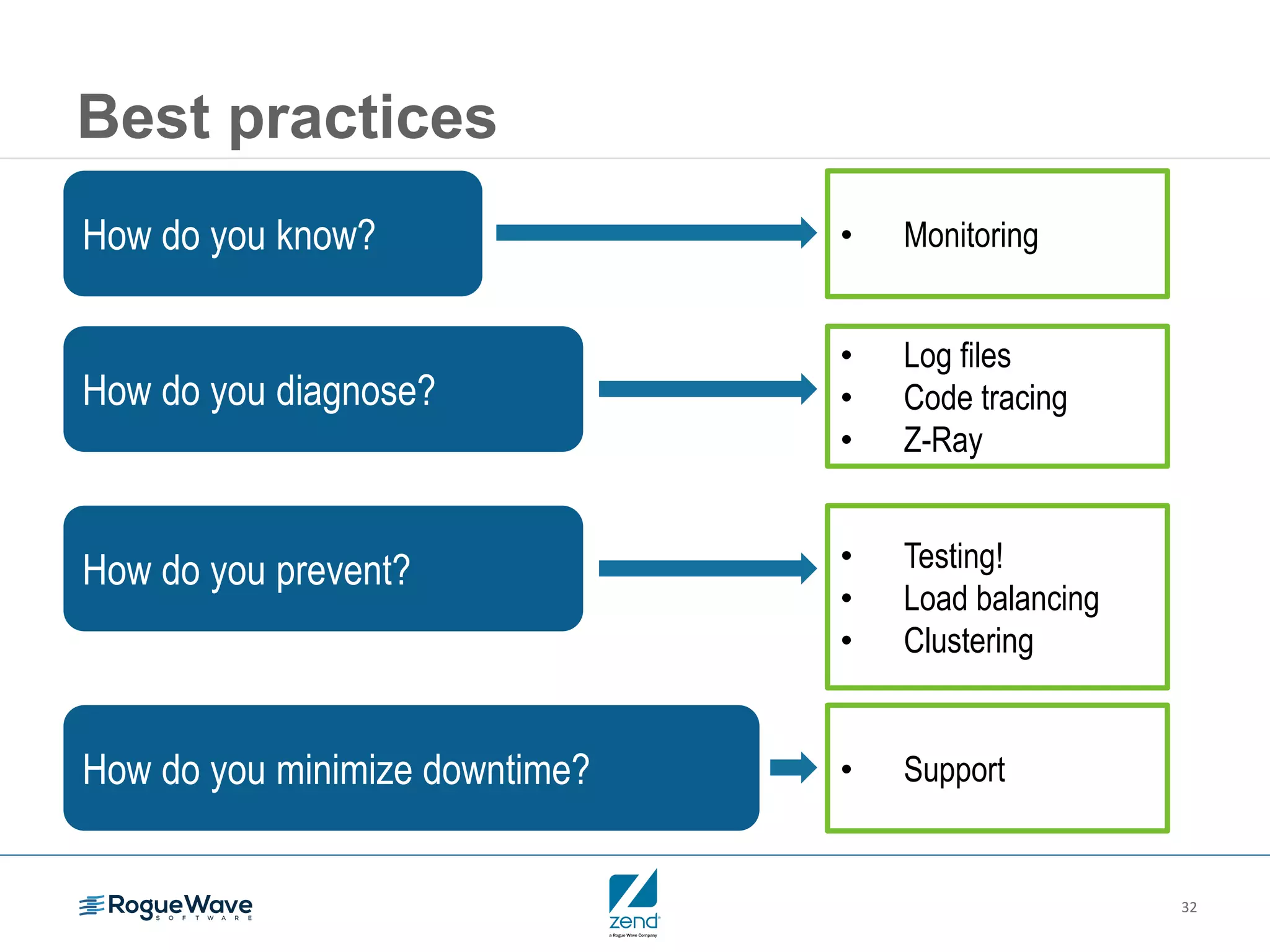
Best practices
How do you know? • Monitoring
How do you diagnose?
• Log files
• Code tracing
• Z-Ray
How do you prevent? • Testing!
• Load balancing
• Clustering
How do you minimize downtime? • Support
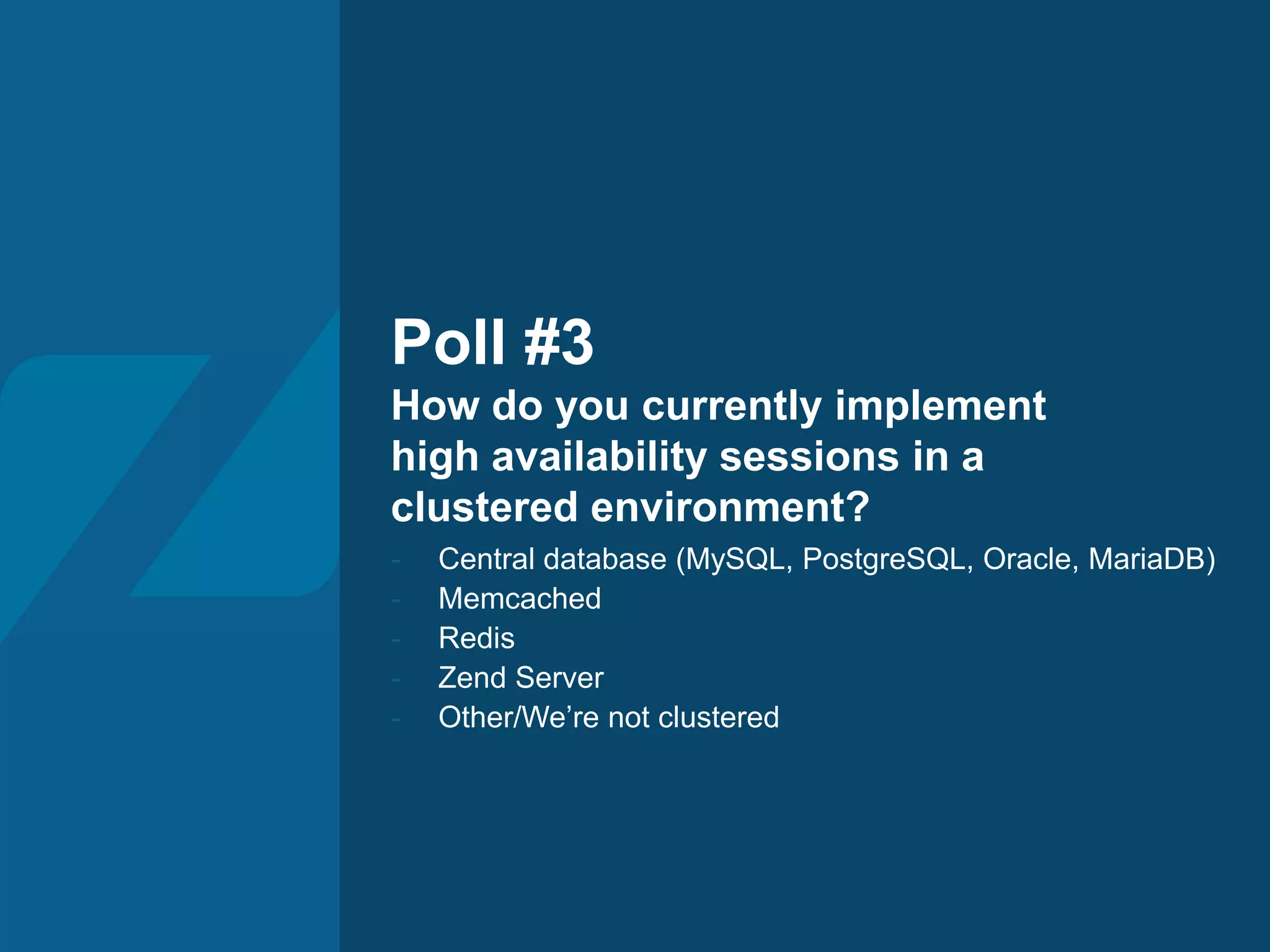
Poll #3
How do you currently implement
high availability sessions in a
clustered environment?
- Central database (MySQL, PostgreSQL, Oracle, MariaDB)
- Memcached
- Redis
- Zend Server
- Other/We’re not clustered
34
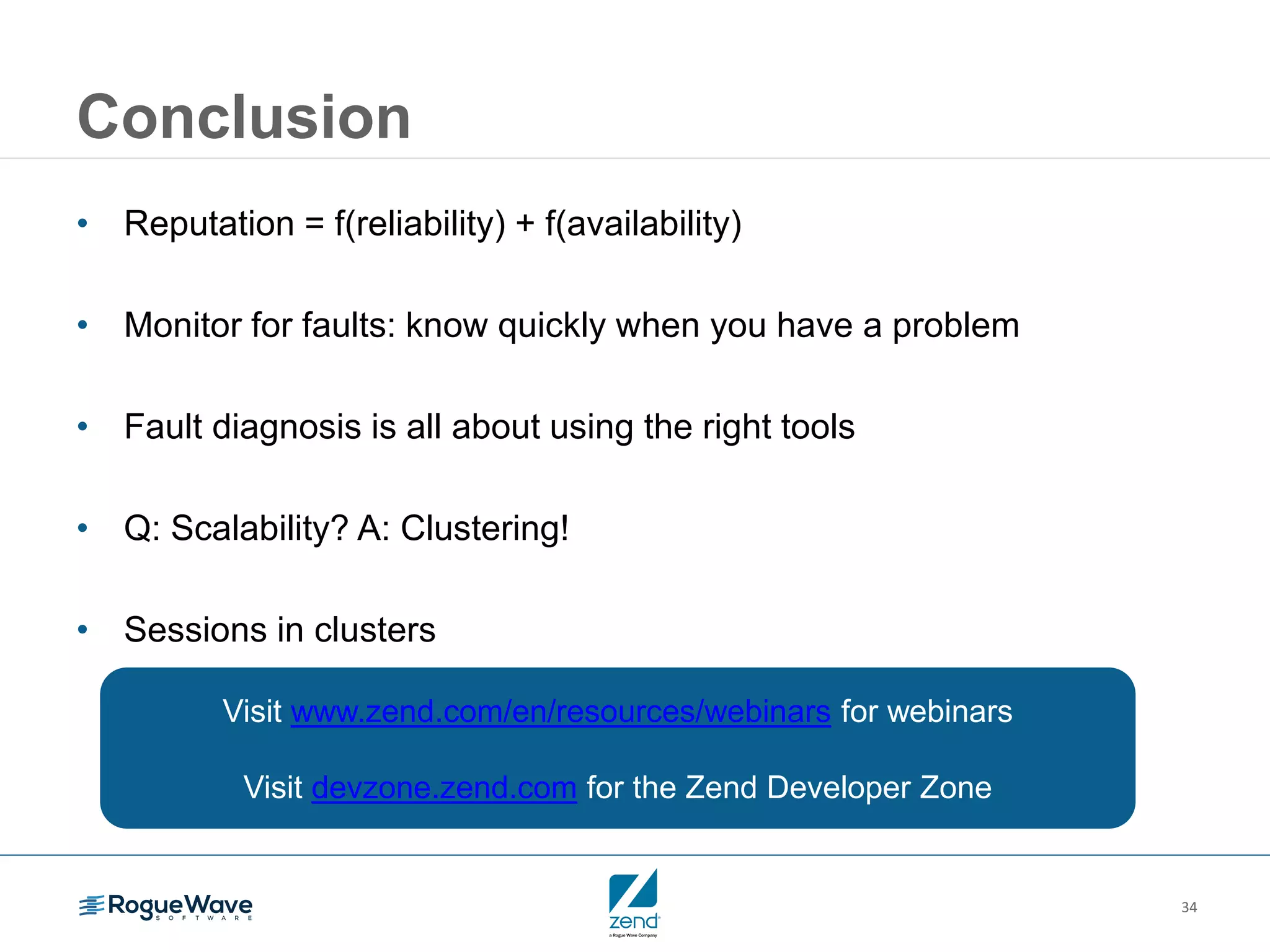
Conclusion
• Reputation = f(reliability) + f(availability)
• Monitor for faults: know quickly when you have a problem
• Fault diagnosis is all about using the right tools
• Q: Scalability? A: Clustering!
• Sessions in clusters
Visit www.zend.com/en/resources/webinars for webinars
Visit devzone.zend.com for the Zend Developer Zone

Q & A
36
The fastest way to enterprise PHP
Free trial
www.zend.com
• Full, tested, secure PHP stack
• Z-Ray vision deep into your app
• Code tracing
• Job queuing and caching
• Deployment and DevOps
• High availability session clustering
• Backed by support & services
37
Series overview
October 13: Optimizing performance (revised date)
Keep users on your site by learning how to use background jobs and caching,
measure performance, and make data-driven decisions.
38
Don’t miss this premiere PHP event!
Register at zendcon.com
Visit with sponsors 90+ sessions in 6 tracks
39
Watch on demand
• Watch this webinar on demand
• Read the recap blog to see the results of the
polls and Q&A session
Building the perfect PHP app for the enterprise
Episode 3: Resolving
Problems & High Availability
Clark Everetts
September 28, 2016

Resolving problems & high availability

  • 1.
    Building the perfectPHP app for the enterprise Episode 3: Resolving problems & high availability Clark Everetts September 28, 2016
  • 2.
    2 Series overview Now: Resolvingproblems and high availability October 13: Optimizing performance (revised date) Keep users on your site by learning how to use background jobs and caching, measure performance, and make data-driven decisions.
  • 3.
  • 4.
    4 Agenda 1. How’s yourreputation? 2. Monitoring: Know you have a problem 3. Fault diagnosis / Root cause analysis 4. Optimizing scale: Cluster management 5. Synchronizing session data 6. Conclusion 7. Q&A
  • 5.
  • 6.
    6 The cost ofa bad rep Complexity Scale ROI DIY Ideal enterprise Volume scales beyond servers Performance degradation Administrativ e costs Not so good reputation • Page delays • Application downtime Good reputation • Responsive under load • Application availability
  • 7.
  • 8.
    8 Potential faults “Issues arediscussing, problems are for solving.” - Me Fatal PHP errors Out of memory Failed database queries or updates Network connectivity (no connection) Application Non-fatal PHP notices, warnings Slow functions or request executions High memory consumption Network (degraded) Application logic
  • 9.
    9 The problem withproblem resolution • Most problem resolution time is spent identifying root cause • Problem reproduction is often difficult and time-consuming • Many possible sources: server load, input data, database state, etc.
  • 10.
    10 Problem identification • Doyou know you have a problem? – Your phone is ringing? – Getting emails? – Monitoring tools or services? • Is a problem brewing that customers don’t see … yet? Analyze information • Debugging • Logging (files, events database, application level logs) Recreate problem With enough relevant information: • Reproduce in order to troubleshoot and verify a fix • Can we identify the cause without having to reproduce? Gather information • What information can you collect?
  • 11.
    11 Monitoring for faults •Scan log files (not manually!) – Web server access and error logs – PHP error log (php.log) – Application-specific logs (filesystem, database) • Don’t log noise • Avoid logging to php.log • ZendLog, Monolog, error_log() • Event-based monitoring – Recorded in event database, visible in UI, accessible via API – Optional automatic notification via email alerts – Optional callback URIs for integration with other monitoring tools
  • 12.
  • 13.
  • 14.
    14 Sampling of eventtypes • Custom event • Database error • Function error • High memory usage • Inconsistent output size • Job execution delay/error • Job logical failure • PHP error • Slow function execution • Slow query execution • Slow request execution • Zend Framework exception
  • 15.
    15 Example Results: Users never experienceda problem Development team solidified “trust factor” with management Requirements: Stale data is unusable data “Soft” performance criteria (user’s say when “good enough”) Problem: New feature of internal application suffered slow performance due to large database result sets from complex queries. Challenge: Prior to rollout, isolate which queries were experiencing the slowest response times, make improvements, & cache results if possible Used: Zend Server Monitoring, IBM i DB2 index analyzer, and Zend Server Data Cache
  • 16.
    Poll #1 How doyou discover problems in your applications? - Notified by a person (phone call, email, cubicle visit) - Notified by an in-house automated tool - Notified by commercial automated tool (Zend, New Relic)
  • 17.
    Fault diagnosis / Rootcause analysis
  • 18.
    18 Root cause analysis •Log files – Can both indicate a problem, and contain necessary diagnostics • Monitoring tools may provide further info on: – Failed function call arguments – High memory consumption – Etc. • printf() and var_dump() • Debuggers (Xdebug, Zend Debugger, phpdbg) • Code tracing pinpoints in the request execution what triggered the problem • Z-Ray: request details right in the developer’s web browser (code trace- like)
  • 19.
  • 20.
  • 21.
    Poll #2 What isyour primary means of root cause analysis? - printf(), var_dump() - Logging data to files - Xdebug - Zend debugger - phpdbg
  • 22.
  • 23.
    23 What is acluster?
  • 24.
    24 Why cluster? • Long-termdemand is increasing – Growing population of mobile devices – Machine-to-machine traffic (bots, B2B, APIs) on the rise • Demand is both predictable and unpredictable – “The Witching Hour” and other periodic processing spikes • Resilience when failures occur Clustering allows you to • Adapt to changing demand • Manage infrastructure costs • Provide redundancy in the face of failures
  • 25.
  • 26.
    26 Cluster characteristics • Nodesare the same – Any node can do the same work as all others – Same specs • Operating system, installed software base • Hardware (RAM, disk, etc.) • Virtual machines – Containerization and provisioning (Docker, Rocket, Puppet, Chef, Ansible, SaltStack, Fabric, Capistrano, etc.) Provides for: • Scaling out/in as traffic increases/decreases • Redundancy in the face of failures
  • 27.
  • 28.
    28 Load balancing andsessions Session Affinity (Sticky Sessions)
  • 29.
  • 30.
  • 31.
  • 32.
    32 Best practices How doyou know? • Monitoring How do you diagnose? • Log files • Code tracing • Z-Ray How do you prevent? • Testing! • Load balancing • Clustering How do you minimize downtime? • Support
  • 33.
    Poll #3 How doyou currently implement high availability sessions in a clustered environment? - Central database (MySQL, PostgreSQL, Oracle, MariaDB) - Memcached - Redis - Zend Server - Other/We’re not clustered
  • 34.
    34 Conclusion • Reputation =f(reliability) + f(availability) • Monitor for faults: know quickly when you have a problem • Fault diagnosis is all about using the right tools • Q: Scalability? A: Clustering! • Sessions in clusters Visit www.zend.com/en/resources/webinars for webinars Visit devzone.zend.com for the Zend Developer Zone
  • 35.
  • 36.
    36 The fastest wayto enterprise PHP Free trial www.zend.com • Full, tested, secure PHP stack • Z-Ray vision deep into your app • Code tracing • Job queuing and caching • Deployment and DevOps • High availability session clustering • Backed by support & services
  • 37.
    37 Series overview October 13:Optimizing performance (revised date) Keep users on your site by learning how to use background jobs and caching, measure performance, and make data-driven decisions.
  • 38.
    38 Don’t miss thispremiere PHP event! Register at zendcon.com Visit with sponsors 90+ sessions in 6 tracks
  • 39.
    39 Watch on demand •Watch this webinar on demand • Read the recap blog to see the results of the polls and Q&A session
  • 40.
    Building the perfectPHP app for the enterprise Episode 3: Resolving Problems & High Availability Clark Everetts September 28, 2016