Building the perfect PHP app for the enterprise
Episode 1: Keeping up with
PHP
Rod Cope
August 31, 2016
2
Series overview
Now: Keeping up with PHP
September 14: Developing apps faster
Top lessons to deliver apps quickly, including CD principles and tools, digging into
app performance, and using frameworks and extensions.
September 28: Resolving problems and high availability
Your reputation as a miracle worker is secure when using these principles to isolate
faults, optimize scale, and synchronize sessions across clusters.
October 12: Optimizing performance
Keep users on your site by learning how to use background jobs and caching,
measure performance, and make data-driven decisions.
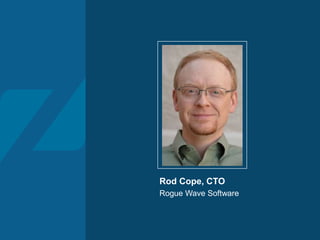
Rod Cope, CTO
Rogue Wave Software
4
Agenda
1. What is the perfect enterprise PHP app?
2. Maintaining your stack
3. Application security
4. System failure!
5. Conclusion
6. Q&A
What is the perfect
enterprise PHP app?
6
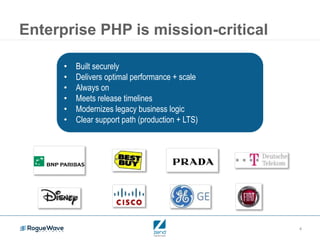
Enterprise PHP is mission-critical
• Built securely
• Delivers optimal performance + scale
• Always on
• Meets release timelines
• Modernizes legacy business logic
• Clear support path (production + LTS)
7
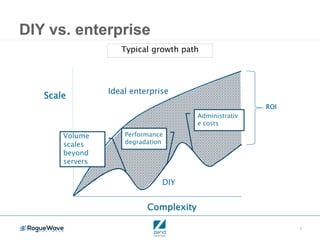
DIY vs. enterprise
Complexity
Scale
ROI
DIY
Ideal enterprise
Volume
scales
beyond
servers
Performance
degradation
Administrativ
e costs
Typical growth path
8
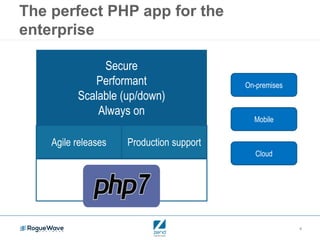
The perfect PHP app for the
enterprise
Secure
Performant
Scalable (up/down)
Always on
Agile releases Production support
On-premises
Cloud
Mobile
9
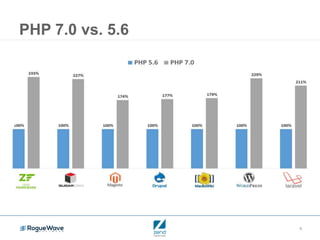
PHP 7.0 vs. 5.6
10
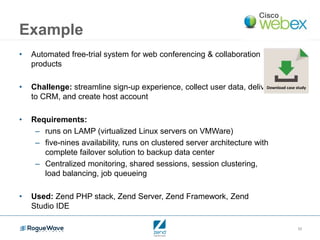
Example
• Automated free-trial system for web conferencing & collaboration
products
• Challenge: streamline sign-up experience, collect user data, deliver
to CRM, and create host account
• Requirements:
– runs on LAMP (virtualized Linux servers on VMWare)
– five-nines availability, runs on clustered server architecture with
complete failover solution to backup data center
– Centralized monitoring, shared sessions, session clustering,
load balancing, job queueing
• Used: Zend PHP stack, Zend Server, Zend Framework, Zend
Studio IDE
Download case study
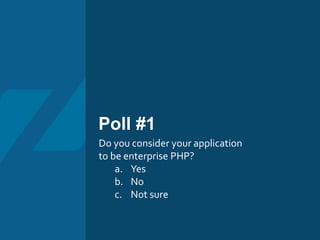
Poll #1
Do you consider your application
to be enterprise PHP?
a. Yes
b. No
c. Not sure
Maintaining your
stack
13
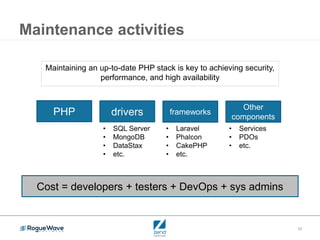
Maintenance activities
Maintaining an up-to-date PHP stack is key to achieving security,
performance, and high availability
PHP drivers frameworks
Other
components
• Services
• PDOs
• etc.
• SQL Server
• MongoDB
• DataStax
• etc.
• Laravel
• Phalcon
• CakePHP
• etc.
Cost = developers + testers + DevOps + sys admins
14
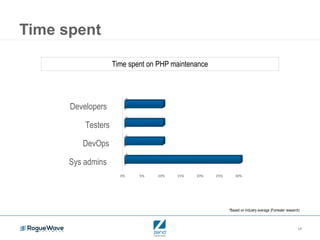
Time spent
*Based on industry average (Forrester research)
Time spent on PHP maintenance
0% 5% 10% 15% 20% 25% 30%
Sys admins
DevOps
Testers
Developers
15
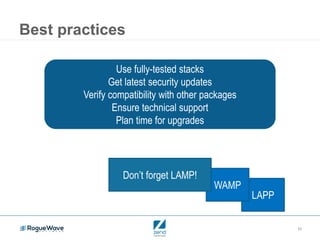
LAPP
WAMP
Best practices
Use fully-tested stacks
Get latest security updates
Verify compatibility with other packages
Ensure technical support
Plan time for upgrades
Don’t forget LAMP!
Poll #2
Is your application and deployment
stack up to date?
a. Yes
b. Mostly
c. Partly
d. No
17
Maintaining app security
• Need to keep up with vulnerabilities
– National Vulnerability Database
• Proactively look for flaws and act to mediate them
• Don’t wait for next Heartbleed
Application security
19
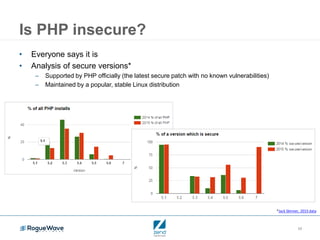
Is PHP insecure?
• Everyone says it is
• Analysis of secure versions*
– Supported by PHP officially (the latest secure patch with no known vulnerabilities)
– Maintained by a popular, stable Linux distribution
*Jack Skinner, 2015 data
20
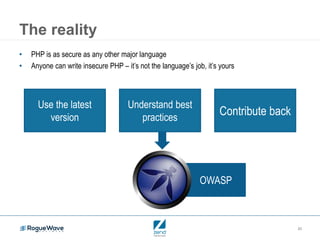
The reality
Use the latest
version
OWASP
• PHP is as secure as any other major language
• Anyone can write insecure PHP – it’s not the language’s job, it’s yours
Understand best
practices
Contribute back
21
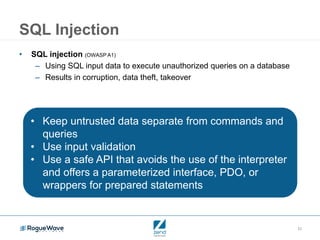
SQL Injection
• SQL injection (OWASP A1)
– Using SQL input data to execute unauthorized queries on a database
– Results in corruption, data theft, takeover
• Keep untrusted data separate from commands and
queries
• Use input validation
• Use a safe API that avoids the use of the interpreter
and offers a parameterized interface, PDO, or
wrappers for prepared statements
22
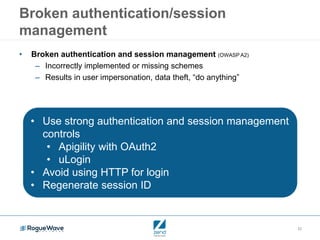
Broken authentication/session
management
• Broken authentication and session management (OWASP A2)
– Incorrectly implemented or missing schemes
– Results in user impersonation, data theft, “do anything”
• Use strong authentication and session management
controls
• Apigility with OAuth2
• uLogin
• Avoid using HTTP for login
• Regenerate session ID
23
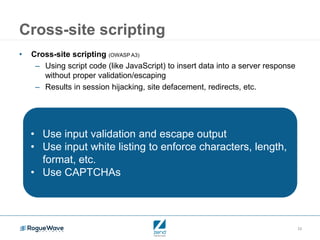
Cross-site scripting
• Cross-site scripting (OWASP A3)
– Using script code (like JavaScript) to insert data into a server response
without proper validation/escaping
– Results in session hijacking, site defacement, redirects, etc.
• Use input validation and escape output
• Use input white listing to enforce characters, length,
format, etc.
• Use CAPTCHAs
System failure!
25
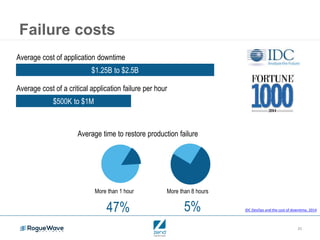
Failure costs
Average cost of application downtime
$1.25B to $2.5B
Average cost of a critical application failure per hour
$500K to $1M
Average time to restore production failure
More than 1 hour More than 8 hours
47% 5% IDC DevOps and the cost of downtime, 2014
26
How do you compare?
27
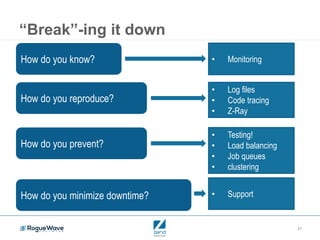
“Break”-ing it down
How do you know? • Monitoring
How do you reproduce?
• Log files
• Code tracing
• Z-Ray
How do you prevent?
• Testing!
• Load balancing
• Job queues
• clustering
How do you minimize downtime? • Support
Poll #3
How do you implement enterprise features, such as
clustering, job queuing, and monitoring?
a. We integrate open source packages
b. We write our own
c. We use Zend Server or another commercial
product
d. Don’t know
29
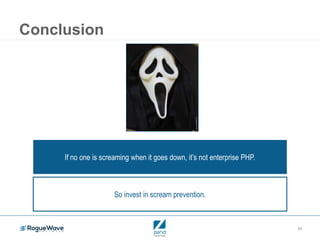
Conclusion
If no one is screaming when it goes down, it’s not enterprise PHP.
So invest in scream prevention.
30
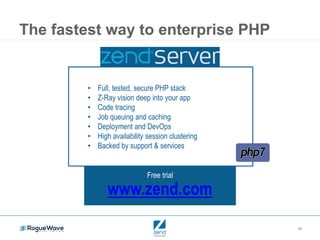
The fastest way to enterprise PHP
Free trial
www.zend.com
• Full, tested, secure PHP stack
• Z-Ray vision deep into your app
• Code tracing
• Job queuing and caching
• Deployment and DevOps
• High availability session clustering
• Backed by support & services
Q & A
32
Watch on demand
• Watch this webinar on demand
• Read the recap blog to see the results of the
polls and Q&A session
33
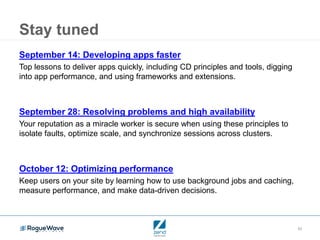
Stay tuned
September 14: Developing apps faster
Top lessons to deliver apps quickly, including CD principles and tools, digging
into app performance, and using frameworks and extensions.
September 28: Resolving problems and high availability
Your reputation as a miracle worker is secure when using these principles to
isolate faults, optimize scale, and synchronize sessions across clusters.
October 12: Optimizing performance
Keep users on your site by learning how to use background jobs and caching,
measure performance, and make data-driven decisions.
Building the perfect PHP app for the enterprise
Episode 1: Keeping up with
PHP
Rod Cope
August 31, 2016

Keeping up with PHP

  • 1.
    Building the perfectPHP app for the enterprise Episode 1: Keeping up with PHP Rod Cope August 31, 2016
  • 2.
    2 Series overview Now: Keepingup with PHP September 14: Developing apps faster Top lessons to deliver apps quickly, including CD principles and tools, digging into app performance, and using frameworks and extensions. September 28: Resolving problems and high availability Your reputation as a miracle worker is secure when using these principles to isolate faults, optimize scale, and synchronize sessions across clusters. October 12: Optimizing performance Keep users on your site by learning how to use background jobs and caching, measure performance, and make data-driven decisions.
  • 3.
    Rod Cope, CTO RogueWave Software
  • 4.
    4 Agenda 1. What isthe perfect enterprise PHP app? 2. Maintaining your stack 3. Application security 4. System failure! 5. Conclusion 6. Q&A
  • 5.
    What is theperfect enterprise PHP app?
  • 6.
    6 Enterprise PHP ismission-critical • Built securely • Delivers optimal performance + scale • Always on • Meets release timelines • Modernizes legacy business logic • Clear support path (production + LTS)
  • 7.
    7 DIY vs. enterprise Complexity Scale ROI DIY Idealenterprise Volume scales beyond servers Performance degradation Administrativ e costs Typical growth path
  • 8.
    8 The perfect PHPapp for the enterprise Secure Performant Scalable (up/down) Always on Agile releases Production support On-premises Cloud Mobile
  • 9.
  • 10.
    10 Example • Automated free-trialsystem for web conferencing & collaboration products • Challenge: streamline sign-up experience, collect user data, deliver to CRM, and create host account • Requirements: – runs on LAMP (virtualized Linux servers on VMWare) – five-nines availability, runs on clustered server architecture with complete failover solution to backup data center – Centralized monitoring, shared sessions, session clustering, load balancing, job queueing • Used: Zend PHP stack, Zend Server, Zend Framework, Zend Studio IDE Download case study
  • 11.
    Poll #1 Do youconsider your application to be enterprise PHP? a. Yes b. No c. Not sure
  • 12.
  • 13.
    13 Maintenance activities Maintaining anup-to-date PHP stack is key to achieving security, performance, and high availability PHP drivers frameworks Other components • Services • PDOs • etc. • SQL Server • MongoDB • DataStax • etc. • Laravel • Phalcon • CakePHP • etc. Cost = developers + testers + DevOps + sys admins
  • 14.
    14 Time spent *Based onindustry average (Forrester research) Time spent on PHP maintenance 0% 5% 10% 15% 20% 25% 30% Sys admins DevOps Testers Developers
  • 15.
    15 LAPP WAMP Best practices Use fully-testedstacks Get latest security updates Verify compatibility with other packages Ensure technical support Plan time for upgrades Don’t forget LAMP!
  • 16.
    Poll #2 Is yourapplication and deployment stack up to date? a. Yes b. Mostly c. Partly d. No
  • 17.
    17 Maintaining app security •Need to keep up with vulnerabilities – National Vulnerability Database • Proactively look for flaws and act to mediate them • Don’t wait for next Heartbleed
  • 18.
  • 19.
    19 Is PHP insecure? •Everyone says it is • Analysis of secure versions* – Supported by PHP officially (the latest secure patch with no known vulnerabilities) – Maintained by a popular, stable Linux distribution *Jack Skinner, 2015 data
  • 20.
    20 The reality Use thelatest version OWASP • PHP is as secure as any other major language • Anyone can write insecure PHP – it’s not the language’s job, it’s yours Understand best practices Contribute back
  • 21.
    21 SQL Injection • SQLinjection (OWASP A1) – Using SQL input data to execute unauthorized queries on a database – Results in corruption, data theft, takeover • Keep untrusted data separate from commands and queries • Use input validation • Use a safe API that avoids the use of the interpreter and offers a parameterized interface, PDO, or wrappers for prepared statements
  • 22.
    22 Broken authentication/session management • Brokenauthentication and session management (OWASP A2) – Incorrectly implemented or missing schemes – Results in user impersonation, data theft, “do anything” • Use strong authentication and session management controls • Apigility with OAuth2 • uLogin • Avoid using HTTP for login • Regenerate session ID
  • 23.
    23 Cross-site scripting • Cross-sitescripting (OWASP A3) – Using script code (like JavaScript) to insert data into a server response without proper validation/escaping – Results in session hijacking, site defacement, redirects, etc. • Use input validation and escape output • Use input white listing to enforce characters, length, format, etc. • Use CAPTCHAs
  • 24.
  • 25.
    25 Failure costs Average costof application downtime $1.25B to $2.5B Average cost of a critical application failure per hour $500K to $1M Average time to restore production failure More than 1 hour More than 8 hours 47% 5% IDC DevOps and the cost of downtime, 2014
  • 26.
    26 How do youcompare?
  • 27.
    27 “Break”-ing it down Howdo you know? • Monitoring How do you reproduce? • Log files • Code tracing • Z-Ray How do you prevent? • Testing! • Load balancing • Job queues • clustering How do you minimize downtime? • Support
  • 28.
    Poll #3 How doyou implement enterprise features, such as clustering, job queuing, and monitoring? a. We integrate open source packages b. We write our own c. We use Zend Server or another commercial product d. Don’t know
  • 29.
    29 Conclusion If no oneis screaming when it goes down, it’s not enterprise PHP. So invest in scream prevention.
  • 30.
    30 The fastest wayto enterprise PHP Free trial www.zend.com • Full, tested, secure PHP stack • Z-Ray vision deep into your app • Code tracing • Job queuing and caching • Deployment and DevOps • High availability session clustering • Backed by support & services
  • 31.
  • 32.
    32 Watch on demand •Watch this webinar on demand • Read the recap blog to see the results of the polls and Q&A session
  • 33.
    33 Stay tuned September 14:Developing apps faster Top lessons to deliver apps quickly, including CD principles and tools, digging into app performance, and using frameworks and extensions. September 28: Resolving problems and high availability Your reputation as a miracle worker is secure when using these principles to isolate faults, optimize scale, and synchronize sessions across clusters. October 12: Optimizing performance Keep users on your site by learning how to use background jobs and caching, measure performance, and make data-driven decisions.
  • 34.
    Building the perfectPHP app for the enterprise Episode 1: Keeping up with PHP Rod Cope August 31, 2016