Installation Files
! If you haven't already, be sure to download the installation
files for Troy Miles' tutorial from here:
!
! http://10.35.0.2/velocity/
Debugging and Tuning
Mobile Web Sites with
Modern Web Browsers
24 June 2014
Me
! Troy Miles - Senior Software Engineer
! Kelley Blue Book, Irvine, CA
! @therockncoder
! rockncoder@gmail.com
All of the materials
! Slides
! Links
! Notes
! https://bitly.com/bundles/rockncoder/4
The Agenda
! The Mobile Web
! Debugging
! Performance Measuring & Improving
! Memory Leaks
iPhone
! On-sale June 29, 2007
! Initially the only way to write iPhone "apps" was via the web
! Introduced Mobile Safari browser
! Lots of mobile web features
iPhone Mobile Web Features
! Viewport meta tag
! Startup image
! Hide browser UI
! Home screen icons
! No debugging features
Android
! First phone HTC Dream aka G1
! Released October 22, 2008
! Like Safari it is Webkit based
! No debugging features
Analogs
! All of the major mobile browsers have desktop cousins
! Android - Chrome
! iOS - Safari
! Windows Phone - IE
Debugging
! Understanding the scope of the problem
! Debugging without a debugger
! What is weinre?
Understanding the problem
! You can do a lot with analogs but you can't…
! Touch
! Render correctly
! Measure performance
Debugging without a debugger
! alert()
! iPhone Developer Debug Console
! Proprietary solutions
What is weinre?
! Created by Patrick Mueller
! Stands for WEb INspector REmote
! Like Firebug but only for Webkit based browser
! Designed to work remotely, good for mobile
What does it give you?
! See HTML & CSS
! View the console
! View resources like local and session storage
! Network calls
! Performance measures
Three main parts of weinre
! Debug Server
! Debug Client
! Debug Target
How does it work?
! The debug client and target communicate via XHR with the
server
! Both the debug target and client are written in JavaScript
Installation & running
! For Windows, Mac OS X, and Linux based machines
! Delivered as a npm module
! sudo npm -g install weinre
! from the terminal - weinre
! weinre --boundHost -all-
! Or use an online host
Why use an online host?
! You aren't a node user
! You have firewall issues
! You, like me, are lazy
! http://debug.build.phonegap.com/
Multi-user Model
! Add a hash tag + id to the end both the client and target URLs
! Minimalistic security measure
! Still transmitted in the clear
! Can also add the id to a bookmarklet
Using a bookmarklet
! It is easy to forget to remove the weinre script from a page
! You may not have access to the source code for a page
! It is not easy to get a bookmark onto a mobile device
! Remember: if you reload the page the injected script is gone!
Adding a bookmarklet - Safari Edition
! Open Safari
! Go to your debug Server web page
! Scroll down to the bookmarklet textarea
! Tap and release the textarea to zoom it
! Tap it again until the magnifying glass appears
! Release it and the edit options should appear
! Tap Select All
! Tap Copy
Adding a bookmarklet - Safari Edition
! Tap Done
! Tap the Share icon
! Tap the Bookmark icon
! Give your bookmarklet a name
! Tap Save
! Tap the Bookmark icon
! Find your saved bookmark
! Tap Edit in the lower right hand corner
Adding a bookmarklet - Safari Edition
! Tap your bookmark
! Tap the URL line
! Tap the "x" to erase the URL
! Tap and release the Address line to make the Paste option
appear
! Tap Paste
! Tap Done
! Tap Done again
Adding a bookmarklet - Safari Edition
! Return to your debug page
! Find your bookmark and tap it
Adding a bookmarklet - Chrome Edition
! Go to your debug server page
! Scroll down to the bookmarklet textarea
! Long press until the selectors appear
! Move the selectors to encompass the entire textarea
! Tap the copy icon
! Tap the favorite icon
! Erase the URL text
! Long press until PASTE appears
Adding a bookmarklet - Chrome Edition
! Tap PASTE
! Rename bookmark if desired
! Tap Save
! Return to you debug page
! From the URL bar, begin typing the name of your bookmark
! When it appears in the list of suggestions, tap it
Using weinre
! Remote
! Elements
! Resources
! Network
! Timeline
! Console
Client/Target Colors
! blue - online but not active
! green - online and active
! red - disconnected about to disappear
weinre summary
! Only webkit browsers
! No JavaScript debugging
! The target script is 151 KB
! The communication between client and target can be sluggish
! Not perfect, but better than alerts
Opera Dragonfly
! The first browser to support remote debugging
! Had to use its mobile & desktop browser
! Like weinre communication via HTTP - no need to connect
! This has relegated their Dragonfly remote debugging obsolete
! Opera’s new browser supports remote debugging via Chrome
Dev Tools
Safari
! iOS gained remote debugging capabilities starting with iOS 6
and Safari 6
! iOS 6 release September 2012
! Only works with Apple devices iPhone, iPad, Mac OS X
! Devices must be connected via USB
Safari iPhone Debugging Demo
! On iPhone, Settings -> Safari -> Advanced -> WebInspector,
turn on
! From Safari, Preferences -> Advanced
! Click Show Develop menu in menu bar
! Using Apple approved cable connect iPhone to Mac
! On iPhone, use Safari to open a web page
! On Mac, Develop -> <your device name> -> <web page>
Safari UI
! Resources
! Timeline
! Debugger
! Console / Inspect
! Styles
! Layers
! Node
! Resource
Safari Caveats
! Remote debugging only works for iOS 6 or greater devices
! 9% of iOS devices on iOS 6
! 89% of iOS devices on iOS 7
! For the 2% on iOS 5 or below, use weinre
Chrome
! Remote debugging introduced with Chrome for Android Beta
! Released in Early 2012
! Initially required Android SDK and the Android Debug Bridge
(ADB)
! Now included in Chrome, no need for Android SDK
Chrome Nexus 4 Debugging Demo
! Preparing Android phone
! Settings -> About phone -> Build number, tap until it says you
are a developer
! Settings -> Developer options -> USB debugging, select it
! In Chrome -> Hot dog icon -> Tools -> Inspect devices
! Check, Discover USB devices
! Connect Android device to computer via USB
! On Android phone, use Chrome to open a web page
Chrome UI
! Inspect
! Elements
! Network
! Sources
! Timeline
! Profiles
! Resources
! Audits
Chrome UI
! Console
! Show Console
! Show Settings
! Show Screen Cast
Chrome Caveats
! Every Android device is different, your steps may vary
! Only for 4.0 and greater phones
! Use weinre for the rest
Amazon Silk
! Silk is the browser used on the Kindle Fire and the Fire Phone
! Silk is Webkit based
! Can use weinre on it
! Can also remote debug with Chrome dev tools and the ADB
How fast is 4G?
! No actual 4G standard
! Name for the standard is International Mobile
Telecommunication Advanced
! The standard doesn't have minimum speeds
! Maxs moving speeds to 100 Mbps, and 1 Gbps for stationary
! Latency is high on both 3G and 4G networks averaging over
100ms across all carriers
Throttling your website
! The basics of throttling
! Proxy phone through your development machine
! Throttle the speed of development machine
! For the Mac we use:
! an Xcode tool, Network Link Conditioner
! The free edition of Burp
! For the PC
! Fiddler
! A Fiddler extension, Connection Simulator
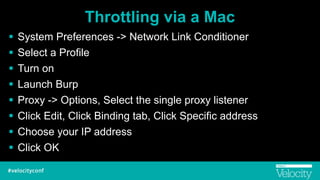
Throttling via a Mac
! System Preferences -> Network Link Conditioner
! Select a Profile
! Turn on
! Launch Burp
! Proxy -> Options, Select the single proxy listener
! Click Edit, Click Binding tab, Click Specific address
! Choose your IP address
! Click OK
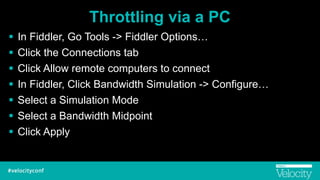
Throttling via a PC
! In Fiddler, Go Tools -> Fiddler Options…
! Click the Connections tab
! Click Allow remote computers to connect
! In Fiddler, Click Bandwidth Simulation -> Configure…
! Select a Simulation Mode
! Select a Bandwidth Midpoint
! Click Apply
Proxying an Android device
! Your device and dev box must be on the same network
! Settings -> Wi-Fi
! Long press Wi-Fi connection
! Tap Modify network
! Check Show advanced options
! Proxy, select Manual
! Enter IP address and Proxy port
! Tap Save
Proxying an iOS device
! Settings -> Wi-Fi -> tap info icon
! Scroll to the bottom of the page
! Tap Manual
! Enter Server and Port
! Tap Wi-Fi
Turning off caching via Chrome
! Caching is great
! It speeds up your site for return visitors
! But it covers up speed issue during development
Turning off caching via Safari
! Developer -> Your iOS device -> Your web page
! Click Timelines
! Press command + shift + R to load with no cache
! Press command + R to load with caching
Performance Measuring
! Timeline is the tab for performance measuring
! Can view the time three ways:
- Events
- Frames
- Memory
Intro to HTML Rendering
! DOM creation - web page parsed into a tree of nodes called
the Document Object Model
! Render Tree creation - DOM is parsed into a tree of visible
objects called the Render Tree
! Rendering - The render tree is goes through “layout”, all of the
nodes defined in screen coordinates
! Painting - The render is traversed which each node sent to
the UI
What is a layer?
! A layer is a portion of the web page which has been converted
into a texture and moved to the GPU
! This conversion is where the performance boost comes from
! Layers are not FREE
- They use system and GPU memory
- There is CPU overhead
! Remember: Compositing is cheap, repainting is expensive
Performance Improving
! There are no hard and fast algorithms
! The performance tools will help, but you have to do the hard
work
! My favorite is the continuous page repainting mode
Rules of Thumb
! Prefer requestAnimFrame over setTimeout or setInterval
! Prefer CSS animation over JavaScript
! Be careful of mixing CSS reads and writes
CSS Performance Hit
! Triggers Composite
- opacity
- webkit-transform
! Triggers Paint and Composite
- color, background color, box-shadow
! Triggers Layout, Paint, and Composite
- left, top
- width, height
- visibility
Memory Leaks
! Intro to memory leaks
! Why its your fault?
! Determining that a leak exists
! Finding the cause of the leak
Intro to memory leaks
! JavaScript uses reference counting to do garbage collection
! When an object has no one referencing it, it can be collected
! If two objects point to each other, they will never be collected
! It is easy to create a leaky JavaScript apps
! Leaks have always existed in JavaScript apps
! The only difference is that now JavaScript apps are persistent
Why its your fault?
! In JavaScript we don’t think about memory leaks
! Even when we think we may have one, too hard to find
! Leaks often involve some object creation code which should
have been checked better
Determining that a leak exists
! Leaks take time to be apparent, sometimes a long time
! The main tools are the Timelines and Profiles tabs
! The timelines, memory display shows current memory usage
! The profiles heap snapshot and heap allocation can help you
finger the culprit
! Make use of the collect garbage button
Finding the cause of the leak
! The Profiles tab’s record heap allocation is your best friend
! It can help you determine which object is holding memory
! Determining who is hold a reference to it is up to you
! Beware of closures
Summary
! weinre
! Safari and Chrome remote debugging
! Performance measuring and improving
! Memory leaks
! https://bitly.com/bundles/rockncoder/4
! rockncoder@gmail.com

Debugging and Tuning Mobile Web Sites with Modern Web Browsers

  • 1.
    Installation Files ! Ifyou haven't already, be sure to download the installation files for Troy Miles' tutorial from here: ! ! http://10.35.0.2/velocity/
  • 2.
    Debugging and Tuning MobileWeb Sites with Modern Web Browsers 24 June 2014
  • 3.
    Me ! Troy Miles- Senior Software Engineer ! Kelley Blue Book, Irvine, CA ! @therockncoder ! rockncoder@gmail.com
  • 4.
    All of thematerials ! Slides ! Links ! Notes ! https://bitly.com/bundles/rockncoder/4
  • 5.
    The Agenda ! TheMobile Web ! Debugging ! Performance Measuring & Improving ! Memory Leaks
  • 6.
    iPhone ! On-sale June29, 2007 ! Initially the only way to write iPhone "apps" was via the web ! Introduced Mobile Safari browser ! Lots of mobile web features
  • 7.
    iPhone Mobile WebFeatures ! Viewport meta tag ! Startup image ! Hide browser UI ! Home screen icons ! No debugging features
  • 8.
    Android ! First phoneHTC Dream aka G1 ! Released October 22, 2008 ! Like Safari it is Webkit based ! No debugging features
  • 9.
    Analogs ! All ofthe major mobile browsers have desktop cousins ! Android - Chrome ! iOS - Safari ! Windows Phone - IE
  • 10.
    Debugging ! Understanding thescope of the problem ! Debugging without a debugger ! What is weinre?
  • 11.
    Understanding the problem !You can do a lot with analogs but you can't… ! Touch ! Render correctly ! Measure performance
  • 12.
    Debugging without adebugger ! alert() ! iPhone Developer Debug Console ! Proprietary solutions
  • 13.
    What is weinre? !Created by Patrick Mueller ! Stands for WEb INspector REmote ! Like Firebug but only for Webkit based browser ! Designed to work remotely, good for mobile
  • 14.
    What does itgive you? ! See HTML & CSS ! View the console ! View resources like local and session storage ! Network calls ! Performance measures
  • 15.
    Three main partsof weinre ! Debug Server ! Debug Client ! Debug Target
  • 16.
    How does itwork? ! The debug client and target communicate via XHR with the server ! Both the debug target and client are written in JavaScript
  • 17.
    Installation & running !For Windows, Mac OS X, and Linux based machines ! Delivered as a npm module ! sudo npm -g install weinre ! from the terminal - weinre ! weinre --boundHost -all- ! Or use an online host
  • 18.
    Why use anonline host? ! You aren't a node user ! You have firewall issues ! You, like me, are lazy ! http://debug.build.phonegap.com/
  • 19.
    Multi-user Model ! Adda hash tag + id to the end both the client and target URLs ! Minimalistic security measure ! Still transmitted in the clear ! Can also add the id to a bookmarklet
  • 20.
    Using a bookmarklet !It is easy to forget to remove the weinre script from a page ! You may not have access to the source code for a page ! It is not easy to get a bookmark onto a mobile device ! Remember: if you reload the page the injected script is gone!
  • 21.
    Adding a bookmarklet- Safari Edition ! Open Safari ! Go to your debug Server web page ! Scroll down to the bookmarklet textarea ! Tap and release the textarea to zoom it ! Tap it again until the magnifying glass appears ! Release it and the edit options should appear ! Tap Select All ! Tap Copy
  • 22.
    Adding a bookmarklet- Safari Edition ! Tap Done ! Tap the Share icon ! Tap the Bookmark icon ! Give your bookmarklet a name ! Tap Save ! Tap the Bookmark icon ! Find your saved bookmark ! Tap Edit in the lower right hand corner
  • 23.
    Adding a bookmarklet- Safari Edition ! Tap your bookmark ! Tap the URL line ! Tap the "x" to erase the URL ! Tap and release the Address line to make the Paste option appear ! Tap Paste ! Tap Done ! Tap Done again
  • 24.
    Adding a bookmarklet- Safari Edition ! Return to your debug page ! Find your bookmark and tap it
  • 25.
    Adding a bookmarklet- Chrome Edition ! Go to your debug server page ! Scroll down to the bookmarklet textarea ! Long press until the selectors appear ! Move the selectors to encompass the entire textarea ! Tap the copy icon ! Tap the favorite icon ! Erase the URL text ! Long press until PASTE appears
  • 26.
    Adding a bookmarklet- Chrome Edition ! Tap PASTE ! Rename bookmark if desired ! Tap Save ! Return to you debug page ! From the URL bar, begin typing the name of your bookmark ! When it appears in the list of suggestions, tap it
  • 27.
    Using weinre ! Remote !Elements ! Resources ! Network ! Timeline ! Console
  • 28.
    Client/Target Colors ! blue- online but not active ! green - online and active ! red - disconnected about to disappear
  • 29.
    weinre summary ! Onlywebkit browsers ! No JavaScript debugging ! The target script is 151 KB ! The communication between client and target can be sluggish ! Not perfect, but better than alerts
  • 30.
    Opera Dragonfly ! Thefirst browser to support remote debugging ! Had to use its mobile & desktop browser ! Like weinre communication via HTTP - no need to connect ! This has relegated their Dragonfly remote debugging obsolete ! Opera’s new browser supports remote debugging via Chrome Dev Tools
  • 31.
    Safari ! iOS gainedremote debugging capabilities starting with iOS 6 and Safari 6 ! iOS 6 release September 2012 ! Only works with Apple devices iPhone, iPad, Mac OS X ! Devices must be connected via USB
  • 32.
    Safari iPhone DebuggingDemo ! On iPhone, Settings -> Safari -> Advanced -> WebInspector, turn on ! From Safari, Preferences -> Advanced ! Click Show Develop menu in menu bar ! Using Apple approved cable connect iPhone to Mac ! On iPhone, use Safari to open a web page ! On Mac, Develop -> <your device name> -> <web page>
  • 33.
    Safari UI ! Resources !Timeline ! Debugger ! Console / Inspect ! Styles ! Layers ! Node ! Resource
  • 34.
    Safari Caveats ! Remotedebugging only works for iOS 6 or greater devices ! 9% of iOS devices on iOS 6 ! 89% of iOS devices on iOS 7 ! For the 2% on iOS 5 or below, use weinre
  • 35.
    Chrome ! Remote debuggingintroduced with Chrome for Android Beta ! Released in Early 2012 ! Initially required Android SDK and the Android Debug Bridge (ADB) ! Now included in Chrome, no need for Android SDK
  • 36.
    Chrome Nexus 4Debugging Demo ! Preparing Android phone ! Settings -> About phone -> Build number, tap until it says you are a developer ! Settings -> Developer options -> USB debugging, select it ! In Chrome -> Hot dog icon -> Tools -> Inspect devices ! Check, Discover USB devices ! Connect Android device to computer via USB ! On Android phone, use Chrome to open a web page
  • 37.
    Chrome UI ! Inspect !Elements ! Network ! Sources ! Timeline ! Profiles ! Resources ! Audits
  • 38.
    Chrome UI ! Console !Show Console ! Show Settings ! Show Screen Cast
  • 39.
    Chrome Caveats ! EveryAndroid device is different, your steps may vary ! Only for 4.0 and greater phones ! Use weinre for the rest
  • 40.
    Amazon Silk ! Silkis the browser used on the Kindle Fire and the Fire Phone ! Silk is Webkit based ! Can use weinre on it ! Can also remote debug with Chrome dev tools and the ADB
  • 41.
    How fast is4G? ! No actual 4G standard ! Name for the standard is International Mobile Telecommunication Advanced ! The standard doesn't have minimum speeds ! Maxs moving speeds to 100 Mbps, and 1 Gbps for stationary ! Latency is high on both 3G and 4G networks averaging over 100ms across all carriers
  • 42.
    Throttling your website !The basics of throttling ! Proxy phone through your development machine ! Throttle the speed of development machine ! For the Mac we use: ! an Xcode tool, Network Link Conditioner ! The free edition of Burp ! For the PC ! Fiddler ! A Fiddler extension, Connection Simulator
  • 43.
    Throttling via aMac ! System Preferences -> Network Link Conditioner ! Select a Profile ! Turn on ! Launch Burp ! Proxy -> Options, Select the single proxy listener ! Click Edit, Click Binding tab, Click Specific address ! Choose your IP address ! Click OK
  • 44.
    Throttling via aPC ! In Fiddler, Go Tools -> Fiddler Options… ! Click the Connections tab ! Click Allow remote computers to connect ! In Fiddler, Click Bandwidth Simulation -> Configure… ! Select a Simulation Mode ! Select a Bandwidth Midpoint ! Click Apply
  • 45.
    Proxying an Androiddevice ! Your device and dev box must be on the same network ! Settings -> Wi-Fi ! Long press Wi-Fi connection ! Tap Modify network ! Check Show advanced options ! Proxy, select Manual ! Enter IP address and Proxy port ! Tap Save
  • 46.
    Proxying an iOSdevice ! Settings -> Wi-Fi -> tap info icon ! Scroll to the bottom of the page ! Tap Manual ! Enter Server and Port ! Tap Wi-Fi
  • 47.
    Turning off cachingvia Chrome ! Caching is great ! It speeds up your site for return visitors ! But it covers up speed issue during development
  • 48.
    Turning off cachingvia Safari ! Developer -> Your iOS device -> Your web page ! Click Timelines ! Press command + shift + R to load with no cache ! Press command + R to load with caching
  • 49.
    Performance Measuring ! Timelineis the tab for performance measuring ! Can view the time three ways: - Events - Frames - Memory
  • 50.
    Intro to HTMLRendering ! DOM creation - web page parsed into a tree of nodes called the Document Object Model ! Render Tree creation - DOM is parsed into a tree of visible objects called the Render Tree ! Rendering - The render tree is goes through “layout”, all of the nodes defined in screen coordinates ! Painting - The render is traversed which each node sent to the UI
  • 51.
    What is alayer? ! A layer is a portion of the web page which has been converted into a texture and moved to the GPU ! This conversion is where the performance boost comes from ! Layers are not FREE - They use system and GPU memory - There is CPU overhead ! Remember: Compositing is cheap, repainting is expensive
  • 52.
    Performance Improving ! Thereare no hard and fast algorithms ! The performance tools will help, but you have to do the hard work ! My favorite is the continuous page repainting mode
  • 53.
    Rules of Thumb !Prefer requestAnimFrame over setTimeout or setInterval ! Prefer CSS animation over JavaScript ! Be careful of mixing CSS reads and writes
  • 54.
    CSS Performance Hit !Triggers Composite - opacity - webkit-transform ! Triggers Paint and Composite - color, background color, box-shadow ! Triggers Layout, Paint, and Composite - left, top - width, height - visibility
  • 55.
    Memory Leaks ! Introto memory leaks ! Why its your fault? ! Determining that a leak exists ! Finding the cause of the leak
  • 56.
    Intro to memoryleaks ! JavaScript uses reference counting to do garbage collection ! When an object has no one referencing it, it can be collected ! If two objects point to each other, they will never be collected ! It is easy to create a leaky JavaScript apps ! Leaks have always existed in JavaScript apps ! The only difference is that now JavaScript apps are persistent
  • 57.
    Why its yourfault? ! In JavaScript we don’t think about memory leaks ! Even when we think we may have one, too hard to find ! Leaks often involve some object creation code which should have been checked better
  • 58.
    Determining that aleak exists ! Leaks take time to be apparent, sometimes a long time ! The main tools are the Timelines and Profiles tabs ! The timelines, memory display shows current memory usage ! The profiles heap snapshot and heap allocation can help you finger the culprit ! Make use of the collect garbage button
  • 59.
    Finding the causeof the leak ! The Profiles tab’s record heap allocation is your best friend ! It can help you determine which object is holding memory ! Determining who is hold a reference to it is up to you ! Beware of closures
  • 60.
    Summary ! weinre ! Safariand Chrome remote debugging ! Performance measuring and improving ! Memory leaks ! https://bitly.com/bundles/rockncoder/4 ! rockncoder@gmail.com