

Node Boot Camp
Cowork South Bay
Torrance, CA
21+22 Oct 2017
Troy Miles
• Troy Miles
• Nearly 40 years of experience
• Programmer, speaker & author
• rockncoder@gmail.com
• @therockncoder
• lynda.com Author

Day One
• Modern JS
• CLI and REPL
• Node Web Server
• File System / Streams
• Express
• Heroku
Day Two
• Authentication with Passport
• MongoDB and Mongoose
• Socket IO
• Unit Testing
• Best Practices
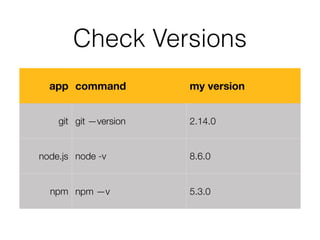
Check Versions
app command my version
git git —version 2.14.0
node.js node -v 8.6.0
npm npm —v 5.3.0
Introduction
Node.js
• Node.js® is a platform built on Chrome's V8
JavaScript runtime for easily building fast, scalable
network applications.
• v8.7.0
• https://nodejs.org/
npm
npm
• The package manager for JavaScript
• npm requires a file, package.json, in the app root
• requires node.js because it is written in JavaScript
• doesn’t officially stand for anything
• https://www.npmjs.com/
package.json
• name - what this app is called, for npm it must be
• version - the current version number
• description - what this package is all about
• author - who wrote it
• repository - where it lives
package.json
• license - type of license granted to users of the
package
• scripts - commands
• dependencies - packages for production
• devDependencies - packages for development
version definitions
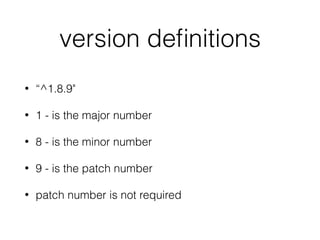
• “^1.8.9"
• 1 - is the major number
• 8 - is the minor number
• 9 - is the patch number
• patch number is not required
version symbols
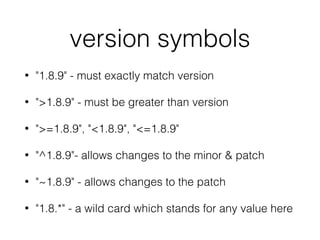
• "1.8.9" - must exactly match version
• ">1.8.9" - must be greater than version
• ">=1.8.9", "<1.8.9", "<=1.8.9"
• "^1.8.9"- allows changes to the minor & patch
• "~1.8.9" - allows changes to the patch
• "1.8.*" - a wild card which stands for any value here
install
• The install adds a package to your app
• npm install <package name> [—save | —save-
dev]
• npm i <package name> [-d | -D]
• —save: saves info to dependencies
• —save-dev: saves info to devDependencies
run-script
• npm run-script <command> <args>
• or npm run <command> <args>
• to abort use control-c
• start and test commands don’t need “run”
• npm start OR npm test
Modern JavaScript
JavaScript
ECMAScript Versions
Version Date
ES1 June 1997
ES2 June 1998
ES3 December 1999
ES4 DOA 2006
ES5 December 2009
ES2015 / ES6 June 2015
ES2016 / ES7 2016
Collection Operators
• .isArray()
• .every()
• .forEach()
• .indexOf()
• .lastIndexOf()
• .some()
• .map()
• .reduce()
• .filter()
map
let junk = [1, 2, 3, 4, 'Alpha', 5, {name: 'Jason'}];

let letters = ['A', 'B', 'C', 'D', 'E', 'F', 'G', 'H', 'I', 'J', 'K'];

let nums = [1, 2, 3, 4, 5, 6, 7, 8, 9, 10, 11, 12, 13, 14, 15, 16, 17, 18, 19, 20];

console.log(nums);


// map iterates over all of the elements and returns a new array with the same
// number of elements

let nums2 = nums.map((elem) => elem * 2);

console.log(nums2);
/// [2, 4, 6, 8, 10, 12, 14, 16, 18, 20, 22, 24, 26, 28, 30, 32, 34, 36, 38, 40]


filter
let junk = [1, 2, 3, 4, 'Alpha', 5, {name: 'Jason'}];

let letters = ['A', 'B', 'C', 'D', 'E', 'F', 'G', 'H', 'I', 'J', 'K'];

let nums = [1, 2, 3, 4, 5, 6, 7, 8, 9, 10, 11, 12, 13, 14, 15, 16, 17, 18, 19, 20];

console.log(nums);


// filter iterates over the array and returns a new array with only the elements
// that pass the test

let nums3 = nums.filter((elem) => !!(elem % 2));

console.log(nums3);
/// [1, 3, 5, 7, 9, 11, 13, 15, 17, 19]
reduce
let junk = [1, 2, 3, 4, 'Alpha', 5, {name: 'Jason'}];

let letters = ['A', 'B', 'C', 'D', 'E', 'F', 'G', 'H', 'I', 'J', 'K'];

let nums = [1, 2, 3, 4, 5, 6, 7, 8, 9, 10, 11, 12, 13, 14, 15, 16, 17, 18, 19, 20];

console.log(nums);


// reduce iterates over the array passing the previous value and the current

// element it is up to you what the reduction does, let's concatenate the strings

let letters2 = letters.reduce((previous, current) => previous + current);

console.log(letters2);
/// ABCDEFGHIJK


// reduceRight does the same but goes from right to left

let letters3 = letters.reduceRight((previous, current) => previous + current);

console.log(letters3);
/// KJIHGFEDCBA

let
• let allows us to create a block scoped variables
• they live and die within their curly braces
• var is considered deprecated
• best practice is to use let instead of var
let
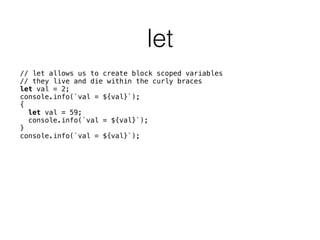
// let allows us to create block scoped variables

// they live and die within the curly braces

let val = 2;

console.info(`val = ${val}`);

{

let val = 59;

console.info(`val = ${val}`);

}

console.info(`val = ${val}`);


const
• const creates a variable that can't be changed
• best practice is to make any variable that should
not change a constant
• does not apply to object properties or array
elements
const
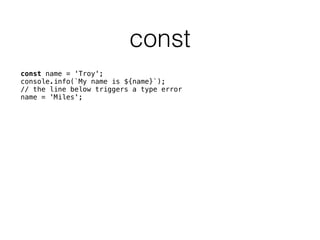
const name = 'Troy';

console.info(`My name is ${name}`);

// the line below triggers a type error

name = 'Miles';

Template strings
• Defined by using opening & closing back ticks
• Templates defined by ${JavaScript value}
• The value can be any simple JavaScript expression
• Allows multi-line strings (return is pass thru)
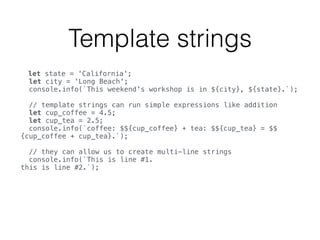
Template strings
let state = 'California';

let city = 'Long Beach';

console.info(`This weekend's workshop is in ${city}, ${state}.`);


// template strings can run simple expressions like addition

let cup_coffee = 4.5;

let cup_tea = 2.5;

console.info(`coffee: $${cup_coffee} + tea: $${cup_tea} = $$
{cup_coffee + cup_tea}.`);


// they can allow us to create multi-line strings

console.info(`This is line #1.

this is line #2.`);


Arrow functions
• Succinct syntax
• Doesn’t bind its own this, arguments, or super
• Facilitate a more functional style of coding
• Can’t be used as constructors
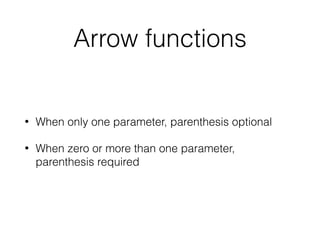
Arrow functions
• When only one parameter, parenthesis optional
• When zero or more than one parameter,
parenthesis required
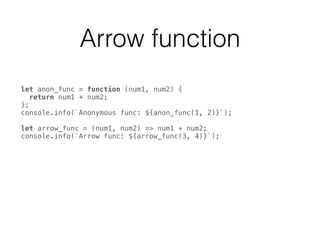
Arrow function
let anon_func = function (num1, num2) {

return num1 + num2;

};

console.info(`Anonymous func: ${anon_func(1, 2)}`);


let arrow_func = (num1, num2) => num1 + num2;

console.info(`Arrow func: ${arrow_func(3, 4)}`);

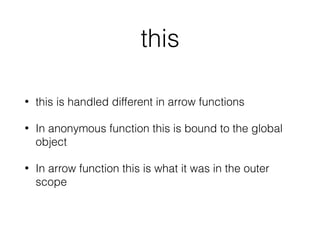
this
• this is handled different in arrow functions
• In anonymous function this is bound to the global
object
• In arrow function this is what it was in the outer
scope
Destructuring
• Maps the data on the right side of the equals sign
to the variables on the left
• The data type decides the way values are mapped
• It is either object or array destructuring
Object Destructuring
16// this is a demo of the power of destructuring
17// we have two objects with the same 3 properties
18 const binary = {kb: 1024, mb: 1048576, gb: 1073741824};
19 const digital = {kb: 1000, mb: 1000000, gb: 1000000000};
20// We use a ternary statement to choose which object
21// assign properties based on their property names
22 const {kb, mb, gb} = (useBinary) ? binary : digital;
Array Destructuring
5
6 let [param1, bob, key] = ['first', 'second', '3rd'];
7 console.info(`param1 = ${param1}, bob = ${bob}, key = ${key}`);
8 // param1 = first, bob = second, key = 3rd
Spread syntax
• Expands an expression in places where multiple
arguments, elements, or variables are expected
The spread operator
11
12 // the spread operator
13 const myArray = ['Bob', 'Sue', 'Fido'];
14 function printFamily(person1, person2, pet) {
15 console.info(`Person 1: ${person1}, Person 2: ${person2}, and their pet: ${pet}`);
16 }
17 printFamily(...myArray);
18 // Person 1: Bob, Person 2: Sue, and their pet: Fido
19
Class
• Syntactic sugar over JavaScript use of function
constructors
• JavaScript uses proto-typical inheritance
• If a class extends another, it must include super()
as first instruction in its constructor
• Only create a constructor if it does something
Class
• Syntactic sugar over JavaScript use of function
constructors
• JavaScript uses proto-typical inheritance
• If a class extends another, it must include super()
as first instruction in its constructor
• Only create a constructor if it does something
CLI and REPL
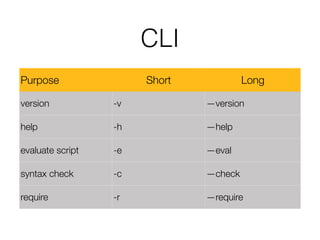
CLI
Purpose Short Long
version -v —version
help -h —help
evaluate script -e —eval
syntax check -c —check
require -r —require
HTTP & Web Servers
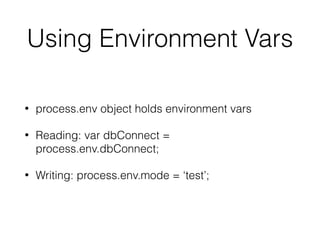
Using Environment Vars
• process.env object holds environment vars
• Reading: var dbConnect =
process.env.dbConnect;
• Writing: process.env.mode = ‘test’;
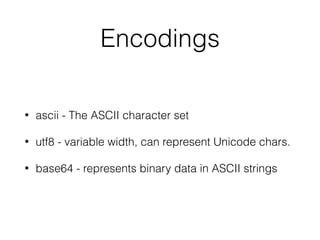
Encodings
• ascii - The ASCII character set
• utf8 - variable width, can represent Unicode chars.
• base64 - represents binary data in ASCII strings
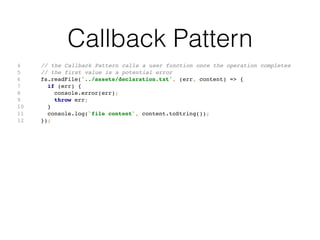
Callback Pattern
4 // the Callback Pattern calls a user function once the operation completes
5 // the first value is a potential error
6 fs.readFile('../assets/declaration.txt', (err, content) => {
7 if (err) {
8 console.error(err);
9 throw err;
10 }
11 console.log(`file content`, content.toString());
12 });
Event Emitter Pattern
3 // the Event Emitter Pattern - consist of two main parts
4 // the event emitter which in this case is the server
5 // and one ore more event listener
6 // here we have two listeners 'data' and 'end'
7 http.createServer((request, response) => {
8 if (request.method === 'POST' && request.url === '/echo') {
9 let body = [];
10 request.on('data', (chunk) => {
11 body.push(chunk);
12 }).on('end', () => {
13 body = Buffer.concat(body).toString();
14 response.end(body);
15 });
16 } else {
17 response.statusCode = 404;
18 response.end();
19 }
20 }).listen(8080);
File System
Streams
Express
Express
What is Express?
• Node.js is cumbersome
• Express simplifies it
• It sits in-between the user and Node.js
• For this reason it is called middleware
Express & RESTful
• Express makes creating a RESTful API easy
Heroku
Heroku
Heroku
• Platform-as-a-Service (PaaS)
• Bought by Salesforce.com 2010
• Runs on top of AWS
• Supports Java, Node.js, Scala, Python, PHP, and
Go
• heroku = heroic + haiku
Installation
• Create a free heroku account at:
• https://www.heroku.com
• Download + install heroku toolbelt at:
• https://toolbelt.heroku.com/
• (the account is free, no credit card necessary)
Deploy to Heroku
• heroku login
• heroku create <app-name>
• (must be unique)
• git push heroku master
• heroku open
Authentication &
Authorization
RESTful API
• Makes use of HTTP methodologies defined by RFC
2616 protocol
• Preferred over SOAP since it uses less bandwidth
• Breaks down a transaction into a series of HTTP
methods
• Stateless by design
GET Method
GET /resource
Request has body No
Successful response has body Yes
Safe Yes
Idempotent Yes
Cacheable Yes
HEAD Method
HEAD /resource (HEAD * )
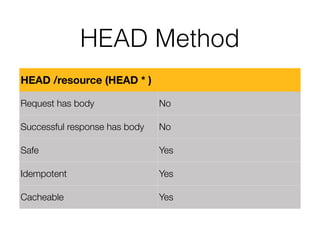
Request has body No
Successful response has body No
Safe Yes
Idempotent Yes
Cacheable Yes
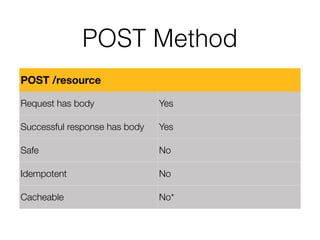
POST Method
POST /resource
Request has body Yes
Successful response has body Yes
Safe No
Idempotent No
Cacheable No*
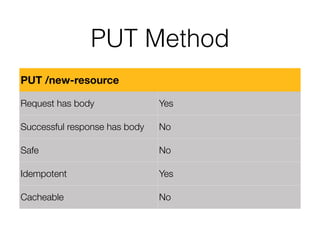
PUT Method
PUT /new-resource
Request has body Yes
Successful response has body No
Safe No
Idempotent Yes
Cacheable No
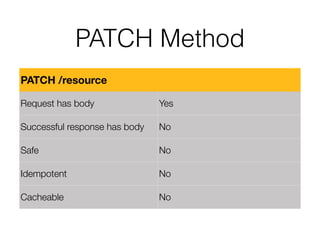
PATCH Method
PATCH /resource
Request has body Yes
Successful response has body No
Safe No
Idempotent No
Cacheable No
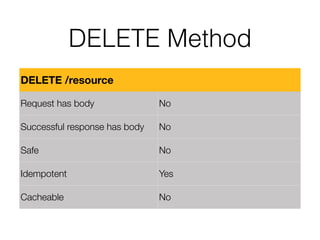
DELETE Method
DELETE /resource
Request has body No
Successful response has body No
Safe No
Idempotent Yes
Cacheable No
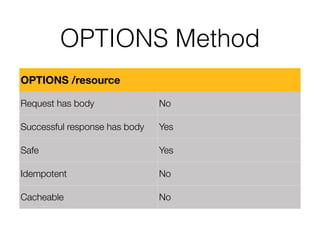
OPTIONS Method
OPTIONS /resource
Request has body No
Successful response has body Yes
Safe Yes
Idempotent No
Cacheable No
MongoDB &
Mongoose
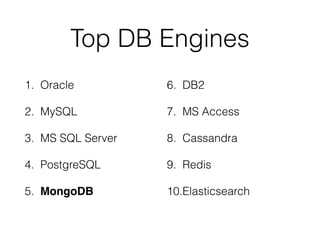
Top DB Engines
1. Oracle
2. MySQL
3. MS SQL Server
4. PostgreSQL
5. MongoDB
6. DB2
7. MS Access
8. Cassandra
9. Redis
10.Elasticsearch
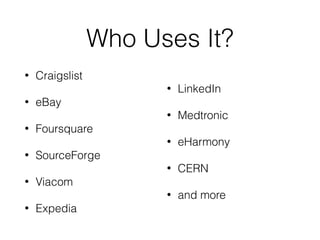
Who Uses It?
• Craigslist
• eBay
• Foursquare
• SourceForge
• Viacom
• Expedia
• LinkedIn
• Medtronic
• eHarmony
• CERN
• and more
When to Use Mongo?
• Document Database
• High Performance
• High Availability
• Easy Scalability
• Geospatial Data
What is a Document?
• An ordered set of keys and values
• Like JavaScript objects
• No duplicate keys allowed
• Type and case sensitive
• Field order is not important nor guaranteed
A Contact Manager
• first name
• last name
• home address
• work address
• mobile phone
• home phone
In SQL
• Person table
• Address table
• Phone number table
• Joins necessary to retrieve complete record
In Mongo
• One collection holds it all
• Including the arrays
• No joins necessary
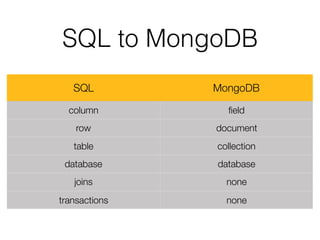
SQL to MongoDB
SQL MongoDB
column field
row document
table collection
database database
joins none
transactions none
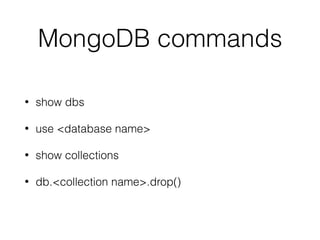
MongoDB commands
• show dbs
• use <database name>
• show collections
• db.<collection name>.drop()
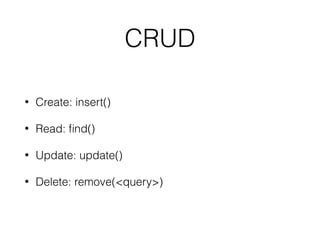
CRUD
• Create: insert()
• Read: find()
• Update: update()
• Delete: remove(<query>)
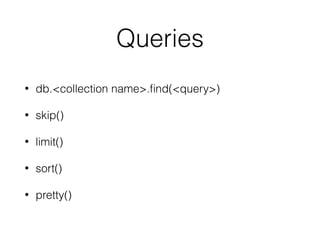
Queries
• db.<collection name>.find(<query>)
• skip()
• limit()
• sort()
• pretty()
mLab
• Database as a Service (DaaS) provider
• Supports AWS, Azure, App Engine
• Used by Fox, New York Times, Lyft, Toyota, SAP
Sandbox Plan
• mLab provides a free sandbox plan
• No credit card needed
• 0.5 GB memory limit
• Shared instance
• Forever free
Socket I/O
Unit Testing
Jasmine
Jasmine
• Created by Pivotal Labs in 2010
• Current version 2.5.3
• JavaScript testing framework
• The default unit test for Angular
• Can test client and server code
describe() - Test Suite
• describe() is a global Jasmine function
• Takes to parameters
• name of the test suite (string)
• implementation of the suite (function)
• Can be nested
describe()
describe('App: Quizzer', () => {
beforeEach(() => {
TestBed.configureTestingModule({
declarations: [
AppComponent
],
imports: [
RouterTestingModule
]
});
});
});
it() - Test Spec
• it() is a global Jasmine function
• Takes two parameters
• name of the spec (string)
• implementation of the spec (function)
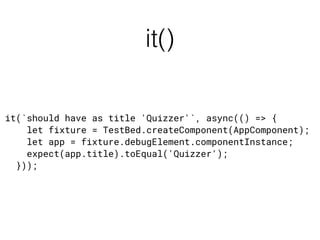
it()
it(`should have as title 'Quizzer'`, async(() => {
let fixture = TestBed.createComponent(AppComponent);
let app = fixture.debugElement.componentInstance;
expect(app.title).toEqual('Quizzer');
}));
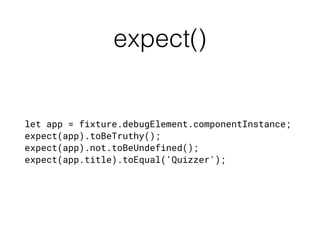
expect() - Expectation
• expect() is a global Jasmine function
• Jasmine’s version of assert()
• Takes one parameter
• The actual - value generated by code under test
• Is chained to a Matcher
Matcher
• Takes the output of the expect() function
• Takes one parameter
• The expected value
• Compares the expect and actual value using the
logic of the matcher
expect()
let app = fixture.debugElement.componentInstance;
expect(app).toBeTruthy();
expect(app).not.toBeUndefined();
expect(app.title).toEqual('Quizzer');
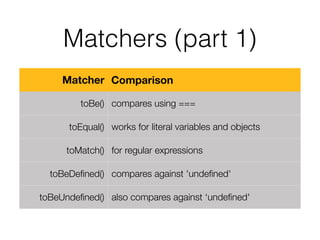
Matchers (part 1)
Matcher Comparison
toBe() compares using ===
toEqual() works for literal variables and objects
toMatch() for regular expressions
toBeDefined() compares against 'undefined'
toBeUndefined() also compares against ‘undefined'
Matchers (part 2)
Matcher Comparison
toBeNull() compares against null
toBeTruthy() truthy boolean casting
toBeFalsy() falsy boolean casting
toContain() finds an item in array
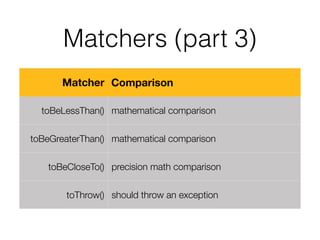
Matchers (part 3)
Matcher Comparison
toBeLessThan() mathematical comparison
toBeGreaterThan() mathematical comparison
toBeCloseTo() precision math comparison
toThrow() should throw an exception
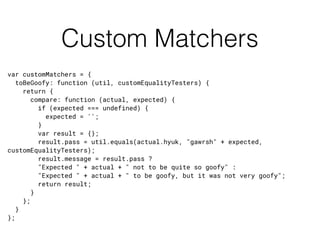
Custom Matchers
var customMatchers = {
toBeGoofy: function (util, customEqualityTesters) {
return {
compare: function (actual, expected) {
if (expected === undefined) {
expected = '';
}
var result = {};
result.pass = util.equals(actual.hyuk, "gawrsh" + expected,
customEqualityTesters);
result.message = result.pass ?
"Expected " + actual + " not to be quite so goofy" :
"Expected " + actual + " to be goofy, but it was not very goofy";
return result;
}
};
}
};
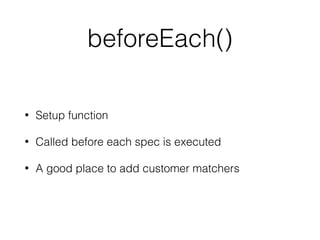
beforeEach()
• Setup function
• Called before each spec is executed
• A good place to add customer matchers
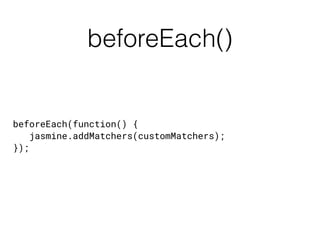
beforeEach()
beforeEach(function() {
jasmine.addMatchers(customMatchers);
});
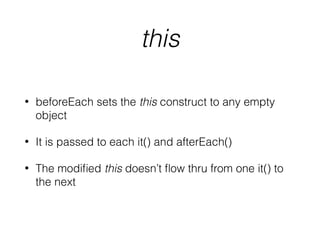
this
• beforeEach sets the this construct to any empty
object
• It is passed to each it() and afterEach()
• The modified this doesn’t flow thru from one it() to
the next
afterEach()
• Teardown function
• Called after each spec is executed
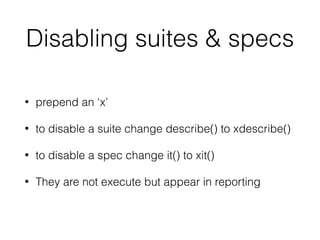
Disabling suites & specs
• prepend an ‘x’
• to disable a suite change describe() to xdescribe()
• to disable a spec change it() to xit()
• They are not execute but appear in reporting
Best Practices
Wrapping Up

Node Boot Camp

  • 1.
    Node Boot Camp CoworkSouth Bay Torrance, CA 21+22 Oct 2017
  • 2.
    Troy Miles • TroyMiles • Nearly 40 years of experience • Programmer, speaker & author • rockncoder@gmail.com • @therockncoder • lynda.com Author

  • 3.
    Day One • ModernJS • CLI and REPL • Node Web Server • File System / Streams • Express • Heroku
  • 4.
    Day Two • Authenticationwith Passport • MongoDB and Mongoose • Socket IO • Unit Testing • Best Practices
  • 5.
    Check Versions app commandmy version git git —version 2.14.0 node.js node -v 8.6.0 npm npm —v 5.3.0
  • 6.
  • 7.
    Node.js • Node.js® isa platform built on Chrome's V8 JavaScript runtime for easily building fast, scalable network applications. • v8.7.0 • https://nodejs.org/
  • 8.
  • 9.
    npm • The packagemanager for JavaScript • npm requires a file, package.json, in the app root • requires node.js because it is written in JavaScript • doesn’t officially stand for anything • https://www.npmjs.com/
  • 10.
    package.json • name -what this app is called, for npm it must be • version - the current version number • description - what this package is all about • author - who wrote it • repository - where it lives
  • 11.
    package.json • license -type of license granted to users of the package • scripts - commands • dependencies - packages for production • devDependencies - packages for development
  • 12.
    version definitions • “^1.8.9" •1 - is the major number • 8 - is the minor number • 9 - is the patch number • patch number is not required
  • 13.
    version symbols • "1.8.9"- must exactly match version • ">1.8.9" - must be greater than version • ">=1.8.9", "<1.8.9", "<=1.8.9" • "^1.8.9"- allows changes to the minor & patch • "~1.8.9" - allows changes to the patch • "1.8.*" - a wild card which stands for any value here
  • 14.
    install • The installadds a package to your app • npm install <package name> [—save | —save- dev] • npm i <package name> [-d | -D] • —save: saves info to dependencies • —save-dev: saves info to devDependencies
  • 15.
    run-script • npm run-script<command> <args> • or npm run <command> <args> • to abort use control-c • start and test commands don’t need “run” • npm start OR npm test
  • 16.
  • 17.
  • 18.
    ECMAScript Versions Version Date ES1June 1997 ES2 June 1998 ES3 December 1999 ES4 DOA 2006 ES5 December 2009 ES2015 / ES6 June 2015 ES2016 / ES7 2016
  • 19.
    Collection Operators • .isArray() •.every() • .forEach() • .indexOf() • .lastIndexOf() • .some() • .map() • .reduce() • .filter()
  • 20.
    map let junk =[1, 2, 3, 4, 'Alpha', 5, {name: 'Jason'}];
 let letters = ['A', 'B', 'C', 'D', 'E', 'F', 'G', 'H', 'I', 'J', 'K'];
 let nums = [1, 2, 3, 4, 5, 6, 7, 8, 9, 10, 11, 12, 13, 14, 15, 16, 17, 18, 19, 20];
 console.log(nums);
 
 // map iterates over all of the elements and returns a new array with the same // number of elements
 let nums2 = nums.map((elem) => elem * 2);
 console.log(nums2); /// [2, 4, 6, 8, 10, 12, 14, 16, 18, 20, 22, 24, 26, 28, 30, 32, 34, 36, 38, 40] 

  • 21.
    filter let junk =[1, 2, 3, 4, 'Alpha', 5, {name: 'Jason'}];
 let letters = ['A', 'B', 'C', 'D', 'E', 'F', 'G', 'H', 'I', 'J', 'K'];
 let nums = [1, 2, 3, 4, 5, 6, 7, 8, 9, 10, 11, 12, 13, 14, 15, 16, 17, 18, 19, 20];
 console.log(nums);
 
 // filter iterates over the array and returns a new array with only the elements // that pass the test
 let nums3 = nums.filter((elem) => !!(elem % 2));
 console.log(nums3); /// [1, 3, 5, 7, 9, 11, 13, 15, 17, 19]
  • 22.
    reduce let junk =[1, 2, 3, 4, 'Alpha', 5, {name: 'Jason'}];
 let letters = ['A', 'B', 'C', 'D', 'E', 'F', 'G', 'H', 'I', 'J', 'K'];
 let nums = [1, 2, 3, 4, 5, 6, 7, 8, 9, 10, 11, 12, 13, 14, 15, 16, 17, 18, 19, 20];
 console.log(nums);
 
 // reduce iterates over the array passing the previous value and the current
 // element it is up to you what the reduction does, let's concatenate the strings
 let letters2 = letters.reduce((previous, current) => previous + current);
 console.log(letters2); /// ABCDEFGHIJK
 
 // reduceRight does the same but goes from right to left
 let letters3 = letters.reduceRight((previous, current) => previous + current);
 console.log(letters3); /// KJIHGFEDCBA

  • 23.
    let • let allowsus to create a block scoped variables • they live and die within their curly braces • var is considered deprecated • best practice is to use let instead of var
  • 24.
    let // let allowsus to create block scoped variables
 // they live and die within the curly braces
 let val = 2;
 console.info(`val = ${val}`);
 {
 let val = 59;
 console.info(`val = ${val}`);
 }
 console.info(`val = ${val}`);
 

  • 25.
    const • const createsa variable that can't be changed • best practice is to make any variable that should not change a constant • does not apply to object properties or array elements
  • 26.
    const const name ='Troy';
 console.info(`My name is ${name}`);
 // the line below triggers a type error
 name = 'Miles';

  • 27.
    Template strings • Definedby using opening & closing back ticks • Templates defined by ${JavaScript value} • The value can be any simple JavaScript expression • Allows multi-line strings (return is pass thru)
  • 28.
    Template strings let state= 'California';
 let city = 'Long Beach';
 console.info(`This weekend's workshop is in ${city}, ${state}.`);
 
 // template strings can run simple expressions like addition
 let cup_coffee = 4.5;
 let cup_tea = 2.5;
 console.info(`coffee: $${cup_coffee} + tea: $${cup_tea} = $$ {cup_coffee + cup_tea}.`);
 
 // they can allow us to create multi-line strings
 console.info(`This is line #1.
 this is line #2.`);
 

  • 29.
    Arrow functions • Succinctsyntax • Doesn’t bind its own this, arguments, or super • Facilitate a more functional style of coding • Can’t be used as constructors
  • 30.
    Arrow functions • Whenonly one parameter, parenthesis optional • When zero or more than one parameter, parenthesis required
  • 31.
    Arrow function let anon_func= function (num1, num2) {
 return num1 + num2;
 };
 console.info(`Anonymous func: ${anon_func(1, 2)}`);
 
 let arrow_func = (num1, num2) => num1 + num2;
 console.info(`Arrow func: ${arrow_func(3, 4)}`);

  • 32.
    this • this ishandled different in arrow functions • In anonymous function this is bound to the global object • In arrow function this is what it was in the outer scope
  • 33.
    Destructuring • Maps thedata on the right side of the equals sign to the variables on the left • The data type decides the way values are mapped • It is either object or array destructuring
  • 34.
    Object Destructuring 16// thisis a demo of the power of destructuring 17// we have two objects with the same 3 properties 18 const binary = {kb: 1024, mb: 1048576, gb: 1073741824}; 19 const digital = {kb: 1000, mb: 1000000, gb: 1000000000}; 20// We use a ternary statement to choose which object 21// assign properties based on their property names 22 const {kb, mb, gb} = (useBinary) ? binary : digital;
  • 35.
    Array Destructuring 5 6 let[param1, bob, key] = ['first', 'second', '3rd']; 7 console.info(`param1 = ${param1}, bob = ${bob}, key = ${key}`); 8 // param1 = first, bob = second, key = 3rd
  • 36.
    Spread syntax • Expandsan expression in places where multiple arguments, elements, or variables are expected
  • 37.
    The spread operator 11 12// the spread operator 13 const myArray = ['Bob', 'Sue', 'Fido']; 14 function printFamily(person1, person2, pet) { 15 console.info(`Person 1: ${person1}, Person 2: ${person2}, and their pet: ${pet}`); 16 } 17 printFamily(...myArray); 18 // Person 1: Bob, Person 2: Sue, and their pet: Fido 19
  • 38.
    Class • Syntactic sugarover JavaScript use of function constructors • JavaScript uses proto-typical inheritance • If a class extends another, it must include super() as first instruction in its constructor • Only create a constructor if it does something
  • 39.
    Class • Syntactic sugarover JavaScript use of function constructors • JavaScript uses proto-typical inheritance • If a class extends another, it must include super() as first instruction in its constructor • Only create a constructor if it does something
  • 40.
  • 41.
    CLI Purpose Short Long version-v —version help -h —help evaluate script -e —eval syntax check -c —check require -r —require
  • 42.
    HTTP & WebServers
  • 43.
    Using Environment Vars •process.env object holds environment vars • Reading: var dbConnect = process.env.dbConnect; • Writing: process.env.mode = ‘test’;
  • 44.
    Encodings • ascii -The ASCII character set • utf8 - variable width, can represent Unicode chars. • base64 - represents binary data in ASCII strings
  • 45.
    Callback Pattern 4 //the Callback Pattern calls a user function once the operation completes 5 // the first value is a potential error 6 fs.readFile('../assets/declaration.txt', (err, content) => { 7 if (err) { 8 console.error(err); 9 throw err; 10 } 11 console.log(`file content`, content.toString()); 12 });
  • 46.
    Event Emitter Pattern 3// the Event Emitter Pattern - consist of two main parts 4 // the event emitter which in this case is the server 5 // and one ore more event listener 6 // here we have two listeners 'data' and 'end' 7 http.createServer((request, response) => { 8 if (request.method === 'POST' && request.url === '/echo') { 9 let body = []; 10 request.on('data', (chunk) => { 11 body.push(chunk); 12 }).on('end', () => { 13 body = Buffer.concat(body).toString(); 14 response.end(body); 15 }); 16 } else { 17 response.statusCode = 404; 18 response.end(); 19 } 20 }).listen(8080);
  • 47.
  • 48.
  • 49.
  • 50.
  • 51.
    What is Express? •Node.js is cumbersome • Express simplifies it • It sits in-between the user and Node.js • For this reason it is called middleware
  • 52.
    Express & RESTful •Express makes creating a RESTful API easy
  • 53.
  • 54.
  • 55.
    Heroku • Platform-as-a-Service (PaaS) •Bought by Salesforce.com 2010 • Runs on top of AWS • Supports Java, Node.js, Scala, Python, PHP, and Go • heroku = heroic + haiku
  • 56.
    Installation • Create afree heroku account at: • https://www.heroku.com • Download + install heroku toolbelt at: • https://toolbelt.heroku.com/ • (the account is free, no credit card necessary)
  • 57.
    Deploy to Heroku •heroku login • heroku create <app-name> • (must be unique) • git push heroku master • heroku open
  • 58.
  • 59.
    RESTful API • Makesuse of HTTP methodologies defined by RFC 2616 protocol • Preferred over SOAP since it uses less bandwidth • Breaks down a transaction into a series of HTTP methods • Stateless by design
  • 60.
    GET Method GET /resource Requesthas body No Successful response has body Yes Safe Yes Idempotent Yes Cacheable Yes
  • 61.
    HEAD Method HEAD /resource(HEAD * ) Request has body No Successful response has body No Safe Yes Idempotent Yes Cacheable Yes
  • 62.
    POST Method POST /resource Requesthas body Yes Successful response has body Yes Safe No Idempotent No Cacheable No*
  • 63.
    PUT Method PUT /new-resource Requesthas body Yes Successful response has body No Safe No Idempotent Yes Cacheable No
  • 64.
    PATCH Method PATCH /resource Requesthas body Yes Successful response has body No Safe No Idempotent No Cacheable No
  • 65.
    DELETE Method DELETE /resource Requesthas body No Successful response has body No Safe No Idempotent Yes Cacheable No
  • 66.
    OPTIONS Method OPTIONS /resource Requesthas body No Successful response has body Yes Safe Yes Idempotent No Cacheable No
  • 67.
  • 68.
    Top DB Engines 1.Oracle 2. MySQL 3. MS SQL Server 4. PostgreSQL 5. MongoDB 6. DB2 7. MS Access 8. Cassandra 9. Redis 10.Elasticsearch
  • 69.
    Who Uses It? •Craigslist • eBay • Foursquare • SourceForge • Viacom • Expedia • LinkedIn • Medtronic • eHarmony • CERN • and more
  • 70.
    When to UseMongo? • Document Database • High Performance • High Availability • Easy Scalability • Geospatial Data
  • 71.
    What is aDocument? • An ordered set of keys and values • Like JavaScript objects • No duplicate keys allowed • Type and case sensitive • Field order is not important nor guaranteed
  • 72.
    A Contact Manager •first name • last name • home address • work address • mobile phone • home phone
  • 73.
    In SQL • Persontable • Address table • Phone number table • Joins necessary to retrieve complete record
  • 74.
    In Mongo • Onecollection holds it all • Including the arrays • No joins necessary
  • 75.
    SQL to MongoDB SQLMongoDB column field row document table collection database database joins none transactions none
  • 76.
    MongoDB commands • showdbs • use <database name> • show collections • db.<collection name>.drop()
  • 77.
    CRUD • Create: insert() •Read: find() • Update: update() • Delete: remove(<query>)
  • 78.
    Queries • db.<collection name>.find(<query>) •skip() • limit() • sort() • pretty()
  • 79.
    mLab • Database asa Service (DaaS) provider • Supports AWS, Azure, App Engine • Used by Fox, New York Times, Lyft, Toyota, SAP
  • 80.
    Sandbox Plan • mLabprovides a free sandbox plan • No credit card needed • 0.5 GB memory limit • Shared instance • Forever free
  • 81.
  • 82.
  • 83.
  • 84.
    Jasmine • Created byPivotal Labs in 2010 • Current version 2.5.3 • JavaScript testing framework • The default unit test for Angular • Can test client and server code
  • 85.
    describe() - TestSuite • describe() is a global Jasmine function • Takes to parameters • name of the test suite (string) • implementation of the suite (function) • Can be nested
  • 86.
    describe() describe('App: Quizzer', ()=> { beforeEach(() => { TestBed.configureTestingModule({ declarations: [ AppComponent ], imports: [ RouterTestingModule ] }); }); });
  • 87.
    it() - TestSpec • it() is a global Jasmine function • Takes two parameters • name of the spec (string) • implementation of the spec (function)
  • 88.
    it() it(`should have astitle 'Quizzer'`, async(() => { let fixture = TestBed.createComponent(AppComponent); let app = fixture.debugElement.componentInstance; expect(app.title).toEqual('Quizzer'); }));
  • 89.
    expect() - Expectation •expect() is a global Jasmine function • Jasmine’s version of assert() • Takes one parameter • The actual - value generated by code under test • Is chained to a Matcher
  • 90.
    Matcher • Takes theoutput of the expect() function • Takes one parameter • The expected value • Compares the expect and actual value using the logic of the matcher
  • 91.
    expect() let app =fixture.debugElement.componentInstance; expect(app).toBeTruthy(); expect(app).not.toBeUndefined(); expect(app.title).toEqual('Quizzer');
  • 92.
    Matchers (part 1) MatcherComparison toBe() compares using === toEqual() works for literal variables and objects toMatch() for regular expressions toBeDefined() compares against 'undefined' toBeUndefined() also compares against ‘undefined'
  • 93.
    Matchers (part 2) MatcherComparison toBeNull() compares against null toBeTruthy() truthy boolean casting toBeFalsy() falsy boolean casting toContain() finds an item in array
  • 94.
    Matchers (part 3) MatcherComparison toBeLessThan() mathematical comparison toBeGreaterThan() mathematical comparison toBeCloseTo() precision math comparison toThrow() should throw an exception
  • 95.
    Custom Matchers var customMatchers= { toBeGoofy: function (util, customEqualityTesters) { return { compare: function (actual, expected) { if (expected === undefined) { expected = ''; } var result = {}; result.pass = util.equals(actual.hyuk, "gawrsh" + expected, customEqualityTesters); result.message = result.pass ? "Expected " + actual + " not to be quite so goofy" : "Expected " + actual + " to be goofy, but it was not very goofy"; return result; } }; } };
  • 96.
    beforeEach() • Setup function •Called before each spec is executed • A good place to add customer matchers
  • 97.
  • 98.
    this • beforeEach setsthe this construct to any empty object • It is passed to each it() and afterEach() • The modified this doesn’t flow thru from one it() to the next
  • 99.
    afterEach() • Teardown function •Called after each spec is executed
  • 100.
    Disabling suites &specs • prepend an ‘x’ • to disable a suite change describe() to xdescribe() • to disable a spec change it() to xit() • They are not execute but appear in reporting
  • 101.
  • 102.