Fake It ‘til
You Make It
creating mobile apps that
feel like native apps
Fake It ‘til
You Make It
creating mobile apps that
feel like native apps
What I won’t be
talking about.
Who cares about
feature phones?
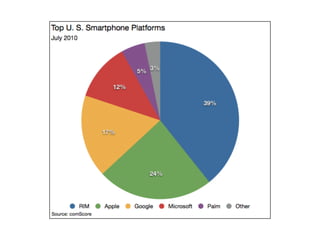
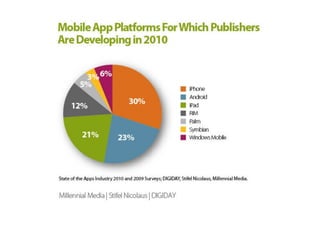
75% developing for
 iOS and Android
Mobile Safari
Mobile Safari
 Local Storage
Mobile Safari
 Local Storage
 CSS3 features like transforms, transitions and
 animations
Mobile Safari
 Local Storage
 CSS3 features like transforms, transitions and
 animations
 Geolocation
Mobile Safari
 Local Storage
 CSS3 features like transforms, transitions and
 animations
 Geolocation
 HTML5 forms support for search, number and
 email field types.
Mobile Safari
 Local Storage
 CSS3 features like transforms, transitions and
 animations
 Geolocation
 HTML5 forms support for search, number and
 email field types.
 SVG on the iPhone but not on Android or webOS
Mobile Safari
 Local Storage
 CSS3 features like transforms, transitions and
 animations
 Geolocation
 HTML5 forms support for search, number and
 email field types.
 SVG on the iPhone but not on Android or webOS
 Access to some hardware acceleration
Why Web over Native?
 don’t need access to device APIs
Why Web over Native?
 don’t need access to device APIs
  most apps don’t
Why Web over Native?
 don’t need access to device APIs
  most apps don’t
 need quick iteration without app store approval
 process
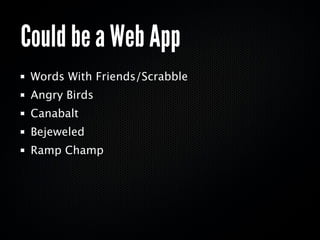
Could be a Web App
 Calculators (CalcBot)
 Twitter
 Things.app
 Epicurious
 Weather Apps
 UI Sketcher
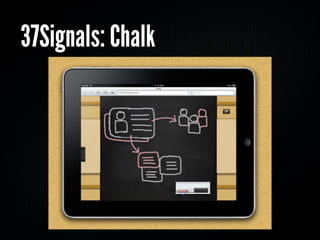
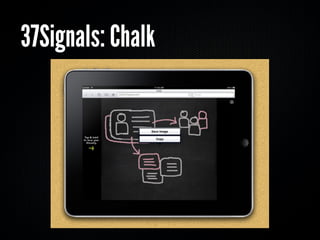
37Signals: Chalk
37Signals: Chalk
http://chalk.37signals.com/
Could be a Web App
 Words With Friends/Scrabble
 Angry Birds
 Canabalt
 Bejeweled
 Ramp Champ
ConvertBot
Demo at
http://snook.ca/testing/convertbot/
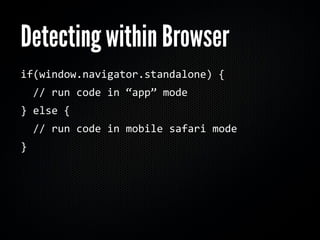
Detecting within Browser
if(window.navigator.standalone)
{


//
run
code
in
“app”
mode
}
else
{


//
run
code
in
mobile
safari
mode
}
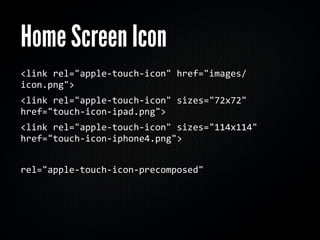
Home Screen Icon
<link
rel="apple‐touch‐icon"
href="images/
icon.png">
<link
rel="apple‐touch‐icon"
sizes="72x72"

href="touch‐icon‐ipad.png">
<link
rel="apple‐touch‐icon"
sizes="114x114"

href="touch‐icon‐iphone4.png">


rel="apple‐touch‐icon‐precomposed"
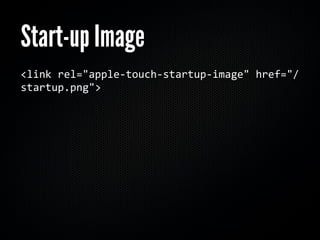
Start-up Image
<link
rel="apple‐touch‐startup‐image"
href="/
startup.png">
Start-up Image
 No apparent support for horizontal image
 When loading in landscape, the status bar
 creates a gap to one edge of the loading screen.
Going “Full screen”
<meta
name="apple‐mobile‐web‐app‐capable"

content="yes">
Status Bar
<meta
name="apple‐mobile‐web‐app‐status‐bar‐
style"
content="black">


default
black‐translucent
Viewport
<meta
name="viewport"
content="width=device‐
width">
<meta
name="viewport"
content="width=590">
<meta
name="viewport"
content="initial‐scale=

1.0">
<meta
name="viewport"
content="initial‐scale=

2.3,
user‐scalable=no">
Don’t Need a Framework!
 DOM APIs in newer browsers quite capable
Don’t Need a Framework!
 DOM APIs in newer browsers quite capable
 ConvertBot demo is 9k
Don’t Need a Framework!
 DOM APIs in newer browsers quite capable
 ConvertBot demo is 9k
  uncompressed.
Don’t Need a Framework!
 DOM APIs in newer browsers quite capable
 ConvertBot demo is 9k
  uncompressed.
  ungzipped.
Don’t Need a Framework!
 DOM APIs in newer browsers quite capable
 ConvertBot demo is 9k
  uncompressed.
  ungzipped.
  including CSS.
Don’t Need a Framework!
 DOM APIs in newer browsers quite capable
 ConvertBot demo is 9k
  uncompressed.
  ungzipped.
  including CSS.
  including JavaScript.
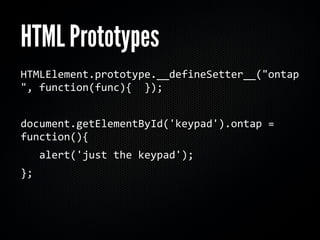
HTML Prototypes
HTMLElement.prototype.__defineSetter__("ontap
",
function(func){

});


document.getElementById('keypad').ontap
=

function(){


alert('just
the
keypad');
};
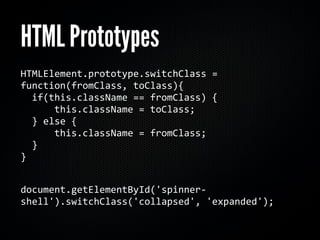
HTML Prototypes
HTMLElement.prototype.switchClass
=

function(fromClass,
toClass){


if(this.className
==
fromClass)
{


this.className
=
toClass;


}
else
{


this.className
=
fromClass;


}
 

}


document.getElementById('spinner‐
shell').switchClass('collapsed',
'expanded');
querySelector(All)
document.querySelector('.active');
//
one
el
document.querySelectorAll('.active');
//
all
But I WANT jQUERY!
function
$(selector){


return
document.querySelector(selector);
}
Looping
[3,2,1].forEach(function(itm,
idx){
 

console.log(itm,
idx);
//
3,0
|
2,1
|
1,2
})
Demo at
http://snook.ca/testing/convertbot/demo/
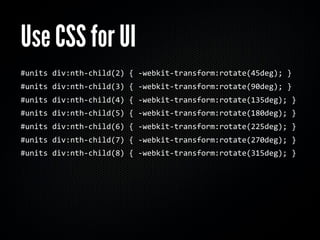
Use CSS for UI
#units
div:nth‐child(2)
{
‐webkit‐transform:rotate(45deg);
}
#units
div:nth‐child(3)
{
‐webkit‐transform:rotate(90deg);
}
#units
div:nth‐child(4)
{
‐webkit‐transform:rotate(135deg);
}
#units
div:nth‐child(5)
{
‐webkit‐transform:rotate(180deg);
}
#units
div:nth‐child(6)
{
‐webkit‐transform:rotate(225deg);
}
#units
div:nth‐child(7)
{
‐webkit‐transform:rotate(270deg);
}
#units
div:nth‐child(8)
{
‐webkit‐transform:rotate(315deg);
}
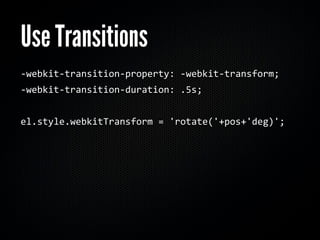
Use Transitions
‐webkit‐transition‐property:
‐webkit‐transform;

‐webkit‐transition‐duration:
.5s;


el.style.webkitTransform
=
'rotate('+pos+'deg)';
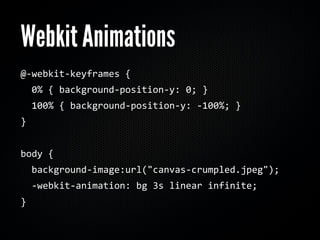
Webkit Animations
@‐webkit‐keyframes

{


0%
{
background‐position‐y:
0;
}


100%
{
background‐position‐y:
‐100%;
}
}


body
{


background‐image:url("canvas‐crumpled.jpeg");


‐webkit‐animation:
bg
3s
linear
infinite;
}
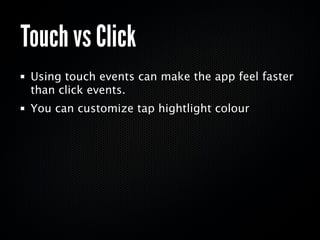
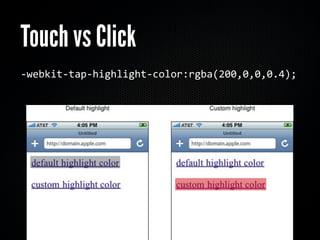
Touch vs Click
 Using touch events can make the app feel faster
 than click events.
 You can customize tap hightlight colour
Touch vs Click
‐webkit‐tap‐highlight‐color:rgba(200,0,0,0.4);
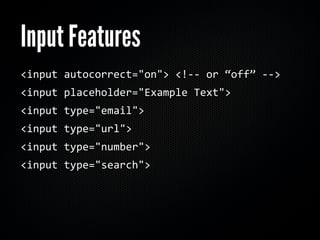
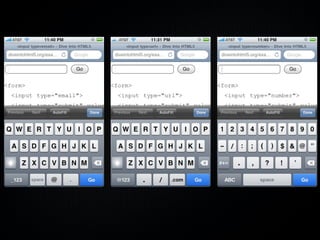
Input Features

<input
autocorrect="on">
<!‐‐
or
“off”
‐‐>
<input
placeholder="Example
Text">
<input
type="email">
<input
type="url">
<input
type="number">
<input
type="search">
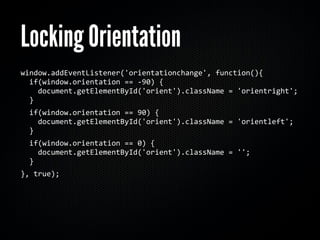
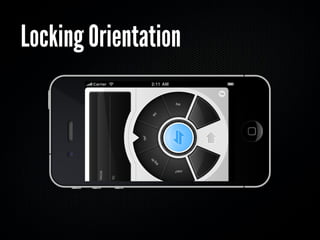
Locking Orientation
window.addEventListener('orientationchange',
function(){


if(window.orientation
==
‐90)
{


document.getElementById('orient').className
=
'orientright';


}


if(window.orientation
==
90)
{


document.getElementById('orient').className
=
'orientleft';


}


if(window.orientation
==
0)
{


document.getElementById('orient').className
=
'';


}
},
true);
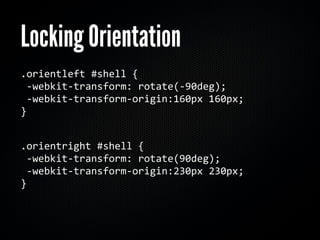
Locking Orientation
.orientleft
#shell
{

‐webkit‐transform:
rotate(‐90deg);


‐webkit‐transform‐origin:160px
160px;

}


.orientright
#shell
{


‐webkit‐transform:
rotate(90deg);


‐webkit‐transform‐origin:230px
230px;

}


Locking Orientation
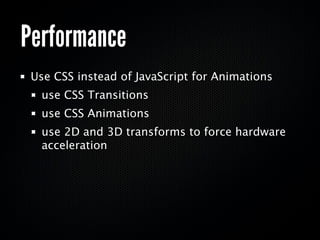
Performance
 Use CSS instead of JavaScript for Animations

  use CSS Transitions
  use CSS Animations
  use 2D and 3D transforms to force hardware
  acceleration
Hardware Acceleration
 2D and 3D transforms may be hardware
 accelerated
 use translateX/Y instead of top/left
 use rotateX(0) to push items with heavy CSS to
 use hardware acceleration
   (it’s like IE’s zoom:1 to force hasLayout)
Wait, what about Android
       and webOS?
Testing Environments
 Android emulator is slow
Testing Environments
 Android emulator is slow
 webOS runs on Virtual Box
Testing Environments
 Android emulator is slow
 webOS runs on Virtual Box
Testing Environments
 Android emulator is slow
 webOS runs on Virtual Box


 Best to test on device
Testing Environments
 Android emulator is slow
 webOS runs on Virtual Box


 Best to test on device
 For multi-touch testing, must do on the device.
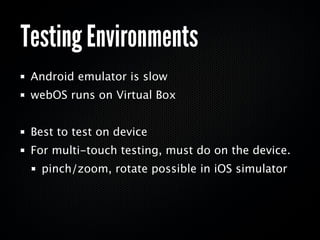
Testing Environments
 Android emulator is slow
 webOS runs on Virtual Box


 Best to test on device
 For multi-touch testing, must do on the device.
   pinch/zoom, rotate possible in iOS simulator
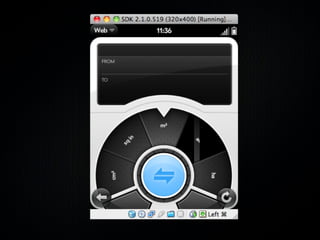
webOS 2.1
 No support for touch events
 has “2-finger” gesture support such as pinch/
 zoom
 rendering issues
Mobile Web Frameworks
 jQTouch
 jQuery Mobile
 Sencha Touch
jQTouch
 Targetted for iOS
 Makes web app feel like native app with controls
 and list views
 http://jqtouch.com/
The Two Hour App
 Frameworks allow for rapid development
Demo at
http://pushups.snook.ca/
Local Storage
JSON.parse(localStorage.getItem('pdata'));
localStorage.setItem('pdata',

JSON.stringify(items));
jQuery Mobile
 Designed for iPhone, Android, webOS
  plus bada, Meego, Windows Mobile and more
 Includes touch and gesture support
 http://jquerymobile.com/
Sencha Touch
 Designed for iPhone and Android
 Includes enhanced touch events
 Allows for rapid development
 http://www.sencha.com/products/touch/
Going Native
Why Native over Web?
 Access to native hardware and other applications
 Camera, Address Book, Filesystem
 Streamlined Revenue Process
Meet in the middle
 Many apps take advantage of native WebView to
 load application components from remote server
  allows for iteration of some app components
  without requiring complete approval process
  from app store
PhoneGap and Titanium
 Titanium Mobile targets iPhone and Android
 PhoneGap targets iPhone, Android, Palm,
 Symbian and Blackberry.
 http://www.appcelerator.com/
 http://www.phonegap.com/
“I really like my work and
     I try really hard.”
@snookca
http://snook.ca

Fake it 'til you make it