David Pallmann
GM Custom App Dev, Neudesic
http://davidpallmann.blogspot.com
@davidpallmann
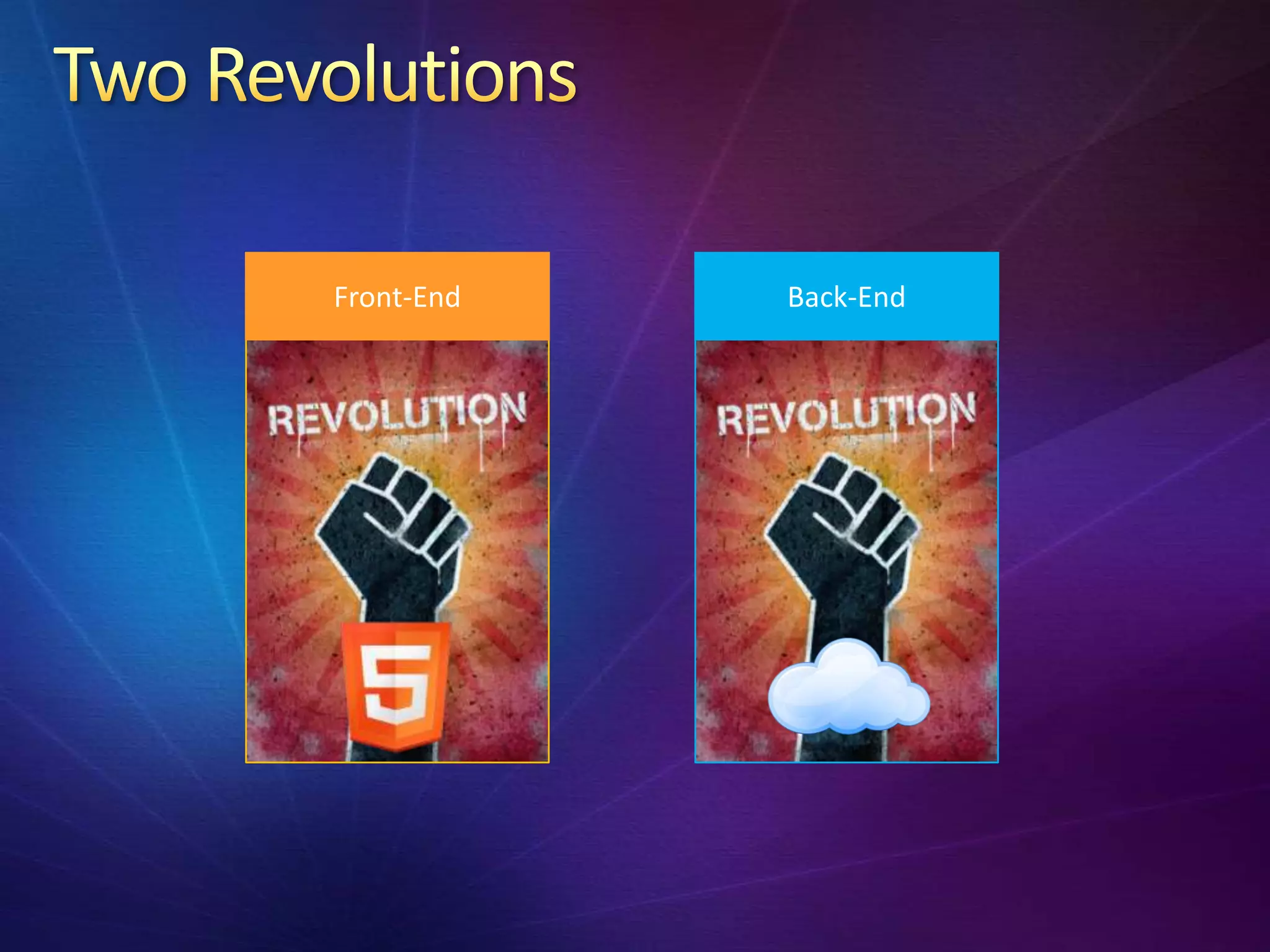
2 Revolutions
The HTML5 revolution
The Cloud revolution
Interactions & Synergies
Walkthrough: Creating a Mobile & Global App
Front-End   Back-End
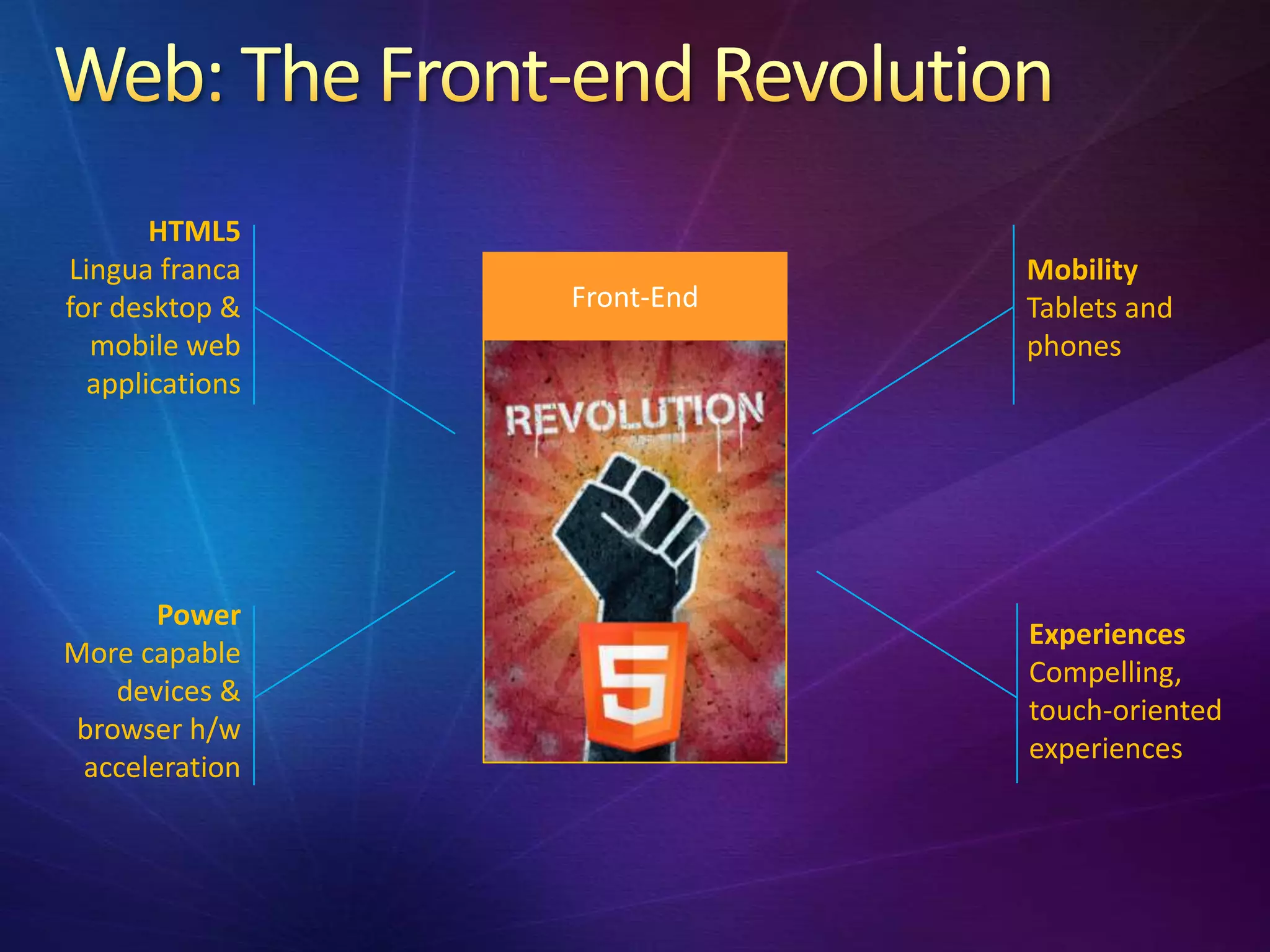
HTML5
Lingua franca                Mobility
for desktop &    Front-End   Tablets and
  mobile web                 phones
  applications


       Power
                             Experiences
More capable
                             Compelling,
   devices &
                             touch-oriented
browser h/w
                             experiences
 acceleration
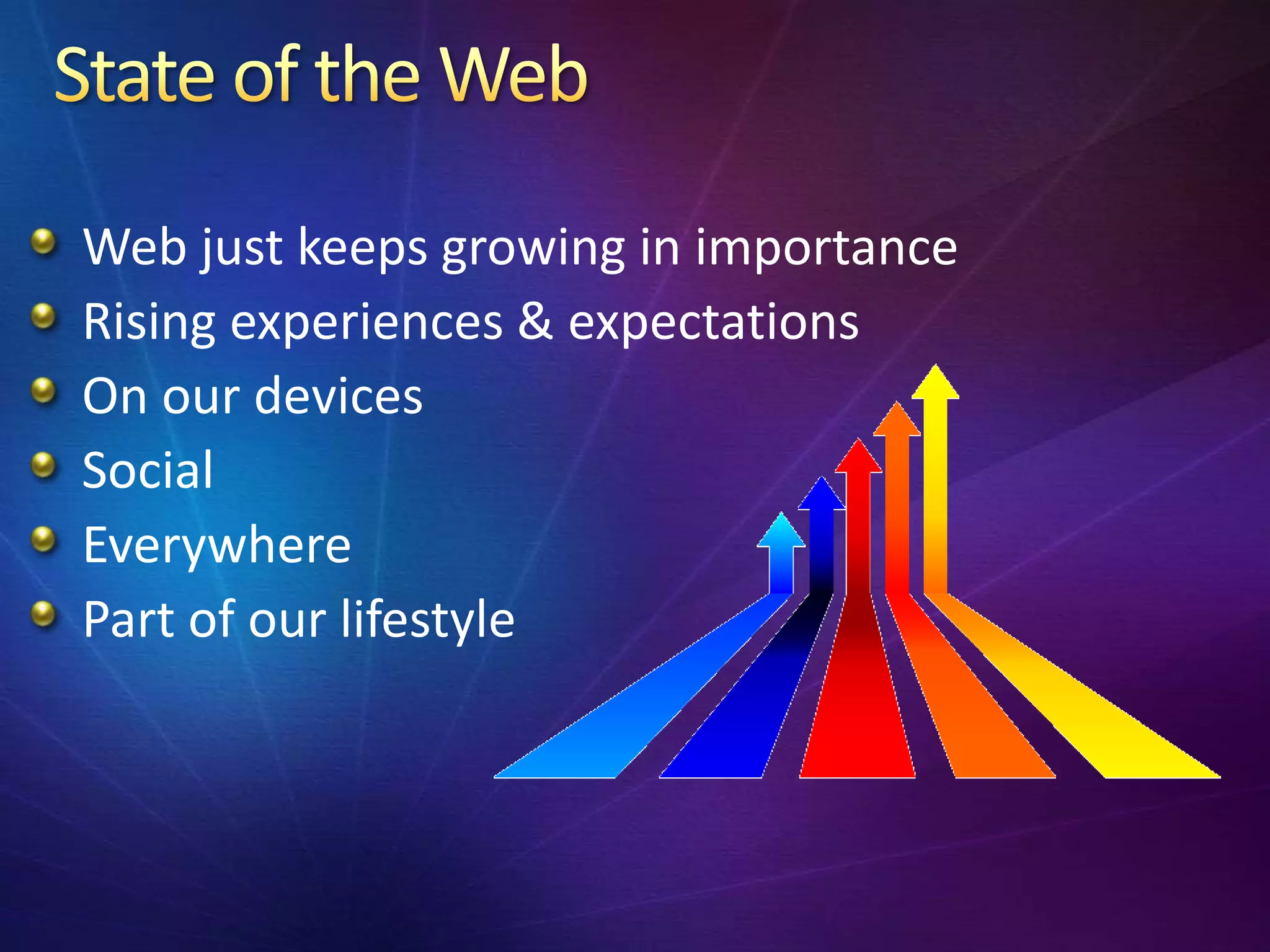
Web just keeps growing in importance
Rising experiences & expectations
On our devices
Social
Everywhere
Part of our lifestyle
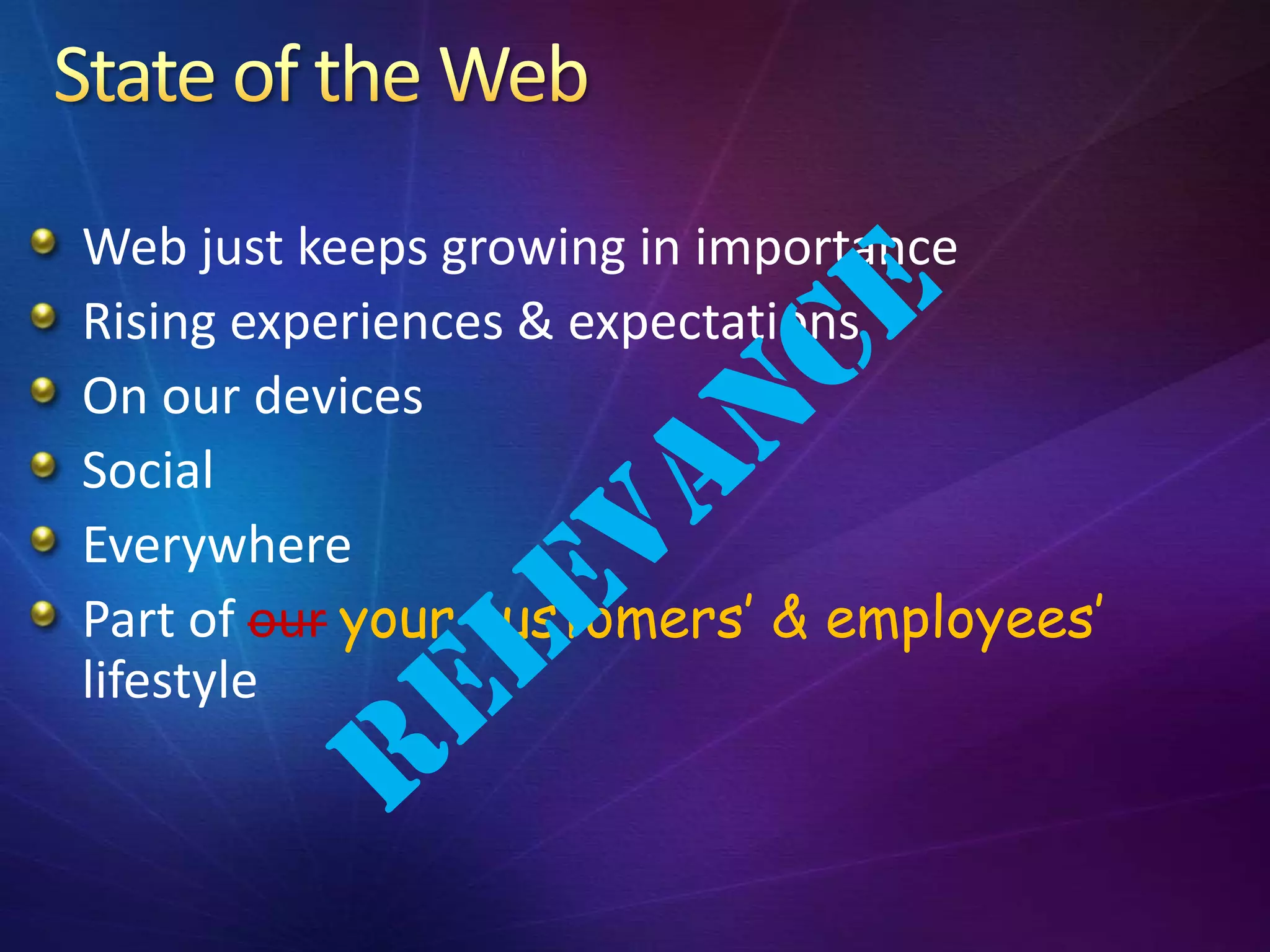
Web just keeps growing in importance
Rising experiences & expectations
On our devices
Social
Everywhere
Part of our your customers’ & employees’
lifestyle
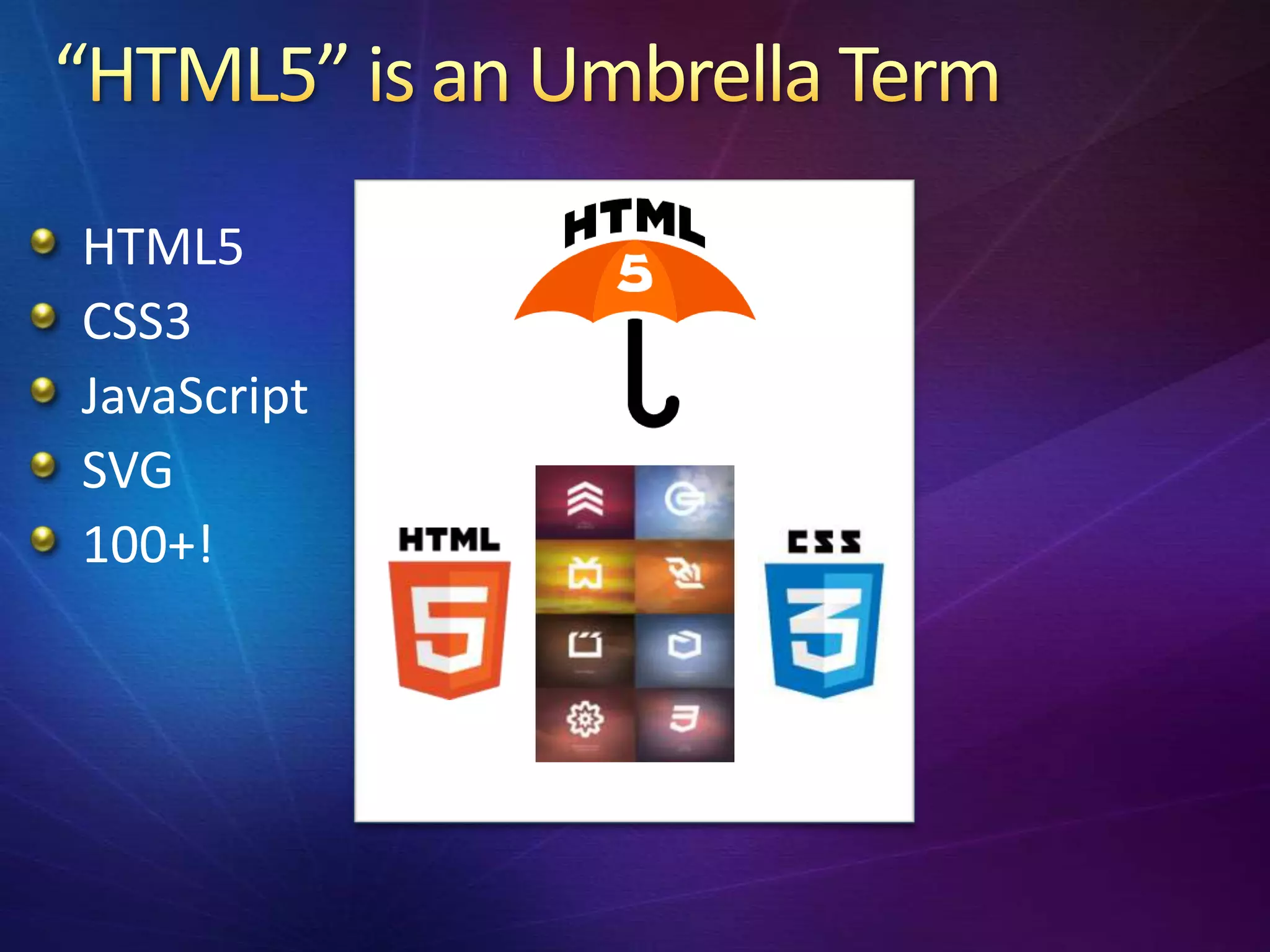
HTML5
CSS3
JavaScript
SVG
100+!
Video & Audio without plugins
Canvas & Scalable Vector Graphics w/o plugins
New semantic tags
Geolocation
CSS3, including custom fonts, rounded corners
Drag and drop
Canvas – 2D drawing, WebGL – 3D graphics
New form elements
HTML manifest (app caching) & offline storage
Hardware acceleration in modern browsers
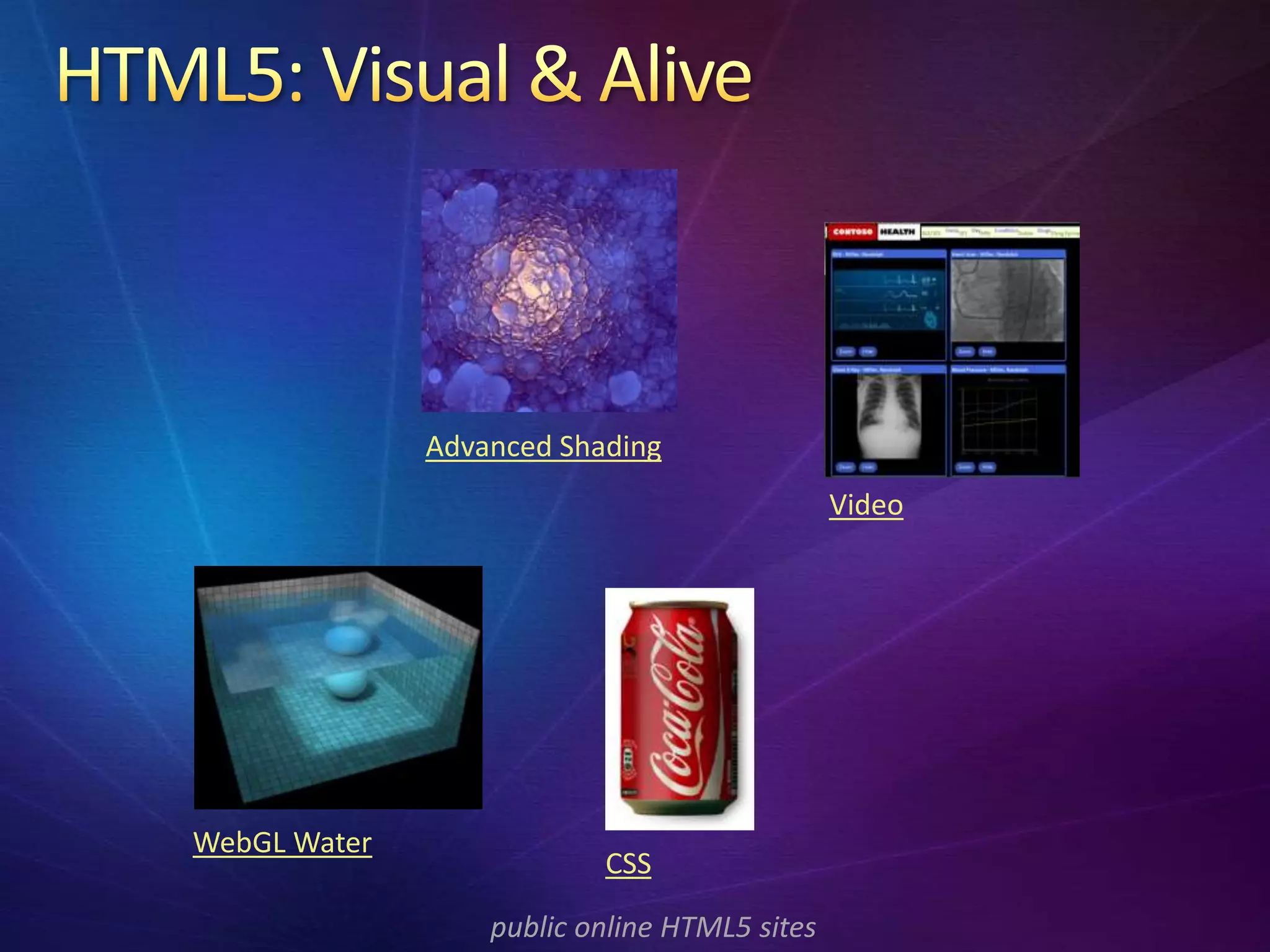
Advanced Shading
                                              Video


WebGL Water
                          CSS

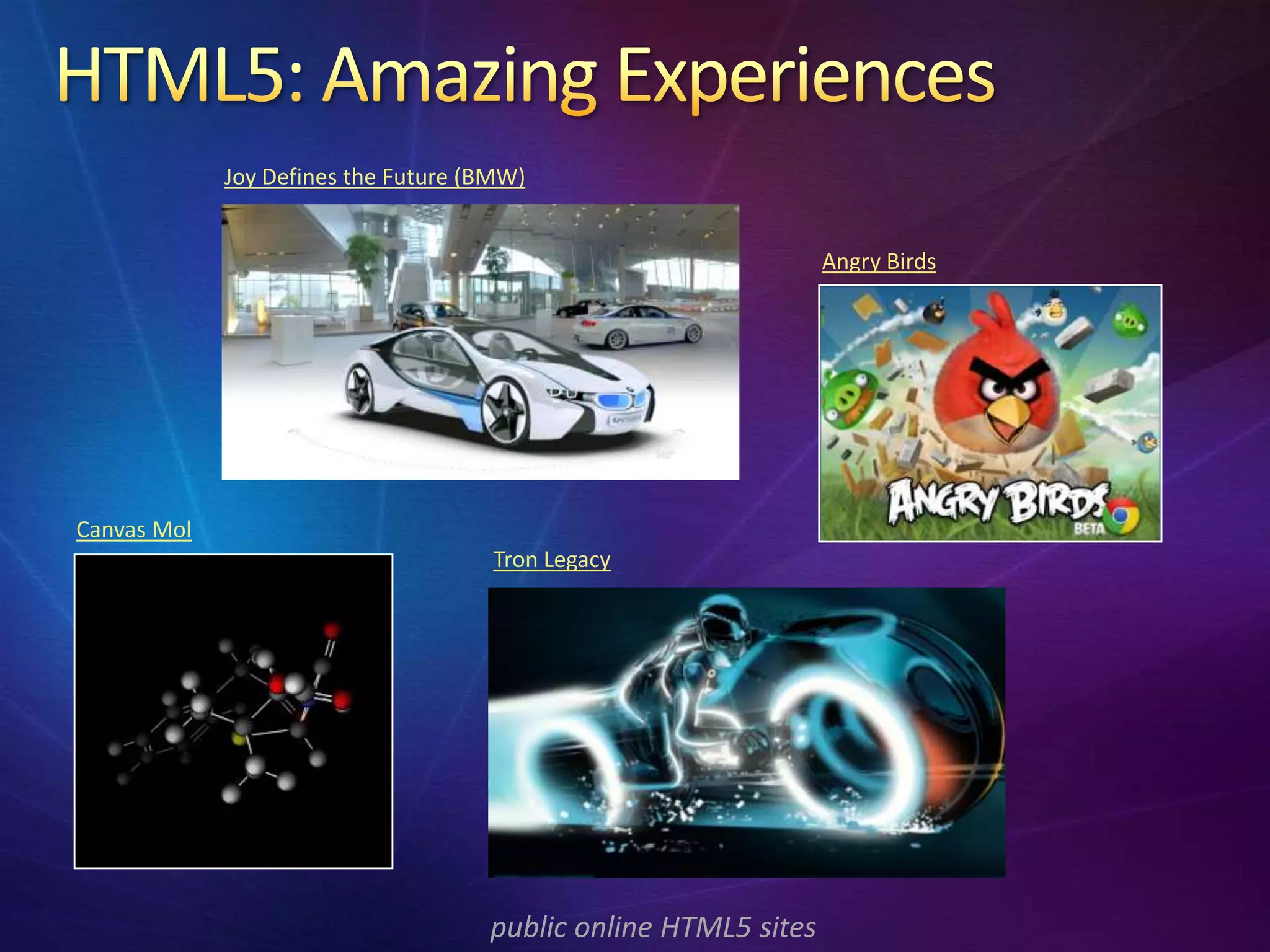
                  public online HTML5 sites
Joy Defines the Future (BMW)


                                                                 Angry Birds


Canvas Mol
                                      Tron Legacy


                                     public online HTML5 sites
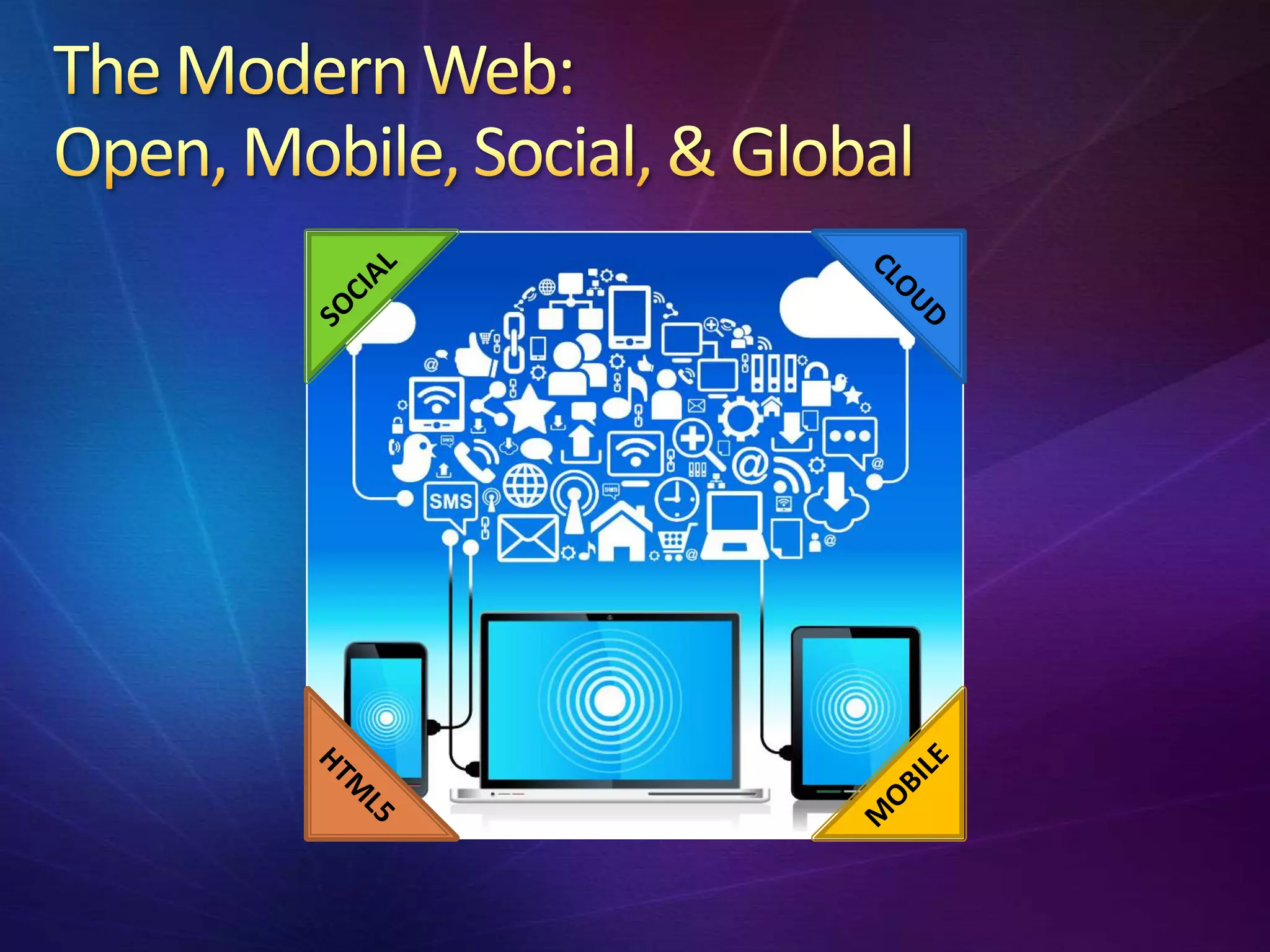
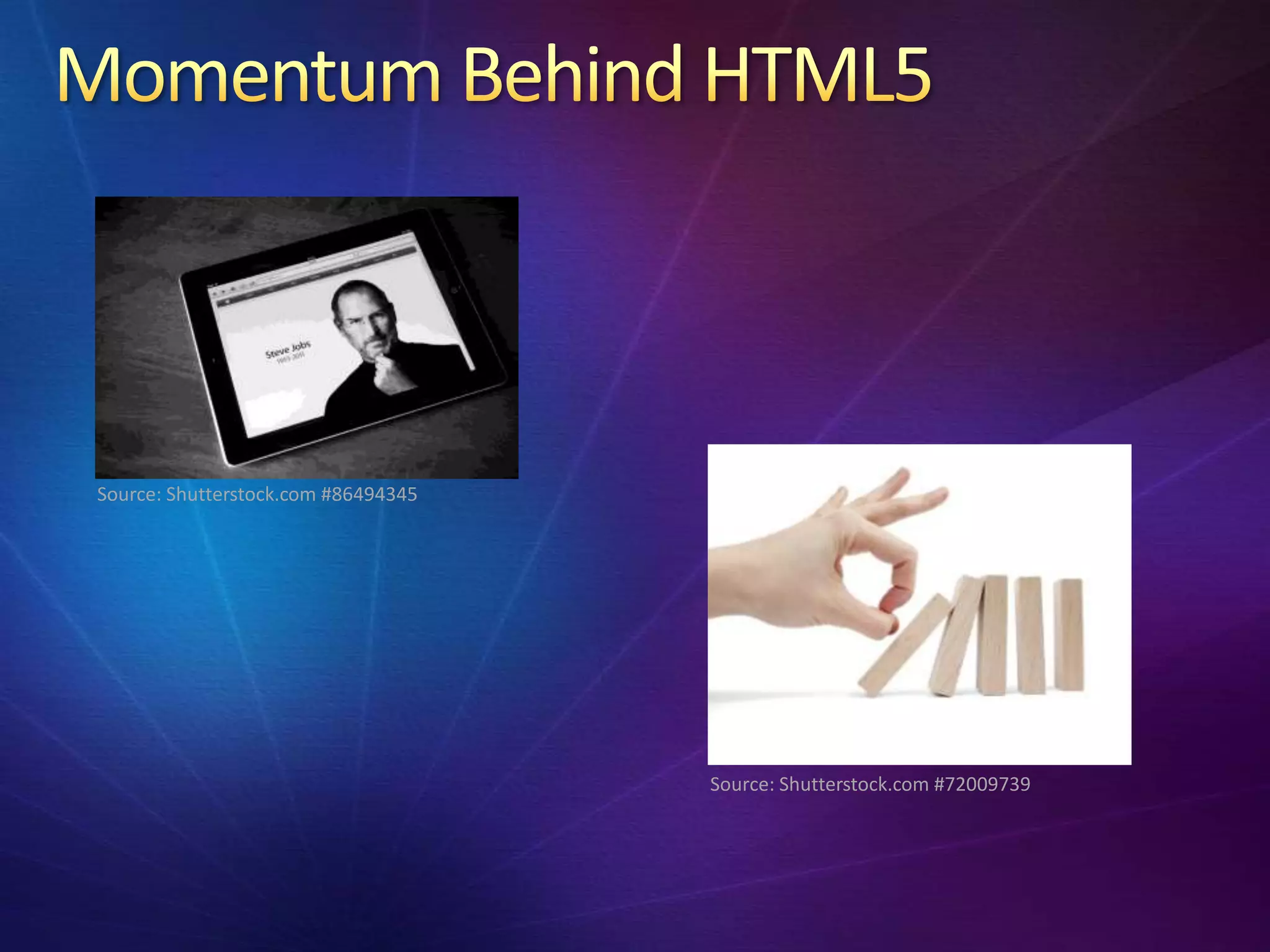
Source: Shutterstock.com #86494345


                                     Source: Shutterstock.com #72009739
Unified mobile development accounts for much
of the HTML5 momentum
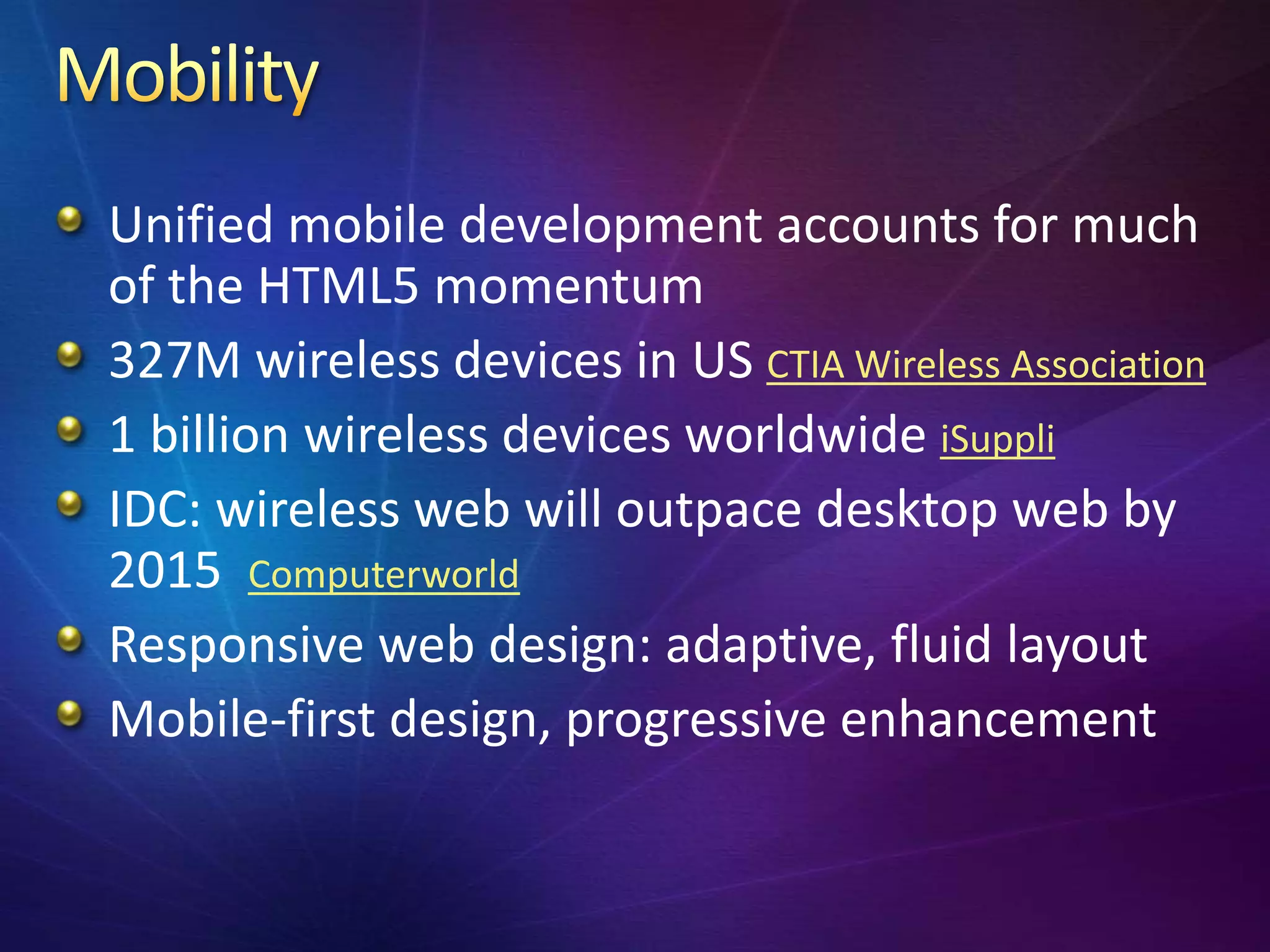
327M wireless devices in US CTIA Wireless Association
1 billion wireless devices worldwide iSuppli
IDC: wireless web will outpace desktop web by
2015 Computerworld
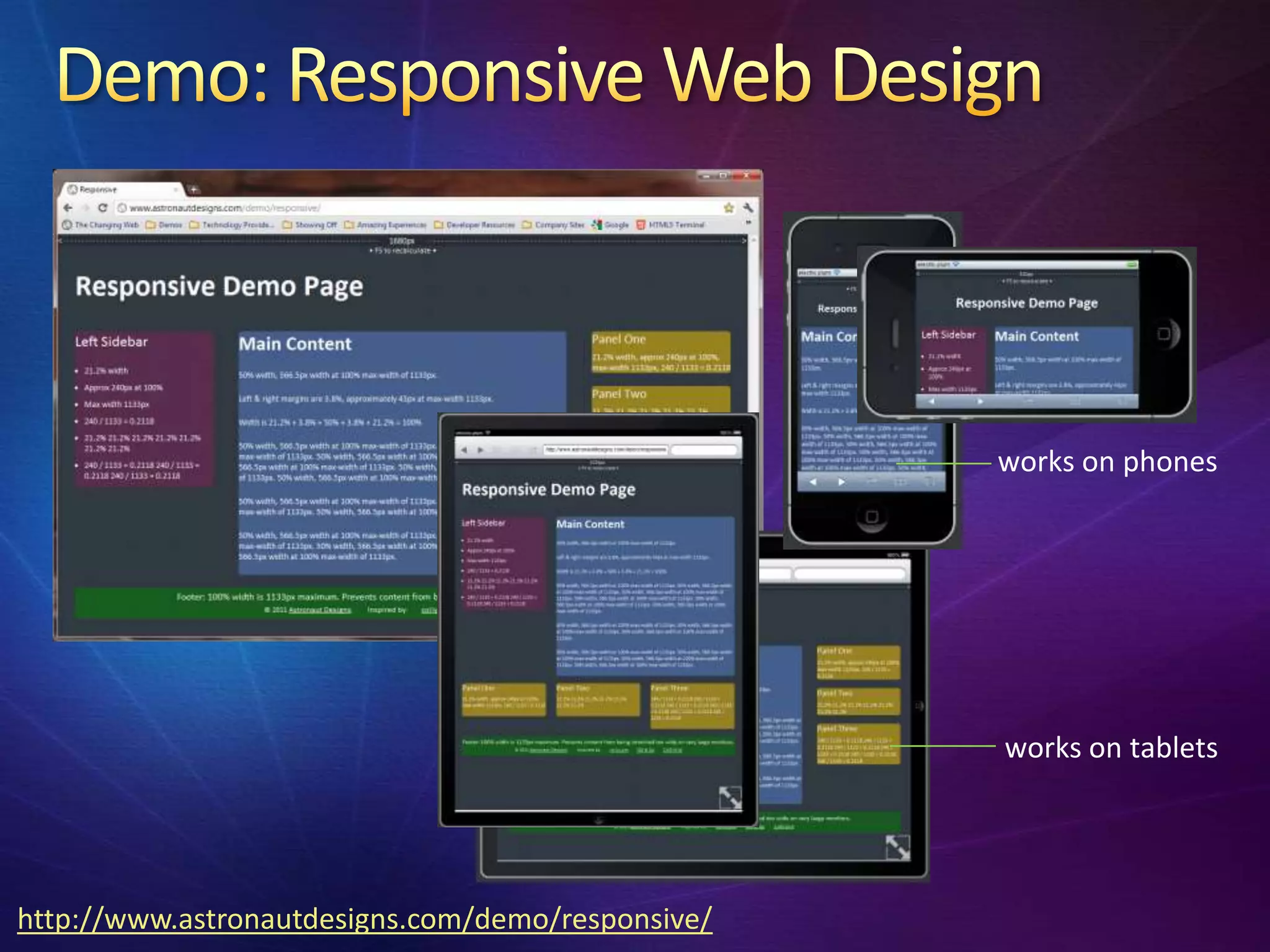
Responsive web design: adaptive, fluid layout
Mobile-first design, progressive enhancement
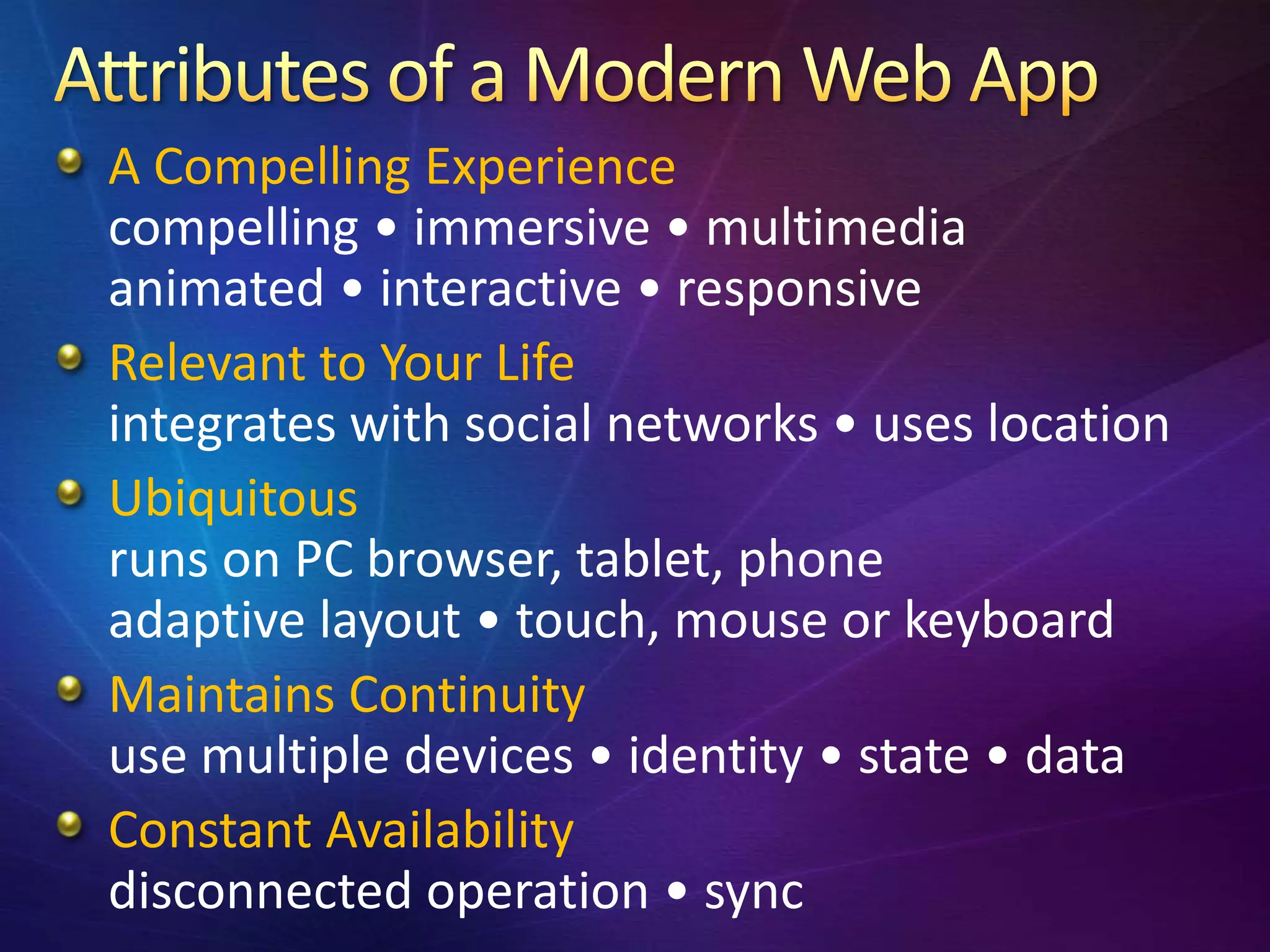
A Compelling Experience
compelling • immersive • multimedia
animated • interactive • responsive
Relevant to Your Life
integrates with social networks • uses location
Ubiquitous
runs on PC browser, tablet, phone
adaptive layout • touch, mouse or keyboard
Maintains Continuity
use multiple devices • identity • state • data
Constant Availability
disconnected operation • sync
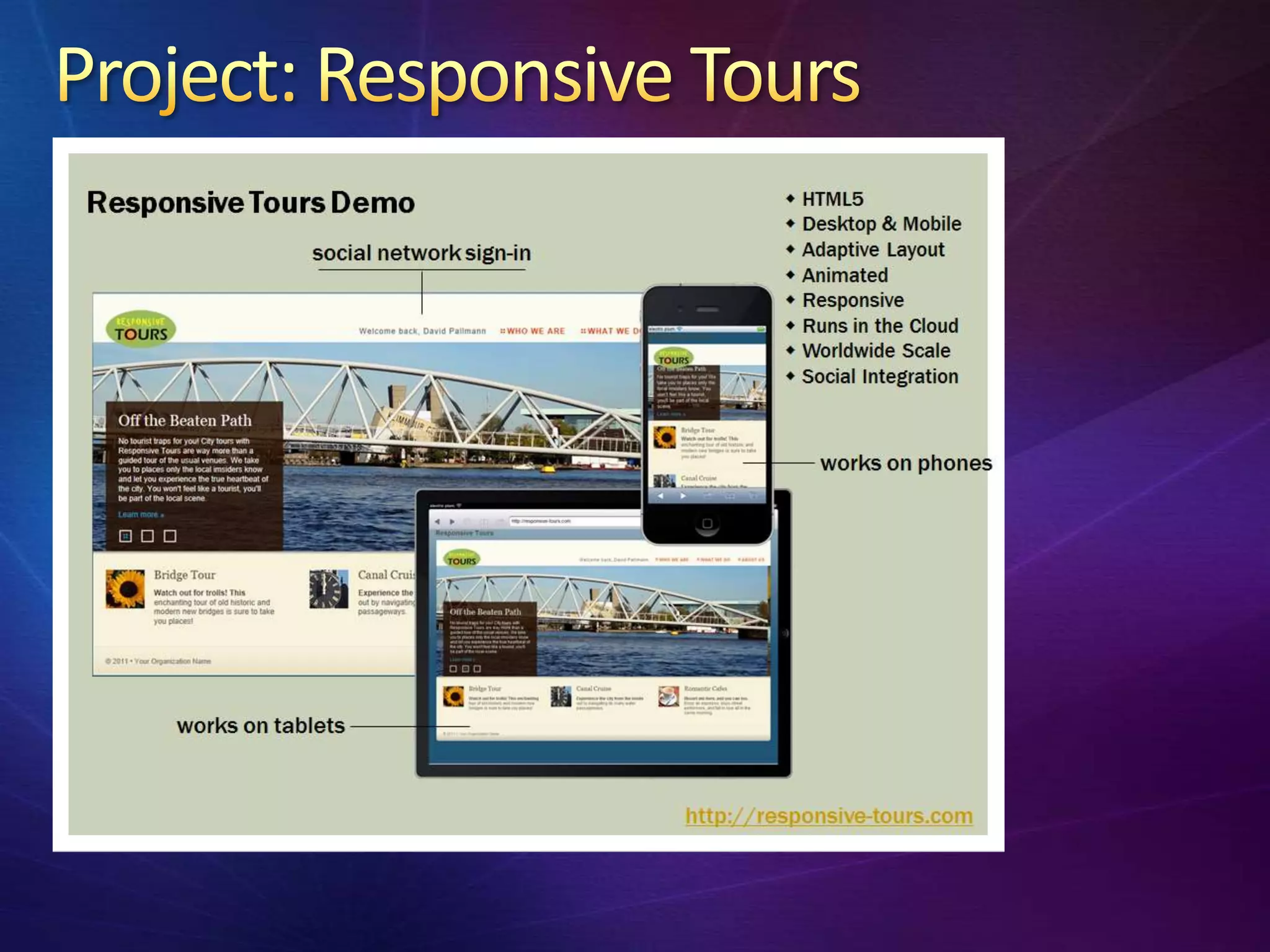
works on phones


                                                   works on tablets


http://www.astronautdesigns.com/demo/responsive/
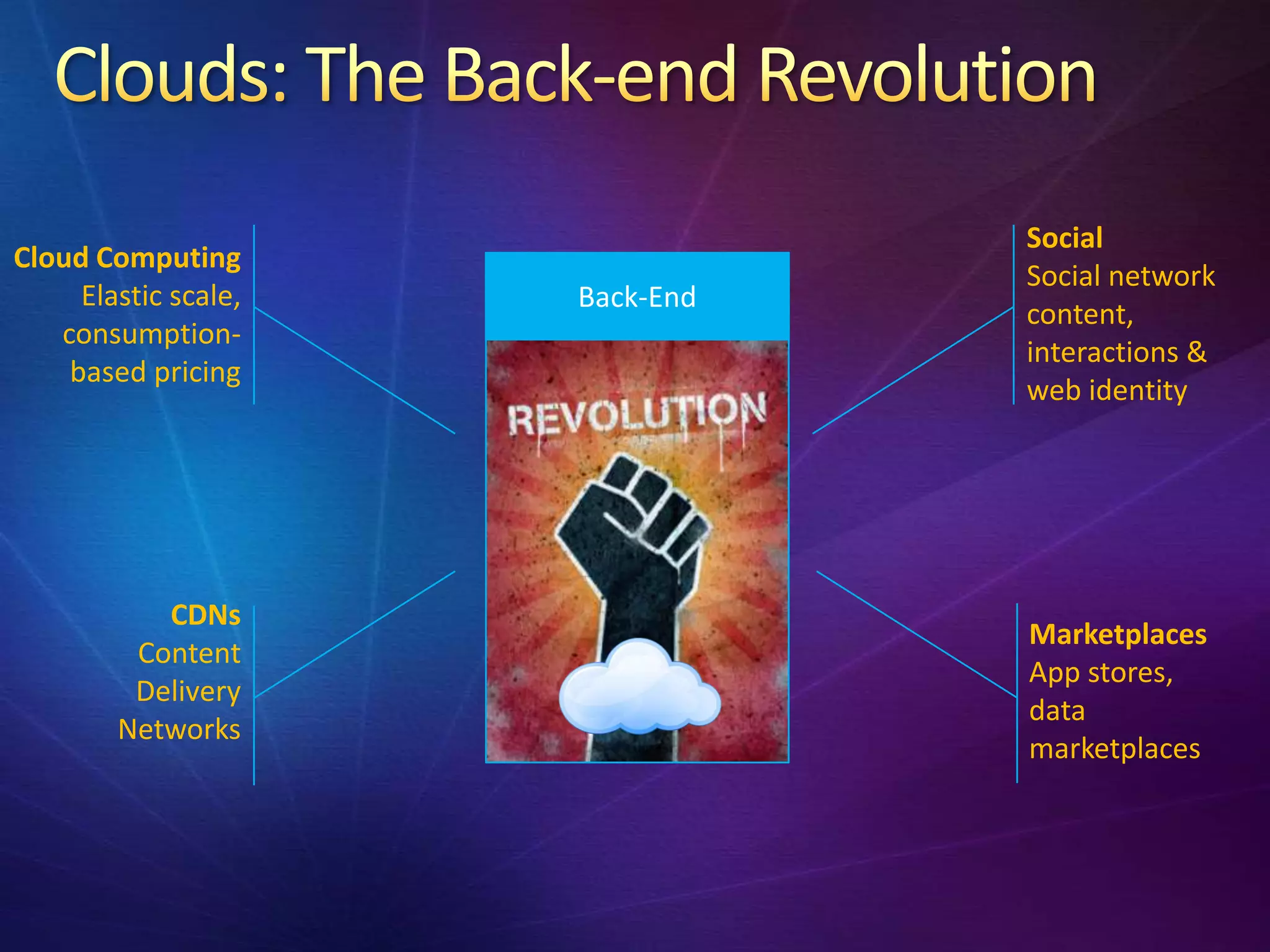
Social
Cloud Computing
                                 Social network
     Elastic scale,   Back-End
                                 content,
   consumption-
                                 interactions &
    based pricing
                                 web identity


           CDNs
                                 Marketplaces
         Content
                                 App stores,
         Delivery
                                 data
        Networks
                                 marketplaces
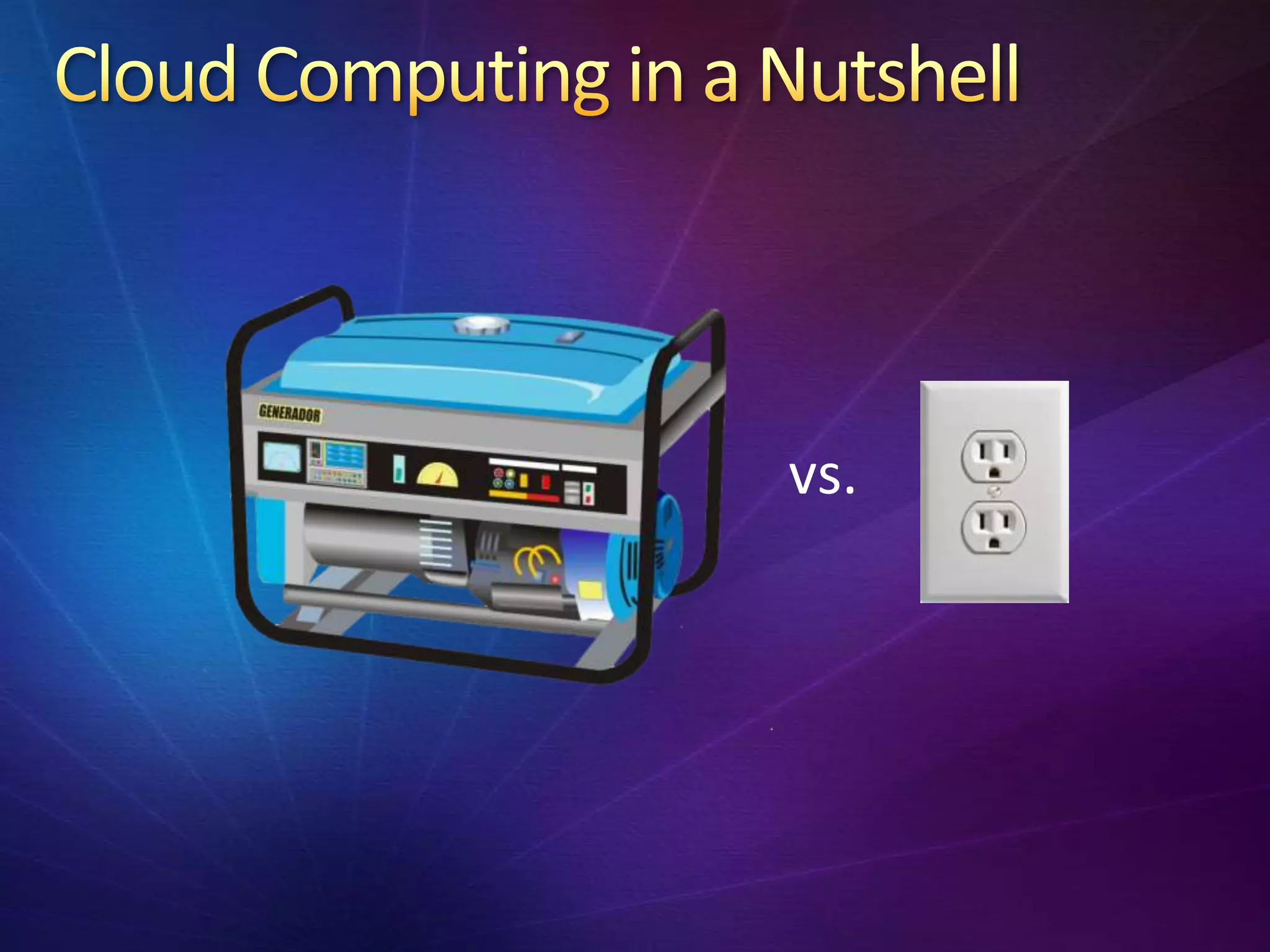
vs.
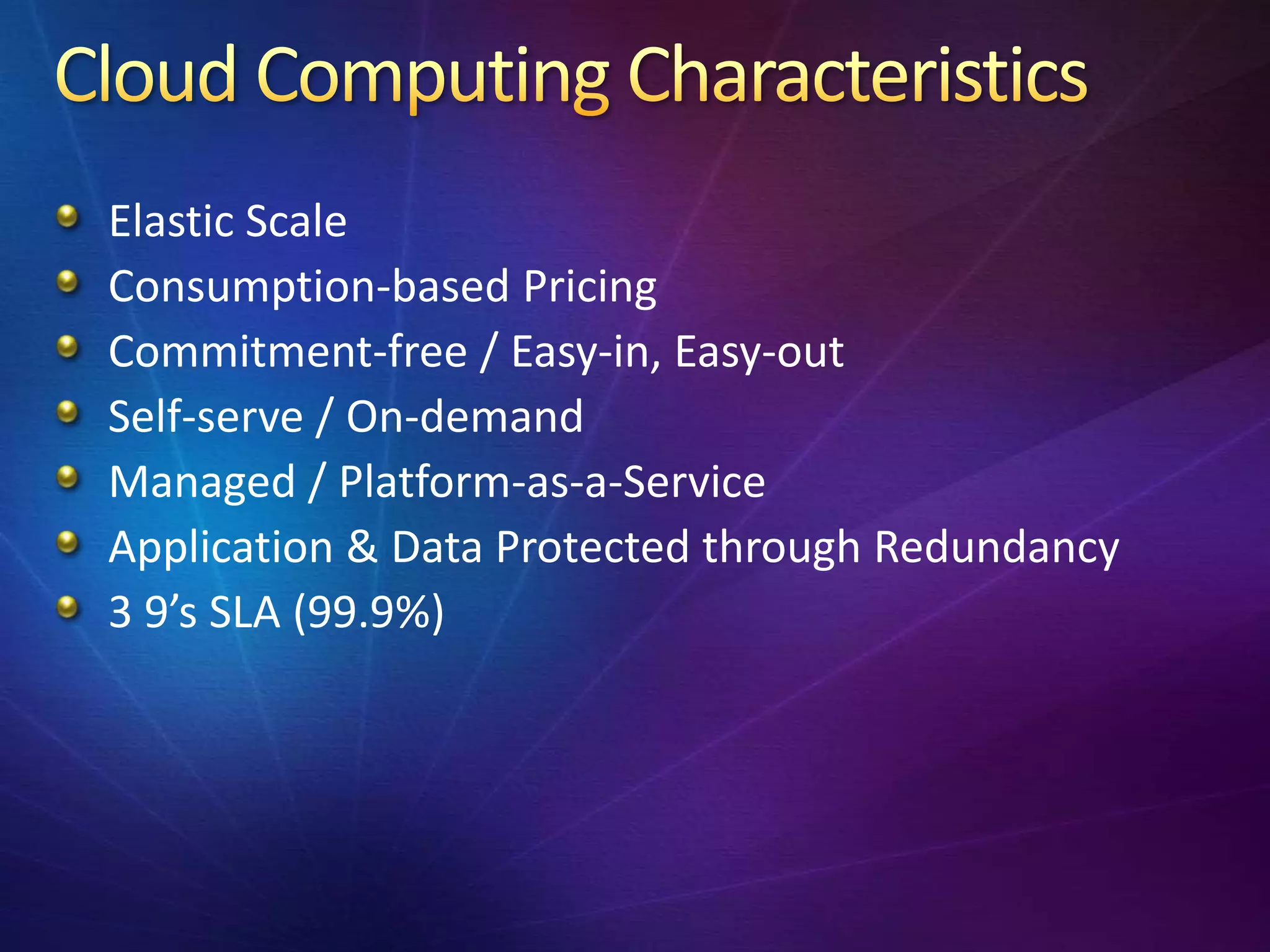
Elastic Scale
Consumption-based Pricing
Commitment-free / Easy-in, Easy-out
Self-serve / On-demand
Managed / Platform-as-a-Service
Application & Data Protected through Redundancy
3 9’s SLA (99.9%)
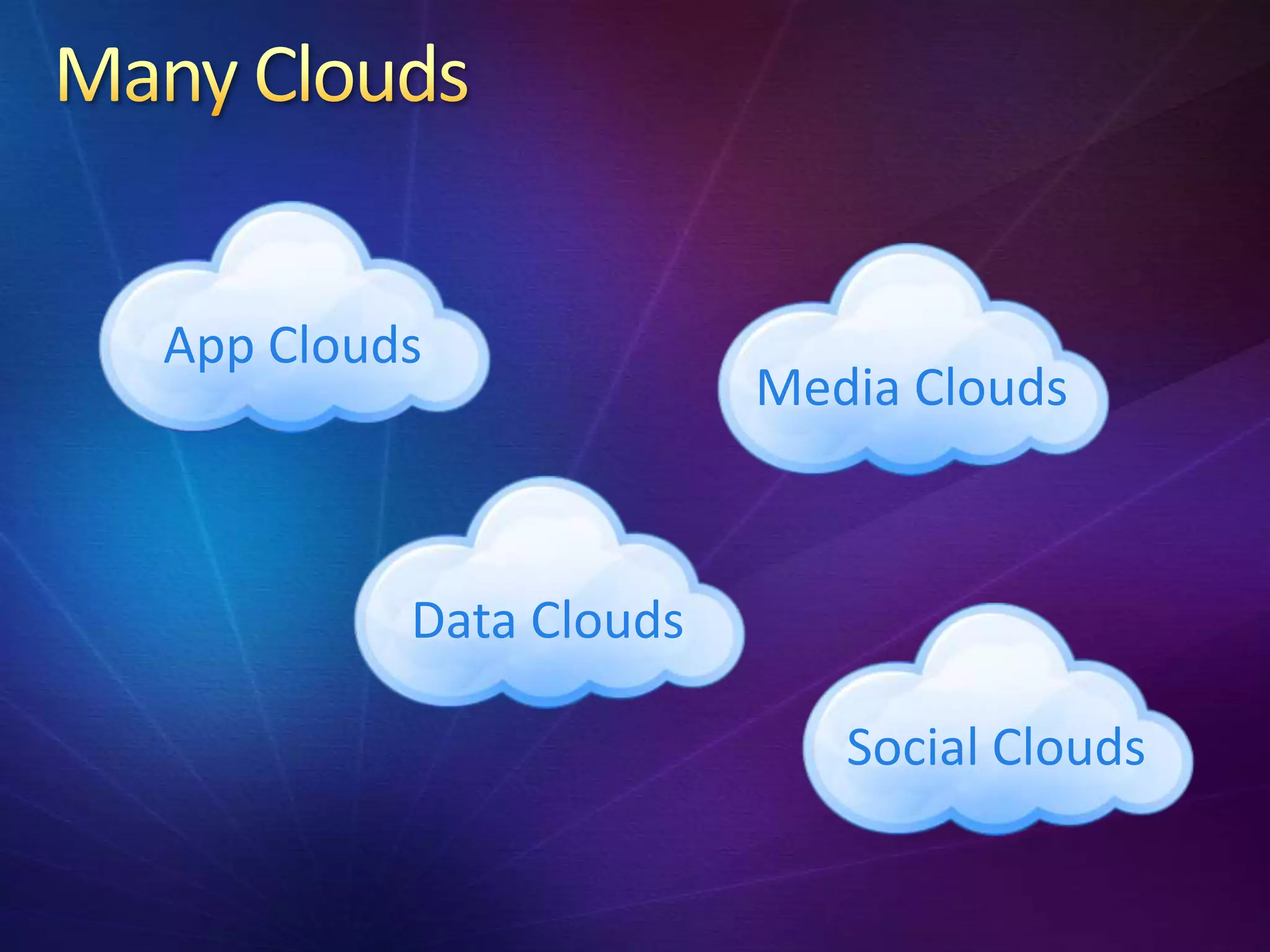
App Clouds
                       Media Clouds


         Data Clouds

                          Social Clouds
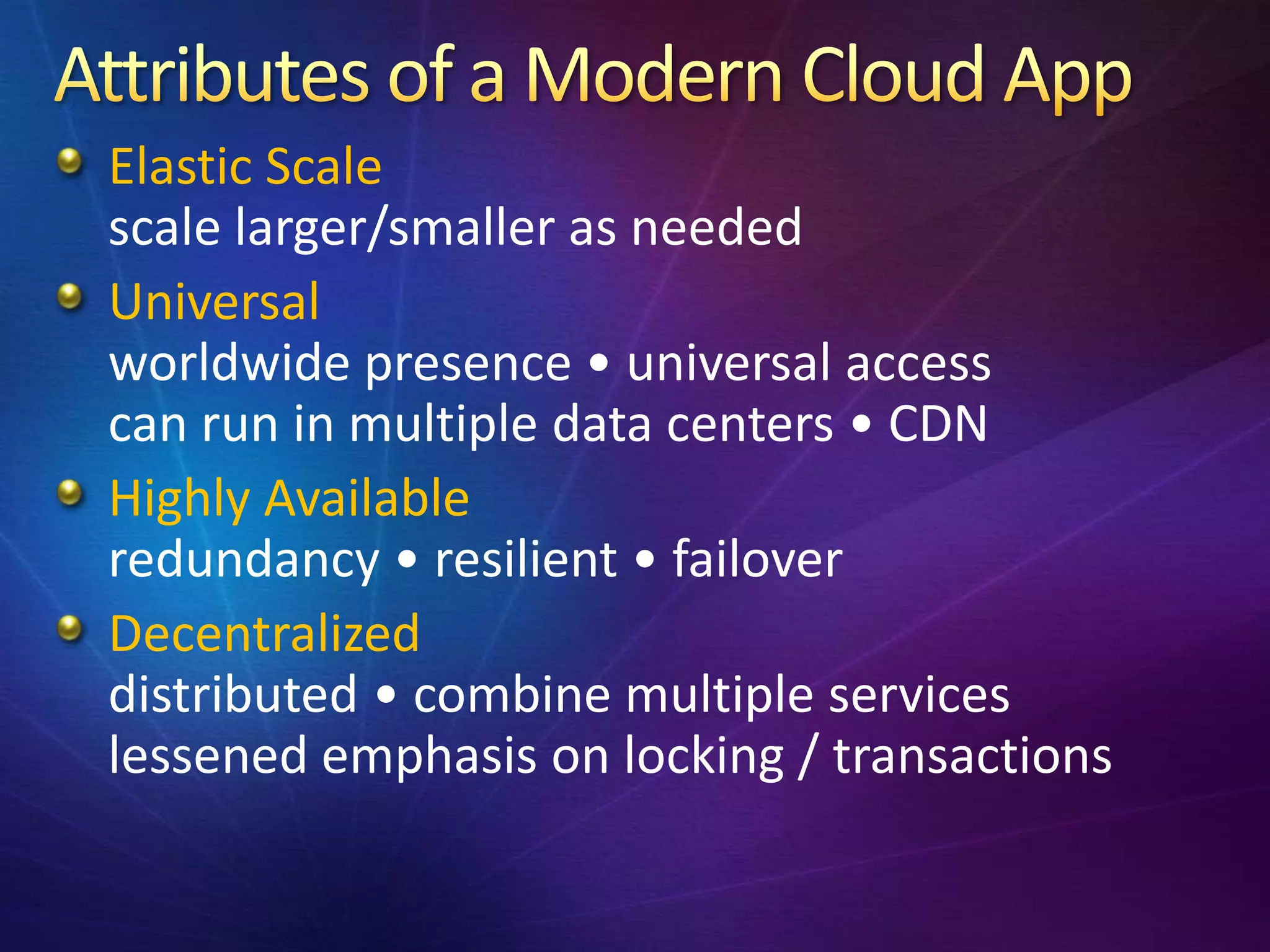
Elastic Scale
scale larger/smaller as needed
Universal
worldwide presence • universal access
can run in multiple data centers • CDN
Highly Available
redundancy • resilient • failover
Decentralized
distributed • combine multiple services
lessened emphasis on locking / transactions
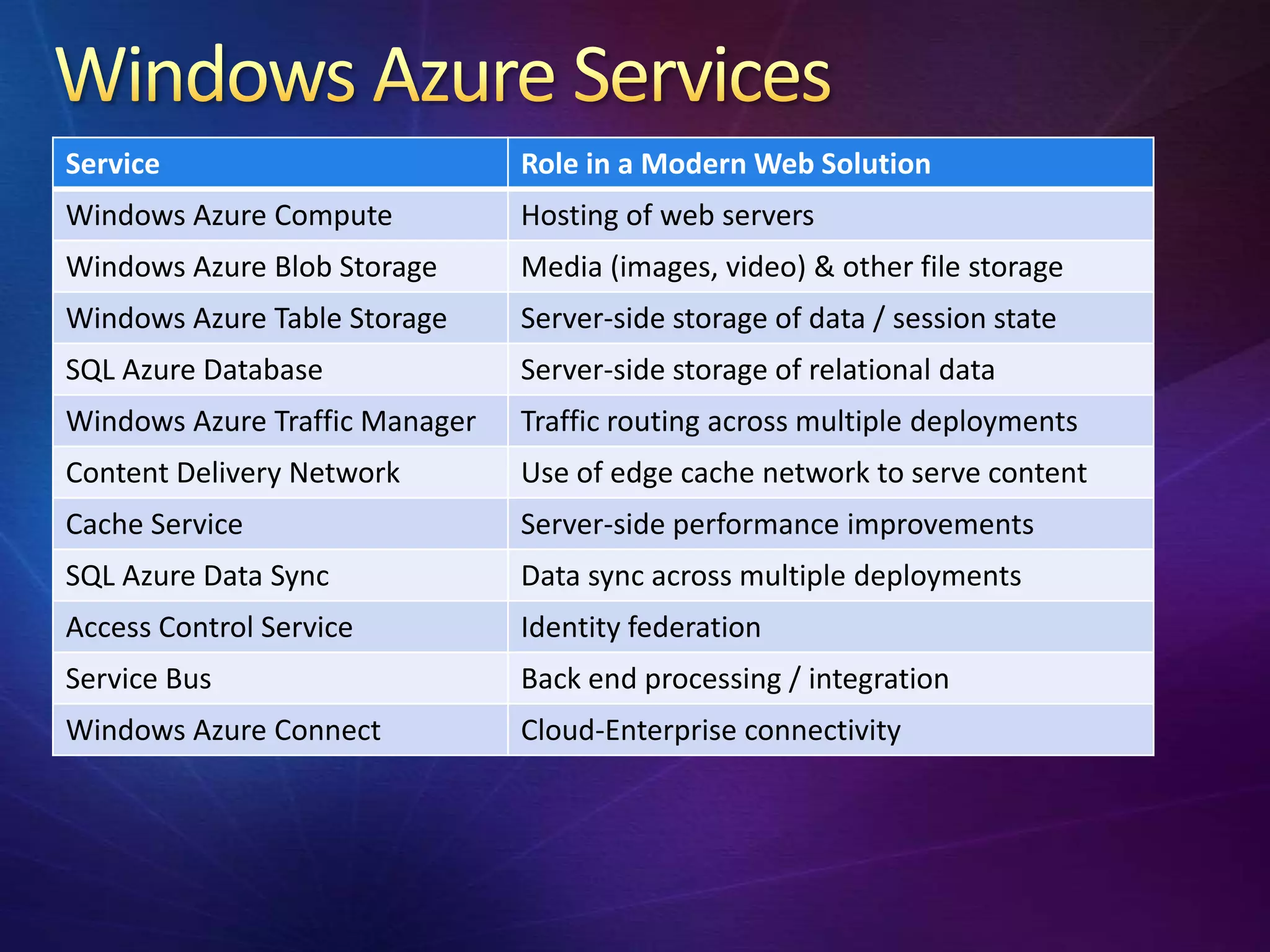
Service                         Role in a Modern Web Solution
Windows Azure Compute           Hosting of web servers
Windows Azure Blob Storage      Media (images, video) & other file storage
Windows Azure Table Storage     Server-side storage of data / session state
SQL Azure Database              Server-side storage of relational data
Windows Azure Traffic Manager   Traffic routing across multiple deployments
Content Delivery Network        Use of edge cache network to serve content
Cache Service                   Server-side performance improvements
SQL Azure Data Sync             Data sync across multiple deployments
Access Control Service          Identity federation
Service Bus                     Back end processing / integration
Windows Azure Connect           Cloud-Enterprise connectivity
Front-End   Back-End
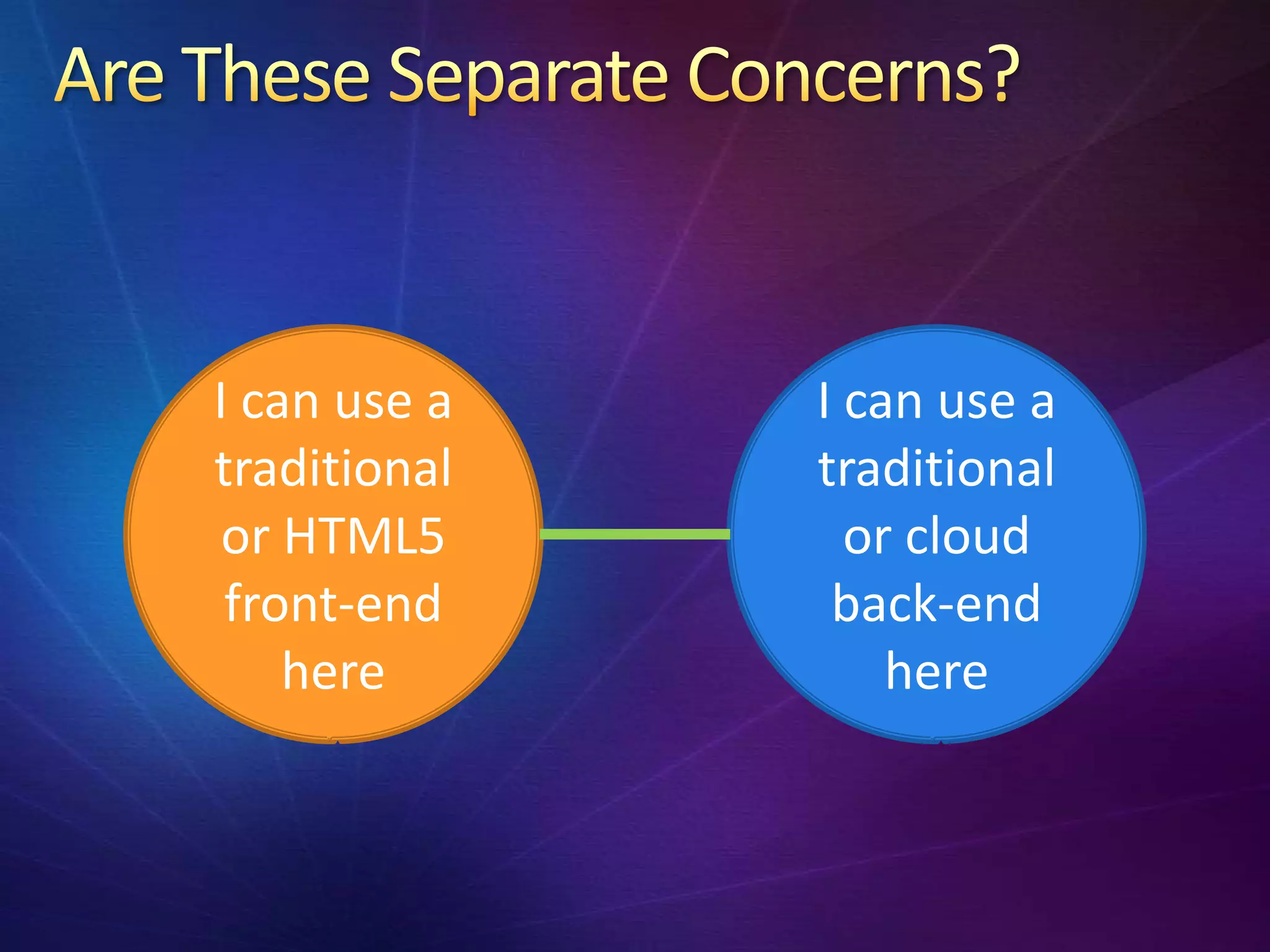
I can use a   I can use a
traditional   traditional
 or HTML5       or cloud
 front-end     back-end
    here          here
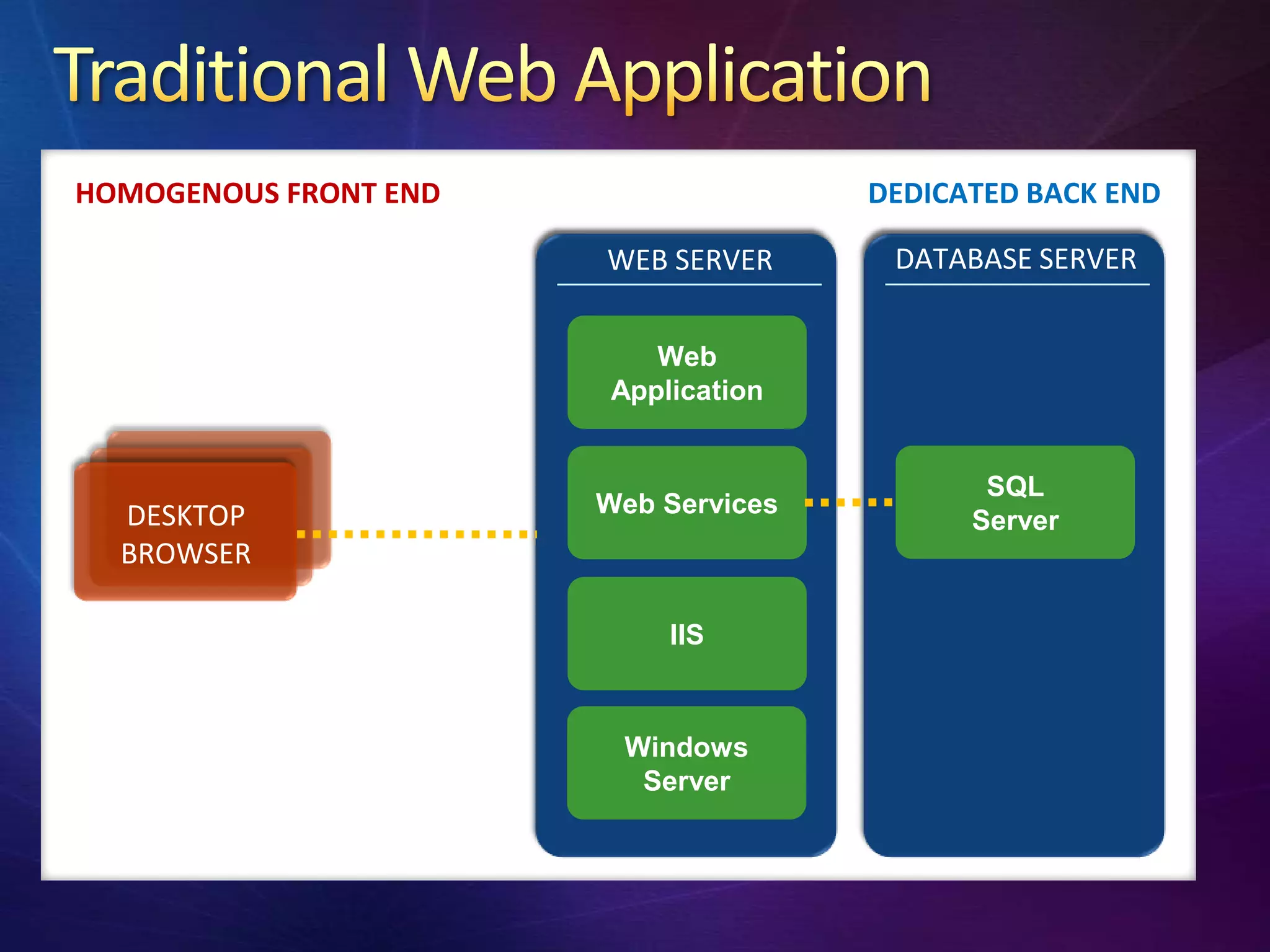
HOMOGENOUS FRONT END                  DEDICATED BACK END

                       WEB SERVER      DATABASE SERVER


                          Web
                       Application


                                             SQL
  DESKTOP              Web Services
                                            Server
  BROWSER

                           IIS


                        Windows
                         Server
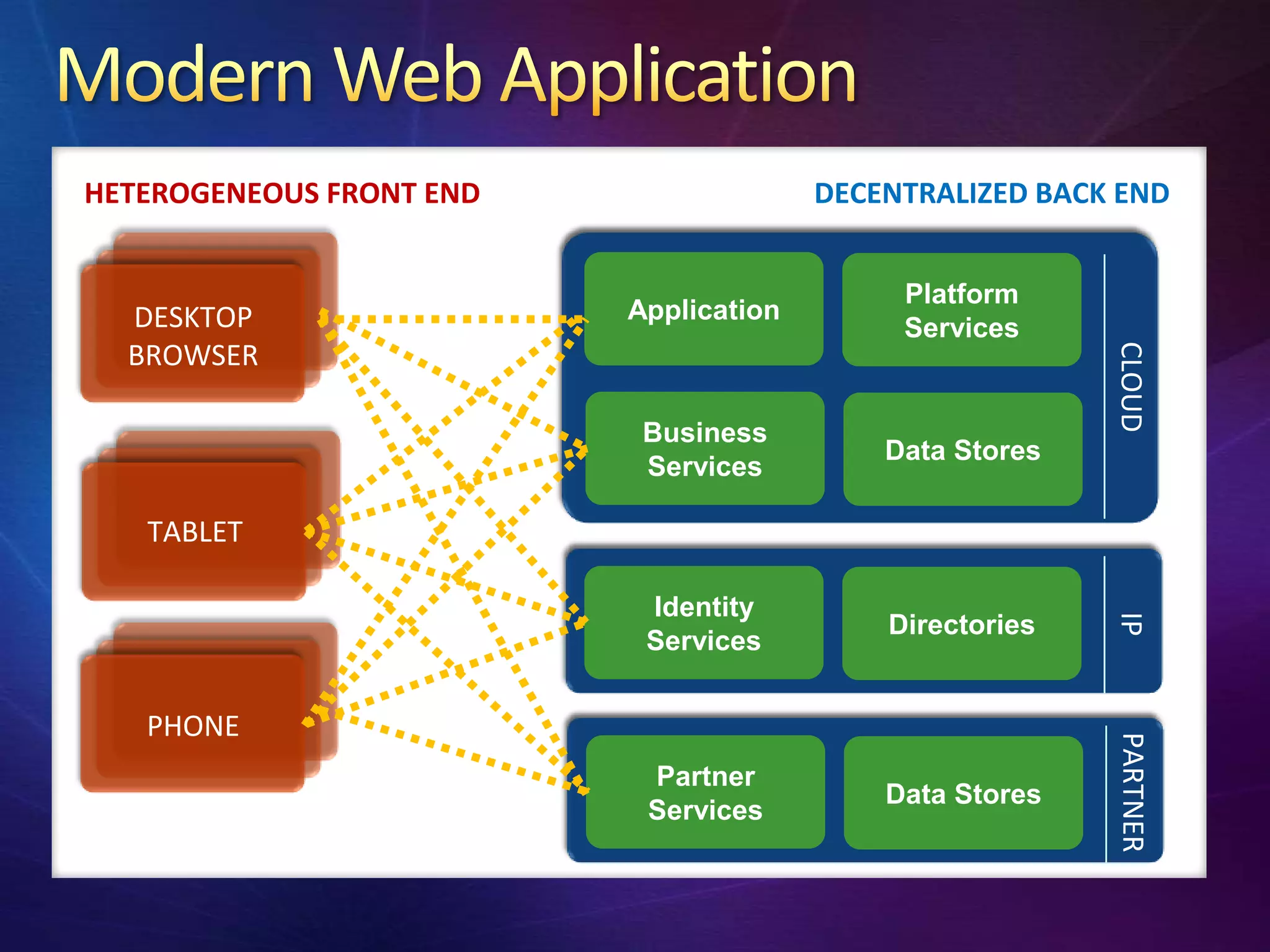
HETEROGENEOUS FRONT END                 DECENTRALIZED BACK END


                                             Platform
  DESKTOP                 Application
                                             Services
  BROWSER


                                                          CLOUD
                           Business
                                            Data Stores
                           Services

   TABLET

                           Identity


                                                          IP
                                            Directories
                           Services


   PHONE


                                                          PARTNER
                           Partner
                                            Data Stores
                           Services
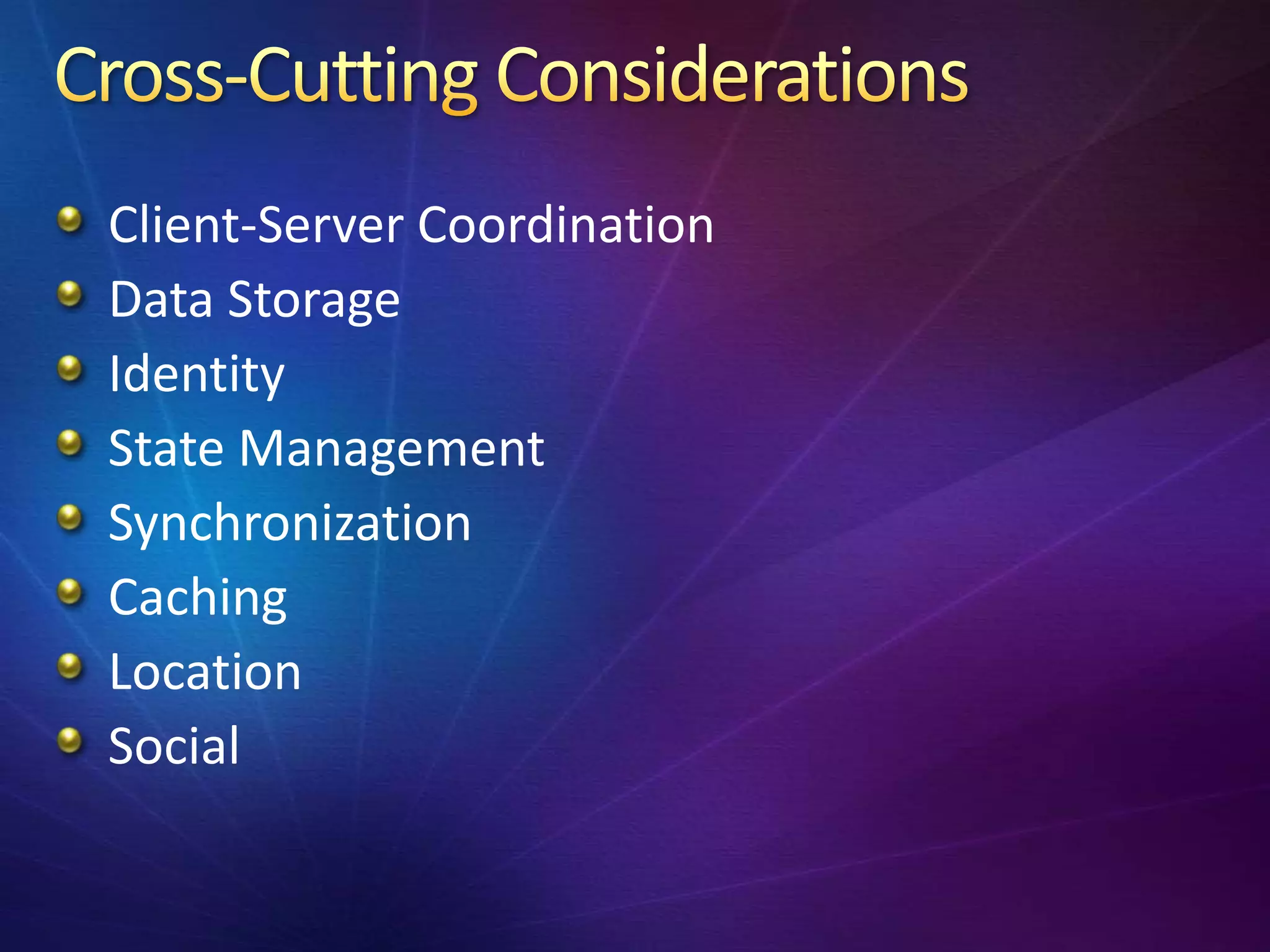
Client-Server Coordination
Data Storage
Identity
State Management
Synchronization
Caching
Location
Social
Elasticity
Location
Social
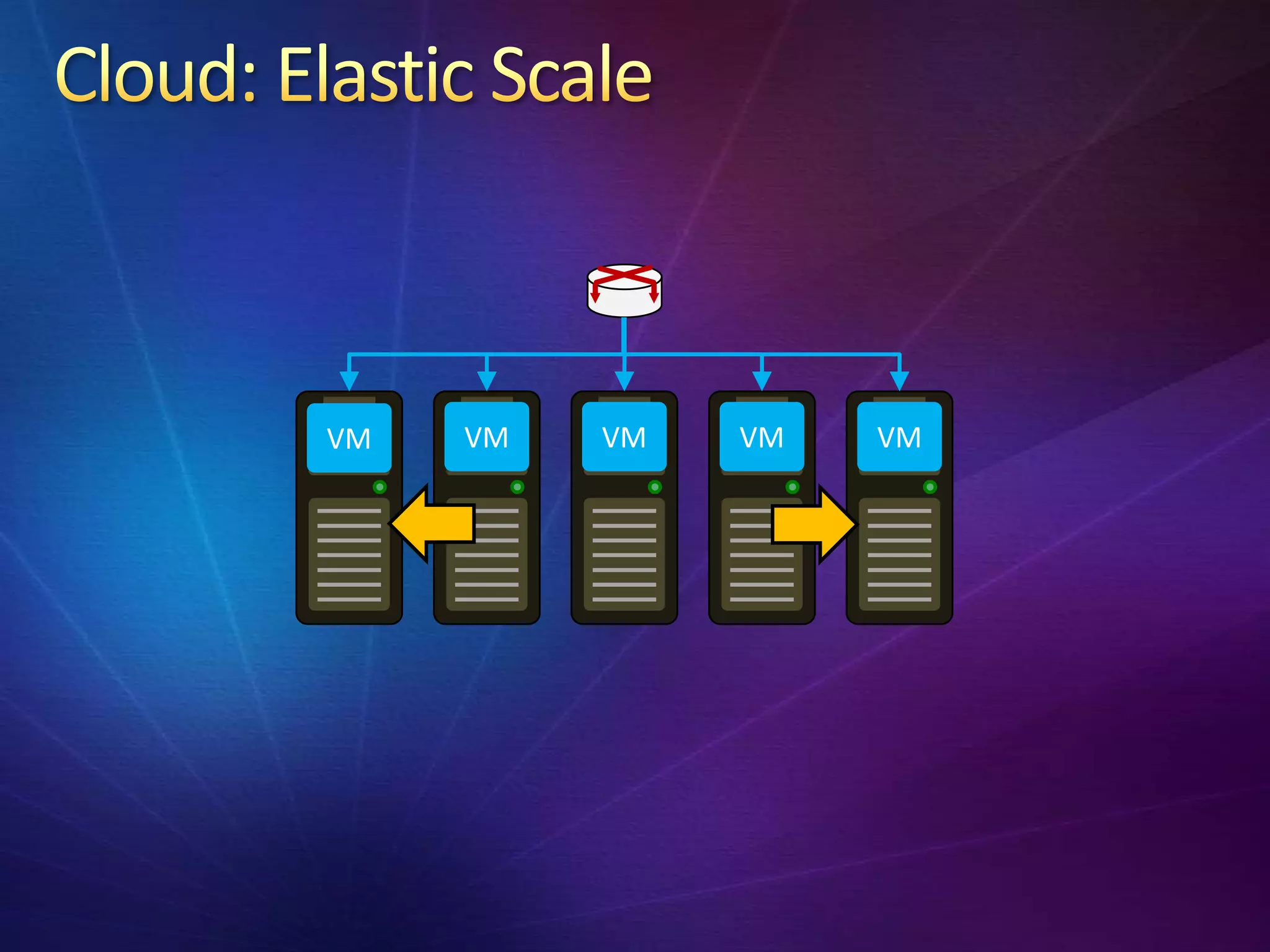
VM   VM   VM   VM   VM
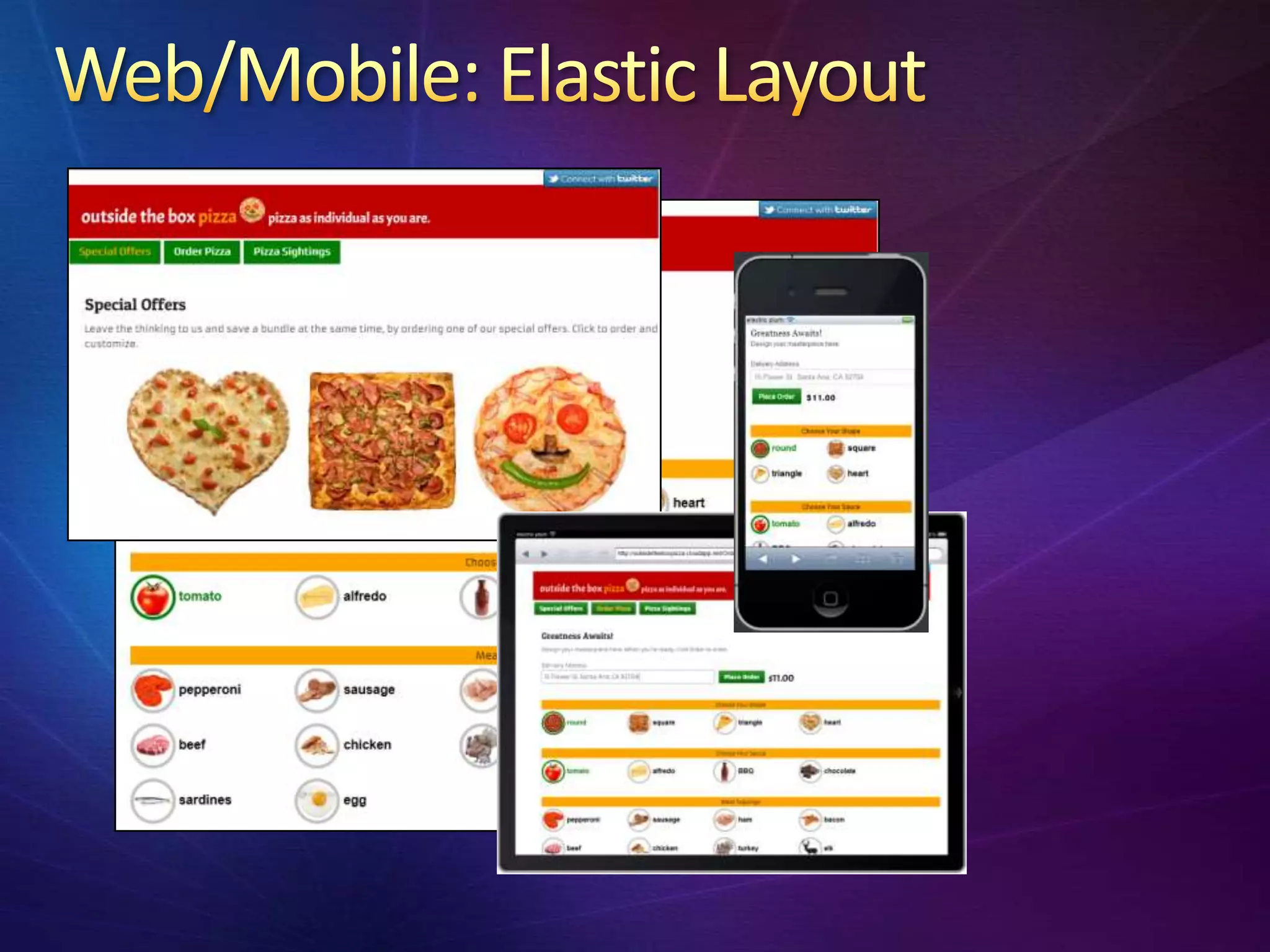
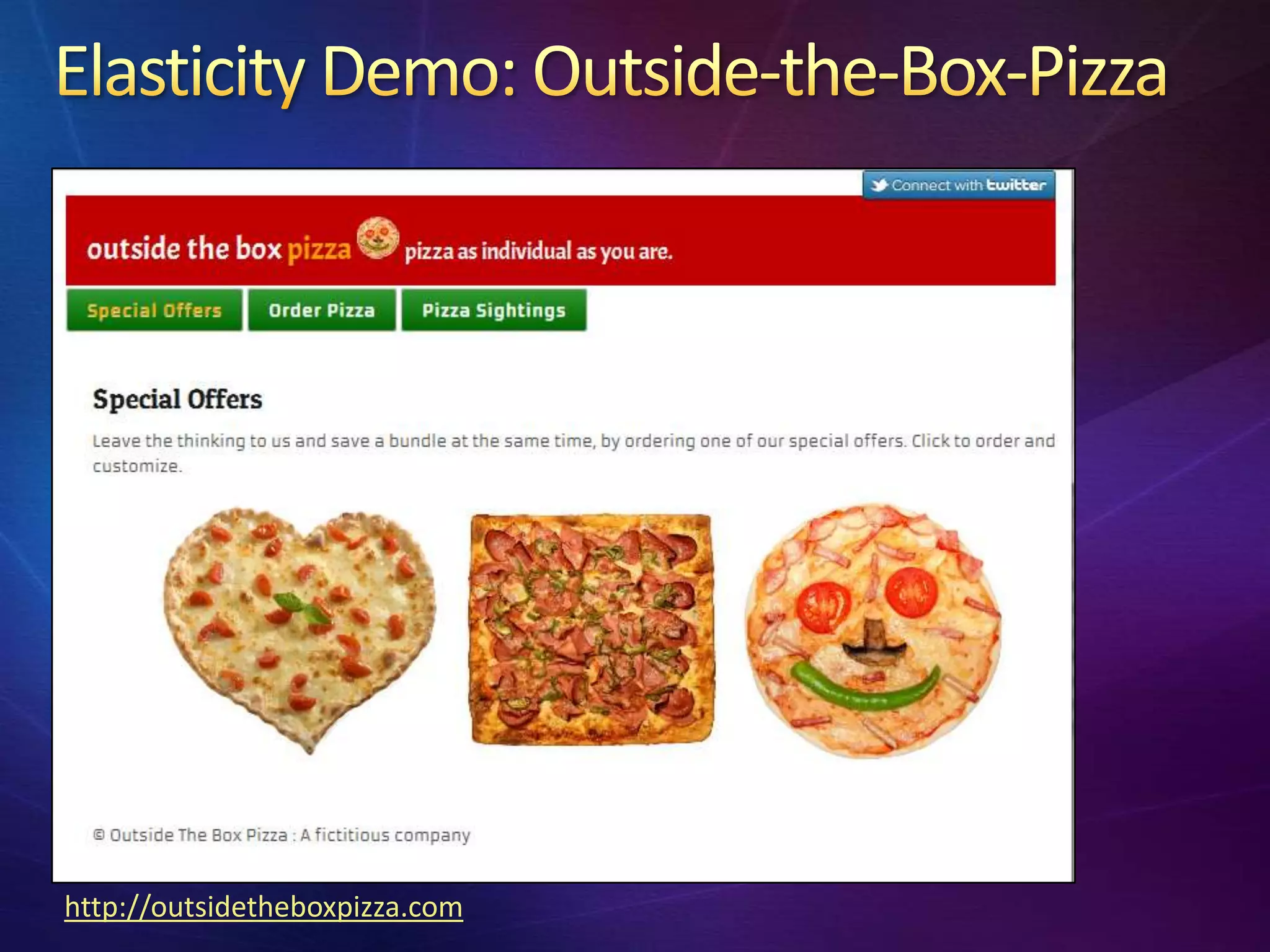
http://outsidetheboxpizza.com
Mobility gives us location independence:
take the web with you
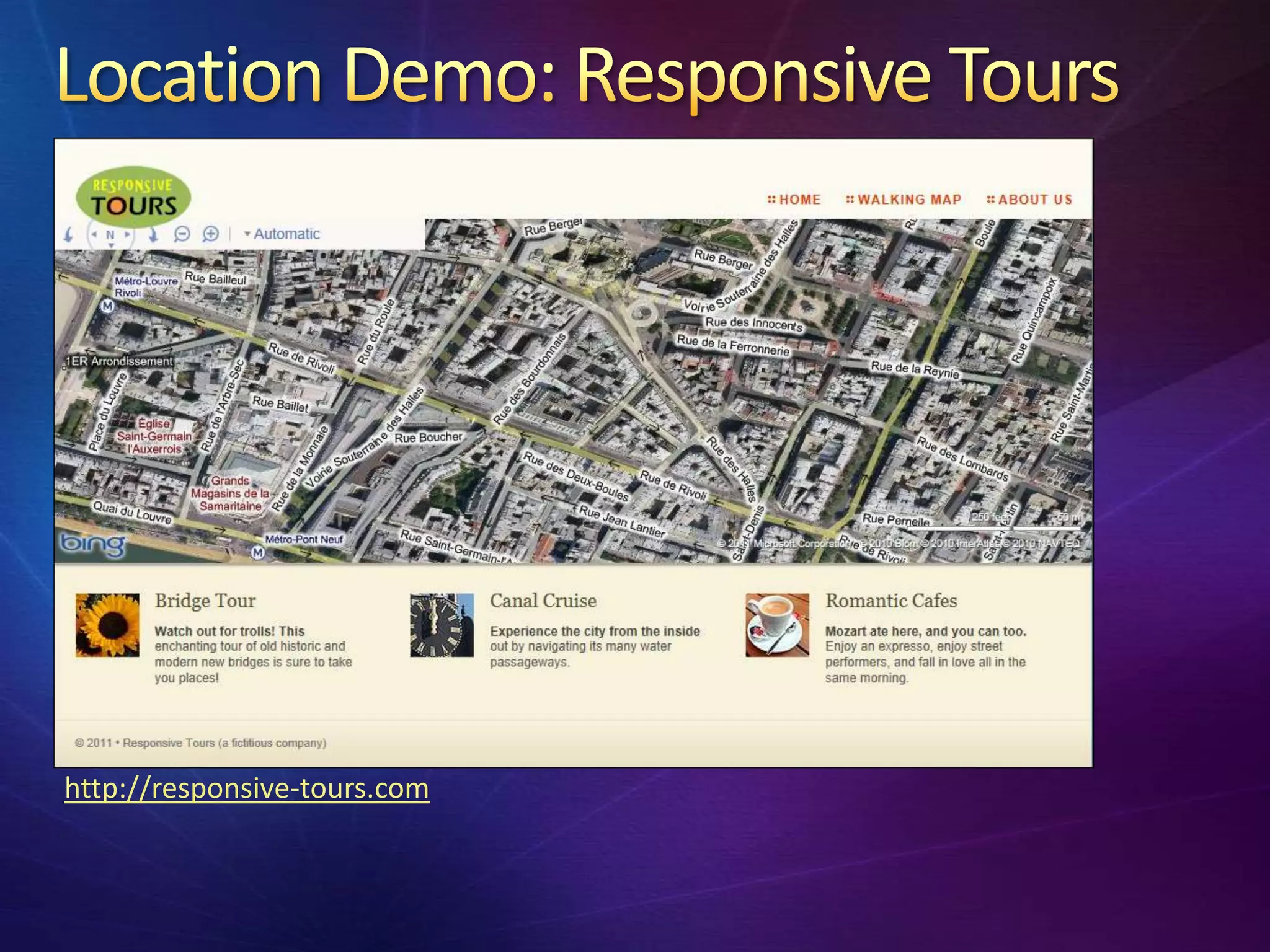
Mobile web apps can use your current location
Map integration
Content Delivery Network serves content
efficiently based on locale
Traffic Manager routes users to a deployment
based on locate
http://responsive-tours.com
Notifications
View Content
Post Content
Sign-in with web provider
Identity federation (Access Control Service)
Back-end social network integration
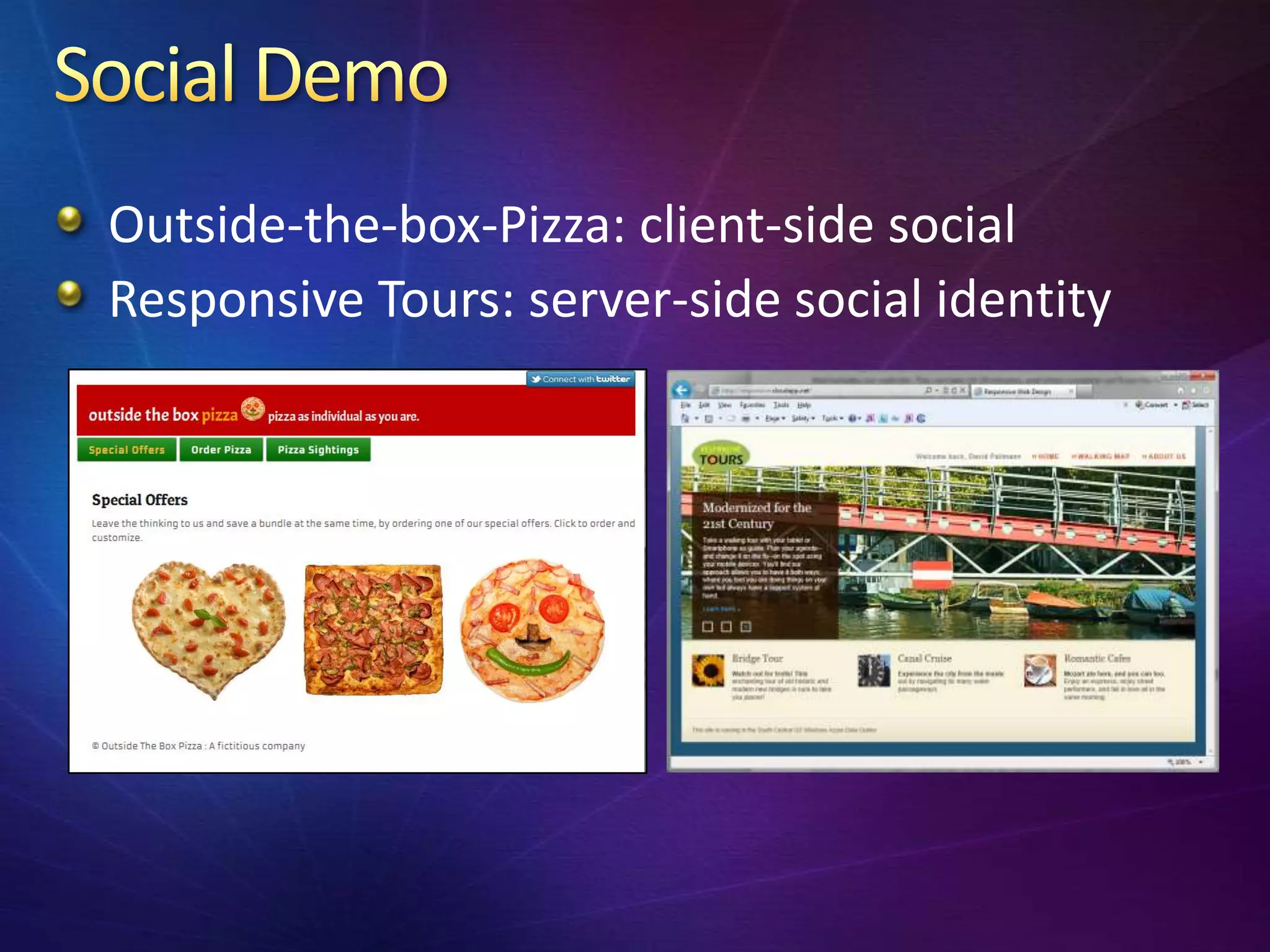
Outside-the-box-Pizza: client-side social
Responsive Tours: server-side social identity
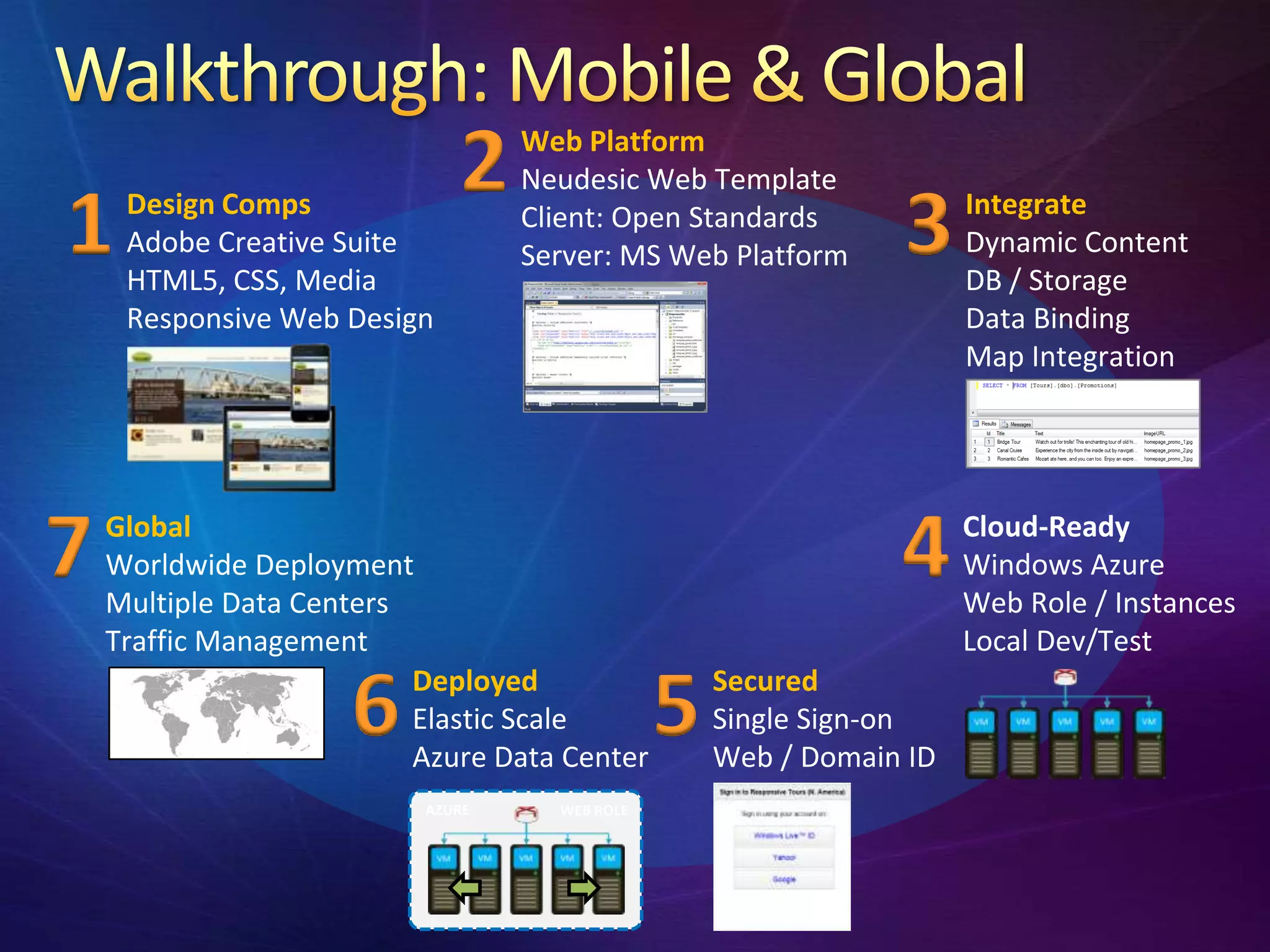
2    Web Platform
                                  Neudesic Web Template

1    Design Comps
     Adobe Creative Suite
     HTML5, CSS, Media
                                  Client: Open Standards
                                  Server: MS Web Platform      3     Integrate
                                                                     Dynamic Content
                                                                     DB / Storage
     Responsive Web Design                                           Data Binding
                                                                     Map Integration


7   Global
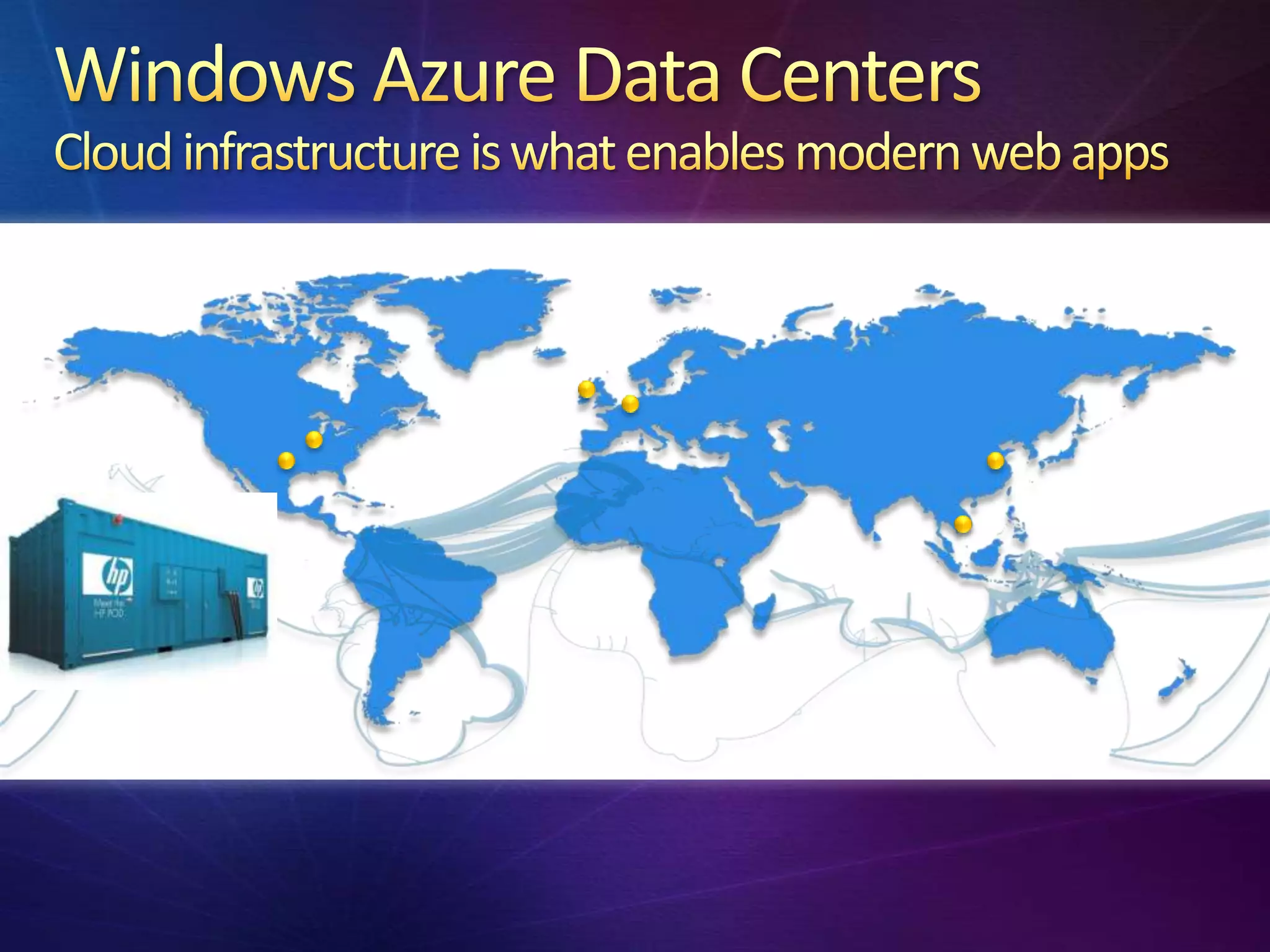
    Worldwide Deployment
    Multiple Data Centers
                                                               4     Cloud-Ready
                                                                     Windows Azure
                                                                     Web Role / Instances
    Traffic Management                                               Local Dev/Test

                     6    Deployed
                          Elastic Scale
                          Azure Data Center
                                               5   Secured
                                                   Single Sign-on
                                                   Web / Domain ID
                          AZURE     WEB ROLE
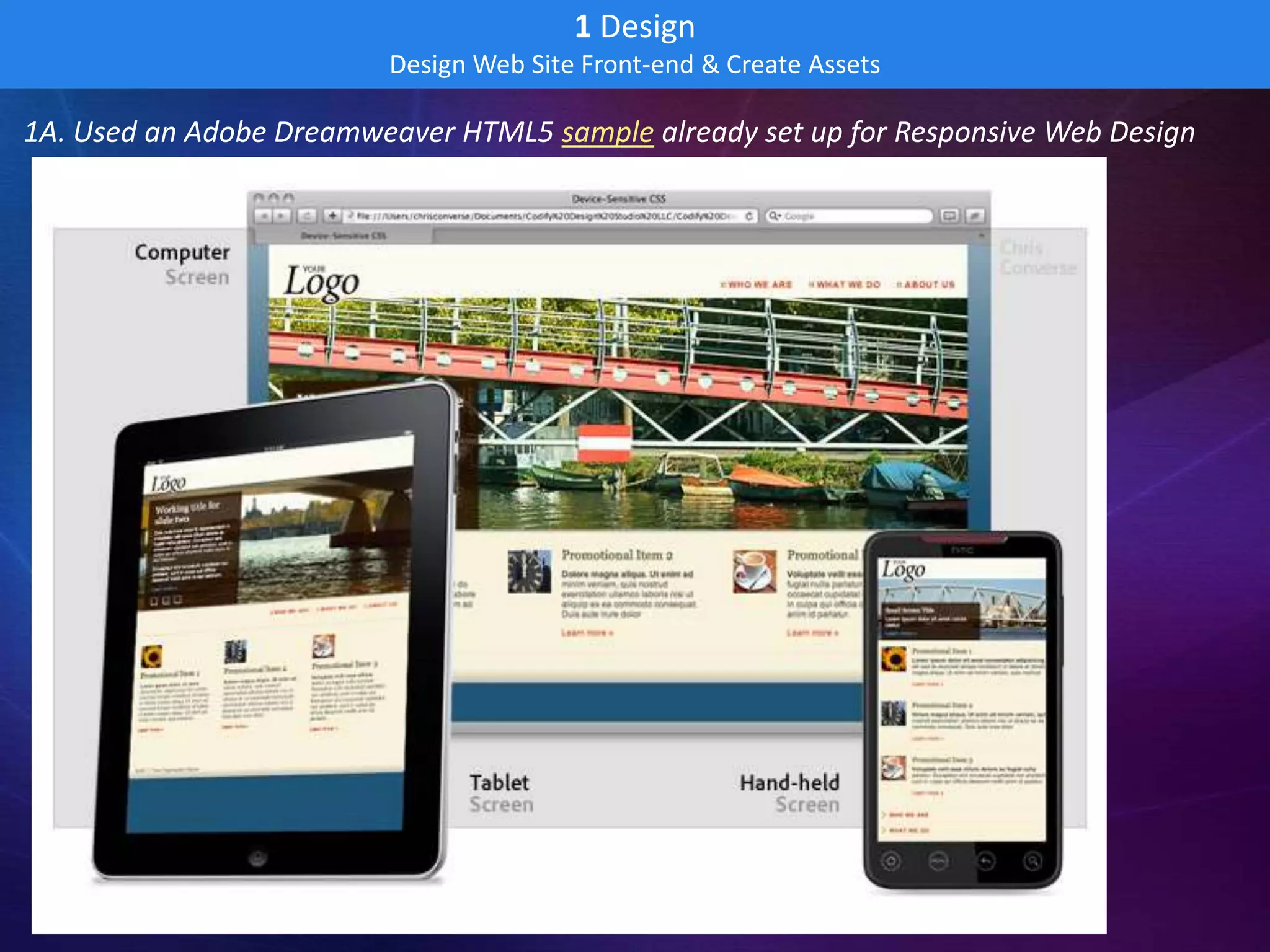
1 Design
                         Design Web Site Front-end & Create Assets

1A. Used an Adobe Dreamweaver HTML5 sample already set up for Responsive Web Design
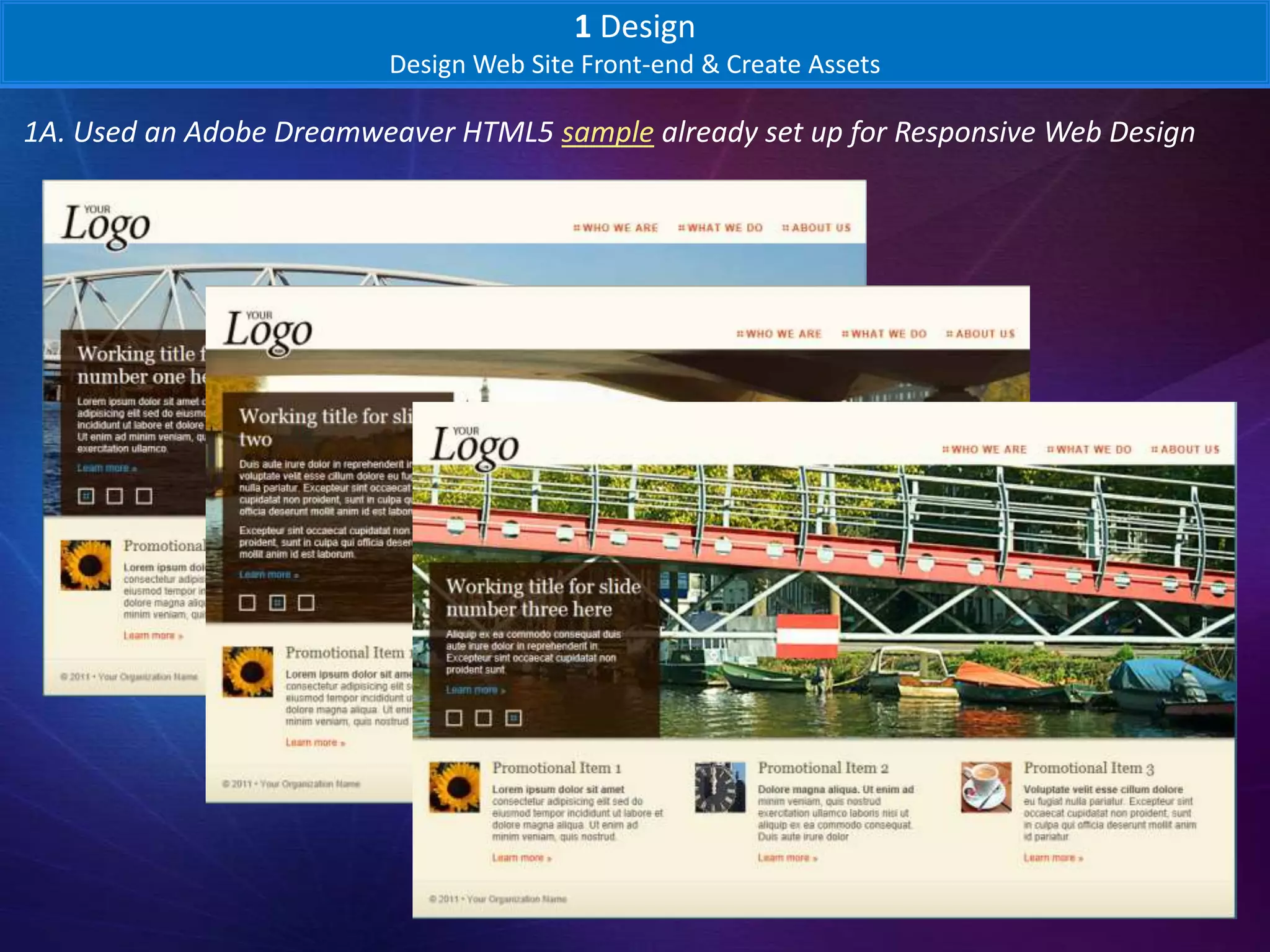
1 Design
                         Design Web Site Front-end & Create Assets

1A. Used an Adobe Dreamweaver HTML5 sample already set up for Responsive Web Design
1 Design
                           Design Web Site Front-end & Create Assets

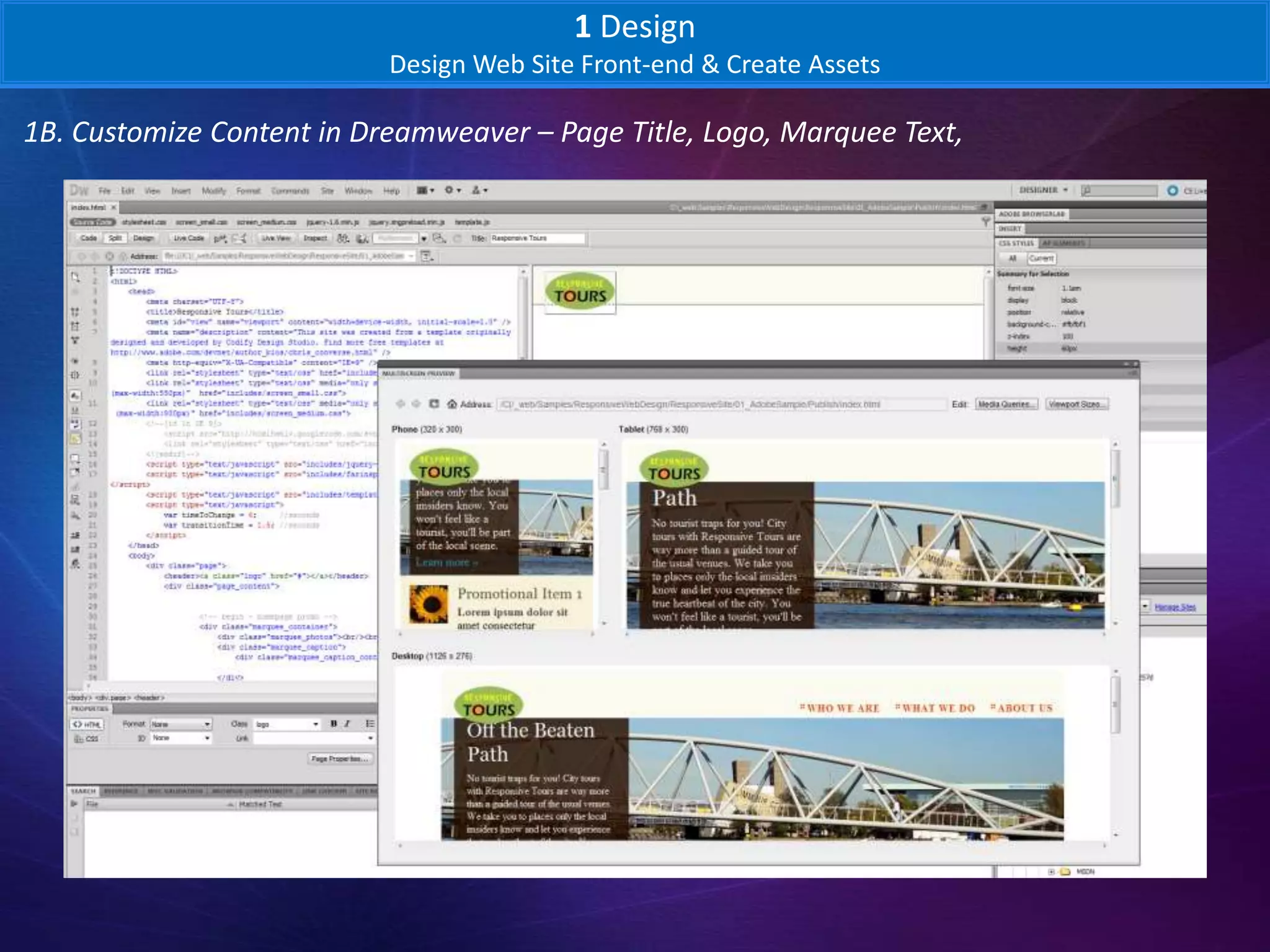
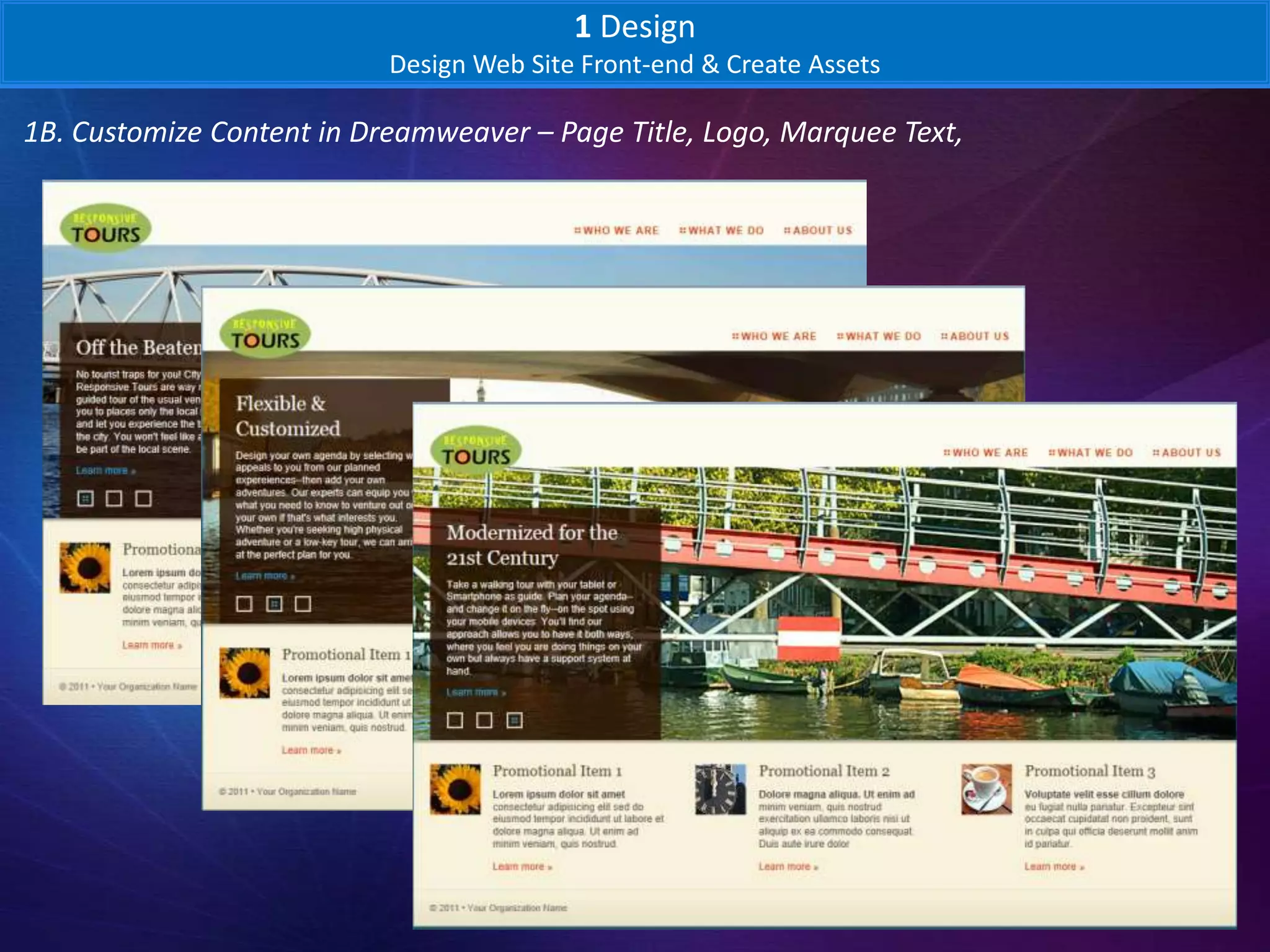
1B. Customize Content in Dreamweaver – Page Title, Logo, Marquee Text,
1 Design
                           Design Web Site Front-end & Create Assets

1B. Customize Content in Dreamweaver – Page Title, Logo, Marquee Text,
1 Design
                            Design Web Site Front-end & Create Assets

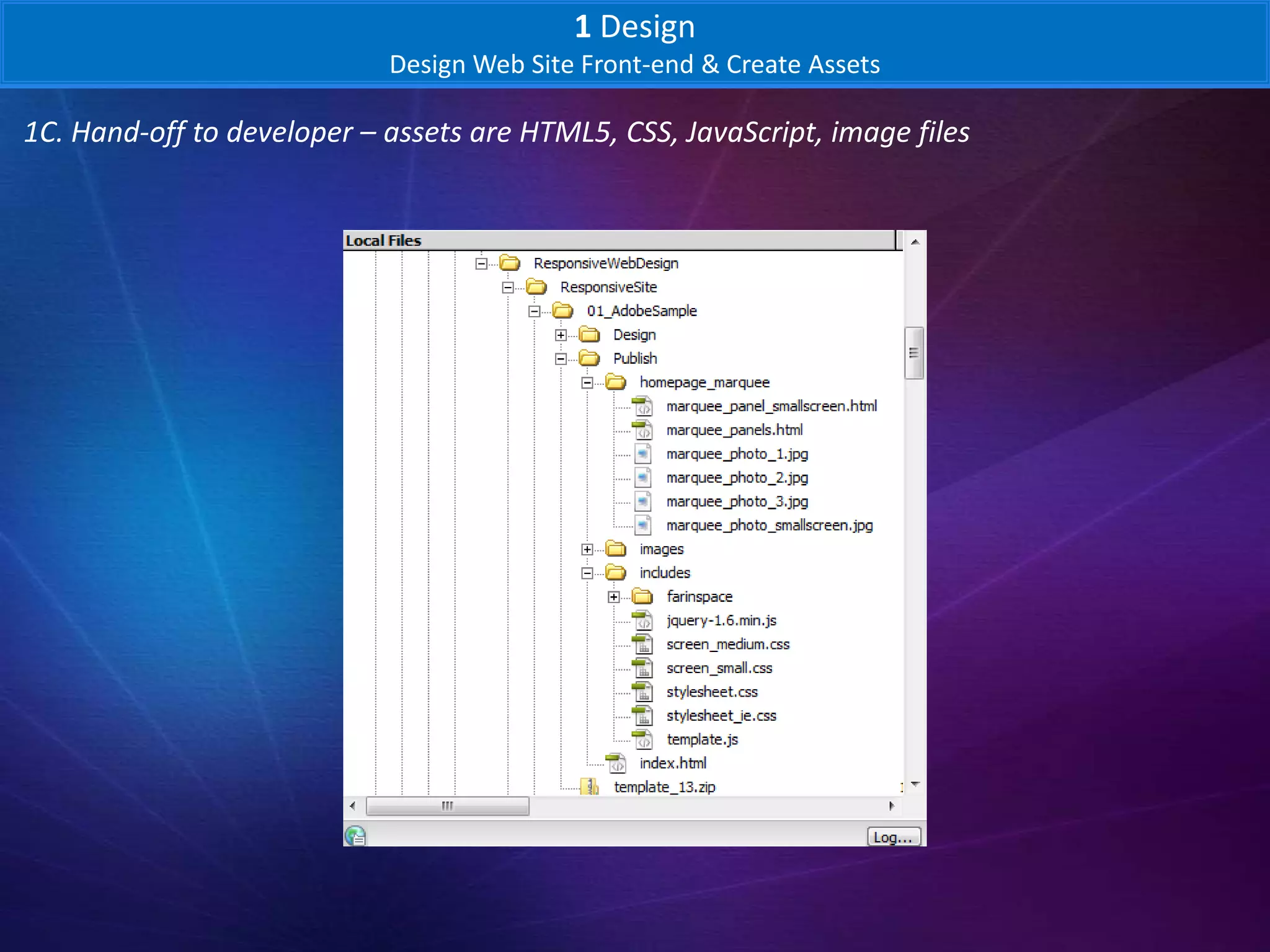
1C. Hand-off to developer – assets are HTML5, CSS, JavaScript, image files
2 Adapt
                                Template-based Web Project

2A. Create Project from Neudesic Web Template
2 Adapt
                                 Template-based Web Project

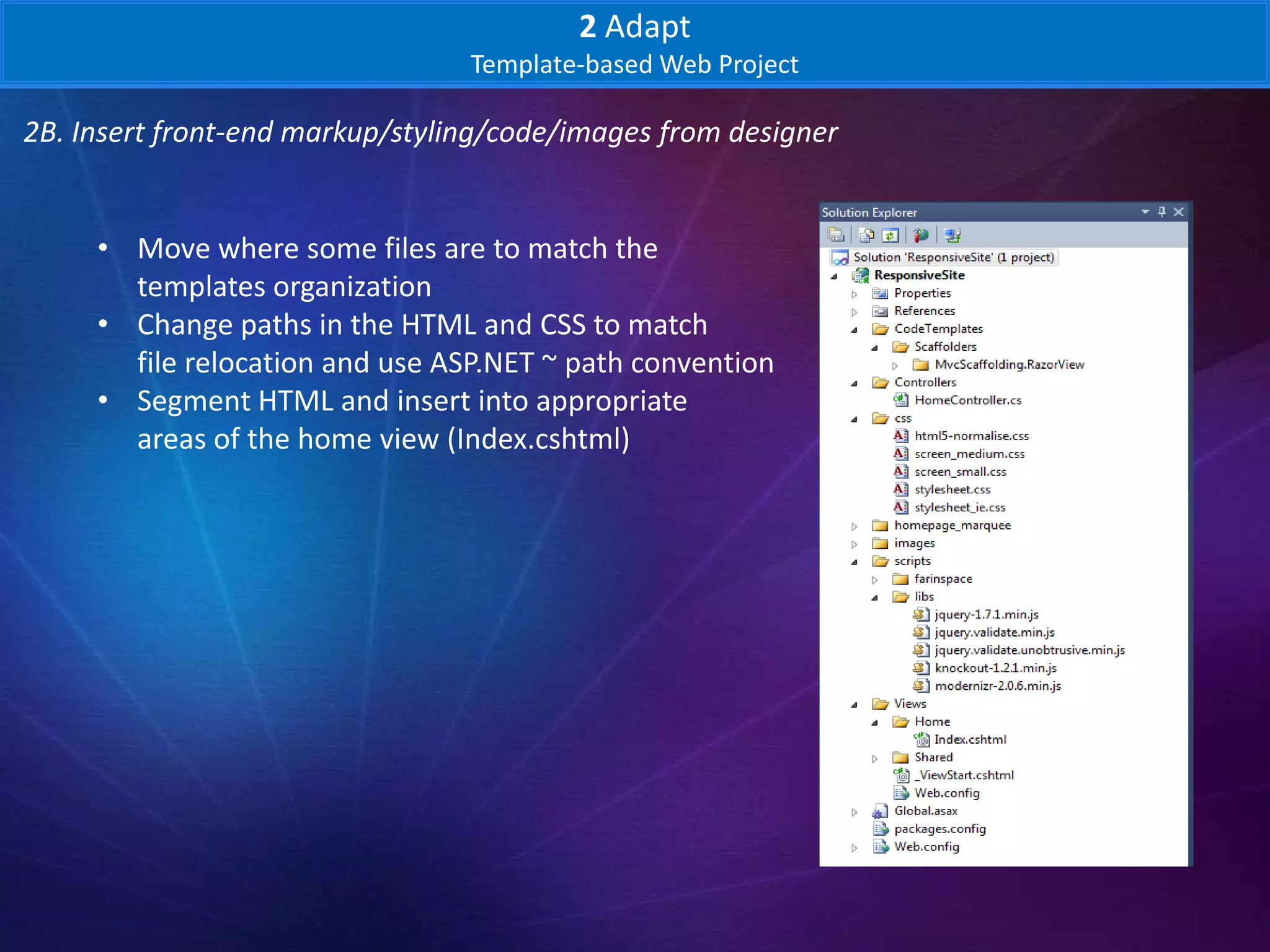
2B. Insert front-end markup/styling/code/images from designer


     • Move where some files are to match the
       templates organization
     • Change paths in the HTML and CSS to match
       file relocation and use ASP.NET ~ path convention
     • Segment HTML and insert into appropriate
       areas of the home view (Index.cshtml)
2 Adapt
                                    Template-based Web Project

2B. Insert front-end markup/styling/code/images from designer

    @* Optional : Include additional stylesheets *@
    @section StylesTop
    {
    <link rel="stylesheet" type="text/css" href="~/../css/stylesheet.css" />
    <link rel="stylesheet" type="text/css" media="only screen and (min-width:50px) and (max-
    width:550px)" href="~/../css/screen_small.css">
    <link rel="stylesheet" type="text/css" media="only screen and (min-width:551px) and (max-
    width:800px)" href="~/../css/screen_medium.css">
    <!--[if lt IE 9]>
               <script src="http://html5shiv.googlecode.com/svn/trunk/html5.js"></script>
               <link rel="stylesheet" type="text/css" href="~/../css/stylesheet_ie.css" />
    <![endif]-->
    }
2 Adapt
                                   Template-based Web Project

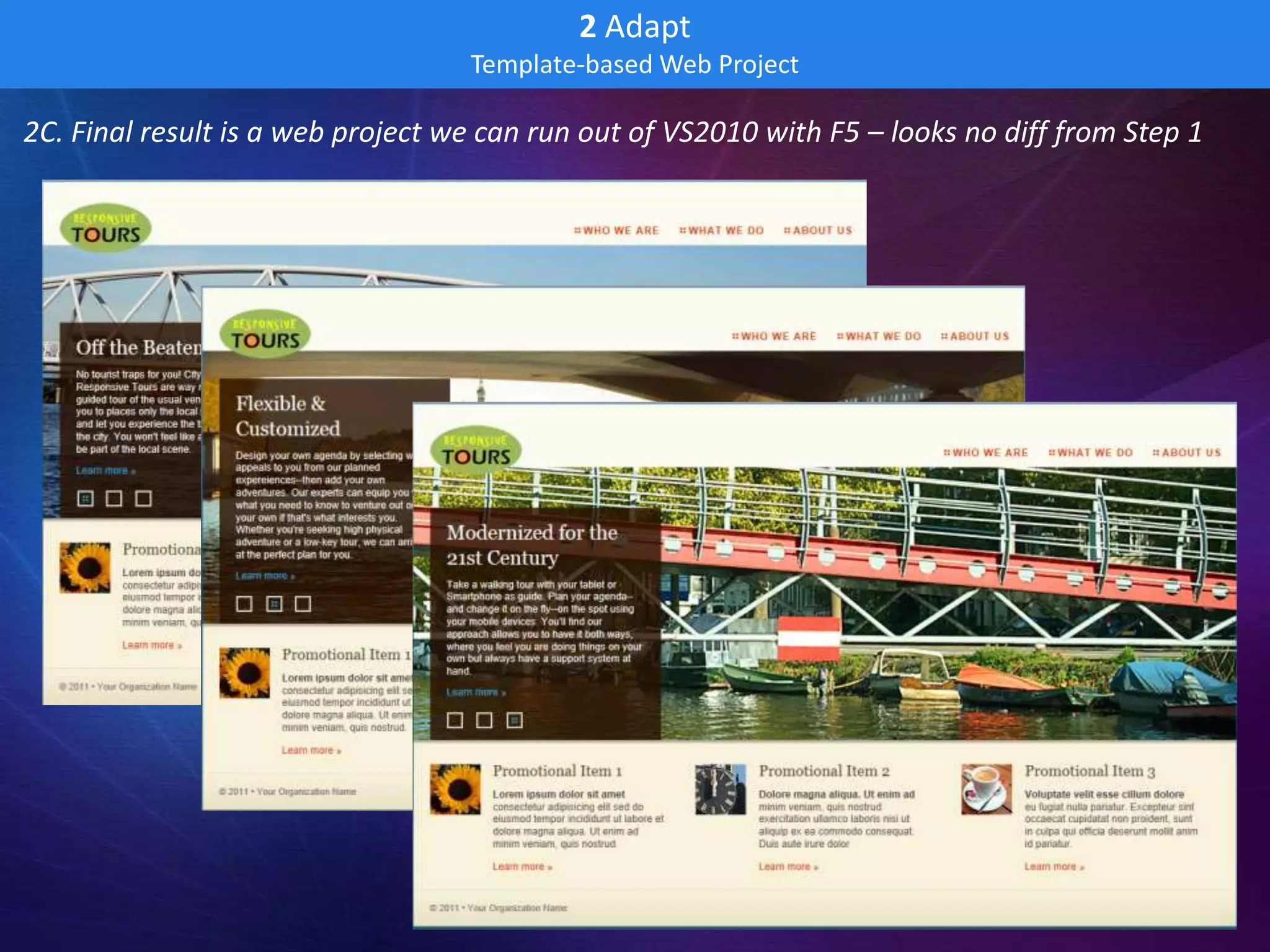
2C. Final result is a web project we can run out of VS2010 with F5 – looks no diff from Step 1
3 Integrate
                                    Add Dynamic Content

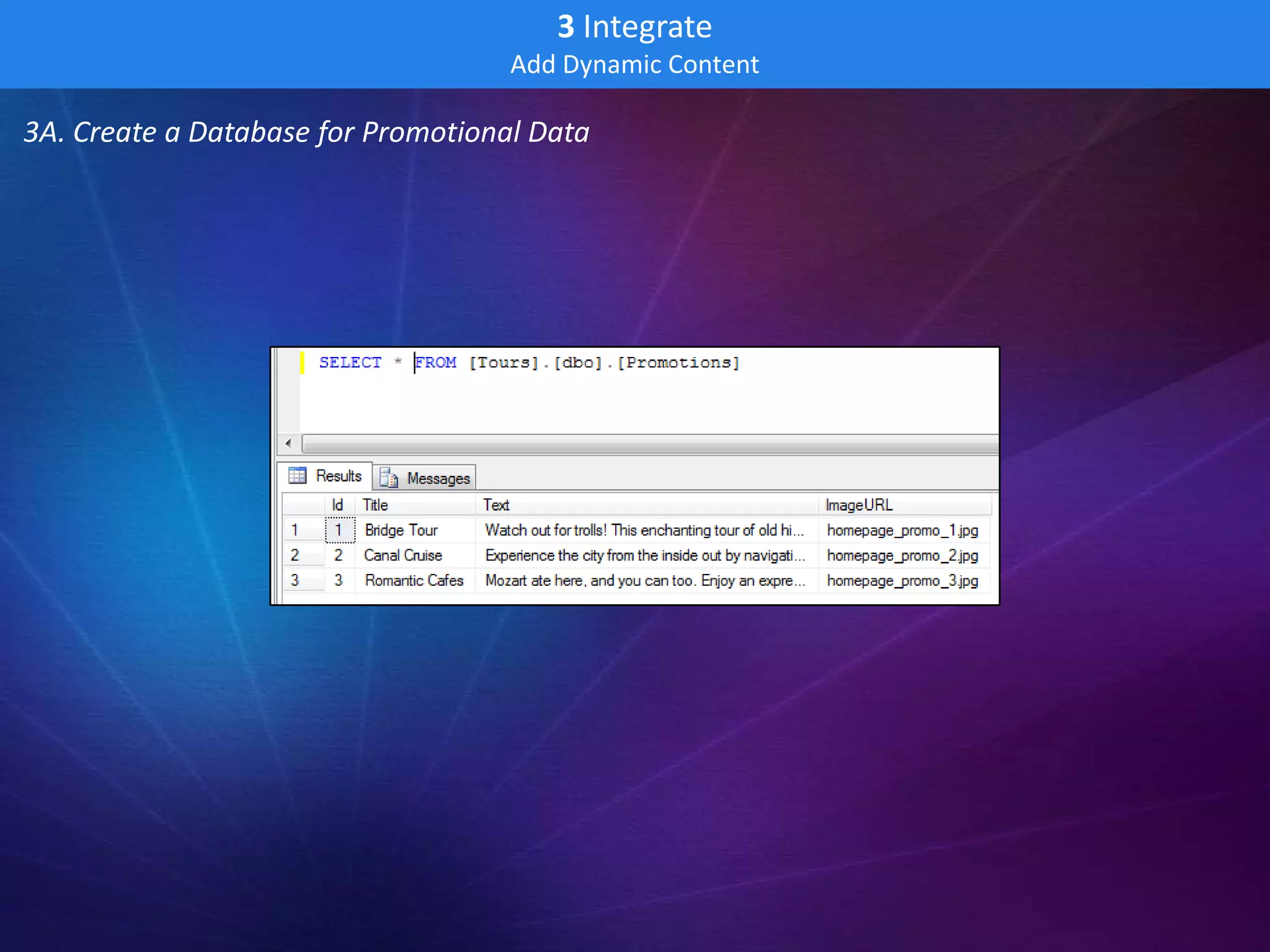
3A. Create a Database for Promotional Data
3 Integrate
                                              Add Dynamic Content

3B. Retrieve Content in the MVC Project

 public class HomeController : Controller                                       public class Promo
 {                                                                              {
     //                                                                             public string Title;
     // GET: /Home/                                                                 public string Text;
                                                                                    public string ImageURL;
     public ActionResult Index()                                                }
     {
         LoadPromos();
         return View();
     }

     private void LoadPromos()
     {
         Dictionary<string, Promo> Promos = new Dictionary<string, Promo>();

         try
         {
               using (SqlConnection conn = new SqlConnection(System.Configuration.ConfigurationManager
                   .ConnectionStrings["Tours"].ConnectionString))
               {
                   ...get the data, add to Promos collection...
               }
         }
         catch (SqlException ex)
         {
             // TODO: log exception
         }

         ViewBag.Promos = Promos;
     }
 }
3 Integrate
                                            Add Dynamic Content

3C. Embed Content with Razor

 <!-- begin - homepage promos -->
 <div class="home_promo_container">
     <div class="home_promo">
         <div class="home_promo_content" style="background-image:url(images/@(ViewBag.Promos["1"].ImageURL));">
             <h2 data-bind="text: PromoTitle1"></h2>
             <p data-bind="text: PromoText1"/>
             <a class="button" href="#">Learn more &raquo;</a>
         </div>
     </div>
     <div class="home_promo">
         <div class="home_promo_content" style="background-image:url(images/@(ViewBag.Promos["2"].ImageURL));">
             <h2 data-bind="text: PromoTitle2"></h2>
             <p data-bind="text: PromoText2"/>
             <a class="button" href="#">Learn more &raquo;</a>
         </div>
     </div>
     <div class="home_promo">
         <div class="home_promo_content" style="background-image:url(images/@(ViewBag.Promos["3"].ImageURL));">
             <h2 data-bind="text: PromoTitle3"></h2>
             <p data-bind="text: PromoText3"/>
             <a class="button" href="#">Learn more &raquo;</a>
         </div>
     </div>
 </div>
3 Integrate
                                            Add Dynamic Content

3C. Data Bind with Knockout

 <!-- begin - homepage promos -->
 <div class="home_promo_container">
     <div class="home_promo">
         <div class="home_promo_content" style="background-
 image:url(images/@(ViewBag.Promos["1"].ImageURL));">
             <h2 data-bind="text: PromoTitle1"></h2>
             <p data-bind="text: PromoText1"/>
             <a class="button" href="#">Learn more &raquo;</a>
         </div>
     </div>
     <div class="home_promo">
         <div class="home_promo_content" style="background-
 image:url(images/@(ViewBag.Promos["2"].ImageURL));">
             <h2 data-bind="text: PromoTitle2"></h2>
             <p data-bind="text: PromoText2"/>
             <a class="button" href="#">Learn more &raquo;</a>
         </div>
     </div>
     <div class="home_promo">
         <div class="home_promo_content" style="background-
 image:url(images/@(ViewBag.Promos["3"].ImageURL));">
             <h2 data-bind="text: PromoTitle3"></h2>
             <p data-bind="text: PromoText3"/>
             <a class="button" href="#">Learn more &raquo;</a>
         </div>
     </div>
 </div>
3 Integrate
                                            Add Dynamic Content

3C. Data Bind with Knockout
 <!-- begin - homepage promos -->
 <div class="home_promo_container">
     <div class="home_promo">
         <div class="home_promo_content" style="background-image:url(images/@(ViewBag.Promos["1"].ImageURL));">
             <h2 data-bind="text: PromoTitle1"></h2>
             <p data-bind="text: PromoText1"/>
             <a class="button" href="#">Learn more &raquo;</a>
         </div>
     </div>
     <div class="home_promo">
         <div class="home_promo_content" style="background-image:url(images/@(ViewBag.Promos["2"].ImageURL));">
             <h2 data-bind="text: PromoTitle2"></h2>
             <p data-bind="text: PromoText2"/>
             <a class="button" href="#">Learn more &raquo;</a>
         </div>
     </div>
     <div class="home_promo">
         <div class="home_promo_content" style="background-image:url(images/@(ViewBag.Promos["3"].ImageURL));">
             <h2 data-bind="text: PromoTitle3"></h2>
             <p data-bind="text: PromoText3"/>
             <a class="button" href="#">Learn more &raquo;</a>
         </div>
     </div>
 </div>
3 Integrate
                             Add Dynamic Content

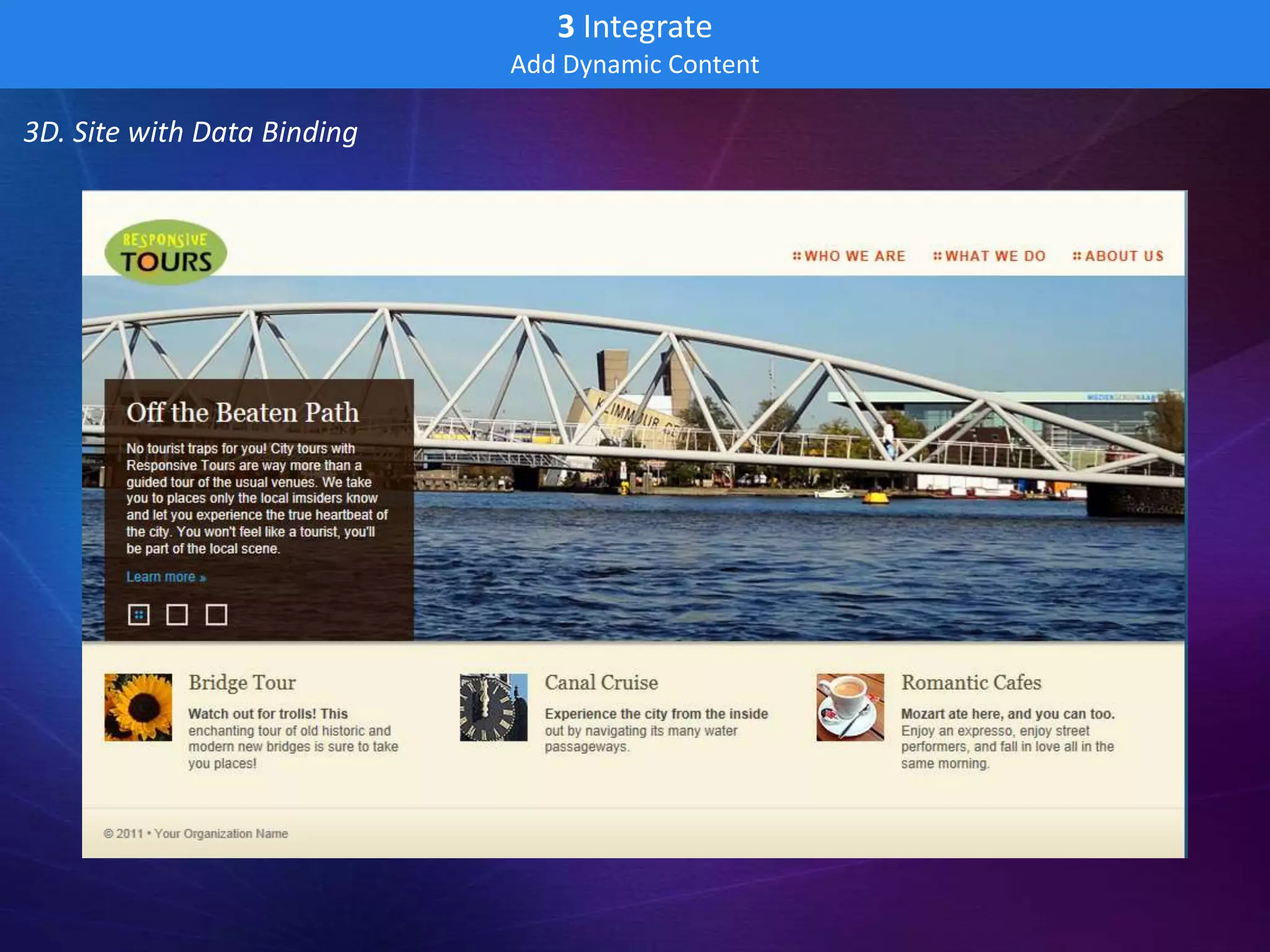
3D. Site with Data Binding
4 Cloud-Ready
                     Set up for Windows Azure – Local Test/Dev in Simulator

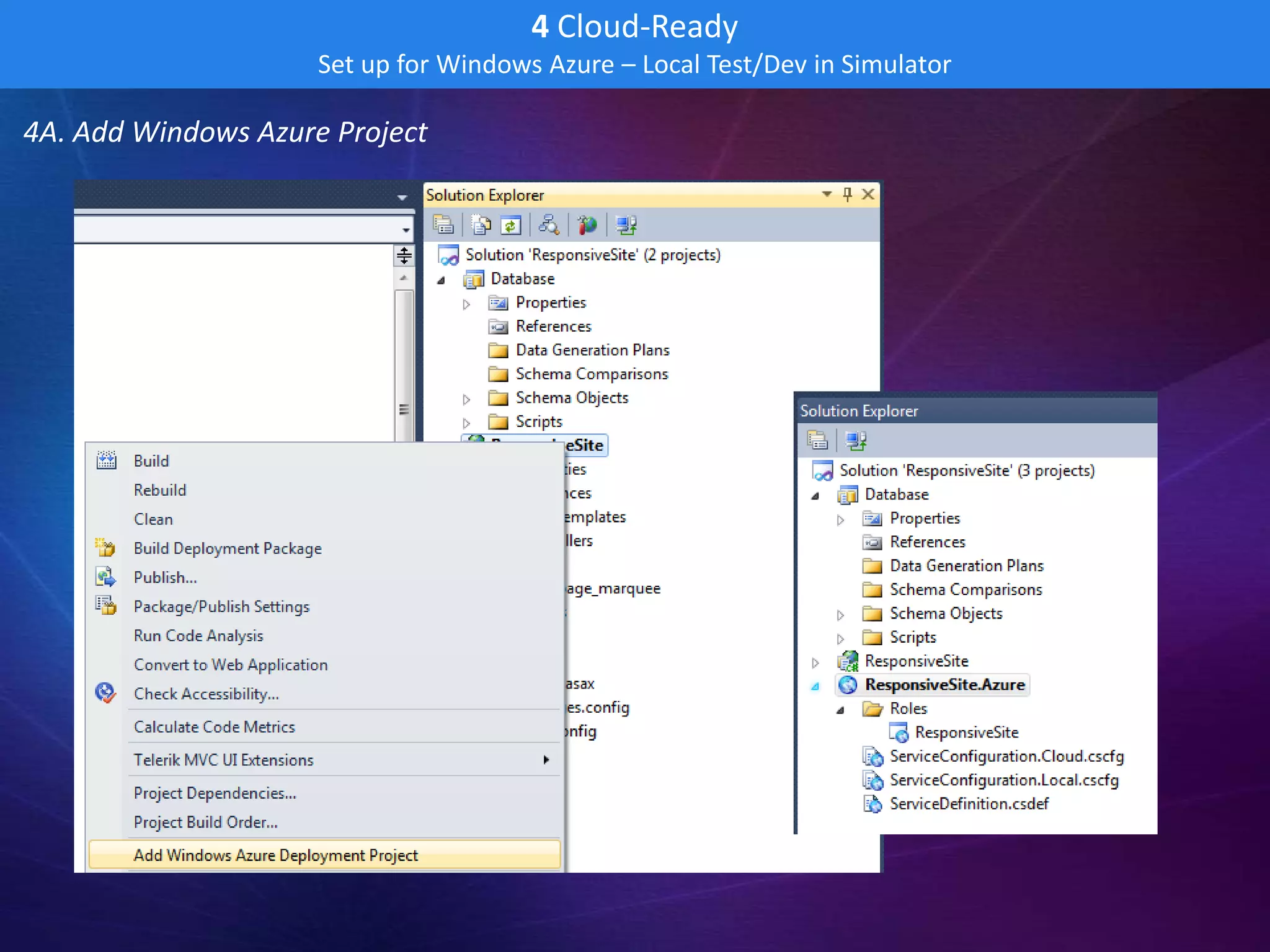
4A. Add Windows Azure Project
4 Cloud-Ready
                      Set up for Windows Azure – Local Test/Dev in Simulator

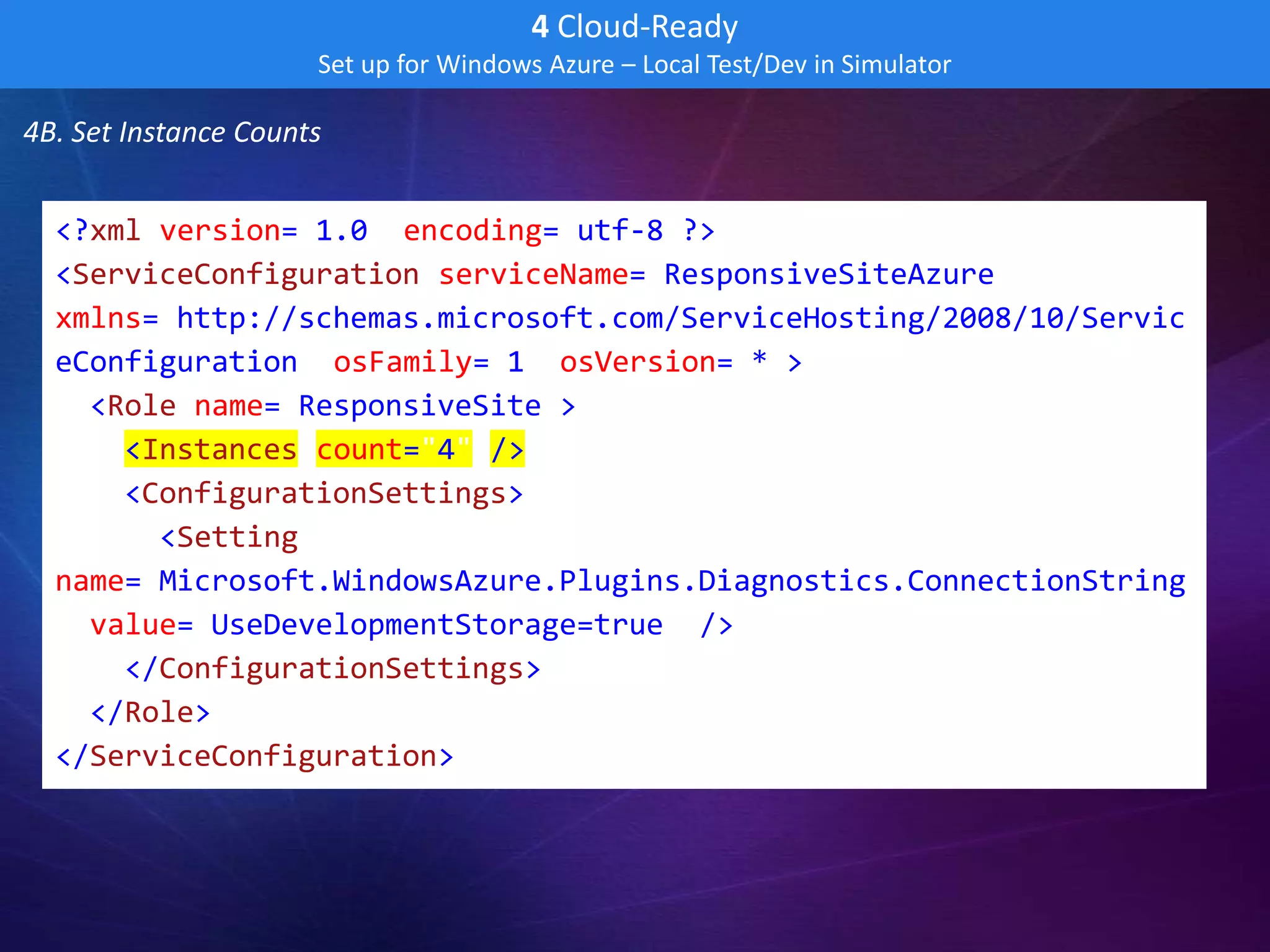
4B. Set Instance Counts


  <?xml version="1.0" encoding="utf-8"?>
  <ServiceConfiguration serviceName="ResponsiveSiteAzure"
  xmlns="http://schemas.microsoft.com/ServiceHosting/2008/10/Servic
  eConfiguration" osFamily="1" osVersion="*">
    <Role name="ResponsiveSite">
      <Instances count="4" />
      <ConfigurationSettings>
        <Setting
  name="Microsoft.WindowsAzure.Plugins.Diagnostics.ConnectionString
  " value="UseDevelopmentStorage=true" />
      </ConfigurationSettings>
    </Role>
  </ServiceConfiguration>
4 Cloud-Ready
                     Set up for Windows Azure – Local Test/Dev in Simulator

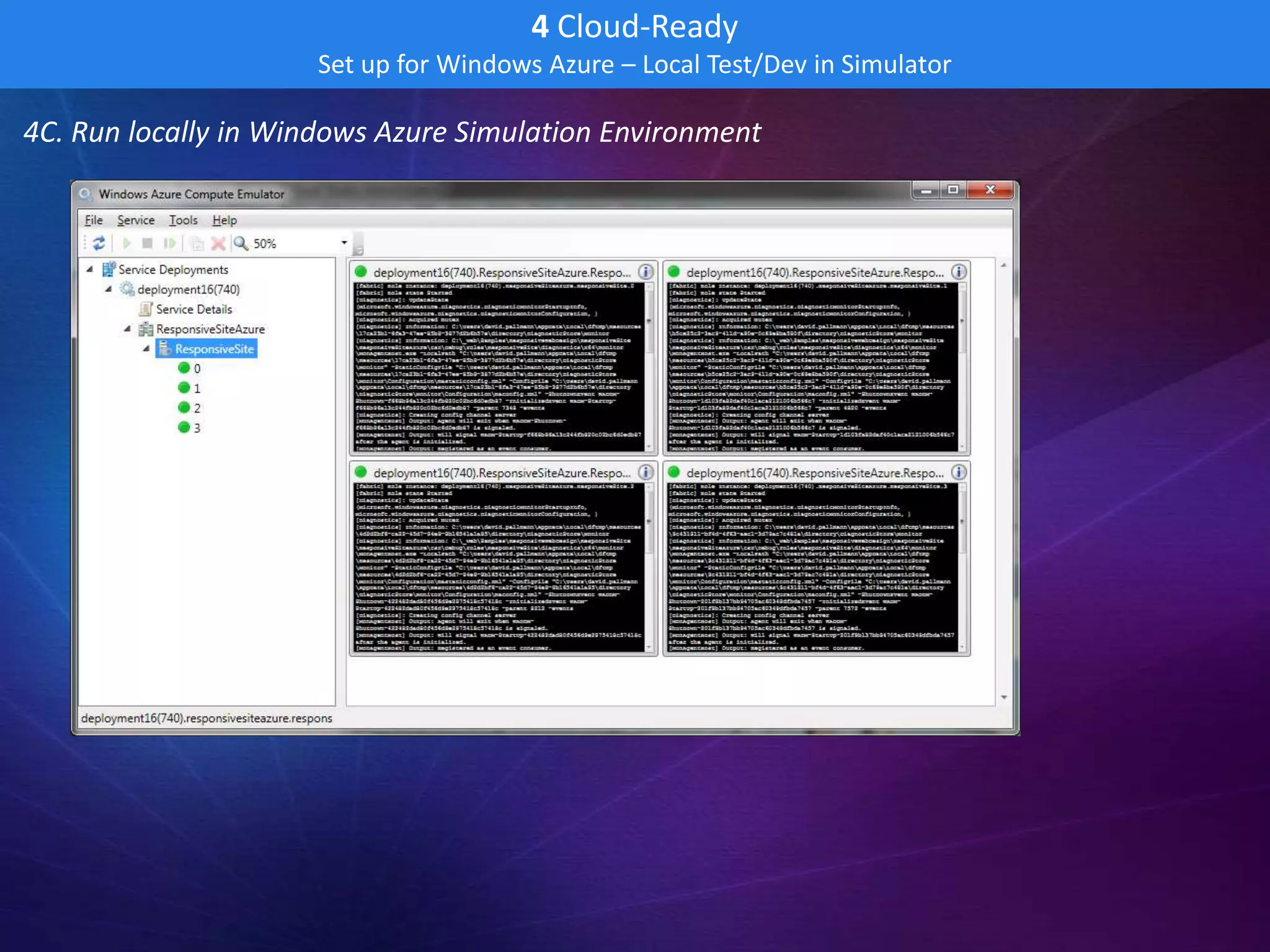
4C. Run locally in Windows Azure Simulation Environment
5 Secured
                                  Sign-in with web Identities

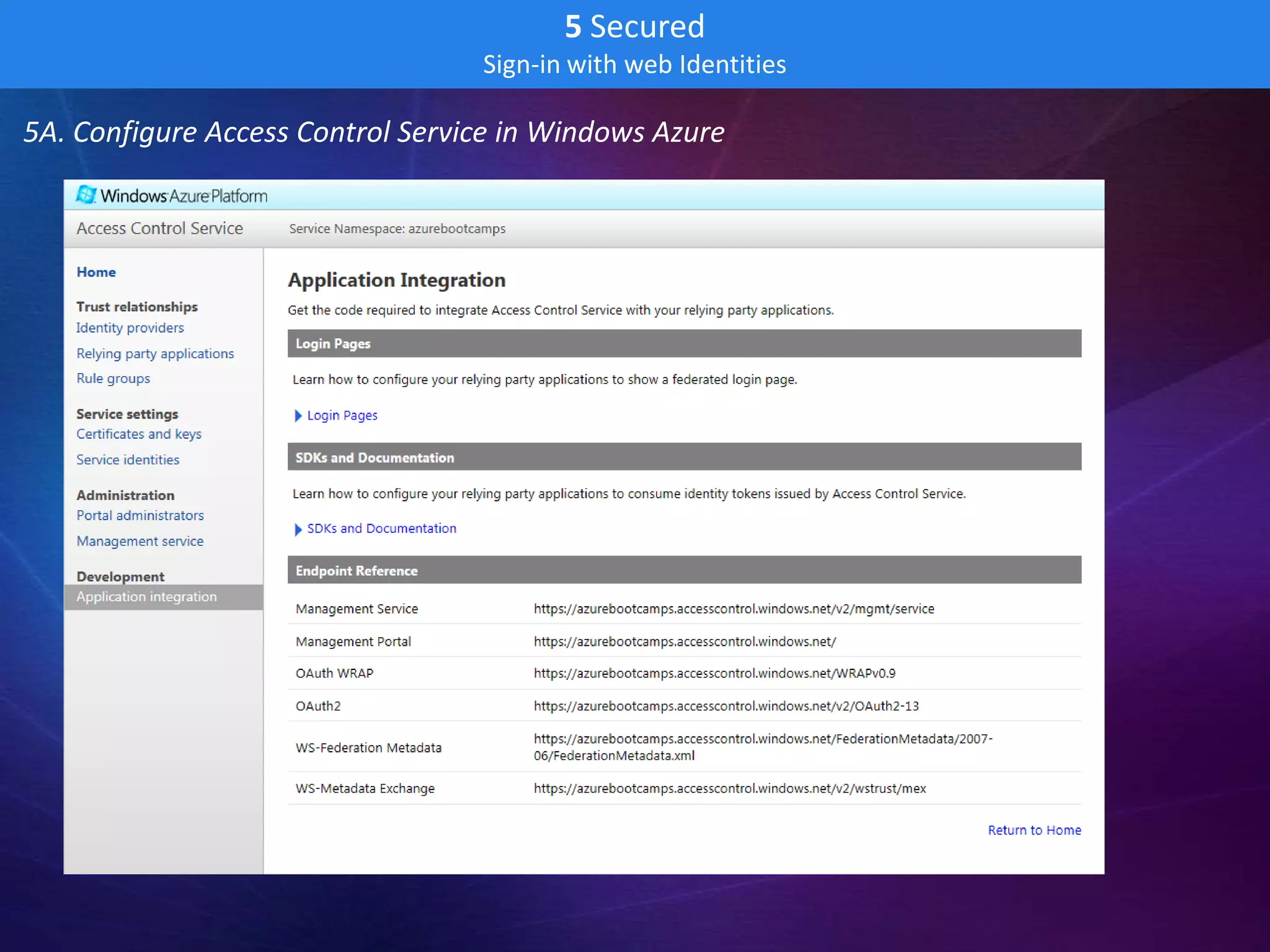
5A. Configure Access Control Service in Windows Azure
5 Secured
                                   Sign-in with web Identities

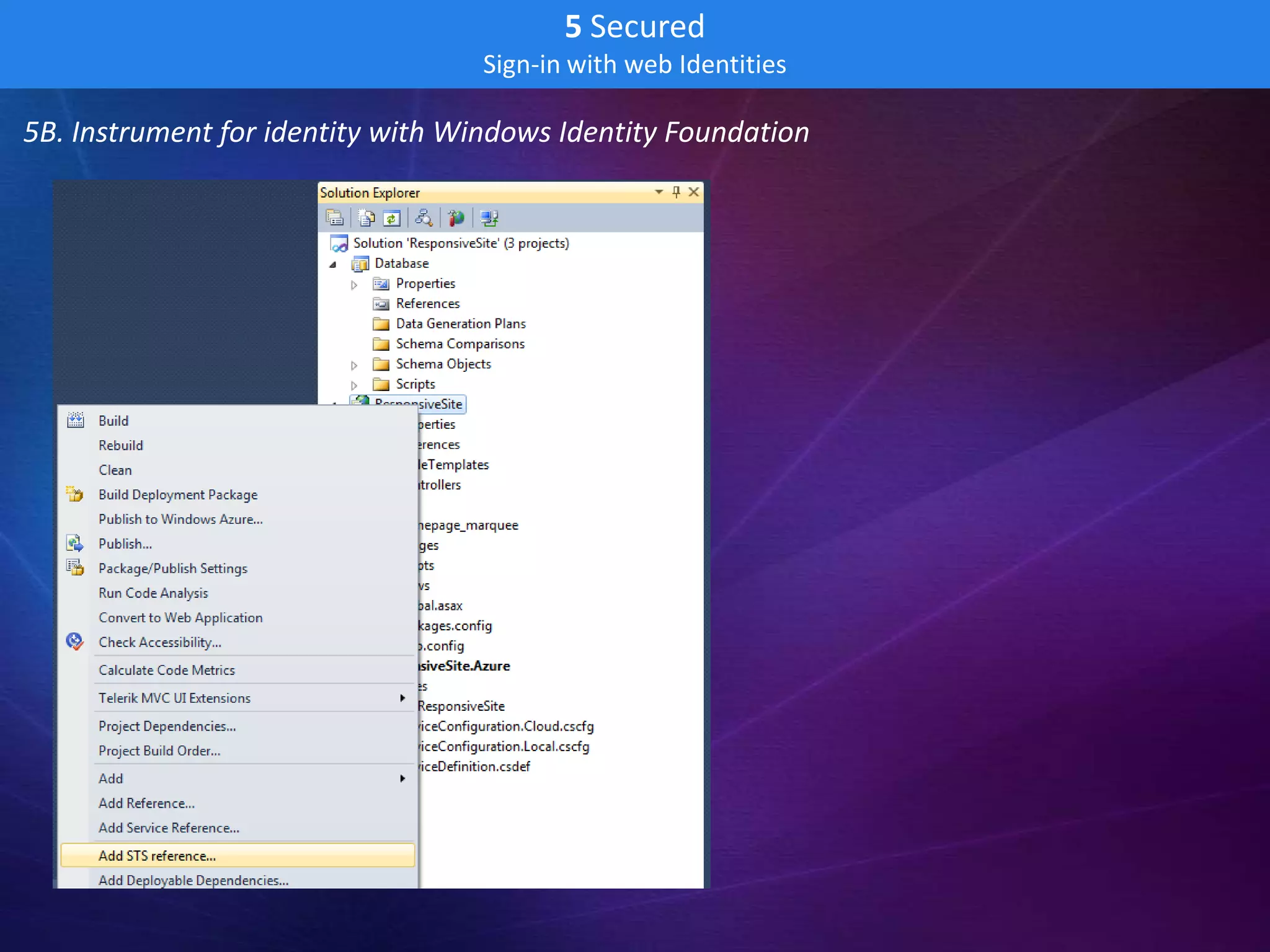
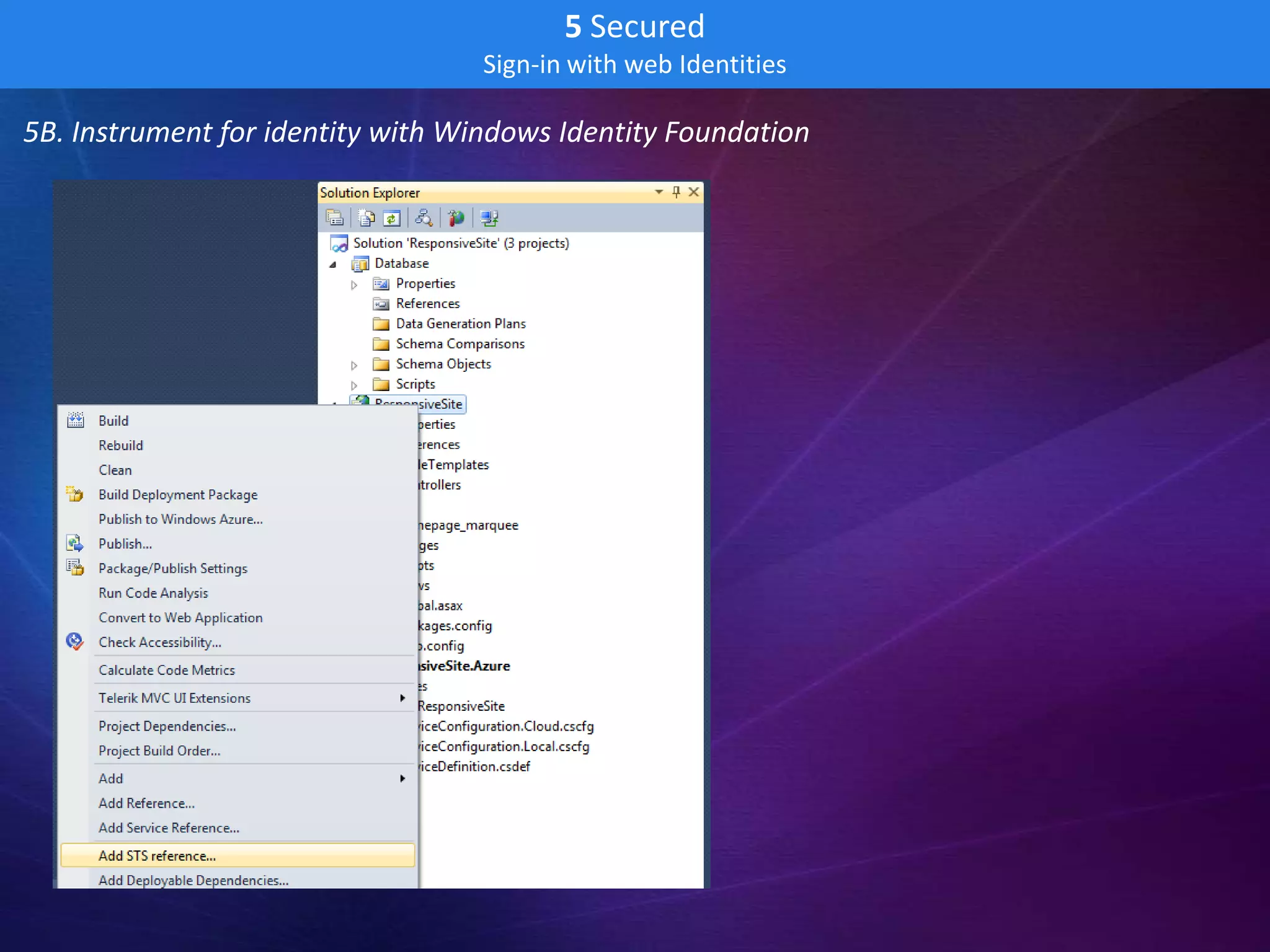
5B. Instrument for identity with Windows Identity Foundation
5 Secured
                                   Sign-in with web Identities

5B. Instrument for identity with Windows Identity Foundation
5 Secured
                                     Sign-in with web Identities

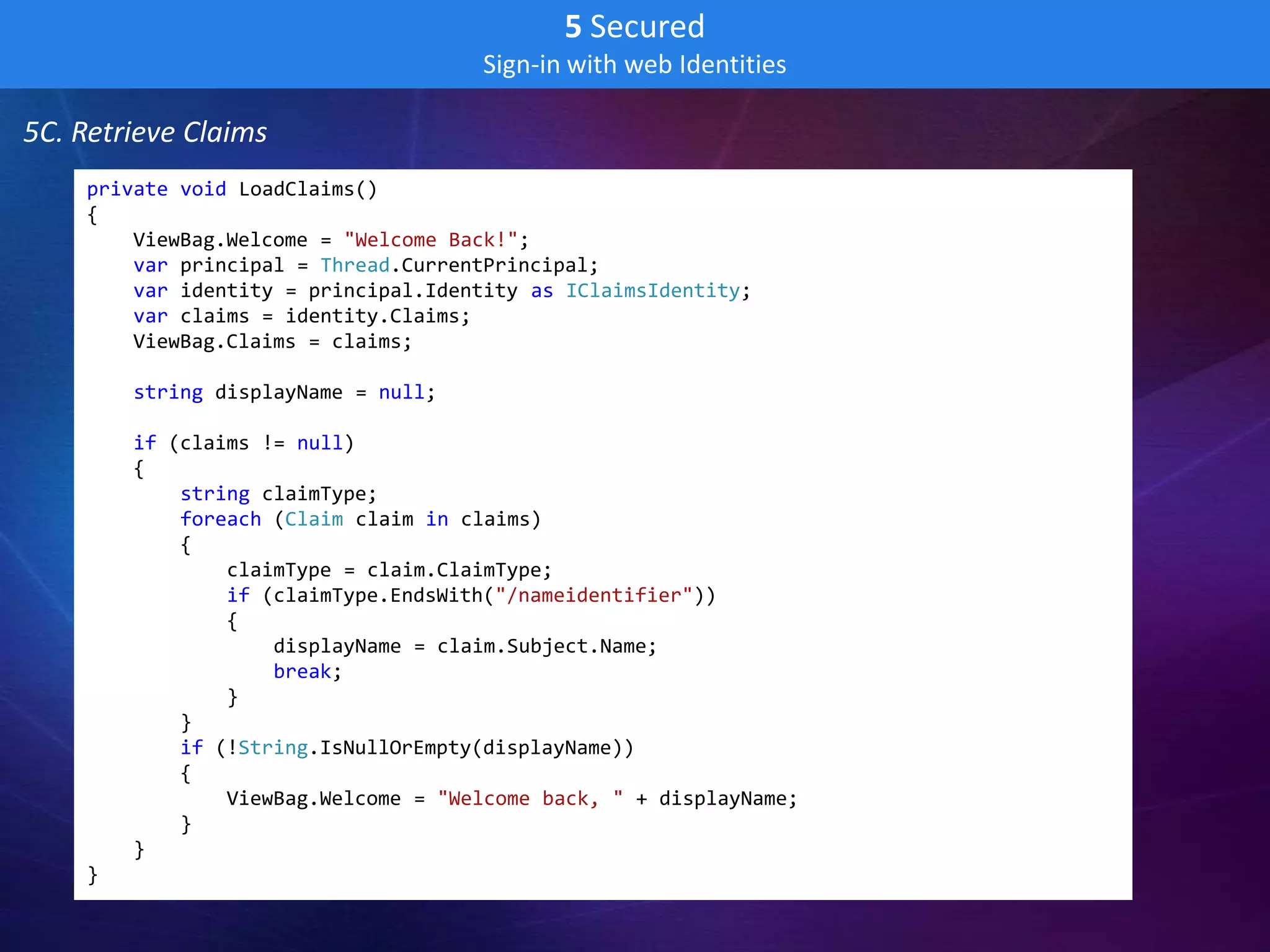
5C. Retrieve Claims
    private void LoadClaims()
    {
        ViewBag.Welcome = "Welcome Back!";
        var principal = Thread.CurrentPrincipal;
        var identity = principal.Identity as IClaimsIdentity;
        var claims = identity.Claims;
        ViewBag.Claims = claims;

        string displayName = null;

        if (claims != null)
        {
            string claimType;
            foreach (Claim claim in claims)
            {
                claimType = claim.ClaimType;
                if (claimType.EndsWith("/nameidentifier"))
                {
                    displayName = claim.Subject.Name;
                    break;
                }
            }
            if (!String.IsNullOrEmpty(displayName))
            {
                ViewBag.Welcome = "Welcome back, " + displayName;
            }
        }
    }
6 Deployed
                           Deployed to Windows Azure Data Center

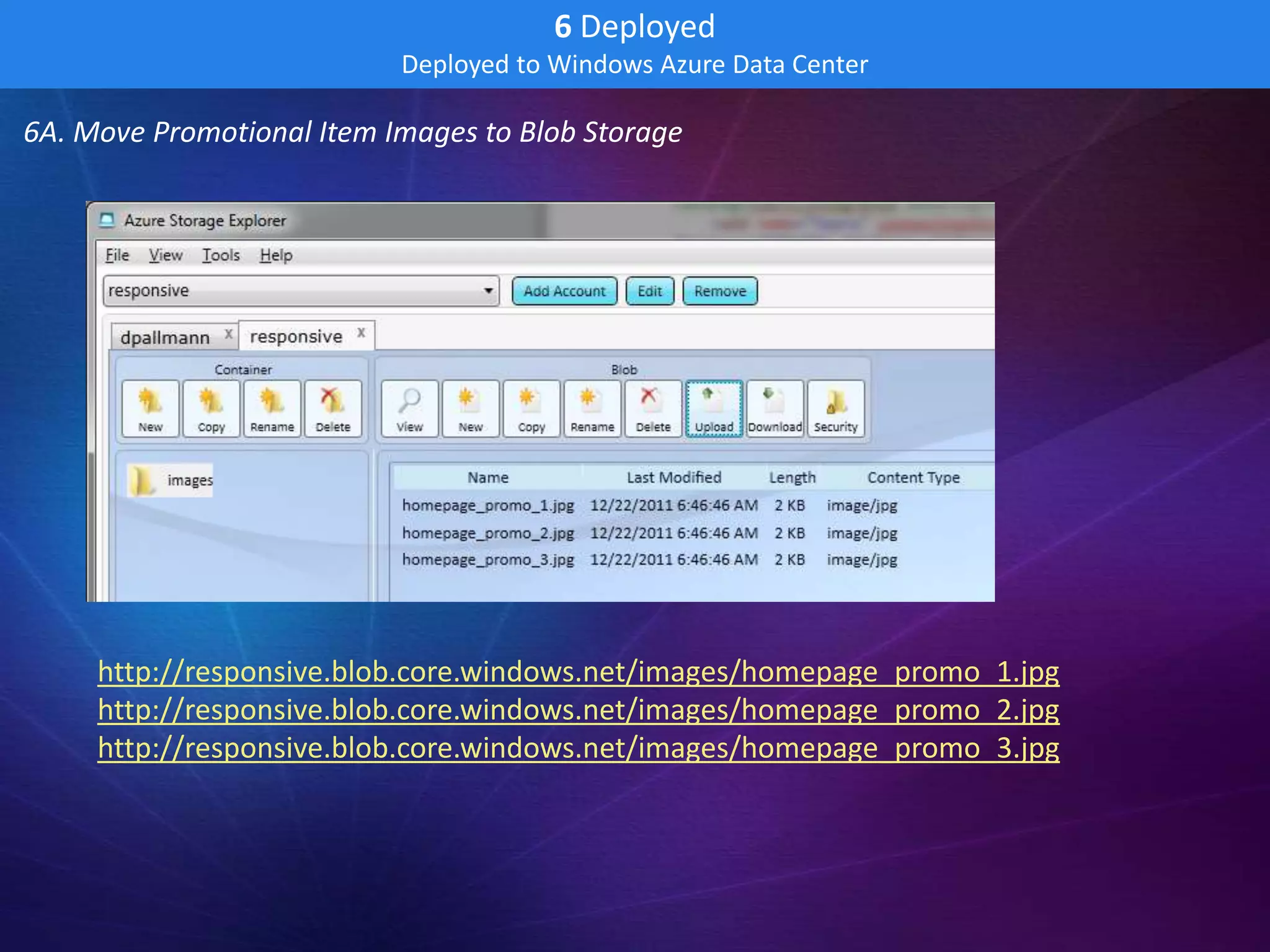
6A. Move Promotional Item Images to Blob Storage


     http://responsive.blob.core.windows.net/images/homepage_promo_1.jpg
     http://responsive.blob.core.windows.net/images/homepage_promo_2.jpg
     http://responsive.blob.core.windows.net/images/homepage_promo_3.jpg
6 Deployed
                           Deployed to Windows Azure Data Center

6B. Change Promotional Image URLs to use Blob Storage

  <div class="home_promo_content" style="background-image:url(
  http://responsive.blob.core.windows.net/images/@(ViewBag.Promos["1"].ImageURL)
  );">
6 Deployed
                          Deployed to Windows Azure Data Center

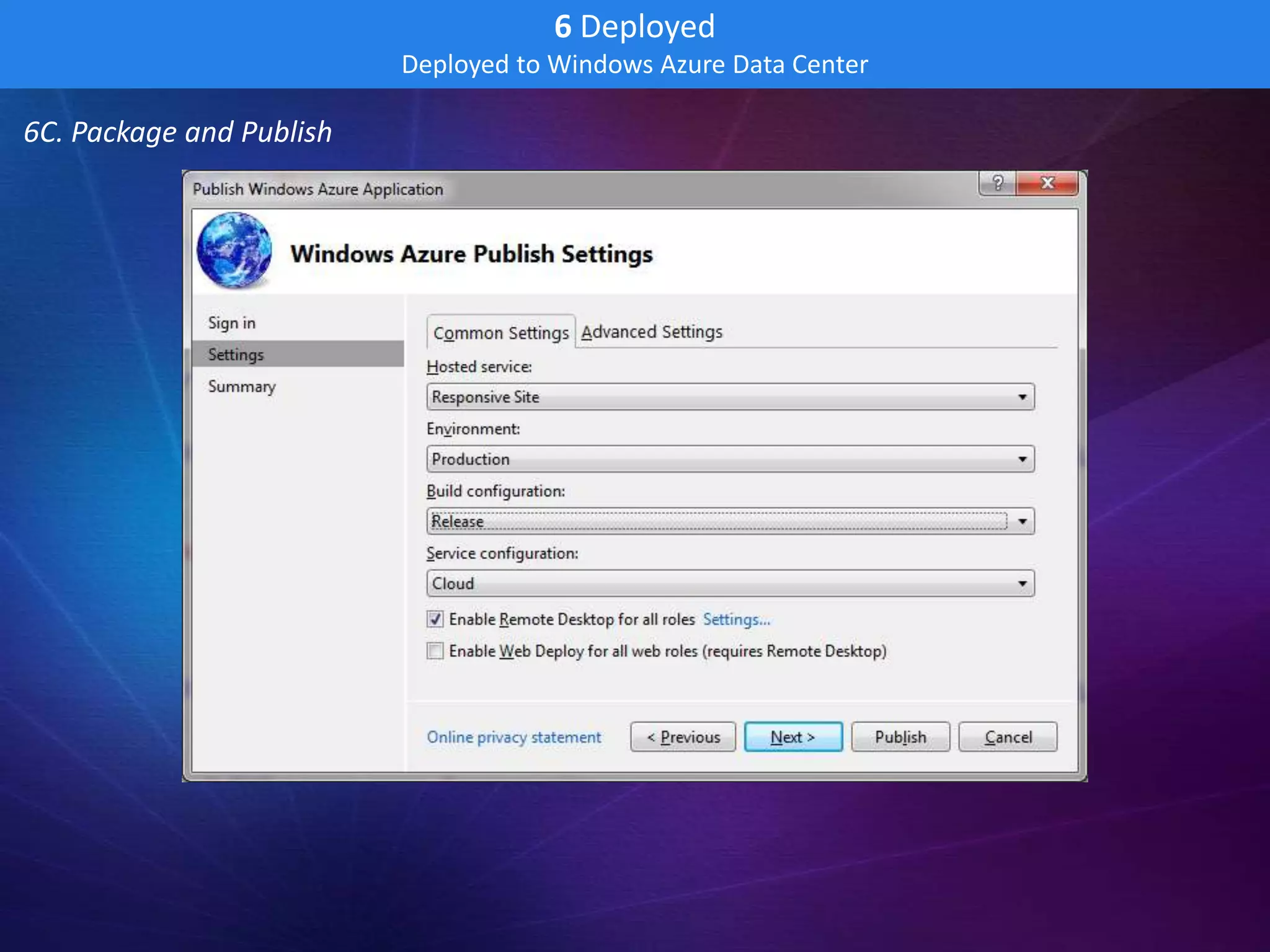
6C. Package and Publish
6 Deployed
                             Deployed to Windows Azure Data Center

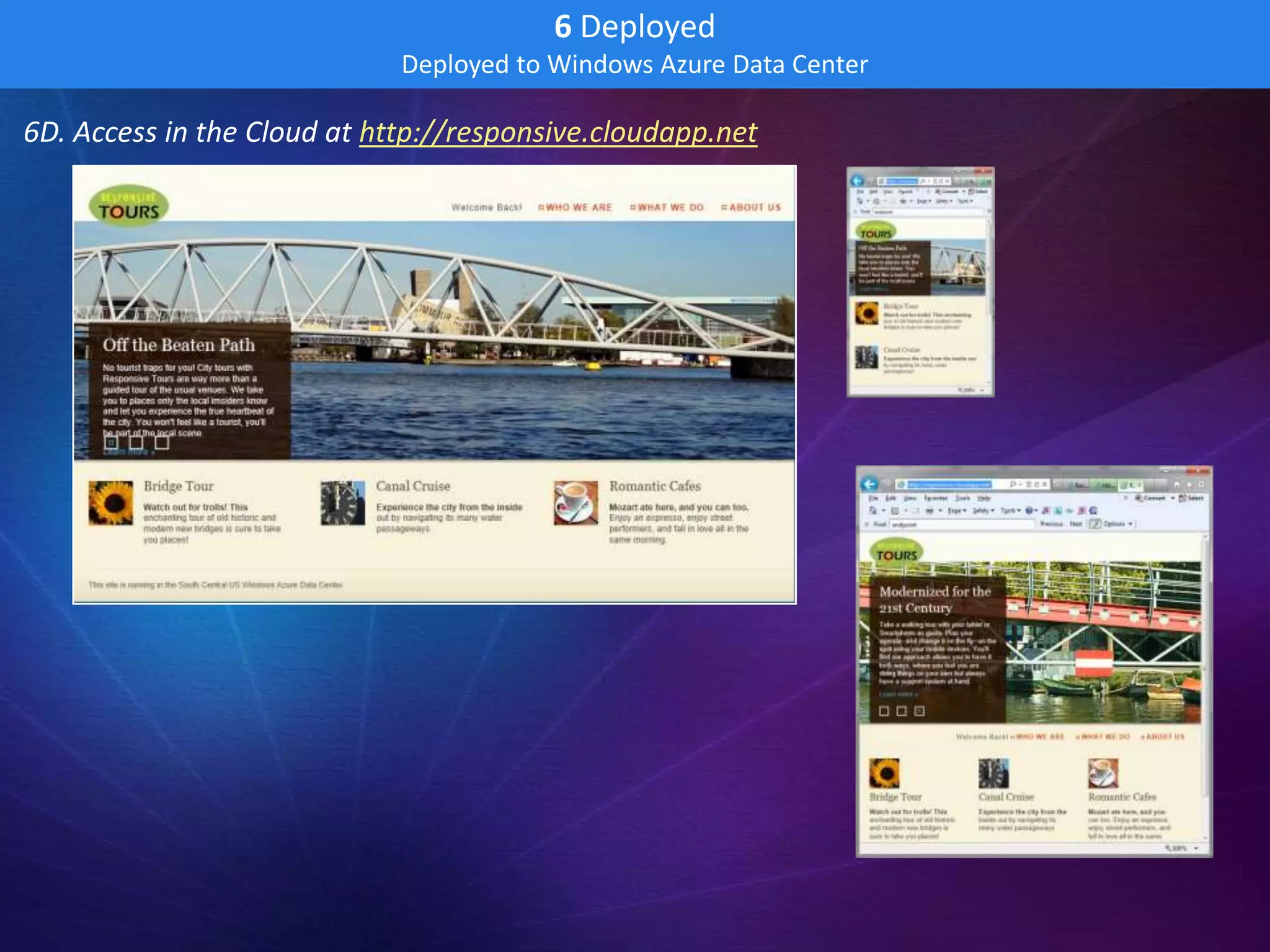
6D. Access in the Cloud at http://responsive.cloudapp.net
7 Global
                  Deployed Globally to US and Hong Kong with Traffic Management

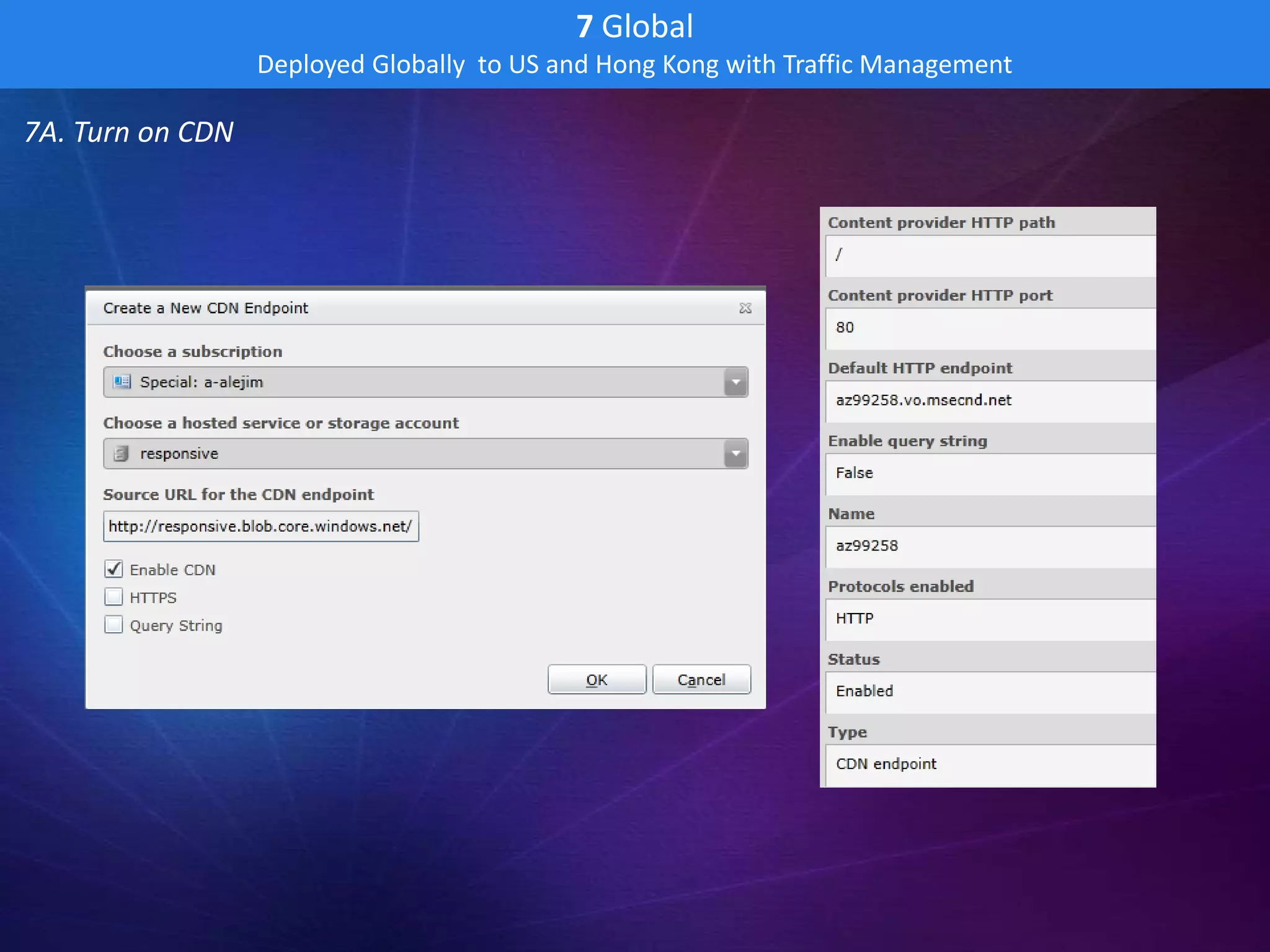
7A. Turn on CDN
7 Global
                Deployed Globally to US and Hong Kong with Traffic Management

7B. Change Promotion Item Image URLs to use CDN URL Prefix

  <div class="home_promo_content" style="background-image:url(
  http://az99258.vo.msecnd.net/images/@(ViewBag.Promos["1"].ImageURL)
  );">
7 Global
                 Deployed Globally to US and Hong Kong with Traffic Management

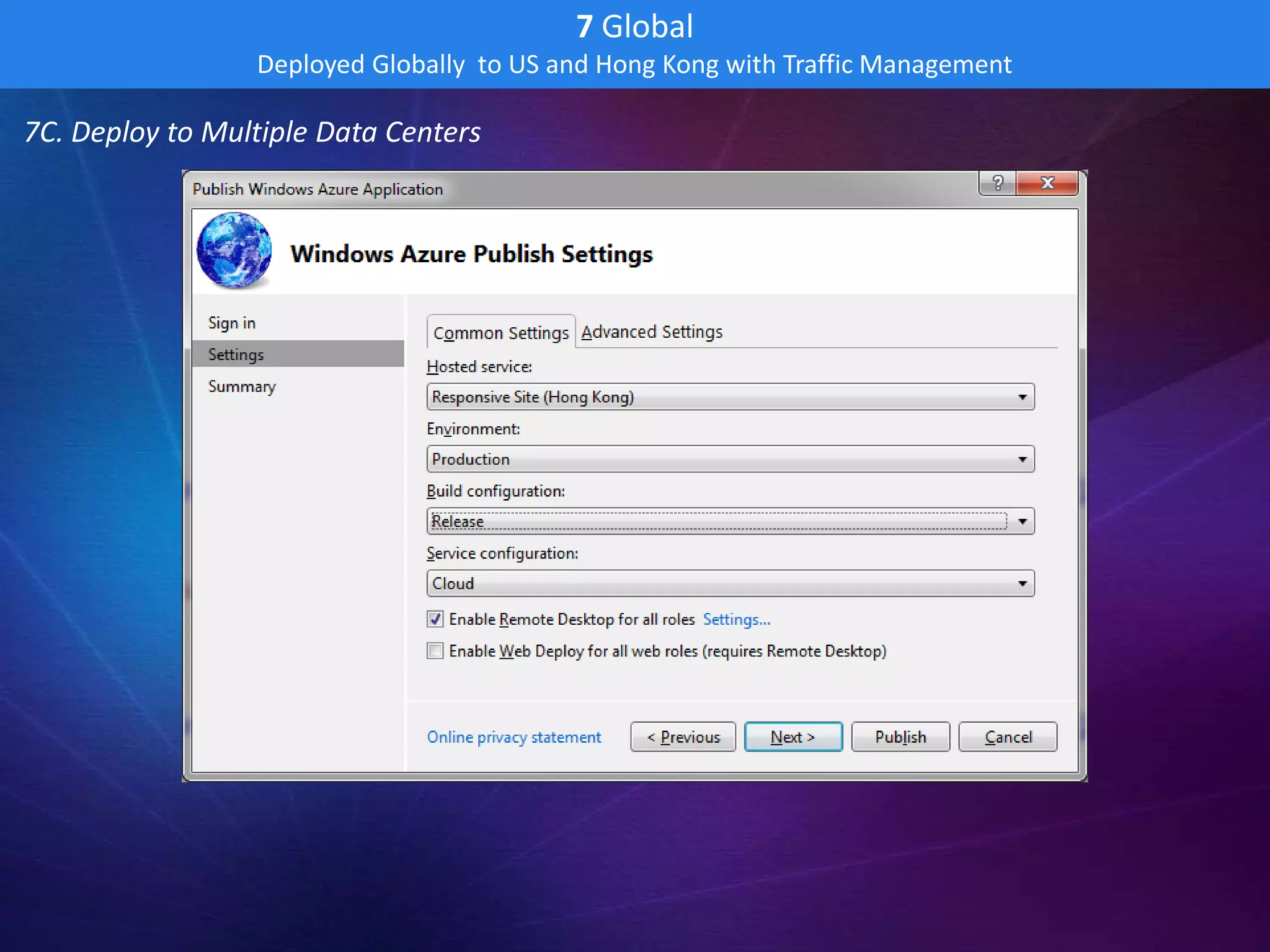
7C. Deploy to Multiple Data Centers
7 Global
                 Deployed Globally to US and Hong Kong with Traffic Management

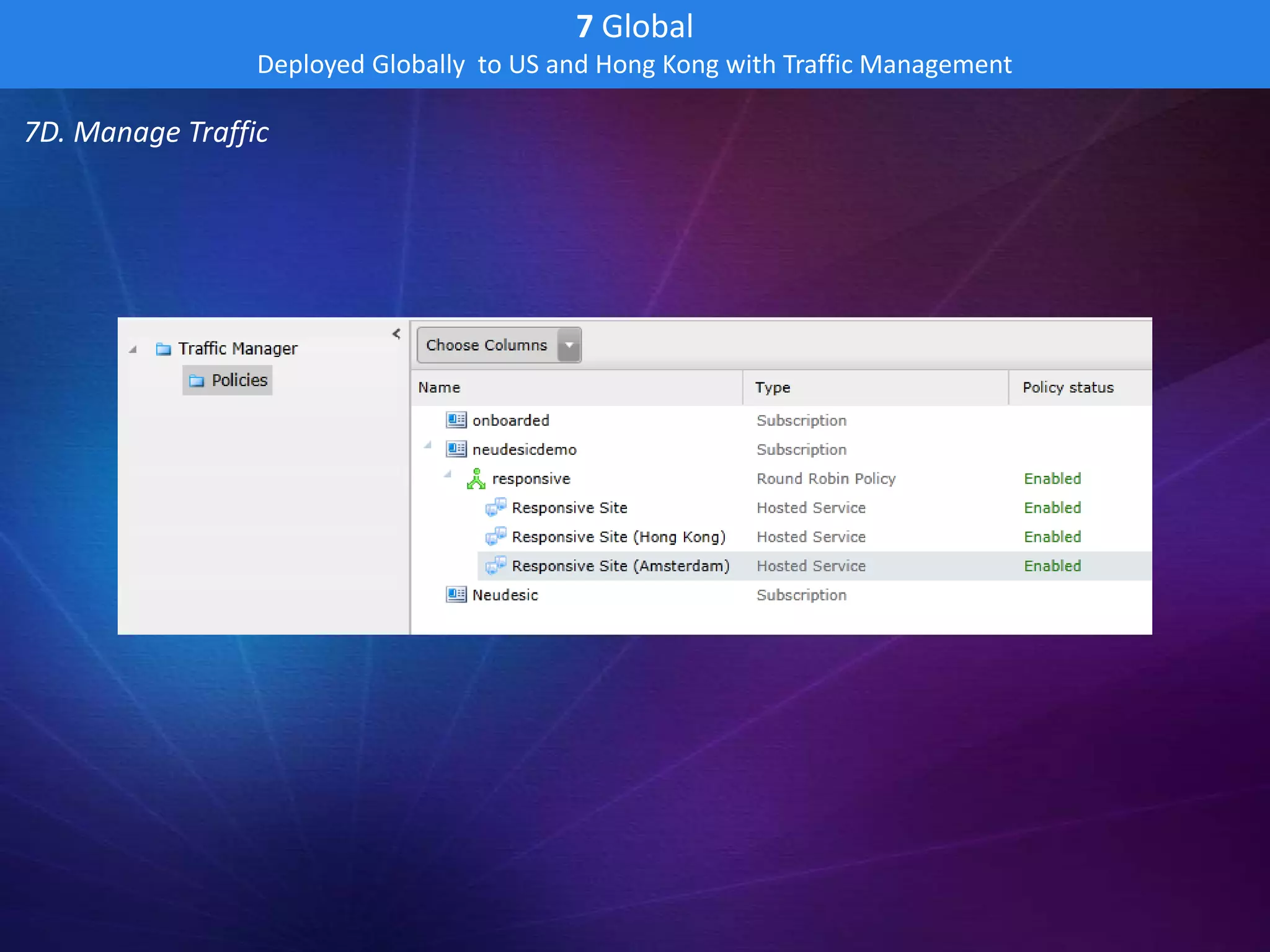
7D. Manage Traffic
7 Global
                  Deployed Globally to US and Hong Kong with Traffic Management

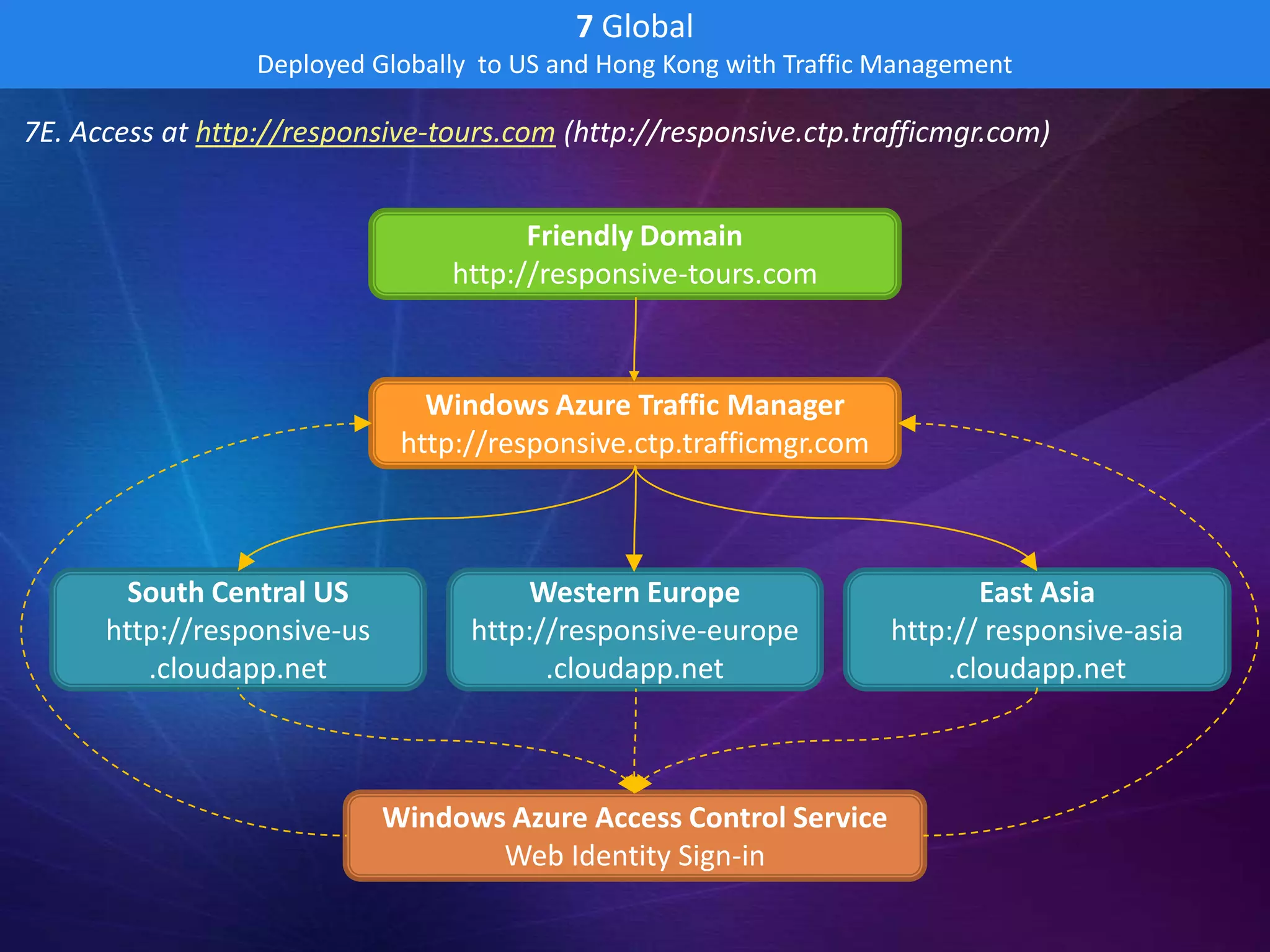
7E. Access at http://responsive-tours.com (http://responsive.ctp.trafficmgr.com)


                                        Friendly Domain
                                  http://responsive-tours.com


                                Windows Azure Traffic Manager
                              http://responsive.ctp.trafficmgr.com


        South Central US               Western Europe                       East Asia
      http://responsive-us         http://responsive-europe          http:// responsive-asia
         .cloudapp.net                   .cloudapp.net                   .cloudapp.net


                             Windows Azure Access Control Service
                                    Web Identity Sign-in
7 Global
Deployed Globally to US and Hong Kong with Traffic Management


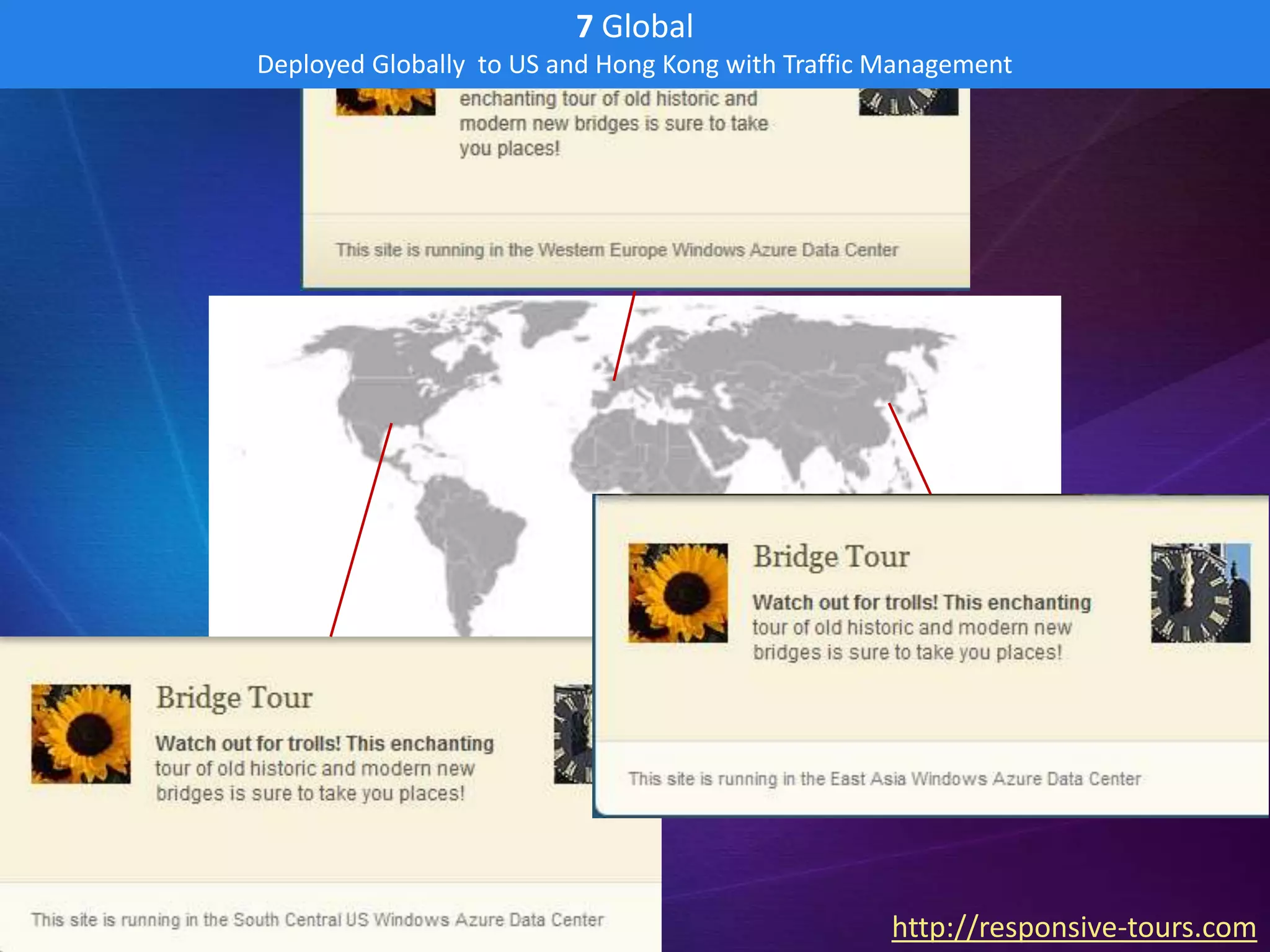
                                                   http://responsive-tours.com
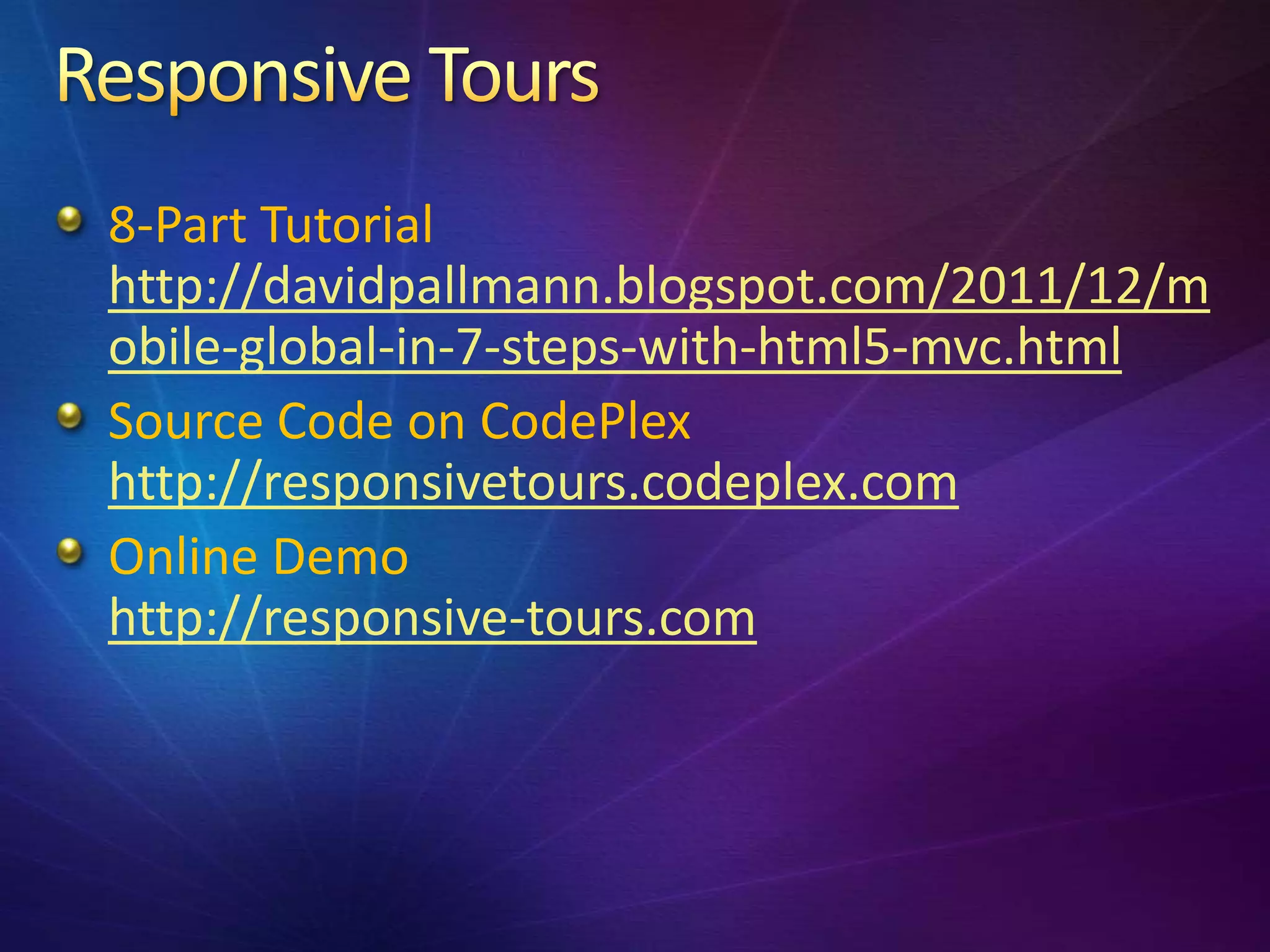
8-Part Tutorial
http://davidpallmann.blogspot.com/2011/12/m
obile-global-in-7-steps-with-html5-mvc.html
Source Code on CodePlex
http://responsivetours.codeplex.com
Online Demo
http://responsive-tours.com
David Pallmann
GM Custom App Dev, Neudesic
http://davidpallmann.blogspot.com
@davidpallmann

When worlds Collide: HTML5 Meets the Cloud

  • 1.
    David Pallmann GM CustomApp Dev, Neudesic http://davidpallmann.blogspot.com @davidpallmann
  • 2.
    2 Revolutions The HTML5revolution The Cloud revolution Interactions & Synergies Walkthrough: Creating a Mobile & Global App
  • 3.
    Front-End Back-End
  • 4.
    HTML5 Lingua franca Mobility for desktop & Front-End Tablets and mobile web phones applications Power Experiences More capable Compelling, devices & touch-oriented browser h/w experiences acceleration
  • 5.
    Web just keepsgrowing in importance Rising experiences & expectations On our devices Social Everywhere Part of our lifestyle
  • 6.
    Web just keepsgrowing in importance Rising experiences & expectations On our devices Social Everywhere Part of our your customers’ & employees’ lifestyle
  • 8.
  • 9.
    Video & Audiowithout plugins Canvas & Scalable Vector Graphics w/o plugins New semantic tags Geolocation CSS3, including custom fonts, rounded corners Drag and drop Canvas – 2D drawing, WebGL – 3D graphics New form elements HTML manifest (app caching) & offline storage Hardware acceleration in modern browsers
  • 10.
    Advanced Shading Video WebGL Water CSS public online HTML5 sites
  • 11.
    Joy Defines theFuture (BMW) Angry Birds Canvas Mol Tron Legacy public online HTML5 sites
  • 12.
    Source: Shutterstock.com #86494345 Source: Shutterstock.com #72009739
  • 14.
    Unified mobile developmentaccounts for much of the HTML5 momentum 327M wireless devices in US CTIA Wireless Association 1 billion wireless devices worldwide iSuppli IDC: wireless web will outpace desktop web by 2015 Computerworld Responsive web design: adaptive, fluid layout Mobile-first design, progressive enhancement
  • 15.
    A Compelling Experience compelling• immersive • multimedia animated • interactive • responsive Relevant to Your Life integrates with social networks • uses location Ubiquitous runs on PC browser, tablet, phone adaptive layout • touch, mouse or keyboard Maintains Continuity use multiple devices • identity • state • data Constant Availability disconnected operation • sync
  • 16.
    works on phones works on tablets http://www.astronautdesigns.com/demo/responsive/
  • 17.
    Social Cloud Computing Social network Elastic scale, Back-End content, consumption- interactions & based pricing web identity CDNs Marketplaces Content App stores, Delivery data Networks marketplaces
  • 18.
  • 19.
    Elastic Scale Consumption-based Pricing Commitment-free/ Easy-in, Easy-out Self-serve / On-demand Managed / Platform-as-a-Service Application & Data Protected through Redundancy 3 9’s SLA (99.9%)
  • 20.
    App Clouds Media Clouds Data Clouds Social Clouds
  • 21.
    Elastic Scale scale larger/smalleras needed Universal worldwide presence • universal access can run in multiple data centers • CDN Highly Available redundancy • resilient • failover Decentralized distributed • combine multiple services lessened emphasis on locking / transactions
  • 23.
    Service Role in a Modern Web Solution Windows Azure Compute Hosting of web servers Windows Azure Blob Storage Media (images, video) & other file storage Windows Azure Table Storage Server-side storage of data / session state SQL Azure Database Server-side storage of relational data Windows Azure Traffic Manager Traffic routing across multiple deployments Content Delivery Network Use of edge cache network to serve content Cache Service Server-side performance improvements SQL Azure Data Sync Data sync across multiple deployments Access Control Service Identity federation Service Bus Back end processing / integration Windows Azure Connect Cloud-Enterprise connectivity
  • 24.
    Front-End Back-End
  • 25.
    I can usea I can use a traditional traditional or HTML5 or cloud front-end back-end here here
  • 26.
    HOMOGENOUS FRONT END DEDICATED BACK END WEB SERVER DATABASE SERVER Web Application SQL DESKTOP Web Services Server BROWSER IIS Windows Server
  • 27.
    HETEROGENEOUS FRONT END DECENTRALIZED BACK END Platform DESKTOP Application Services BROWSER CLOUD Business Data Stores Services TABLET Identity IP Directories Services PHONE PARTNER Partner Data Stores Services
  • 28.
    Client-Server Coordination Data Storage Identity StateManagement Synchronization Caching Location Social
  • 29.
  • 30.
    VM VM VM VM VM
  • 32.
  • 33.
    Mobility gives uslocation independence: take the web with you Mobile web apps can use your current location Map integration
  • 34.
    Content Delivery Networkserves content efficiently based on locale Traffic Manager routes users to a deployment based on locate
  • 35.
  • 36.
  • 37.
    Sign-in with webprovider Identity federation (Access Control Service) Back-end social network integration
  • 38.
    Outside-the-box-Pizza: client-side social ResponsiveTours: server-side social identity
  • 40.
    2 Web Platform Neudesic Web Template 1 Design Comps Adobe Creative Suite HTML5, CSS, Media Client: Open Standards Server: MS Web Platform 3 Integrate Dynamic Content DB / Storage Responsive Web Design Data Binding Map Integration 7 Global Worldwide Deployment Multiple Data Centers 4 Cloud-Ready Windows Azure Web Role / Instances Traffic Management Local Dev/Test 6 Deployed Elastic Scale Azure Data Center 5 Secured Single Sign-on Web / Domain ID AZURE WEB ROLE
  • 41.
    1 Design Design Web Site Front-end & Create Assets 1A. Used an Adobe Dreamweaver HTML5 sample already set up for Responsive Web Design
  • 42.
    1 Design Design Web Site Front-end & Create Assets 1A. Used an Adobe Dreamweaver HTML5 sample already set up for Responsive Web Design
  • 43.
    1 Design Design Web Site Front-end & Create Assets 1B. Customize Content in Dreamweaver – Page Title, Logo, Marquee Text,
  • 44.
    1 Design Design Web Site Front-end & Create Assets 1B. Customize Content in Dreamweaver – Page Title, Logo, Marquee Text,
  • 45.
    1 Design Design Web Site Front-end & Create Assets 1C. Hand-off to developer – assets are HTML5, CSS, JavaScript, image files
  • 46.
    2 Adapt Template-based Web Project 2A. Create Project from Neudesic Web Template
  • 47.
    2 Adapt Template-based Web Project 2B. Insert front-end markup/styling/code/images from designer • Move where some files are to match the templates organization • Change paths in the HTML and CSS to match file relocation and use ASP.NET ~ path convention • Segment HTML and insert into appropriate areas of the home view (Index.cshtml)
  • 48.
    2 Adapt Template-based Web Project 2B. Insert front-end markup/styling/code/images from designer @* Optional : Include additional stylesheets *@ @section StylesTop { <link rel="stylesheet" type="text/css" href="~/../css/stylesheet.css" /> <link rel="stylesheet" type="text/css" media="only screen and (min-width:50px) and (max- width:550px)" href="~/../css/screen_small.css"> <link rel="stylesheet" type="text/css" media="only screen and (min-width:551px) and (max- width:800px)" href="~/../css/screen_medium.css"> <!--[if lt IE 9]> <script src="http://html5shiv.googlecode.com/svn/trunk/html5.js"></script> <link rel="stylesheet" type="text/css" href="~/../css/stylesheet_ie.css" /> <![endif]--> }
  • 49.
    2 Adapt Template-based Web Project 2C. Final result is a web project we can run out of VS2010 with F5 – looks no diff from Step 1
  • 50.
    3 Integrate Add Dynamic Content 3A. Create a Database for Promotional Data
  • 51.
    3 Integrate Add Dynamic Content 3B. Retrieve Content in the MVC Project public class HomeController : Controller public class Promo { { // public string Title; // GET: /Home/ public string Text; public string ImageURL; public ActionResult Index() } { LoadPromos(); return View(); } private void LoadPromos() { Dictionary<string, Promo> Promos = new Dictionary<string, Promo>(); try { using (SqlConnection conn = new SqlConnection(System.Configuration.ConfigurationManager .ConnectionStrings["Tours"].ConnectionString)) { ...get the data, add to Promos collection... } } catch (SqlException ex) { // TODO: log exception } ViewBag.Promos = Promos; } }
  • 52.
    3 Integrate Add Dynamic Content 3C. Embed Content with Razor <!-- begin - homepage promos --> <div class="home_promo_container"> <div class="home_promo"> <div class="home_promo_content" style="background-image:url(images/@(ViewBag.Promos["1"].ImageURL));"> <h2 data-bind="text: PromoTitle1"></h2> <p data-bind="text: PromoText1"/> <a class="button" href="#">Learn more &raquo;</a> </div> </div> <div class="home_promo"> <div class="home_promo_content" style="background-image:url(images/@(ViewBag.Promos["2"].ImageURL));"> <h2 data-bind="text: PromoTitle2"></h2> <p data-bind="text: PromoText2"/> <a class="button" href="#">Learn more &raquo;</a> </div> </div> <div class="home_promo"> <div class="home_promo_content" style="background-image:url(images/@(ViewBag.Promos["3"].ImageURL));"> <h2 data-bind="text: PromoTitle3"></h2> <p data-bind="text: PromoText3"/> <a class="button" href="#">Learn more &raquo;</a> </div> </div> </div>
  • 53.
    3 Integrate Add Dynamic Content 3C. Data Bind with Knockout <!-- begin - homepage promos --> <div class="home_promo_container"> <div class="home_promo"> <div class="home_promo_content" style="background- image:url(images/@(ViewBag.Promos["1"].ImageURL));"> <h2 data-bind="text: PromoTitle1"></h2> <p data-bind="text: PromoText1"/> <a class="button" href="#">Learn more &raquo;</a> </div> </div> <div class="home_promo"> <div class="home_promo_content" style="background- image:url(images/@(ViewBag.Promos["2"].ImageURL));"> <h2 data-bind="text: PromoTitle2"></h2> <p data-bind="text: PromoText2"/> <a class="button" href="#">Learn more &raquo;</a> </div> </div> <div class="home_promo"> <div class="home_promo_content" style="background- image:url(images/@(ViewBag.Promos["3"].ImageURL));"> <h2 data-bind="text: PromoTitle3"></h2> <p data-bind="text: PromoText3"/> <a class="button" href="#">Learn more &raquo;</a> </div> </div> </div>
  • 54.
    3 Integrate Add Dynamic Content 3C. Data Bind with Knockout <!-- begin - homepage promos --> <div class="home_promo_container"> <div class="home_promo"> <div class="home_promo_content" style="background-image:url(images/@(ViewBag.Promos["1"].ImageURL));"> <h2 data-bind="text: PromoTitle1"></h2> <p data-bind="text: PromoText1"/> <a class="button" href="#">Learn more &raquo;</a> </div> </div> <div class="home_promo"> <div class="home_promo_content" style="background-image:url(images/@(ViewBag.Promos["2"].ImageURL));"> <h2 data-bind="text: PromoTitle2"></h2> <p data-bind="text: PromoText2"/> <a class="button" href="#">Learn more &raquo;</a> </div> </div> <div class="home_promo"> <div class="home_promo_content" style="background-image:url(images/@(ViewBag.Promos["3"].ImageURL));"> <h2 data-bind="text: PromoTitle3"></h2> <p data-bind="text: PromoText3"/> <a class="button" href="#">Learn more &raquo;</a> </div> </div> </div>
  • 55.
    3 Integrate Add Dynamic Content 3D. Site with Data Binding
  • 56.
    4 Cloud-Ready Set up for Windows Azure – Local Test/Dev in Simulator 4A. Add Windows Azure Project
  • 57.
    4 Cloud-Ready Set up for Windows Azure – Local Test/Dev in Simulator 4B. Set Instance Counts <?xml version="1.0" encoding="utf-8"?> <ServiceConfiguration serviceName="ResponsiveSiteAzure" xmlns="http://schemas.microsoft.com/ServiceHosting/2008/10/Servic eConfiguration" osFamily="1" osVersion="*"> <Role name="ResponsiveSite"> <Instances count="4" /> <ConfigurationSettings> <Setting name="Microsoft.WindowsAzure.Plugins.Diagnostics.ConnectionString " value="UseDevelopmentStorage=true" /> </ConfigurationSettings> </Role> </ServiceConfiguration>
  • 58.
    4 Cloud-Ready Set up for Windows Azure – Local Test/Dev in Simulator 4C. Run locally in Windows Azure Simulation Environment
  • 59.
    5 Secured Sign-in with web Identities 5A. Configure Access Control Service in Windows Azure
  • 60.
    5 Secured Sign-in with web Identities 5B. Instrument for identity with Windows Identity Foundation
  • 61.
    5 Secured Sign-in with web Identities 5B. Instrument for identity with Windows Identity Foundation
  • 62.
    5 Secured Sign-in with web Identities 5C. Retrieve Claims private void LoadClaims() { ViewBag.Welcome = "Welcome Back!"; var principal = Thread.CurrentPrincipal; var identity = principal.Identity as IClaimsIdentity; var claims = identity.Claims; ViewBag.Claims = claims; string displayName = null; if (claims != null) { string claimType; foreach (Claim claim in claims) { claimType = claim.ClaimType; if (claimType.EndsWith("/nameidentifier")) { displayName = claim.Subject.Name; break; } } if (!String.IsNullOrEmpty(displayName)) { ViewBag.Welcome = "Welcome back, " + displayName; } } }
  • 63.
    6 Deployed Deployed to Windows Azure Data Center 6A. Move Promotional Item Images to Blob Storage http://responsive.blob.core.windows.net/images/homepage_promo_1.jpg http://responsive.blob.core.windows.net/images/homepage_promo_2.jpg http://responsive.blob.core.windows.net/images/homepage_promo_3.jpg
  • 64.
    6 Deployed Deployed to Windows Azure Data Center 6B. Change Promotional Image URLs to use Blob Storage <div class="home_promo_content" style="background-image:url( http://responsive.blob.core.windows.net/images/@(ViewBag.Promos["1"].ImageURL) );">
  • 65.
    6 Deployed Deployed to Windows Azure Data Center 6C. Package and Publish
  • 66.
    6 Deployed Deployed to Windows Azure Data Center 6D. Access in the Cloud at http://responsive.cloudapp.net
  • 67.
    7 Global Deployed Globally to US and Hong Kong with Traffic Management 7A. Turn on CDN
  • 68.
    7 Global Deployed Globally to US and Hong Kong with Traffic Management 7B. Change Promotion Item Image URLs to use CDN URL Prefix <div class="home_promo_content" style="background-image:url( http://az99258.vo.msecnd.net/images/@(ViewBag.Promos["1"].ImageURL) );">
  • 69.
    7 Global Deployed Globally to US and Hong Kong with Traffic Management 7C. Deploy to Multiple Data Centers
  • 70.
    7 Global Deployed Globally to US and Hong Kong with Traffic Management 7D. Manage Traffic
  • 71.
    7 Global Deployed Globally to US and Hong Kong with Traffic Management 7E. Access at http://responsive-tours.com (http://responsive.ctp.trafficmgr.com) Friendly Domain http://responsive-tours.com Windows Azure Traffic Manager http://responsive.ctp.trafficmgr.com South Central US Western Europe East Asia http://responsive-us http://responsive-europe http:// responsive-asia .cloudapp.net .cloudapp.net .cloudapp.net Windows Azure Access Control Service Web Identity Sign-in
  • 72.
    7 Global Deployed Globallyto US and Hong Kong with Traffic Management http://responsive-tours.com
  • 73.
    8-Part Tutorial http://davidpallmann.blogspot.com/2011/12/m obile-global-in-7-steps-with-html5-mvc.html Source Codeon CodePlex http://responsivetours.codeplex.com Online Demo http://responsive-tours.com
  • 74.
    David Pallmann GM CustomApp Dev, Neudesic http://davidpallmann.blogspot.com @davidpallmann