Internet Search Tips

   Featuring Google
Google

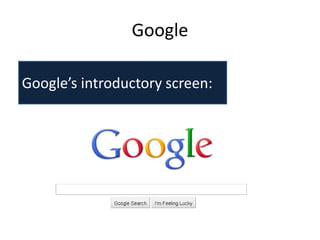
Google’s introductory screen:
Google

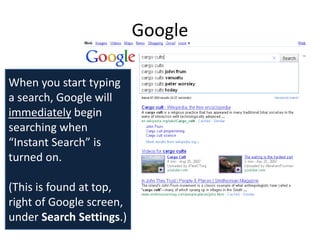
When you start typing
a search, Google will
immediately begin
searching when
“Instant Search” is
turned on.

(This is found at top,
right of Google screen,
under Search Settings.)
Google


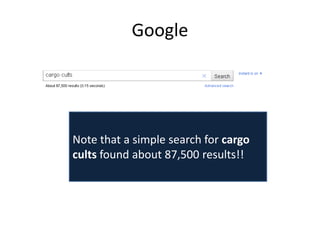
Note that a simple search for cargo
cults found about 87,500 results!!
Google


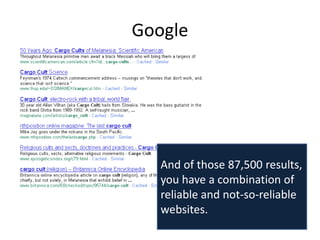
   And of those 87,500 results,
   you have a combination of
   reliable and not-so-reliable
   websites.
Google


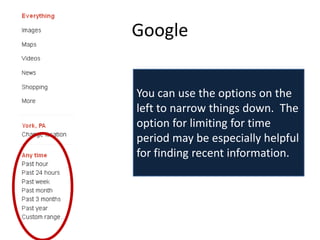
You can use the options on the
left to narrow things down. The
option for limiting for time
period may be especially helpful
for finding recent information.
Google


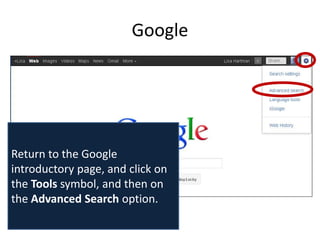
Return to the Google
introductory page, and click on
the Tools symbol, and then on
the Advanced Search option.
Google
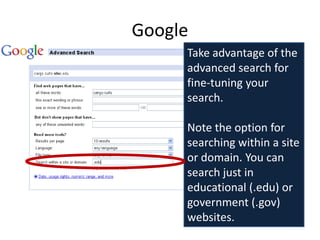
     Take advantage of the
     advanced search for
     fine-tuning your
     search.

     Note the option for
     searching within a site
     or domain. You can
     search just in
     educational (.edu) or
     government (.gov)
     websites.
Google


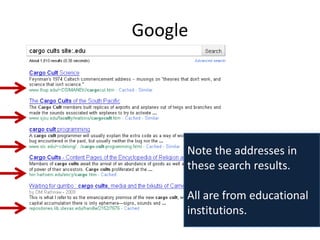
     Note the addresses in
     these search results.

     All are from educational
     institutions.
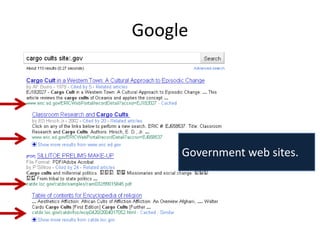
Google


     Government web sites.
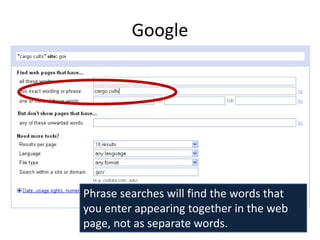
Google


Phrase searches will find the words that
you enter appearing together in the web
page, not as separate words.
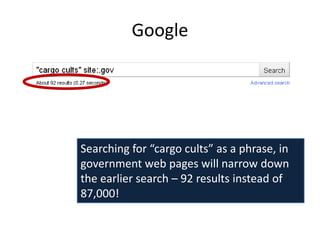
Google


Searching for “cargo cults” as a phrase, in
government web pages will narrow down
the earlier search – 92 results instead of
87,000!
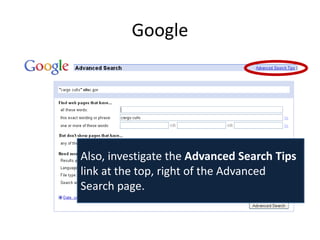
Google


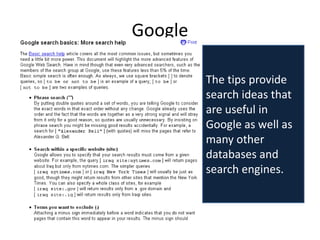
Also, investigate the Advanced Search Tips
link at the top, right of the Advanced
Search page.
Google

         The tips provide
         search ideas that
         are useful in
         Google as well as
         many other
         databases and
         search engines.
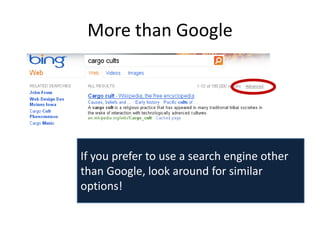
More than Google


If you prefer to use a search engine other
than Google, look around for similar
options!

Internet Search Tips featuring Google

  • 1.
    Internet Search Tips Featuring Google
  • 2.
  • 3.
    Google When you starttyping a search, Google will immediately begin searching when “Instant Search” is turned on. (This is found at top, right of Google screen, under Search Settings.)
  • 4.
    Google Note that asimple search for cargo cults found about 87,500 results!!
  • 5.
    Google And of those 87,500 results, you have a combination of reliable and not-so-reliable websites.
  • 6.
    Google You can usethe options on the left to narrow things down. The option for limiting for time period may be especially helpful for finding recent information.
  • 7.
    Google Return to theGoogle introductory page, and click on the Tools symbol, and then on the Advanced Search option.
  • 8.
    Google Take advantage of the advanced search for fine-tuning your search. Note the option for searching within a site or domain. You can search just in educational (.edu) or government (.gov) websites.
  • 9.
    Google Note the addresses in these search results. All are from educational institutions.
  • 10.
    Google Government web sites.
  • 11.
    Google Phrase searches willfind the words that you enter appearing together in the web page, not as separate words.
  • 12.
    Google Searching for “cargocults” as a phrase, in government web pages will narrow down the earlier search – 92 results instead of 87,000!
  • 13.
    Google Also, investigate theAdvanced Search Tips link at the top, right of the Advanced Search page.
  • 14.
    Google The tips provide search ideas that are useful in Google as well as many other databases and search engines.
  • 15.
    More than Google Ifyou prefer to use a search engine other than Google, look around for similar options!