
















HYBRID APPS WITH
FRAMEWORK
Fronteers 19/11/15 @ Kunstmaan
@bramus
Yo!
@bramus https://www.bram.usBram(us)Van Damme
All work, no and play
#ikdoeict SmallTown Heroes
I’m a former lecturer Web & Mobile, now into breaking builds at Small Town Heroes
This talk is not about learning Ionic
←This book is
https://www.packtpub.com/application-development/learning-ionic


(disclaimer: I was lead tech reviewer for this book)
EV-Point
(3RDS)
De allesweter
(Small Town Heroes)
This talk is about these two Ionic apps I built
HYBRID APPS WITH
IONIC FRAMEWORK
Fronteers 19/11/15 @ Kunstmaan
@bramus
Fronteers 19/11/15 @ Kunstmaan
@bramus
HYBRID APPS WITH
IONIC FRAMEWORK
HOW I FELL IN LOVE
WITH IONIC
Fronteers 19/11/15 @ Kunstmaan
@bramus
HOW IONIC MIGHT

NOT WORK FORYOU
Fronteers 19/11/15 @ Kunstmaan
@bramus
https://adactio.com/journal/4437
If you’re looking for the more honest, truthful
answer to pretty much any question on web
design and usability, here it is:
It depends.
EV-Point
(3RDS)
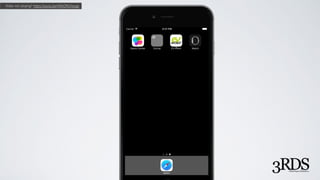
Video not playing? https://youtu.be/4AhOKtXowgs
App development time?
(from no code to working prototype in Simulator)
App development time?
(from no code to working prototype in Simulator)
App development time?
(from no code to working prototype in Simulator)
Here’s a hint:
App development time
(in hours)
Let’s do the math
Apache Cordova
https://cordova.apache.org/
→ If you know HTML/CSS/JavaScript, you know how to build a mobile app
Apache Cordova
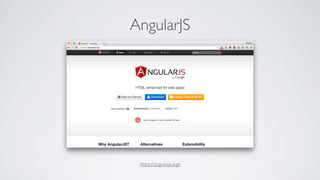
AngularJS
https://angularjs.org/
→ If you know AngularJS, you know how Ionic works
AngularJS
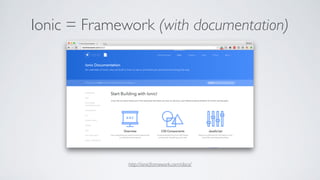
Ionic = Framework (with documentation)
http://ionicframework.com/docs/
→ If you can read, you know Ionic
Ionic = Framework (with documentation)
→ If you can read, you know Ionic
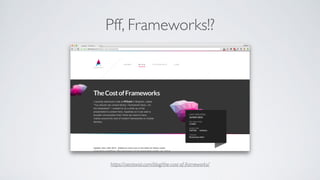
Pff, Frameworks!?
https://aerotwist.com/blog/the-cost-of-frameworks/
→ If you can read, you know Ionic
Pff, Frameworks!?
“Frameworks make it quicker
to build an MVP”
HOW I FELL IN LOVE
WITH IONIC
Fronteers 19/11/15 @ Kunstmaan
@bramus
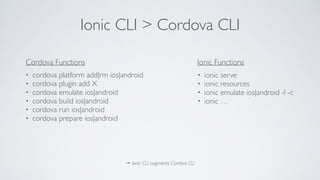
Ionic CLI > Cordova CLI
→ Ionic CLI augments Cordova CLI
• cordova platform add|rm ios|android
• cordova plugin add X
• cordova emulate ios|android
• cordova build ios|android
• cordova run ios|android
• cordova prepare ios|android
• ionic serve
• ionic resources
• ionic emulate ios|android -l -c
• ionic …
Cordova Functions Ionic Functions
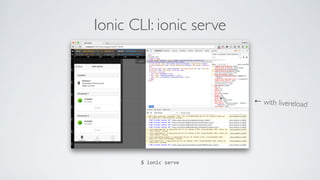
Ionic CLI: ionic serve
$	
  ionic	
  serve
← with livereload
→ If you know HTML/CSS/JavaScript, you know how to build a mobile app
Ionic CLI: ionic serve
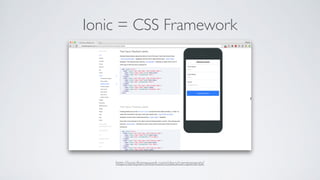
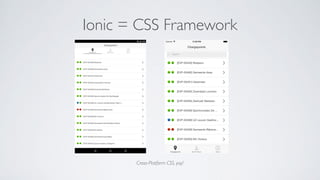
Ionic = CSS Framework
http://ionicframework.com/docs/components/
Ionic = CSS Framework
Cross-Platform CSS, yay!
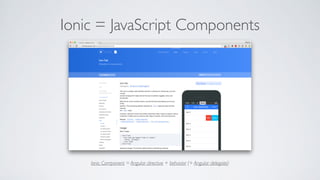
Ionic = JavaScript Components
Ionic Component = Angular directive + behavior (+ Angular delegate)
Bootstrapitis?
http://www.novolume.co.uk/blog/all-websites-look-the-same/
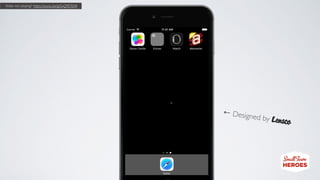
De allesweter
(Small Town Heroes)
← Designed by
Video not playing? https://youtu.be/gtSxQ9E9jVA
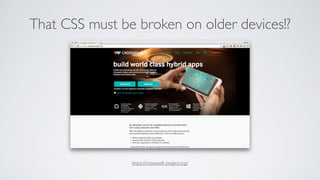
That CSS must be broken on older devices!?
https://crosswalk-project.org/
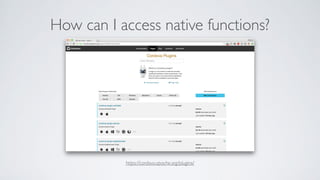
How can I access native functions?
https://cordova.apache.org/plugins/
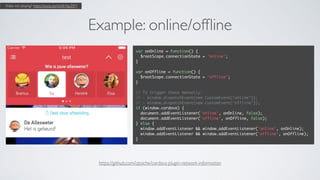
Example: online/offline
var onOnline = function() {
$rootScope.connectionState = 'online';
}
var onOffline = function() {
$rootScope.connectionState = 'offline';
}
// To trigger these manually:
// - window.dispatchEvent(new CustomEvent("online"));
// - window.dispatchEvent(new CustomEvent("offline"));
if (window.cordova) {
document.addEventListener('online', onOnline, false);
document.addEventListener('offline', onOffline, false);
} else {
window.addEventListener && window.addEventListener('online', onOnline);
window.addEventListener && window.addEventListener('offline', onOffline);
}
https://github.com/apache/cordova-plugin-network-information
Video not playing? https://youtu.be/duVbYspZtFY
Plugins used in “De allesweter”
• cordova-­‐plugin-­‐device – Get device info (UUID et al)
• cordova-­‐plugin-­‐statusbar – Style the statusbar
• cordova-­‐plugin-­‐splashscreen – Control the splash screen yourself
• cordova-­‐plugin-­‐google-­‐analytics – Google Analytics Integration
• com.ionic.keyboard – Keyboard events
• us.cordova.gigya – Gigya Integration (VRT/Facebook Login)
• cordova-­‐plugin-­‐customurlscheme – Deeplink into app
• cordova-­‐plugin-­‐x-­‐socialsharing – Share integration
• phonegap-­‐plugin-­‐push – Push Notifications
• cordova-­‐plugin-­‐inappbrowser – In app browser
• cordova-­‐plugin-­‐app-­‐version – Get app info (build number et al)
• cordova-­‐plugin-­‐nativeaudio – Play sounds
• cordova-­‐plugin-­‐network-­‐information – Get network info
Easy there cowboy?!
cordova-­‐plugin-­‐nativeaudio
vs
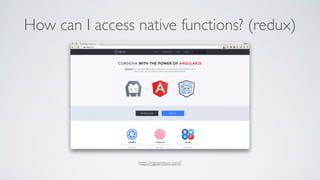
How can I access native functions? (redux)
http://ngcordova.com/
→ If you can read, you know Ionic
Cordova has Hooks
#!/bin/bash
# @ref https://www.bram.us/2015/09/29/ionic-emulate-vs-xcode-7/
XCODEVERSION=`xcodebuild -version | grep Xcode | sed 's/Xcode //g'`
XCODEMAINVERSION=`echo $XCODEVERSION | cut -d "." -f 1`
PROJECTNAME=`xmllint --format --xpath "//*[local-name()='widget']/*[local-name()='name'][1]/text()" config.xml`
if [[ "$CORDOVA_PLATFORMS" == "ios" ]]
then
if [[ "$XCODEMAINVERSION" > 6 ]]
then
echo "iPhone Simulator (XCode $XCODEVERSION): Adjusting $PROJECTNAME-Info.plist to allow Arbitrary Loads!"
PLISTBUDDY="/usr/libexec/PlistBuddy"
TARGET="platforms/ios/$PROJECTNAME/$PROJECTNAME-Info.plist"
HASSETTING=`$PLISTBUDDY -c "print :NSAppTransportSecurity:NSAllowsArbitraryLoads" "$TARGET" 2>&1`
if [[ "$HASSETTING" == "true" ]]
then
echo " - NSAllowsArbitraryLoads already enabled. Not adjusting $PROJECTNAME-Info.plist"
else
echo " - NSAllowsArbitraryLoads not enabled. Adjusting $PROJECTNAME-Info.plist"
$PLISTBUDDY -c "Add :NSAppTransportSecurity dict" "$TARGET"
$PLISTBUDDY -c "Add :NSAppTransportSecurity:NSAllowsArbitraryLoads bool YES" "$TARGET"
fi
fi
fi
(Apologies if this gave you a headache)
Using a preprocessor is still possible
→ Have your sources in src/, run grunt (which compiles it all to www/) and ionic	
  serve in parallel
// copy
module.exports = function(grunt, options) {
return {
// Copy all non-compilable files from src/ to www/
// Exceptions: stylus & sass sources, coffeescript sources, self-written js files, jade sources, and psd files
build: {
cwd: 'src',
src: [
'**', // All files by default
'!css/*.styl', // Exclude .styl source files (processed separately)
'!js/**', // Exclude entire JS folder (processed separately)
'!*.jade','!templates/*.jade', '!templates/**/*.jade', // Exclude .jade temoplates (processed separately)
'!img/*.psd', // Exclude .psd files from the img folder
],
dest: 'www',
expand: true
}
}
}
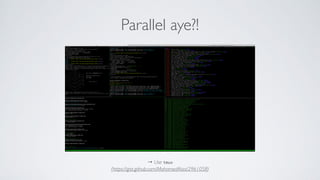
Parallel aye?!
→ Use tmux
(https://gist.github.com/MohamedAlaa/2961058)
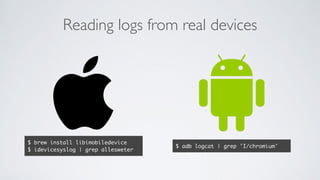
Reading logs from real devices
$ brew install libimobiledevice
$ idevicesyslog | grep allesweter
$ adb logcat | grep 'I/chromium'
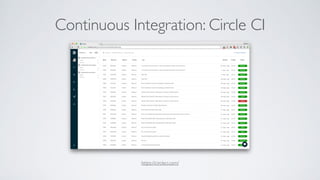
Continuous Integration: Circle CI
https://circleci.com/
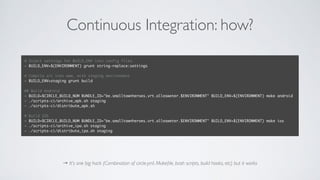
Continuous Integration: how?
→ It’s one big hack (Combination of circle.yml, Makefile, bash scripts, build hooks, etc) but it works
# Inject settings for BUILD_ENV into config files
- BUILD_ENV=$(ENVIRONMENT) grunt string-replace:settings
# Compile src into www, with staging environment
- BUILD_ENV=staging grunt build
## Build Android
- BUILD=$CIRCLE_BUILD_NUM BUNDLE_ID="be.smalltownheroes.vrt.allesweter.$ENVIRONMENT" BUILD_ENV=$(ENVIRONMENT) make android
- ./scripts-ci/archive_apk.sh staging
- ./scripts-ci/distribute_apk.sh
# Build IOS
- BUILD=$CIRCLE_BUILD_NUM BUNDLE_ID="be.smalltownheroes.vrt.allesweter.$ENVIRONMENT" BUILD_ENV=$(ENVIRONMENT) make ios
- ./scripts-ci/archive_ipa.sh staging
- ./scripts-ci/distribute_ipa.sh staging
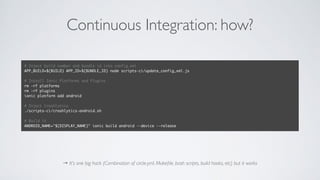
Continuous Integration: how?
→ It’s one big hack (Combination of circle.yml, Makefile, bash scripts, build hooks, etc) but it works
# Inject build number and bundle id into config.xml
APP_BUILD=$(BUILD) APP_ID=$(BUNDLE_ID) node scripts-ci/update_config_xml.js
# Install Ionic Platforms and Plugins
rm -rf platforms
rm -rf plugins
ionic platform add android
# Inject Crashlytics
./scripts-ci/crashlytics-android.sh
# Build it
ANDROID_NAME="$(DISPLAY_NAME)" ionic build android --device --release
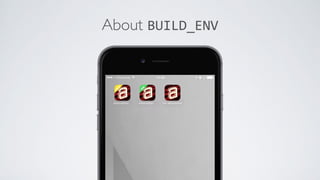
About BUILD_ENV
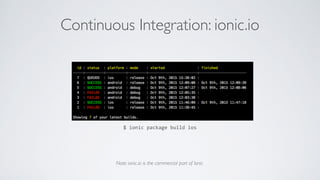
Continuous Integration: ionic.io
Note: ionic.io is the commercial part of Ionic.
$	
  ionic	
  package	
  build	
  ios
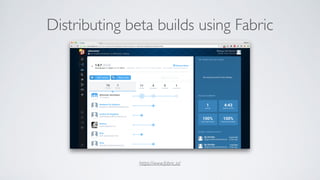
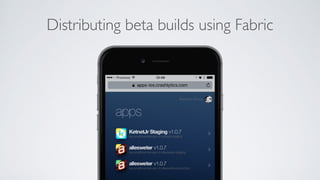
Distributing beta builds using Fabric
https://www.fabric.io/
Distributing beta builds using Fabric
Recommend Read: Gone Hybrid
http://gonehybrid.com/
Thank you.
Fronteers 19/11/15 @ Kunstmaan
@bramus
HYBRID APPS WITH
FRAMEWORK

Hybrid Apps with Ionic Framework

  • 1.
    HYBRID APPS WITH FRAMEWORK Fronteers19/11/15 @ Kunstmaan @bramus
  • 2.
  • 3.
    All work, noand play #ikdoeict SmallTown Heroes I’m a former lecturer Web & Mobile, now into breaking builds at Small Town Heroes
  • 6.
    This talk isnot about learning Ionic ←This book is https://www.packtpub.com/application-development/learning-ionic 
 (disclaimer: I was lead tech reviewer for this book)
  • 7.
    EV-Point (3RDS) De allesweter (Small TownHeroes) This talk is about these two Ionic apps I built
  • 8.
    HYBRID APPS WITH IONICFRAMEWORK Fronteers 19/11/15 @ Kunstmaan @bramus
  • 9.
    Fronteers 19/11/15 @Kunstmaan @bramus HYBRID APPS WITH IONIC FRAMEWORK
  • 10.
    HOW I FELLIN LOVE WITH IONIC Fronteers 19/11/15 @ Kunstmaan @bramus
  • 11.
    HOW IONIC MIGHT
 NOTWORK FORYOU Fronteers 19/11/15 @ Kunstmaan @bramus
  • 12.
    https://adactio.com/journal/4437 If you’re lookingfor the more honest, truthful answer to pretty much any question on web design and usability, here it is: It depends.
  • 13.
  • 14.
    Video not playing?https://youtu.be/4AhOKtXowgs
  • 15.
    App development time? (fromno code to working prototype in Simulator)
  • 16.
    App development time? (fromno code to working prototype in Simulator)
  • 17.
    App development time? (fromno code to working prototype in Simulator)
  • 18.
  • 19.
  • 20.
  • 21.
  • 22.
    → If youknow HTML/CSS/JavaScript, you know how to build a mobile app Apache Cordova
  • 23.
  • 24.
    → If youknow AngularJS, you know how Ionic works AngularJS
  • 25.
    Ionic = Framework(with documentation) http://ionicframework.com/docs/
  • 26.
    → If youcan read, you know Ionic Ionic = Framework (with documentation)
  • 27.
    → If youcan read, you know Ionic Pff, Frameworks!? https://aerotwist.com/blog/the-cost-of-frameworks/
  • 28.
    → If youcan read, you know Ionic Pff, Frameworks!? “Frameworks make it quicker to build an MVP”
  • 31.
    HOW I FELLIN LOVE WITH IONIC Fronteers 19/11/15 @ Kunstmaan @bramus
  • 32.
    Ionic CLI >Cordova CLI → Ionic CLI augments Cordova CLI • cordova platform add|rm ios|android • cordova plugin add X • cordova emulate ios|android • cordova build ios|android • cordova run ios|android • cordova prepare ios|android • ionic serve • ionic resources • ionic emulate ios|android -l -c • ionic … Cordova Functions Ionic Functions
  • 33.
    Ionic CLI: ionicserve $  ionic  serve ← with livereload
  • 34.
    → If youknow HTML/CSS/JavaScript, you know how to build a mobile app Ionic CLI: ionic serve
  • 35.
    Ionic = CSSFramework http://ionicframework.com/docs/components/
  • 36.
    Ionic = CSSFramework Cross-Platform CSS, yay!
  • 37.
    Ionic = JavaScriptComponents Ionic Component = Angular directive + behavior (+ Angular delegate)
  • 38.
  • 39.
  • 40.
    ← Designed by Videonot playing? https://youtu.be/gtSxQ9E9jVA
  • 41.
    That CSS mustbe broken on older devices!? https://crosswalk-project.org/
  • 42.
    How can Iaccess native functions? https://cordova.apache.org/plugins/
  • 43.
    Example: online/offline var onOnline= function() { $rootScope.connectionState = 'online'; } var onOffline = function() { $rootScope.connectionState = 'offline'; } // To trigger these manually: // - window.dispatchEvent(new CustomEvent("online")); // - window.dispatchEvent(new CustomEvent("offline")); if (window.cordova) { document.addEventListener('online', onOnline, false); document.addEventListener('offline', onOffline, false); } else { window.addEventListener && window.addEventListener('online', onOnline); window.addEventListener && window.addEventListener('offline', onOffline); } https://github.com/apache/cordova-plugin-network-information Video not playing? https://youtu.be/duVbYspZtFY
  • 44.
    Plugins used in“De allesweter” • cordova-­‐plugin-­‐device – Get device info (UUID et al) • cordova-­‐plugin-­‐statusbar – Style the statusbar • cordova-­‐plugin-­‐splashscreen – Control the splash screen yourself • cordova-­‐plugin-­‐google-­‐analytics – Google Analytics Integration • com.ionic.keyboard – Keyboard events • us.cordova.gigya – Gigya Integration (VRT/Facebook Login) • cordova-­‐plugin-­‐customurlscheme – Deeplink into app • cordova-­‐plugin-­‐x-­‐socialsharing – Share integration • phonegap-­‐plugin-­‐push – Push Notifications • cordova-­‐plugin-­‐inappbrowser – In app browser • cordova-­‐plugin-­‐app-­‐version – Get app info (build number et al) • cordova-­‐plugin-­‐nativeaudio – Play sounds • cordova-­‐plugin-­‐network-­‐information – Get network info
  • 45.
  • 46.
    How can Iaccess native functions? (redux) http://ngcordova.com/
  • 47.
    → If youcan read, you know Ionic
  • 48.
    Cordova has Hooks #!/bin/bash #@ref https://www.bram.us/2015/09/29/ionic-emulate-vs-xcode-7/ XCODEVERSION=`xcodebuild -version | grep Xcode | sed 's/Xcode //g'` XCODEMAINVERSION=`echo $XCODEVERSION | cut -d "." -f 1` PROJECTNAME=`xmllint --format --xpath "//*[local-name()='widget']/*[local-name()='name'][1]/text()" config.xml` if [[ "$CORDOVA_PLATFORMS" == "ios" ]] then if [[ "$XCODEMAINVERSION" > 6 ]] then echo "iPhone Simulator (XCode $XCODEVERSION): Adjusting $PROJECTNAME-Info.plist to allow Arbitrary Loads!" PLISTBUDDY="/usr/libexec/PlistBuddy" TARGET="platforms/ios/$PROJECTNAME/$PROJECTNAME-Info.plist" HASSETTING=`$PLISTBUDDY -c "print :NSAppTransportSecurity:NSAllowsArbitraryLoads" "$TARGET" 2>&1` if [[ "$HASSETTING" == "true" ]] then echo " - NSAllowsArbitraryLoads already enabled. Not adjusting $PROJECTNAME-Info.plist" else echo " - NSAllowsArbitraryLoads not enabled. Adjusting $PROJECTNAME-Info.plist" $PLISTBUDDY -c "Add :NSAppTransportSecurity dict" "$TARGET" $PLISTBUDDY -c "Add :NSAppTransportSecurity:NSAllowsArbitraryLoads bool YES" "$TARGET" fi fi fi (Apologies if this gave you a headache)
  • 49.
    Using a preprocessoris still possible → Have your sources in src/, run grunt (which compiles it all to www/) and ionic  serve in parallel // copy module.exports = function(grunt, options) { return { // Copy all non-compilable files from src/ to www/ // Exceptions: stylus & sass sources, coffeescript sources, self-written js files, jade sources, and psd files build: { cwd: 'src', src: [ '**', // All files by default '!css/*.styl', // Exclude .styl source files (processed separately) '!js/**', // Exclude entire JS folder (processed separately) '!*.jade','!templates/*.jade', '!templates/**/*.jade', // Exclude .jade temoplates (processed separately) '!img/*.psd', // Exclude .psd files from the img folder ], dest: 'www', expand: true } } }
  • 50.
    Parallel aye?! → Usetmux (https://gist.github.com/MohamedAlaa/2961058)
  • 51.
    Reading logs fromreal devices $ brew install libimobiledevice $ idevicesyslog | grep allesweter $ adb logcat | grep 'I/chromium'
  • 52.
    Continuous Integration: CircleCI https://circleci.com/
  • 53.
    Continuous Integration: how? →It’s one big hack (Combination of circle.yml, Makefile, bash scripts, build hooks, etc) but it works # Inject settings for BUILD_ENV into config files - BUILD_ENV=$(ENVIRONMENT) grunt string-replace:settings # Compile src into www, with staging environment - BUILD_ENV=staging grunt build ## Build Android - BUILD=$CIRCLE_BUILD_NUM BUNDLE_ID="be.smalltownheroes.vrt.allesweter.$ENVIRONMENT" BUILD_ENV=$(ENVIRONMENT) make android - ./scripts-ci/archive_apk.sh staging - ./scripts-ci/distribute_apk.sh # Build IOS - BUILD=$CIRCLE_BUILD_NUM BUNDLE_ID="be.smalltownheroes.vrt.allesweter.$ENVIRONMENT" BUILD_ENV=$(ENVIRONMENT) make ios - ./scripts-ci/archive_ipa.sh staging - ./scripts-ci/distribute_ipa.sh staging
  • 54.
    Continuous Integration: how? →It’s one big hack (Combination of circle.yml, Makefile, bash scripts, build hooks, etc) but it works # Inject build number and bundle id into config.xml APP_BUILD=$(BUILD) APP_ID=$(BUNDLE_ID) node scripts-ci/update_config_xml.js # Install Ionic Platforms and Plugins rm -rf platforms rm -rf plugins ionic platform add android # Inject Crashlytics ./scripts-ci/crashlytics-android.sh # Build it ANDROID_NAME="$(DISPLAY_NAME)" ionic build android --device --release
  • 55.
  • 56.
    Continuous Integration: ionic.io Note:ionic.io is the commercial part of Ionic. $  ionic  package  build  ios
  • 57.
    Distributing beta buildsusing Fabric https://www.fabric.io/
  • 58.
  • 59.
    Recommend Read: GoneHybrid http://gonehybrid.com/
  • 60.
  • 61.
    Fronteers 19/11/15 @Kunstmaan @bramus HYBRID APPS WITH FRAMEWORK