Game Design &
Development Workshop
with Cocos2d-x
PeopleSpace 9 & 10 July 2016
Troy Miles
Troy Miles
Over 37 years of
programming experience
Speaker and author
Author of jQuery Essentials
rockncoder@gmail.com
@therockncoder
Introduction
What is Cocos2d-x?
Open source game engine under MIT license
It is optimized for 2D graphics using OpenGL
Used by more than 400,000 developers worldwide
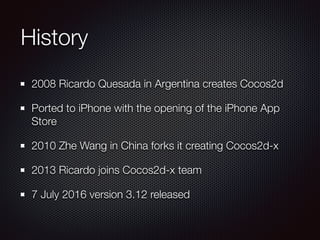
History
2008 Ricardo Quesada in Argentina creates Cocos2d
Ported to iPhone with the opening of the iPhone App
Store
2010 Zhe Wang in China forks it creating Cocos2d-x
2013 Ricardo joins Cocos2d-x team
7 July 2016 version 3.12 released
Target Platforms
Android
iOS
macOS
Windows
Development Platforms
Visual Studio 2012+ (Windows)
Xcode 4.6+ (Mac)
CMake 2.6+ (Ubuntu)
All platforms need Python v2.7.x (not 3!)
Development Languages
C++
Lua
JavaScript
Why JavaScript?
Arguably the most popular programming language
It is universal
It is fast
Easier to learn than C++
OS specic limitations
iOS / Mac OS X apps require Xcode and a Mac
Windows apps require Visual Studio and a PC
Prerequisites
Mac Development
Python 2.7.x
Apple Xcode
(Jetbrains’ AppCode)
Windows Development
Python 2.7.x
Visual Studio Studio Community
Before we move on
Be sure that your dev tools are work
For Mac, build a command line tool
For Windows, build a console app
Installation
cocos2d-x.org
Tutorials
Forum
Blog
Downloads
Download
http://www.cocos2d-x.org/download
Under the column, Cocos2d-x,
Click, “DOWNLOAD V3.12”
Unzip it
Installation
From terminal or command prompt
cd to the root of the directory
setup.py
(will modify your path and other env variables)
open the project for your environment
Hello World
Cocos command options
new - creates a new game
run - compile, deploy, and run on game on target
deploy - deploy game to target
compile - compiles game
luacompile - minies Lua les and compiles
jscompile - minies JS les and compiles
Cocos command options
-h, —help - Shows the help
-v, —version - Shows the current version
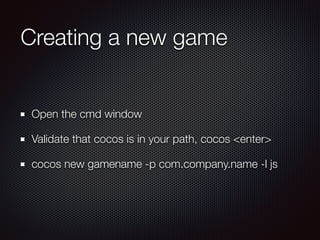
Creating a new game
Open the cmd window
Validate that cocos is in your path, cocos <enter>
cocos new gamename -p com.company.name -l js
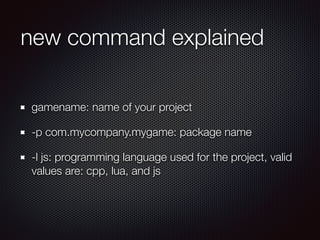
new command explained
gamename: name of your project
-p com.mycompany.mygame: package name
-l js: programming language used for the project, valid
values are: cpp, lua, and js
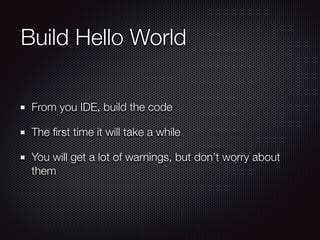
Build Hello World
From you IDE, build the code
The rst time it will take a while
You will get a lot of warnings, but don’t worry about
them
JavaScript Refresher
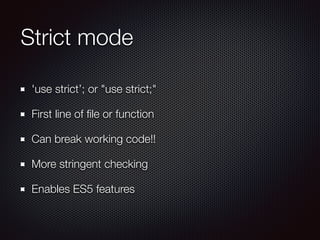
Strict mode
'use strict’; or "use strict;"
First line of le or function
Can break working code!!
More stringent checking
Enables ES5 features
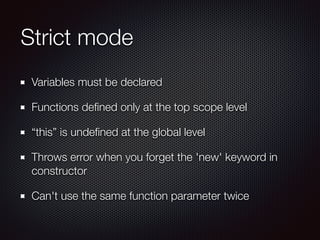
Strict mode
Variables must be declared
Functions dened only at the top scope level
“this” is undefined at the global level
Throws error when you forget the 'new' keyword in
constructor
Can't use the same function parameter twice
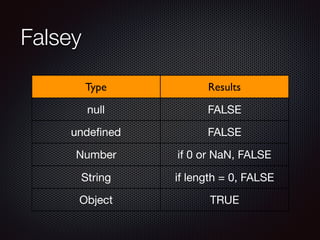
Falsey
Type Results
null FALSE
undened FALSE
Number if 0 or NaN, FALSE
String if length = 0, FALSE
Object TRUE
Immediately Invoked
Function Expression (IIFE)
Has no name
Immediately executed
Used to create a namespaces
Use in many JS libraries
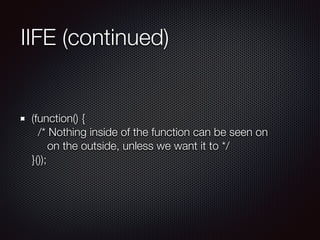
IIFE (continued)
(function() {

/* Nothing inside of the function can be seen on

on the outside, unless we want it to */

}());
Object Literals
A pair of curly braces surrounding name/value pairs
Can appear anywhere an expression can
The property’s name can be ANY string
Quotes only need when the name is not a legal variable
name
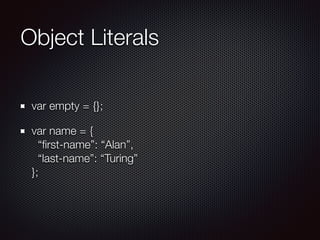
Object Literals
var empty = {};
var name = {

“first-name”: “Alan”,

“last-name”: “Turing”

};
Arrays vs. Objects
Arrays are not true arrays
Sort of a special kind of object literal
Both can mix types
Not the same
Arrays inherit from Array.prototype
Objects inherit from Object.prototype
More on objects
JavaScript objects are always dynamic
New properties can always be assigned
There is no class in JavaScript
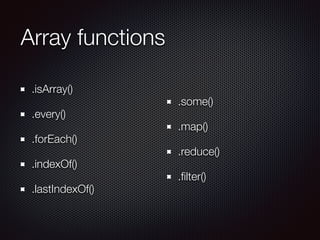
Array functions
.isArray()
.every()
.forEach()
.indexOf()
.lastIndexOf()
.some()
.map()
.reduce()
.lter()
forEach
let junk = [1, 2, 3, 4, 'Alpha', 5, {name: 'Jason'}];

let letters = ['A', 'B', 'C', 'D', 'E', 'F', 'G', 'H', 'I', 'J', 'K'];

let nums = [1, 2, 3, 4, 5, 6, 7, 8, 9, 10, 11, 12, 13, 14, 15, 16, 17, 18, 19, 20];

console.log(nums);


// forEach iterates over the array, once for each element, but there is no way to
// break out

nums.forEach(function (elem, index, arr) {

console.log(index + ': ' + elem);

});


map
let junk = [1, 2, 3, 4, 'Alpha', 5, {name: 'Jason'}];

let letters = ['A', 'B', 'C', 'D', 'E', 'F', 'G', 'H', 'I', 'J', 'K'];

let nums = [1, 2, 3, 4, 5, 6, 7, 8, 9, 10, 11, 12, 13, 14, 15, 16, 17, 18, 19, 20];

console.log(nums);


// map iterates over all of the elements and returns a new array with the same
// number of elements

let nums2 = nums.map((elem) => elem * 2);

console.log(nums2);

lter
let junk = [1, 2, 3, 4, 'Alpha', 5, {name: 'Jason'}];

let letters = ['A', 'B', 'C', 'D', 'E', 'F', 'G', 'H', 'I', 'J', 'K'];

let nums = [1, 2, 3, 4, 5, 6, 7, 8, 9, 10, 11, 12, 13, 14, 15, 16, 17, 18, 19, 20];

console.log(nums);


// filter iterates over the array and returns a new array with only the elements
// that pass the test

let nums3 = nums.filter((elem) => !!(elem % 2));

console.log(nums3);
reduce
let junk = [1, 2, 3, 4, 'Alpha', 5, {name: 'Jason'}];

let letters = ['A', 'B', 'C', 'D', 'E', 'F', 'G', 'H', 'I', 'J', 'K'];

let nums = [1, 2, 3, 4, 5, 6, 7, 8, 9, 10, 11, 12, 13, 14, 15, 16, 17, 18, 19, 20];

console.log(nums);


// reduce iterates over the array passing the previous value and the current

// element it is up to you what the reduction does, let's concatenate the strings

let letters2 = letters.reduce((previous, current) => previous + current);

console.log(letters2);


// reduceRight does the same but goes from right to left

let letters3 = letters.reduceRight((previous, current) => previous + current);

console.log(letters3);

every
let junk = [1, 2, 3, 4, 'Alpha', 5, {name: 'Jason'}];

let letters = ['A', 'B', 'C', 'D', 'E', 'F', 'G', 'H', 'I', 'J', 'K'];

let nums = [1, 2, 3, 4, 5, 6, 7, 8, 9, 10, 11, 12, 13, 14, 15, 16, 17, 18, 19, 20];

console.log(nums);


// every makes sure that every element matches the expression

let isEveryNumbers = junk.every((elem) => typeof elem === 'number');

console.log('Are all members of junk numbers: ' + isEveryNumbers);


ES6 aka ES2015
for-of
let
const
Template strings
Arrow functions
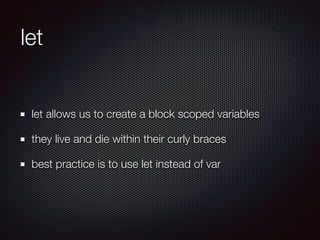
let
let allows us to create a block scoped variables
they live and die within their curly braces
best practice is to use let instead of var
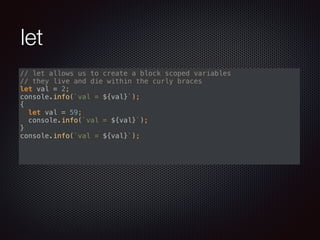
let
// let allows us to create a block scoped variables

// they live and die within the curly braces

let val = 2;

console.info(`val = ${val}`);

{

let val = 59;

console.info(`val = ${val}`);

}

console.info(`val = ${val}`);


const
const creates a variable that can't be changed
best practice is to make any variable that should not
change a constant
does not apply to object properties or array elements
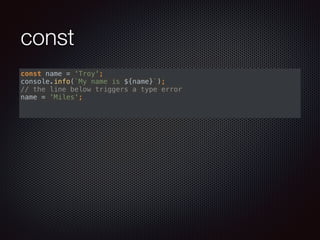
const
const name = 'Troy';

console.info(`My name is ${name}`);

// the line below triggers a type error

name = 'Miles';

Template strings
Dened by using opening & closing back ticks
Templates dened by ${JavaScript value}
The value can be any simple JavaScript expression
Allows multi-line strings (return is pass thru)
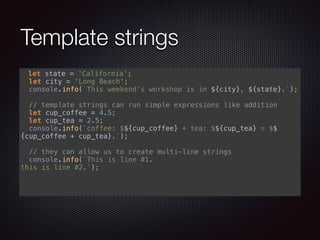
Template strings
let state = 'California';

let city = 'Long Beach';

console.info(`This weekend's workshop is in ${city}, ${state}.`);


// template strings can run simple expressions like addition

let cup_coffee = 4.5;

let cup_tea = 2.5;

console.info(`coffee: $${cup_coffee} + tea: $${cup_tea} = $$
{cup_coffee + cup_tea}.`);


// they can allow us to create multi-line strings

console.info(`This is line #1.

this is line #2.`);


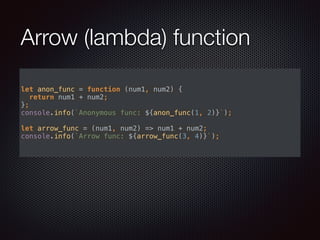
Arrow (lambda) function
let anon_func = function (num1, num2) {

return num1 + num2;

};

console.info(`Anonymous func: ${anon_func(1, 2)}`);


let arrow_func = (num1, num2) => num1 + num2;

console.info(`Arrow func: ${arrow_func(3, 4)}`);

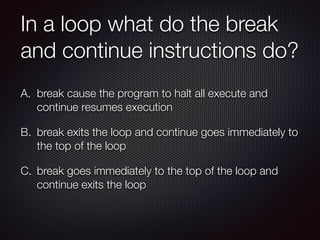
In a loop what do the break
and continue instructions do?
A. break cause the program to halt all execute and
continue resumes execution
B. break exits the loop and continue goes immediately to
the top of the loop
C. break goes immediately to the top of the loop and
continue exits the loop
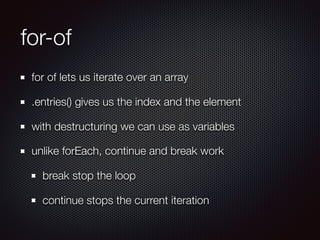
for-of
for of lets us iterate over an array
.entries() gives us the index and the element
with destructuring we can use as variables
unlike forEach, continue and break work
break stop the loop
continue stops the current iteration
for-of
for (let elem of pirateArray) {

console.info(elem);

}


// if we want the element and its index we can get it too

for (let [index, elem] of pirateArray.entries()) {

if (index === 5) {

break;

}

console.info(`${index}. ${elem}`);

}


// unlike forEach, continue and break work

for (let [index, elem] of pirateArray.entries()) {

if (index === 5) {

continue;

}

console.info(`${index}. ${elem}`);

}
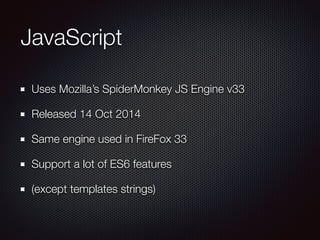
JavaScript
Uses Mozilla’s SpiderMonkey JS Engine v33
Released 14 Oct 2014
Same engine used in FireFox 33
Support a lot of ES6 features
(except templates strings)
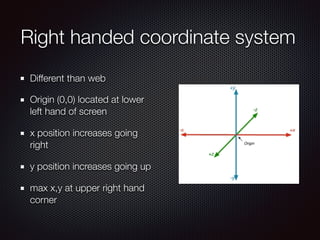
Right handed coordinate system
Different than web
Origin (0,0) located at lower
left hand of screen
x position increases going
right
y position increases going up
max x,y at upper right hand
corner
Hello World
Cocos2D-x ships as
source code
Build it to compile the
libraries
Directory Structure
Classes
cocos2d
Resources
Platform directories
Startup up Sequence
launches from main.cpp
calls AppDelegate.cpp
(starts up Cocos2d-x)
calls main.js
(launches your scene)
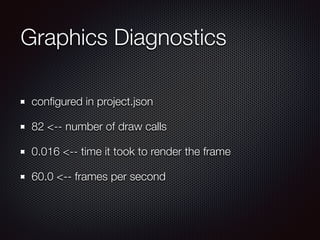
Graphics Diagnostics
congured in project.json
82 <-- number of draw calls
0.016 <-- time it took to render the frame
60.0 <-- frames per second
Don’t forget
Add JavaScript les to the project.json
Add resources (images/sound/music) to resources.js
Forgetting to add them is a very common bug
Lexicon
Director
Node
Scene
Layer
Sprite
Action
Particle
Event
Let’s build a game together
Steps
Add a background
Add a hero
Move the hero
Detect touches
Fire bullets
Add enemy
Animate enemy
Detect collision
Give points
Detect end of game
Steps
Adding sound
Adding music
Adding scenes
Vote: Tomorrow’s Game
A match 3 puzzle game (think Bedazzled)
A mini platformer (think Mario Land)

Game Design and Development Workshop Day 1

  • 1.
    Game Design & DevelopmentWorkshop with Cocos2d-x PeopleSpace 9 & 10 July 2016
  • 3.
    Troy Miles Troy Miles Over37 years of programming experience Speaker and author Author of jQuery Essentials rockncoder@gmail.com @therockncoder
  • 4.
  • 5.
    What is Cocos2d-x? Opensource game engine under MIT license It is optimized for 2D graphics using OpenGL Used by more than 400,000 developers worldwide
  • 6.
    History 2008 Ricardo Quesadain Argentina creates Cocos2d Ported to iPhone with the opening of the iPhone App Store 2010 Zhe Wang in China forks it creating Cocos2d-x 2013 Ricardo joins Cocos2d-x team 7 July 2016 version 3.12 released
  • 7.
  • 8.
    Development Platforms Visual Studio2012+ (Windows) Xcode 4.6+ (Mac) CMake 2.6+ (Ubuntu) All platforms need Python v2.7.x (not 3!)
  • 9.
  • 11.
    Why JavaScript? Arguably themost popular programming language It is universal It is fast Easier to learn than C++
  • 12.
    OS specic limitations iOS/ Mac OS X apps require Xcode and a Mac Windows apps require Visual Studio and a PC
  • 13.
  • 14.
    Mac Development Python 2.7.x AppleXcode (Jetbrains’ AppCode)
  • 15.
  • 16.
    Before we moveon Be sure that your dev tools are work For Mac, build a command line tool For Windows, build a console app
  • 17.
  • 18.
  • 19.
    Download http://www.cocos2d-x.org/download Under the column,Cocos2d-x, Click, “DOWNLOAD V3.12” Unzip it
  • 20.
    Installation From terminal orcommand prompt cd to the root of the directory setup.py (will modify your path and other env variables) open the project for your environment
  • 21.
  • 22.
    Cocos command options new- creates a new game run - compile, deploy, and run on game on target deploy - deploy game to target compile - compiles game luacompile - minies Lua les and compiles jscompile - minies JS les and compiles
  • 23.
    Cocos command options -h,—help - Shows the help -v, —version - Shows the current version
  • 24.
    Creating a newgame Open the cmd window Validate that cocos is in your path, cocos <enter> cocos new gamename -p com.company.name -l js
  • 25.
    new command explained gamename:name of your project -p com.mycompany.mygame: package name -l js: programming language used for the project, valid values are: cpp, lua, and js
  • 26.
    Build Hello World Fromyou IDE, build the code The first time it will take a while You will get a lot of warnings, but don’t worry about them
  • 27.
  • 28.
    Strict mode 'use strict’;or "use strict;" First line of file or function Can break working code!! More stringent checking Enables ES5 features
  • 29.
    Strict mode Variables mustbe declared Functions defined only at the top scope level “this” is undefined at the global level Throws error when you forget the 'new' keyword in constructor Can't use the same function parameter twice
  • 30.
    Falsey Type Results null FALSE undenedFALSE Number if 0 or NaN, FALSE String if length = 0, FALSE Object TRUE
  • 31.
    Immediately Invoked Function Expression(IIFE) Has no name Immediately executed Used to create a namespaces Use in many JS libraries
  • 32.
    IIFE (continued) (function() {
 /*Nothing inside of the function can be seen on
 on the outside, unless we want it to */
 }());
  • 33.
    Object Literals A pairof curly braces surrounding name/value pairs Can appear anywhere an expression can The property’s name can be ANY string Quotes only need when the name is not a legal variable name
  • 34.
    Object Literals var empty= {}; var name = {
 “first-name”: “Alan”,
 “last-name”: “Turing”
 };
  • 35.
    Arrays vs. Objects Arraysare not true arrays Sort of a special kind of object literal Both can mix types Not the same Arrays inherit from Array.prototype Objects inherit from Object.prototype
  • 36.
    More on objects JavaScriptobjects are always dynamic New properties can always be assigned There is no class in JavaScript
  • 37.
  • 38.
    forEach let junk =[1, 2, 3, 4, 'Alpha', 5, {name: 'Jason'}];
 let letters = ['A', 'B', 'C', 'D', 'E', 'F', 'G', 'H', 'I', 'J', 'K'];
 let nums = [1, 2, 3, 4, 5, 6, 7, 8, 9, 10, 11, 12, 13, 14, 15, 16, 17, 18, 19, 20];
 console.log(nums);
 
 // forEach iterates over the array, once for each element, but there is no way to // break out
 nums.forEach(function (elem, index, arr) {
 console.log(index + ': ' + elem);
 });
 

  • 39.
    map let junk =[1, 2, 3, 4, 'Alpha', 5, {name: 'Jason'}];
 let letters = ['A', 'B', 'C', 'D', 'E', 'F', 'G', 'H', 'I', 'J', 'K'];
 let nums = [1, 2, 3, 4, 5, 6, 7, 8, 9, 10, 11, 12, 13, 14, 15, 16, 17, 18, 19, 20];
 console.log(nums);
 
 // map iterates over all of the elements and returns a new array with the same // number of elements
 let nums2 = nums.map((elem) => elem * 2);
 console.log(nums2);

  • 40.
    filter let junk =[1, 2, 3, 4, 'Alpha', 5, {name: 'Jason'}];
 let letters = ['A', 'B', 'C', 'D', 'E', 'F', 'G', 'H', 'I', 'J', 'K'];
 let nums = [1, 2, 3, 4, 5, 6, 7, 8, 9, 10, 11, 12, 13, 14, 15, 16, 17, 18, 19, 20];
 console.log(nums);
 
 // filter iterates over the array and returns a new array with only the elements // that pass the test
 let nums3 = nums.filter((elem) => !!(elem % 2));
 console.log(nums3);
  • 41.
    reduce let junk =[1, 2, 3, 4, 'Alpha', 5, {name: 'Jason'}];
 let letters = ['A', 'B', 'C', 'D', 'E', 'F', 'G', 'H', 'I', 'J', 'K'];
 let nums = [1, 2, 3, 4, 5, 6, 7, 8, 9, 10, 11, 12, 13, 14, 15, 16, 17, 18, 19, 20];
 console.log(nums);
 
 // reduce iterates over the array passing the previous value and the current
 // element it is up to you what the reduction does, let's concatenate the strings
 let letters2 = letters.reduce((previous, current) => previous + current);
 console.log(letters2);
 
 // reduceRight does the same but goes from right to left
 let letters3 = letters.reduceRight((previous, current) => previous + current);
 console.log(letters3);

  • 42.
    every let junk =[1, 2, 3, 4, 'Alpha', 5, {name: 'Jason'}];
 let letters = ['A', 'B', 'C', 'D', 'E', 'F', 'G', 'H', 'I', 'J', 'K'];
 let nums = [1, 2, 3, 4, 5, 6, 7, 8, 9, 10, 11, 12, 13, 14, 15, 16, 17, 18, 19, 20];
 console.log(nums);
 
 // every makes sure that every element matches the expression
 let isEveryNumbers = junk.every((elem) => typeof elem === 'number');
 console.log('Are all members of junk numbers: ' + isEveryNumbers);
 

  • 43.
  • 44.
    let let allows usto create a block scoped variables they live and die within their curly braces best practice is to use let instead of var
  • 45.
    let // let allowsus to create a block scoped variables
 // they live and die within the curly braces
 let val = 2;
 console.info(`val = ${val}`);
 {
 let val = 59;
 console.info(`val = ${val}`);
 }
 console.info(`val = ${val}`);
 

  • 46.
    const const creates avariable that can't be changed best practice is to make any variable that should not change a constant does not apply to object properties or array elements
  • 47.
    const const name ='Troy';
 console.info(`My name is ${name}`);
 // the line below triggers a type error
 name = 'Miles';

  • 48.
    Template strings Dened byusing opening & closing back ticks Templates dened by ${JavaScript value} The value can be any simple JavaScript expression Allows multi-line strings (return is pass thru)
  • 49.
    Template strings let state= 'California';
 let city = 'Long Beach';
 console.info(`This weekend's workshop is in ${city}, ${state}.`);
 
 // template strings can run simple expressions like addition
 let cup_coffee = 4.5;
 let cup_tea = 2.5;
 console.info(`coffee: $${cup_coffee} + tea: $${cup_tea} = $$ {cup_coffee + cup_tea}.`);
 
 // they can allow us to create multi-line strings
 console.info(`This is line #1.
 this is line #2.`);
 

  • 50.
    Arrow (lambda) function letanon_func = function (num1, num2) {
 return num1 + num2;
 };
 console.info(`Anonymous func: ${anon_func(1, 2)}`);
 
 let arrow_func = (num1, num2) => num1 + num2;
 console.info(`Arrow func: ${arrow_func(3, 4)}`);

  • 51.
    In a loopwhat do the break and continue instructions do? A. break cause the program to halt all execute and continue resumes execution B. break exits the loop and continue goes immediately to the top of the loop C. break goes immediately to the top of the loop and continue exits the loop
  • 52.
    for-of for of letsus iterate over an array .entries() gives us the index and the element with destructuring we can use as variables unlike forEach, continue and break work break stop the loop continue stops the current iteration
  • 53.
    for-of for (let elemof pirateArray) {
 console.info(elem);
 }
 
 // if we want the element and its index we can get it too
 for (let [index, elem] of pirateArray.entries()) {
 if (index === 5) {
 break;
 }
 console.info(`${index}. ${elem}`);
 }
 
 // unlike forEach, continue and break work
 for (let [index, elem] of pirateArray.entries()) {
 if (index === 5) {
 continue;
 }
 console.info(`${index}. ${elem}`);
 }
  • 54.
    JavaScript Uses Mozilla’s SpiderMonkeyJS Engine v33 Released 14 Oct 2014 Same engine used in FireFox 33 Support a lot of ES6 features (except templates strings)
  • 55.
    Right handed coordinatesystem Different than web Origin (0,0) located at lower left hand of screen x position increases going right y position increases going up max x,y at upper right hand corner
  • 56.
    Hello World Cocos2D-x shipsas source code Build it to compile the libraries
  • 57.
  • 58.
    Startup up Sequence launchesfrom main.cpp calls AppDelegate.cpp (starts up Cocos2d-x) calls main.js (launches your scene)
  • 59.
    Graphics Diagnostics congured inproject.json 82 <-- number of draw calls 0.016 <-- time it took to render the frame 60.0 <-- frames per second
  • 60.
    Don’t forget Add JavaScriptfiles to the project.json Add resources (images/sound/music) to resources.js Forgetting to add them is a very common bug
  • 61.
  • 62.
    Let’s build agame together
  • 63.
    Steps Add a background Adda hero Move the hero Detect touches Fire bullets Add enemy Animate enemy Detect collision Give points Detect end of game
  • 64.
  • 65.
    Vote: Tomorrow’s Game Amatch 3 puzzle game (think Bedazzled) A mini platformer (think Mario Land)