Database searching
skills & strategies
• Medicinal plants
Outcomes
At the end of the workshop, you should be able to:
• search more efficiently
• get better results
• know where to look
• be less anxious about your research
“Finding information is hard….”
•What information am I looking for?
•Where will I find the information
•How will I get there?
•How good is the information?
•How will I ethically use the information
What type of information do I need,
& where do I find it?
• Definition
• Basic overview
• Statistics etc.
Information type
• Book
• Govt. publications
• Wiki
• youtube
General source
• Google
• Library catalogue
How to find it
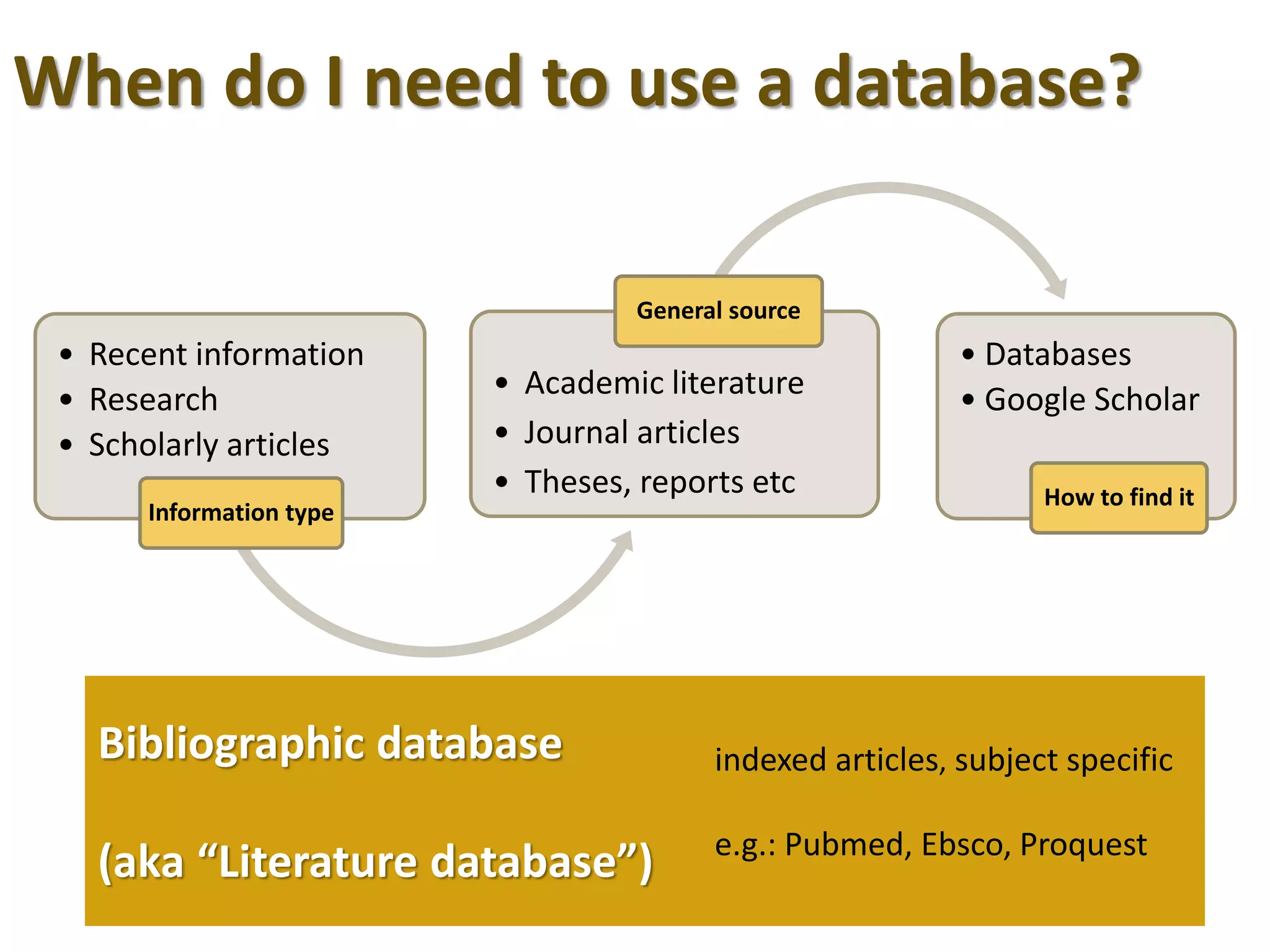
When do I need to use a database?
Bibliographic database
(aka “Literature database”)
indexed articles, subject specific
e.g.: Pubmed, Ebsco, Proquest
• Recent information
• Research
• Scholarly articles
Information type
• Academic literature
• Journal articles
• Theses, reports etc
General source
• Databases
• Google Scholar
How to find it
Ebsco
GaleProquest
Pubmed
•Most comprehensive in content
•Only Open Source full text
•Paid content = more full text available
•Not as broad coverage of journal articles
•FREE
•THINK Education subscription
Steps in finding information
1. Define your topic
2. Determine your search strategy
3. Find your citations
4. Get the full text article
how?!
Yes, but ……
Database
Full Text?
• Yes - YAY!
• No (see below)
Available
at SSNT?
• Check library catalogue
• Ejournal? Print journal? Other database
• Check Google Scholar
Submit
article
request
• Make sure you really need it
• Usually free, but occasionally not
• Can take up to 2 weeks so allow time
Steps in finding full text article
Search strategy
1. Define the keywords you can use
2. Start broad, progressively narrow down
3. Use search building techniques - synonyms, limiters
4. Note ‘clues’ in your results -jargon, exclusion terms etc.
5. Understand what your results mean
6. Repeat your search – be persistent, think laterally
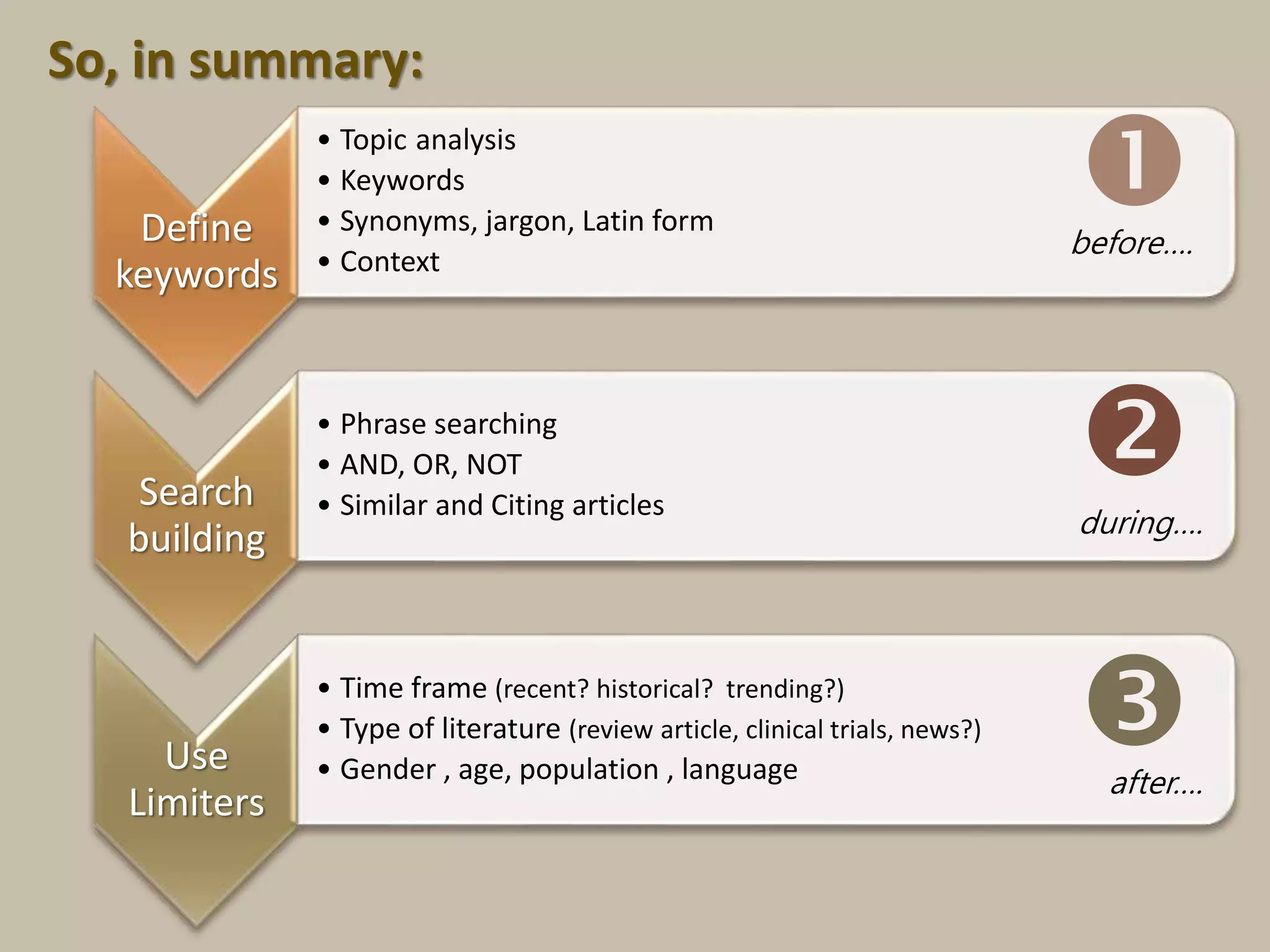
Define
keywords
• Topic analysis
• Keywords
• Synonyms, jargon, Latin form
• Context
Search
building
• Phrase searching
• AND, OR, NOT
• Similar and Citing articles
Use
Limiters
• Time frame (recent? historical? trending?)
• Type of literature (review article, clinical trials, news?)
• Gender , age, population , language


after….
before….
during….
So, in summary:
Review search results – again!
Search is an exercise in persistance!
If you don’t feel you’re getting results
 Change databases
 Change keywords
 Change tactics
 ASK YOUR LIBRARIAN FOR HELP – we’re experts!
Example search strategy
Putting the theory to work.
“Analyse a case study on the use of black cohosh
in menopause treatment”
• Cimicifuga racemosa
• bugwort
• Phytomedicine
• medicinal plants
• menopause
• Globally?
• Australia?
• Current? Historical? Trends?
• “case study”
• “black cohosh”
• “Cimicifuga racemosa”
• ”Medicinal plants”
Phrases Context
Synonyms
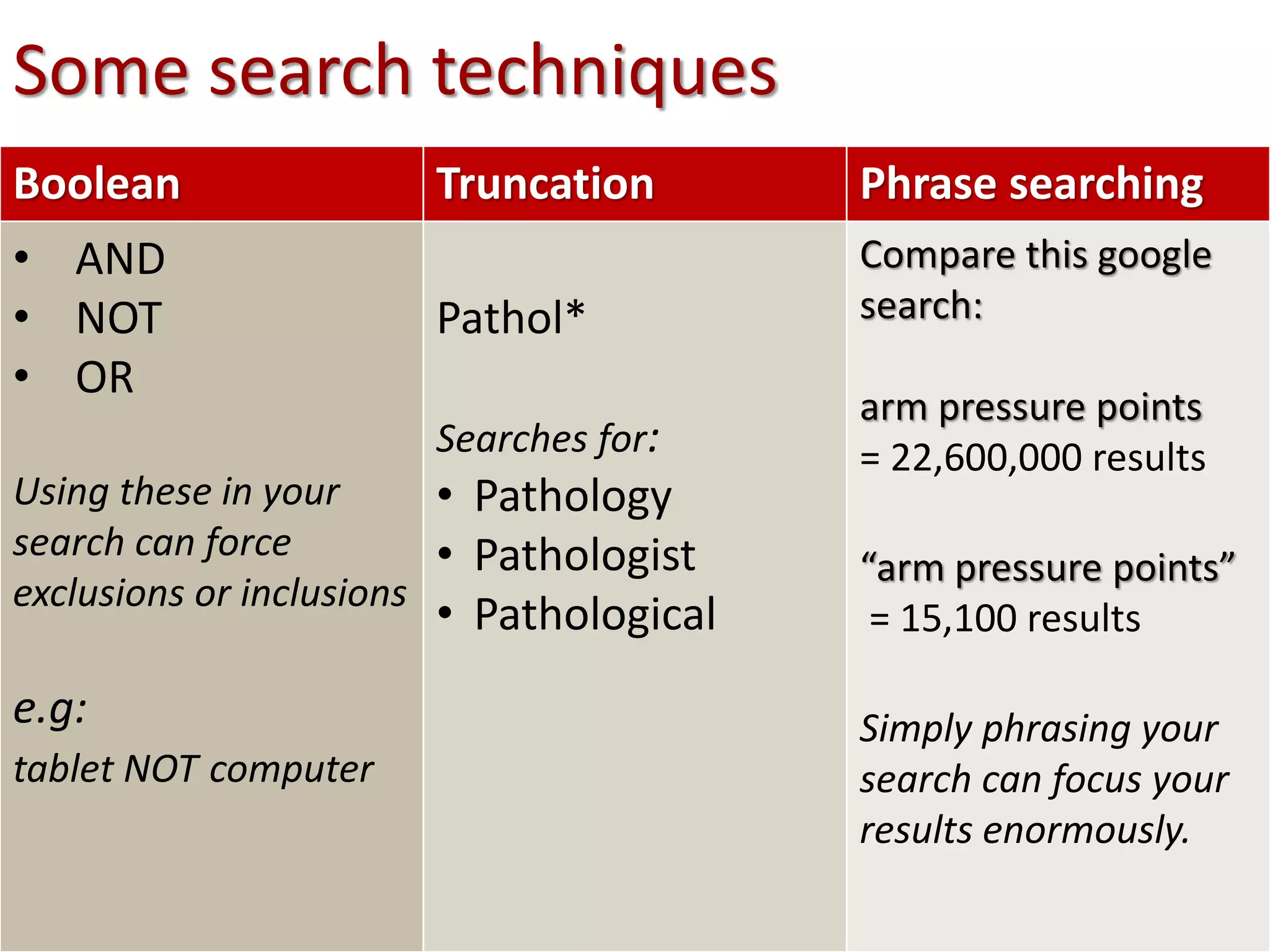
Boolean Truncation Phrase searching
• AND
• NOT
• OR
Using these in your
search can force
exclusions or inclusions
e.g:
tablet NOT computer
Pathol*
Searches for:
• Pathology
• Pathologist
• Pathological
Compare this google
search:
arm pressure points
= 22,600,000 results
“arm pressure points”
= 15,100 results
Simply phrasing your
search can focus your
results enormously.
Some search techniques
Use Advanced Search
Almost all databases and search engines have
advanced search options
Provides many
more fields to
help you refine
your search
Use limits
effectively
Use the limits
provided, when
you can
Use limits
effectively
Reading
your results
1. Suggested subjects
2. Type of document
3. Abstract or Full text
4. Abstract text
5. Refining options






Reading
your results
Making use of the functions
available, helps you keep
organised while researching.

Database Searching Skills

  • 1.
    Database searching skills &strategies • Medicinal plants
  • 2.
    Outcomes At the endof the workshop, you should be able to: • search more efficiently • get better results • know where to look • be less anxious about your research
  • 3.
    “Finding information ishard….” •What information am I looking for? •Where will I find the information •How will I get there? •How good is the information? •How will I ethically use the information
  • 4.
    What type ofinformation do I need, & where do I find it? • Definition • Basic overview • Statistics etc. Information type • Book • Govt. publications • Wiki • youtube General source • Google • Library catalogue How to find it
  • 5.
    When do Ineed to use a database? Bibliographic database (aka “Literature database”) indexed articles, subject specific e.g.: Pubmed, Ebsco, Proquest • Recent information • Research • Scholarly articles Information type • Academic literature • Journal articles • Theses, reports etc General source • Databases • Google Scholar How to find it
  • 6.
    Ebsco GaleProquest Pubmed •Most comprehensive incontent •Only Open Source full text •Paid content = more full text available •Not as broad coverage of journal articles •FREE •THINK Education subscription
  • 7.
    Steps in findinginformation 1. Define your topic 2. Determine your search strategy 3. Find your citations 4. Get the full text article how?! Yes, but ……
  • 8.
    Database Full Text? • Yes- YAY! • No (see below) Available at SSNT? • Check library catalogue • Ejournal? Print journal? Other database • Check Google Scholar Submit article request • Make sure you really need it • Usually free, but occasionally not • Can take up to 2 weeks so allow time Steps in finding full text article
  • 9.
    Search strategy 1. Definethe keywords you can use 2. Start broad, progressively narrow down 3. Use search building techniques - synonyms, limiters 4. Note ‘clues’ in your results -jargon, exclusion terms etc. 5. Understand what your results mean 6. Repeat your search – be persistent, think laterally
  • 10.
    Define keywords • Topic analysis •Keywords • Synonyms, jargon, Latin form • Context Search building • Phrase searching • AND, OR, NOT • Similar and Citing articles Use Limiters • Time frame (recent? historical? trending?) • Type of literature (review article, clinical trials, news?) • Gender , age, population , language   after…. before…. during…. So, in summary:
  • 11.
    Review search results– again! Search is an exercise in persistance! If you don’t feel you’re getting results  Change databases  Change keywords  Change tactics  ASK YOUR LIBRARIAN FOR HELP – we’re experts!
  • 12.
  • 13.
    “Analyse a casestudy on the use of black cohosh in menopause treatment” • Cimicifuga racemosa • bugwort • Phytomedicine • medicinal plants • menopause • Globally? • Australia? • Current? Historical? Trends? • “case study” • “black cohosh” • “Cimicifuga racemosa” • ”Medicinal plants” Phrases Context Synonyms
  • 14.
    Boolean Truncation Phrasesearching • AND • NOT • OR Using these in your search can force exclusions or inclusions e.g: tablet NOT computer Pathol* Searches for: • Pathology • Pathologist • Pathological Compare this google search: arm pressure points = 22,600,000 results “arm pressure points” = 15,100 results Simply phrasing your search can focus your results enormously. Some search techniques
  • 15.
    Use Advanced Search Almostall databases and search engines have advanced search options Provides many more fields to help you refine your search
  • 16.
    Use limits effectively Use thelimits provided, when you can
  • 17.
  • 18.
    Reading your results 1. Suggestedsubjects 2. Type of document 3. Abstract or Full text 4. Abstract text 5. Refining options      
  • 19.
    Reading your results Making useof the functions available, helps you keep organised while researching.