wants to help researchers
organize, share, and discover
research papers.
SANJU SAH
St. Xavier’s college, Maitighar
 What is Mendeley?
 Creating your library
 Managing your documents & references
 Citing and sharing references
Agenda
What is Mendeley?
Based in London, Mendeley are 15 researchers, graduates and
software developers from...
...backed by co-founders and
former executives of:
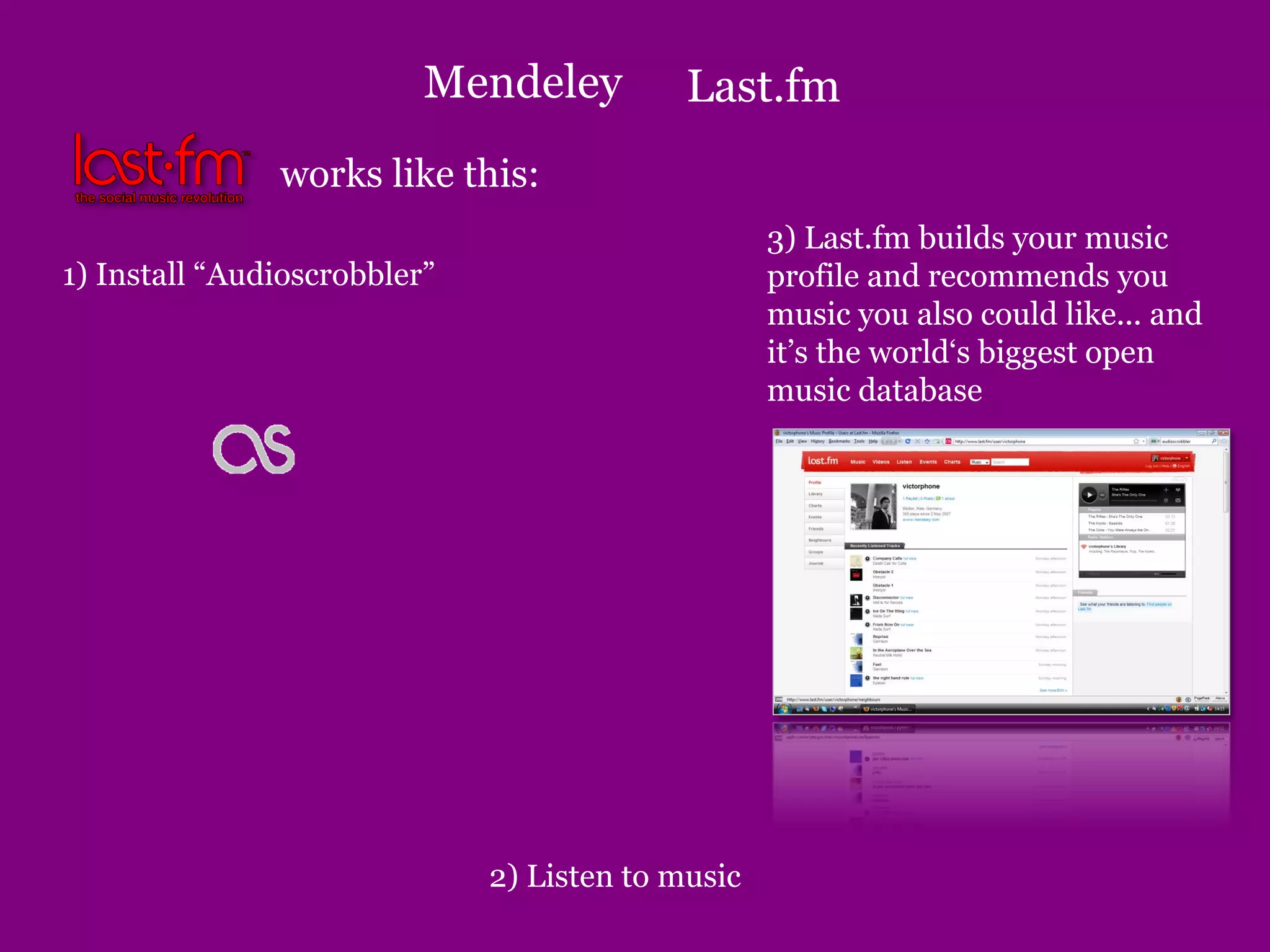
works like this:
1) Install “Audioscrobbler”
2) Listen to music
3) Last.fm builds your music
profile and recommends you
music you also could like... and
it’s the world‘s biggest open
music database
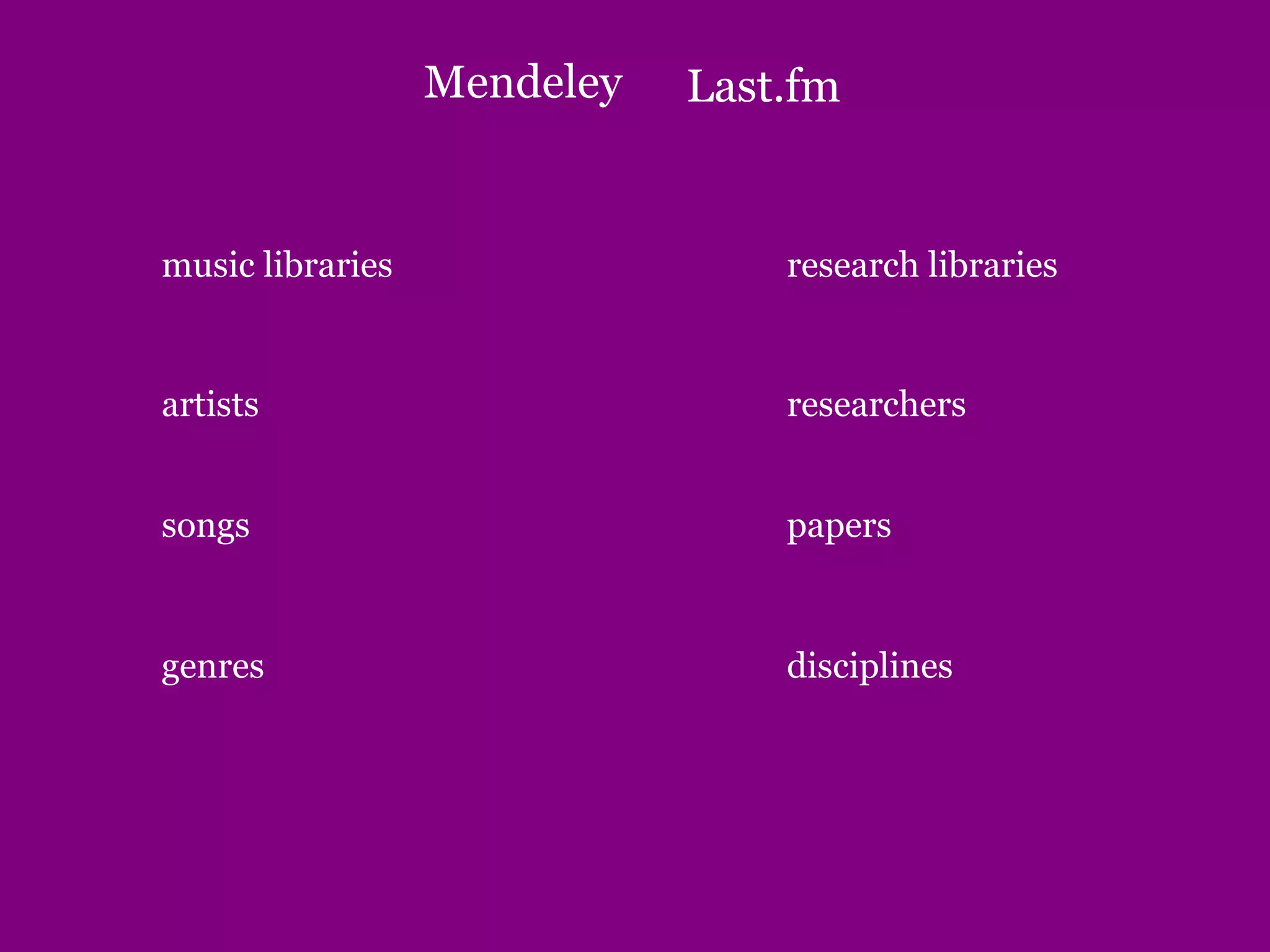
Last.fm
Mendeley
research libraries
researchers
papers
disciplines
music libraries
artists
songs
genres
Last.fm
Mendeley
What is Mendeley?
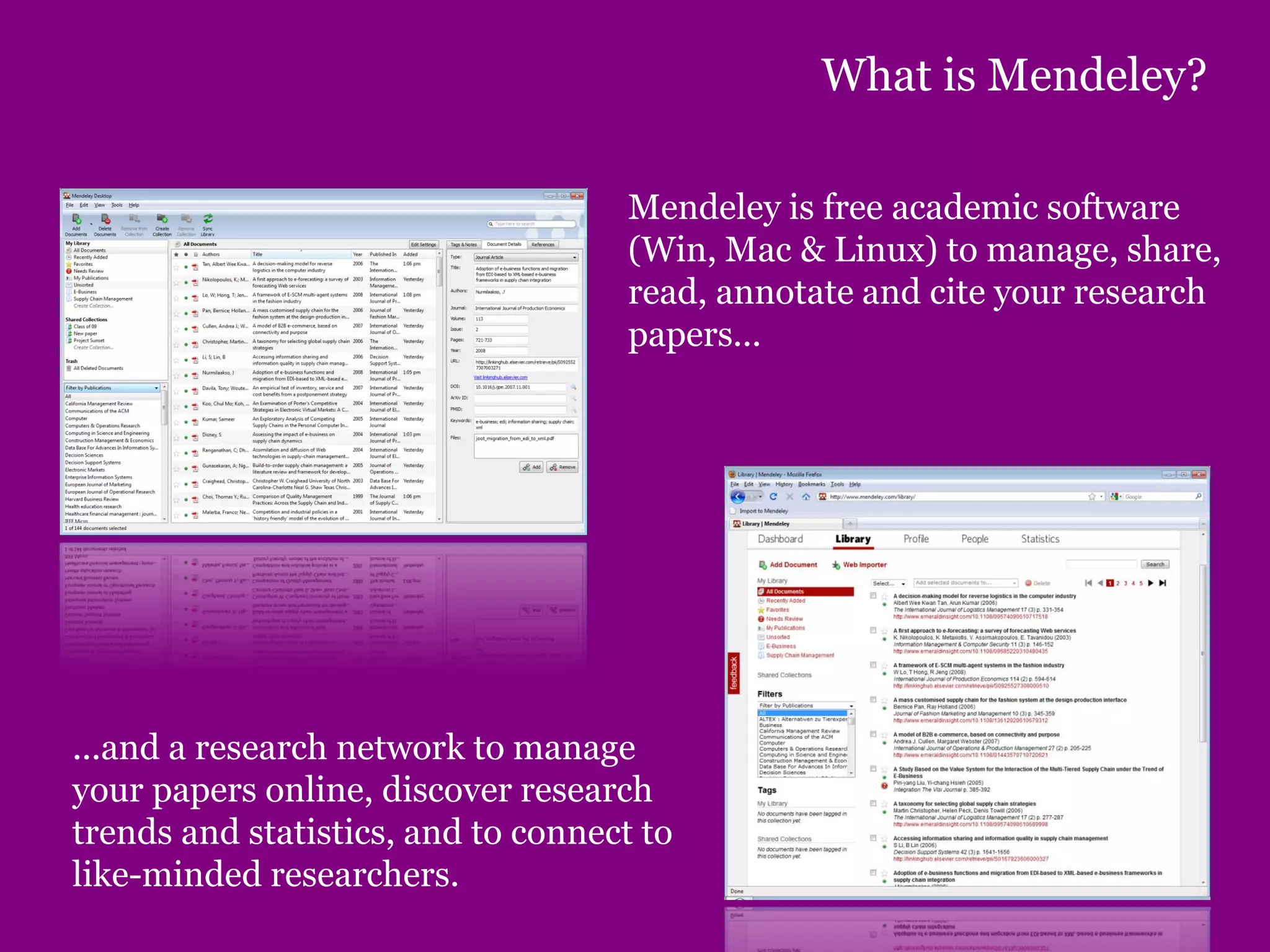
Mendeley is free academic software
(Win, Mac & Linux) to manage, share,
read, annotate and cite your research
papers...
...and a research network to manage
your papers online, discover research
trends and statistics, and to connect to
like-minded researchers.
What is Mendeley?
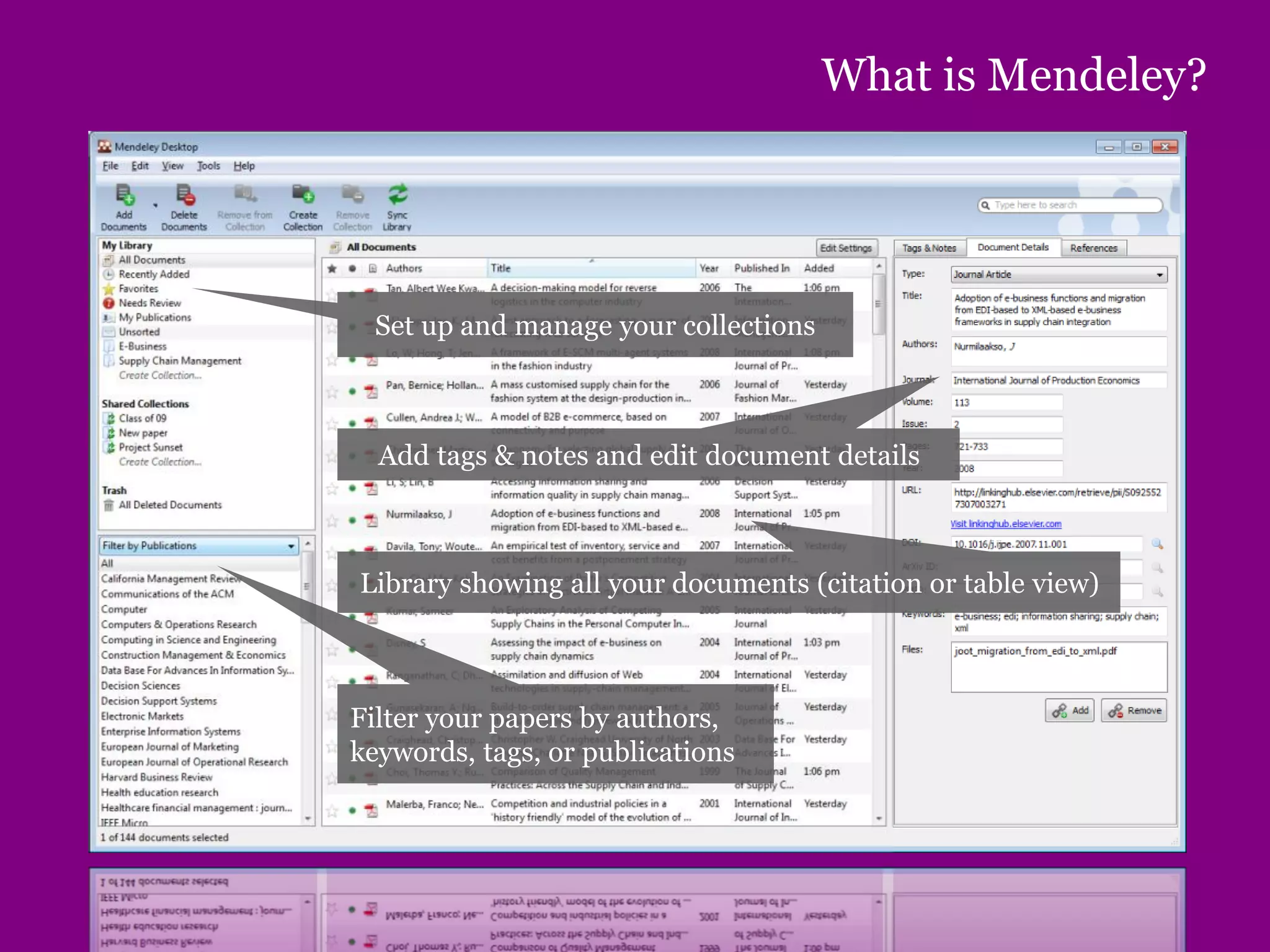
Set up and manage your collections
Add tags & notes and edit document details
Library showing all your documents (citation or table view)
Filter your papers by authors,
keywords, tags, or publications
Creating your library
Adding your papers
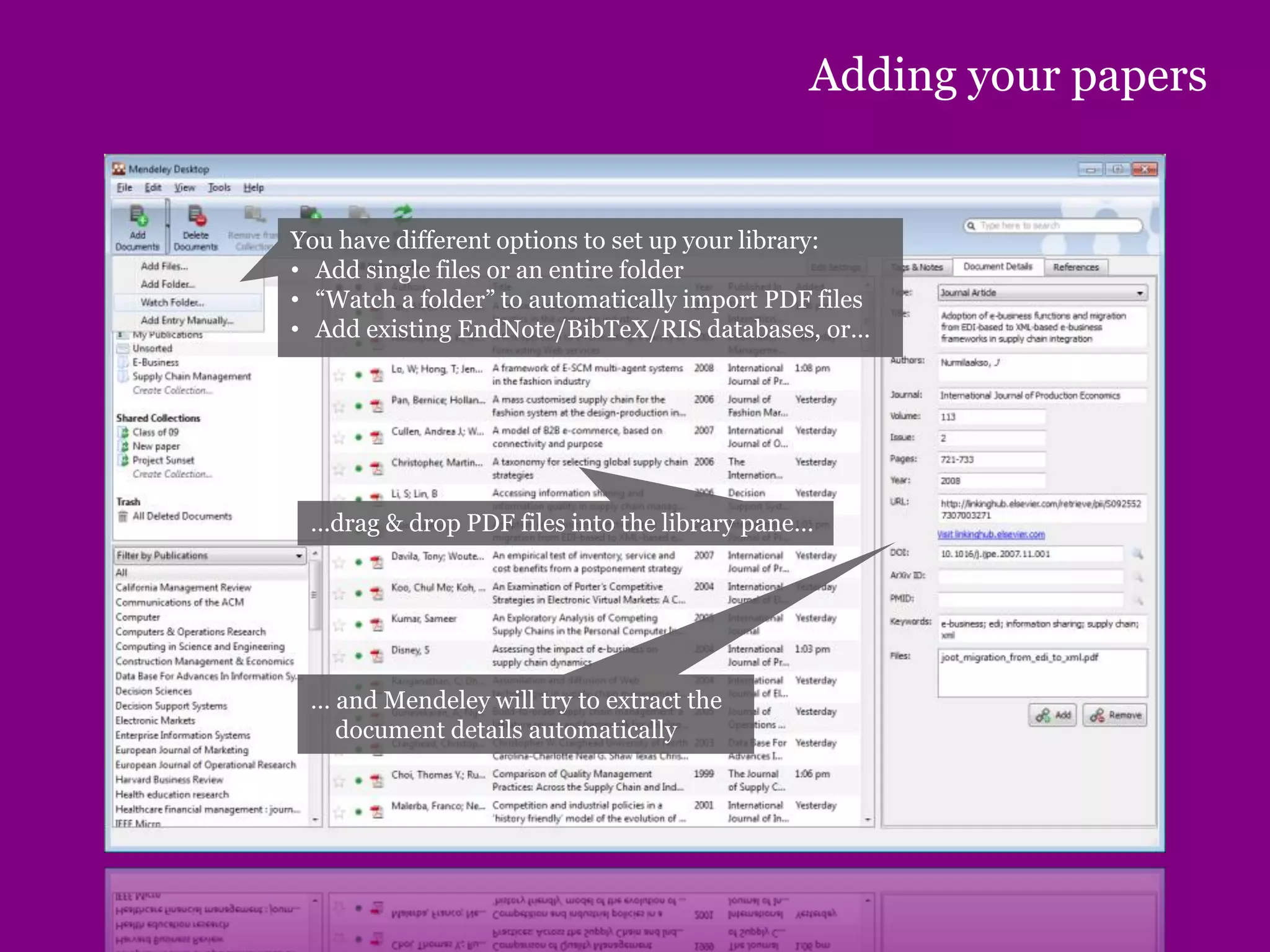
You have different options to set up your library:
• Add single files or an entire folder
• “Watch a folder” to automatically import PDF files
• Add existing EndNote/BibTeX/RIS databases, or…
…drag & drop PDF files into the library pane…
… and Mendeley will try to extract the
document details automatically
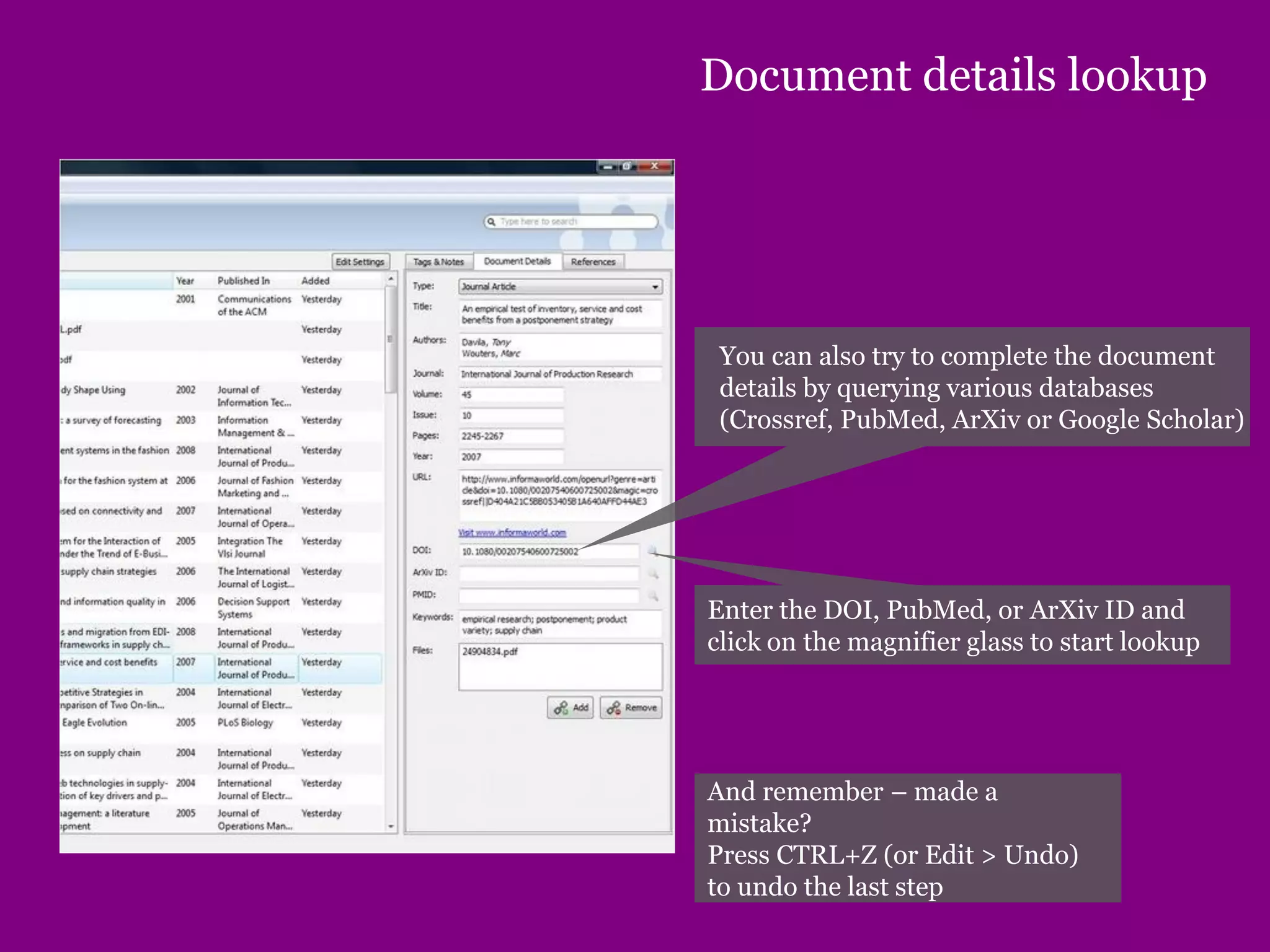
Document details lookup
You can also try to complete the document
details by querying various databases
(Crossref, PubMed, ArXiv or Google Scholar)
Enter the DOI, PubMed, or ArXiv ID and
click on the magnifier glass to start lookup
And remember – made a
mistake?
Press CTRL+Z (or Edit > Undo)
to undo the last step
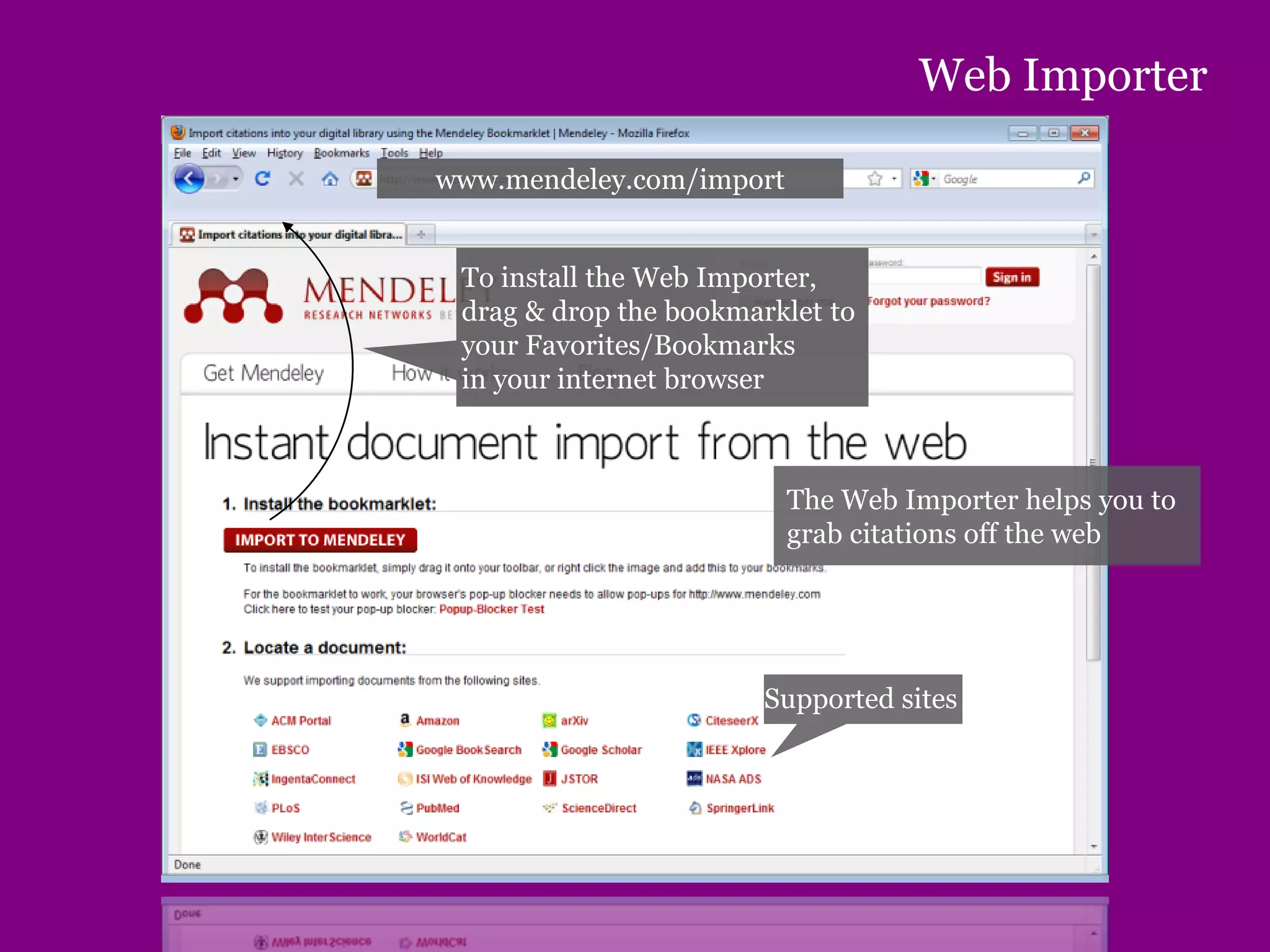
Web Importer
To install the Web Importer,
drag & drop the bookmarklet to
your Favorites/Bookmarks
in your internet browser
Supported sites
www.mendeley.com/import
The Web Importer helps you to
grab citations off the web
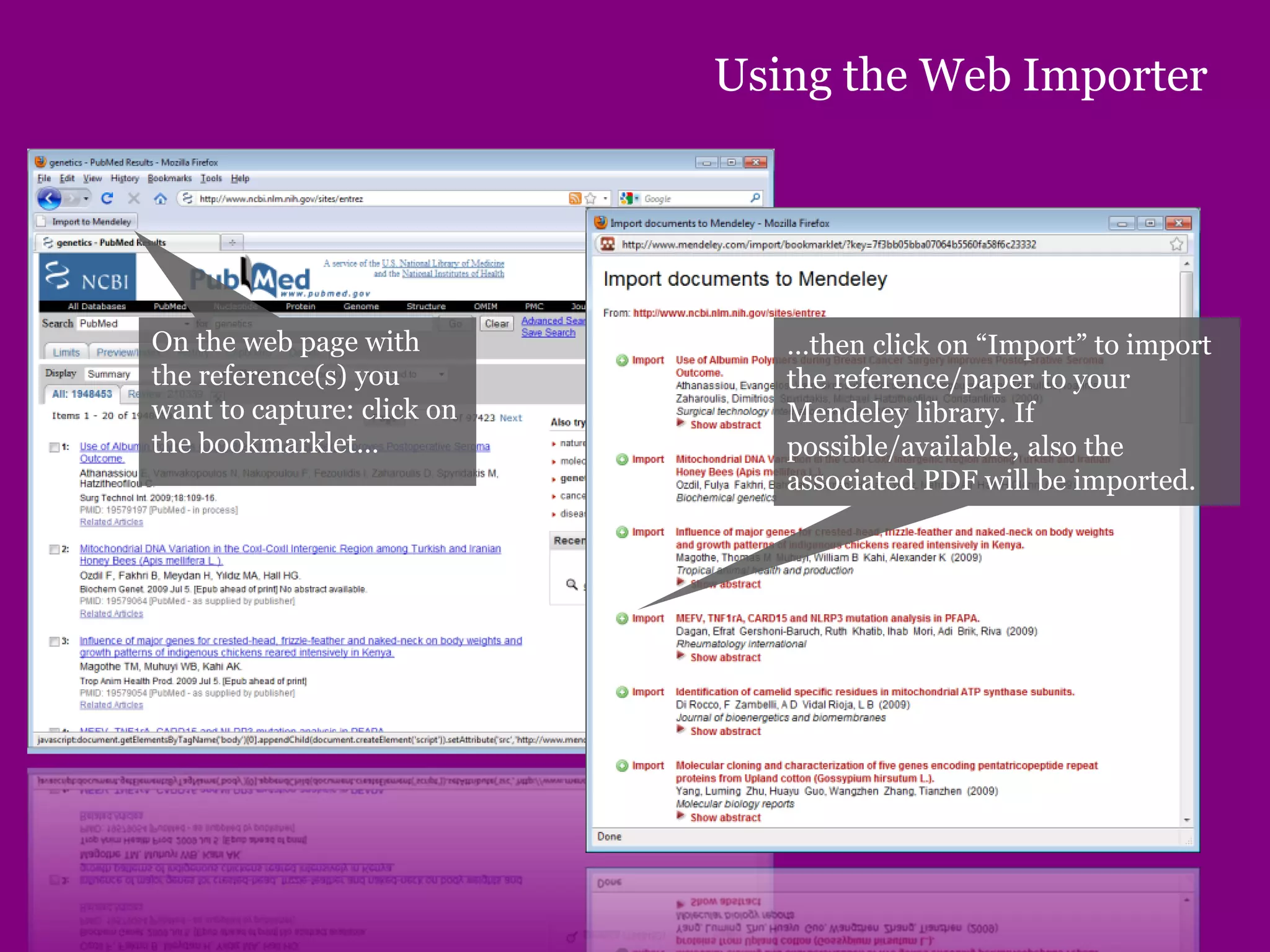
Using the Web Importer
On the web page with
the reference(s) you
want to capture: click on
the bookmarklet…
…then click on “Import” to import
the reference/paper to your
Mendeley library. If
possible/available, also the
associated PDF will be imported.
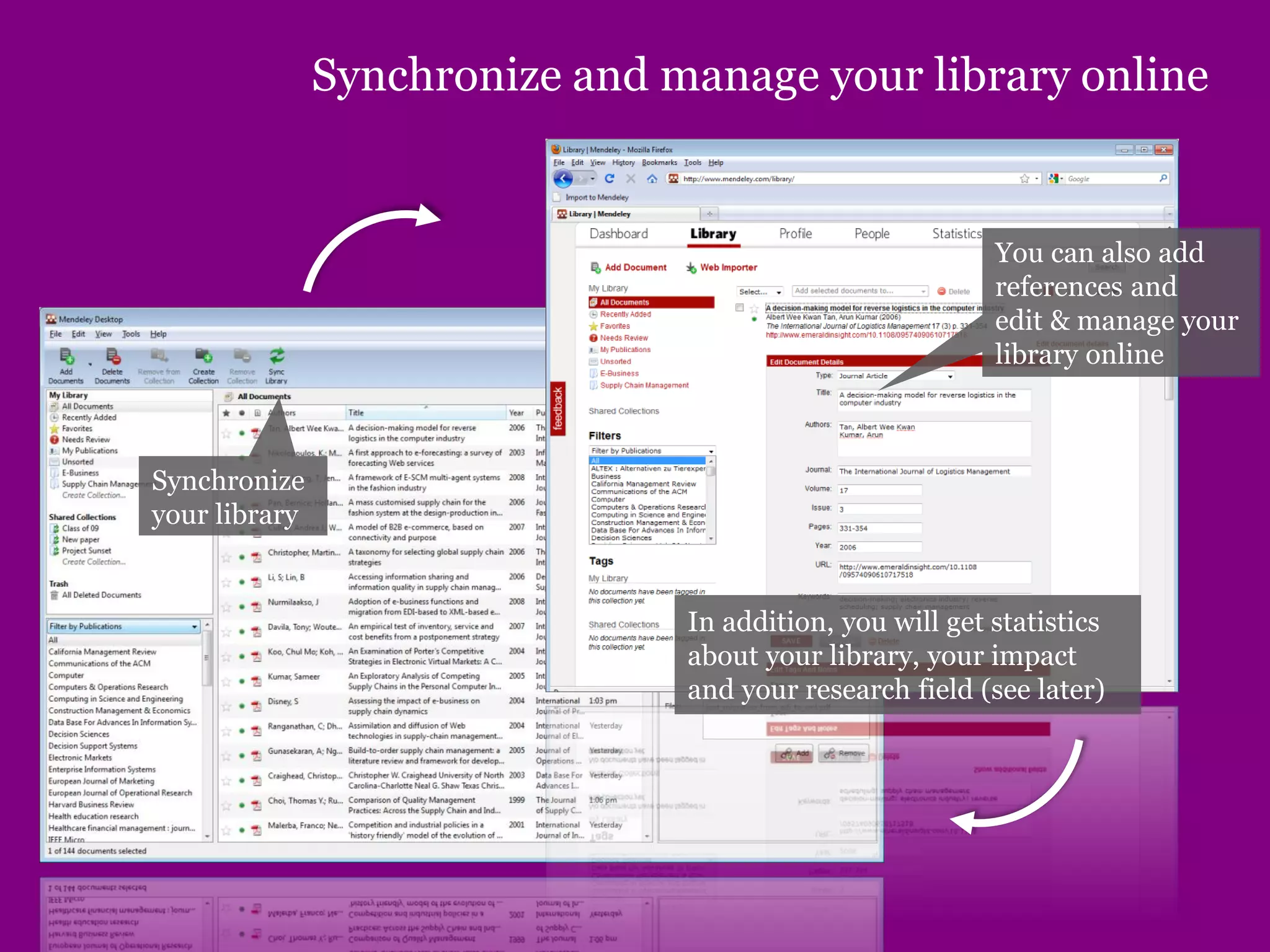
Synchronize and manage your library online
Synchronize
your library
You can also add
references and
edit & manage your
library online
In addition, you will get statistics
about your library, your impact
and your research field (see later)
Managing your documents & references
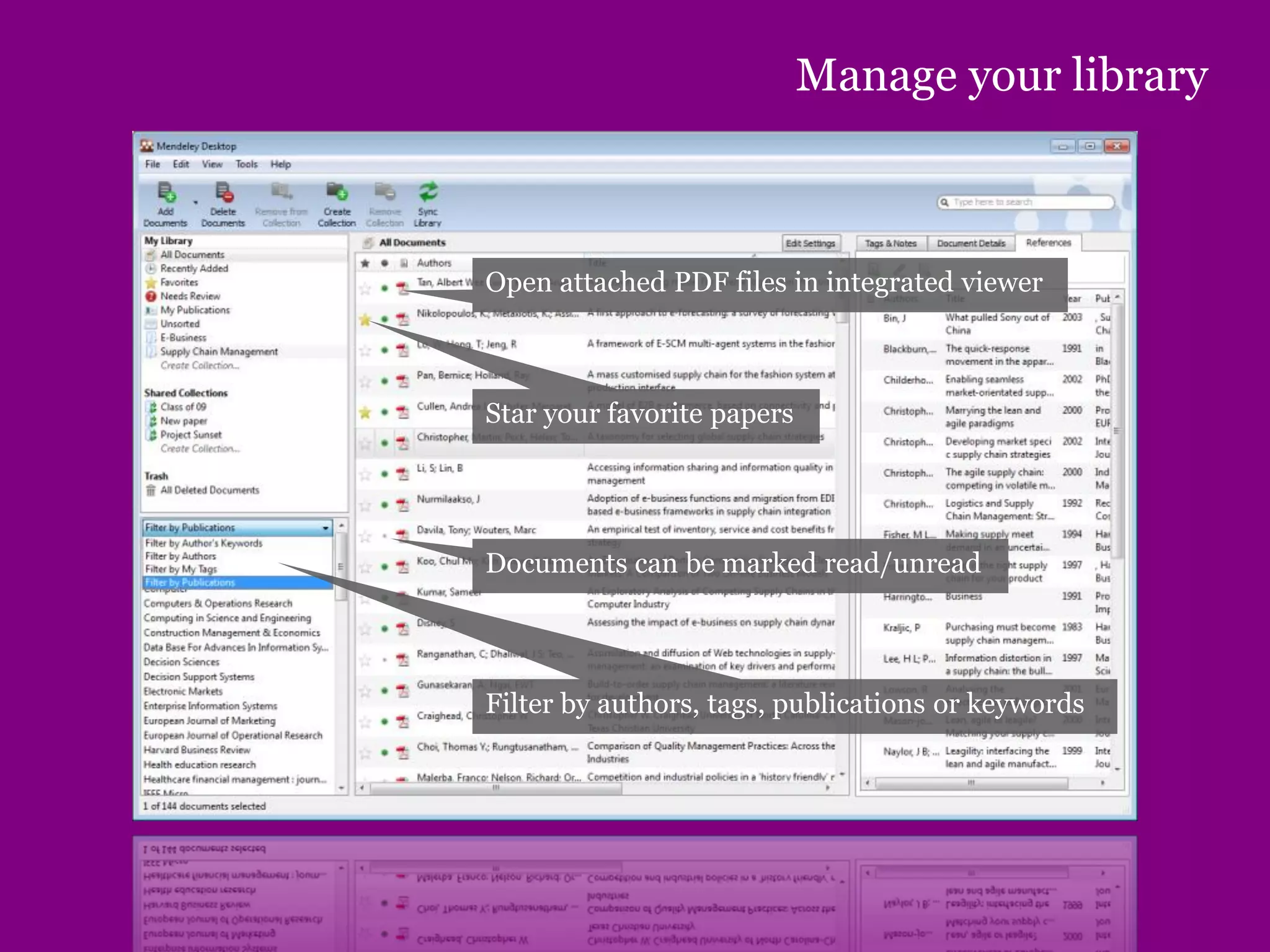
Manage your library
Star your favorite papers
Documents can be marked read/unread
Filter by authors, tags, publications or keywords
Open attached PDF files in integrated viewer
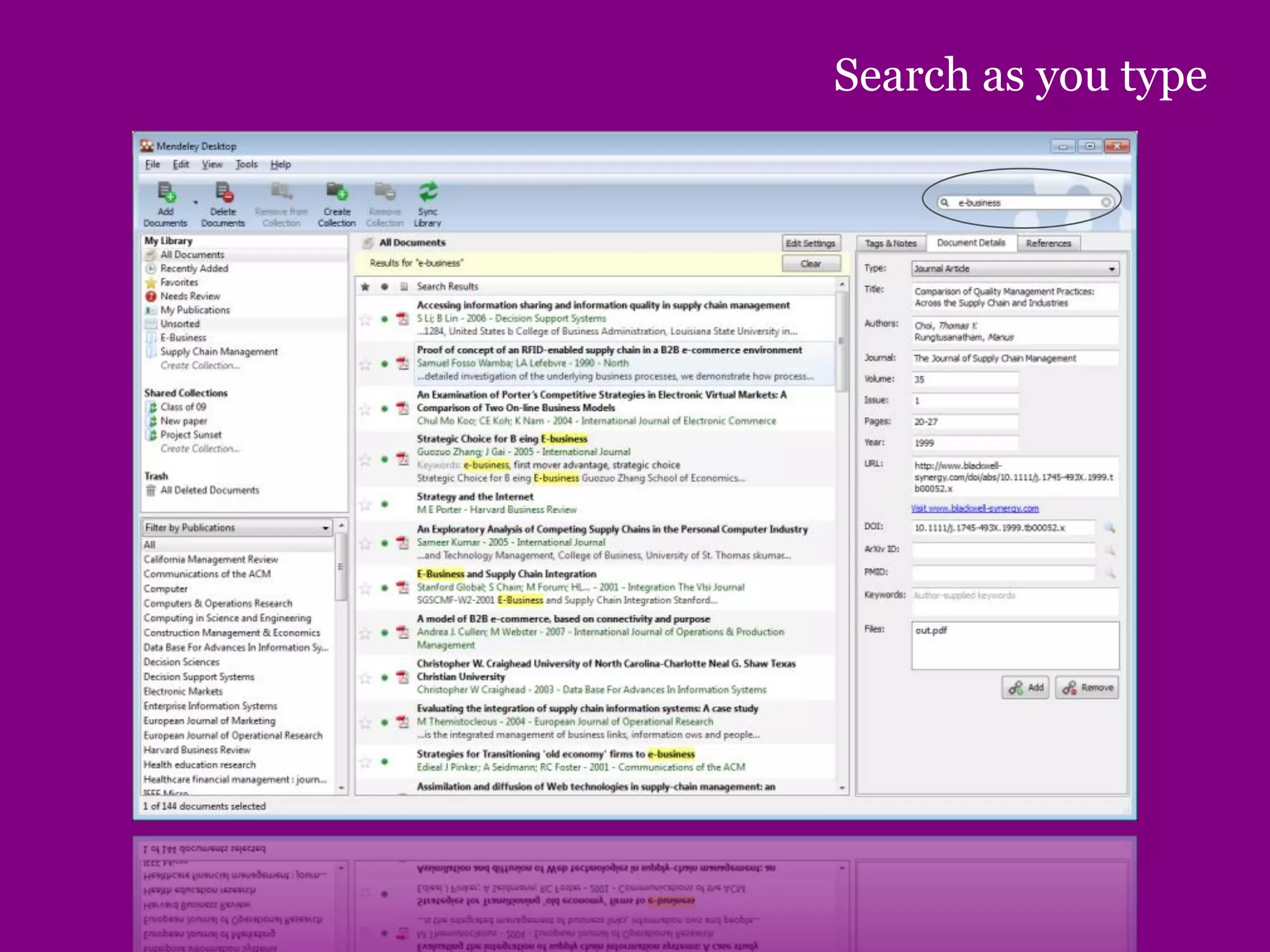
Search as you type
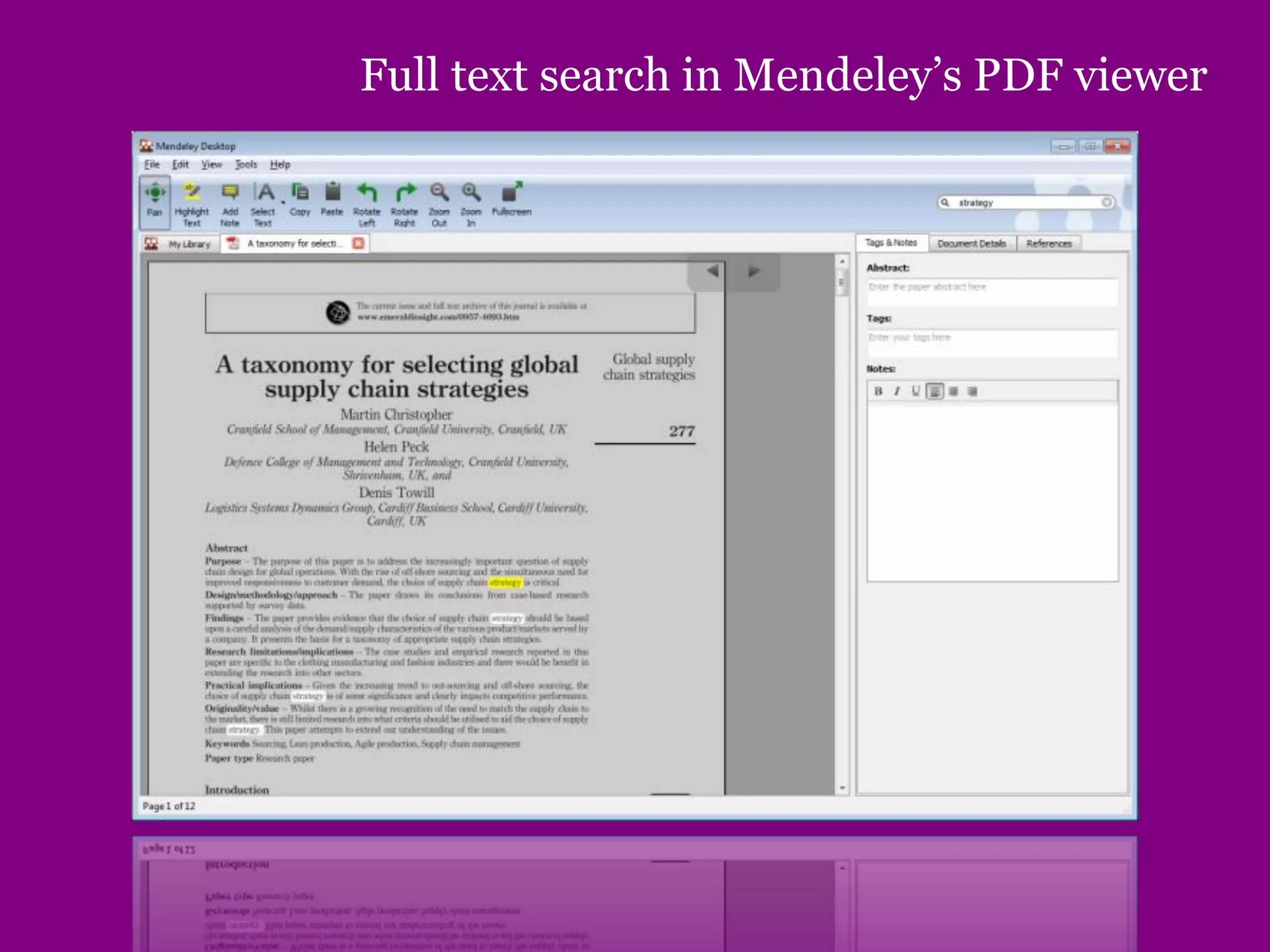
Full text search in Mendeley’s PDF viewer
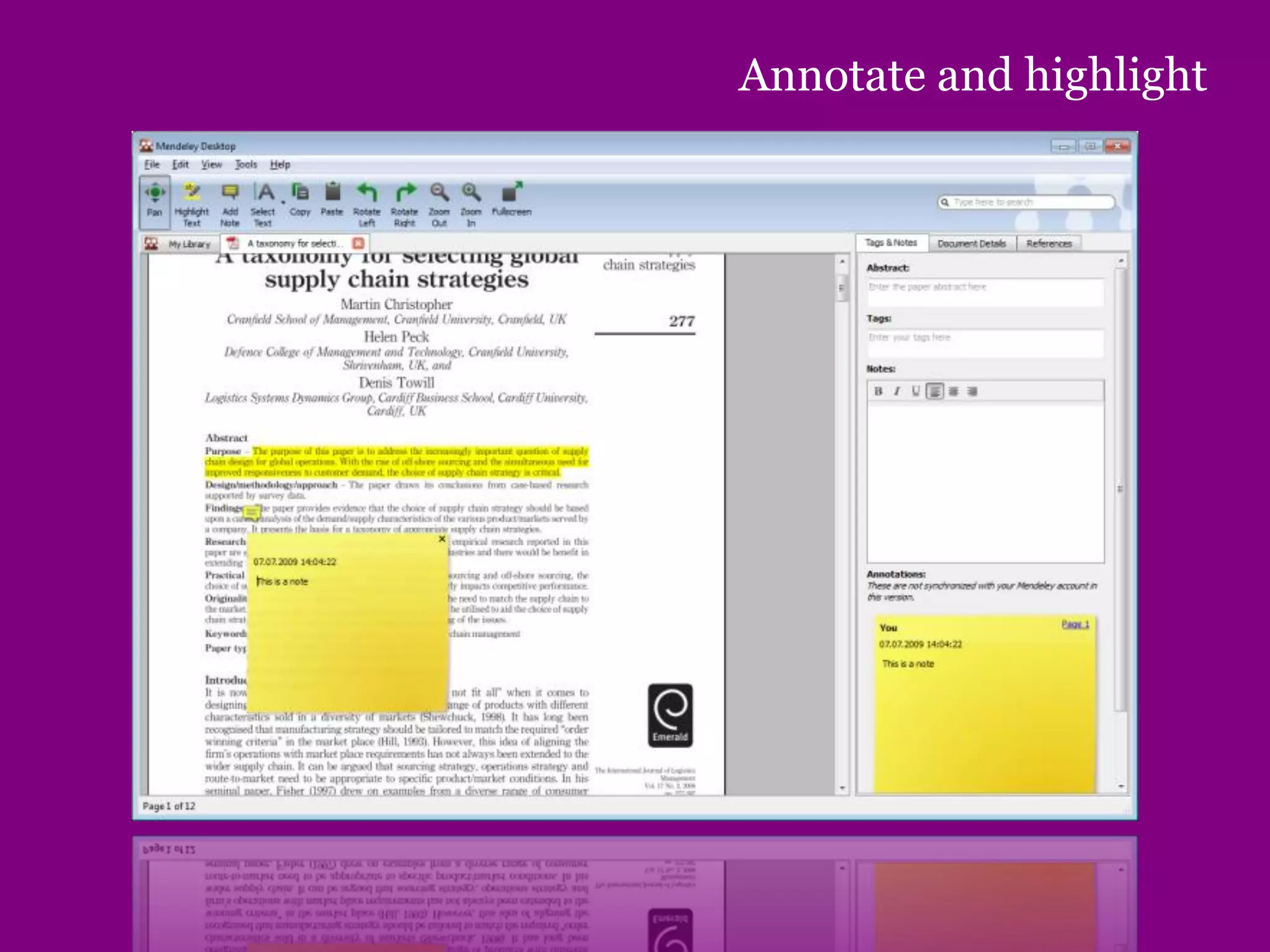
Annotate and highlight
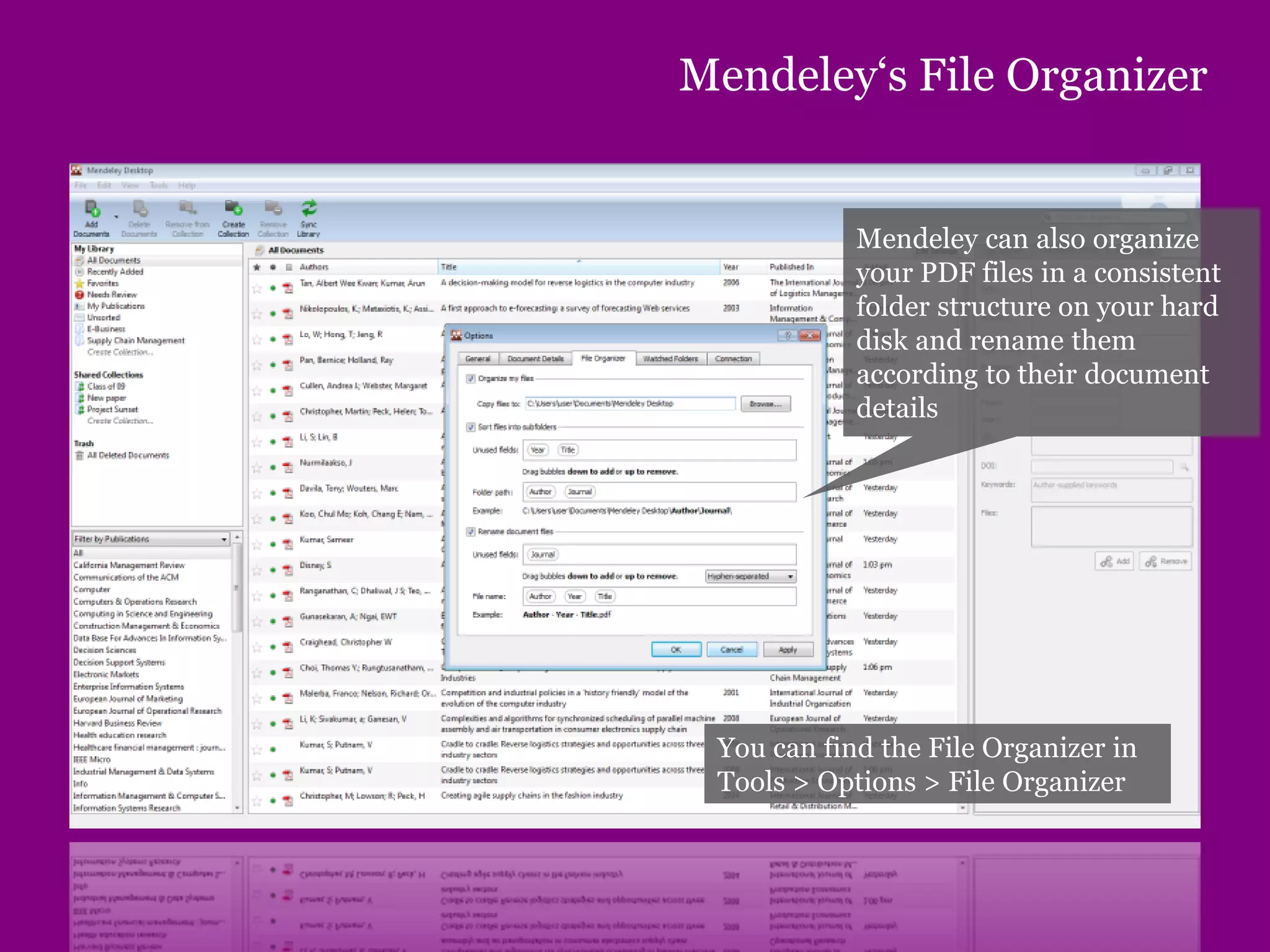
Mendeley‘s File Organizer
Mendeley can also organize
your PDF files in a consistent
folder structure on your hard
disk and rename them
according to their document
details
You can find the File Organizer in
Tools > Options > File Organizer
Citing and sharing references
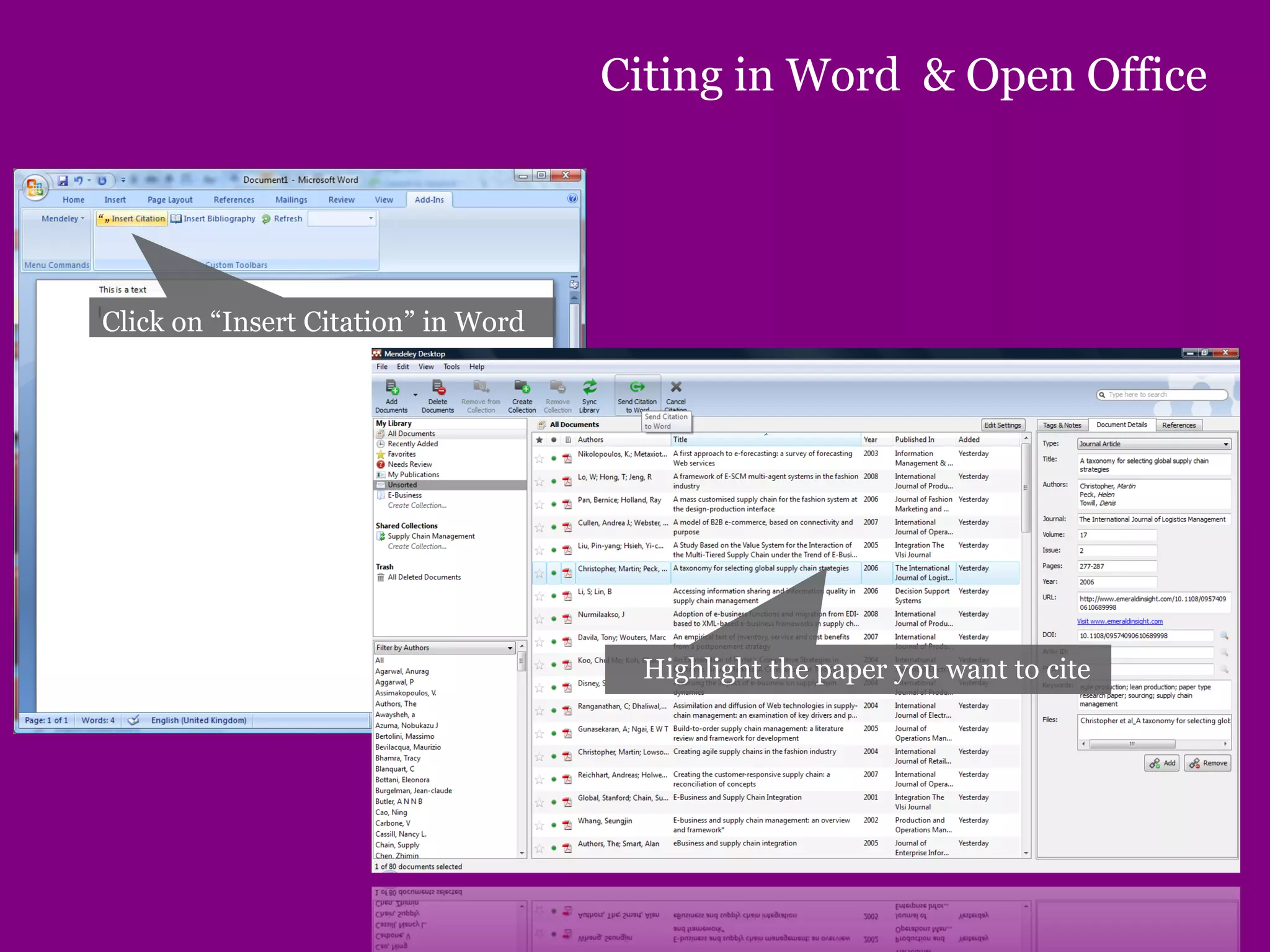
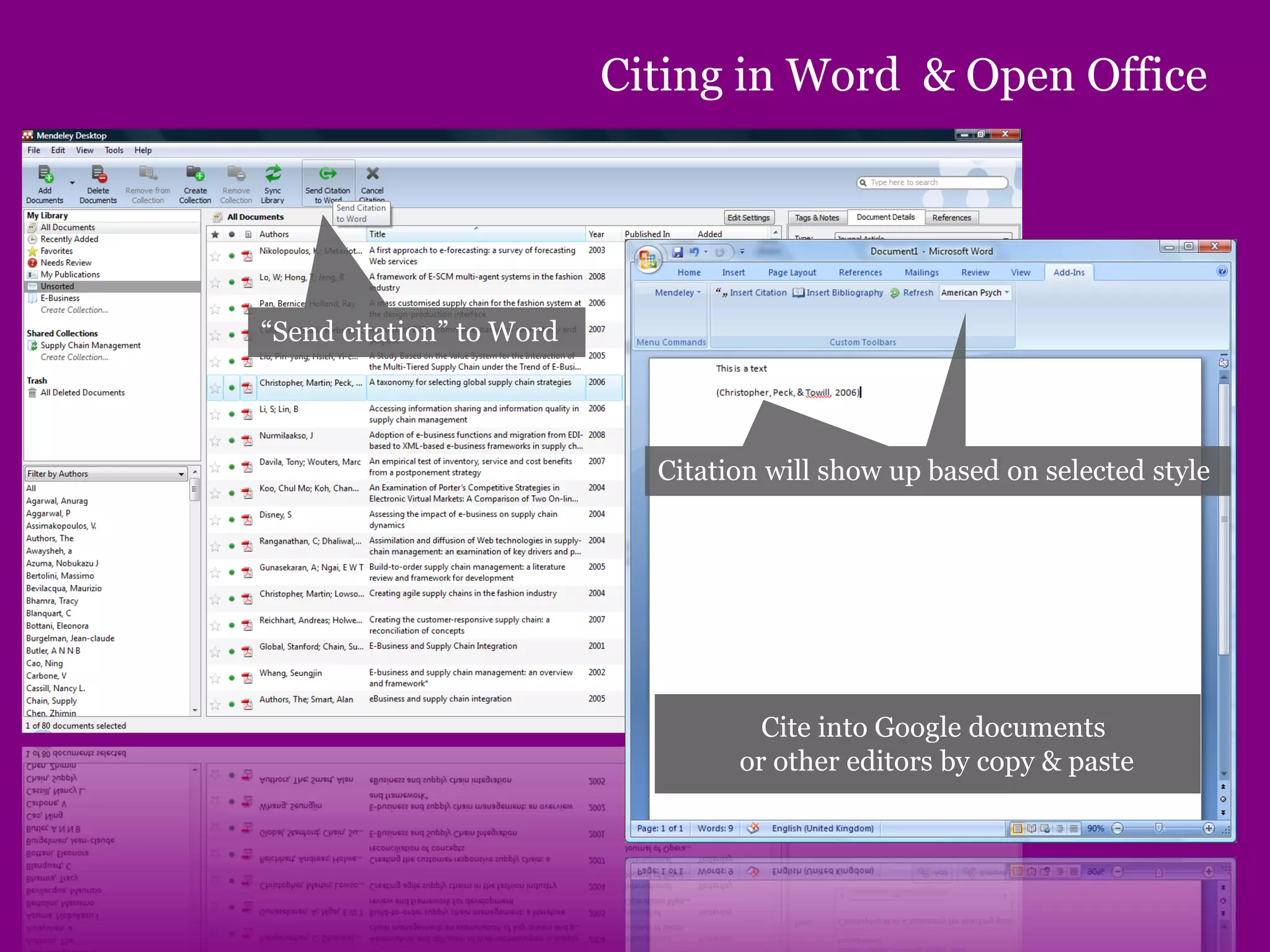
Citing in Word & Open Office
Click on “Insert Citation” in Word
Highlight the paper you want to cite
Citing in Word & Open Office
“Send citation” to Word
Citation will show up based on selected style
Cite into Google documents
or other editors by copy & paste
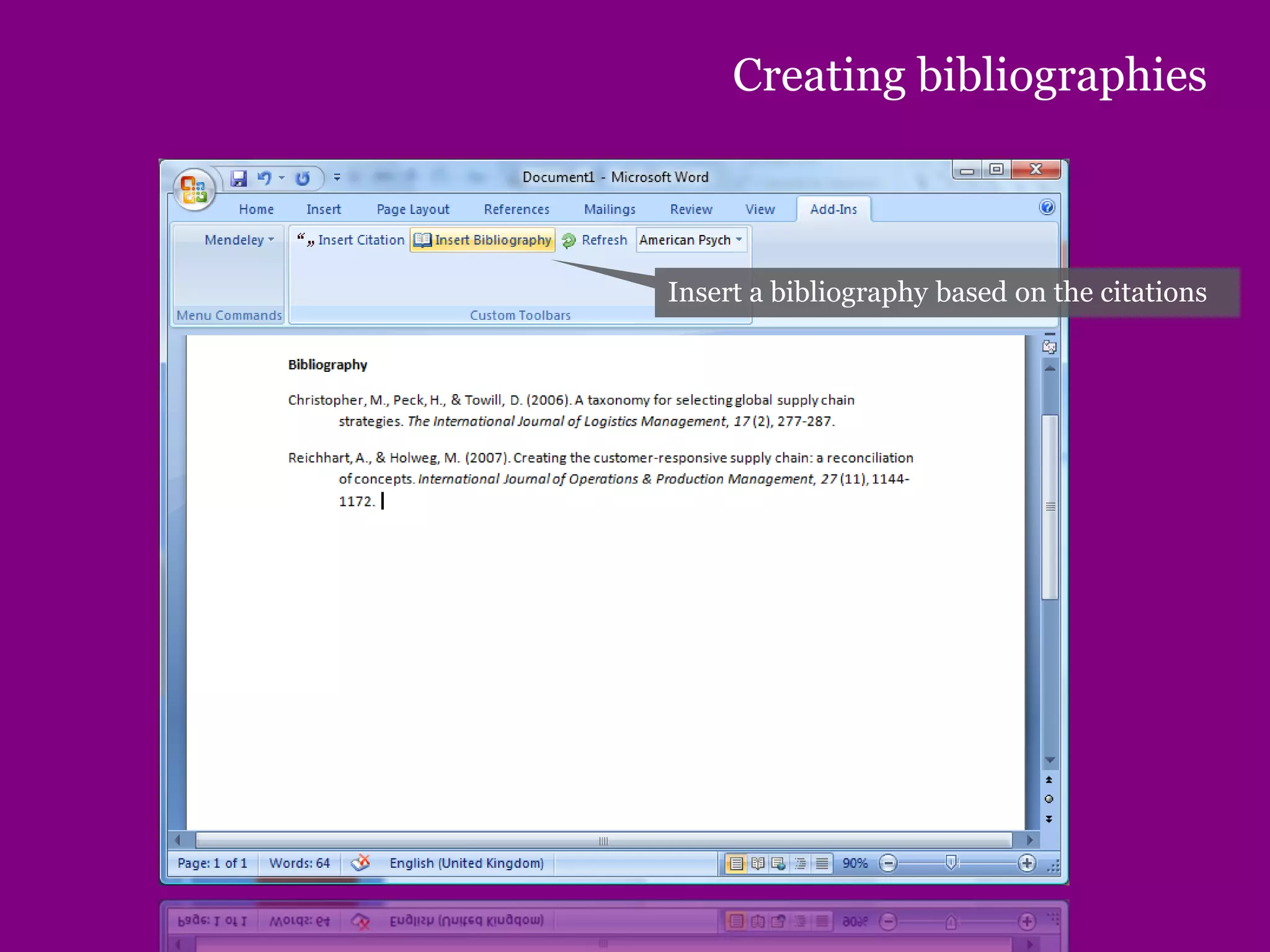
Creating bibliographies
Insert a bibliography based on the citations
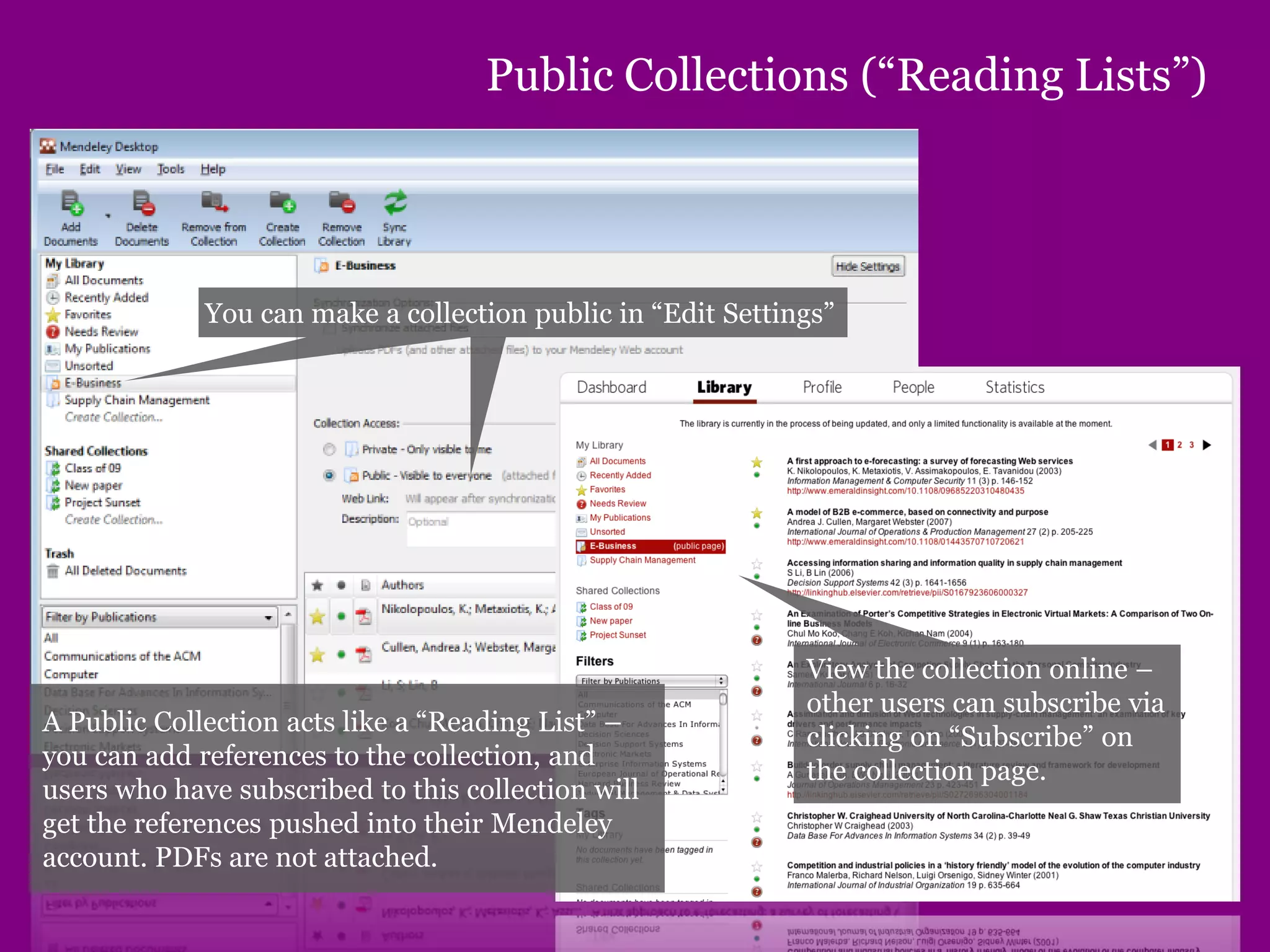
Public Collections (“Reading Lists”)
You can make a collection public in “Edit Settings”
View the collection online –
other users can subscribe via
clicking on “Subscribe” on
the collection page.
A Public Collection acts like a “Reading List” –
you can add references to the collection, and
users who have subscribed to this collection will
get the references pushed into their Mendeley
account. PDFs are not attached.
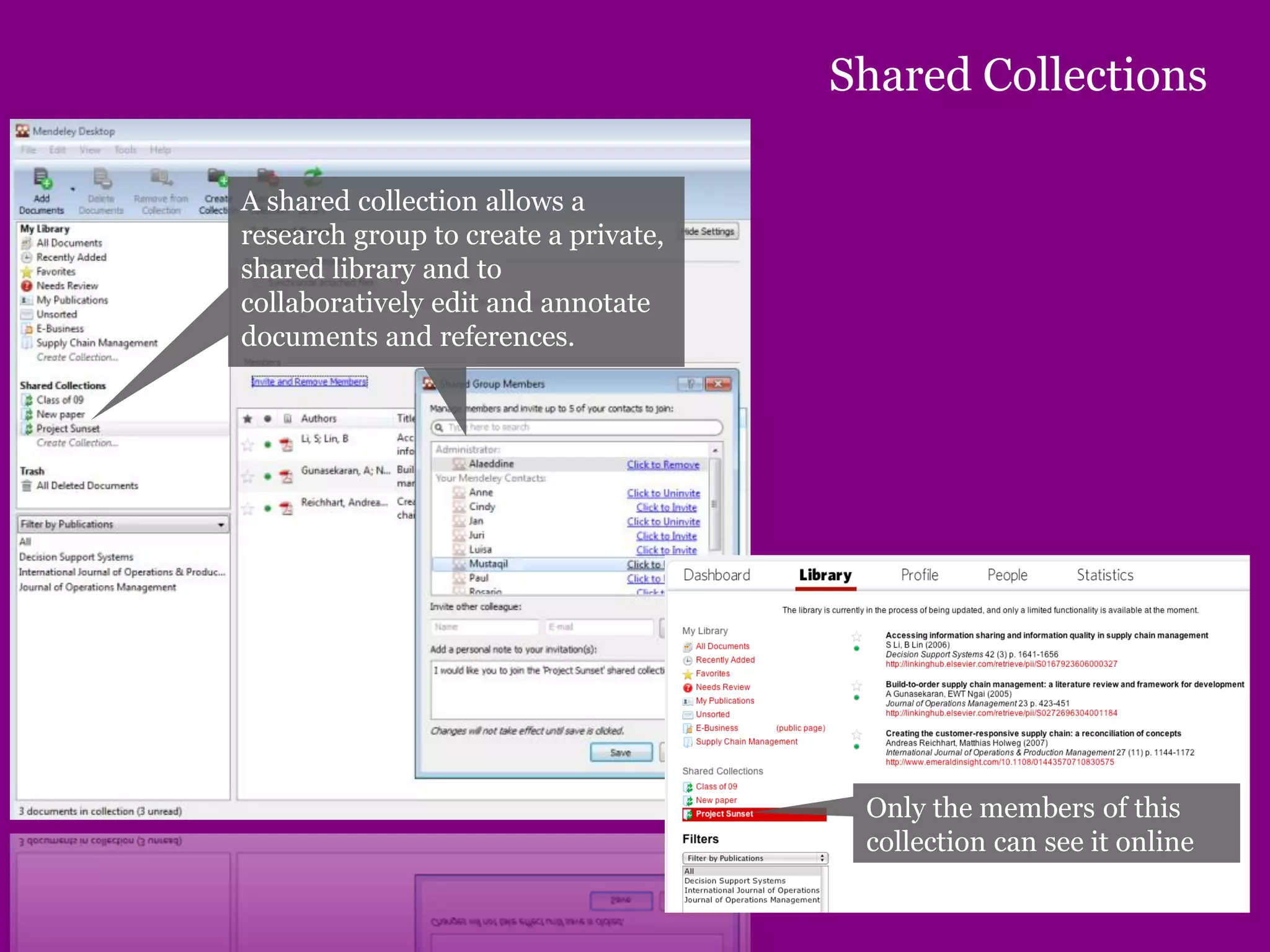
Shared Collections
A shared collection allows a
research group to create a private,
shared library and to
collaboratively edit and annotate
documents and references.
Only the members of this
collection can see it online
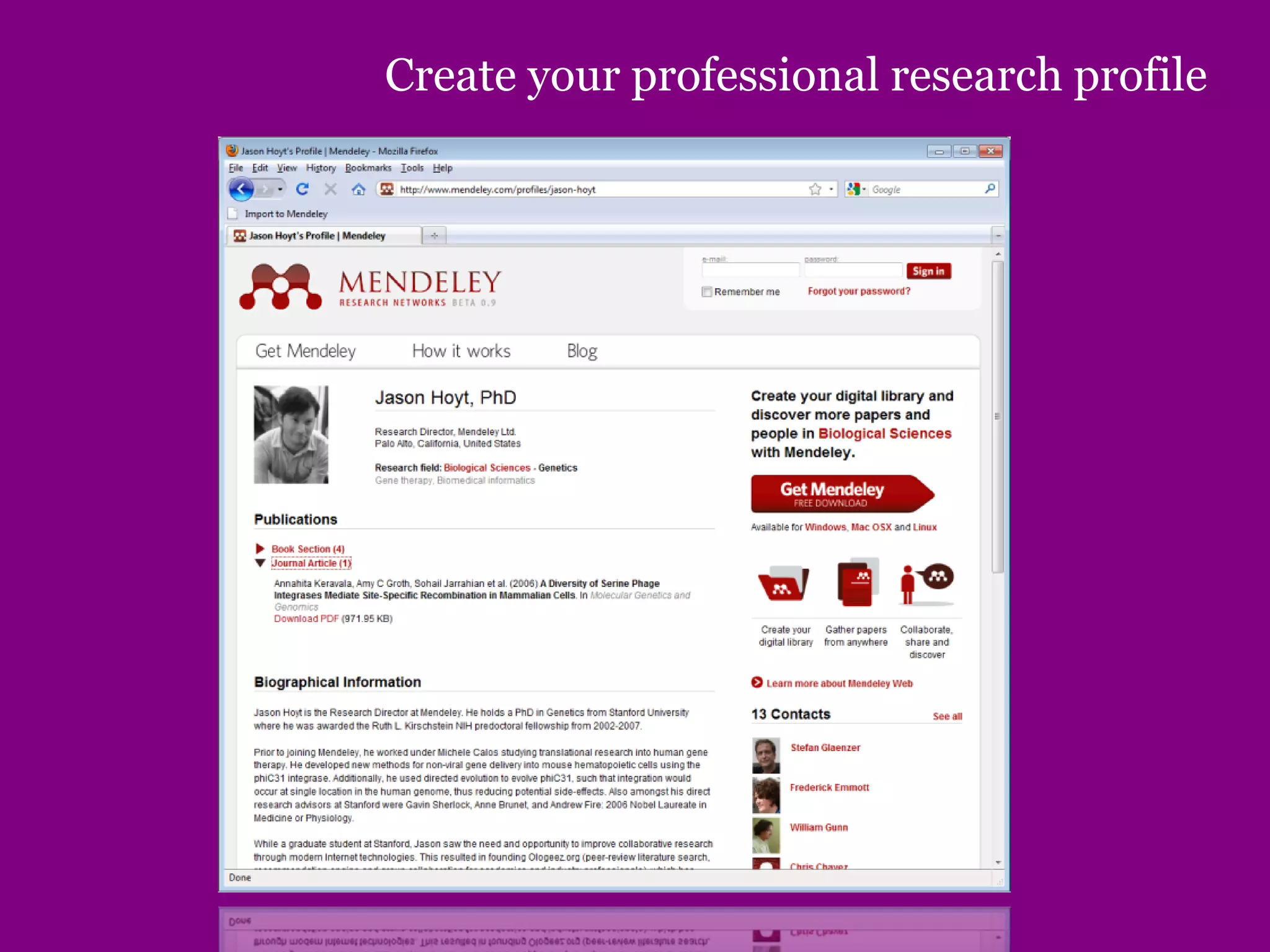
Create your professional research profile
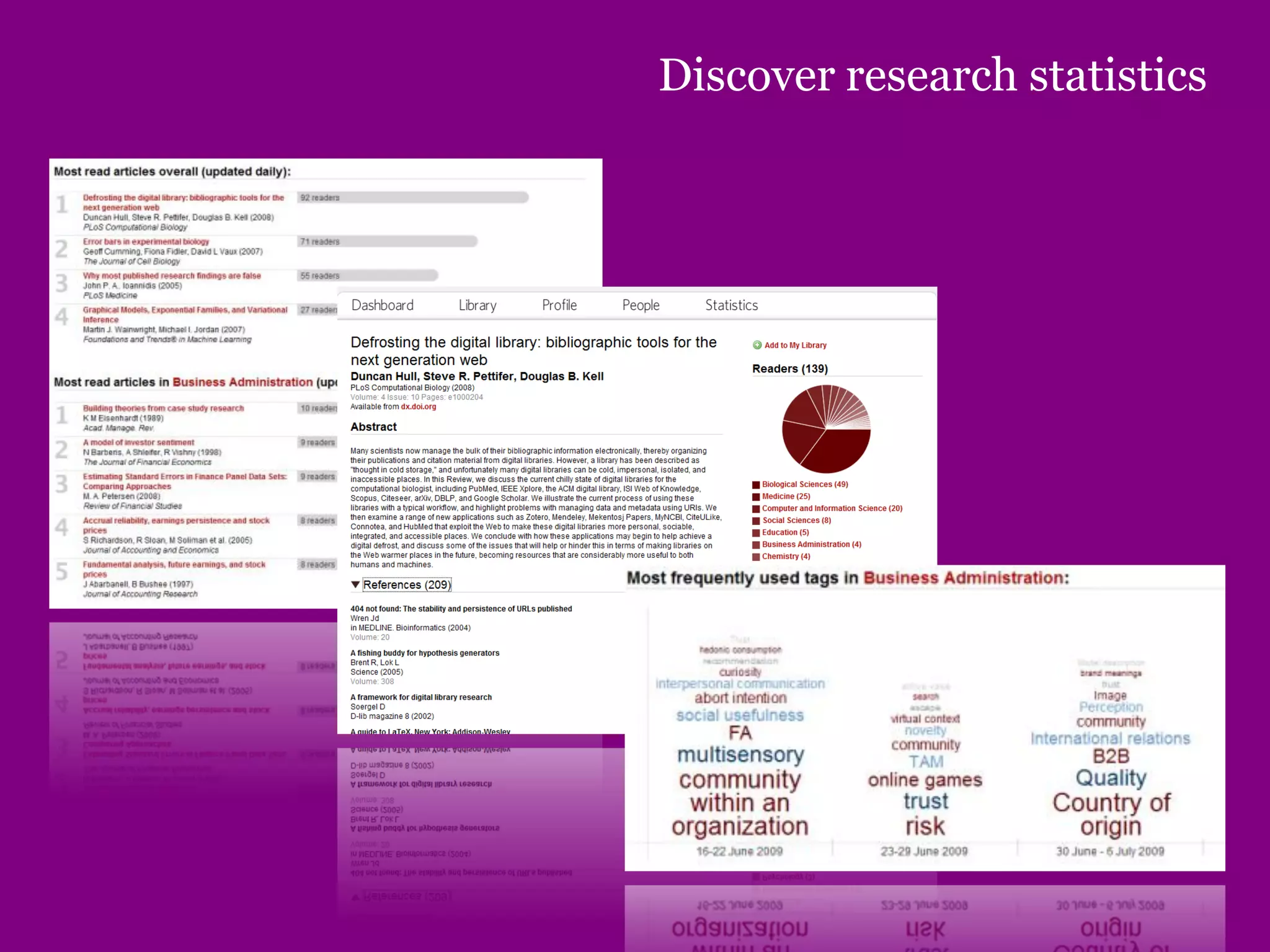
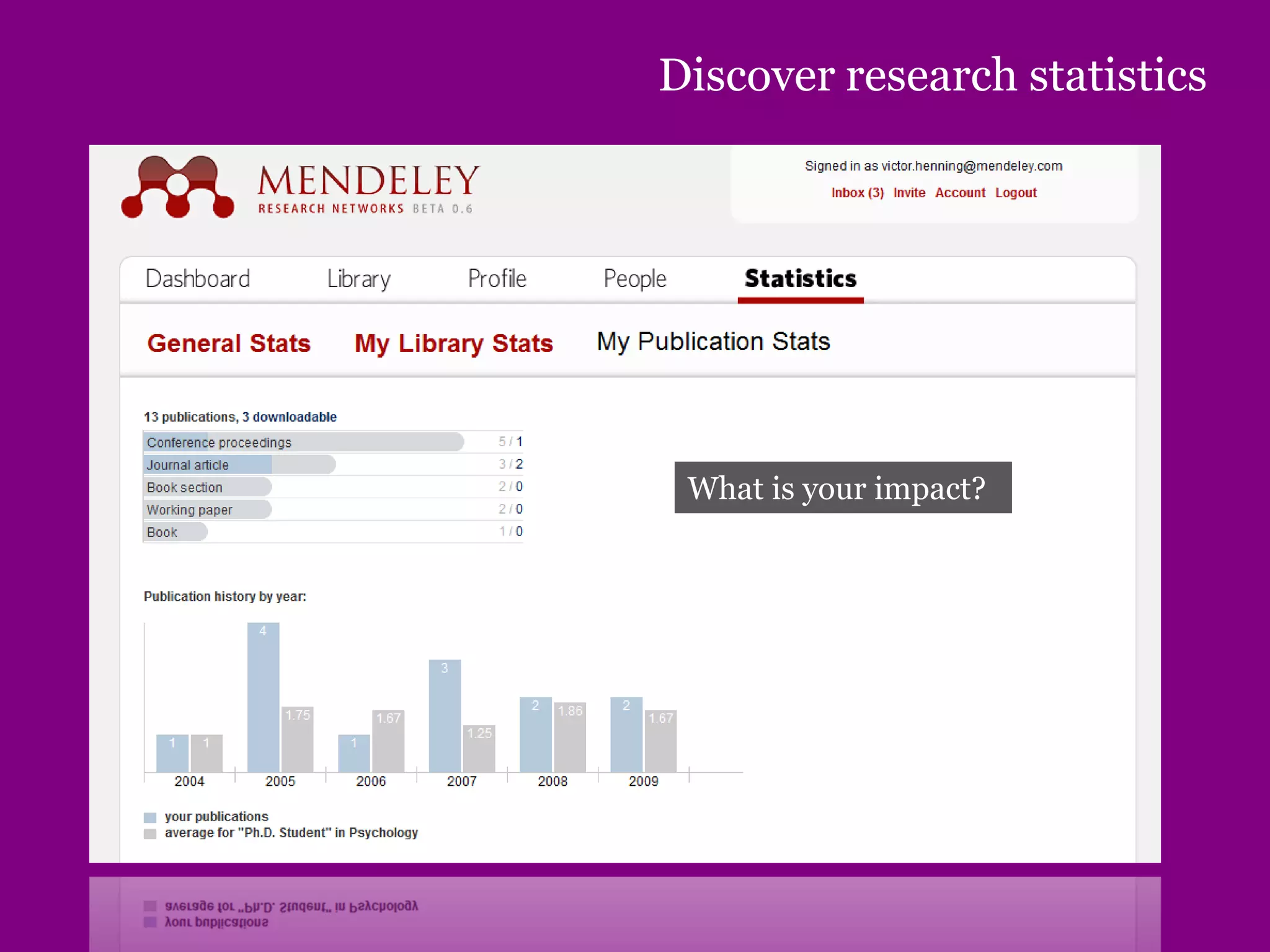
Discover research statistics
What is your impact?
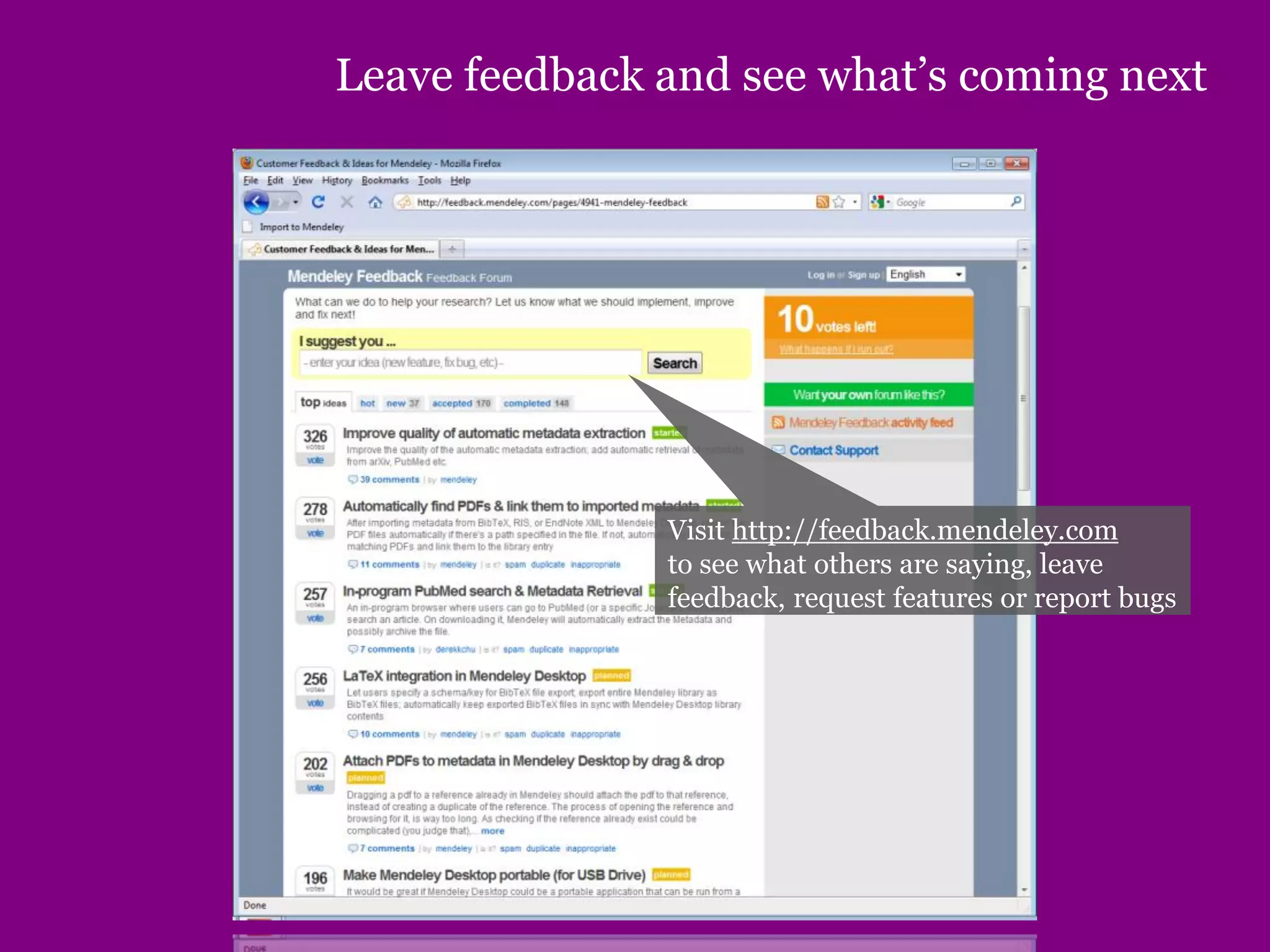
Leave feedback and see what’s coming next
Visit http://feedback.mendeley.com
to see what others are saying, leave
feedback, request features or report bugs
Thank you
www.mendeley.com
Thank you

Mendeley software presentation

  • 1.
    wants to helpresearchers organize, share, and discover research papers. SANJU SAH St. Xavier’s college, Maitighar
  • 2.
     What isMendeley?  Creating your library  Managing your documents & references  Citing and sharing references Agenda
  • 3.
  • 4.
    Based in London,Mendeley are 15 researchers, graduates and software developers from... ...backed by co-founders and former executives of:
  • 5.
    works like this: 1)Install “Audioscrobbler” 2) Listen to music 3) Last.fm builds your music profile and recommends you music you also could like... and it’s the world‘s biggest open music database Last.fm Mendeley
  • 6.
  • 7.
    What is Mendeley? Mendeleyis free academic software (Win, Mac & Linux) to manage, share, read, annotate and cite your research papers... ...and a research network to manage your papers online, discover research trends and statistics, and to connect to like-minded researchers.
  • 8.
    What is Mendeley? Setup and manage your collections Add tags & notes and edit document details Library showing all your documents (citation or table view) Filter your papers by authors, keywords, tags, or publications
  • 9.
  • 10.
    Adding your papers Youhave different options to set up your library: • Add single files or an entire folder • “Watch a folder” to automatically import PDF files • Add existing EndNote/BibTeX/RIS databases, or… …drag & drop PDF files into the library pane… … and Mendeley will try to extract the document details automatically
  • 11.
    Document details lookup Youcan also try to complete the document details by querying various databases (Crossref, PubMed, ArXiv or Google Scholar) Enter the DOI, PubMed, or ArXiv ID and click on the magnifier glass to start lookup And remember – made a mistake? Press CTRL+Z (or Edit > Undo) to undo the last step
  • 12.
    Web Importer To installthe Web Importer, drag & drop the bookmarklet to your Favorites/Bookmarks in your internet browser Supported sites www.mendeley.com/import The Web Importer helps you to grab citations off the web
  • 13.
    Using the WebImporter On the web page with the reference(s) you want to capture: click on the bookmarklet… …then click on “Import” to import the reference/paper to your Mendeley library. If possible/available, also the associated PDF will be imported.
  • 14.
    Synchronize and manageyour library online Synchronize your library You can also add references and edit & manage your library online In addition, you will get statistics about your library, your impact and your research field (see later)
  • 15.
  • 16.
    Manage your library Staryour favorite papers Documents can be marked read/unread Filter by authors, tags, publications or keywords Open attached PDF files in integrated viewer
  • 17.
  • 18.
    Full text searchin Mendeley’s PDF viewer
  • 19.
  • 20.
    Mendeley‘s File Organizer Mendeleycan also organize your PDF files in a consistent folder structure on your hard disk and rename them according to their document details You can find the File Organizer in Tools > Options > File Organizer
  • 21.
  • 22.
    Citing in Word& Open Office Click on “Insert Citation” in Word Highlight the paper you want to cite
  • 23.
    Citing in Word& Open Office “Send citation” to Word Citation will show up based on selected style Cite into Google documents or other editors by copy & paste
  • 24.
    Creating bibliographies Insert abibliography based on the citations
  • 25.
    Public Collections (“ReadingLists”) You can make a collection public in “Edit Settings” View the collection online – other users can subscribe via clicking on “Subscribe” on the collection page. A Public Collection acts like a “Reading List” – you can add references to the collection, and users who have subscribed to this collection will get the references pushed into their Mendeley account. PDFs are not attached.
  • 26.
    Shared Collections A sharedcollection allows a research group to create a private, shared library and to collaboratively edit and annotate documents and references. Only the members of this collection can see it online
  • 27.
    Create your professionalresearch profile
  • 28.
  • 29.
  • 30.
    Leave feedback andsee what’s coming next Visit http://feedback.mendeley.com to see what others are saying, leave feedback, request features or report bugs
  • 31.
  • 32.