Chapter 10
Database
Management
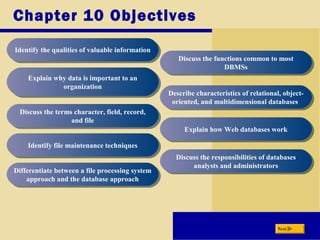
Chapter 10 Objectives
Identify the qualities of valuable informationIdentify the qualities of valuable information
Explain why data is important to an
organization
Explain why data is important to an
organization
Discuss the terms character, field, record,
and file
Discuss the terms character, field, record,
and file
Identify file maintenance techniquesIdentify file maintenance techniques
Differentiate between a file processing system
approach and the database approach
Differentiate between a file processing system
approach and the database approach
Discuss the functions common to most
DBMSs
Discuss the functions common to most
DBMSs
Describe characteristics of relational, object-
oriented, and multidimensional databases
Describe characteristics of relational, object-
oriented, and multidimensional databases
Explain how Web databases workExplain how Web databases work
Discuss the responsibilities of databases
analysts and administrators
Discuss the responsibilities of databases
analysts and administrators
Next
Data and Information
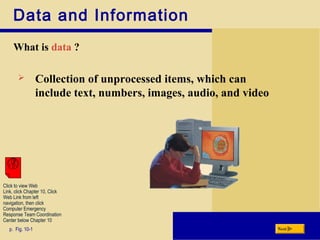
What is data ?
p. Fig. 10-1 Next
 Collection of unprocessed items, which can
include text, numbers, images, audio, and video
Click to view Web
Link, click Chapter 10, Click
Web Link from left
navigation, then click
Computer Emergency
Response Team Coordination
Center below Chapter 10
Data and Information
What is Information ?
p. Fig. 10-3 Next
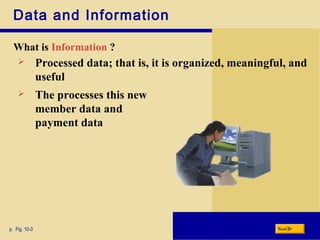
 Processed data; that is, it is organized, meaningful, and
useful
 The processes this new
member data and
payment data
Data and Information
How a fitness center might
process data into
information ?
p. Fig. 10-2 Next
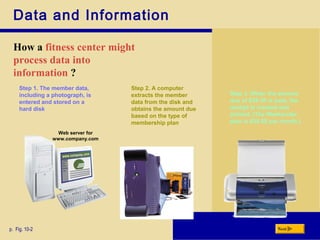
Step 1. The member data,
including a photograph, is
entered and stored on a
hard disk
Step 2. A computer
extracts the member
data from the disk and
obtains the amount due
based on the type of
membership plan
Step 3. When the amount
due of $39.50 is paid, the
receipt is created and
printed. (The Weekender
plan is $39.50 per month.)
Web server for
www.company.com
Data and Information
What is Database and Database Software ?
p. Fig. 10-4 Next
 Collection of data
organized in a manner
that allows access,
retrieval, and use of that
data
 Often called a databases
management system
(DBMS), users create a
computerized databases
Data and Information
What is Data Integrity ?
p. Fig. 10-5 Next
 Data is one of their more
valuable assets
 Data is used to generate
information
 Data Integrity identifies the
quality of the data
 Garbage in, garbage out (GIGO)
is a computer phrase that means
you cannot create correct
information from data that is
incorrect
 A
Data and Information
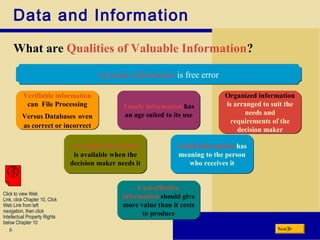
What are Qualities of Valuable Information?
p. Next
Cost-effective
information should give
more value than it costs
to produce
Cost-effective
information should give
more value than it costs
to produce
Accessible information
is available when the
decision maker needs it
Accessible information
is available when the
decision maker needs it
Timely information has
an age suited to its use
Timely information has
an age suited to its use
Organized information
is arranged to suit the
needs and
requirements of the
decision maker
Organized information
is arranged to suit the
needs and
requirements of the
decision maker
Useful information has
meaning to the person
who receives it
Useful information has
meaning to the person
who receives it
Verifiable information
can File Processing
Versus Databases oven
as correct or incorrect
Verifiable information
can File Processing
Versus Databases oven
as correct or incorrect
Accurate information is free errorAccurate information is free error
Click to view Web
Link, click Chapter 10, Click
Web Link from left
navigation, then click
Intellectual Property Rights
below Chapter 10
The Hierarchy Of Data
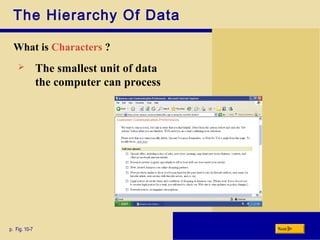
What is Characters ?
p. Fig. 10-7 Next
 The smallest unit of data
the computer can process
The Hierarchy Of Data
What is Fields ?
p. Fig. 10-8 Next
 Combination of one or more related
characters
The Hierarchy Of Data
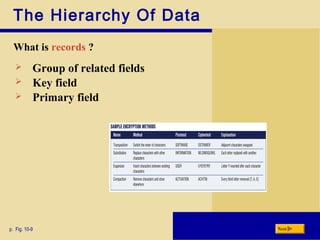
What is records ?
p. Fig. 10-9 Next
 Group of related fields
 Key field
 Primary field
The Hierarchy Of Data
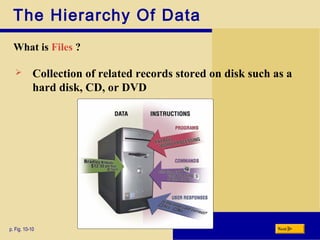
What is Files ?
p. Fig. 10-10 Next
 Collection of related records stored on disk such as a
hard disk, CD, or DVD
Maintaining Data
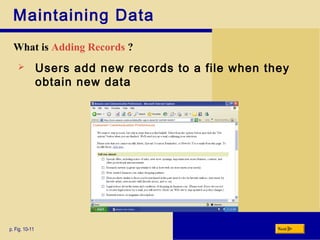
What is Adding Records ?
p. Fig. 10-11 Next
 Users add new records to a file when they
obtain new data
Maintaining Data
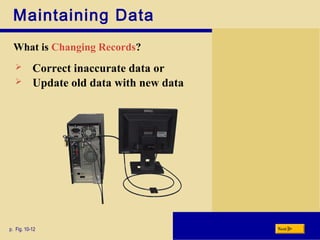
What is Changing Records?
p. Fig. 10-12 Next
 Correct inaccurate data or
 Update old data with new data
Maintaining Data
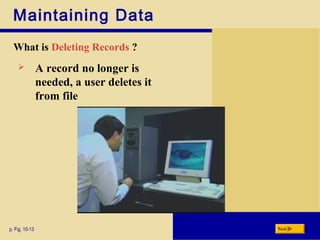
What is Deleting Records ?
p. Fig. 10-13 Next
 A record no longer is
needed, a user deletes it
from file
Maintaining Data
What is validating data ?
p. Fig. 10-14 Next
 Process of comparing data with a
set of rules or values to find out if
the data is correct
 Alphabetic/numeric check
 Range check
 Consistency check
 Completeness check
 Check digit
File Processing Versus Databases
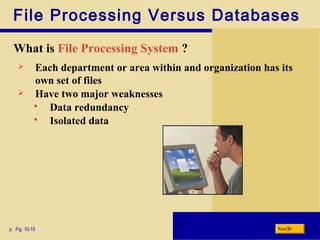
What is File Processing System ?
p. Fig. 10-15 Next
 Each department or area within and organization has its
own set of files
 Have two major weaknesses
 Data redundancy
 Isolated data
File Processing Versus Databases
What is Database approach ?
 Many programs and users share the data in the
database
p. Fig. 10-16 Next
Reduced data
redundancy
Click to view Web
Link, click Chapter 10, Click
Web Link from left
navigation, then click
Encryption below Chapter 10
Improved data
integrity Shared data
Easier access
Reduced
development
time
Database Management Systems
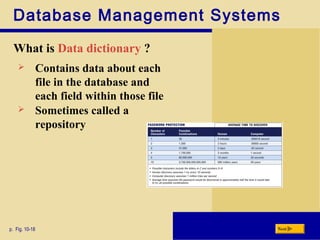
What is Data dictionary ?
p. Fig. 10-18 Next
 Contains data about each
file in the database and
each field within those file
 Sometimes called a
repository
Database Management Systems
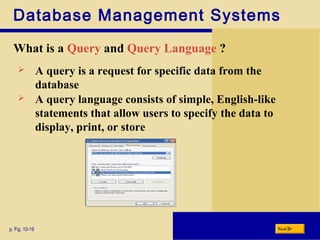
What is a Query and Query Language ?
p. Fig. 10-19 Next
 A query is a request for specific data from the
database
 A query language consists of simple, English-like
statements that allow users to specify the data to
display, print, or store
Database Management Systems
p. Fig. 10-2 Next
.
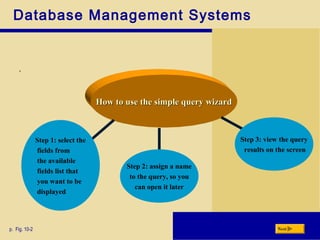
How to use the simple query wizardHow to use the simple query wizard
Step 1: select the
fields from
the available
fields list that
you want to be
displayed
Step 2: assign a name
to the query, so you
can open it later
Step 3: view the query
results on the screen
Database Management Systems
What is Data security ?
p. Fig. 10-22 Next
 A DBMS provides means to ensure that only
authorized users access data at permitted times
 Define the actions that a specific user or group of users
can perform
Database Management Systems
What is Backup and Recovery ?
p. Figs. 10-20–10-21 Next
 A backup, or copy, of the entire
database
 Which is listing of activities that
change the contents of the
database
Click to view Web
Link, click Chapter 10, Click
Web Link from left
navigation, then click
Uninterruptible Power Supply
below Chapter 10
Relational, Object-Oriented, and
Multidimensional Databases
What is Relational Database ?
p. Fig. 10-25 Next
 A database that store data in
tables that consist of rows and
columns
 A relationship is a
connection within the
data
Relational, Object-Oriented, and
Multidimensional Databases
What is Object-Oriented Database (OODB) ?
 Stores data in objects
 Examples of OODB :
p. Fig. 10-16 Next
Multimedia
Database
Click to view Web
Link, click Chapter 10, Click
Web Link from left
navigation, then click
Encryption below Chapter 10
Groupware
Database
Computer-aided
design database
stores
Hypertext
database Web database
Relational, Object-Oriented, and
Multidimensional Databases
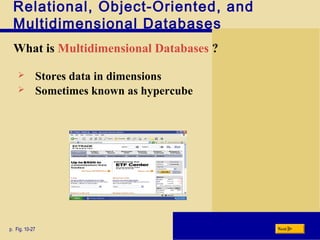
What is Multidimensional Databases ?
p. Fig. 10-27 Next
 Stores data in dimensions
 Sometimes known as hypercube
Web Databases and Database
Administration
What is Database Design Guidelines ?
p. Fig. 10-29 Next
 A carefully designed database
makes it easier for a user to query
the database, modify the data,
and create reports
Web Databases and Database
Administration
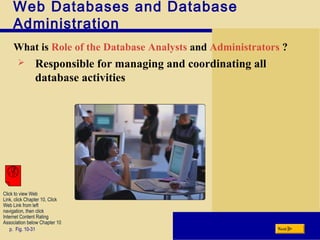
What is Role of the Database Analysts and Administrators ?
p. Fig. 10-31 Next
 Responsible for managing and coordinating all
database activities
Click to view Web
Link, click Chapter 10, Click
Web Link from left
navigation, then click
Internet Content Rating
Association below Chapter 10
Web Databases and Database
Administration
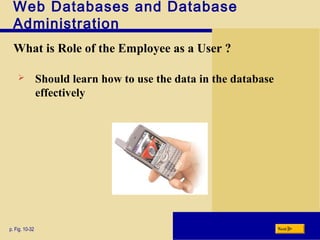
What is Role of the Employee as a User ?
p. Fig. 10-32 Next
 Should learn how to use the data in the database
effectively
Summary of Database Management
Discussed how data and information are
valuable assets to an organization
Discussed how data and information are
valuable assets to an organization
Presented methods for maintaining high-
quality data and assessing the quality of
valuable information
Presented methods for maintaining high-
quality data and assessing the quality of
valuable information
Discussed the advantages of organizing data
in a database and described various types of
database
Discussed the advantages of organizing data
in a database and described various types of
database
Presented the roles of the database analysts
and administrators
Presented the roles of the database analysts
and administrators
Chapter 10 Complete

Database

  • 1.
  • 2.
    Chapter 10 Objectives Identifythe qualities of valuable informationIdentify the qualities of valuable information Explain why data is important to an organization Explain why data is important to an organization Discuss the terms character, field, record, and file Discuss the terms character, field, record, and file Identify file maintenance techniquesIdentify file maintenance techniques Differentiate between a file processing system approach and the database approach Differentiate between a file processing system approach and the database approach Discuss the functions common to most DBMSs Discuss the functions common to most DBMSs Describe characteristics of relational, object- oriented, and multidimensional databases Describe characteristics of relational, object- oriented, and multidimensional databases Explain how Web databases workExplain how Web databases work Discuss the responsibilities of databases analysts and administrators Discuss the responsibilities of databases analysts and administrators Next
  • 3.
    Data and Information Whatis data ? p. Fig. 10-1 Next  Collection of unprocessed items, which can include text, numbers, images, audio, and video Click to view Web Link, click Chapter 10, Click Web Link from left navigation, then click Computer Emergency Response Team Coordination Center below Chapter 10
  • 4.
    Data and Information Whatis Information ? p. Fig. 10-3 Next  Processed data; that is, it is organized, meaningful, and useful  The processes this new member data and payment data
  • 5.
    Data and Information Howa fitness center might process data into information ? p. Fig. 10-2 Next Step 1. The member data, including a photograph, is entered and stored on a hard disk Step 2. A computer extracts the member data from the disk and obtains the amount due based on the type of membership plan Step 3. When the amount due of $39.50 is paid, the receipt is created and printed. (The Weekender plan is $39.50 per month.) Web server for www.company.com
  • 6.
    Data and Information Whatis Database and Database Software ? p. Fig. 10-4 Next  Collection of data organized in a manner that allows access, retrieval, and use of that data  Often called a databases management system (DBMS), users create a computerized databases
  • 7.
    Data and Information Whatis Data Integrity ? p. Fig. 10-5 Next  Data is one of their more valuable assets  Data is used to generate information  Data Integrity identifies the quality of the data  Garbage in, garbage out (GIGO) is a computer phrase that means you cannot create correct information from data that is incorrect  A
  • 8.
    Data and Information Whatare Qualities of Valuable Information? p. Next Cost-effective information should give more value than it costs to produce Cost-effective information should give more value than it costs to produce Accessible information is available when the decision maker needs it Accessible information is available when the decision maker needs it Timely information has an age suited to its use Timely information has an age suited to its use Organized information is arranged to suit the needs and requirements of the decision maker Organized information is arranged to suit the needs and requirements of the decision maker Useful information has meaning to the person who receives it Useful information has meaning to the person who receives it Verifiable information can File Processing Versus Databases oven as correct or incorrect Verifiable information can File Processing Versus Databases oven as correct or incorrect Accurate information is free errorAccurate information is free error Click to view Web Link, click Chapter 10, Click Web Link from left navigation, then click Intellectual Property Rights below Chapter 10
  • 9.
    The Hierarchy OfData What is Characters ? p. Fig. 10-7 Next  The smallest unit of data the computer can process
  • 10.
    The Hierarchy OfData What is Fields ? p. Fig. 10-8 Next  Combination of one or more related characters
  • 11.
    The Hierarchy OfData What is records ? p. Fig. 10-9 Next  Group of related fields  Key field  Primary field
  • 12.
    The Hierarchy OfData What is Files ? p. Fig. 10-10 Next  Collection of related records stored on disk such as a hard disk, CD, or DVD
  • 13.
    Maintaining Data What isAdding Records ? p. Fig. 10-11 Next  Users add new records to a file when they obtain new data
  • 14.
    Maintaining Data What isChanging Records? p. Fig. 10-12 Next  Correct inaccurate data or  Update old data with new data
  • 15.
    Maintaining Data What isDeleting Records ? p. Fig. 10-13 Next  A record no longer is needed, a user deletes it from file
  • 16.
    Maintaining Data What isvalidating data ? p. Fig. 10-14 Next  Process of comparing data with a set of rules or values to find out if the data is correct  Alphabetic/numeric check  Range check  Consistency check  Completeness check  Check digit
  • 17.
    File Processing VersusDatabases What is File Processing System ? p. Fig. 10-15 Next  Each department or area within and organization has its own set of files  Have two major weaknesses  Data redundancy  Isolated data
  • 18.
    File Processing VersusDatabases What is Database approach ?  Many programs and users share the data in the database p. Fig. 10-16 Next Reduced data redundancy Click to view Web Link, click Chapter 10, Click Web Link from left navigation, then click Encryption below Chapter 10 Improved data integrity Shared data Easier access Reduced development time
  • 19.
    Database Management Systems Whatis Data dictionary ? p. Fig. 10-18 Next  Contains data about each file in the database and each field within those file  Sometimes called a repository
  • 20.
    Database Management Systems Whatis a Query and Query Language ? p. Fig. 10-19 Next  A query is a request for specific data from the database  A query language consists of simple, English-like statements that allow users to specify the data to display, print, or store
  • 21.
    Database Management Systems p.Fig. 10-2 Next . How to use the simple query wizardHow to use the simple query wizard Step 1: select the fields from the available fields list that you want to be displayed Step 2: assign a name to the query, so you can open it later Step 3: view the query results on the screen
  • 22.
    Database Management Systems Whatis Data security ? p. Fig. 10-22 Next  A DBMS provides means to ensure that only authorized users access data at permitted times  Define the actions that a specific user or group of users can perform
  • 23.
    Database Management Systems Whatis Backup and Recovery ? p. Figs. 10-20–10-21 Next  A backup, or copy, of the entire database  Which is listing of activities that change the contents of the database Click to view Web Link, click Chapter 10, Click Web Link from left navigation, then click Uninterruptible Power Supply below Chapter 10
  • 24.
    Relational, Object-Oriented, and MultidimensionalDatabases What is Relational Database ? p. Fig. 10-25 Next  A database that store data in tables that consist of rows and columns  A relationship is a connection within the data
  • 25.
    Relational, Object-Oriented, and MultidimensionalDatabases What is Object-Oriented Database (OODB) ?  Stores data in objects  Examples of OODB : p. Fig. 10-16 Next Multimedia Database Click to view Web Link, click Chapter 10, Click Web Link from left navigation, then click Encryption below Chapter 10 Groupware Database Computer-aided design database stores Hypertext database Web database
  • 26.
    Relational, Object-Oriented, and MultidimensionalDatabases What is Multidimensional Databases ? p. Fig. 10-27 Next  Stores data in dimensions  Sometimes known as hypercube
  • 27.
    Web Databases andDatabase Administration What is Database Design Guidelines ? p. Fig. 10-29 Next  A carefully designed database makes it easier for a user to query the database, modify the data, and create reports
  • 28.
    Web Databases andDatabase Administration What is Role of the Database Analysts and Administrators ? p. Fig. 10-31 Next  Responsible for managing and coordinating all database activities Click to view Web Link, click Chapter 10, Click Web Link from left navigation, then click Internet Content Rating Association below Chapter 10
  • 29.
    Web Databases andDatabase Administration What is Role of the Employee as a User ? p. Fig. 10-32 Next  Should learn how to use the data in the database effectively
  • 30.
    Summary of DatabaseManagement Discussed how data and information are valuable assets to an organization Discussed how data and information are valuable assets to an organization Presented methods for maintaining high- quality data and assessing the quality of valuable information Presented methods for maintaining high- quality data and assessing the quality of valuable information Discussed the advantages of organizing data in a database and described various types of database Discussed the advantages of organizing data in a database and described various types of database Presented the roles of the database analysts and administrators Presented the roles of the database analysts and administrators Chapter 10 Complete