Data types, Variables and
       Constants


      Software Design &
        Development


                            1
Data Types

A program can’t do anything until you have reserved a
space in memory for the values used in it
This is called declaration of variables
When you declare a variable you must:
   Give it a sensible name
   Give it a data type depending on what kind of
   value it will hold
   Ask yourself will it hold just letters or whole
   numbers or numbers with a decimal point or
   dates…..etc

                                                        2
Data types
Depending on the type of data used by our program,
we need to choose to use a particular data type
Some programs only use whole numbers – we can’t
have ½ a person!
Other programs only deal with numbers up to a few
thousand – if we count the students in the College
Other programs deal with huge numbers such as
distances in space


                                                     3
Basic data types
Date
   Covers most of the useful range!!
   Anything from 1st Jan 100 to 31st Dec 9999
   Time information is also stored as hours, minutes and
   seconds
   Uses 8 bytes of storage
String
   For text e.g. names, addresses, postcodes
   For numbers that you don’t want to do any maths on e.g. A
   telephone number
   You can fix the length or let it be variable
   Fixing the length also fixes the amount of storage space
                                                               4
Basic data types

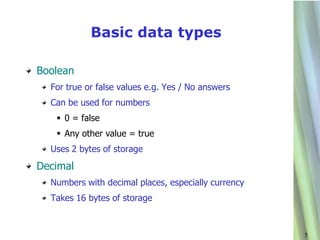
Boolean
  For true or false values e.g. Yes / No answers
  Can be used for numbers
    0 = false
    Any other value = true
  Uses 2 bytes of storage
Decimal
  Numbers with decimal places, especially currency
  Takes 16 bytes of storage


                                                     5
Basic data types
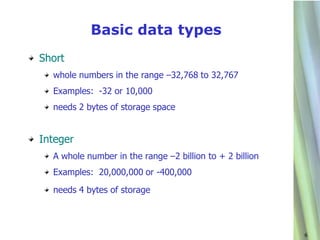
Short
  whole numbers in the range –32,768 to 32,767
  Examples: -32 or 10,000
  needs 2 bytes of storage space


Integer
  A whole number in the range –2 billion to + 2 billion
  Examples: 20,000,000 or -400,000
  needs 4 bytes of storage


                                                          6
Basic data types
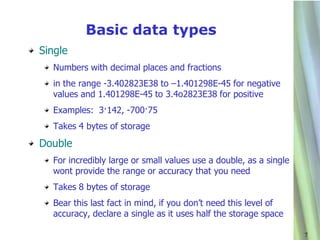
Single
  Numbers with decimal places and fractions
  in the range -3.402823E38 to –1.401298E-45 for negative
  values and 1.401298E-45 to 3.4o2823E38 for positive
  Examples: 3·142, -700·75
  Takes 4 bytes of storage
Double
  For incredibly large or small values use a double, as a single
  wont provide the range or accuracy that you need
  Takes 8 bytes of storage
  Bear this last fact in mind, if you don’t need this level of
  accuracy, declare a single as it uses half the storage space

                                                                   7
Variables - Naming conventions

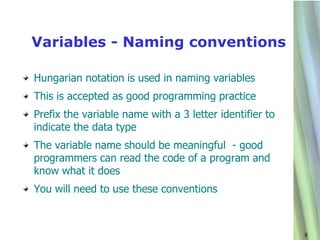
Hungarian notation is used in naming variables
This is accepted as good programming practice
Prefix the variable name with a 3 letter identifier to
indicate the data type
The variable name should be meaningful - good
programmers can read the code of a program and
know what it does
You will need to use these conventions


                                                         8
Variables

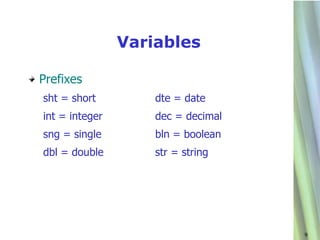
Prefixes
sht = short         dte = date
int = integer       dec = decimal
sng = single        bln = boolean
dbl = double        str = string


                                    9
Constants

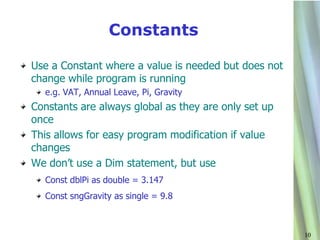
Use a Constant where a value is needed but does not
change while program is running
  e.g. VAT, Annual Leave, Pi, Gravity
Constants are always global as they are only set up
once
This allows for easy program modification if value
changes
We don’t use a Dim statement, but use
  Const dblPi as double = 3.147
  Const sngGravity as single = 9.8


                                                      10
Name the variable
Write down some suitable identifiers for these
variables:

  VAT
  Your telephone number
  Today’s date
  Whether or not the sun is shining
  Your name
  The price of a can of coke

Remember to use naming conventions and
correct data types!
                                                 11

Data types vbnet

  • 1.
    Data types, Variablesand Constants Software Design & Development 1
  • 2.
    Data Types A programcan’t do anything until you have reserved a space in memory for the values used in it This is called declaration of variables When you declare a variable you must: Give it a sensible name Give it a data type depending on what kind of value it will hold Ask yourself will it hold just letters or whole numbers or numbers with a decimal point or dates…..etc 2
  • 3.
    Data types Depending onthe type of data used by our program, we need to choose to use a particular data type Some programs only use whole numbers – we can’t have ½ a person! Other programs only deal with numbers up to a few thousand – if we count the students in the College Other programs deal with huge numbers such as distances in space 3
  • 4.
    Basic data types Date Covers most of the useful range!! Anything from 1st Jan 100 to 31st Dec 9999 Time information is also stored as hours, minutes and seconds Uses 8 bytes of storage String For text e.g. names, addresses, postcodes For numbers that you don’t want to do any maths on e.g. A telephone number You can fix the length or let it be variable Fixing the length also fixes the amount of storage space 4
  • 5.
    Basic data types Boolean For true or false values e.g. Yes / No answers Can be used for numbers  0 = false  Any other value = true Uses 2 bytes of storage Decimal Numbers with decimal places, especially currency Takes 16 bytes of storage 5
  • 6.
    Basic data types Short whole numbers in the range –32,768 to 32,767 Examples: -32 or 10,000 needs 2 bytes of storage space Integer A whole number in the range –2 billion to + 2 billion Examples: 20,000,000 or -400,000 needs 4 bytes of storage 6
  • 7.
    Basic data types Single Numbers with decimal places and fractions in the range -3.402823E38 to –1.401298E-45 for negative values and 1.401298E-45 to 3.4o2823E38 for positive Examples: 3·142, -700·75 Takes 4 bytes of storage Double For incredibly large or small values use a double, as a single wont provide the range or accuracy that you need Takes 8 bytes of storage Bear this last fact in mind, if you don’t need this level of accuracy, declare a single as it uses half the storage space 7
  • 8.
    Variables - Namingconventions Hungarian notation is used in naming variables This is accepted as good programming practice Prefix the variable name with a 3 letter identifier to indicate the data type The variable name should be meaningful - good programmers can read the code of a program and know what it does You will need to use these conventions 8
  • 9.
    Variables Prefixes sht = short dte = date int = integer dec = decimal sng = single bln = boolean dbl = double str = string 9
  • 10.
    Constants Use a Constantwhere a value is needed but does not change while program is running e.g. VAT, Annual Leave, Pi, Gravity Constants are always global as they are only set up once This allows for easy program modification if value changes We don’t use a Dim statement, but use Const dblPi as double = 3.147 Const sngGravity as single = 9.8 10
  • 11.
    Name the variable Writedown some suitable identifiers for these variables: VAT Your telephone number Today’s date Whether or not the sun is shining Your name The price of a can of coke Remember to use naming conventions and correct data types! 11