

Electro-Team
Interesting Education


                 electroteam__@hotmail.com
Visual Basic 2010
     Introduction
Agenda
Development cycle.
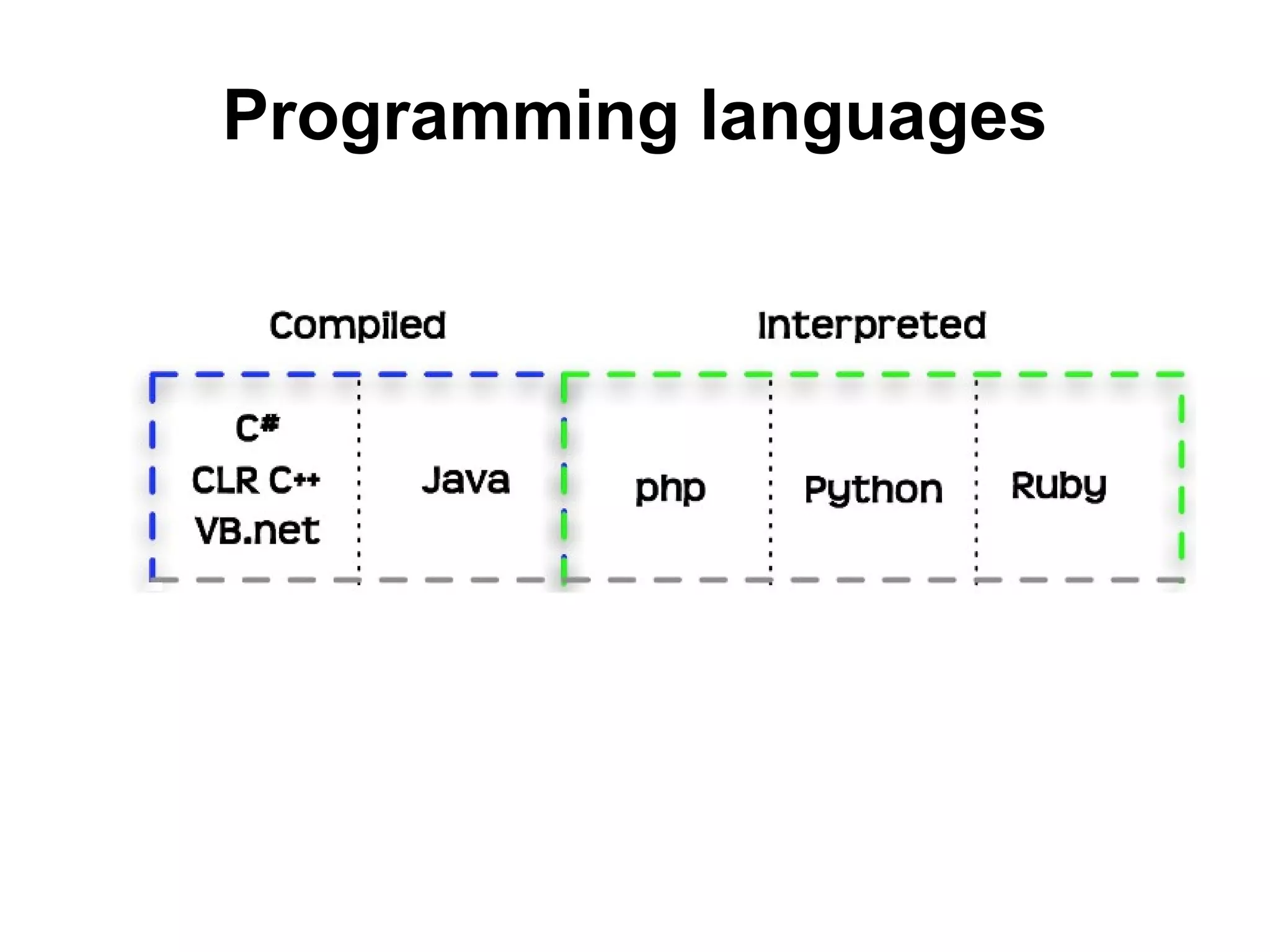
Programming languages.
Object Oriented Programming.
Programming concepts.
Software.
Integrated Development Software.
Install VB 2010 Express.
VB 2010 Introduction.
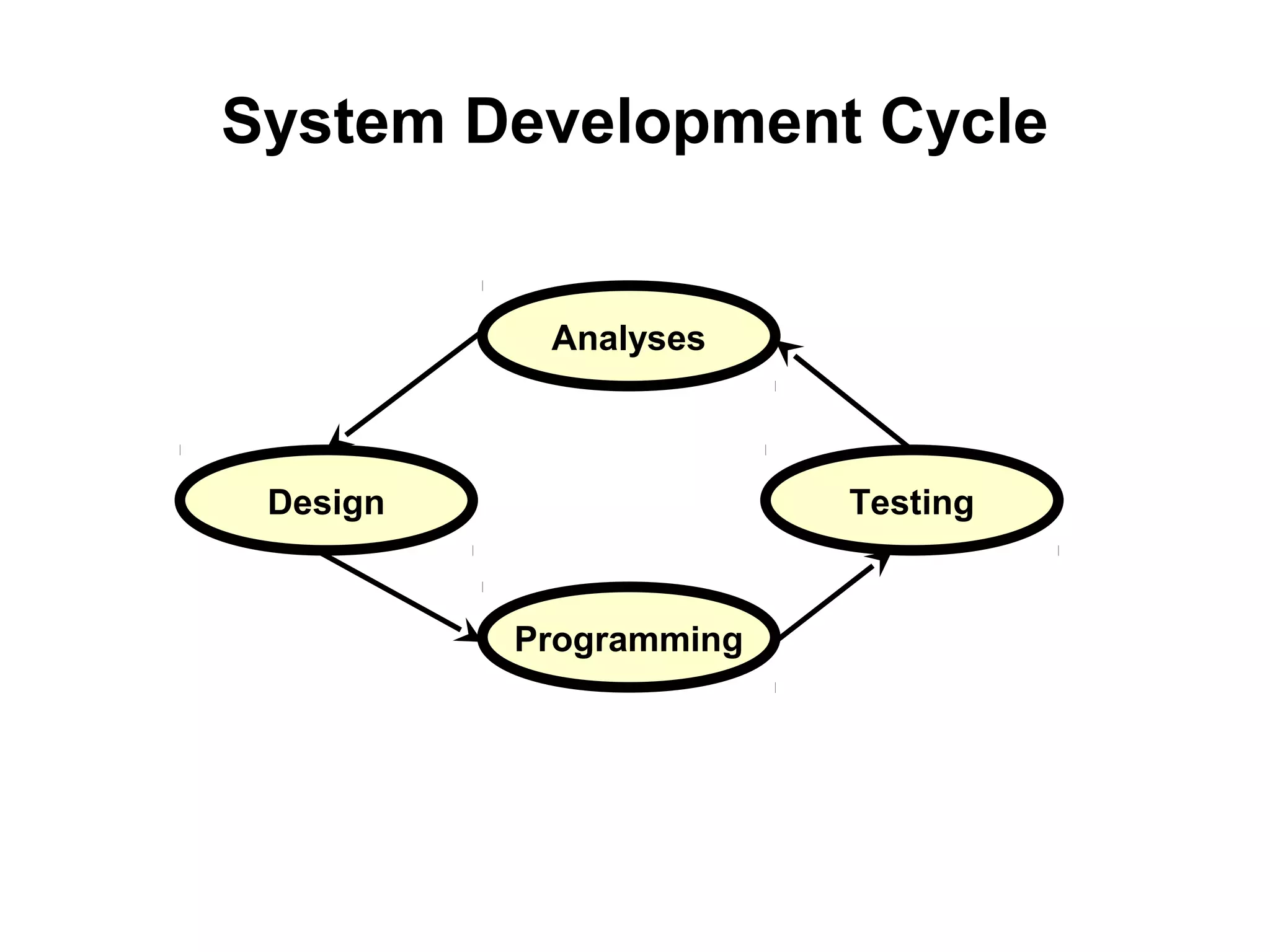
System Development Cycle


           Analyses


 Design                 Testing


          Programming
Programming languages
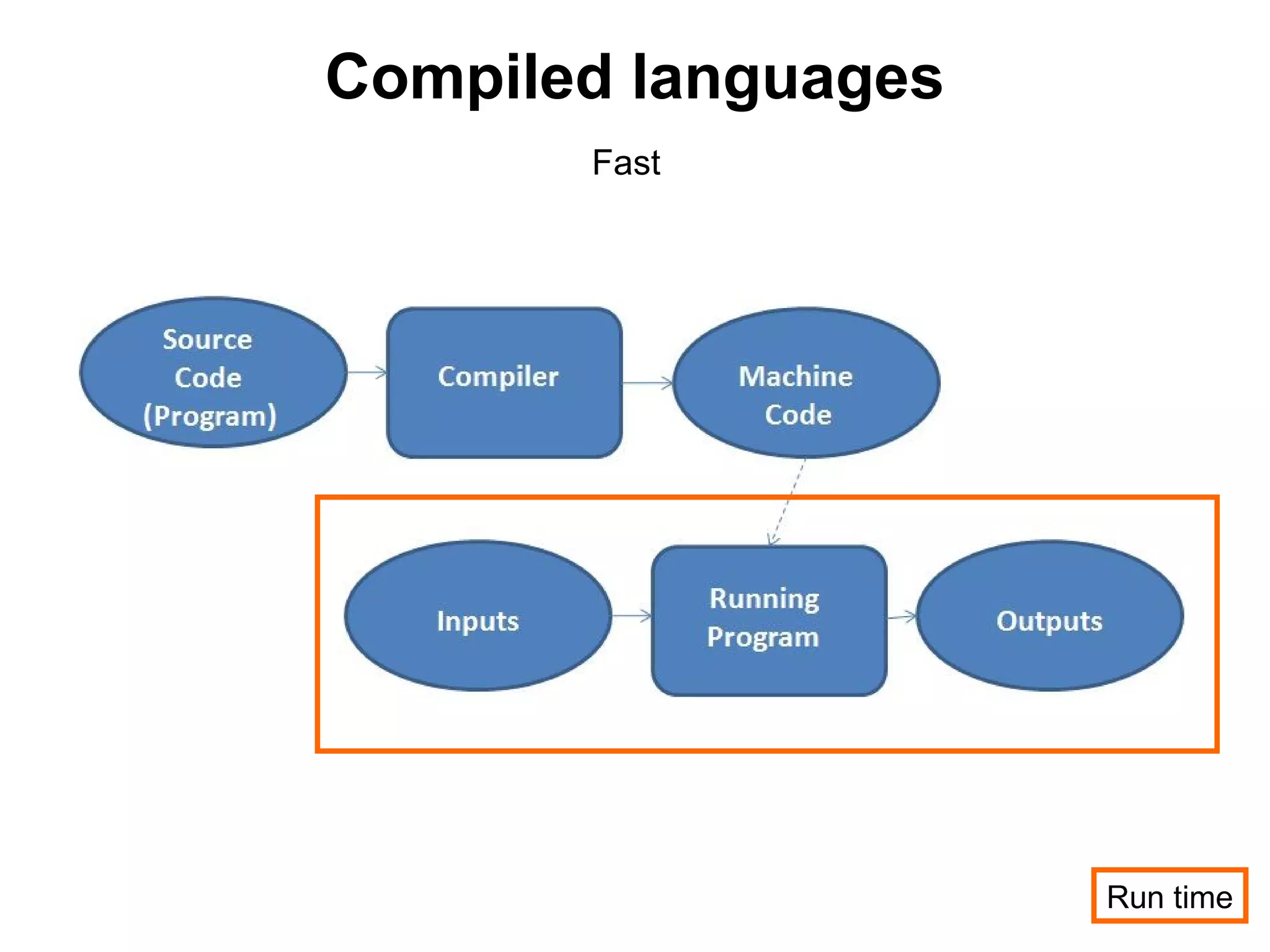
Compiled languages
       Fast


                     Run time
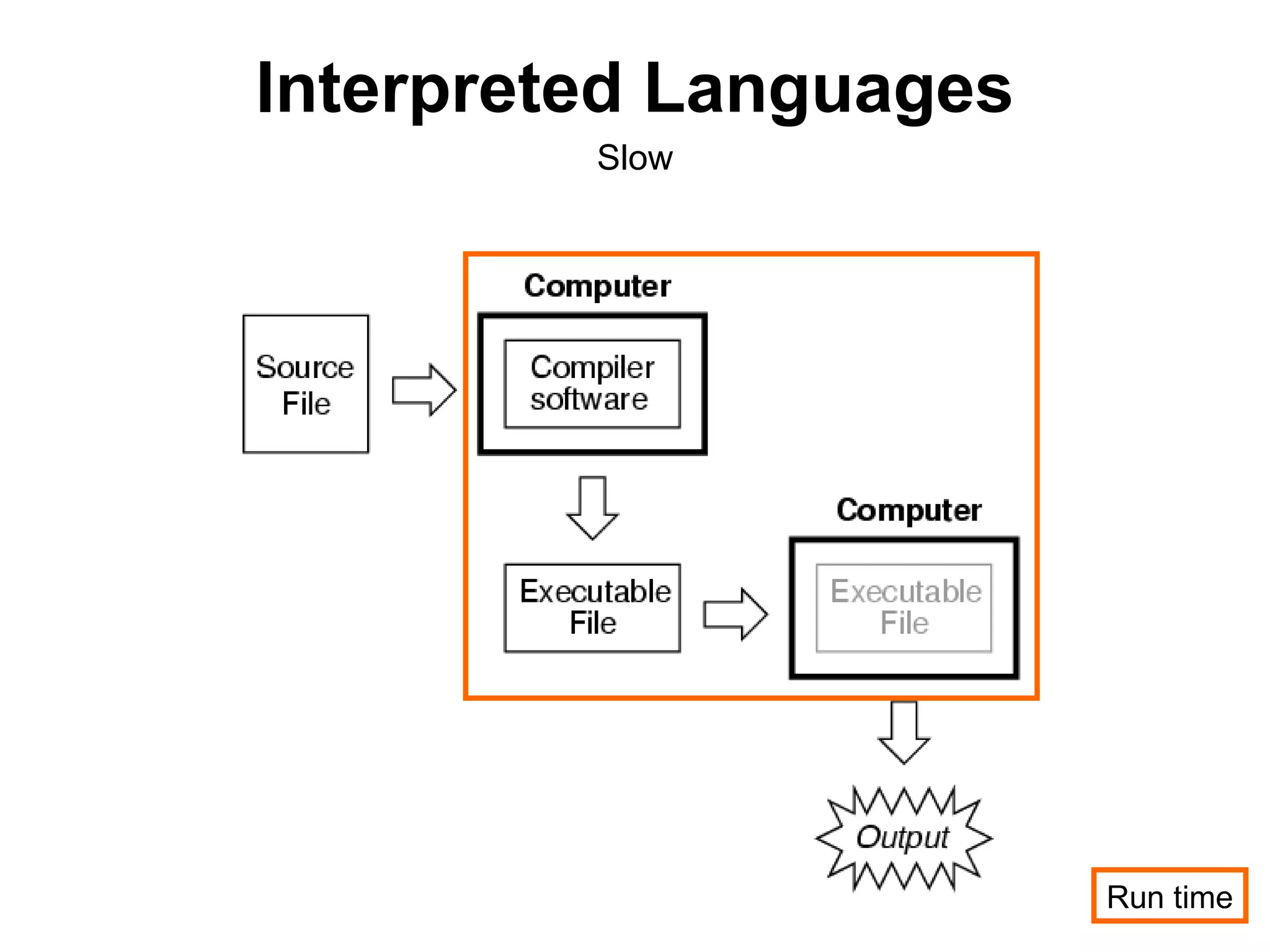
Interpreted Languages
         Slow


                        Run time
Object Oriented Programming

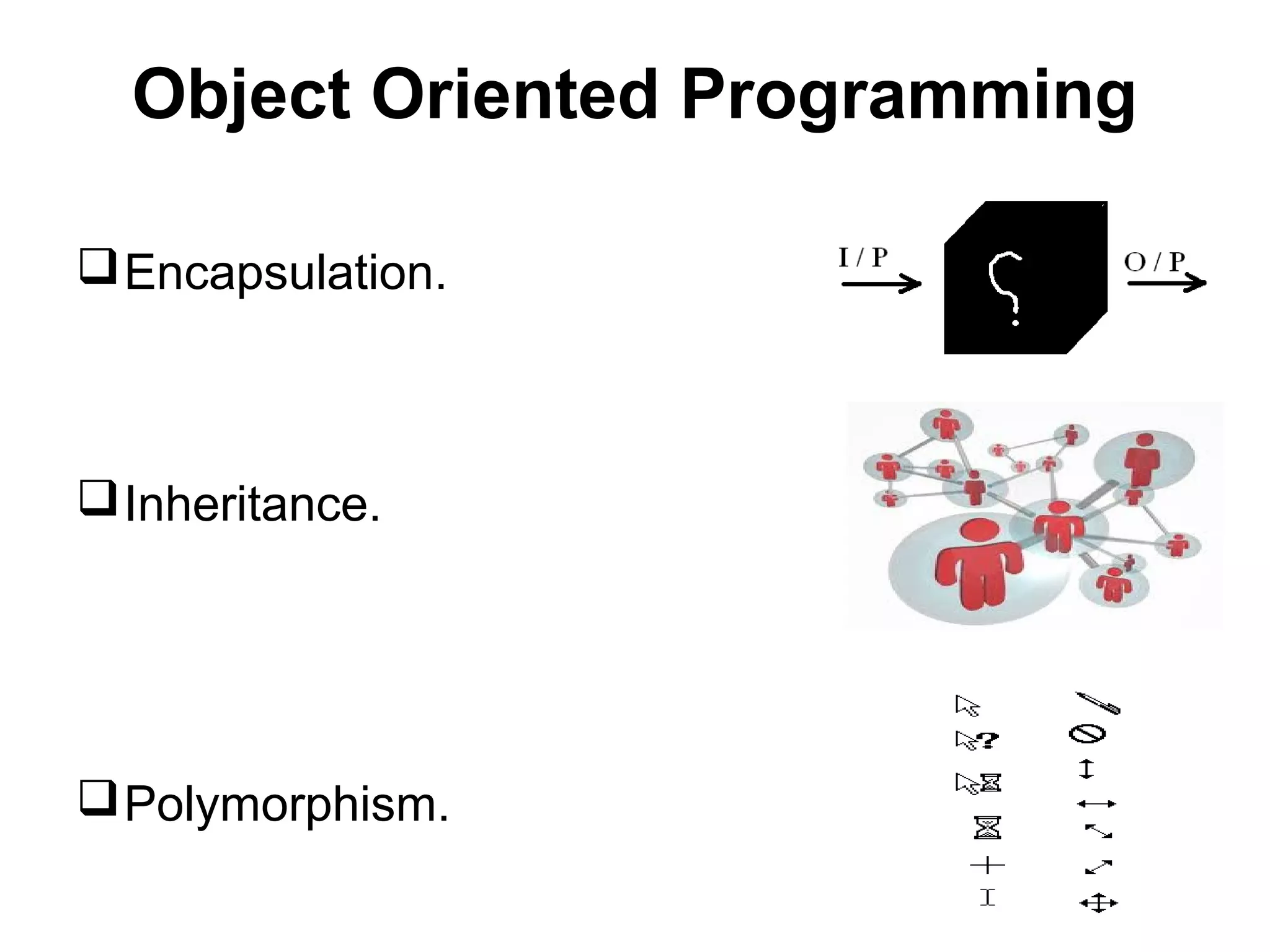
 Encapsulation.


 Inheritance.


 Polymorphism.
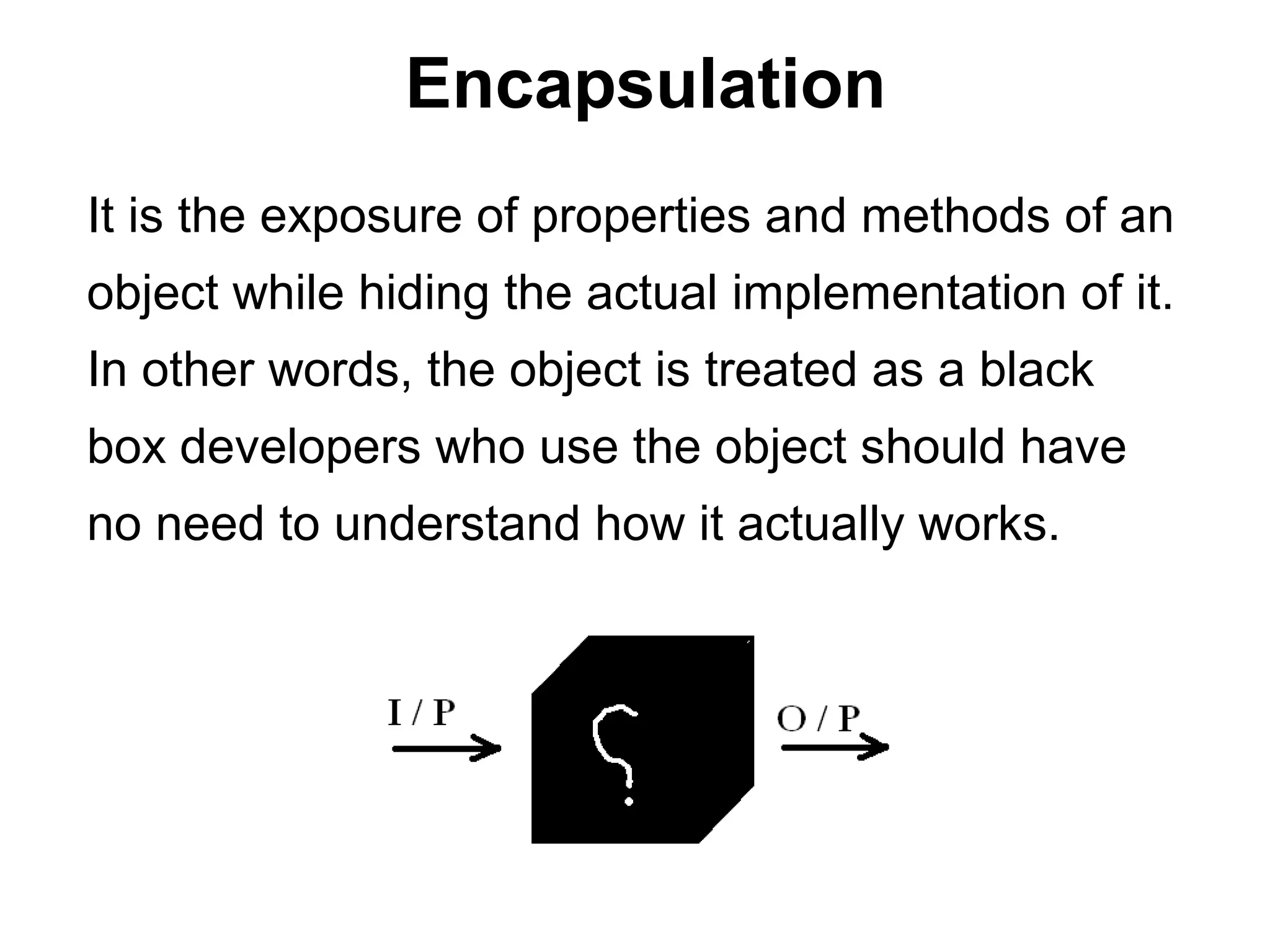
Encapsulation
It is the exposure of properties and methods of an
object while hiding the actual implementation of it.
In other words, the object is treated as a black
box developers who use the object should have
no need to understand how it actually works.
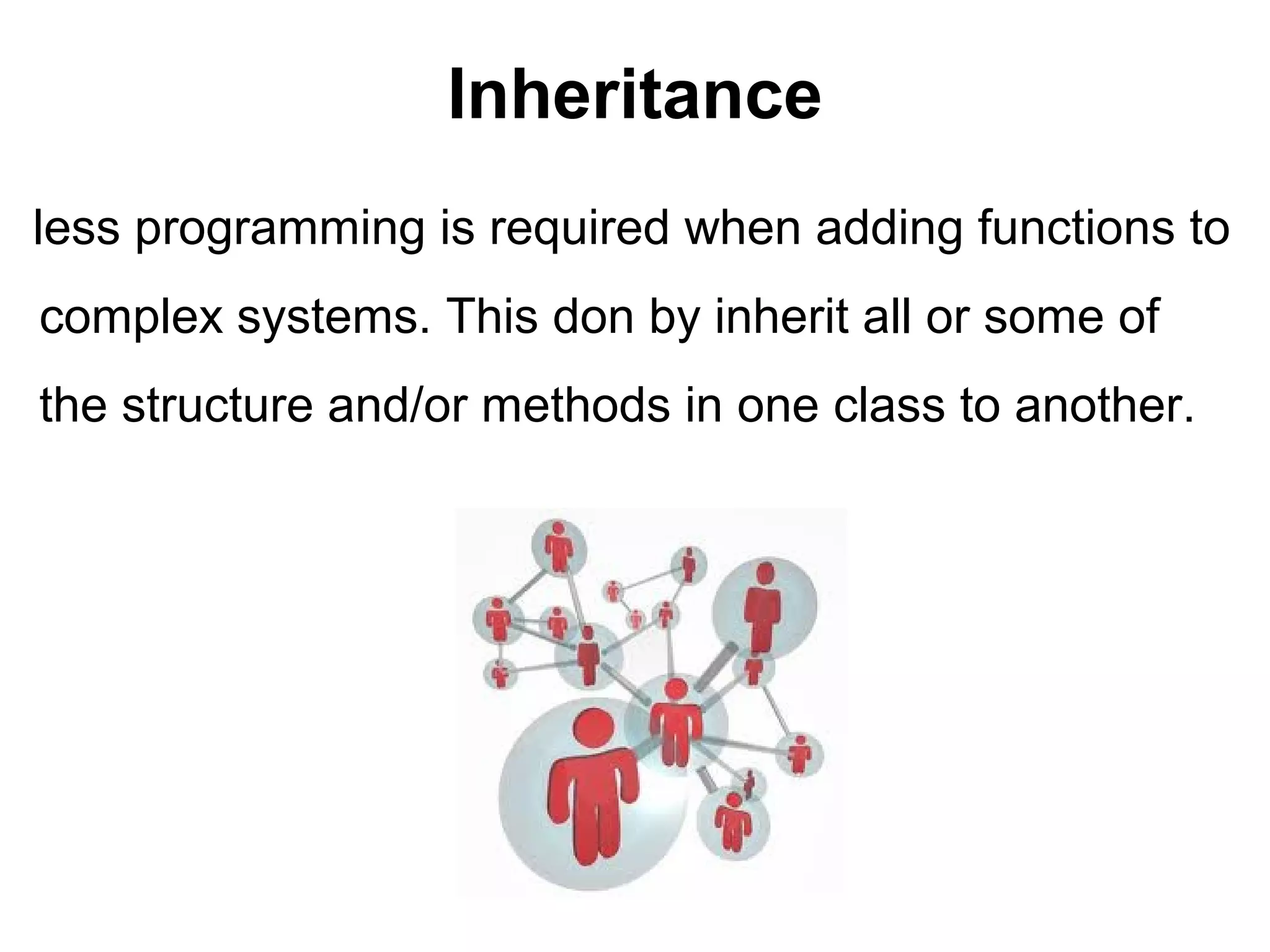
Inheritance
less programming is required when adding functions to
complex systems. This don by inherit all or some of
the structure and/or methods in one class to another.
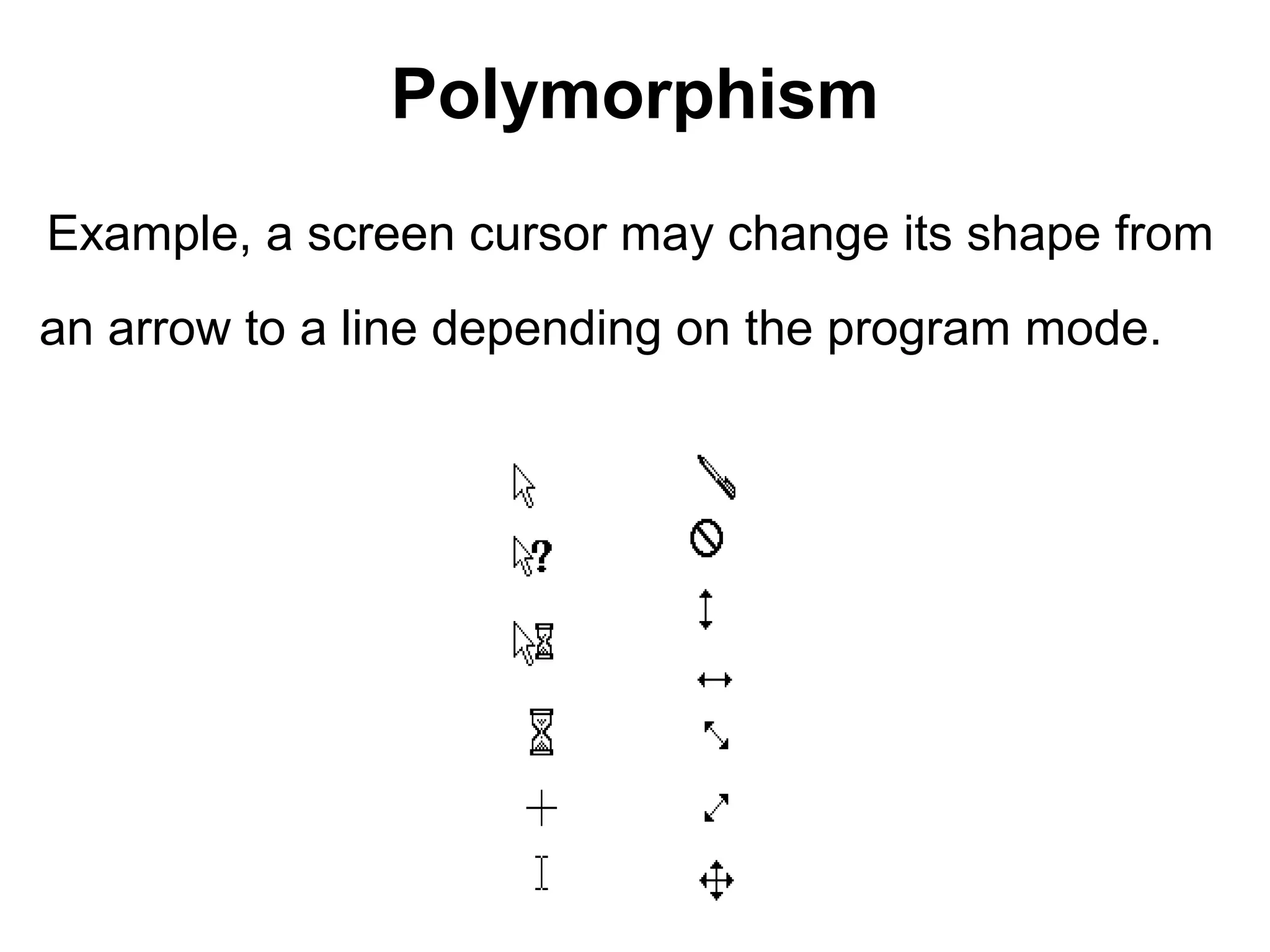
Polymorphism
Example, a screen cursor may change its shape from
an arrow to a line depending on the program mode.
Classes & objects
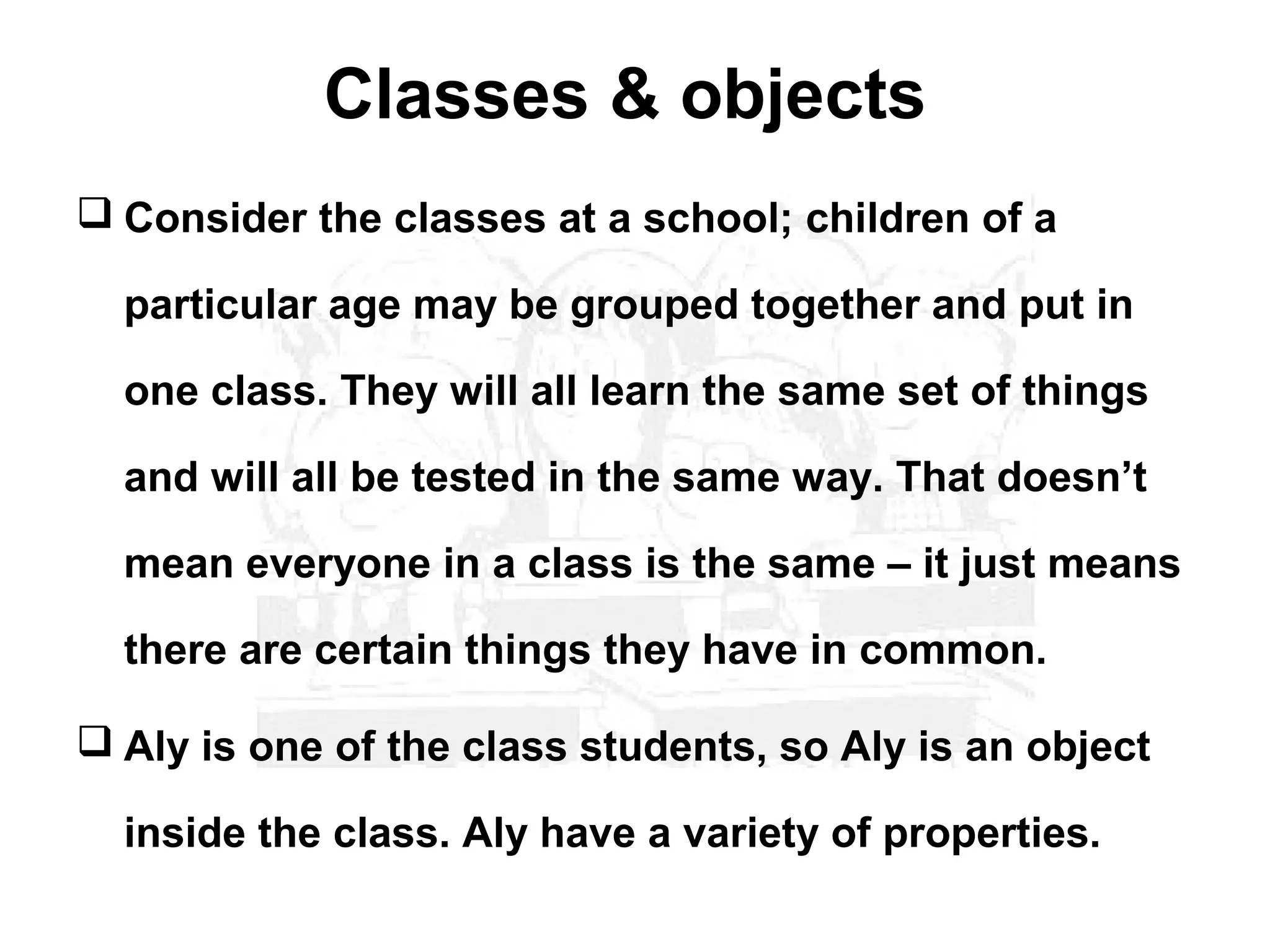
 Consider the classes at a school; children of a

  particular age may be grouped together and put in

  one class. They will all learn the same set of things

  and will all be tested in the same way. That doesn’t

  mean everyone in a class is the same – it just means

  there are certain things they have in common.

 Aly is one of the class students, so Aly is an object

  inside the class. Aly have a variety of properties.
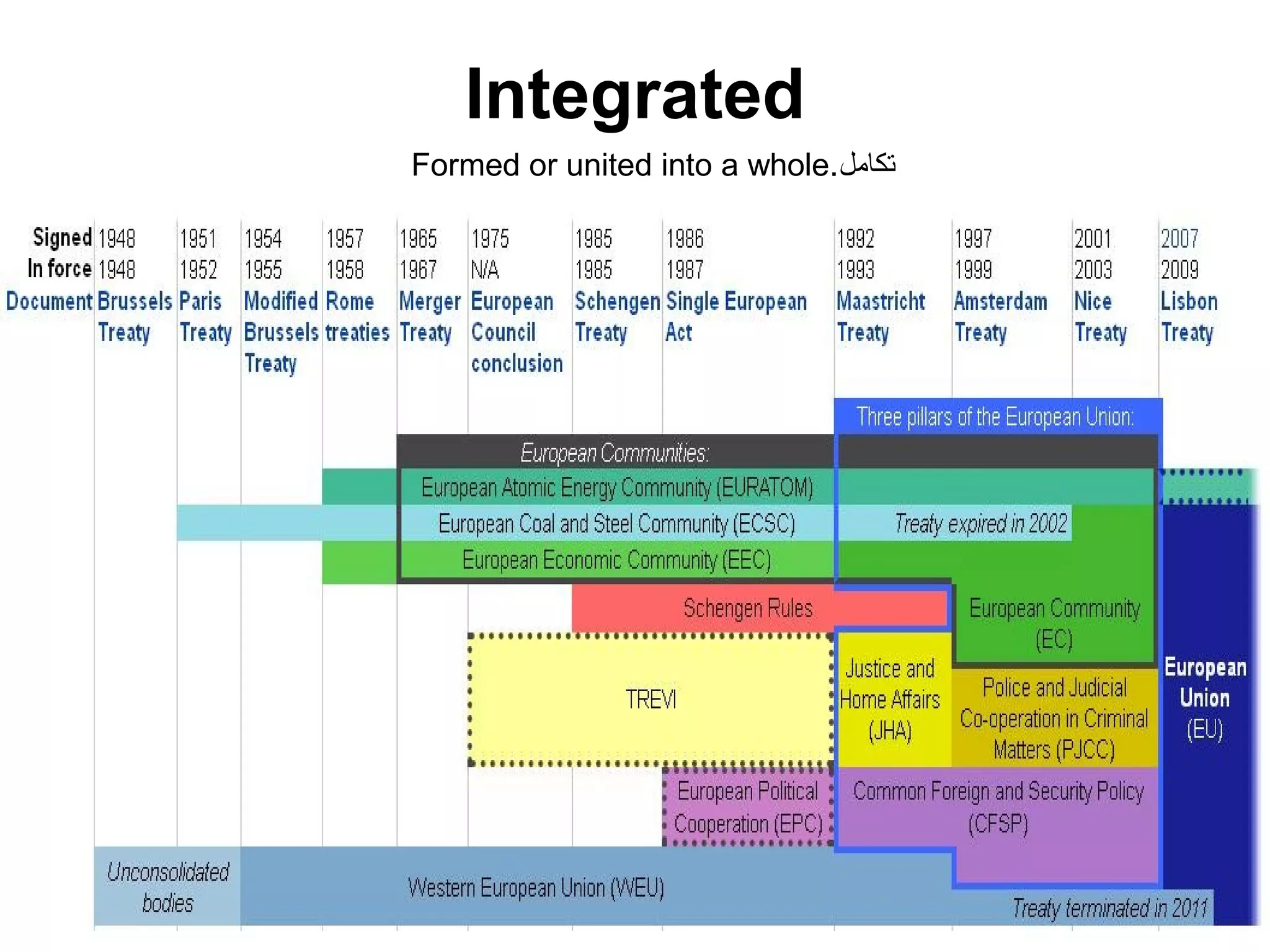
Integrated
Formed or united into a whole.‫تكامل‬
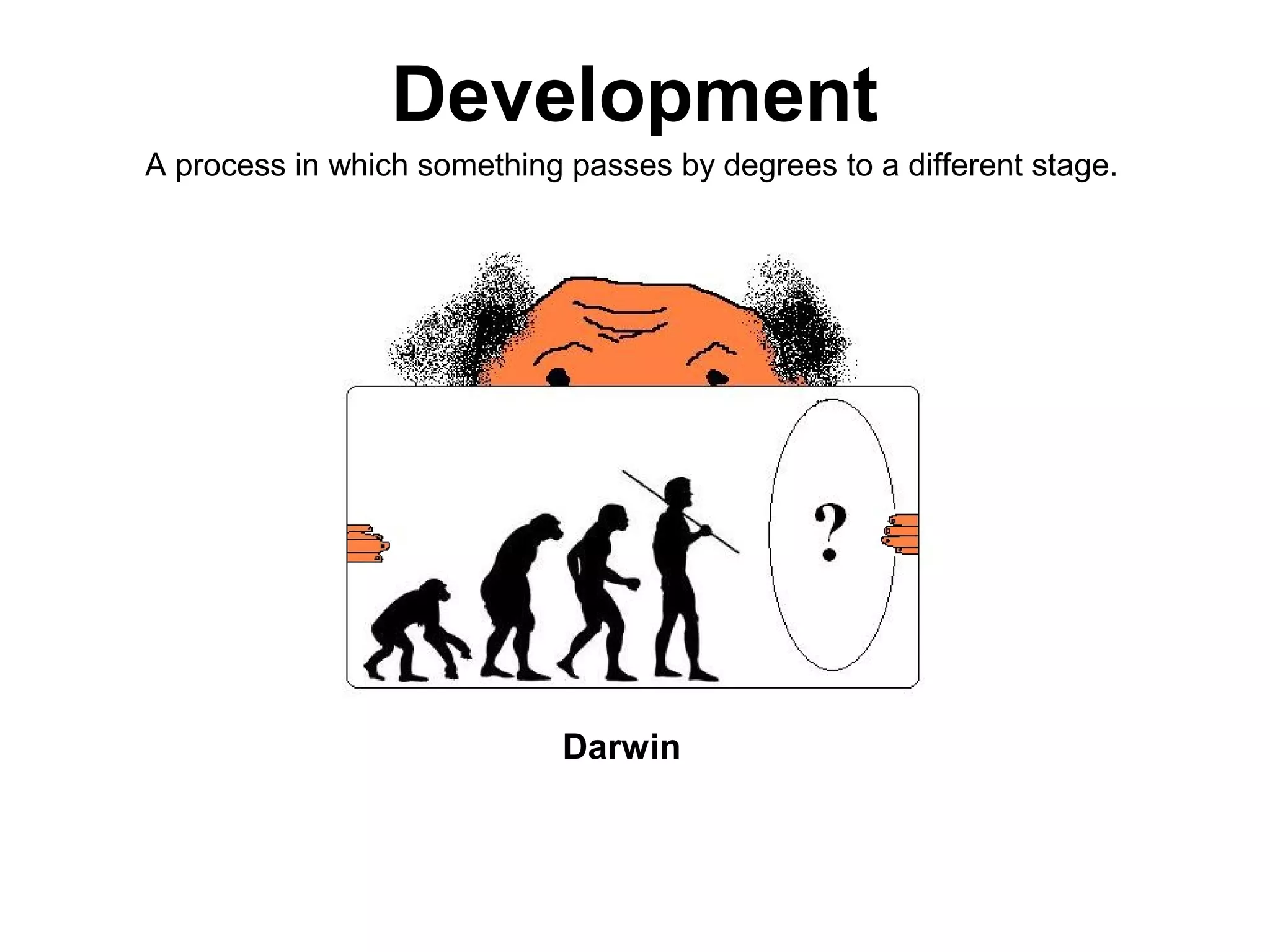
Development
A process in which something passes by degrees to a different stage.


                             Darwin
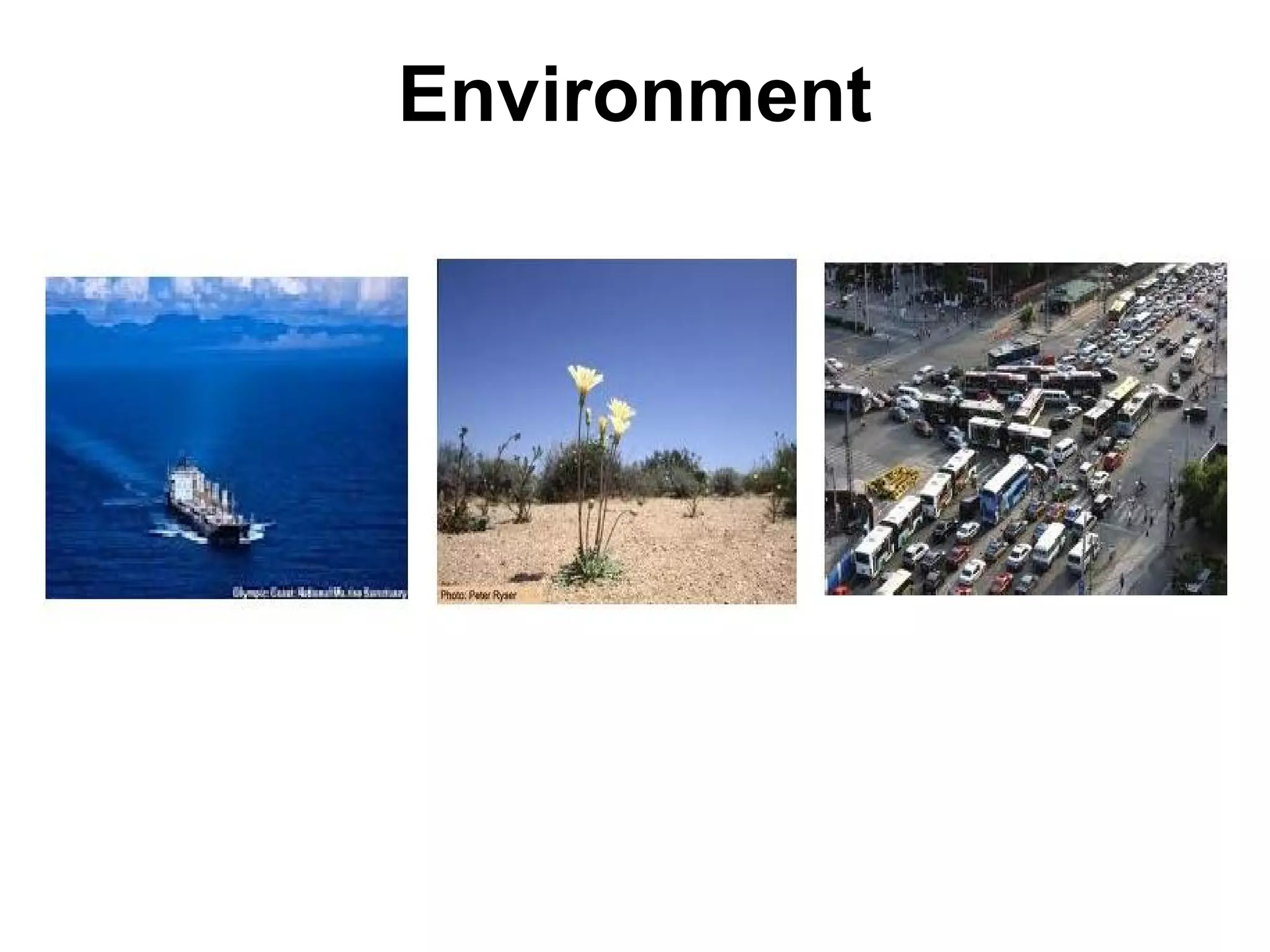
Environment
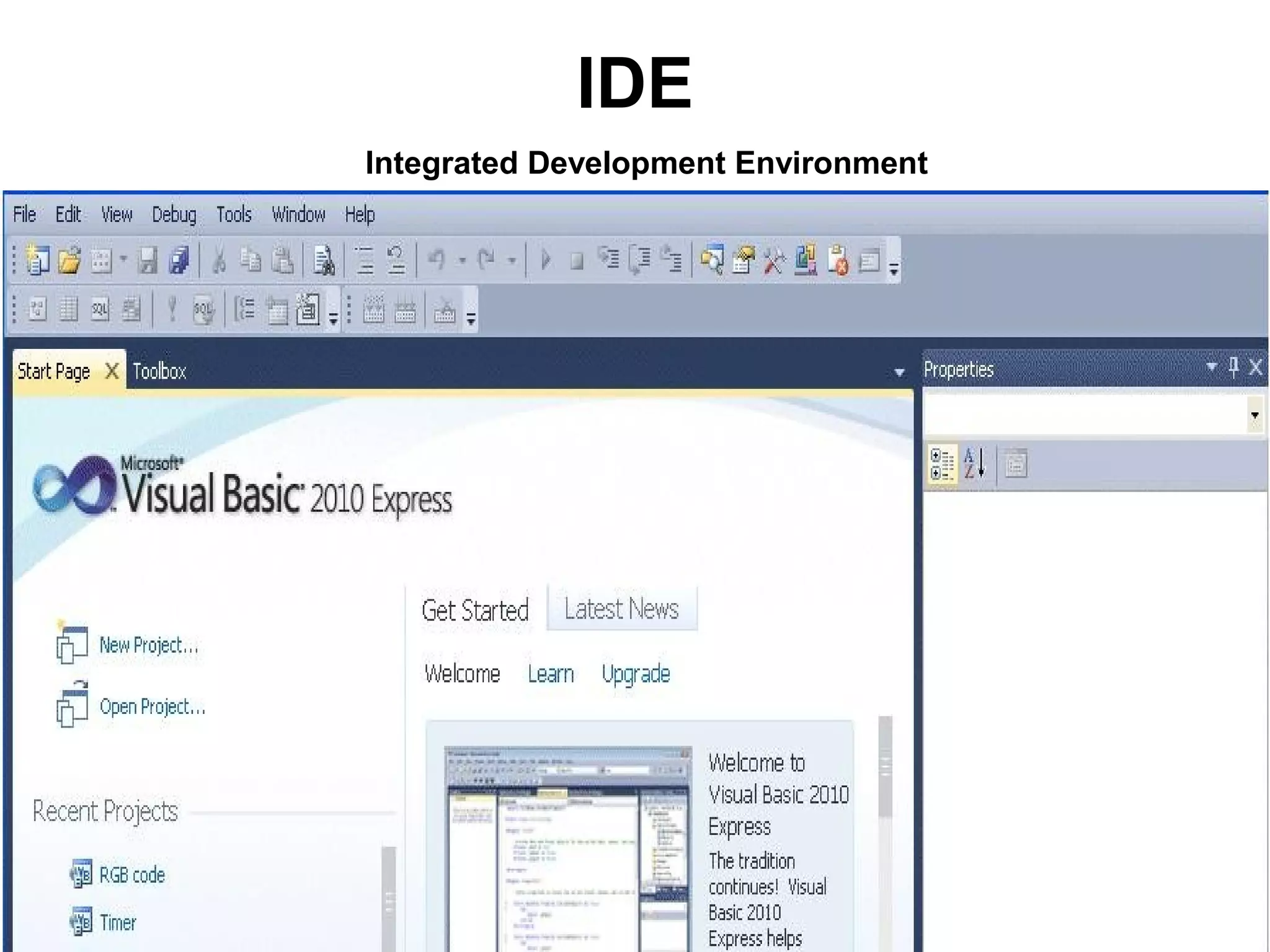
IDE
Integrated Development Environment
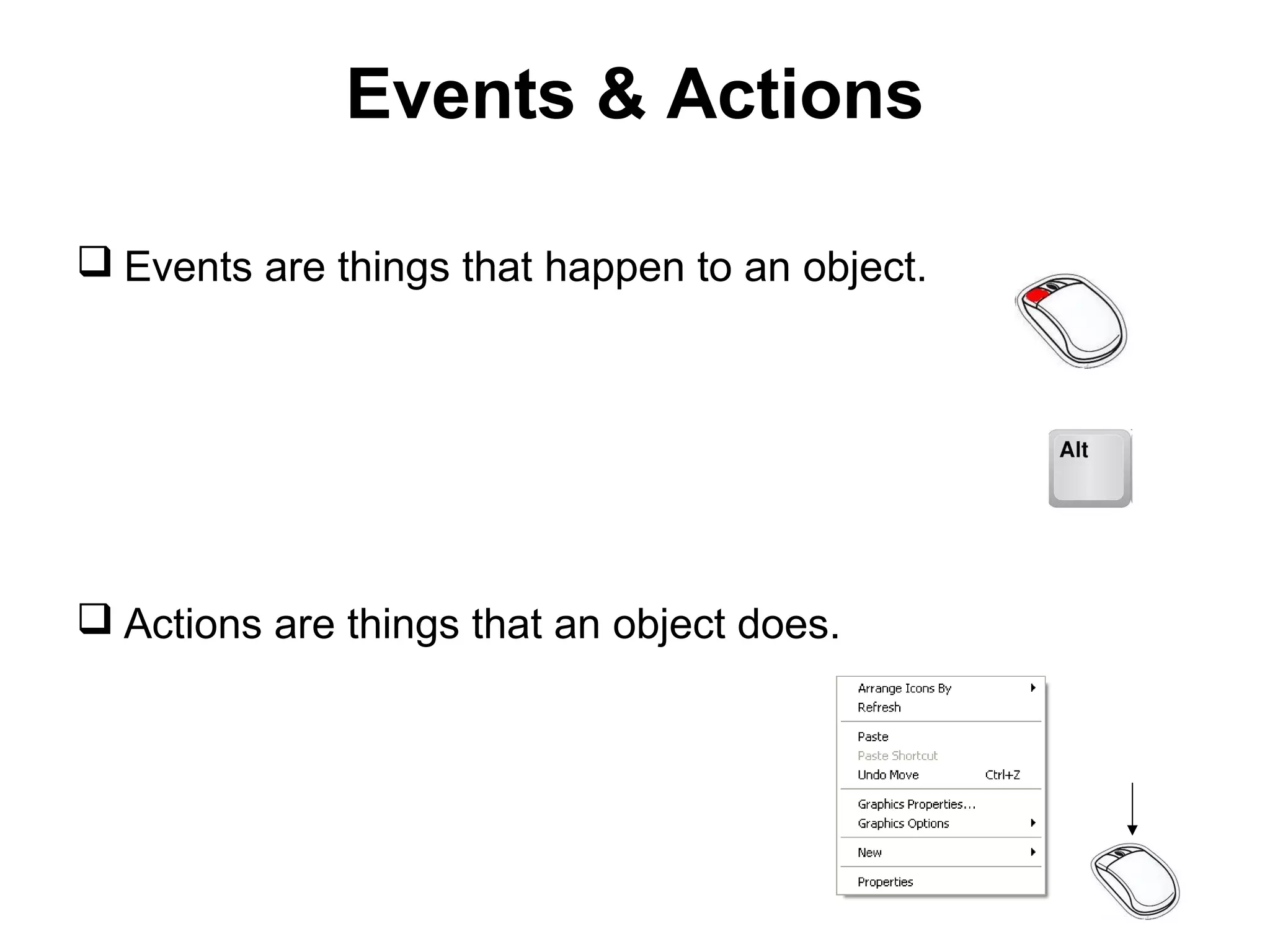
Events & Actions

 Events are things that happen to an object.


 Actions are things that an object does.
Software
Written programs or procedures or rules and associated documentation stored in
                                   memory.


 Beta Software.

 Alpha Software.

 Software Package.

 Systems Software.

 Computer Software.

Documentation.
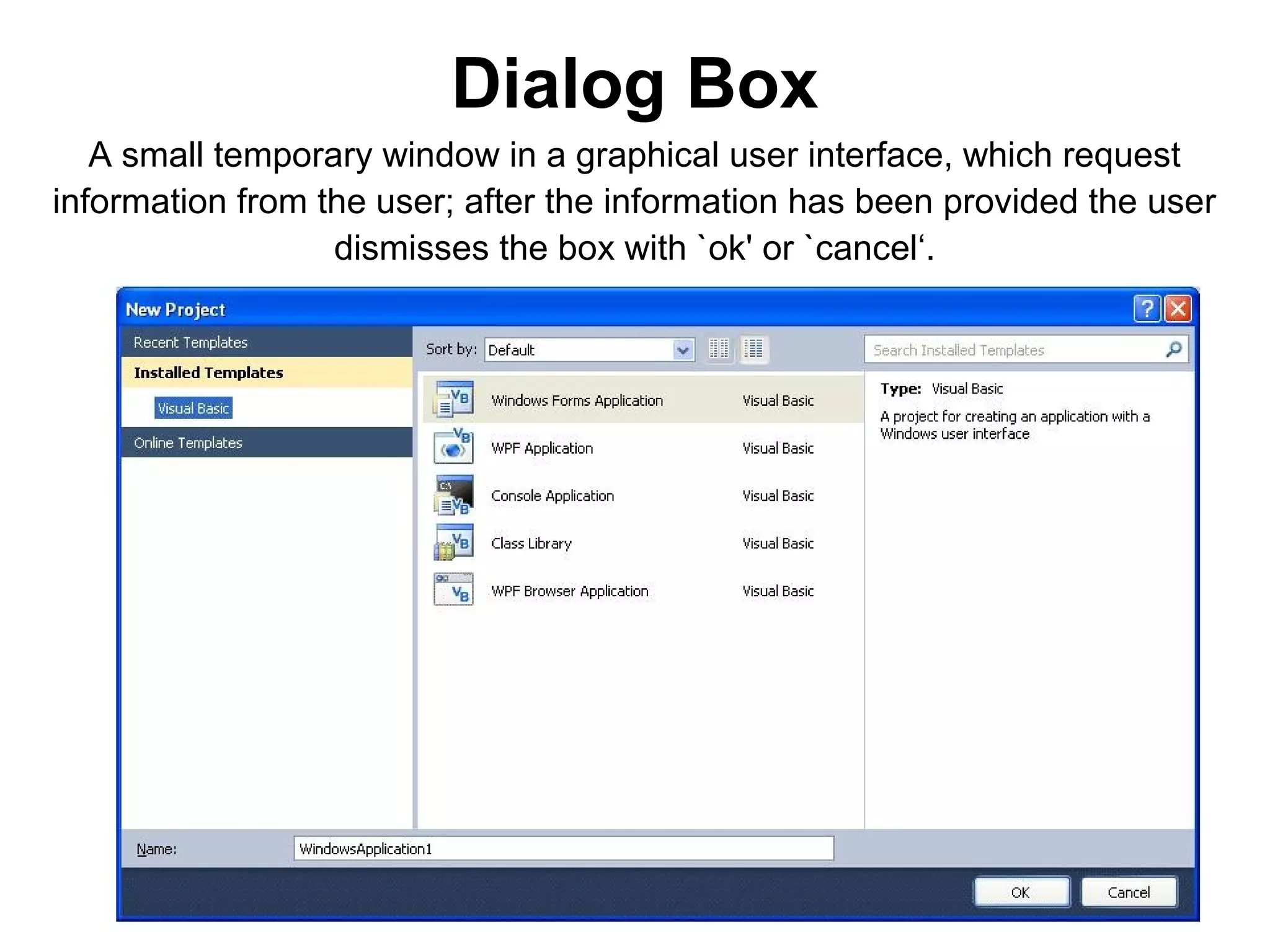
Dialog Box
   A small temporary window in a graphical user interface, which request
information from the user; after the information has been provided the user
                  dismisses the box with `ok' or `cancel‘.
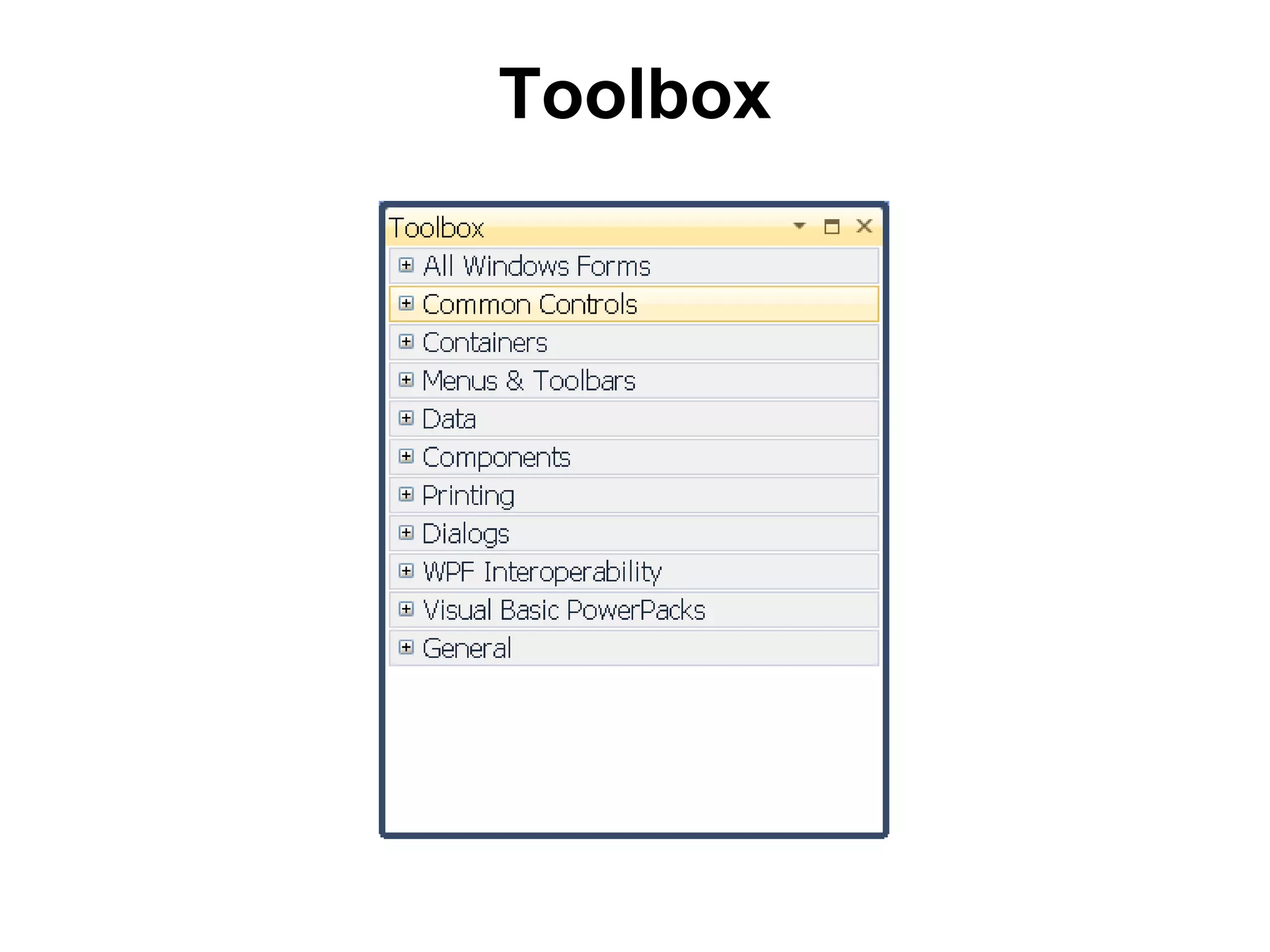
Toolbox
Toolbox
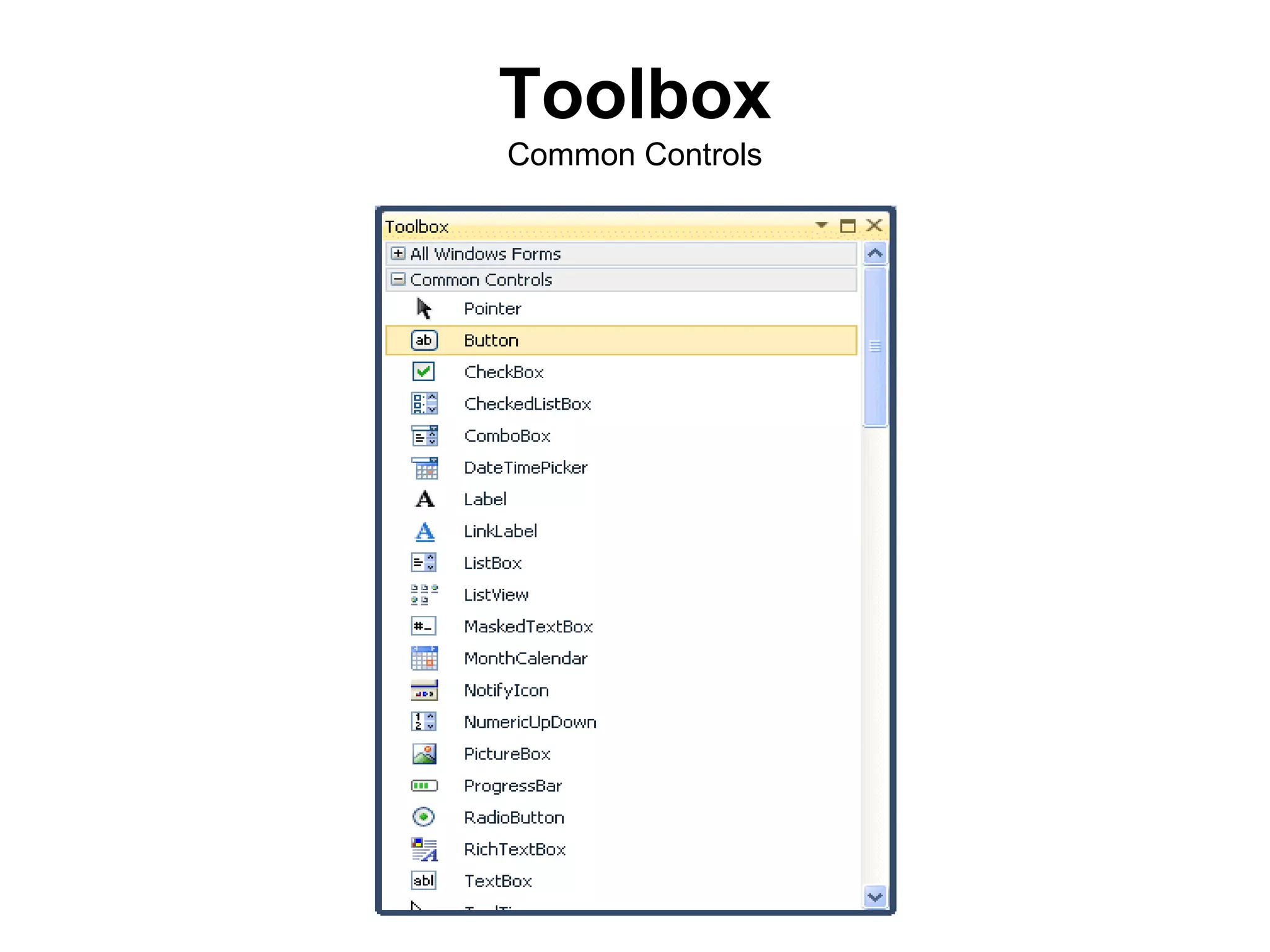
Common Controls
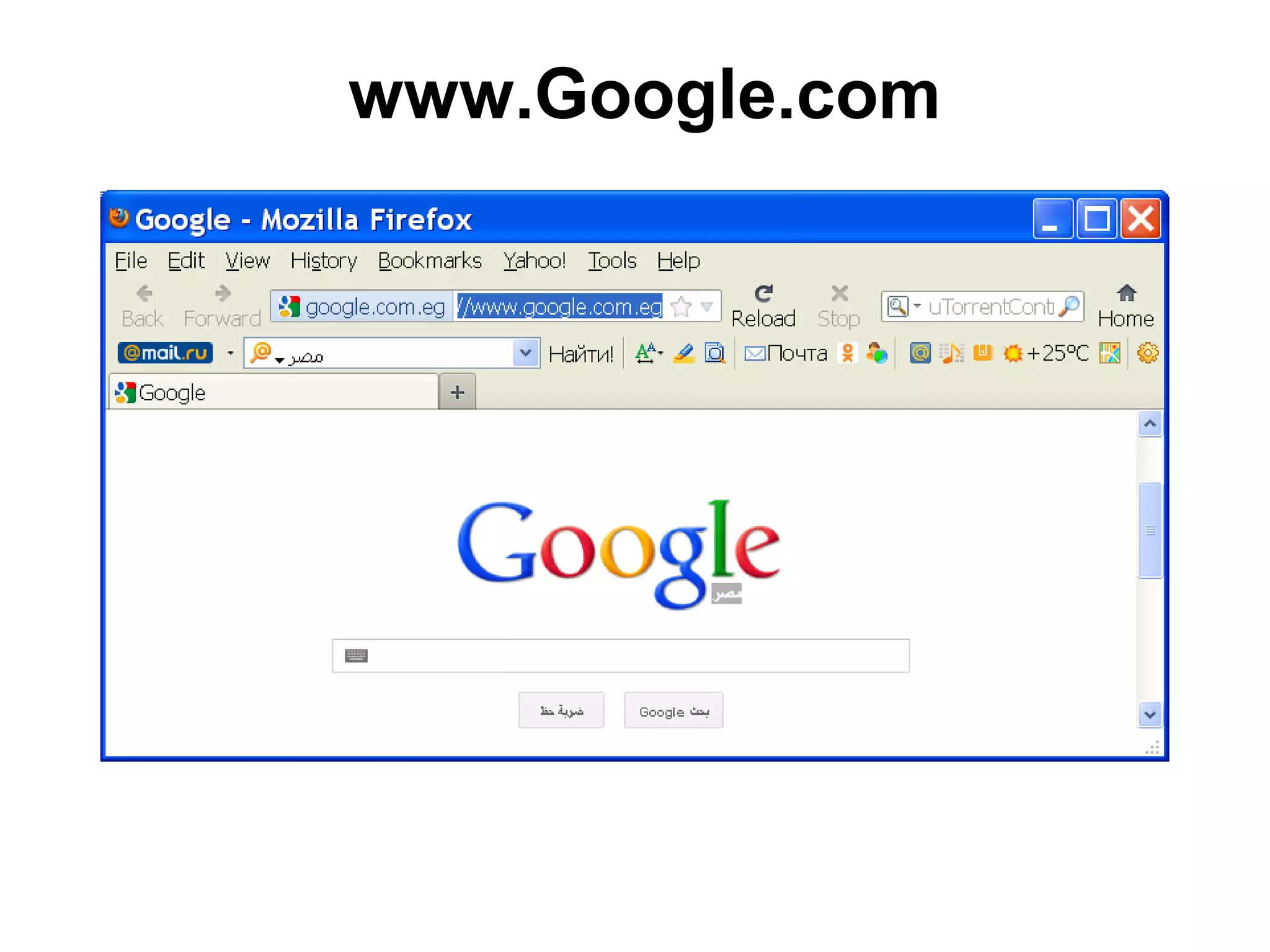
www.Google.com
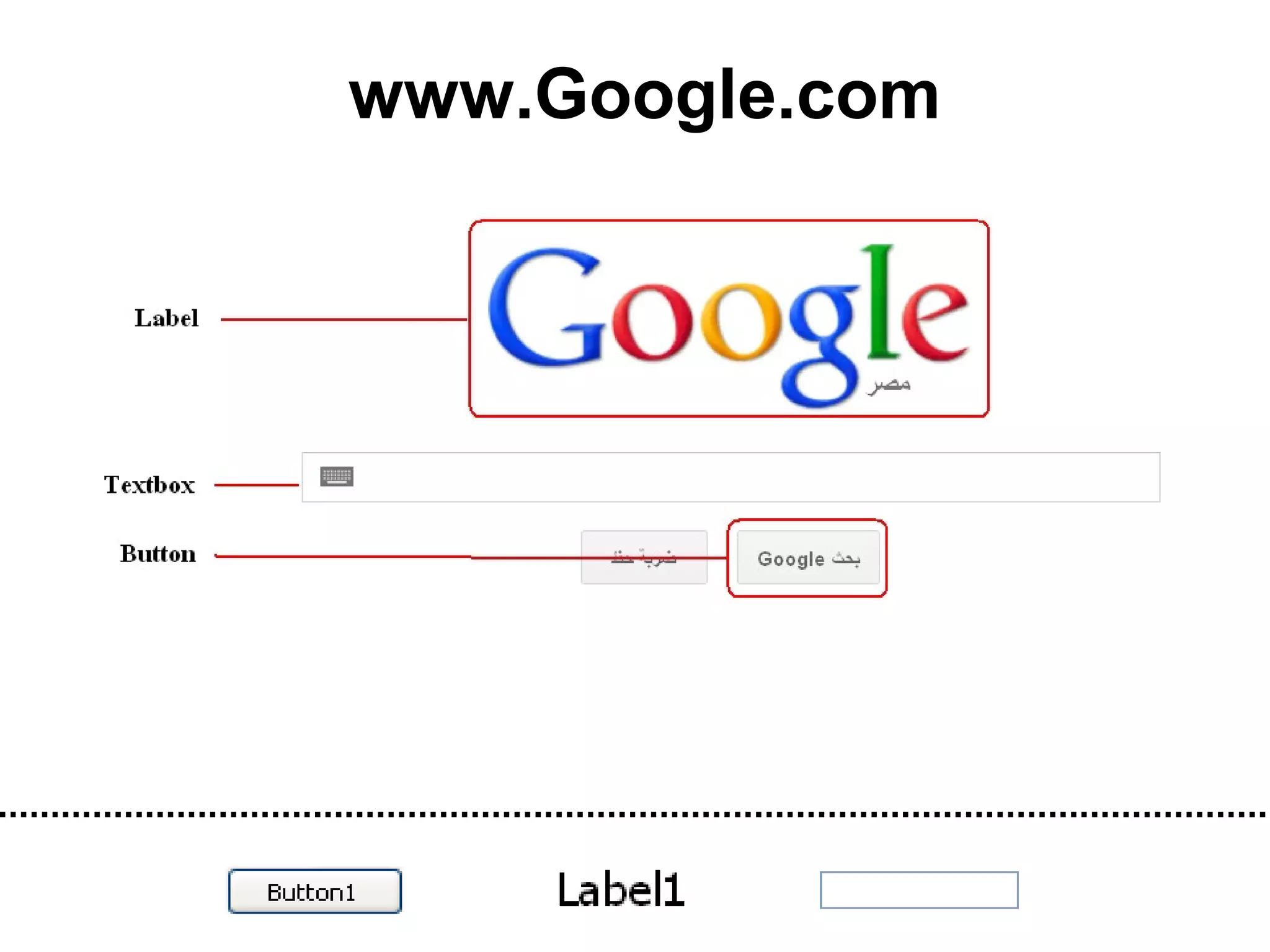
www.Google.com
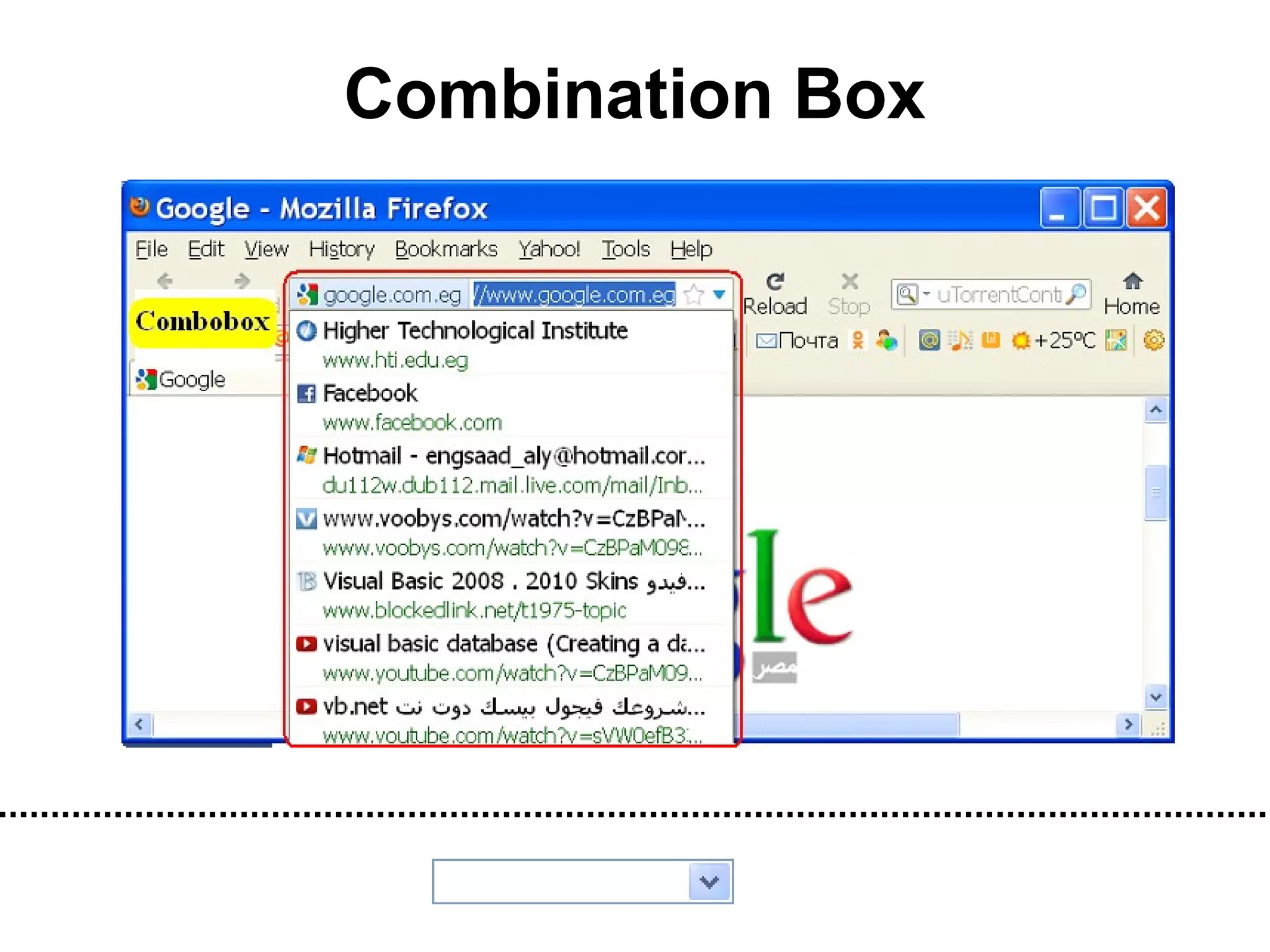
Combination Box
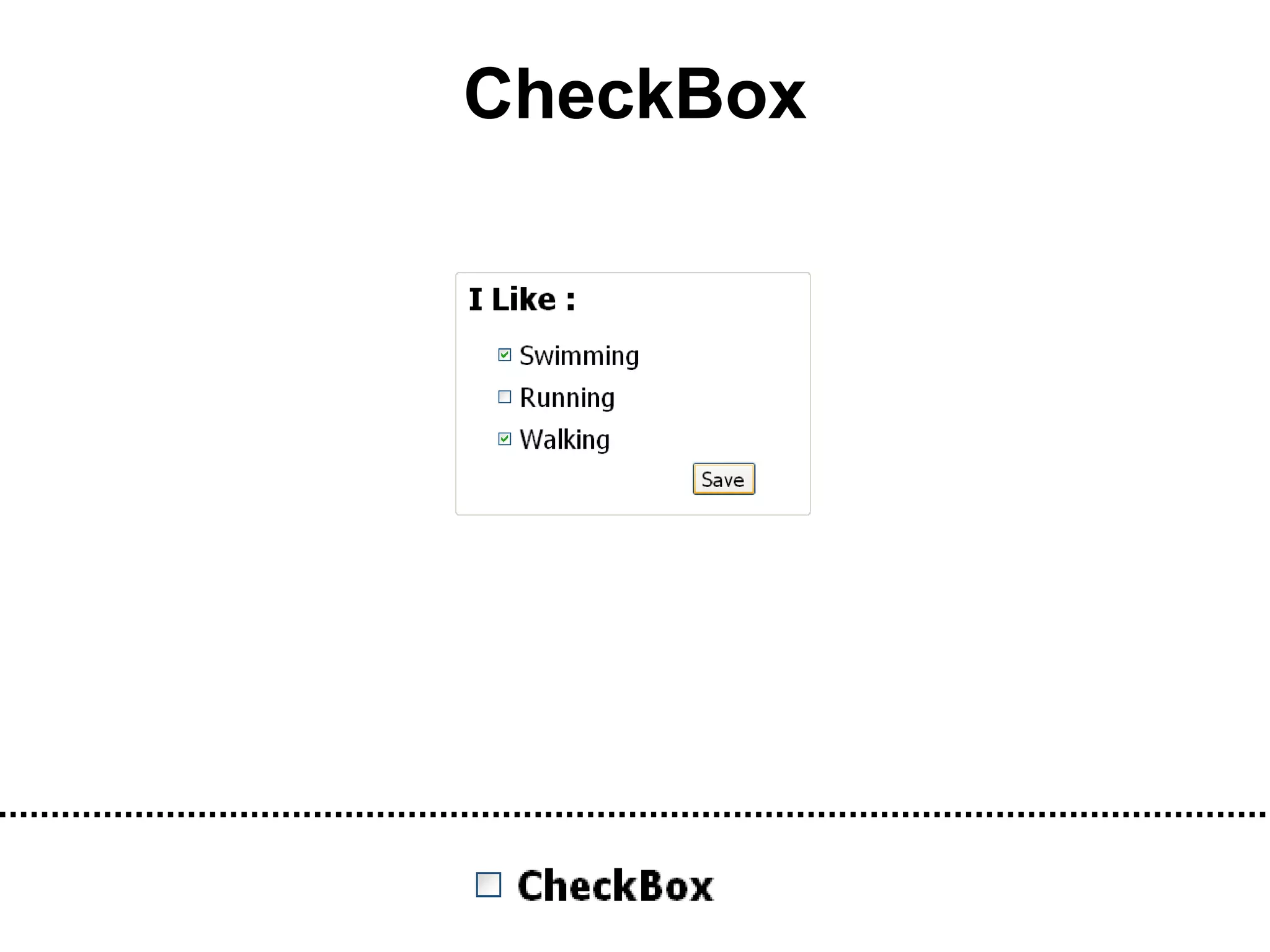
CheckBox
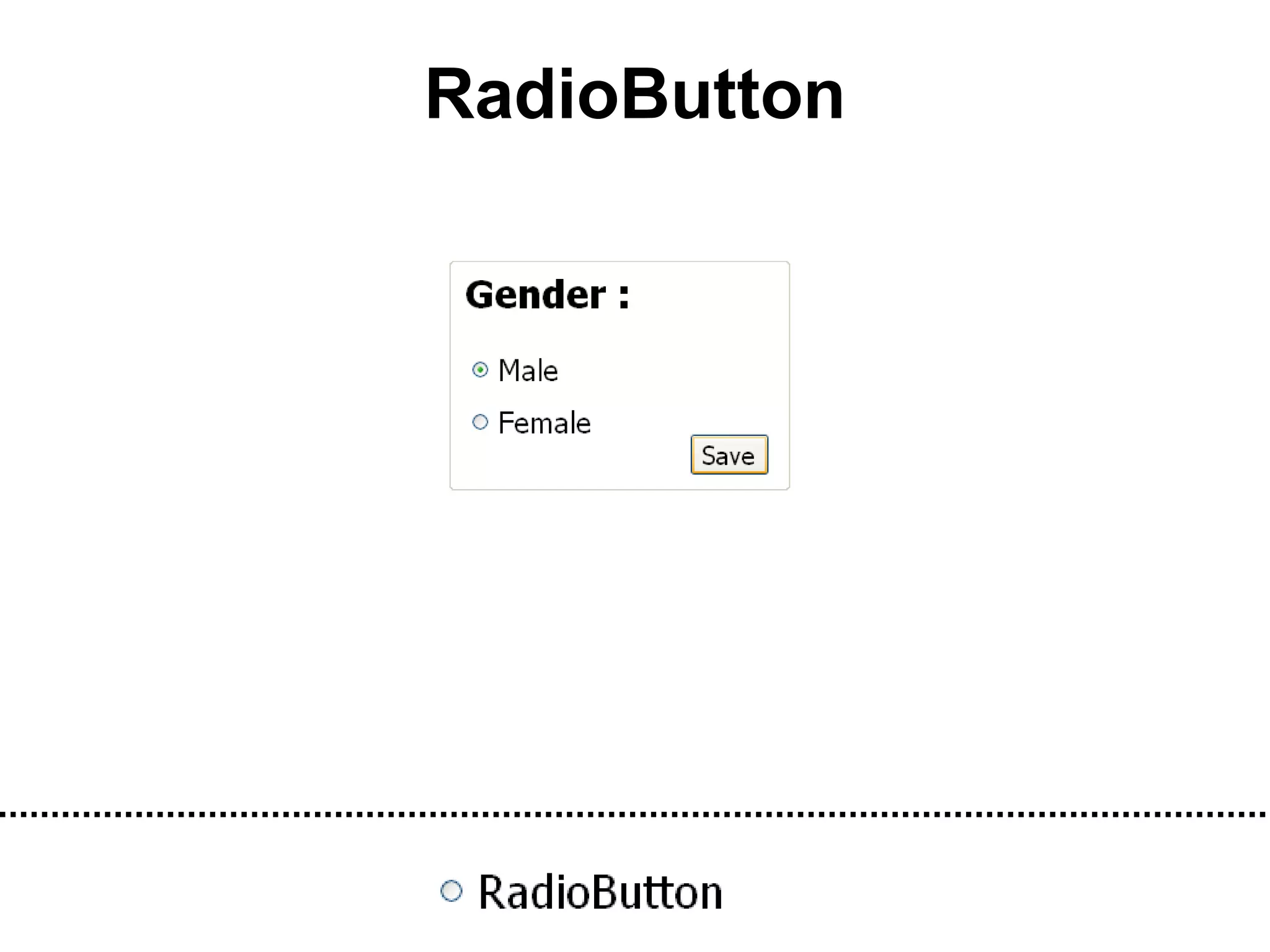
RadioButton
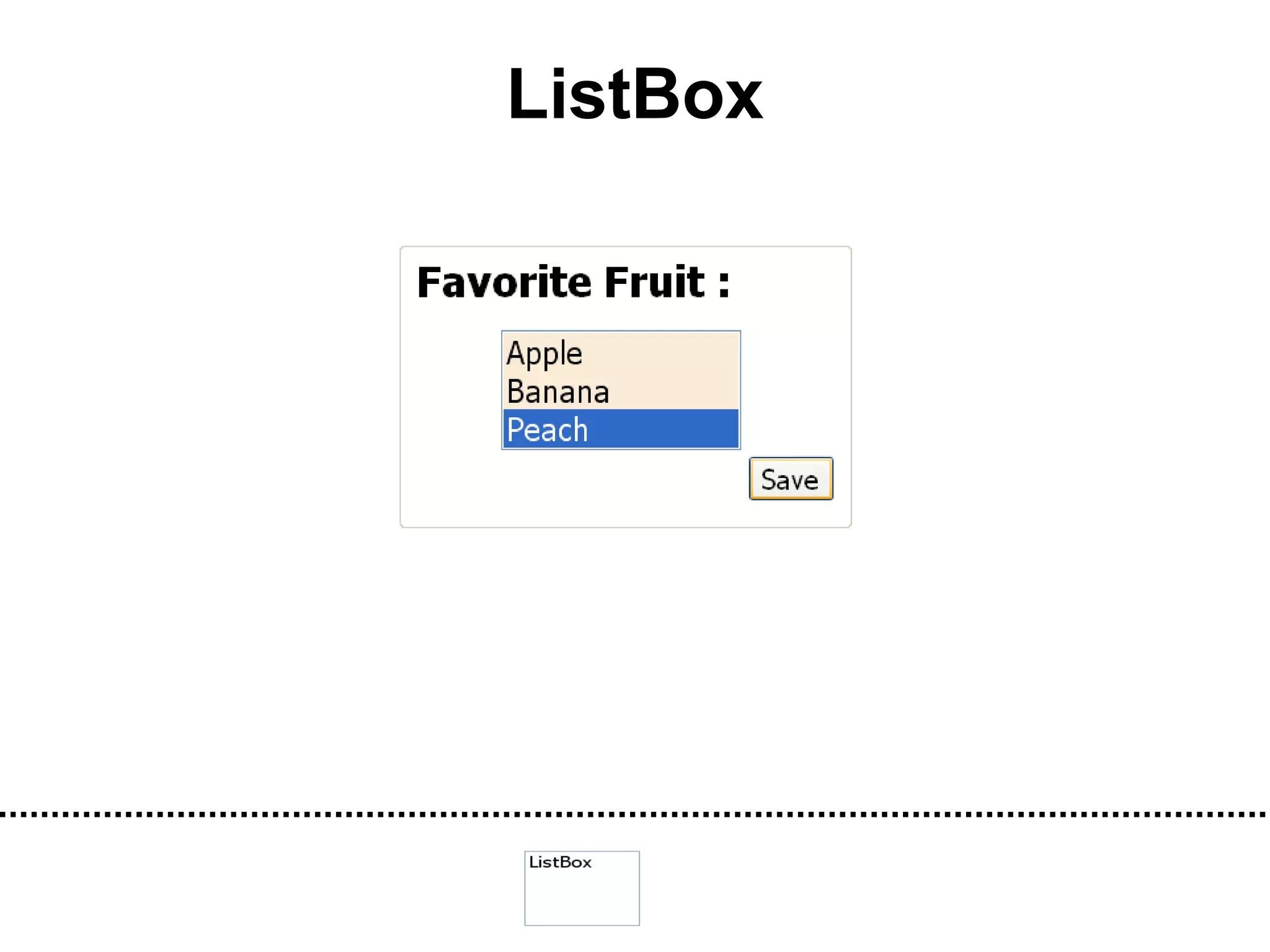
ListBox
Learn   By   Doing
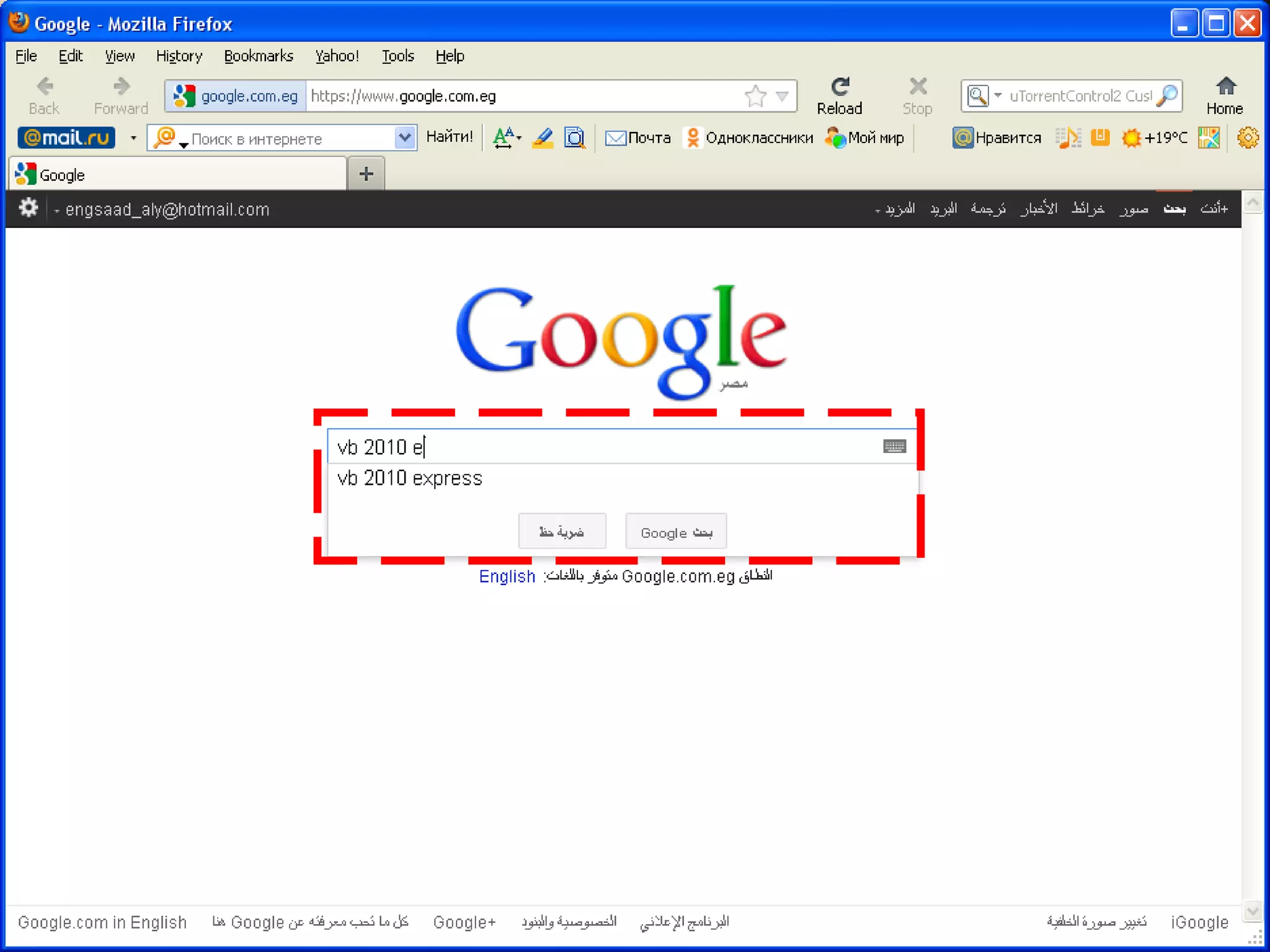
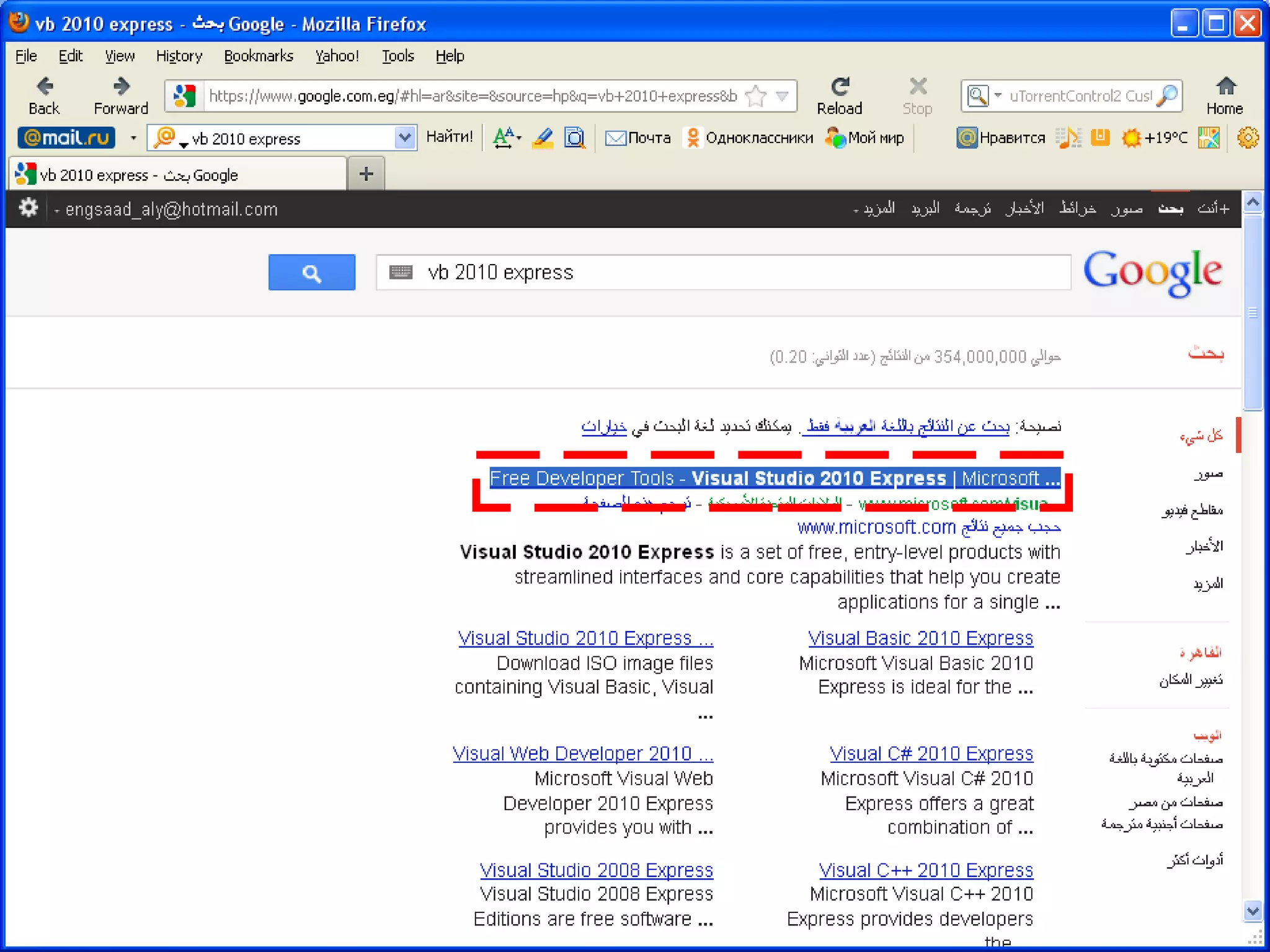
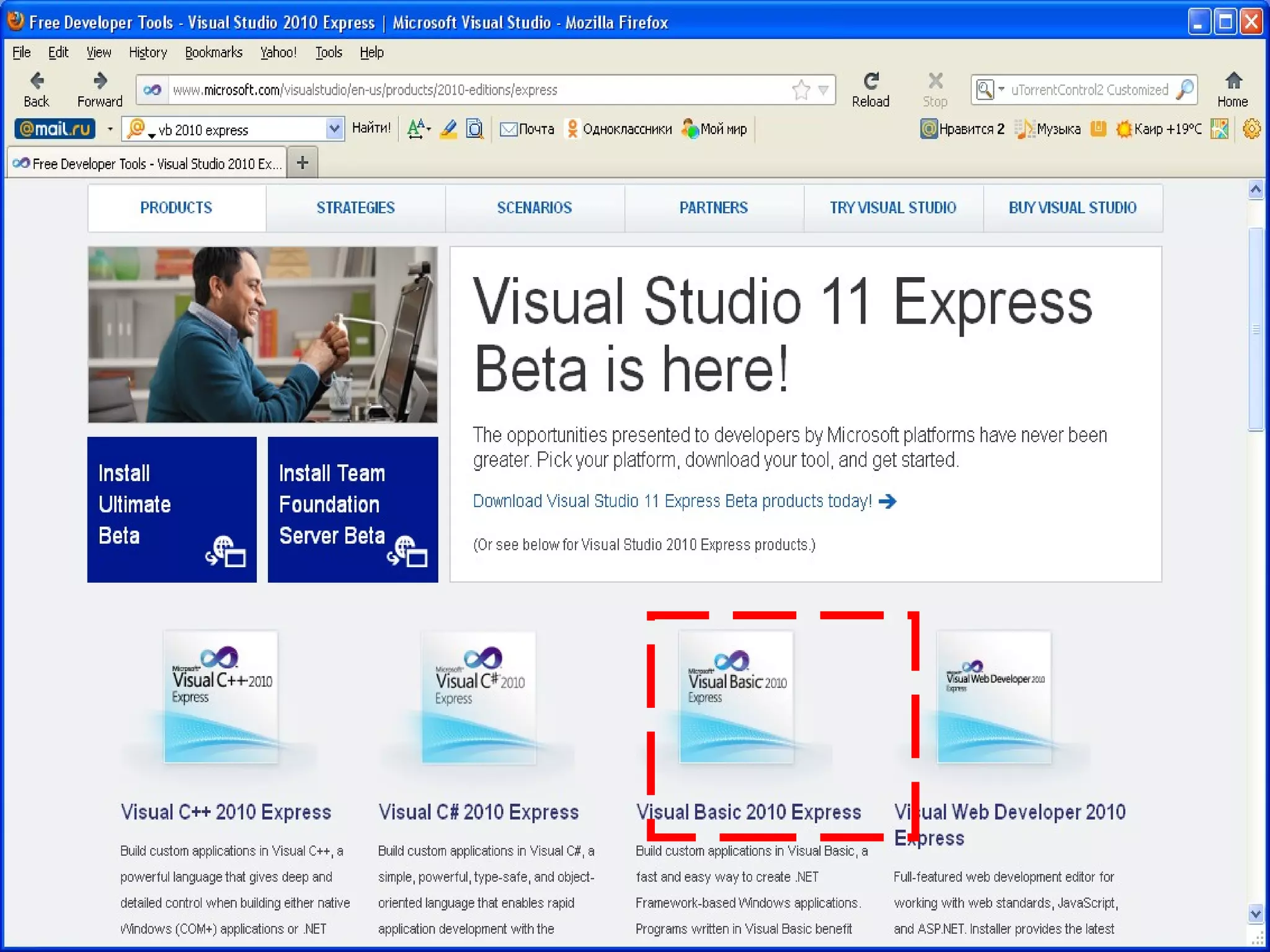
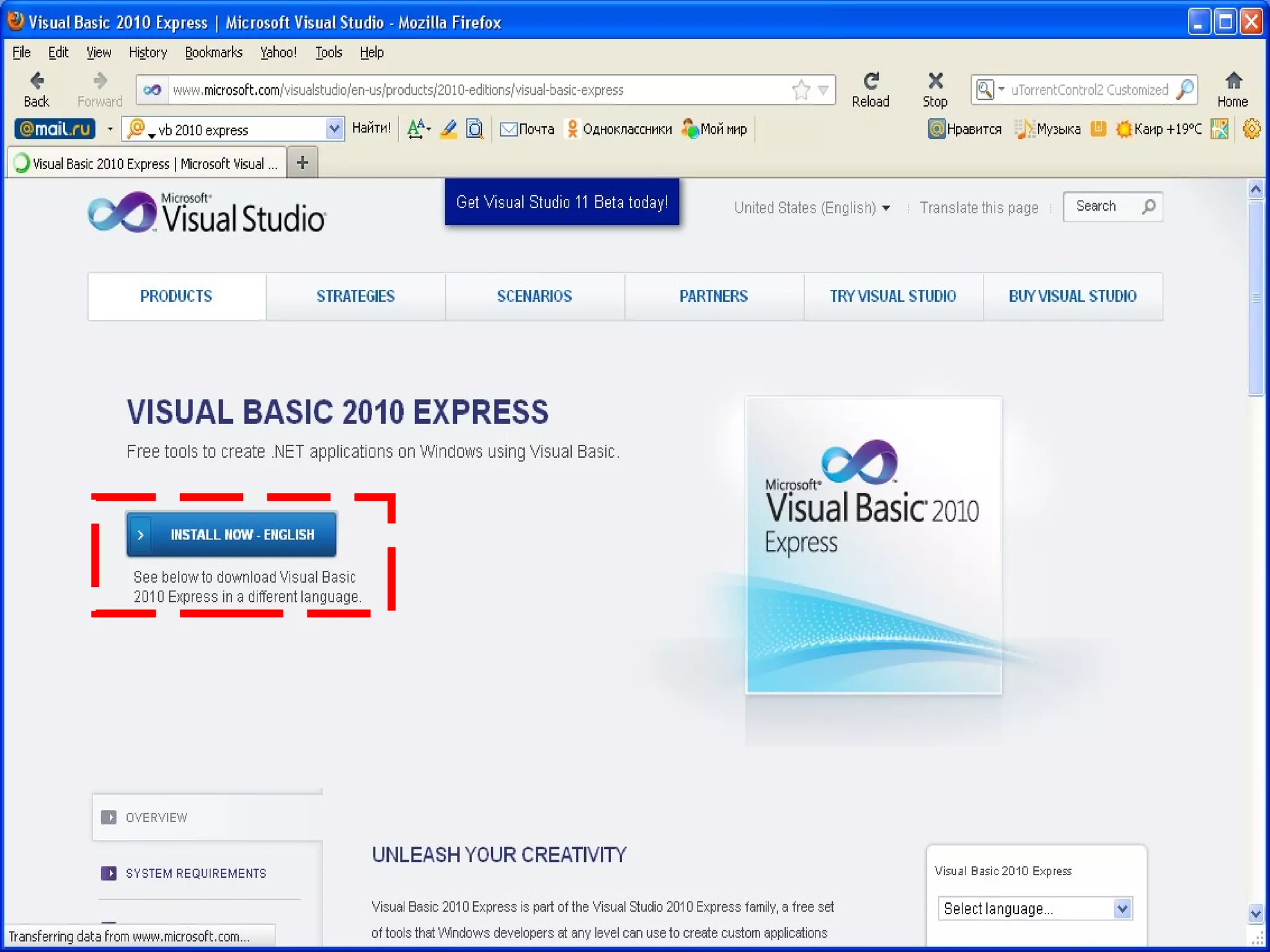
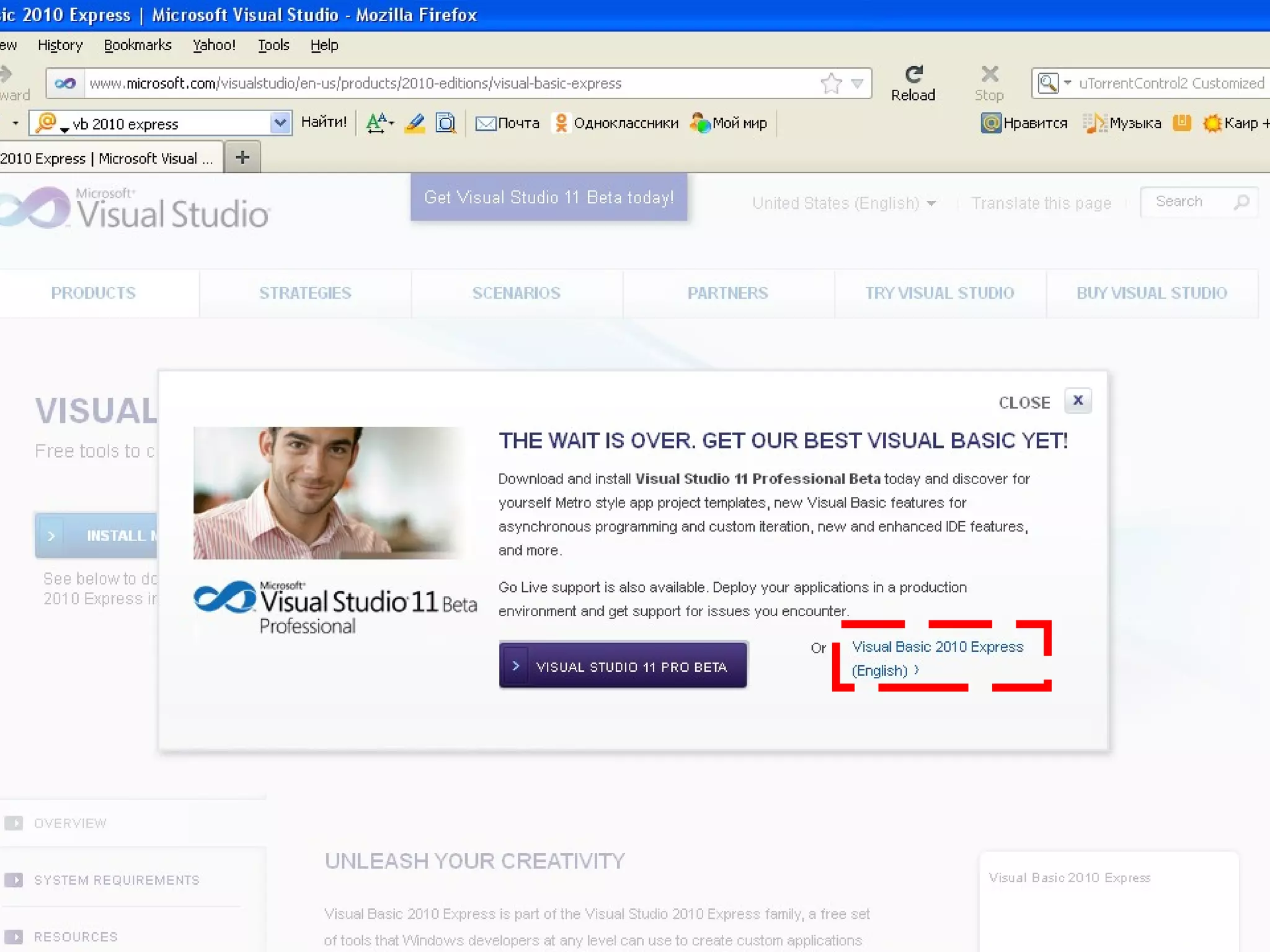
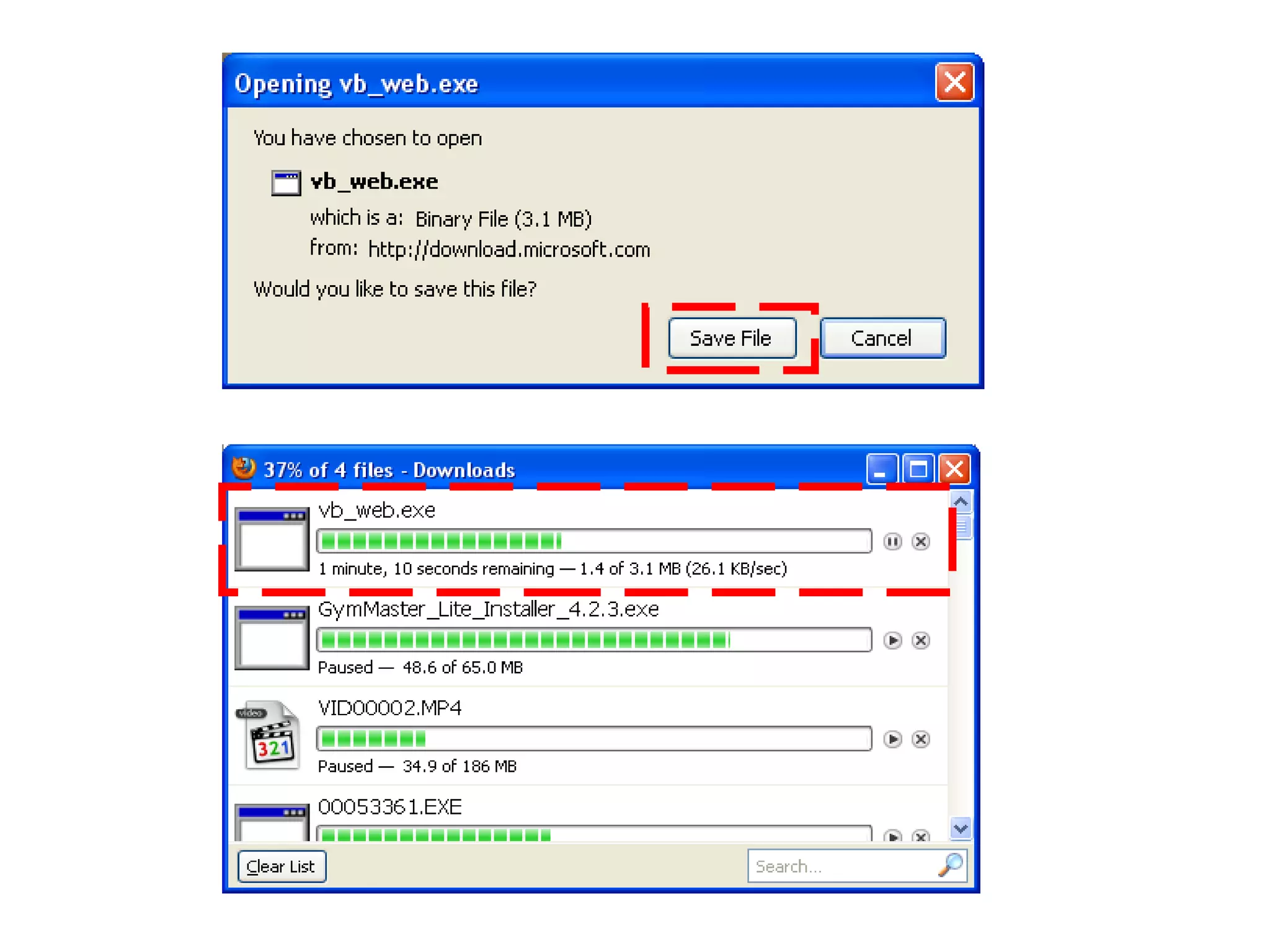
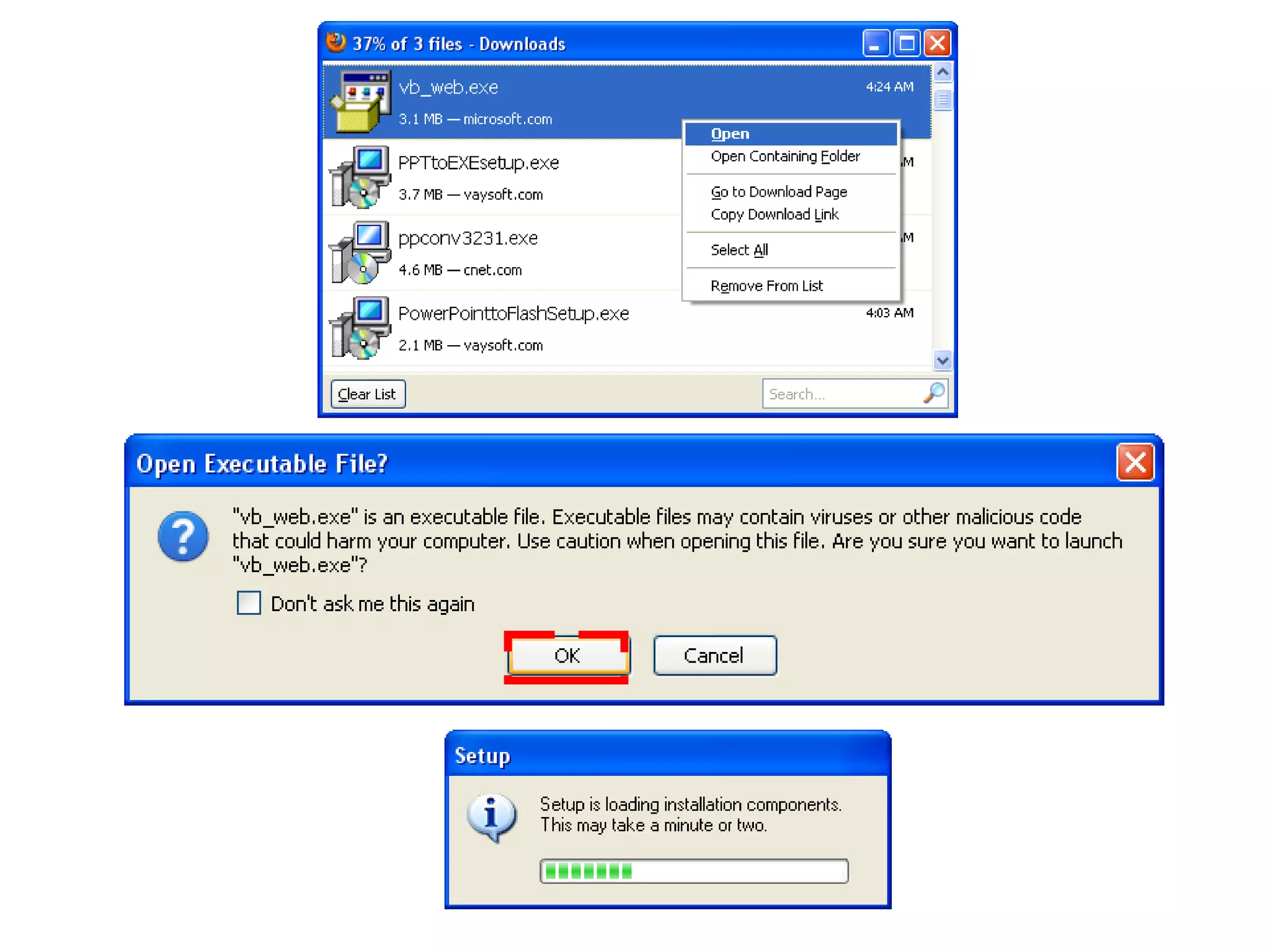
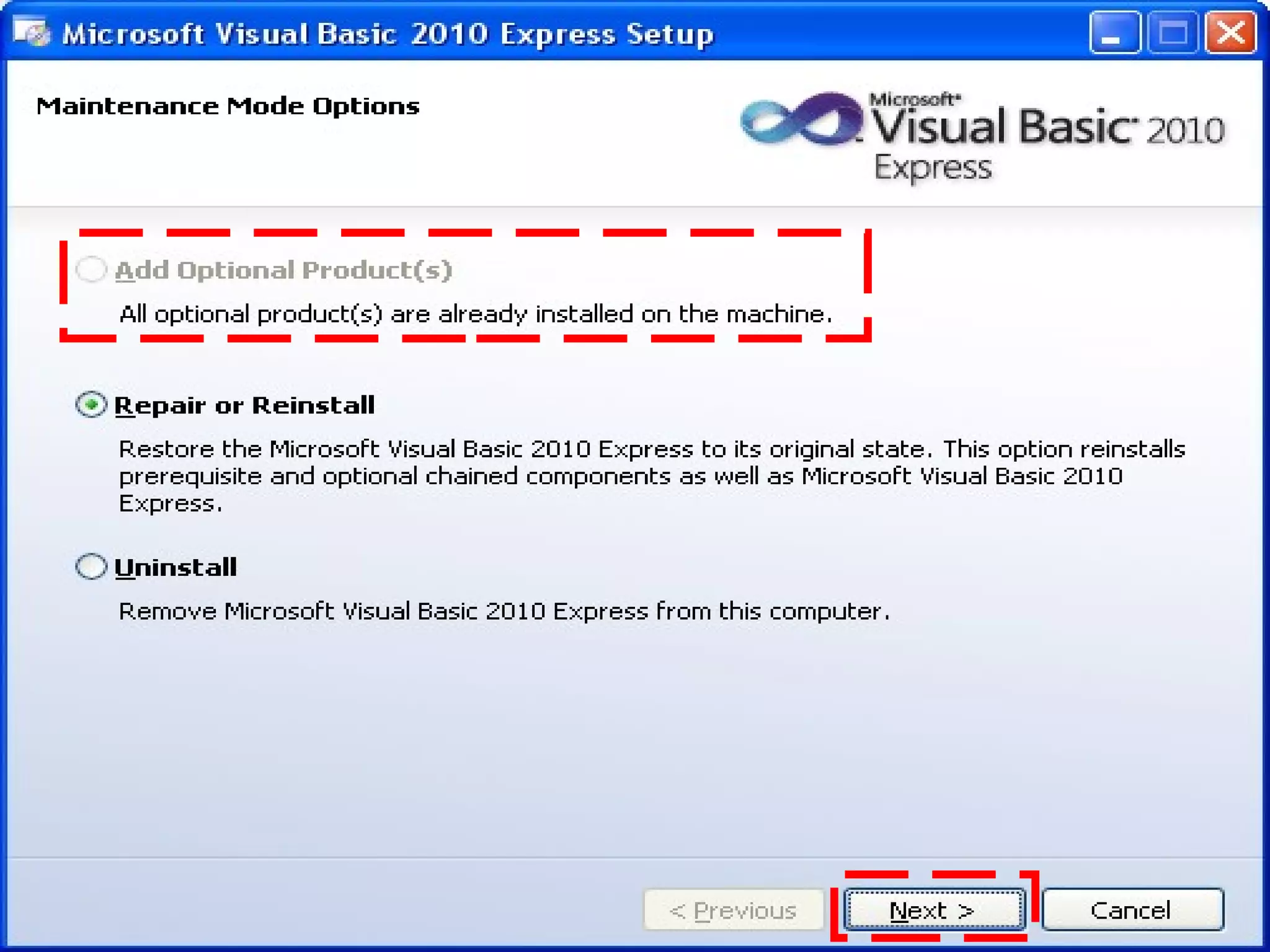
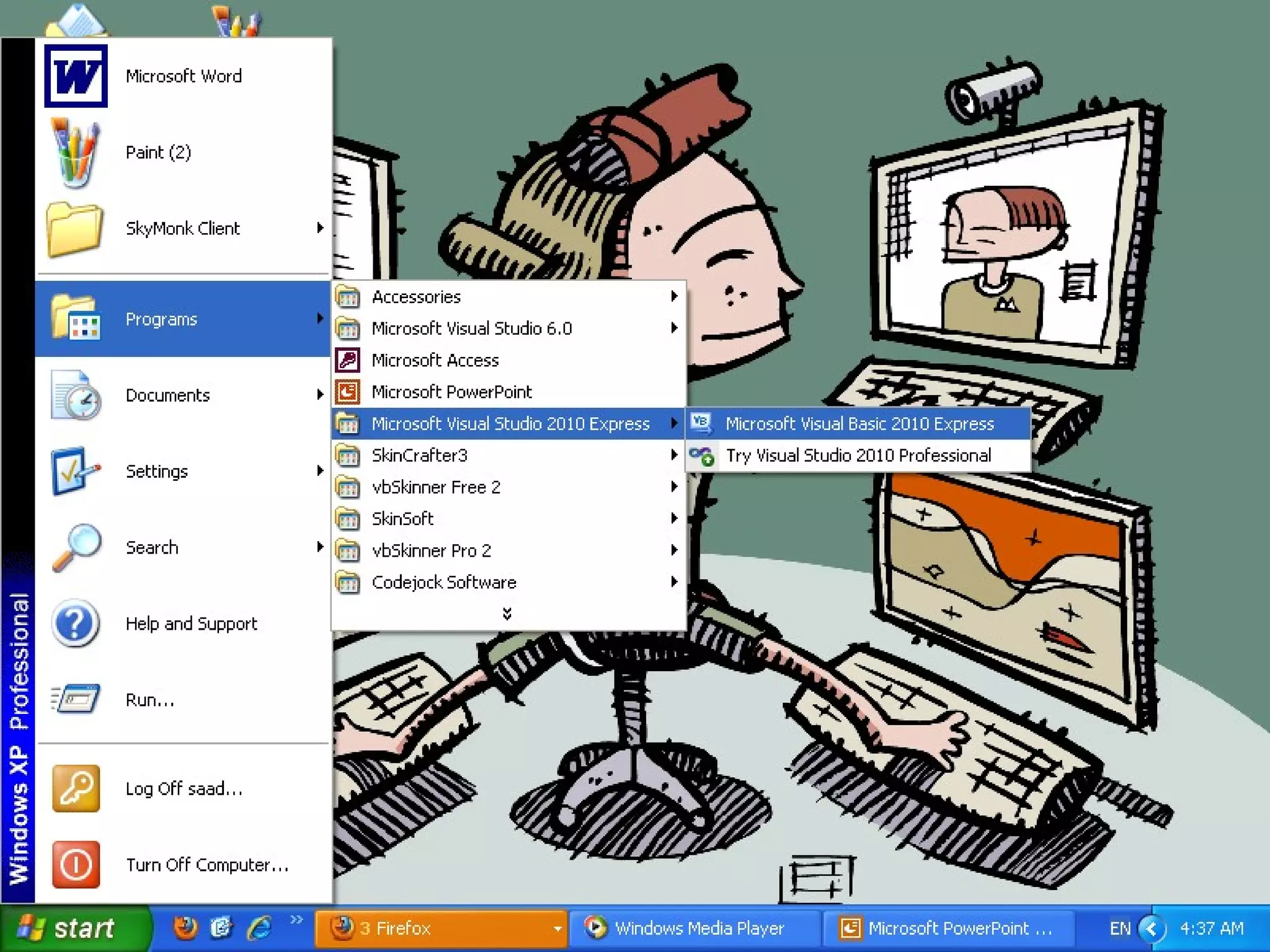
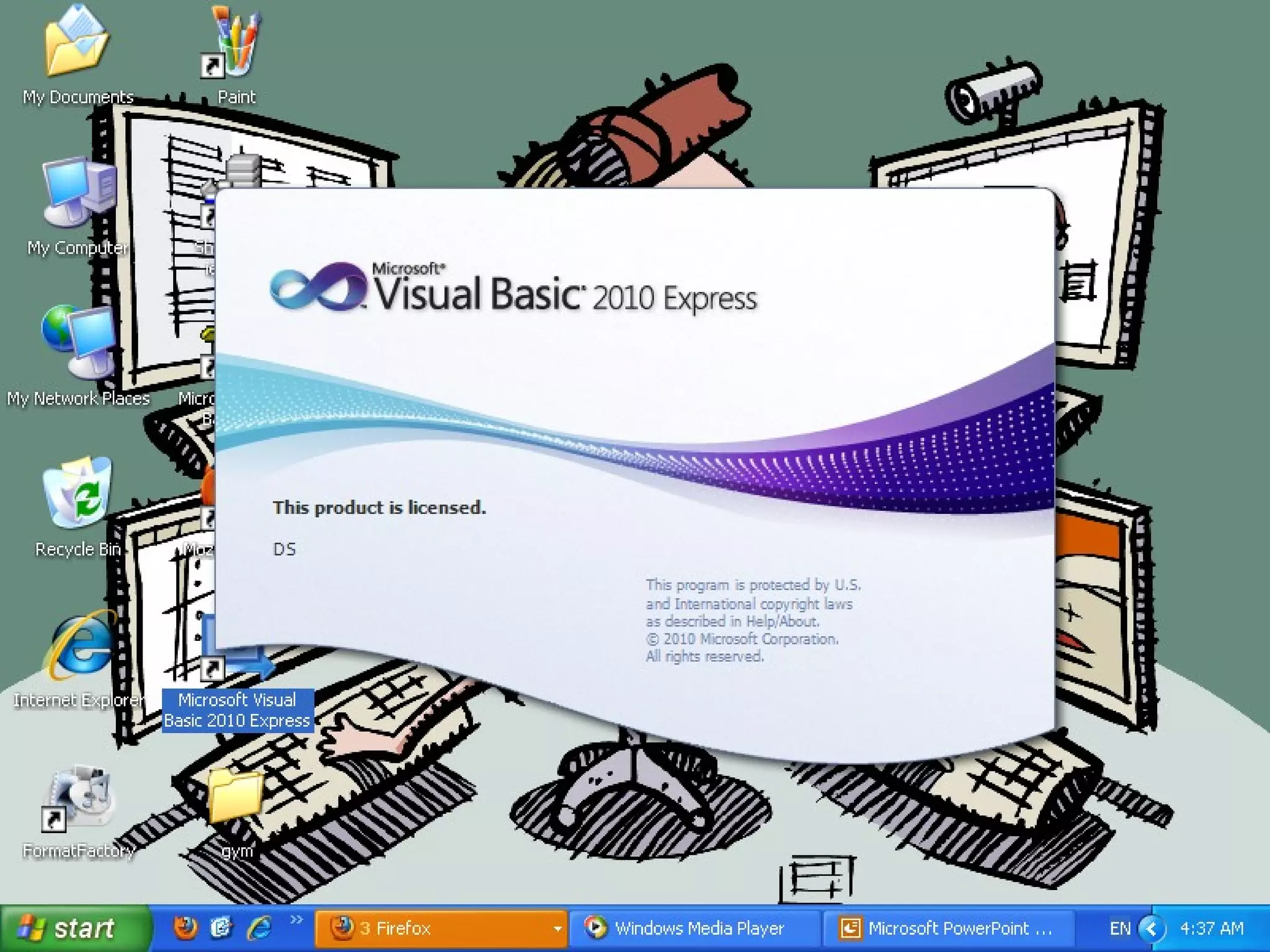
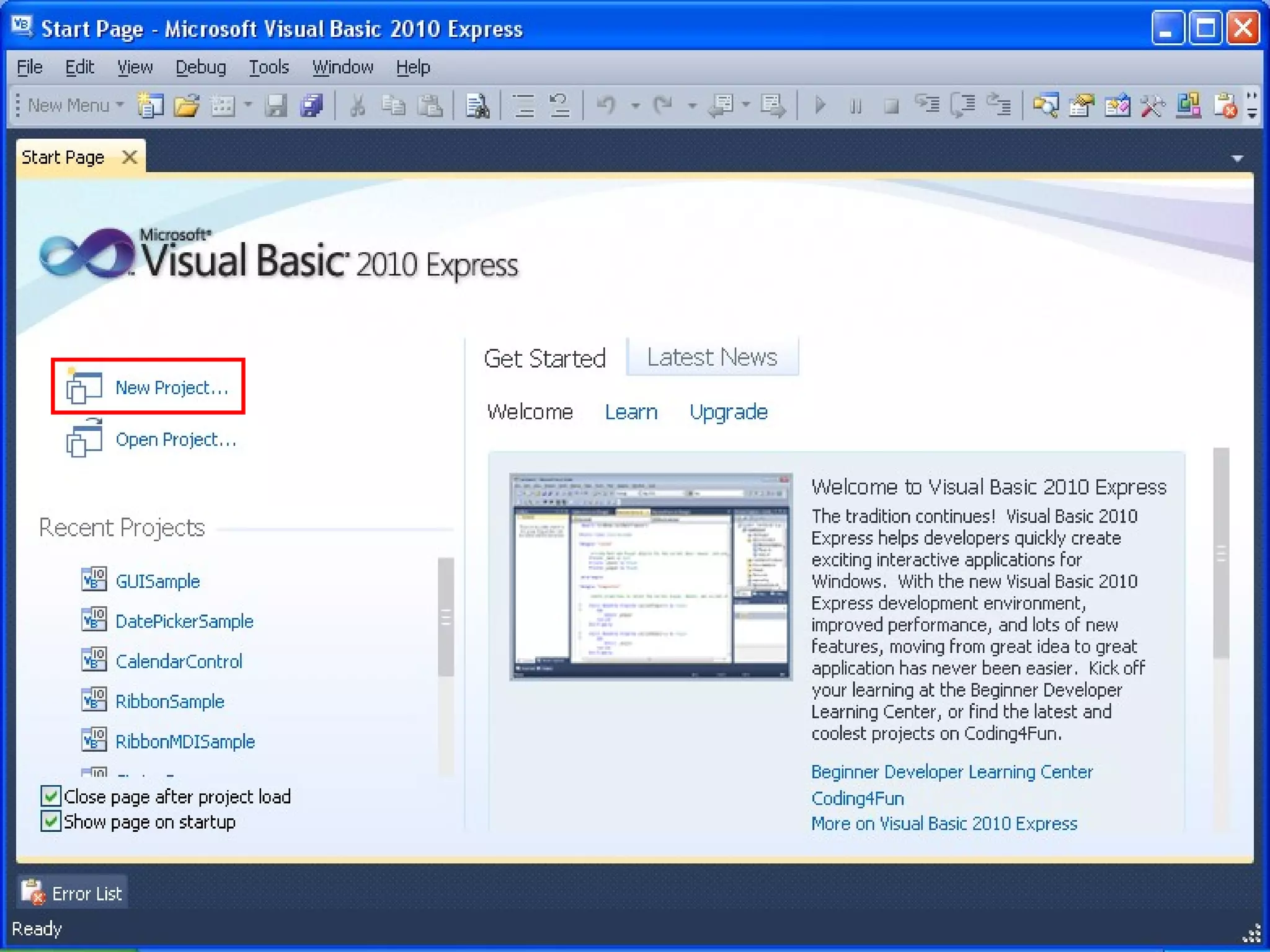
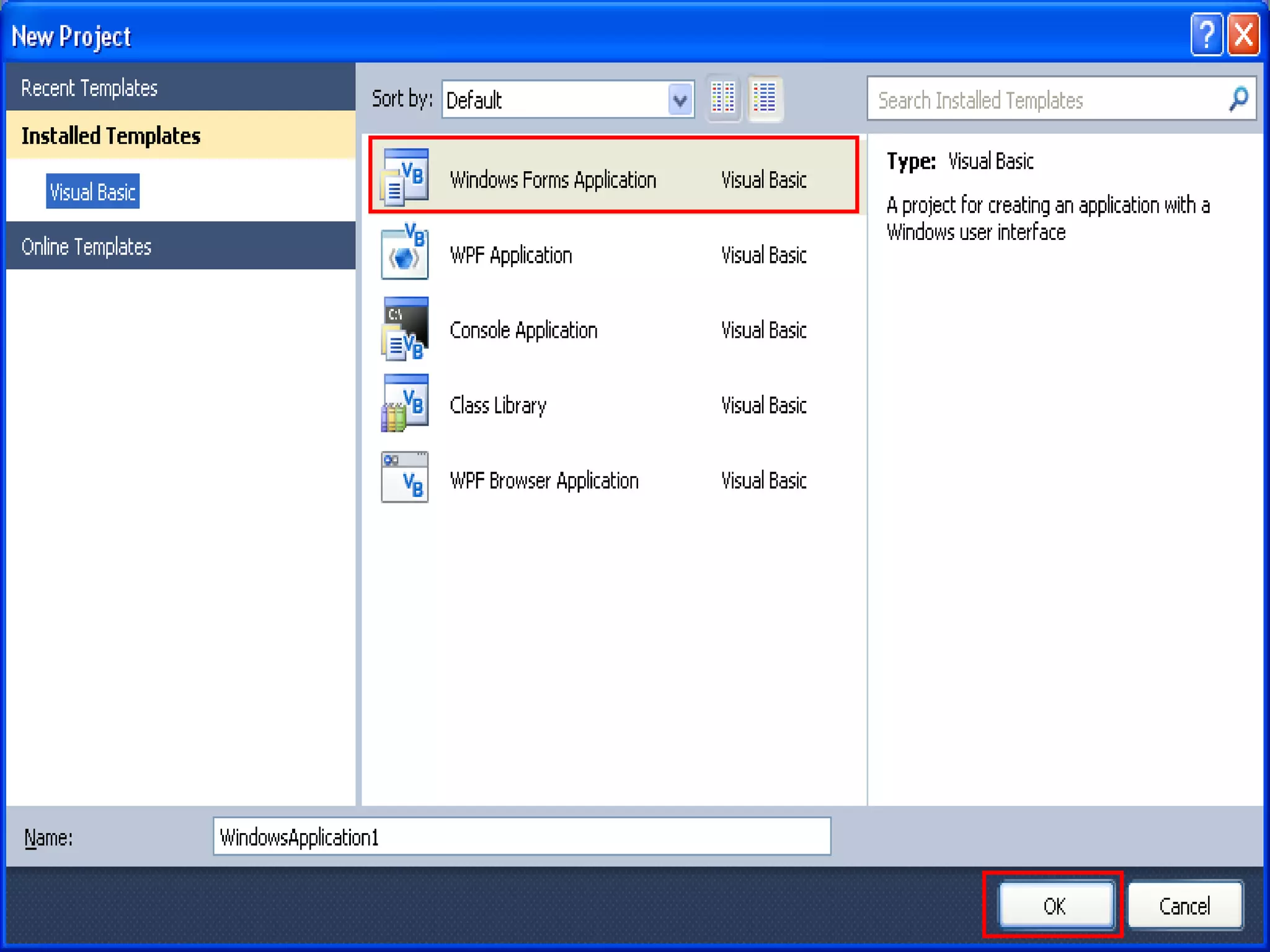
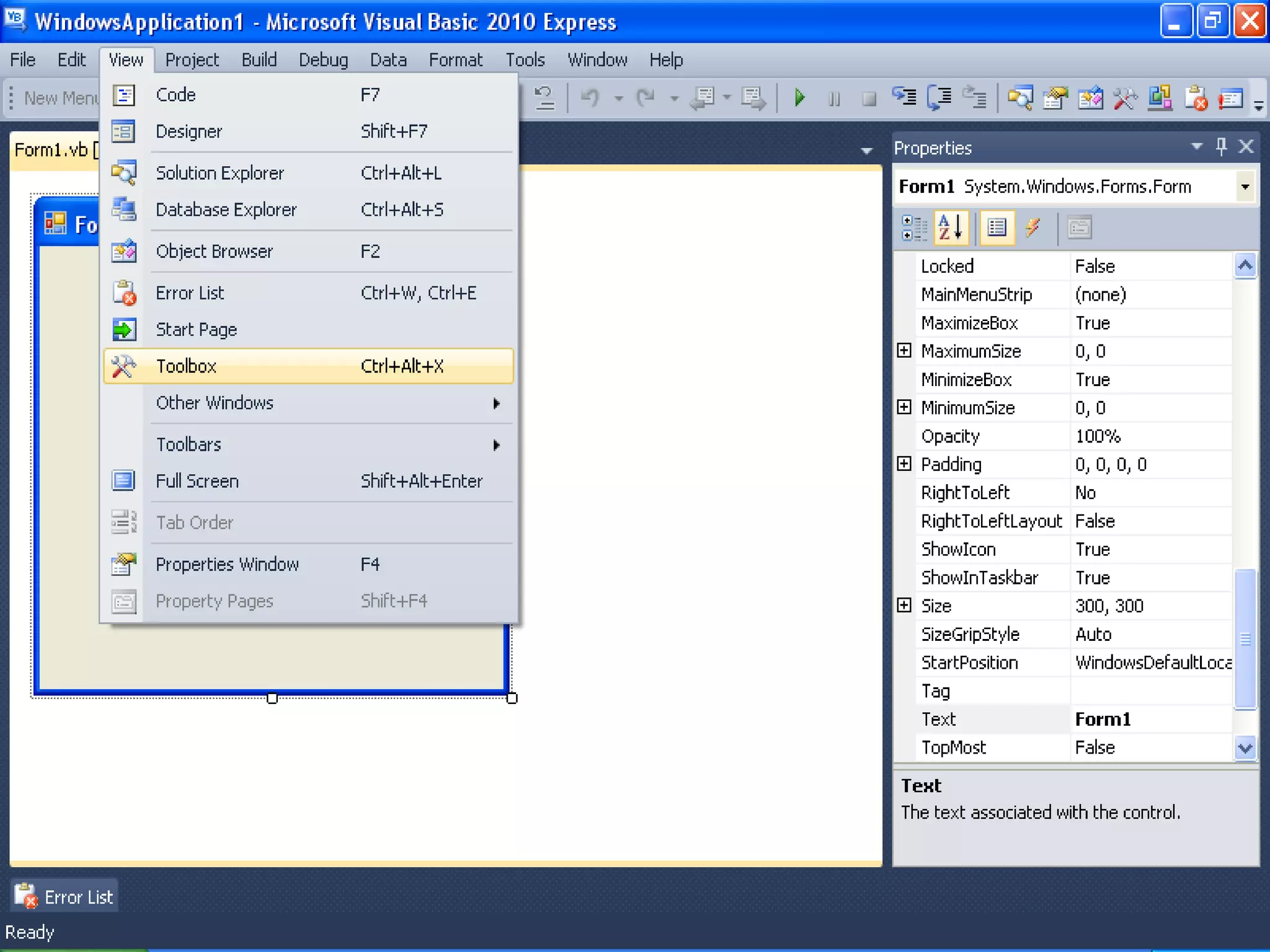
Install VB 2010 Express
       Step BY Step
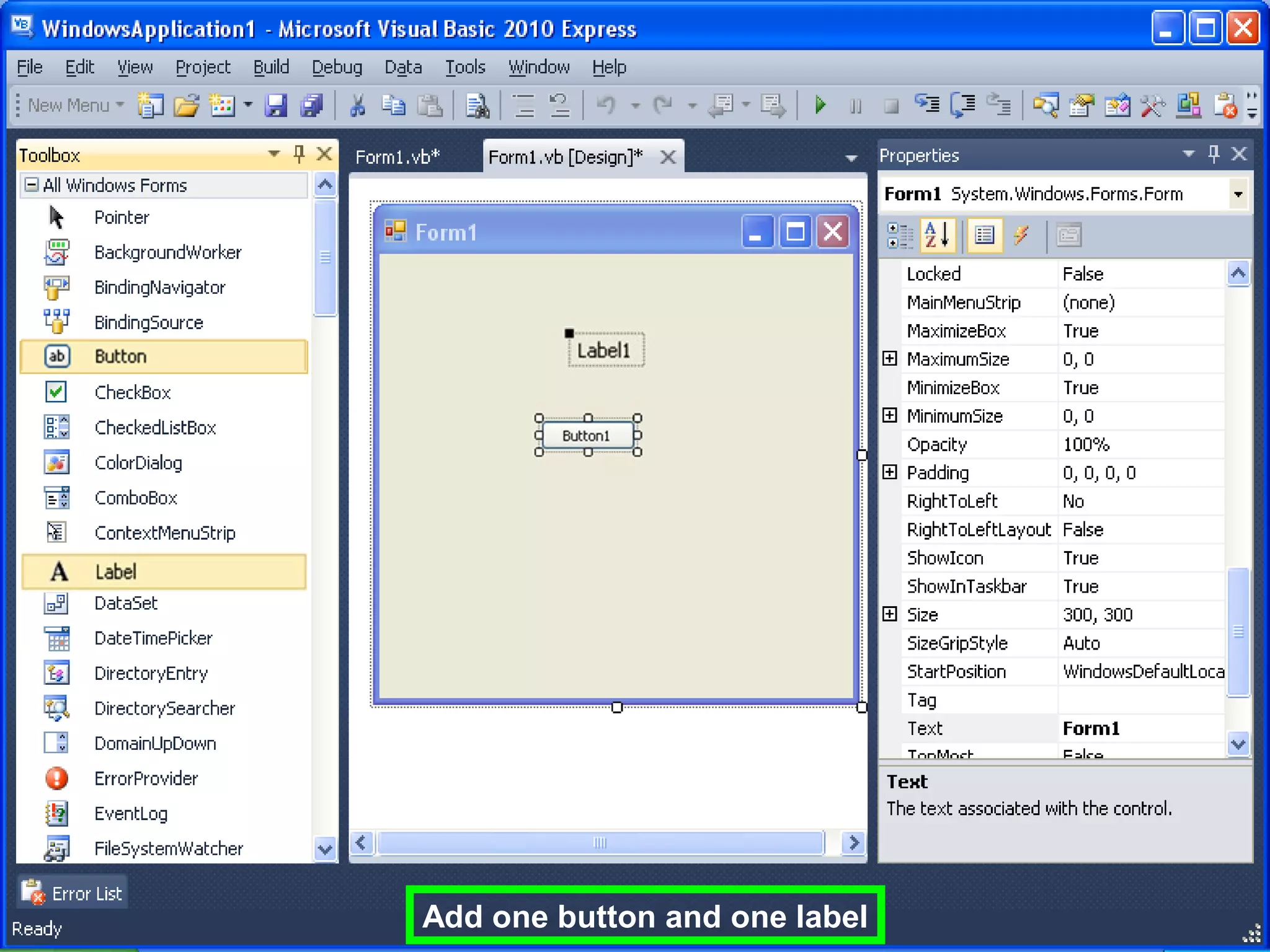
Add one button and one label
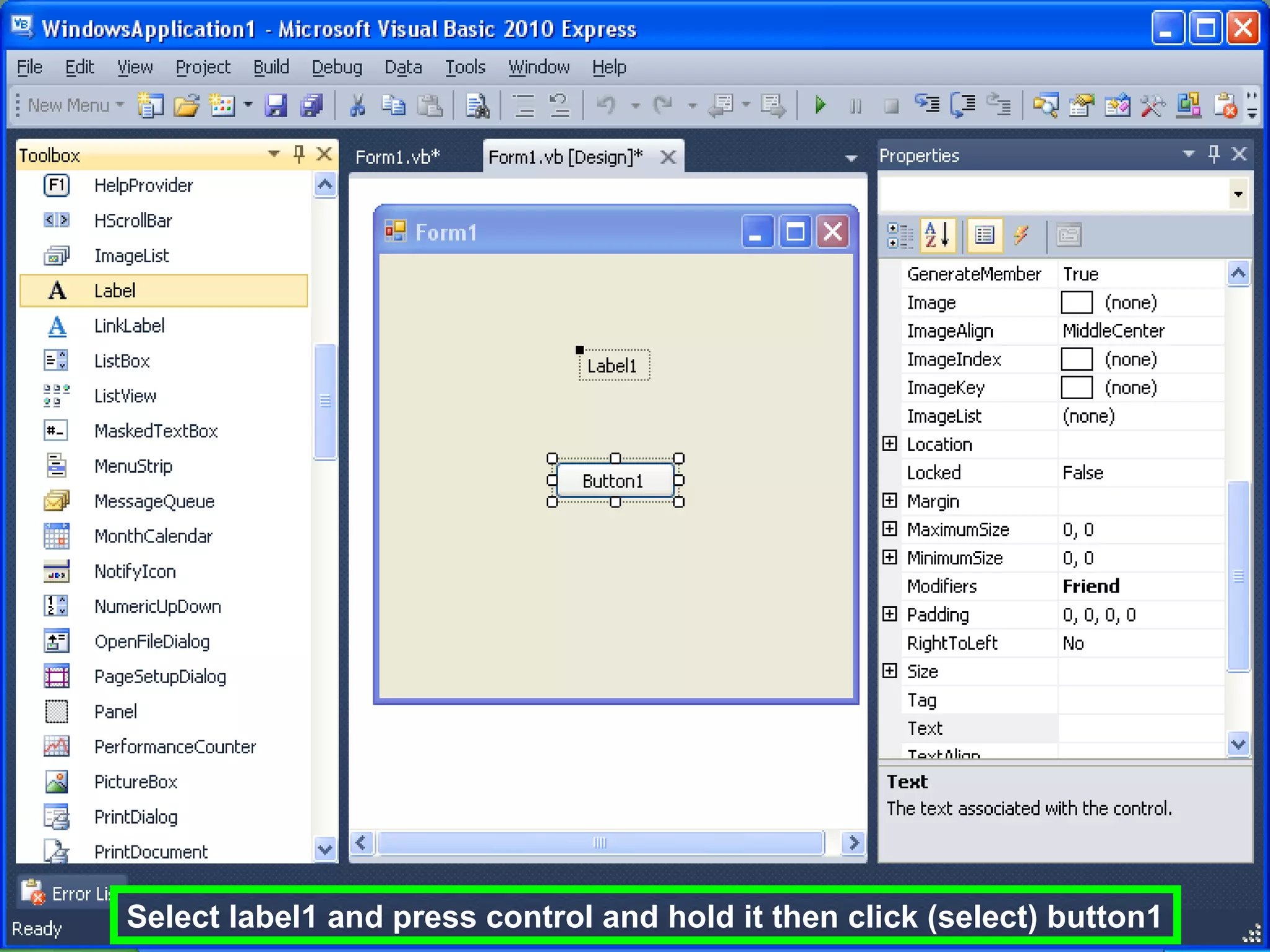
Select label1 and press control and hold it then click (select) button1
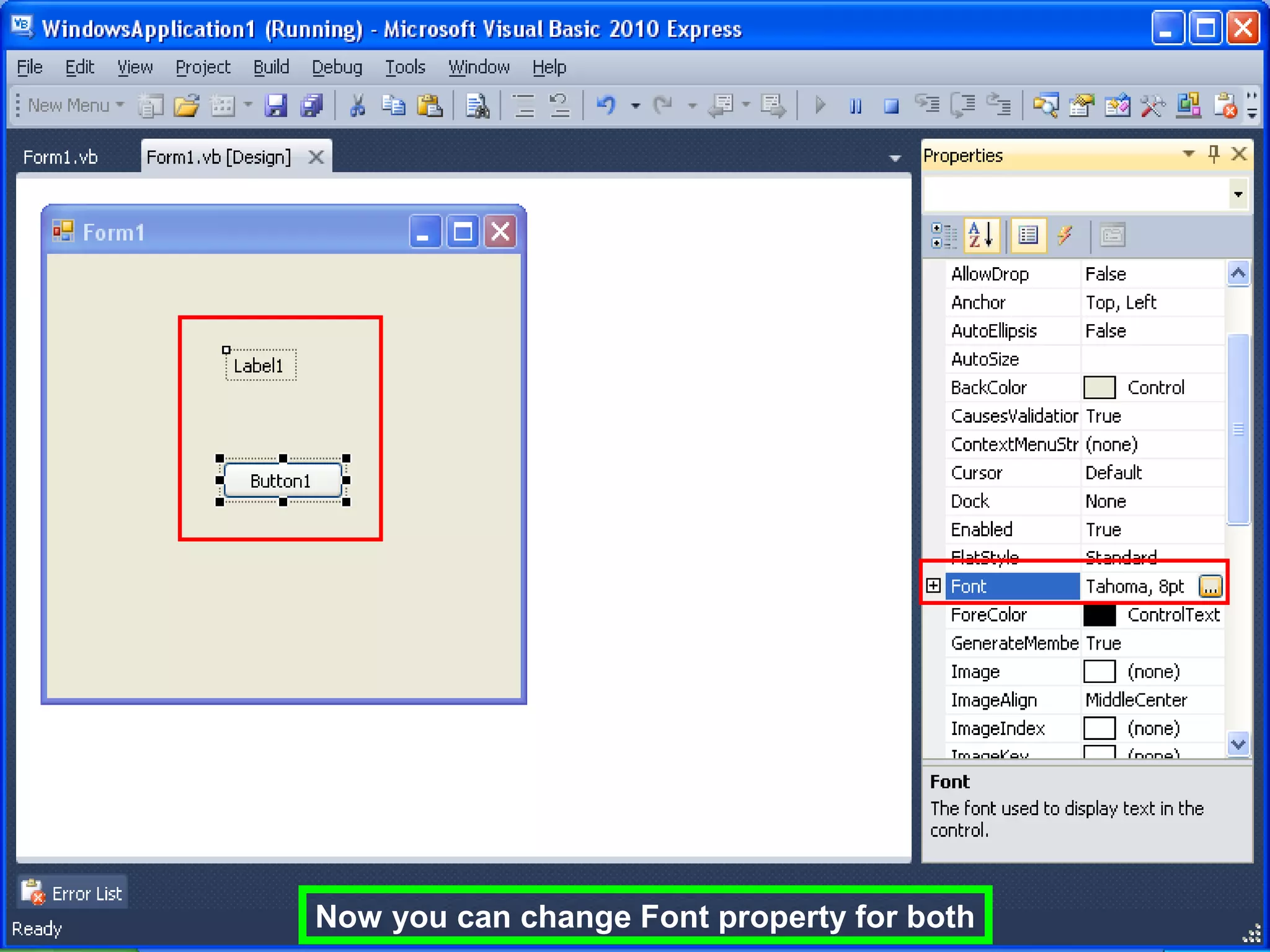
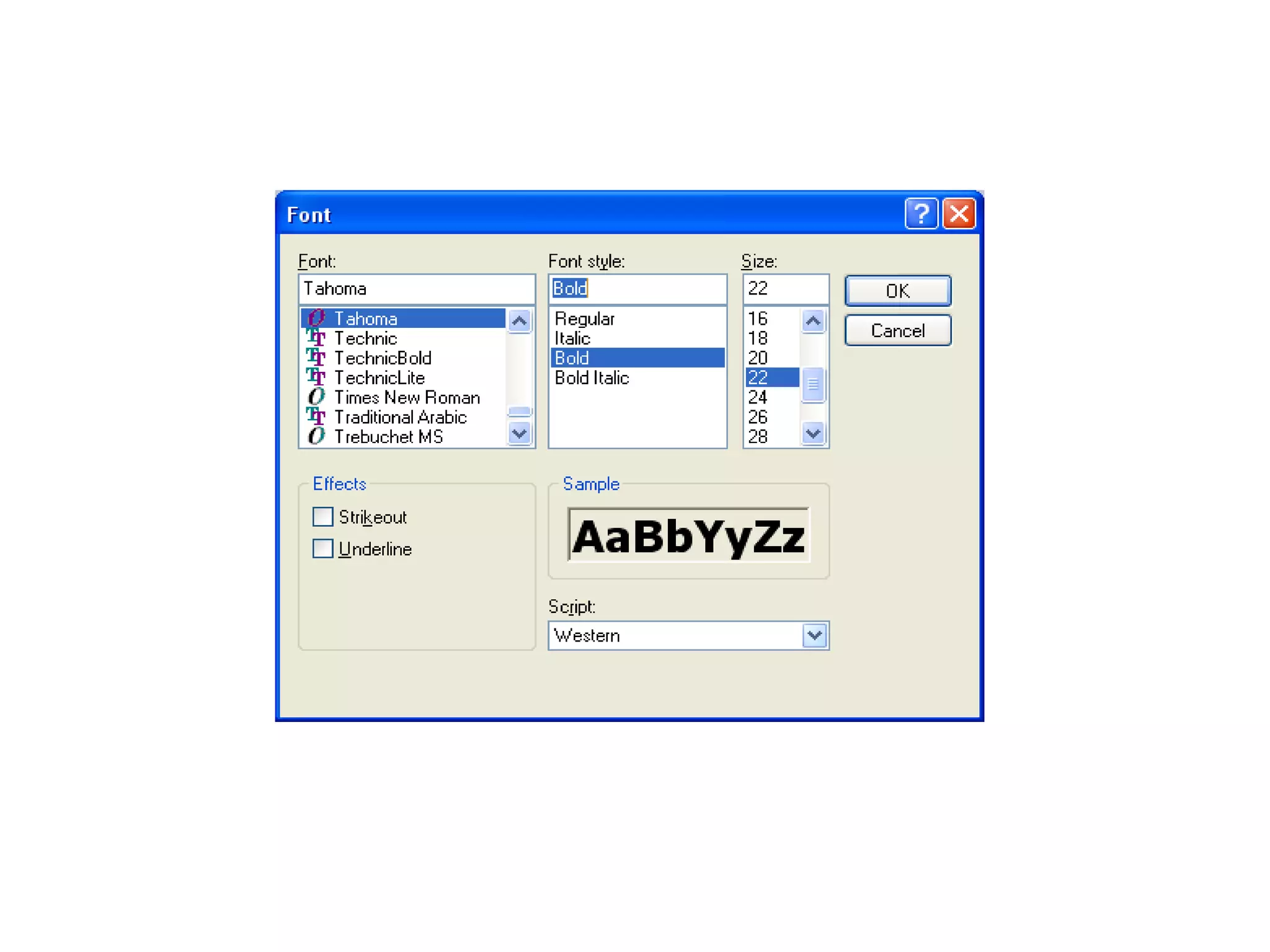
Now you can change Font property for both
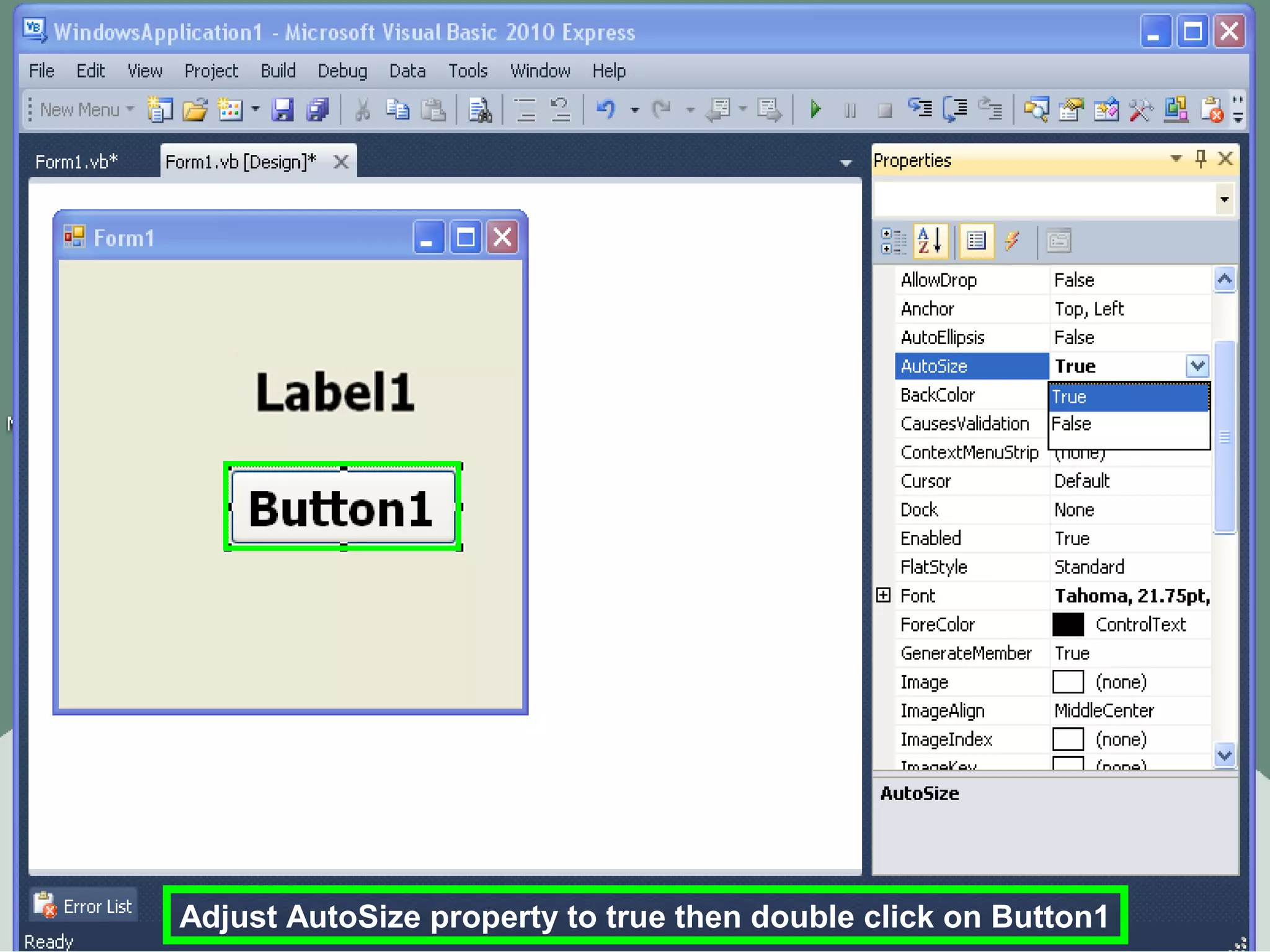
Adjust AutoSize property to true then double click on Button1
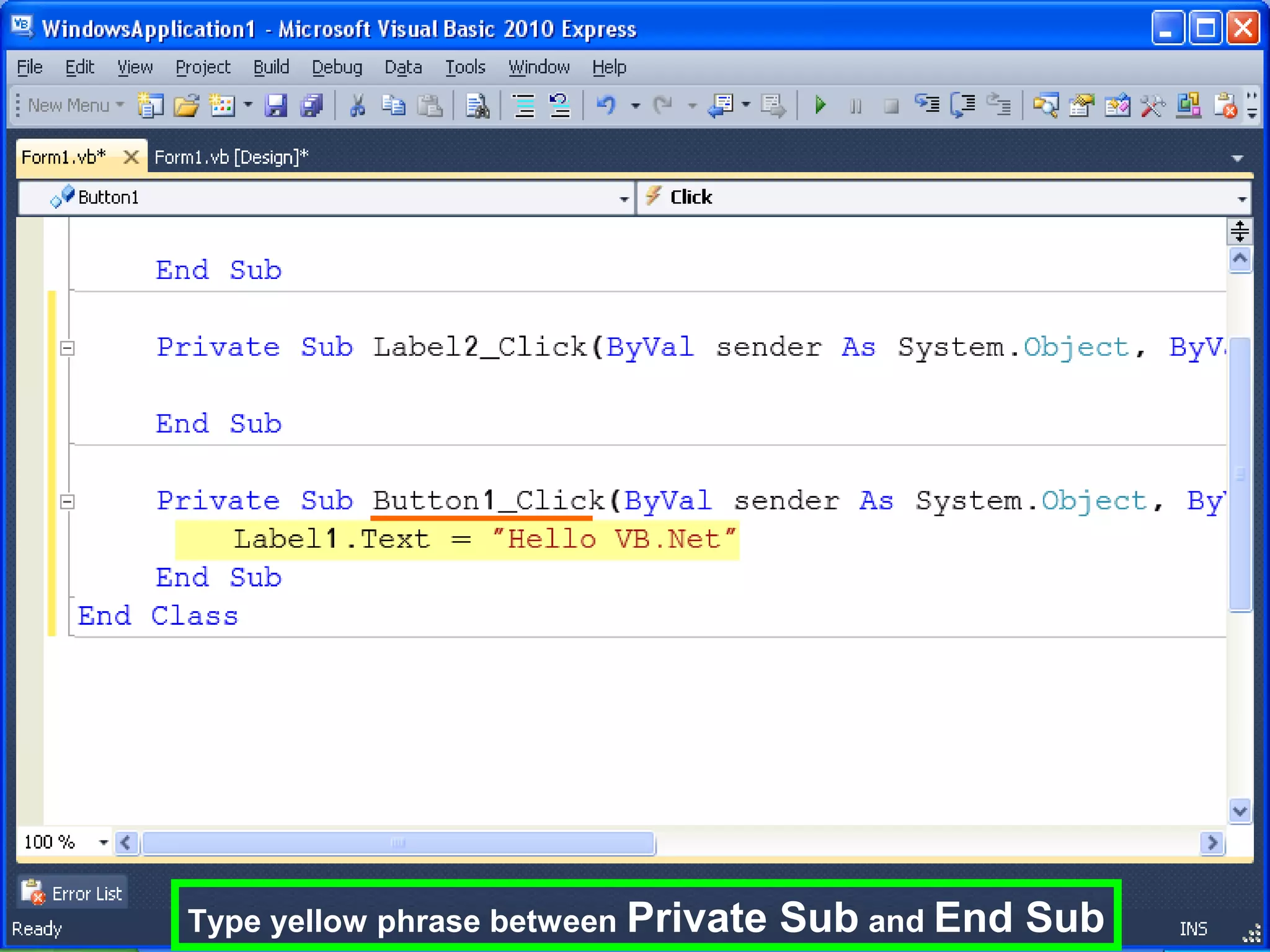
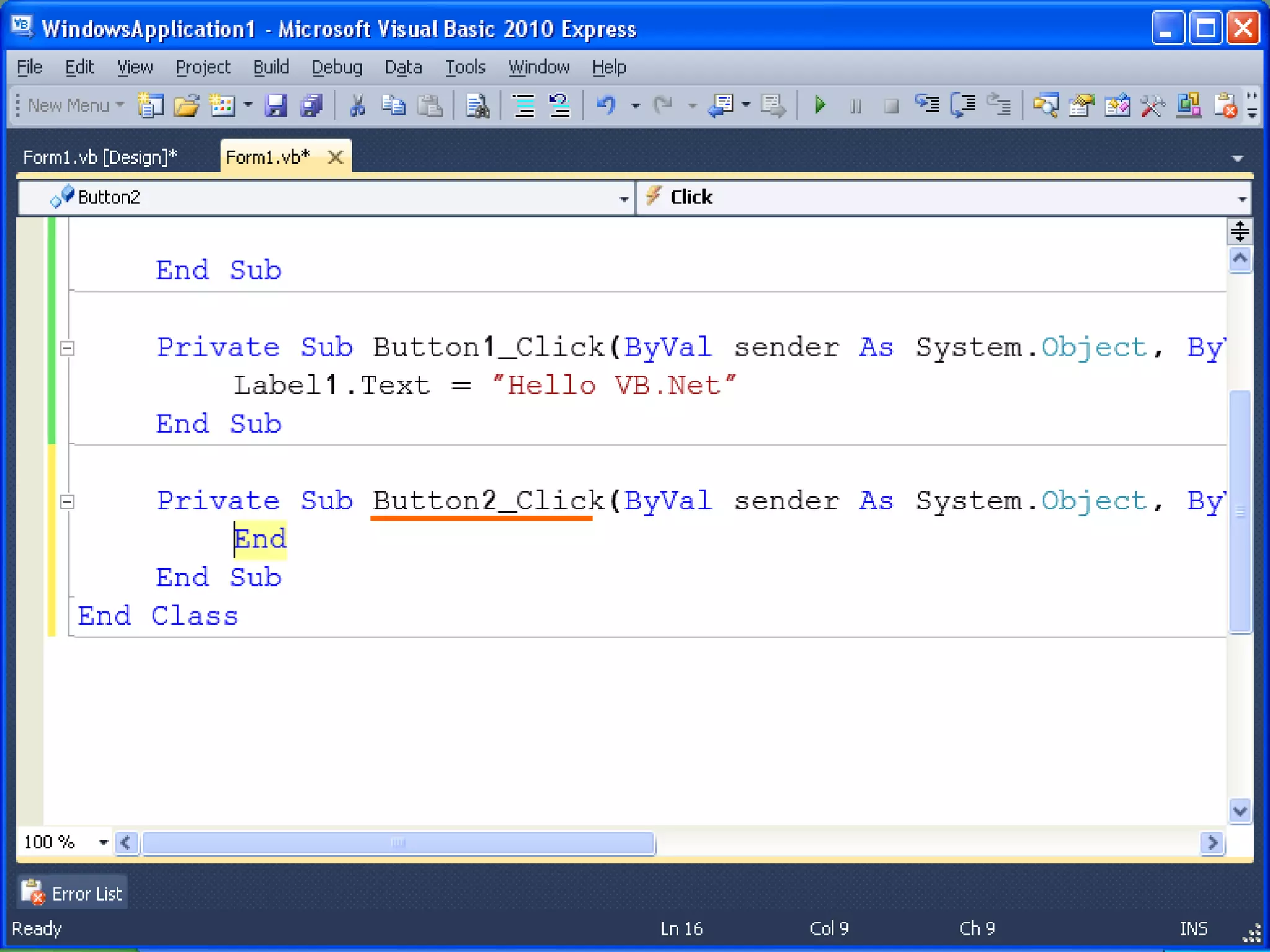
Type yellow phrase between Private   Sub and End Sub
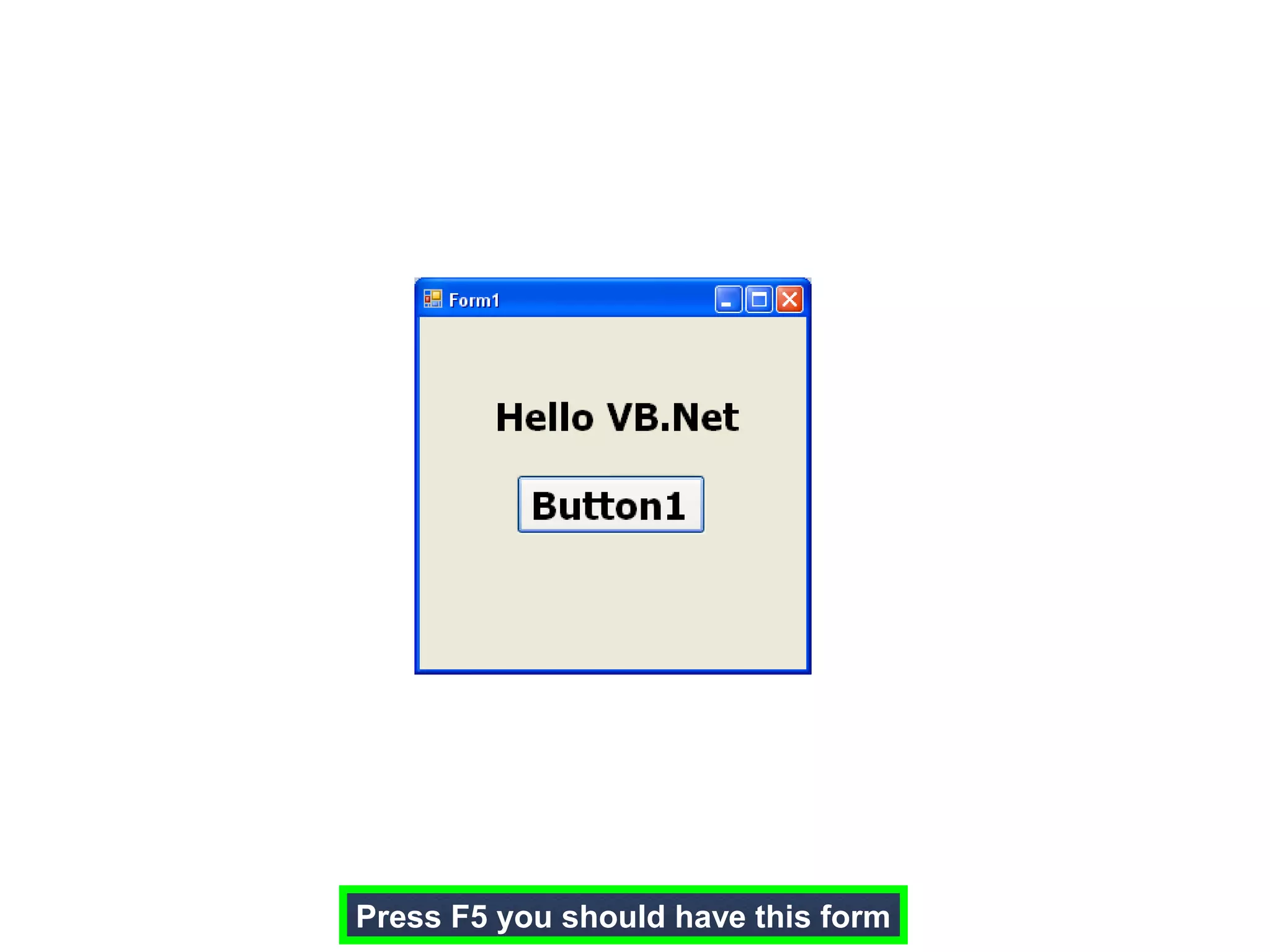
Press F5 you should have this form
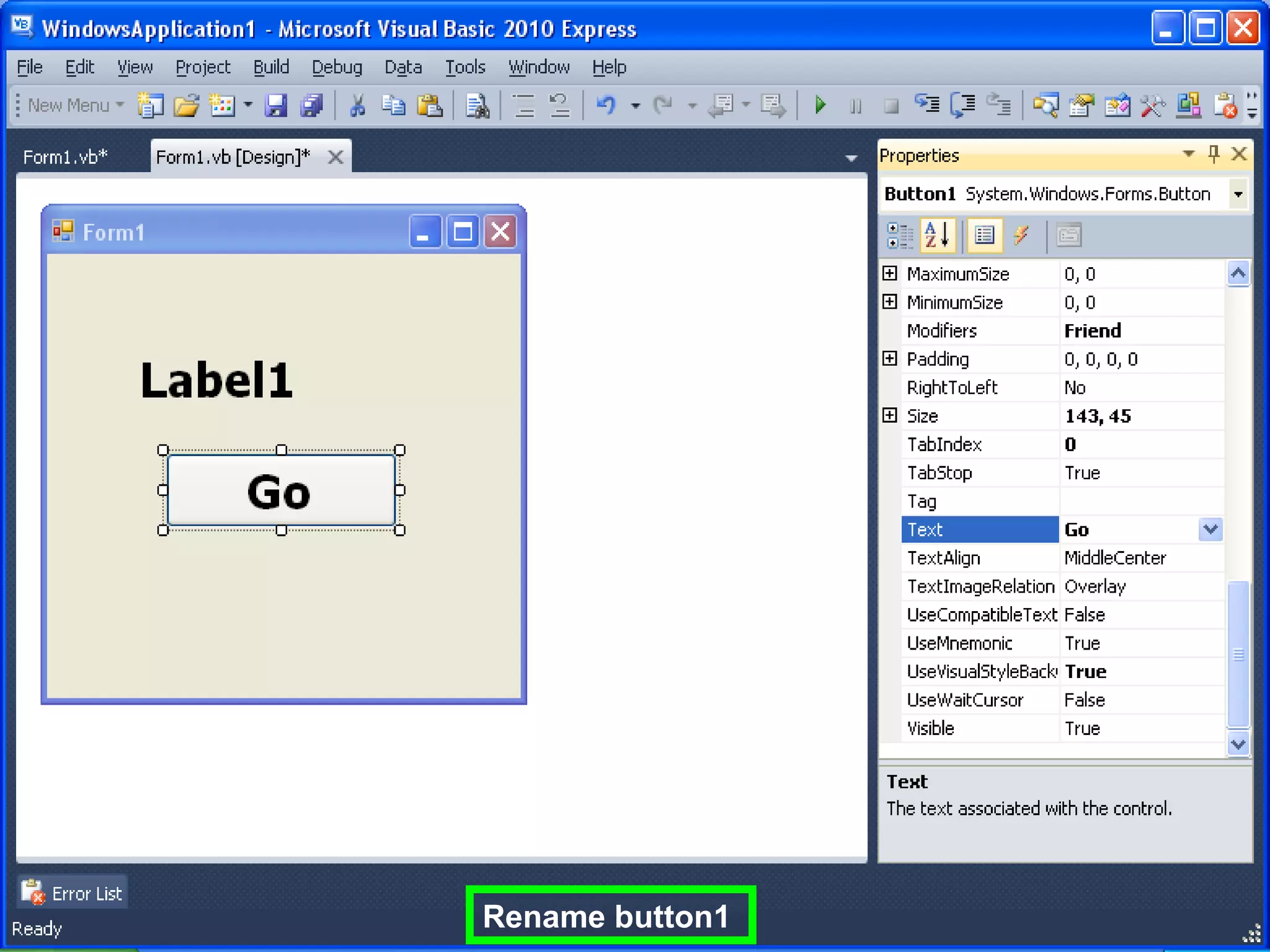
Rename button1
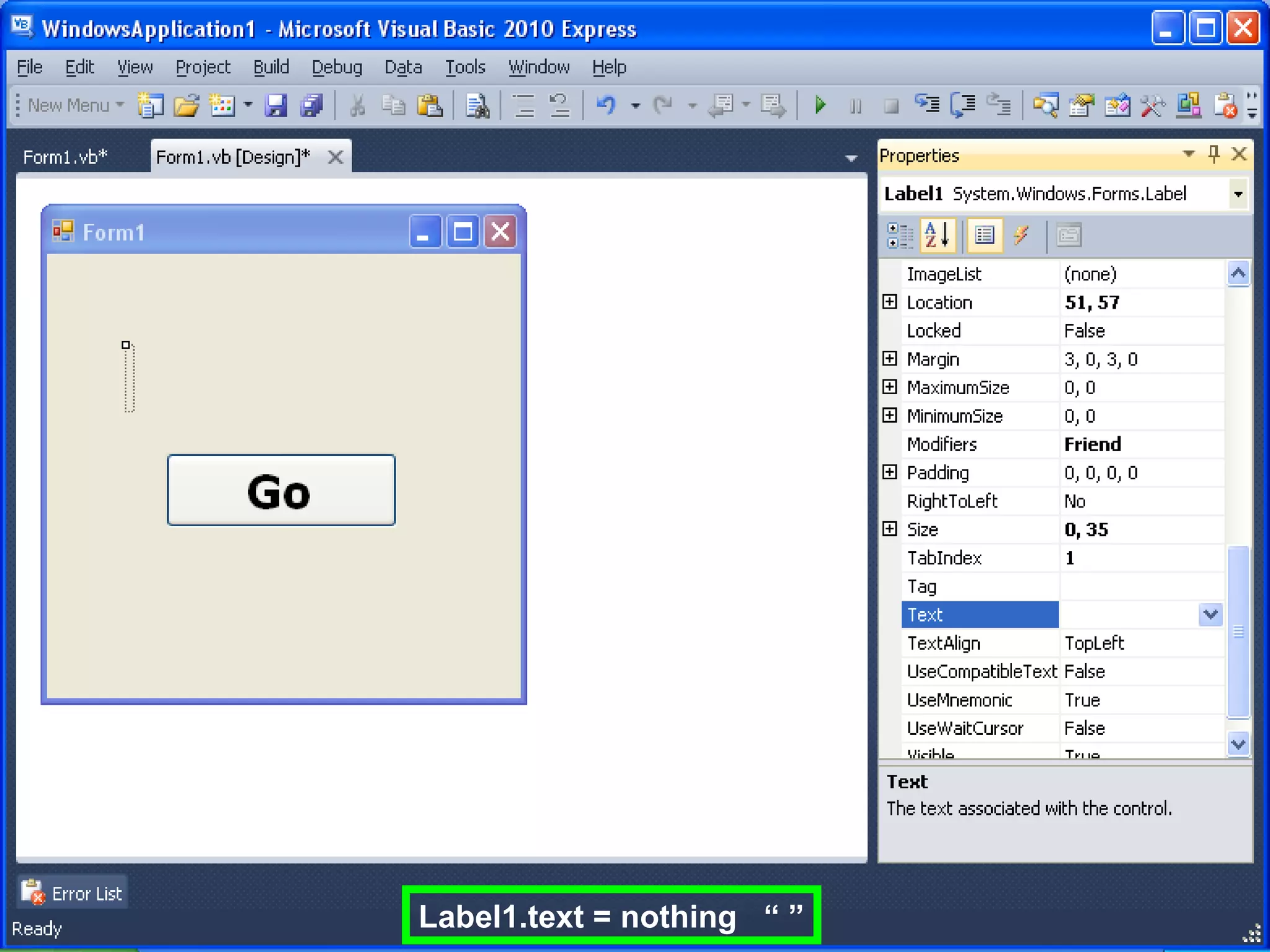
Label1.text = nothing “ ”
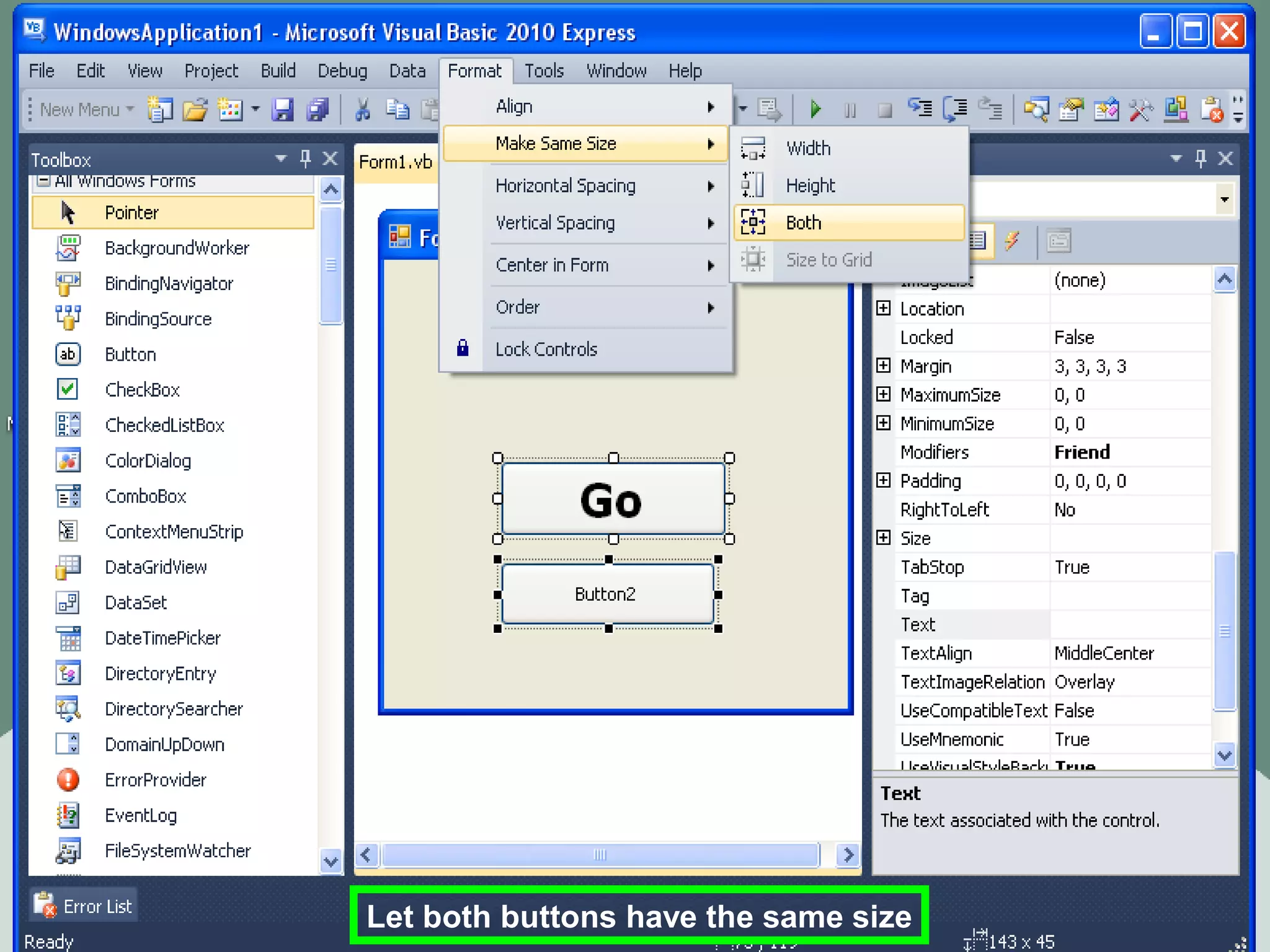
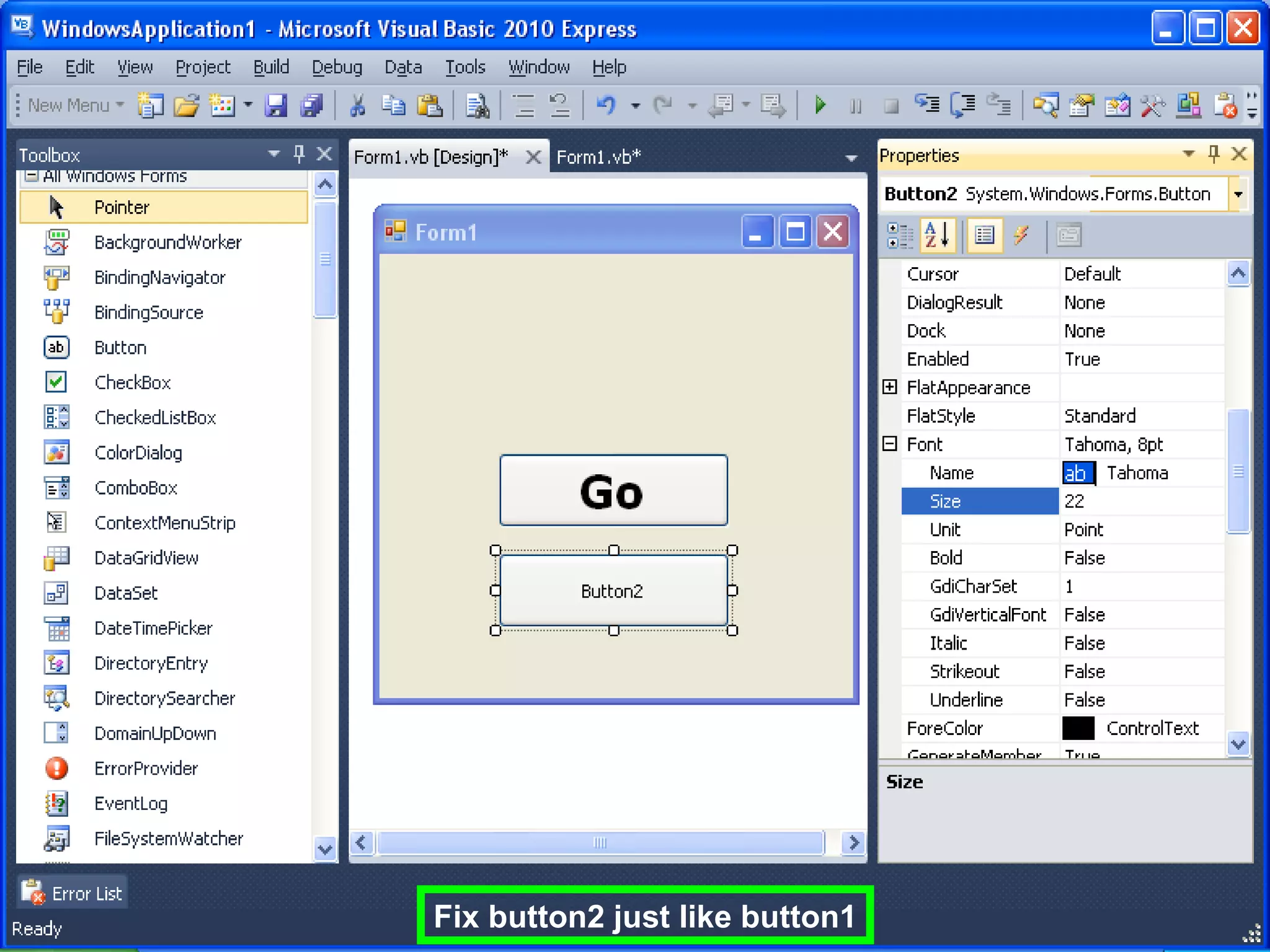
Let both buttons have the same size
Fix button2 just like button1
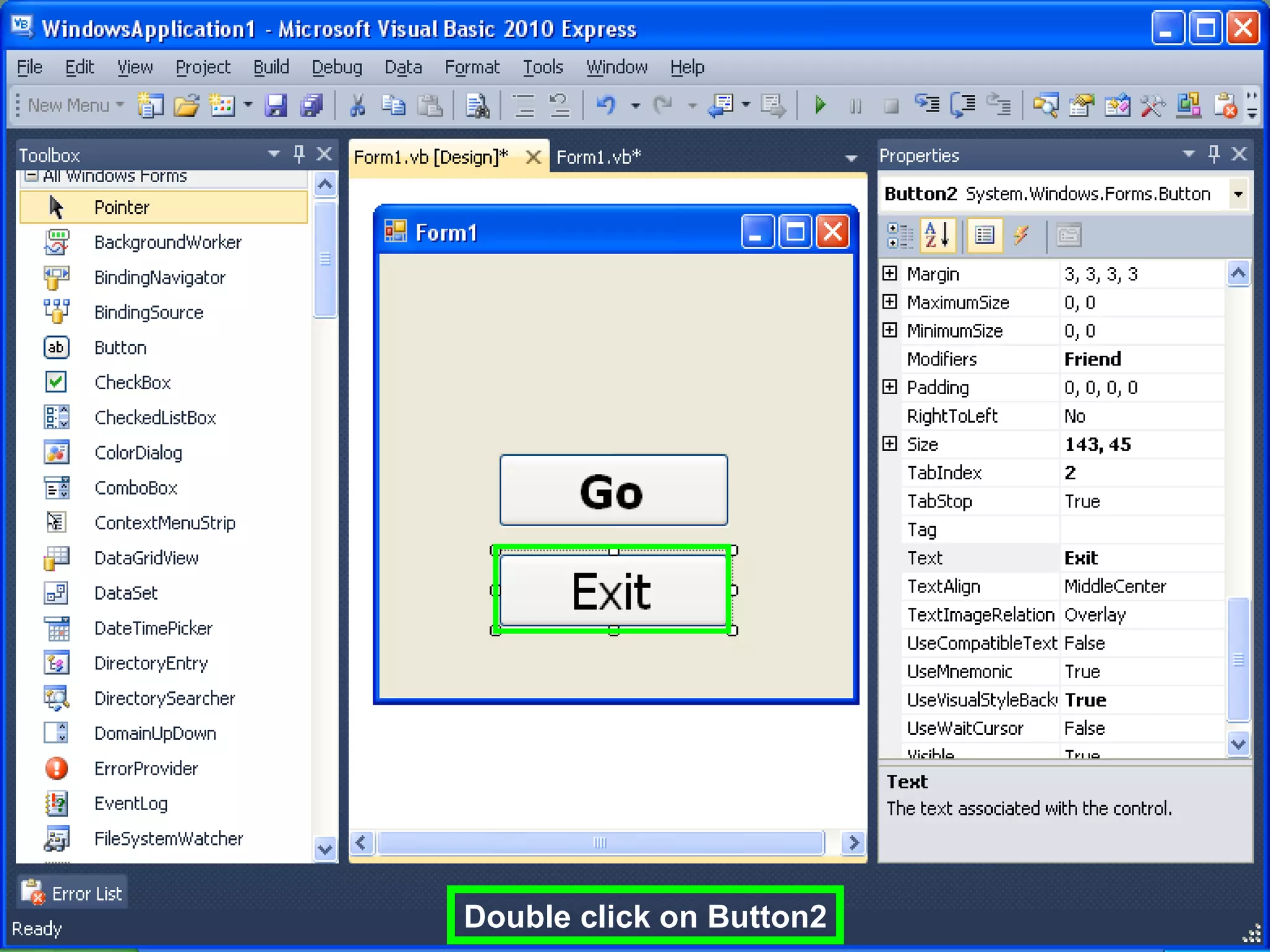
Double click on Button2
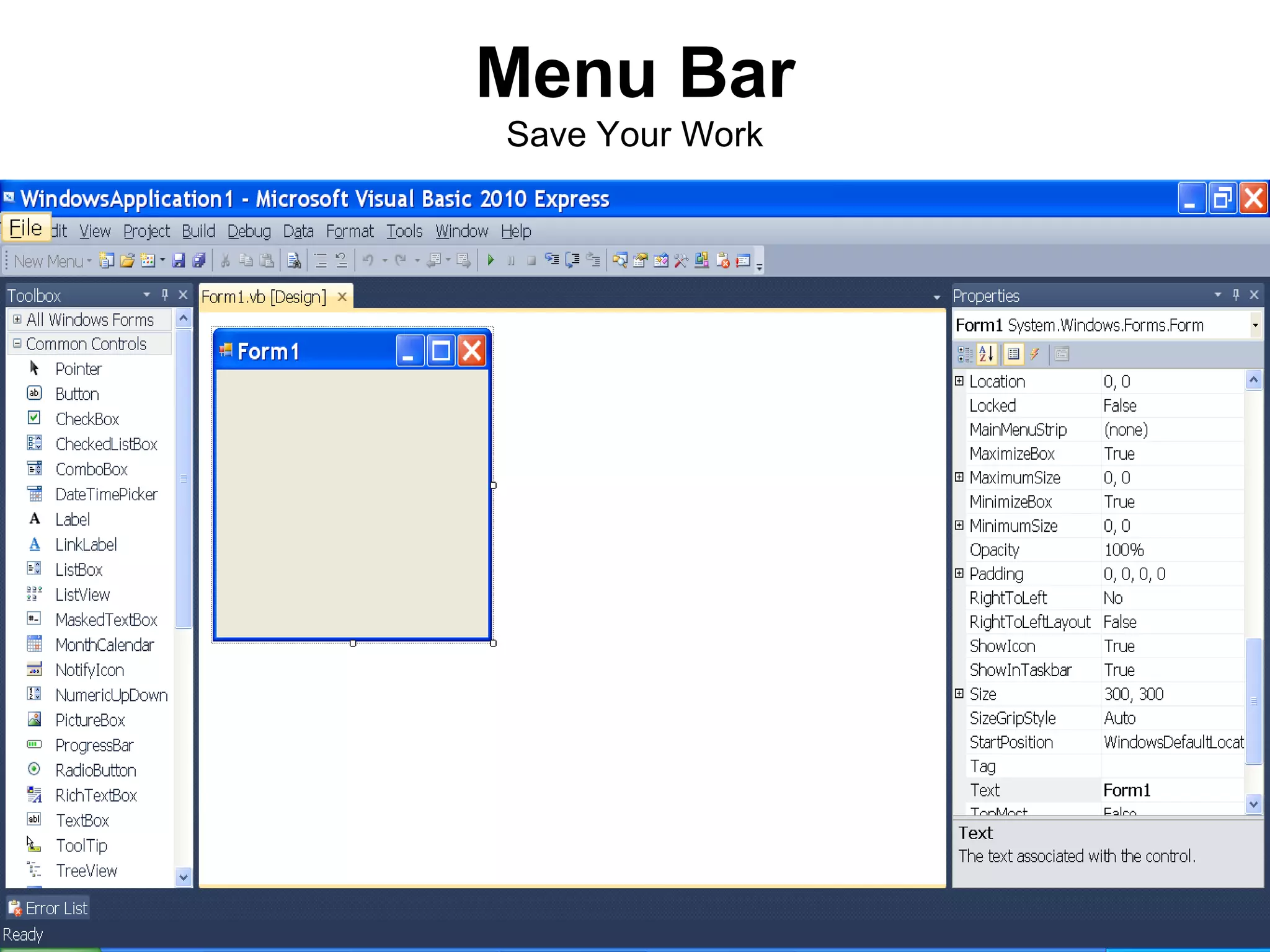
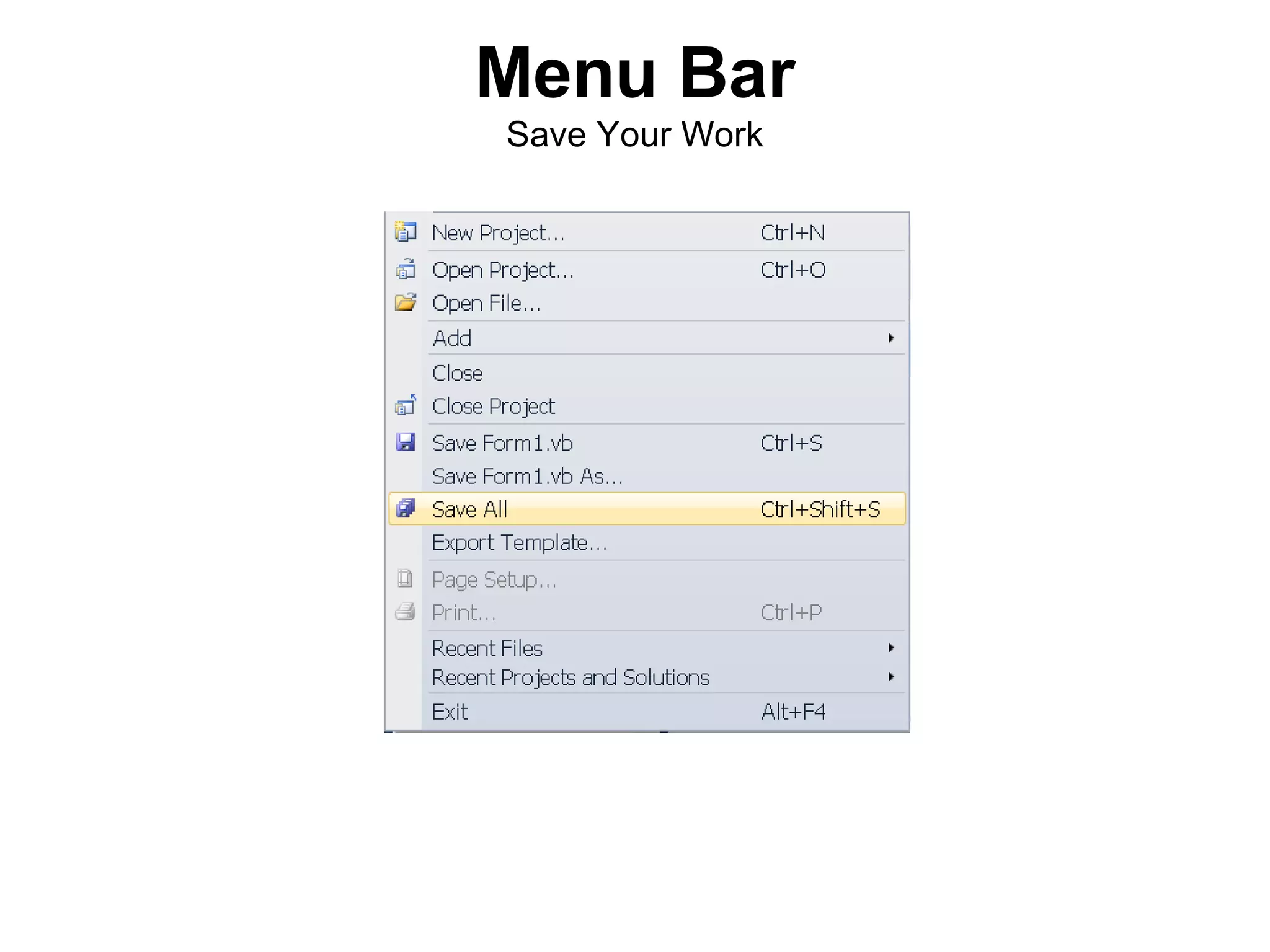
Menu Bar
Save Your Work
Menu Bar
Save Your Work
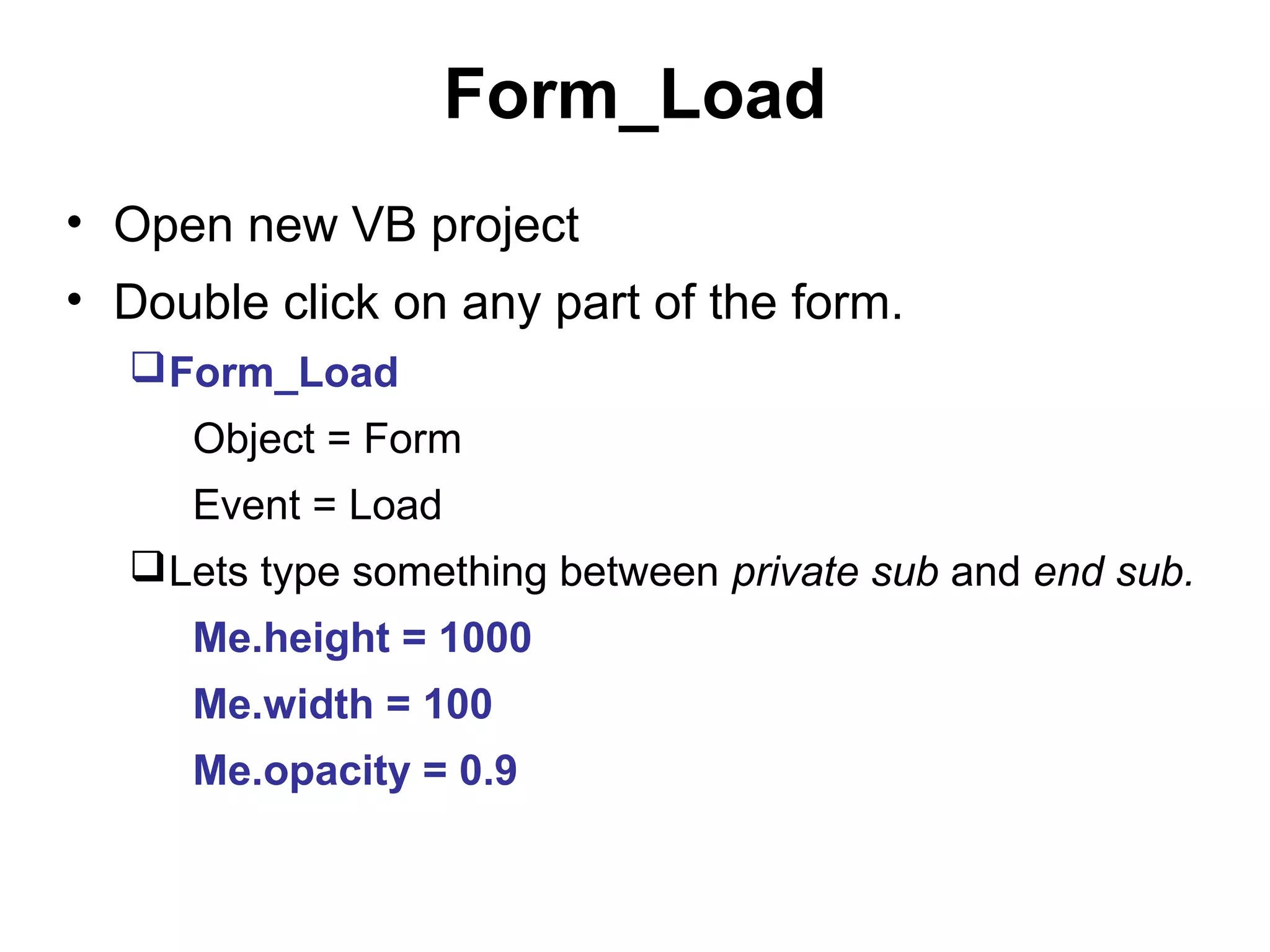
Form_Load
• Open new VB project
• Double click on any part of the form.
   Form_Load
     Object = Form
     Event = Load
   Lets type something between private sub and end sub.
     Me.height = 1000
     Me.width = 100
     Me.opacity = 0.9
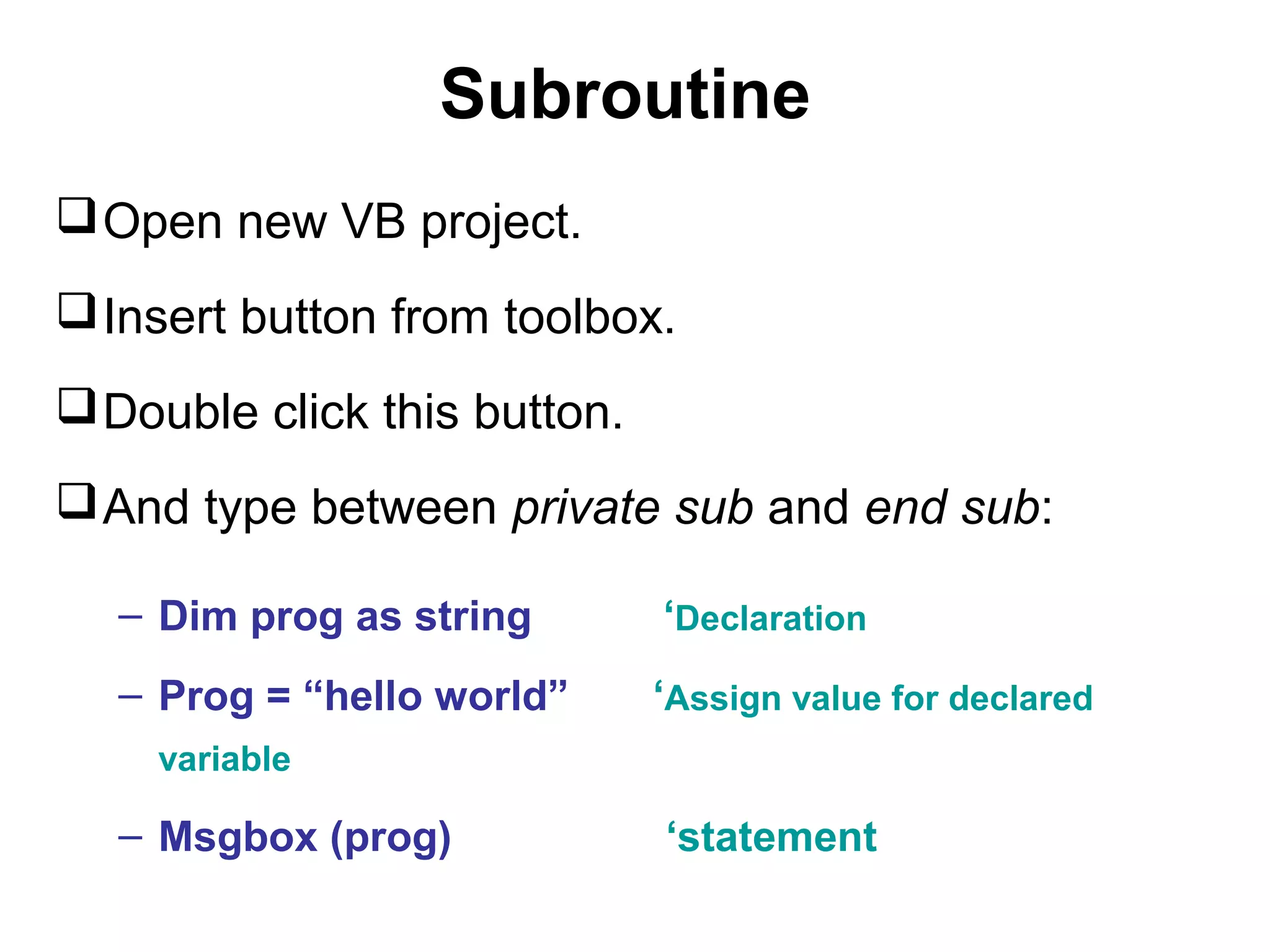
Subroutine
 Open new VB project.
 Insert button from toolbox.
 Double click this button.
 And type between private sub and end sub:

   – Dim prog as string       ‘Declaration
   – Prog = “hello world”     ‘Assign value for declared
    variable

   – Msgbox (prog)            ‘statement
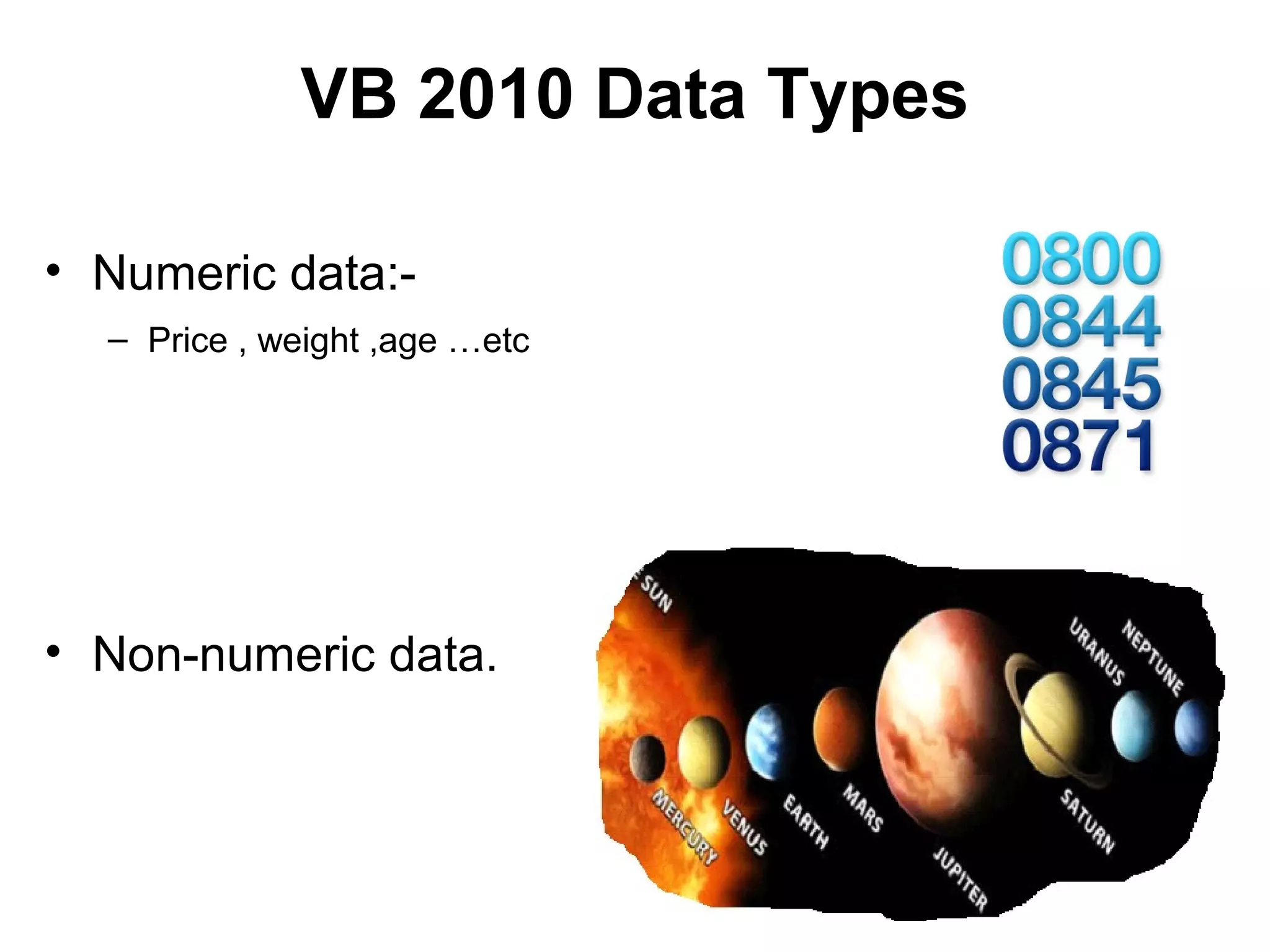
VB 2010 Data Types

• Numeric data:-
  – Price , weight ,age …etc


• Non-numeric data.
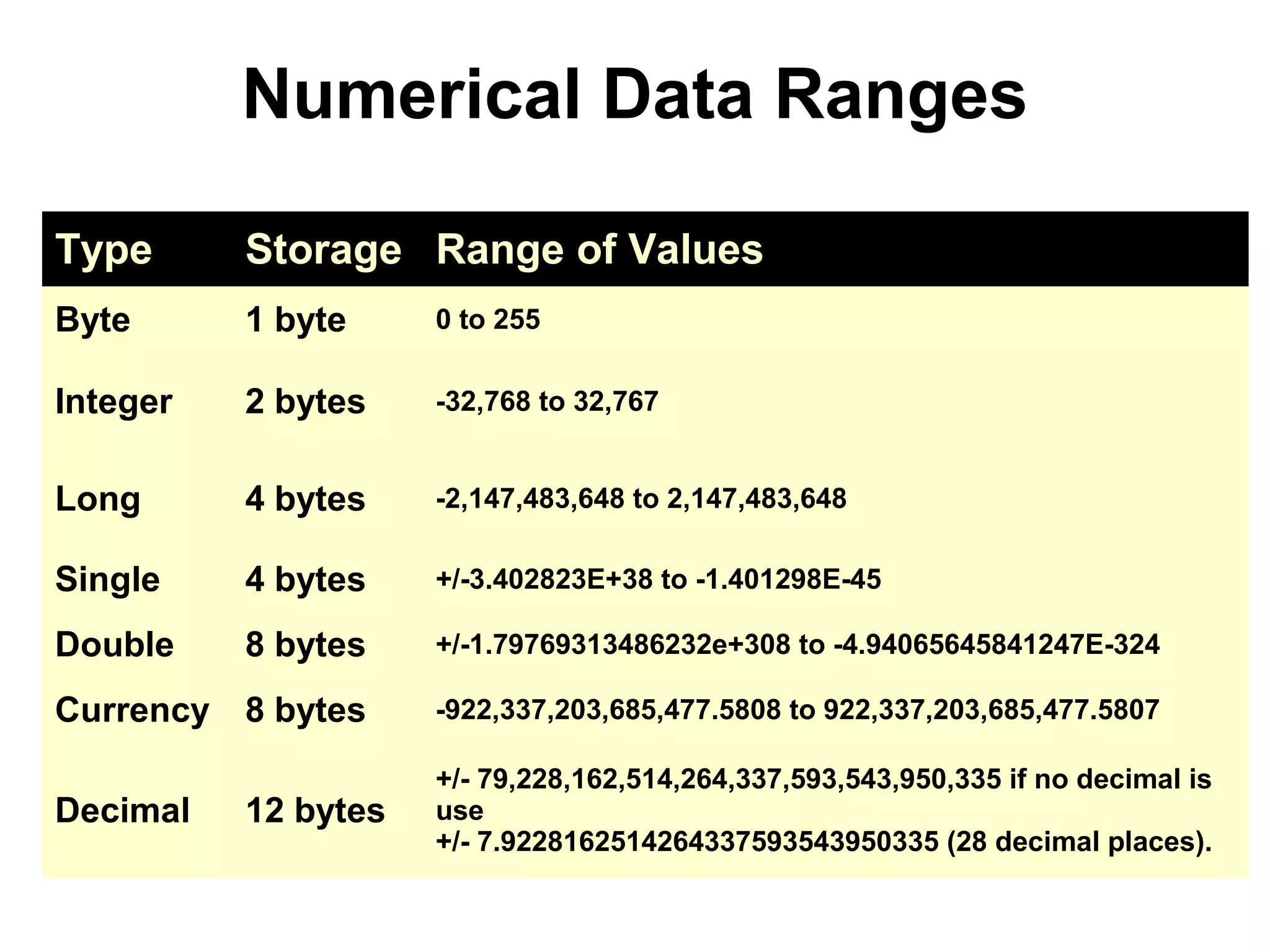
Numerical Data Ranges

Type      Storage Range of Values
Byte      1 byte     0 to 255

Integer   2 bytes    -32,768 to 32,767


Long      4 bytes    -2,147,483,648 to 2,147,483,648

Single    4 bytes    +/-3.402823E+38 to -1.401298E-45

Double    8 bytes    +/-1.79769313486232e+308 to -4.94065645841247E-324

Currency 8 bytes     -922,337,203,685,477.5808 to 922,337,203,685,477.5807

                     +/- 79,228,162,514,264,337,593,543,950,335 if no decimal is
Decimal   12 bytes   use
                     +/- 7.9228162514264337593543950335 (28 decimal places).
Numerical Data
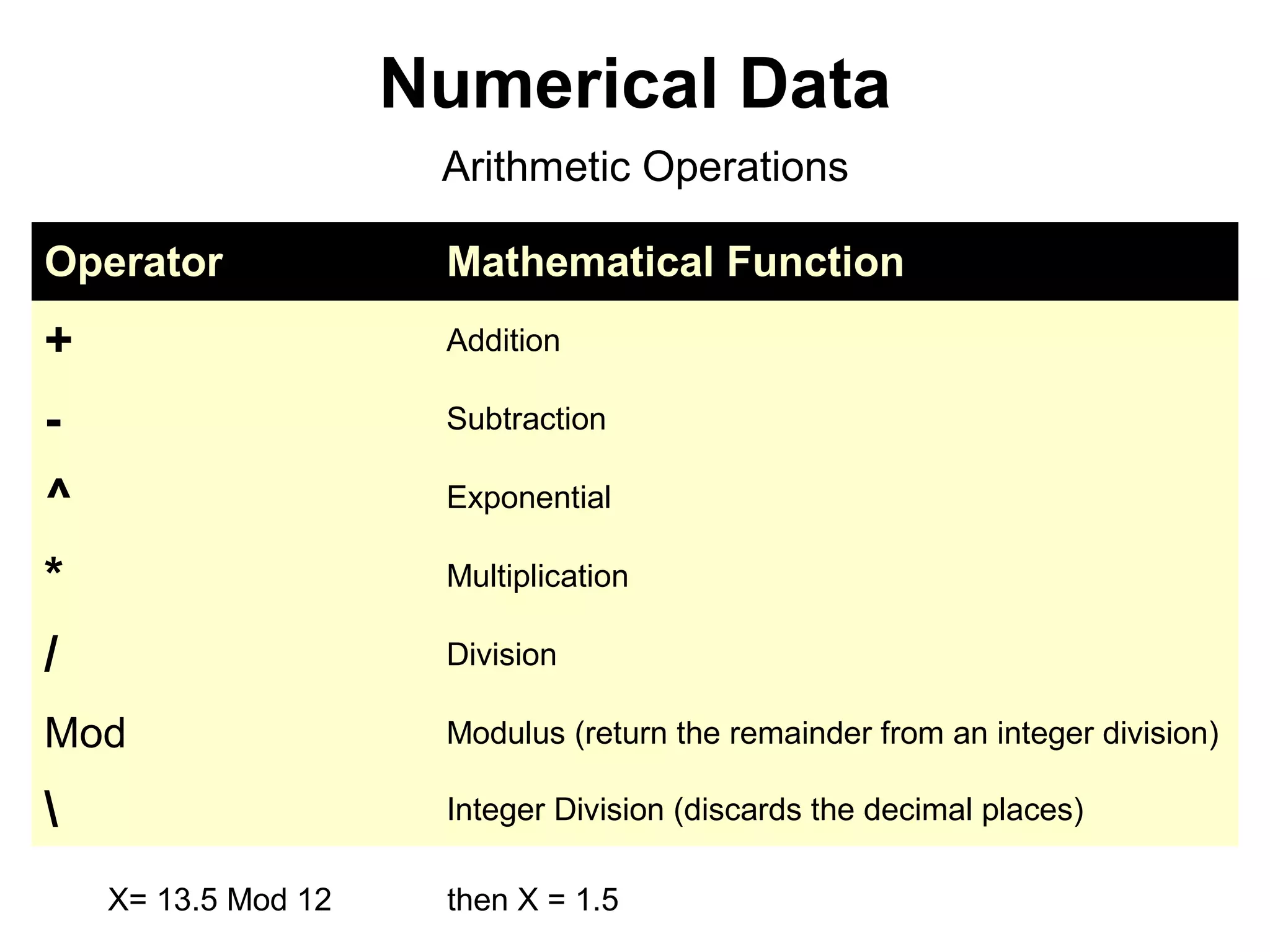
                      Arithmetic Operations

Operator              Mathematical Function
+                     Addition

-                     Subtraction

^                     Exponential

*                     Multiplication

/                     Division

Mod                   Modulus (return the remainder from an integer division)

                     Integer Division (discards the decimal places)

    X= 13.5 Mod 12    then X = 1.5
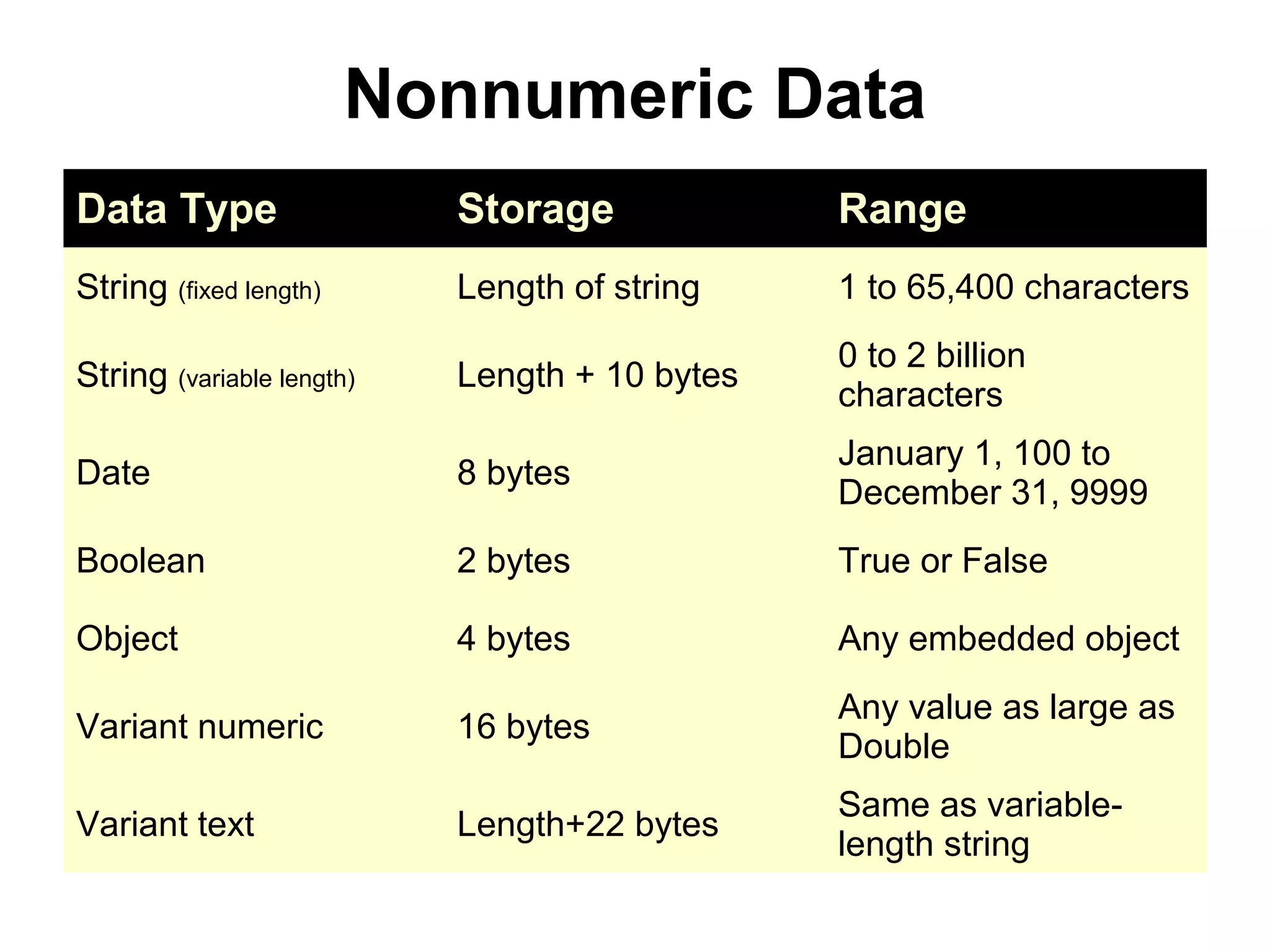
Nonnumeric Data
Data Type                  Storage             Range
String (fixed length)      Length of string    1 to 65,400 characters
                                               0 to 2 billion
String (variable length)   Length + 10 bytes
                                               characters
                                               January 1, 100 to
Date                       8 bytes
                                               December 31, 9999
Boolean                    2 bytes             True or False

Object                     4 bytes             Any embedded object
                                               Any value as large as
Variant numeric            16 bytes
                                               Double
                                               Same as variable-
Variant text               Length+22 bytes
                                               length string
Nonnumeric Data
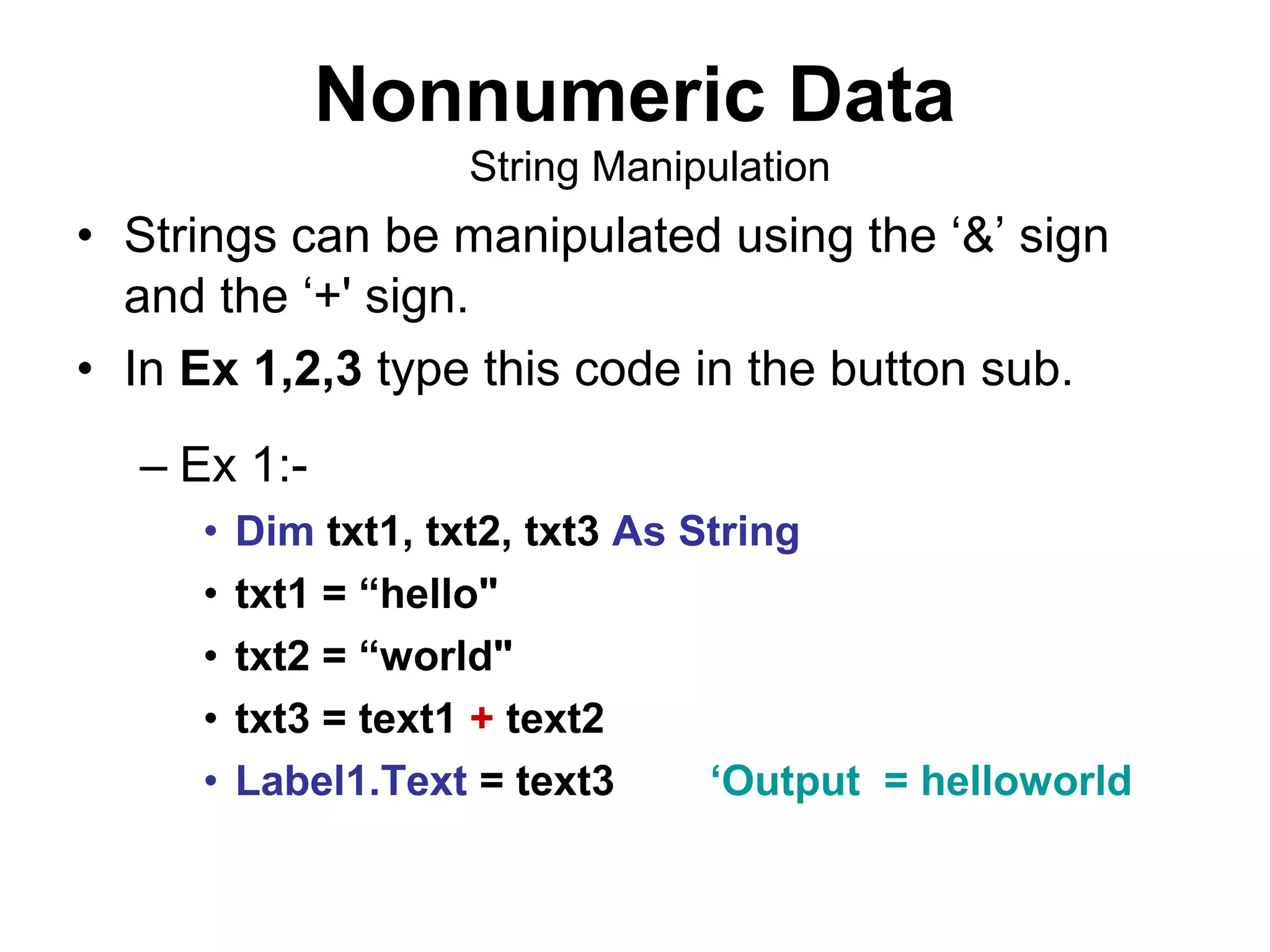
                    String Manipulation
• Strings can be manipulated using the ‘&’ sign
  and the ‘+' sign.
• In Ex 1,2,3 type this code in the button sub.
  – Ex 1:-
     •   Dim txt1, txt2, txt3 As String
     •   txt1 = “hello"
     •   txt2 = “world"
     •   txt3 = text1 + text2
     •   Label1.Text = text3      ‘Output = helloworld
Nonnumeric Data
                     String Manipulation

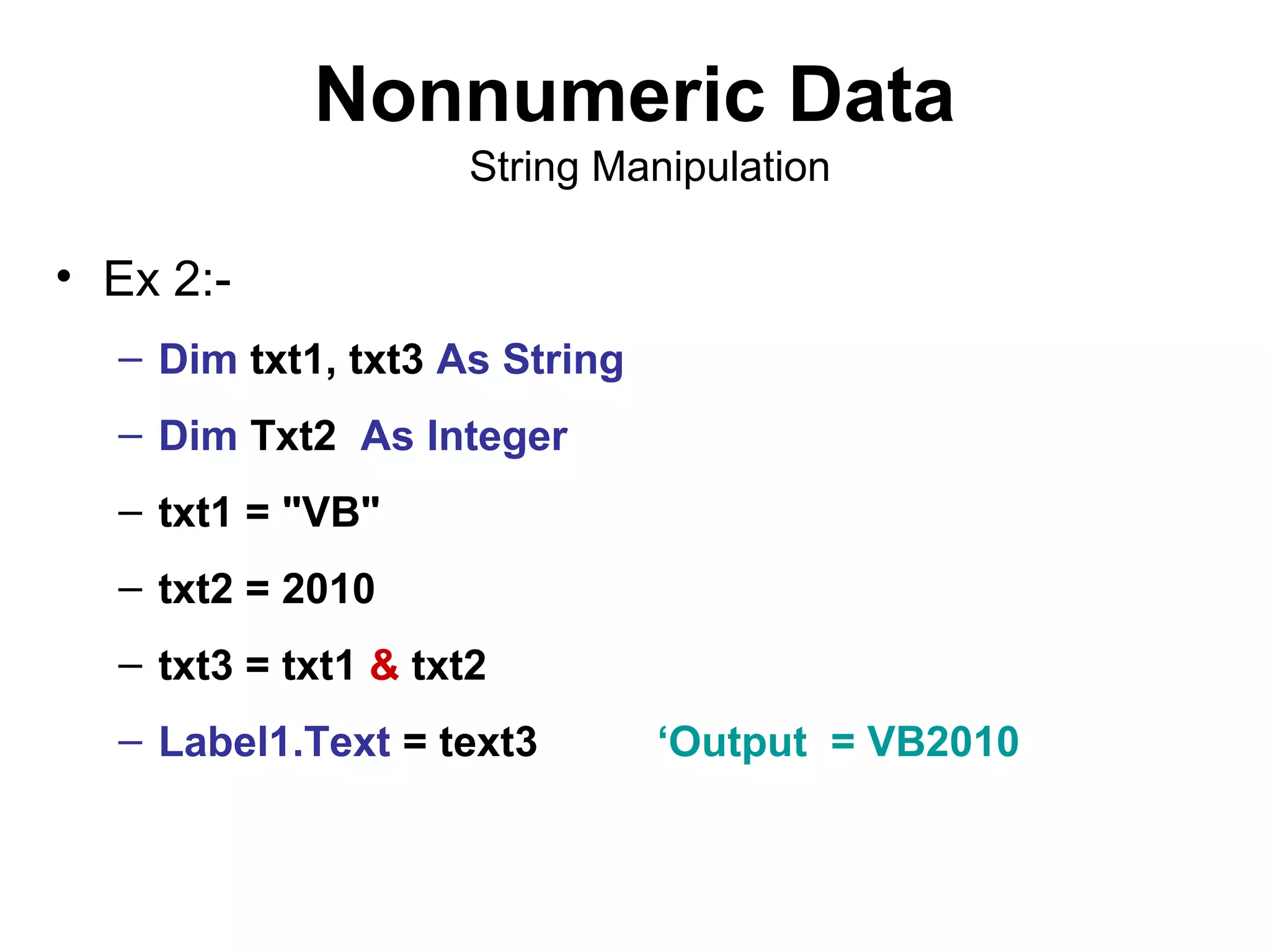
• Ex 2:-
  – Dim txt1, txt3 As String
  – Dim Txt2 As Integer
  – txt1 = "VB"
  – txt2 = 2010
  – txt3 = txt1 & txt2
  – Label1.Text = text3        ‘Output = VB2010
Nonnumeric Data
                      String Manipulation

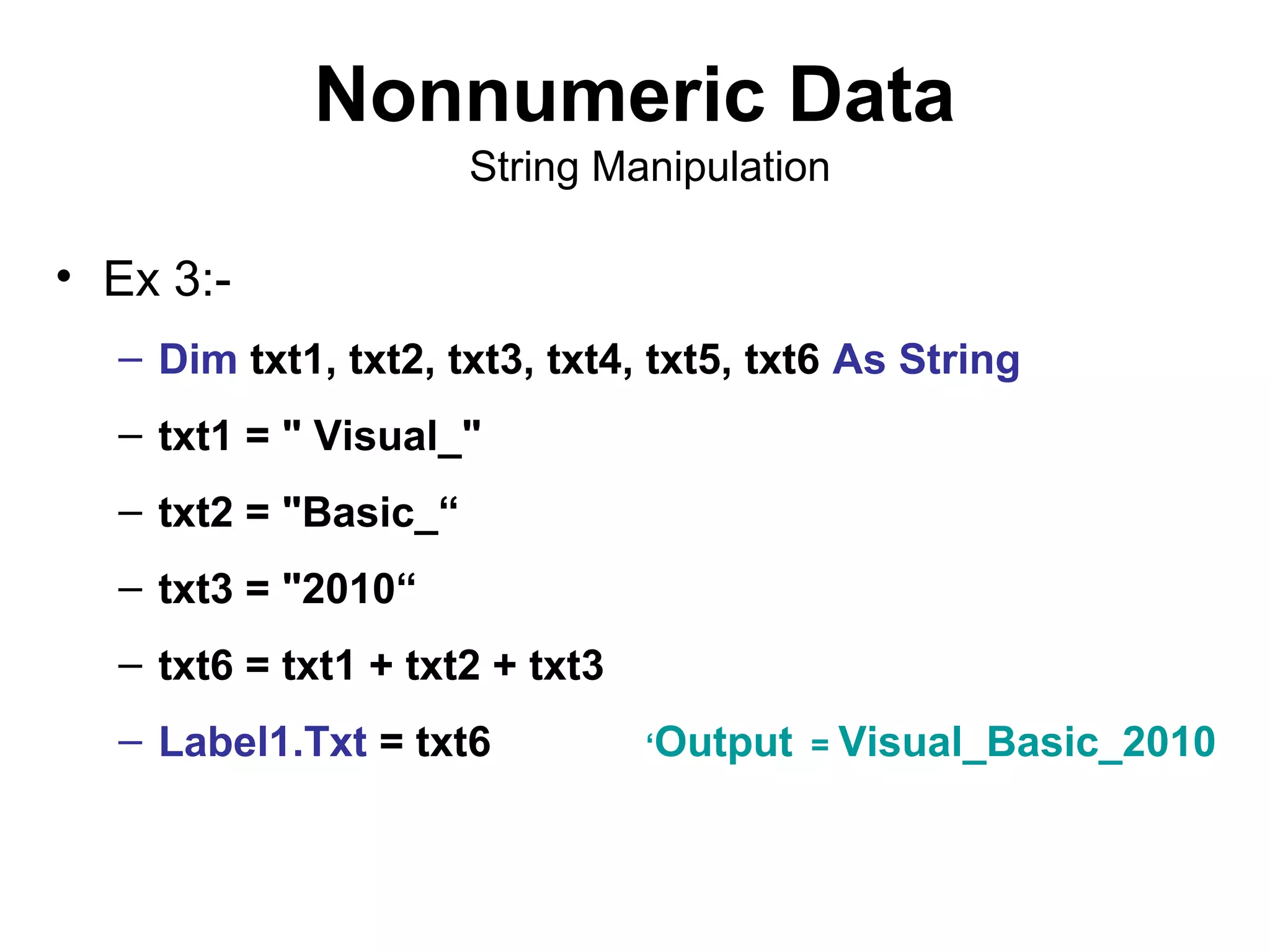
• Ex 3:-
  – Dim txt1, txt2, txt3, txt4, txt5, txt6 As String
  – txt1 = " Visual_"
  – txt2 = "Basic_“
  – txt3 = "2010“
  – txt6 = txt1 + txt2 + txt3
  – Label1.Txt = txt6           ‘Output = Visual_Basic_2010
Variable Names
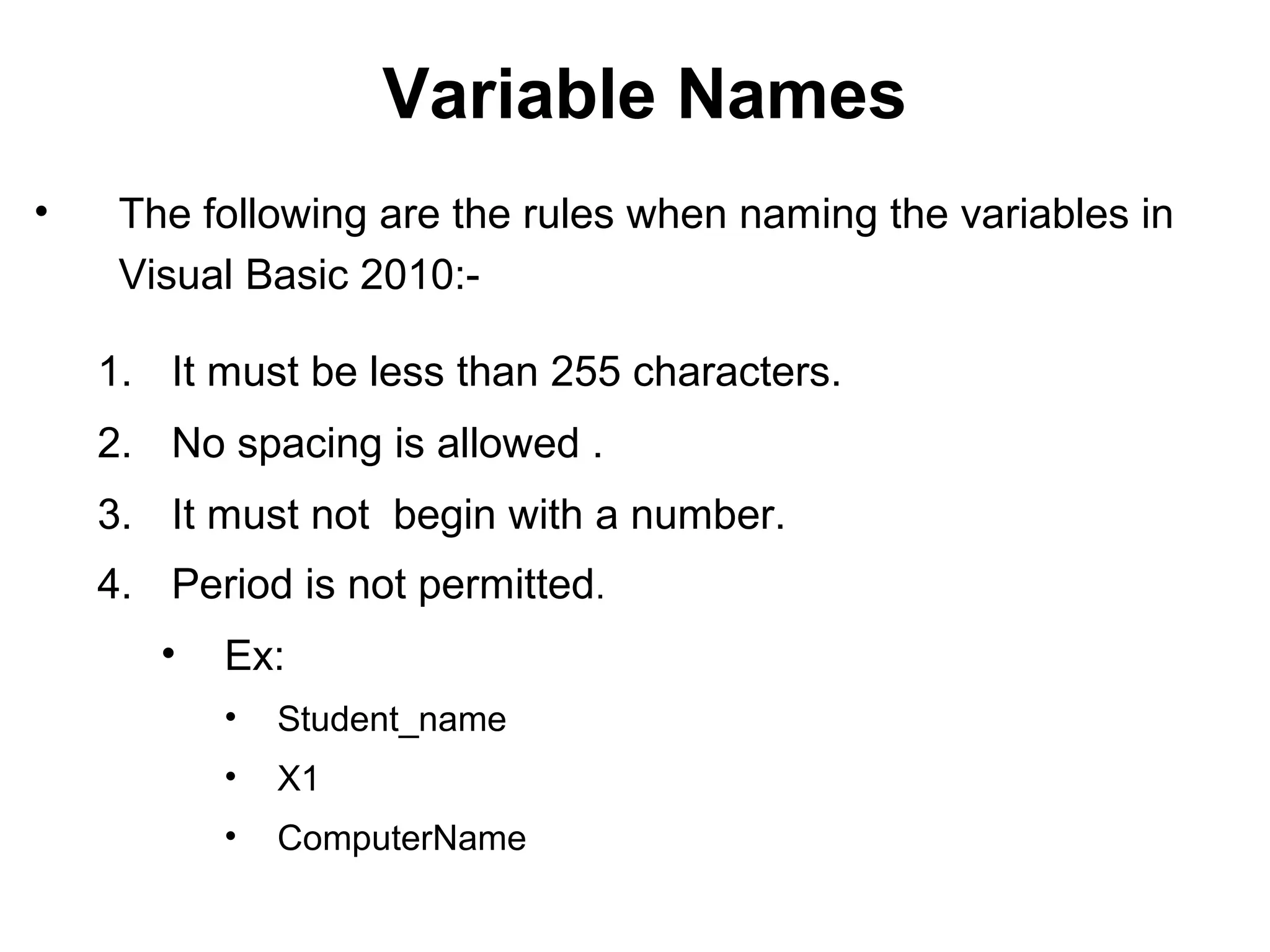
•    The following are the rules when naming the variables in
     Visual Basic 2010:-

    1. It must be less than 255 characters.
    2. No spacing is allowed .
    3. It must not begin with a number.
    4. Period is not permitted.
       •   Ex:
           •   Student_name
           •   X1
           •   ComputerName
Declaring Variables
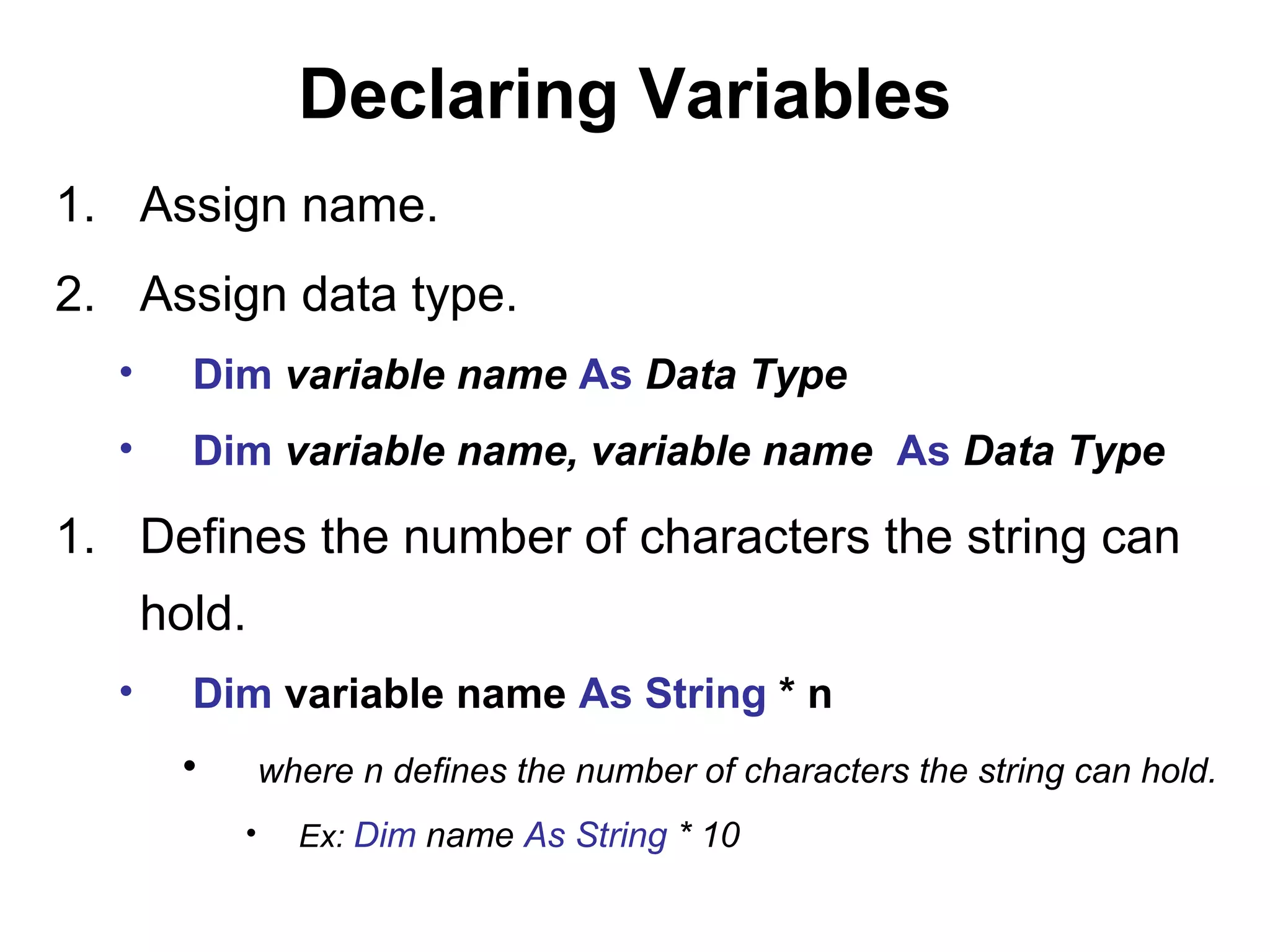
1. Assign name.
2. Assign data type.
  •     Dim variable name As Data Type
  •     Dim variable name, variable name As Data Type

1. Defines the number of characters the string can
      hold.
  •     Dim variable name As String * n
       •       where n defines the number of characters the string can hold.
           •     Ex: Dim name As String * 10
Constants
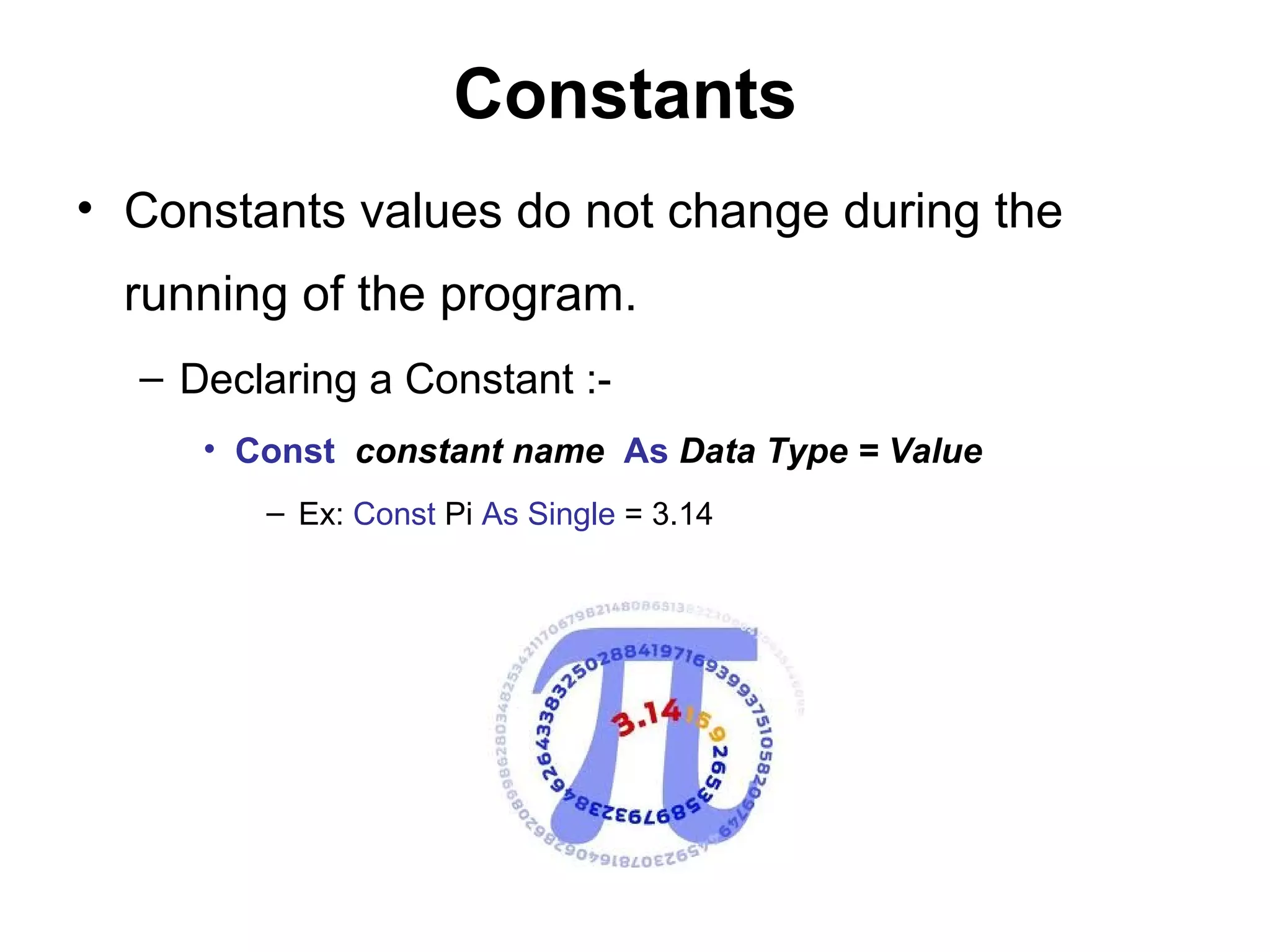
• Constants values do not change during the
  running of the program.
  – Declaring a Constant :-
     • Const constant name As Data Type = Value
        – Ex: Const Pi As Single = 3.14
Issue
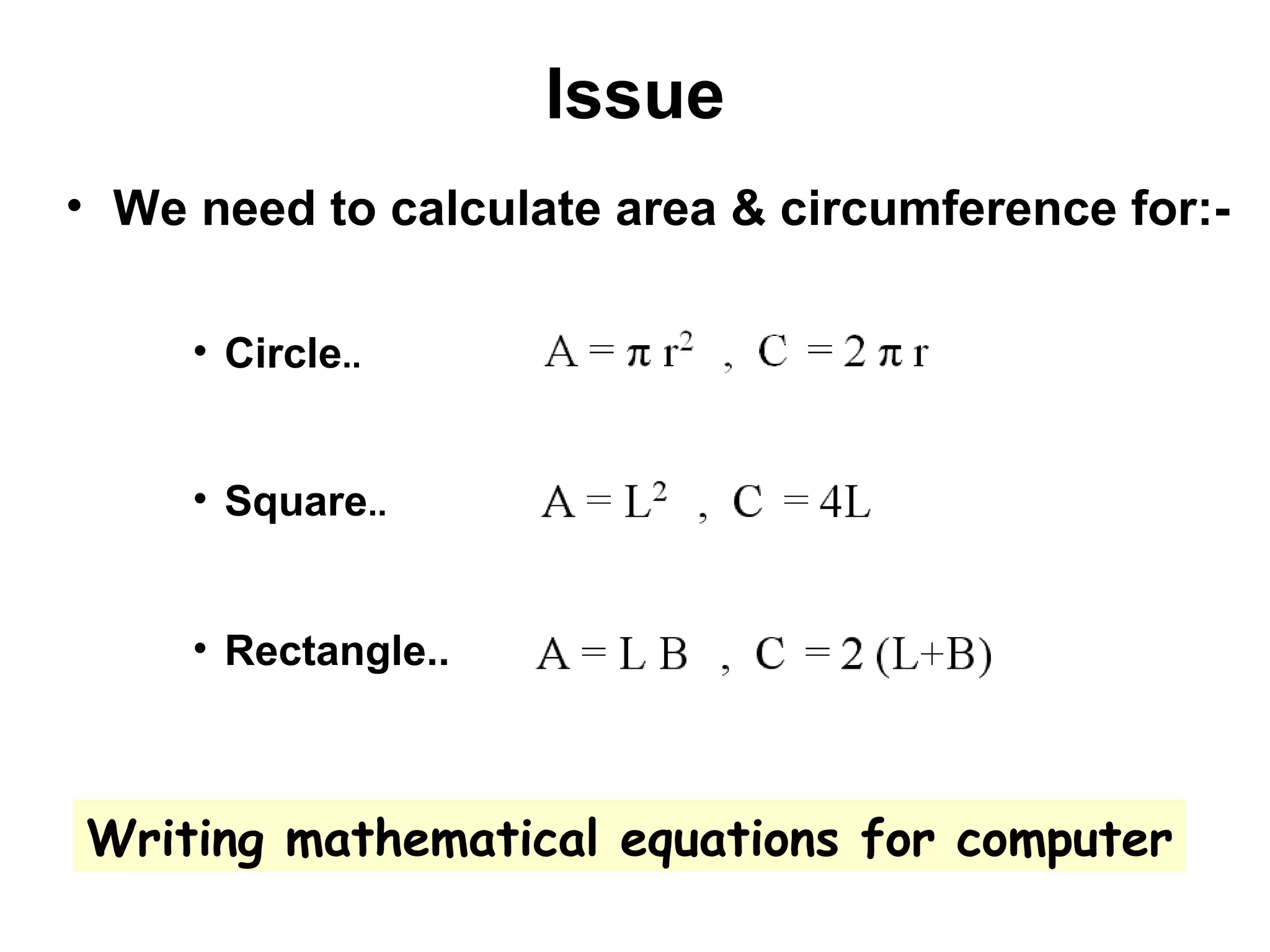
• We need to calculate area & circumference for:-

     • Circle..


     • Square..


     • Rectangle..


Writing mathematical equations for computer
Visual basic intoduction

Visual basic intoduction

  • 1.
    Electro-Team Interesting Education electroteam__@hotmail.com
  • 2.
    Visual Basic 2010 Introduction
  • 3.
    Agenda Development cycle. Programming languages. ObjectOriented Programming. Programming concepts. Software. Integrated Development Software. Install VB 2010 Express. VB 2010 Introduction.
  • 4.
    System Development Cycle Analyses Design Testing Programming
  • 5.
  • 6.
    Compiled languages Fast Run time
  • 7.
  • 8.
    Object Oriented Programming Encapsulation.  Inheritance.  Polymorphism.
  • 9.
    Encapsulation It is theexposure of properties and methods of an object while hiding the actual implementation of it. In other words, the object is treated as a black box developers who use the object should have no need to understand how it actually works.
  • 10.
    Inheritance less programming isrequired when adding functions to complex systems. This don by inherit all or some of the structure and/or methods in one class to another.
  • 11.
    Polymorphism Example, a screencursor may change its shape from an arrow to a line depending on the program mode.
  • 13.
    Classes & objects Consider the classes at a school; children of a particular age may be grouped together and put in one class. They will all learn the same set of things and will all be tested in the same way. That doesn’t mean everyone in a class is the same – it just means there are certain things they have in common.  Aly is one of the class students, so Aly is an object inside the class. Aly have a variety of properties.
  • 14.
    Integrated Formed or unitedinto a whole.‫تكامل‬
  • 15.
    Development A process inwhich something passes by degrees to a different stage. Darwin
  • 16.
  • 17.
  • 18.
    Events & Actions Events are things that happen to an object.  Actions are things that an object does.
  • 19.
    Software Written programs orprocedures or rules and associated documentation stored in memory.  Beta Software.  Alpha Software.  Software Package.  Systems Software.  Computer Software. Documentation.
  • 20.
    Dialog Box A small temporary window in a graphical user interface, which request information from the user; after the information has been provided the user dismisses the box with `ok' or `cancel‘.
  • 21.
  • 22.
  • 23.
  • 24.
  • 25.
  • 26.
  • 27.
  • 28.
  • 29.
    Learn By Doing
  • 30.
    Install VB 2010Express Step BY Step
  • 44.
    Add one buttonand one label
  • 45.
    Select label1 andpress control and hold it then click (select) button1
  • 46.
    Now you canchange Font property for both
  • 48.
    Adjust AutoSize propertyto true then double click on Button1
  • 49.
    Type yellow phrasebetween Private Sub and End Sub
  • 50.
    Press F5 youshould have this form
  • 51.
  • 52.
  • 53.
    Let both buttonshave the same size
  • 54.
    Fix button2 justlike button1
  • 55.
  • 57.
  • 58.
  • 59.
    Form_Load • Open newVB project • Double click on any part of the form.  Form_Load Object = Form Event = Load  Lets type something between private sub and end sub. Me.height = 1000 Me.width = 100 Me.opacity = 0.9
  • 60.
    Subroutine  Open newVB project.  Insert button from toolbox.  Double click this button.  And type between private sub and end sub: – Dim prog as string ‘Declaration – Prog = “hello world” ‘Assign value for declared variable – Msgbox (prog) ‘statement
  • 61.
    VB 2010 DataTypes • Numeric data:- – Price , weight ,age …etc • Non-numeric data.
  • 62.
    Numerical Data Ranges Type Storage Range of Values Byte 1 byte 0 to 255 Integer 2 bytes -32,768 to 32,767 Long 4 bytes -2,147,483,648 to 2,147,483,648 Single 4 bytes +/-3.402823E+38 to -1.401298E-45 Double 8 bytes +/-1.79769313486232e+308 to -4.94065645841247E-324 Currency 8 bytes -922,337,203,685,477.5808 to 922,337,203,685,477.5807 +/- 79,228,162,514,264,337,593,543,950,335 if no decimal is Decimal 12 bytes use +/- 7.9228162514264337593543950335 (28 decimal places).
  • 63.
    Numerical Data Arithmetic Operations Operator Mathematical Function + Addition - Subtraction ^ Exponential * Multiplication / Division Mod Modulus (return the remainder from an integer division) Integer Division (discards the decimal places) X= 13.5 Mod 12 then X = 1.5
  • 64.
    Nonnumeric Data Data Type Storage Range String (fixed length) Length of string 1 to 65,400 characters 0 to 2 billion String (variable length) Length + 10 bytes characters January 1, 100 to Date 8 bytes December 31, 9999 Boolean 2 bytes True or False Object 4 bytes Any embedded object Any value as large as Variant numeric 16 bytes Double Same as variable- Variant text Length+22 bytes length string
  • 65.
    Nonnumeric Data String Manipulation • Strings can be manipulated using the ‘&’ sign and the ‘+' sign. • In Ex 1,2,3 type this code in the button sub. – Ex 1:- • Dim txt1, txt2, txt3 As String • txt1 = “hello" • txt2 = “world" • txt3 = text1 + text2 • Label1.Text = text3 ‘Output = helloworld
  • 66.
    Nonnumeric Data String Manipulation • Ex 2:- – Dim txt1, txt3 As String – Dim Txt2 As Integer – txt1 = "VB" – txt2 = 2010 – txt3 = txt1 & txt2 – Label1.Text = text3 ‘Output = VB2010
  • 67.
    Nonnumeric Data String Manipulation • Ex 3:- – Dim txt1, txt2, txt3, txt4, txt5, txt6 As String – txt1 = " Visual_" – txt2 = "Basic_“ – txt3 = "2010“ – txt6 = txt1 + txt2 + txt3 – Label1.Txt = txt6 ‘Output = Visual_Basic_2010
  • 68.
    Variable Names • The following are the rules when naming the variables in Visual Basic 2010:- 1. It must be less than 255 characters. 2. No spacing is allowed . 3. It must not begin with a number. 4. Period is not permitted. • Ex: • Student_name • X1 • ComputerName
  • 69.
    Declaring Variables 1. Assignname. 2. Assign data type. • Dim variable name As Data Type • Dim variable name, variable name As Data Type 1. Defines the number of characters the string can hold. • Dim variable name As String * n • where n defines the number of characters the string can hold. • Ex: Dim name As String * 10
  • 70.
    Constants • Constants valuesdo not change during the running of the program. – Declaring a Constant :- • Const constant name As Data Type = Value – Ex: Const Pi As Single = 3.14
  • 71.
    Issue • We needto calculate area & circumference for:- • Circle.. • Square.. • Rectangle.. Writing mathematical equations for computer