Research Presentation
DATA PROCESSING AND ANALYSIS
Mah Noor
Munazza Sadiqa
Amtul Baree
CONTENT
Data processing and analysis
1. Basic Concepts of data processing
2. Computer representation
3. Data matrix
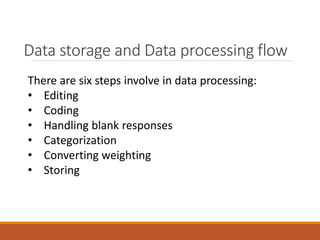
Data storage and Data processing flow
1. Editing
2. Coding
3. Handling blank responses
4. Categorization
5. Converting weighting
6. Storing, etc.
BasicConcepts of Data Processing
Data
The word data is derived from Latin language. It is plural of Datum
(But Data is usually used as a singular term.) Datum (singular) – Data
(plural). Data is any collection of facts of figures. The data is the raw
material to be processed by a computer.
Example
Names of students, marks obtained in the examination, designation
of employees, addresses, quantity, rate, sales figures or anything that
is input to the computer is data. Even pictures, photographs,
drawings, charts and maps can be treated as data. Computer
processes the data and produces the output or result.
Types of Data
Mainly Data is divided into two types:
1. Numeric Data
2. Character Data
Numeric Data:
The data which is represented in the form of numbers is known as Numeric Data. This
includes 0-9 digits, a decimal point (.), +, /, – sign and the letters “E” or “D”.
Character Data:
Character data falls into two groups.
• String Data:
String data consists of the sequence of characters. Characters may be English alphabets,
numbers or space. The space, which separates two words, is also a character. The string
data is further divided into two types. a. Alphabetic Data b. Alphanumeric Data
• Graphical Data:
It is possible that pictures, charts and maps can be treated as data. The scanner is
normally used to enter this type of data. The common use of this data is found in the
National Identity Card.
Information
• A collection of data which conveys some meaningful
idea is information. It may provide answers to
questions like who, which, when, why, what, and how.
OR
• Raw input is data and it has no significance when it
exists in that form. When data is collated or organized
into something meaningful, it gains significance. This
meaningful organization is information.
OR
• Observations and recordings are done to obtain data,
while analysis is done to obtain information
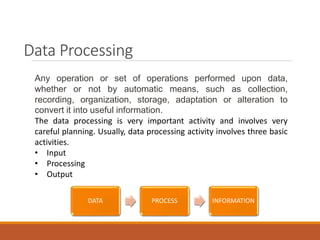
Data Processing
Any operation or set of operations performed upon data,
whether or not by automatic means, such as collection,
recording, organization, storage, adaptation or alteration to
convert it into useful information.
The data processing is very important activity and involves very
careful planning. Usually, data processing activity involves three basic
activities.
• Input
• Processing
• Output
DATA PROCESS INFORMATION
Data Processing Cycle (STEP-1)
1. Input:
It is the process through which collected data is transformed into a form that
computer can understand. It is very important step because correct output
result totally depends on the input data. In input step, following activities can
be performed.
i) Verification
The collected data is verified to determine whether it is correct as required.
For example, the collected data of all B.Sc. students that appeared in final
examination of the university is verified. If errors occur in collected data, data
is corrected or it is collected again.
ii) Coding
The verified data is coded or converted into machine readable form so that it
can be processed through computer.
iii) Storing
The data is stored on the secondary storage into a file. The stored data on the
storage media will be given to the program as input for processing.
Data Processing Cycle (STEP-2)
2. Processing:
The term processing denotes the actual data manipulation techniques such as
classifying, sorting, calculating, summarizing, comparing, etc. that convert data into
information.
i) Classification
The data is classified into different groups and subgroups, so that each group or sub-
group of data can be handled separately.
ii) Storing
The data is arranged into an order so that it can be accessed very quickly as and when
required.
iii) Calculations
The arithmetic operations are performed on the numeric data to get the required
results. For example, total marks of each student are calculated.
iv) Summarizing
The data is processed to represent it in a summarized form. ft means that the summary
of data is prepared for top management. For example, the summary of the data of
student is prepared to show the percentage of pass and fail student examination etc.
Data Processing Cycle (STEP-3)
3. Output:
After completing the processing step, output is generated. The main purpose
of data processing is to get the required result. Mostly, the output is stored
on the storage media for later user. In output step, following activities can be
performed.
i) Retrieval
Output stored on the storage media can be retrieved at any time. For
example, result of students is prepared and stored on the disk. This result can
be retrieved when required for different purposes.
ii) Conversion
The generated output can be converted into different forms. For example, it
can be represented into graphical form.
iii) Communication
The generated output is sent to different places. For example, weather
forecast is prepared and. sent to different agencies and newspapers etc.
where it is required.
Types Data Processing
1. Manual Data Processing
2. EDP(Electronic Data Processing)
3. Real Time Processing
4. Batch Processing
Manual Data Processing
This method of data processing involves human intervention. The
manual process of data entry implies many opportunities for errors,
such as delays in data capture, as every single data field has to be
keyed in manually, a high amount of operator misprints or typos, high
labor costs from the amount of manual labor required. Manual
processing also implies higher labor expenses in regards to spending
for equipment and supplies, rent, etc.
EDP(Electronic Data Processing)
EDP (electronic data processing), an infrequently used term for what
is today usually called IS(information services or systems) or
MIS(management information services or systems), is the processing
of data by a computer and its programs in an environment involving
electronic communication. EDP evolved from DP(data processing), a
term that was created when most computing input was physically put
into the computer in punched card form or in ATM cards form and
output as punched cards or paper reports.
Real Time Processing
In a real time processing, there is a continual input, process and
output of data. Data has to be processed in a small stipulated time
period (real time), otherwise it will create problems for the system.
For example , when a bank customer withdraws a sum of money from
his or her account it is vital that the transaction be processed and the
account balance updated as soon as possible, allowing both the bank
and customer to keep track of funds.
Batch Processing
In a batch processing group of transactions collected over a period of
time is collected, entered, processed and then the batch results are
produced. Batch processing requires separate programs for input,
process and output. It is an efficient way of processing high volume of
data. For example : Payroll system, Examination system and billing
system.
Computer Processing Operations
A computer can perform only the following four operations which
enable computers to carry out the various data processing activities
we have just discussed.
(a) Input/output operations
A computer can accept data (input) from and supply processed data
(output) to a wide range of input/output devices. These devices such
as keyboards, display screens, and printers make human-machine
communication possible.
(b) Calculation and text manipulation Operations
Computer circuits perform calculations on numbers. They are also
capable of manipulating numeric and other symbols used in text with
equal efficiency.
Computer Processing Operations
(c) Logic/Comparison Operations
A computer also possesses the ability to perform logical operations.
For example, if we compare two items represented by the symbols A
and B, there are only three possible outcomes. A is less than B (A<B);
A is equal to B (A=B): or A is greater than B (A>B).
A computer can perform such comparisons and the, depending on
the result, follow a predetermined path to complete its work. This
ability to compare is an important property of computers,
(d) Storage and Retrieval Operations
Both data and program instructions are stored internally in a
computer. Once they are stored in the internal memory, they can be
called up quickly or retrieved, for further use.
Data Matrix
A data matrix is a matrix which stores data.
Typically the observations which are also known
as cases are stored as rows within the data
matrix, while the variables which are also known
as characteristics are stored as columns.
Data storage and Data processing flow
There are six steps involve in data processing:
• Editing
• Coding
• Handling blank responses
• Categorization
• Converting weighting
• Storing
Editing
Editing of data is a process of examining the collected raw
data (especially in surveys) to detect errors and omissions
and to correct these when possible.
Editing is done to assure that the data are accurate,
consistent with other facts gathered, uniformly entered,
as completed as possible and have been well arranged to
facilitate coding and tabulation.
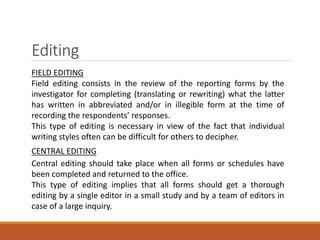
EDITING:
• FIELD EDITING
• CENTRAL EDITING
Editing
FIELD EDITING
Field editing consists in the review of the reporting forms by the
investigator for completing (translating or rewriting) what the latter
has written in abbreviated and/or in illegible form at the time of
recording the respondents’ responses.
This type of editing is necessary in view of the fact that individual
writing styles often can be difficult for others to decipher.
CENTRAL EDITING
Central editing should take place when all forms or schedules have
been completed and returned to the office.
This type of editing implies that all forms should get a thorough
editing by a single editor in a small study and by a team of editors in
case of a large inquiry.
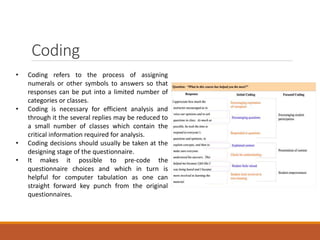
Coding
• Coding refers to the process of assigning
numerals or other symbols to answers so that
responses can be put into a limited number of
categories or classes.
• Coding is necessary for efficient analysis and
through it the several replies may be reduced to
a small number of classes which contain the
critical information required for analysis.
• Coding decisions should usually be taken at the
designing stage of the questionnaire.
• It makes it possible to pre-code the
questionnaire choices and which in turn is
helpful for computer tabulation as one can
straight forward key punch from the original
questionnaires.
Handling blank responses
• Answers may have been left blank because the respondent did not
understand the question, did not know the answer, was not willing
to answer, or was simply indifferent to the need to respond the
entire questionnaire.
• If a substantial number of questions—say, 25% of the items in the
questionnaire—have been left unanswered, it may be a good idea
to drop the questionnaire.
• One way to handle a blank response to an interval-scaled item
with a mid-point would be to assign the midpoint in the scale as
the response to that particular item.
• An alternative way is to allow the computer to ignore the blank
responses when the analyses are done.
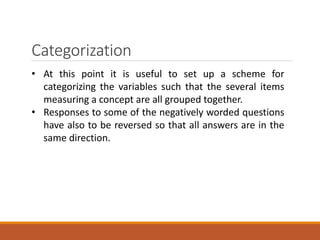
Categorization
• At this point it is useful to set up a scheme for
categorizing the variables such that the several items
measuring a concept are all grouped together.
• Responses to some of the negatively worded questions
have also to be reversed so that all answers are in the
same direction.
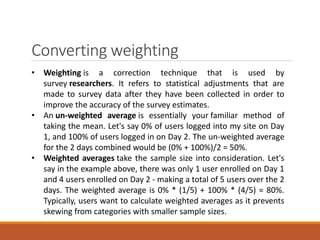
Converting weighting
• Weighting is a correction technique that is used by
survey researchers. It refers to statistical adjustments that are
made to survey data after they have been collected in order to
improve the accuracy of the survey estimates.
• An un-weighted average is essentially your familiar method of
taking the mean. Let's say 0% of users logged into my site on Day
1, and 100% of users logged in on Day 2. The un-weighted average
for the 2 days combined would be (0% + 100%)/2 = 50%.
• Weighted averages take the sample size into consideration. Let's
say in the example above, there was only 1 user enrolled on Day 1
and 4 users enrolled on Day 2 - making a total of 5 users over the 2
days. The weighted average is 0% * (1/5) + 100% * (4/5) = 80%.
Typically, users want to calculate weighted averages as it prevents
skewing from categories with smaller sample sizes.
Storage
Data storage allows researchers to keep digital information in
such a way that it can be retrieved in future.
Securely storing data in this way has become an increasingly
important and burdensome responsibility for researchers,
particularly as the size of their data sets grow.
Questions
1. What is open ended and close ended questions?
2. What is data processing flow?
3. What are types of data processing?
Research Presentation End
THANK YOU

Data processing and analysis

  • 1.
    Research Presentation DATA PROCESSINGAND ANALYSIS Mah Noor Munazza Sadiqa Amtul Baree
  • 2.
    CONTENT Data processing andanalysis 1. Basic Concepts of data processing 2. Computer representation 3. Data matrix Data storage and Data processing flow 1. Editing 2. Coding 3. Handling blank responses 4. Categorization 5. Converting weighting 6. Storing, etc.
  • 3.
    BasicConcepts of DataProcessing Data The word data is derived from Latin language. It is plural of Datum (But Data is usually used as a singular term.) Datum (singular) – Data (plural). Data is any collection of facts of figures. The data is the raw material to be processed by a computer. Example Names of students, marks obtained in the examination, designation of employees, addresses, quantity, rate, sales figures or anything that is input to the computer is data. Even pictures, photographs, drawings, charts and maps can be treated as data. Computer processes the data and produces the output or result.
  • 4.
    Types of Data MainlyData is divided into two types: 1. Numeric Data 2. Character Data Numeric Data: The data which is represented in the form of numbers is known as Numeric Data. This includes 0-9 digits, a decimal point (.), +, /, – sign and the letters “E” or “D”. Character Data: Character data falls into two groups. • String Data: String data consists of the sequence of characters. Characters may be English alphabets, numbers or space. The space, which separates two words, is also a character. The string data is further divided into two types. a. Alphabetic Data b. Alphanumeric Data • Graphical Data: It is possible that pictures, charts and maps can be treated as data. The scanner is normally used to enter this type of data. The common use of this data is found in the National Identity Card.
  • 5.
    Information • A collectionof data which conveys some meaningful idea is information. It may provide answers to questions like who, which, when, why, what, and how. OR • Raw input is data and it has no significance when it exists in that form. When data is collated or organized into something meaningful, it gains significance. This meaningful organization is information. OR • Observations and recordings are done to obtain data, while analysis is done to obtain information
  • 6.
    Data Processing Any operationor set of operations performed upon data, whether or not by automatic means, such as collection, recording, organization, storage, adaptation or alteration to convert it into useful information. The data processing is very important activity and involves very careful planning. Usually, data processing activity involves three basic activities. • Input • Processing • Output DATA PROCESS INFORMATION
  • 7.
    Data Processing Cycle(STEP-1) 1. Input: It is the process through which collected data is transformed into a form that computer can understand. It is very important step because correct output result totally depends on the input data. In input step, following activities can be performed. i) Verification The collected data is verified to determine whether it is correct as required. For example, the collected data of all B.Sc. students that appeared in final examination of the university is verified. If errors occur in collected data, data is corrected or it is collected again. ii) Coding The verified data is coded or converted into machine readable form so that it can be processed through computer. iii) Storing The data is stored on the secondary storage into a file. The stored data on the storage media will be given to the program as input for processing.
  • 8.
    Data Processing Cycle(STEP-2) 2. Processing: The term processing denotes the actual data manipulation techniques such as classifying, sorting, calculating, summarizing, comparing, etc. that convert data into information. i) Classification The data is classified into different groups and subgroups, so that each group or sub- group of data can be handled separately. ii) Storing The data is arranged into an order so that it can be accessed very quickly as and when required. iii) Calculations The arithmetic operations are performed on the numeric data to get the required results. For example, total marks of each student are calculated. iv) Summarizing The data is processed to represent it in a summarized form. ft means that the summary of data is prepared for top management. For example, the summary of the data of student is prepared to show the percentage of pass and fail student examination etc.
  • 9.
    Data Processing Cycle(STEP-3) 3. Output: After completing the processing step, output is generated. The main purpose of data processing is to get the required result. Mostly, the output is stored on the storage media for later user. In output step, following activities can be performed. i) Retrieval Output stored on the storage media can be retrieved at any time. For example, result of students is prepared and stored on the disk. This result can be retrieved when required for different purposes. ii) Conversion The generated output can be converted into different forms. For example, it can be represented into graphical form. iii) Communication The generated output is sent to different places. For example, weather forecast is prepared and. sent to different agencies and newspapers etc. where it is required.
  • 10.
    Types Data Processing 1.Manual Data Processing 2. EDP(Electronic Data Processing) 3. Real Time Processing 4. Batch Processing
  • 11.
    Manual Data Processing Thismethod of data processing involves human intervention. The manual process of data entry implies many opportunities for errors, such as delays in data capture, as every single data field has to be keyed in manually, a high amount of operator misprints or typos, high labor costs from the amount of manual labor required. Manual processing also implies higher labor expenses in regards to spending for equipment and supplies, rent, etc.
  • 12.
    EDP(Electronic Data Processing) EDP(electronic data processing), an infrequently used term for what is today usually called IS(information services or systems) or MIS(management information services or systems), is the processing of data by a computer and its programs in an environment involving electronic communication. EDP evolved from DP(data processing), a term that was created when most computing input was physically put into the computer in punched card form or in ATM cards form and output as punched cards or paper reports.
  • 13.
    Real Time Processing Ina real time processing, there is a continual input, process and output of data. Data has to be processed in a small stipulated time period (real time), otherwise it will create problems for the system. For example , when a bank customer withdraws a sum of money from his or her account it is vital that the transaction be processed and the account balance updated as soon as possible, allowing both the bank and customer to keep track of funds.
  • 14.
    Batch Processing In abatch processing group of transactions collected over a period of time is collected, entered, processed and then the batch results are produced. Batch processing requires separate programs for input, process and output. It is an efficient way of processing high volume of data. For example : Payroll system, Examination system and billing system.
  • 15.
    Computer Processing Operations Acomputer can perform only the following four operations which enable computers to carry out the various data processing activities we have just discussed. (a) Input/output operations A computer can accept data (input) from and supply processed data (output) to a wide range of input/output devices. These devices such as keyboards, display screens, and printers make human-machine communication possible. (b) Calculation and text manipulation Operations Computer circuits perform calculations on numbers. They are also capable of manipulating numeric and other symbols used in text with equal efficiency.
  • 16.
    Computer Processing Operations (c)Logic/Comparison Operations A computer also possesses the ability to perform logical operations. For example, if we compare two items represented by the symbols A and B, there are only three possible outcomes. A is less than B (A<B); A is equal to B (A=B): or A is greater than B (A>B). A computer can perform such comparisons and the, depending on the result, follow a predetermined path to complete its work. This ability to compare is an important property of computers, (d) Storage and Retrieval Operations Both data and program instructions are stored internally in a computer. Once they are stored in the internal memory, they can be called up quickly or retrieved, for further use.
  • 17.
    Data Matrix A datamatrix is a matrix which stores data. Typically the observations which are also known as cases are stored as rows within the data matrix, while the variables which are also known as characteristics are stored as columns.
  • 18.
    Data storage andData processing flow There are six steps involve in data processing: • Editing • Coding • Handling blank responses • Categorization • Converting weighting • Storing
  • 19.
    Editing Editing of datais a process of examining the collected raw data (especially in surveys) to detect errors and omissions and to correct these when possible. Editing is done to assure that the data are accurate, consistent with other facts gathered, uniformly entered, as completed as possible and have been well arranged to facilitate coding and tabulation. EDITING: • FIELD EDITING • CENTRAL EDITING
  • 20.
    Editing FIELD EDITING Field editingconsists in the review of the reporting forms by the investigator for completing (translating or rewriting) what the latter has written in abbreviated and/or in illegible form at the time of recording the respondents’ responses. This type of editing is necessary in view of the fact that individual writing styles often can be difficult for others to decipher. CENTRAL EDITING Central editing should take place when all forms or schedules have been completed and returned to the office. This type of editing implies that all forms should get a thorough editing by a single editor in a small study and by a team of editors in case of a large inquiry.
  • 21.
    Coding • Coding refersto the process of assigning numerals or other symbols to answers so that responses can be put into a limited number of categories or classes. • Coding is necessary for efficient analysis and through it the several replies may be reduced to a small number of classes which contain the critical information required for analysis. • Coding decisions should usually be taken at the designing stage of the questionnaire. • It makes it possible to pre-code the questionnaire choices and which in turn is helpful for computer tabulation as one can straight forward key punch from the original questionnaires.
  • 22.
    Handling blank responses •Answers may have been left blank because the respondent did not understand the question, did not know the answer, was not willing to answer, or was simply indifferent to the need to respond the entire questionnaire. • If a substantial number of questions—say, 25% of the items in the questionnaire—have been left unanswered, it may be a good idea to drop the questionnaire. • One way to handle a blank response to an interval-scaled item with a mid-point would be to assign the midpoint in the scale as the response to that particular item. • An alternative way is to allow the computer to ignore the blank responses when the analyses are done.
  • 23.
    Categorization • At thispoint it is useful to set up a scheme for categorizing the variables such that the several items measuring a concept are all grouped together. • Responses to some of the negatively worded questions have also to be reversed so that all answers are in the same direction.
  • 24.
    Converting weighting • Weightingis a correction technique that is used by survey researchers. It refers to statistical adjustments that are made to survey data after they have been collected in order to improve the accuracy of the survey estimates. • An un-weighted average is essentially your familiar method of taking the mean. Let's say 0% of users logged into my site on Day 1, and 100% of users logged in on Day 2. The un-weighted average for the 2 days combined would be (0% + 100%)/2 = 50%. • Weighted averages take the sample size into consideration. Let's say in the example above, there was only 1 user enrolled on Day 1 and 4 users enrolled on Day 2 - making a total of 5 users over the 2 days. The weighted average is 0% * (1/5) + 100% * (4/5) = 80%. Typically, users want to calculate weighted averages as it prevents skewing from categories with smaller sample sizes.
  • 25.
    Storage Data storage allowsresearchers to keep digital information in such a way that it can be retrieved in future. Securely storing data in this way has become an increasingly important and burdensome responsibility for researchers, particularly as the size of their data sets grow.
  • 26.
    Questions 1. What isopen ended and close ended questions? 2. What is data processing flow? 3. What are types of data processing?
  • 27.

Editor's Notes

  • #28 You can use this slide as your opening or closing slide. Should you choose to use it as a closing, make sure you review the main points of your presentation. One creative way to do that is by adding animations to the various graphics on a slide. This slide has 4 different graphics, and, when you view the slideshow, you will see that you can click to reveal the next graphic. Similarly, as you review the main topics in your presentation, you may want each point to show up when you are addressing that topic. Add animation to images and graphics: Select your image or graphic. Click on the Animations tab. Choose from the options. The animation for this slide is “Split”. The drop-down menu in the Animation section gives even more animations you can use. If you have multiple graphics or images, you will see a number appear next to it that notes the order of the animations. Note: You will want to choose the animations carefully. You do not want to make your audience dizzy from your presentation.