Chapter 3
Data communication
Prepared by: Anne Perera
What is data communication?
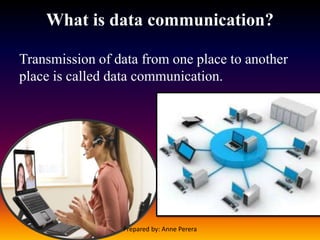
Transmission of data from one place to another
place is called data communication.
Prepared by: Anne Perera
Basic parts of data communication
Three components are essential in data
communication.
1. Sender / Source
2. Data Communication Medium
3. Receiver / Sink
Prepared by: Anne Perera
Basic parts of data communication
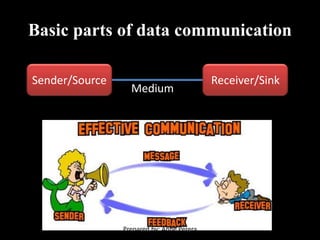
Sender/Source Receiver/Sink
Medium
Prepared by: Anne Perera
Sender / Source
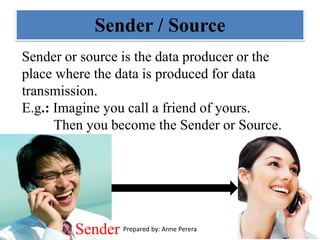
Sender or source is the data producer or the
place where the data is produced for data
transmission.
E.g.: Imagine you call a friend of yours.
Then you become the Sender or Source.
Sender Prepared by: Anne Perera
Data Communication Medium
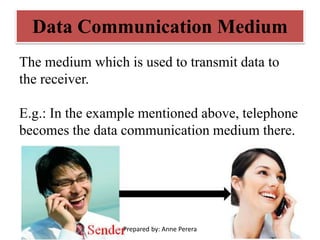
The medium which is used to transmit data to
the receiver.
E.g.: In the example mentioned above, telephone
becomes the data communication medium there.
Prepared by: Anne Perera
Receiver / Sink
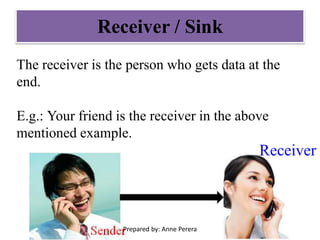
The receiver is the person who gets data at the
end.
E.g.: Your friend is the receiver in the above
mentioned example.
Receiver
Prepared by: Anne Perera
Data Communication
Media/Medium
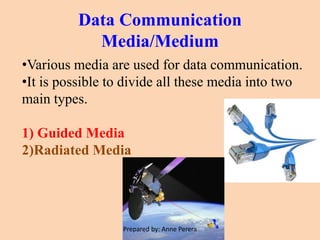
•Various media are used for data communication.
•It is possible to divide all these media into two
main types.
1) Guided Media
2)Radiated Media
Prepared by: Anne Perera
Guided Media
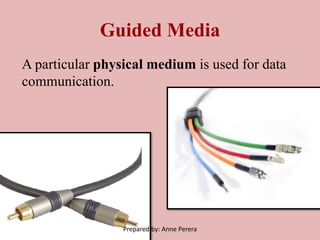
A particular physical medium is used for data
communication.
Prepared by: Anne Perera
Radiated Media
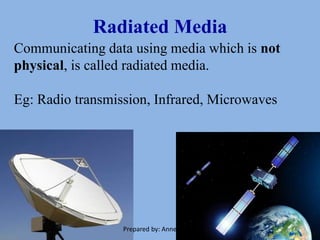
Communicating data using media which is not
physical, is called radiated media.
Eg: Radio transmission, Infrared, Microwaves
Prepared by: Anne Perera
Guided Media
Following wires can be classified under
guided media.
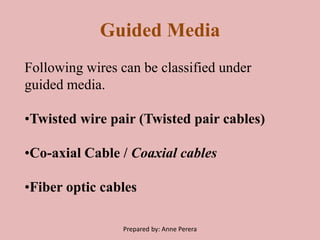
•Twisted wire pair (Twisted pair cables)
•Co-axial Cable / Coaxial cables
•Fiber optic cables
Prepared by: Anne Perera
Twisted wire pair
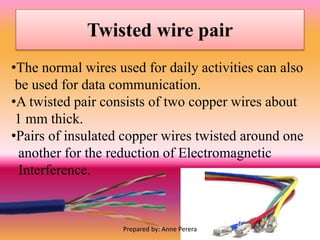
•The normal wires used for daily activities can also
be used for data communication.
•A twisted pair consists of two copper wires about
1 mm thick.
•Pairs of insulated copper wires twisted around one
another for the reduction of Electromagnetic
Interference.
Prepared by: Anne Perera
Types of twisted wire pair
1) Shielded Twisted Pair
2) Unshielded Twisted Pair
Prepared by: Anne Perera
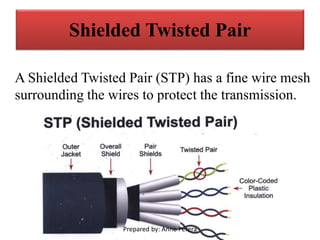
Shielded Twisted Pair
A Shielded Twisted Pair (STP) has a fine wire mesh
surrounding the wires to protect the transmission.
Prepared by: Anne Perera
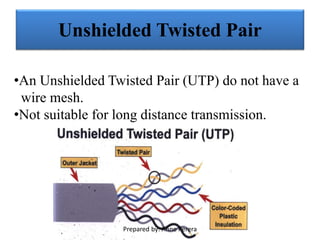
Unshielded Twisted Pair
•An Unshielded Twisted Pair (UTP) do not have a
wire mesh.
•Not suitable for long distance transmission.
Prepared by: Anne Perera
Twisted wire pair
Advantage of STP over UTP
STP reduces the interference.
Disadvantages of STP
It is more expensive than UTP.
Prepared by: Anne Perera
Advantages of Twisted pair cable
• Can carry both analog and digital data.
• Easy to implement and terminate.
• It is the least expensive media of transmission
for short distances.
• If portion of a twisted pair cable is damaged it
does not affect the entire network.
Prepared by: Anne Perera
Disadvantages of Twisted pair cable
• Very poor security and is relatively easy to tap.
• Thin in size, they are likely to break easily.
Prepared by: Anne Perera
Applications of Twisted Pair Cables
•Telephone lines to carry voice and data channels.
•ADSL lines.
•Some Local area networks.
•ISDN (Integrated Services Digital Network).
Prepared by: Anne Perera
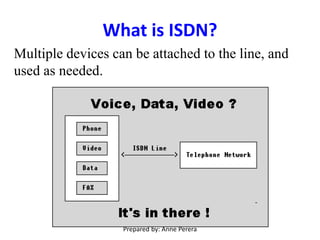
What is ISDN?
Multiple devices can be attached to the line, and
used as needed.
Prepared by: Anne Perera
Asymmetric digital subscriber
line (ADSL)
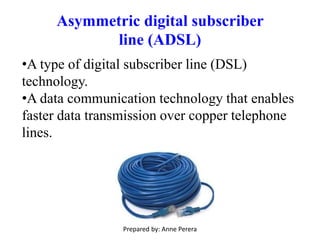
•A type of digital subscriber line (DSL)
technology.
•A data communication technology that enables
faster data transmission over copper telephone
lines.
Prepared by: Anne Perera
Co-axial Cable / Coaxial cable
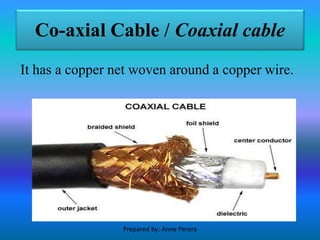
It has a copper net woven around a copper wire.
Prepared by: Anne Perera
Applications of Coaxial cables
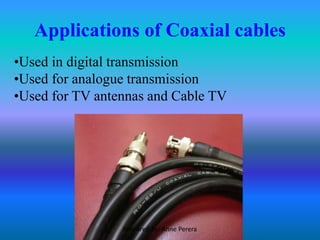
•Used in digital transmission
•Used for analogue transmission
•Used for TV antennas and Cable TV
Prepared by: Anne Perera
Advantages of Coaxial cables
•Easy to install
•Not expensive
•Since it shielded, can span a higher distance at
higher speed than twisted pair.
•Less data loss
Prepared by: Anne Perera
Disadvantages of Coaxial cables
•Higher cost compared to twisted pair
•Cables easily get damaged
Prepared by: Anne Perera
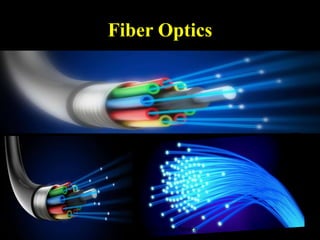
Fiber Optics
•Avery popular guided media used today for data
communication.
•Fiber optics (optical fibers) are long, thin strands
of very pure glass about the diameter of a human
hair.
•They are arranged in bundles called optical
cables and used to transmit light signals over long
distances.
Prepared by: Anne Perera
Fiber Optics
Prepared by: Anne Perera
Applications of Fiber Optics
•Military -They offer better performance and
greater security for their signals.
They're strong, and lightweight, and can also be
used outdoors in harsh environments.
•Radar systems
•Telecommunications companies to transmit
telephone signals
•Internet communication
•Cable television signals
Prepared by: Anne Perera
Advantages of Fiber Optics
•Carry signals with much less energy loss than
copper cables.
•Much lighter and thinner than copper cables.
•Difficult to tap information.
•Supports for long distances.
•Supports for very high speed network
communications.
Prepared by: Anne Perera
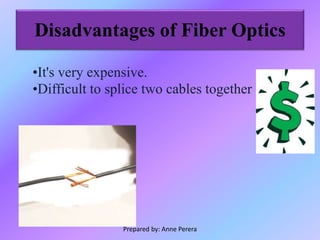
Disadvantages of Fiber Optics
•It's very expensive.
•Difficult to splice two cables together
Prepared by: Anne Perera
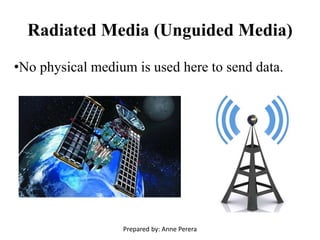
Radiated Media (Unguided Media)
•No physical medium is used here to send data.
Prepared by: Anne Perera
Radiated Media (Unguided Media)
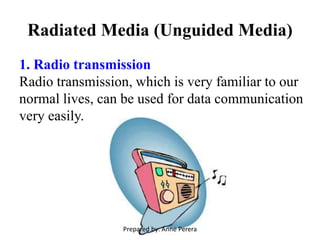
1. Radio transmission
Radio transmission, which is very familiar to our
normal lives, can be used for data communication
very easily.
Prepared by: Anne Perera
Radiated Media (Unguided Media)
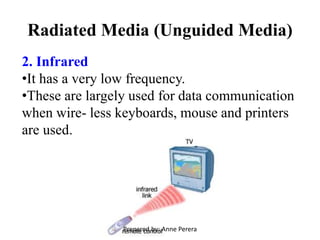
2. Infrared
•It has a very low frequency.
•These are largely used for data communication
when wire- less keyboards, mouse and printers
are used.
Prepared by: Anne Perera
Radiated Media (Unguided Media)
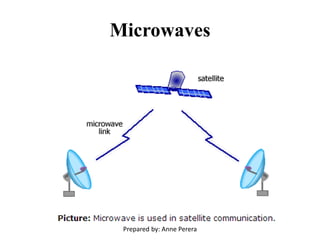
3. Microwaves
•Used to communicate data to a long distance and
short signals with contain higher frequency.
•Microwave links use very high frequency
radio waves to transmit data through space.
Prepared by: Anne Perera
Microwaves
Prepared by: Anne Perera
Radiated Media (Unguided Media)
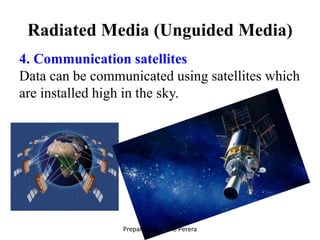
4. Communication satellites
Data can be communicated using satellites which
are installed high in the sky.
Prepared by: Anne Perera
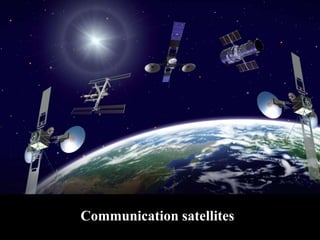
Communication satellites
Prepared by: Anne Perera
Data Transmission Types
Data transmission can be done in two ways.
1.Serial data transmission
2. Parallel data transmission
Prepared by: Anne Perera
Serial data transmission
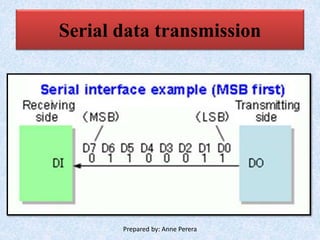
•Data is transmitted here, one after the other
(one bit at a time, in a serial way).
•Such data transmission is done in bits in a
computer network.
•One wire is enough here for data transmission.
Prepared by: Anne Perera
Serial data transmission
Prepared by: Anne Perera
Parallel data transmission
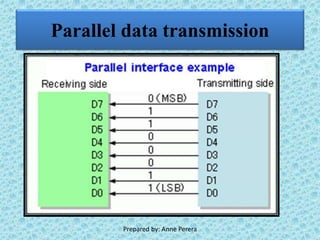
•Several bits are transmitted at a time
•Several wires are used for this.
•In most of the instances, use of at least eight wires
for this is the normal way.
Prepared by: Anne Perera
Parallel data transmission
Prepared by: Anne Perera
Data Transmission Speed
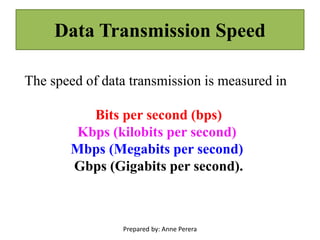
The speed of data transmission is measured in
Bits per second (bps)
Kbps (kilobits per second)
Mbps (Megabits per second)
Gbps (Gigabits per second).
Prepared by: Anne Perera
Data Transmission Modes
Three main modes are
1.Simplex
2. Half-Duplex
3. Duplex
Prepared by: Anne Perera
Simplex
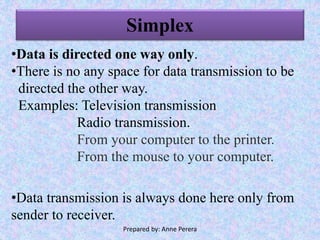
•Data is directed one way only.
•There is no any space for data transmission to be
directed the other way.
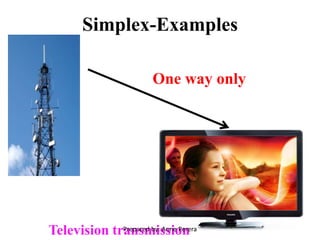
Examples: Television transmission
Radio transmission.
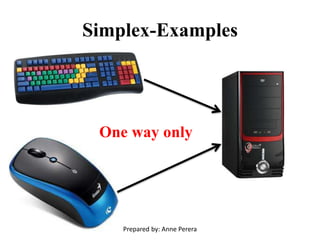
From your computer to the printer.
From the mouse to your computer.
•Data transmission is always done here only from
sender to receiver.
Prepared by: Anne Perera
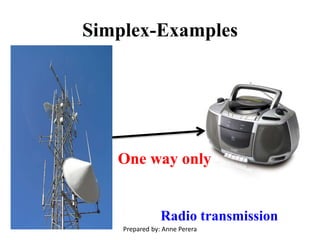
Simplex-Examples
One way only
Prepared by: Anne Perera
Simplex-Examples
One way only
Television transmissionPrepared by: Anne Perera
Simplex-Examples
One way only
Radio transmission
Prepared by: Anne Perera
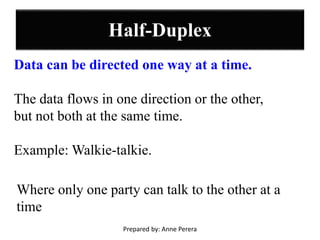
Half-Duplex
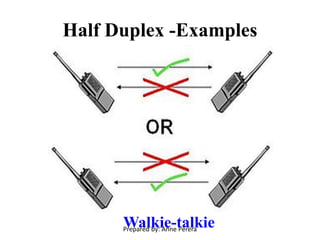
Data can be directed one way at a time.
The data flows in one direction or the other,
but not both at the same time.
Example: Walkie-talkie.
Where only one party can talk to the other at a
time
Prepared by: Anne Perera
Half Duplex -Examples
Walkie-talkiePrepared by: Anne Perera
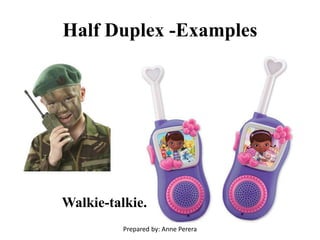
Half Duplex -Examples
Walkie-talkie.
Prepared by: Anne Perera
Duplex/Full duplex
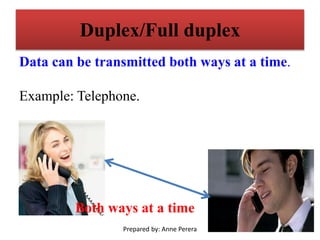
Data can be transmitted both ways at a time.
Example: Telephone.
Both ways at a time
Prepared by: Anne Perera
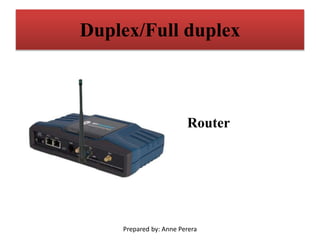
Duplex/Full duplex
Router
Prepared by: Anne Perera
END
Prepared by: Anne Perera

Data communication

  • 1.
  • 2.
    What is datacommunication? Transmission of data from one place to another place is called data communication. Prepared by: Anne Perera
  • 3.
    Basic parts ofdata communication Three components are essential in data communication. 1. Sender / Source 2. Data Communication Medium 3. Receiver / Sink Prepared by: Anne Perera
  • 4.
    Basic parts ofdata communication Sender/Source Receiver/Sink Medium Prepared by: Anne Perera
  • 5.
    Sender / Source Senderor source is the data producer or the place where the data is produced for data transmission. E.g.: Imagine you call a friend of yours. Then you become the Sender or Source. Sender Prepared by: Anne Perera
  • 6.
    Data Communication Medium Themedium which is used to transmit data to the receiver. E.g.: In the example mentioned above, telephone becomes the data communication medium there. Prepared by: Anne Perera
  • 7.
    Receiver / Sink Thereceiver is the person who gets data at the end. E.g.: Your friend is the receiver in the above mentioned example. Receiver Prepared by: Anne Perera
  • 8.
    Data Communication Media/Medium •Various mediaare used for data communication. •It is possible to divide all these media into two main types. 1) Guided Media 2)Radiated Media Prepared by: Anne Perera
  • 9.
    Guided Media A particularphysical medium is used for data communication. Prepared by: Anne Perera
  • 10.
    Radiated Media Communicating datausing media which is not physical, is called radiated media. Eg: Radio transmission, Infrared, Microwaves Prepared by: Anne Perera
  • 11.
    Guided Media Following wirescan be classified under guided media. •Twisted wire pair (Twisted pair cables) •Co-axial Cable / Coaxial cables •Fiber optic cables Prepared by: Anne Perera
  • 12.
    Twisted wire pair •Thenormal wires used for daily activities can also be used for data communication. •A twisted pair consists of two copper wires about 1 mm thick. •Pairs of insulated copper wires twisted around one another for the reduction of Electromagnetic Interference. Prepared by: Anne Perera
  • 13.
    Types of twistedwire pair 1) Shielded Twisted Pair 2) Unshielded Twisted Pair Prepared by: Anne Perera
  • 14.
    Shielded Twisted Pair AShielded Twisted Pair (STP) has a fine wire mesh surrounding the wires to protect the transmission. Prepared by: Anne Perera
  • 15.
    Unshielded Twisted Pair •AnUnshielded Twisted Pair (UTP) do not have a wire mesh. •Not suitable for long distance transmission. Prepared by: Anne Perera
  • 16.
    Twisted wire pair Advantageof STP over UTP STP reduces the interference. Disadvantages of STP It is more expensive than UTP. Prepared by: Anne Perera
  • 17.
    Advantages of Twistedpair cable • Can carry both analog and digital data. • Easy to implement and terminate. • It is the least expensive media of transmission for short distances. • If portion of a twisted pair cable is damaged it does not affect the entire network. Prepared by: Anne Perera
  • 18.
    Disadvantages of Twistedpair cable • Very poor security and is relatively easy to tap. • Thin in size, they are likely to break easily. Prepared by: Anne Perera
  • 19.
    Applications of TwistedPair Cables •Telephone lines to carry voice and data channels. •ADSL lines. •Some Local area networks. •ISDN (Integrated Services Digital Network). Prepared by: Anne Perera
  • 20.
    What is ISDN? Multipledevices can be attached to the line, and used as needed. Prepared by: Anne Perera
  • 21.
    Asymmetric digital subscriber line(ADSL) •A type of digital subscriber line (DSL) technology. •A data communication technology that enables faster data transmission over copper telephone lines. Prepared by: Anne Perera
  • 22.
    Co-axial Cable /Coaxial cable It has a copper net woven around a copper wire. Prepared by: Anne Perera
  • 23.
    Applications of Coaxialcables •Used in digital transmission •Used for analogue transmission •Used for TV antennas and Cable TV Prepared by: Anne Perera
  • 24.
    Advantages of Coaxialcables •Easy to install •Not expensive •Since it shielded, can span a higher distance at higher speed than twisted pair. •Less data loss Prepared by: Anne Perera
  • 25.
    Disadvantages of Coaxialcables •Higher cost compared to twisted pair •Cables easily get damaged Prepared by: Anne Perera
  • 26.
    Fiber Optics •Avery popularguided media used today for data communication. •Fiber optics (optical fibers) are long, thin strands of very pure glass about the diameter of a human hair. •They are arranged in bundles called optical cables and used to transmit light signals over long distances. Prepared by: Anne Perera
  • 27.
  • 28.
    Applications of FiberOptics •Military -They offer better performance and greater security for their signals. They're strong, and lightweight, and can also be used outdoors in harsh environments. •Radar systems •Telecommunications companies to transmit telephone signals •Internet communication •Cable television signals Prepared by: Anne Perera
  • 29.
    Advantages of FiberOptics •Carry signals with much less energy loss than copper cables. •Much lighter and thinner than copper cables. •Difficult to tap information. •Supports for long distances. •Supports for very high speed network communications. Prepared by: Anne Perera
  • 30.
    Disadvantages of FiberOptics •It's very expensive. •Difficult to splice two cables together Prepared by: Anne Perera
  • 31.
    Radiated Media (UnguidedMedia) •No physical medium is used here to send data. Prepared by: Anne Perera
  • 32.
    Radiated Media (UnguidedMedia) 1. Radio transmission Radio transmission, which is very familiar to our normal lives, can be used for data communication very easily. Prepared by: Anne Perera
  • 33.
    Radiated Media (UnguidedMedia) 2. Infrared •It has a very low frequency. •These are largely used for data communication when wire- less keyboards, mouse and printers are used. Prepared by: Anne Perera
  • 34.
    Radiated Media (UnguidedMedia) 3. Microwaves •Used to communicate data to a long distance and short signals with contain higher frequency. •Microwave links use very high frequency radio waves to transmit data through space. Prepared by: Anne Perera
  • 35.
  • 36.
    Radiated Media (UnguidedMedia) 4. Communication satellites Data can be communicated using satellites which are installed high in the sky. Prepared by: Anne Perera
  • 37.
  • 38.
    Data Transmission Types Datatransmission can be done in two ways. 1.Serial data transmission 2. Parallel data transmission Prepared by: Anne Perera
  • 39.
    Serial data transmission •Datais transmitted here, one after the other (one bit at a time, in a serial way). •Such data transmission is done in bits in a computer network. •One wire is enough here for data transmission. Prepared by: Anne Perera
  • 40.
  • 41.
    Parallel data transmission •Severalbits are transmitted at a time •Several wires are used for this. •In most of the instances, use of at least eight wires for this is the normal way. Prepared by: Anne Perera
  • 42.
  • 43.
    Data Transmission Speed Thespeed of data transmission is measured in Bits per second (bps) Kbps (kilobits per second) Mbps (Megabits per second) Gbps (Gigabits per second). Prepared by: Anne Perera
  • 44.
    Data Transmission Modes Threemain modes are 1.Simplex 2. Half-Duplex 3. Duplex Prepared by: Anne Perera
  • 45.
    Simplex •Data is directedone way only. •There is no any space for data transmission to be directed the other way. Examples: Television transmission Radio transmission. From your computer to the printer. From the mouse to your computer. •Data transmission is always done here only from sender to receiver. Prepared by: Anne Perera
  • 46.
  • 47.
    Simplex-Examples One way only TelevisiontransmissionPrepared by: Anne Perera
  • 48.
    Simplex-Examples One way only Radiotransmission Prepared by: Anne Perera
  • 49.
    Half-Duplex Data can bedirected one way at a time. The data flows in one direction or the other, but not both at the same time. Example: Walkie-talkie. Where only one party can talk to the other at a time Prepared by: Anne Perera
  • 50.
  • 51.
  • 52.
    Duplex/Full duplex Data canbe transmitted both ways at a time. Example: Telephone. Both ways at a time Prepared by: Anne Perera
  • 53.
  • 54.