




Great Webinars
       How to Create Interactive Learning that
        is Captivating, Informative and Fun


                     ASTD International Conference


© 2012 NetSpeed Learning Solutions. All rights reserved.   1
What Can Go Wrong?


© 2012 NetSpeed Learning Solutions. All rights reserved.   2
Common Errors


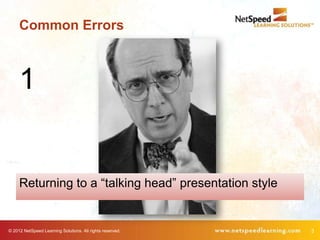
     1


     Returning to a “talking head” presentation style


© 2012 NetSpeed Learning Solutions. All rights reserved.   3
Common Errors


        The more you feel like a
        lecturer, the less effective
        you will be.


© 2012 NetSpeed Learning Solutions. All rights reserved.   4
Common Errors


     2

     Not allowing participants to chat with each other


© 2012 NetSpeed Learning Solutions. All rights reserved.   5
Common Errors


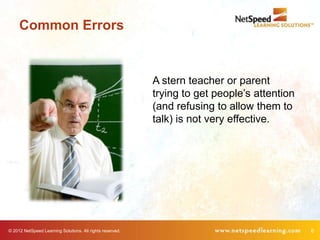
                                                           A stern teacher or parent
                                                           trying to get people’s attention
                                                           (and refusing to allow them to
                                                           talk) is not very effective.


© 2012 NetSpeed Learning Solutions. All rights reserved.                                      6
Common Errors


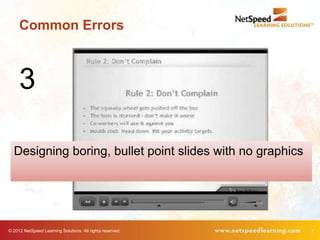
     3

  Designing boring, bullet point slides with no graphics


© 2012 NetSpeed Learning Solutions. All rights reserved.   7
Common Errors


                      If you’re Einstein, perhaps you can hold our
                      interest without interesting slides.


© 2012 NetSpeed Learning Solutions. All rights reserved.             8
Best Practices


© 2012 NetSpeed Learning Solutions. All rights reserved.   9
5 Best Practices
        1. Allow no more than 3 minutes between participant
           interaction opportunities.


© 2012 NetSpeed Learning Solutions. All rights reserved.      10
Rule of Thumb

        Engage participants every 3 minutes with a poll,
          chat, request for feedback, etc.


© 2012 NetSpeed Learning Solutions. All rights reserved.   11
5 Best Practices

                                                     2. Mix it up with diverse use of polling.


© 2012 NetSpeed Learning Solutions. All rights reserved.                                         12
5 Best Practices

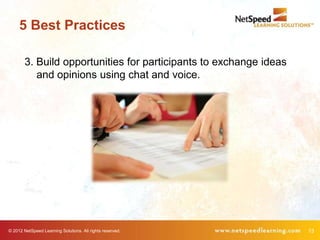
        3. Build opportunities for participants to exchange ideas
           and opinions using chat and voice.


© 2012 NetSpeed Learning Solutions. All rights reserved.            13
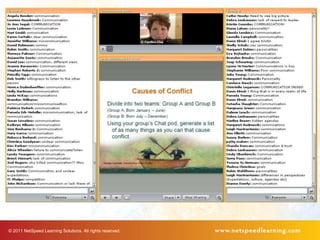
© 2011 NetSpeed Learning Solutions. All rights reserved.
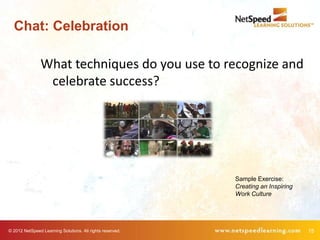
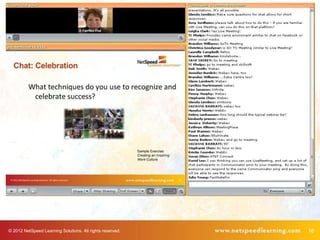
Chat: Celebration

                What techniques do you use to recognize and
                 celebrate success?


                                                           Sample Exercise:
                                                           Creating an Inspiring
                                                           Work Culture


© 2012 NetSpeed Learning Solutions. All rights reserved.                           15
© 2012 NetSpeed Learning Solutions. All rights reserved.   16
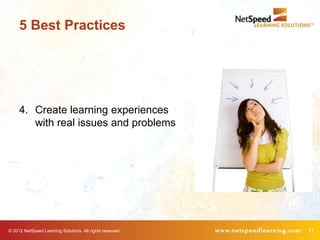
5 Best Practices


     4. Create learning experiences
        with real issues and problems


© 2012 NetSpeed Learning Solutions. All rights reserved.   17
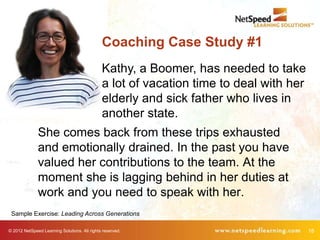
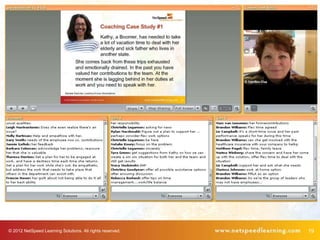
Coaching Case Study #1
                                              Kathy, a Boomer, has needed to take
                                              a lot of vacation time to deal with her
                                              elderly and sick father who lives in
                                              another state.
              She comes back from these trips exhausted
              and emotionally drained. In the past you have
              valued her contributions to the team. At the
              moment she is lagging behind in her duties at
              work and you need to speak with her.
 Sample Exercise: Leading Across Generations

© 2012 NetSpeed Learning Solutions. All rights reserved.                                18
© 2012 NetSpeed Learning Solutions. All rights reserved.   19
5 Best Practices


                  5. Request learner feedback regularly.


© 2012 NetSpeed Learning Solutions. All rights reserved.   20
Learner Feedback

                            • Are you with me?
                            • What questions do you have?
                            • Give Bob a round of applause.
                            • Have you completed the worksheet?
                            • Do you agree/disagree with this
                              statement?
                            • How are you feeling about this virtual
                              course?
© 2012 NetSpeed Learning Solutions. All rights reserved.               21
5 Techniques to Transform
        1. Allow no more than 3 minutes between
           participant interaction opportunities.
        2. Mix it up with diverse use of polling.
        3. Build opportunities for participants to
           exchange ideas and opinions using chat and
           audio.
        4. Create learning experiences with real issues
           and problems.
        5. Request learner feedback regularly.


© 2012 NetSpeed Learning Solutions. All rights reserved.   22
Thank You!

Great Webinars at ASTD 2012

  • 1.
    Great Webinars How to Create Interactive Learning that is Captivating, Informative and Fun ASTD International Conference © 2012 NetSpeed Learning Solutions. All rights reserved. 1
  • 2.
    What Can GoWrong? © 2012 NetSpeed Learning Solutions. All rights reserved. 2
  • 3.
    Common Errors 1 Returning to a “talking head” presentation style © 2012 NetSpeed Learning Solutions. All rights reserved. 3
  • 4.
    Common Errors The more you feel like a lecturer, the less effective you will be. © 2012 NetSpeed Learning Solutions. All rights reserved. 4
  • 5.
    Common Errors 2 Not allowing participants to chat with each other © 2012 NetSpeed Learning Solutions. All rights reserved. 5
  • 6.
    Common Errors A stern teacher or parent trying to get people’s attention (and refusing to allow them to talk) is not very effective. © 2012 NetSpeed Learning Solutions. All rights reserved. 6
  • 7.
    Common Errors 3 Designing boring, bullet point slides with no graphics © 2012 NetSpeed Learning Solutions. All rights reserved. 7
  • 8.
    Common Errors If you’re Einstein, perhaps you can hold our interest without interesting slides. © 2012 NetSpeed Learning Solutions. All rights reserved. 8
  • 9.
    Best Practices © 2012NetSpeed Learning Solutions. All rights reserved. 9
  • 10.
    5 Best Practices 1. Allow no more than 3 minutes between participant interaction opportunities. © 2012 NetSpeed Learning Solutions. All rights reserved. 10
  • 11.
    Rule of Thumb Engage participants every 3 minutes with a poll, chat, request for feedback, etc. © 2012 NetSpeed Learning Solutions. All rights reserved. 11
  • 12.
    5 Best Practices 2. Mix it up with diverse use of polling. © 2012 NetSpeed Learning Solutions. All rights reserved. 12
  • 13.
    5 Best Practices 3. Build opportunities for participants to exchange ideas and opinions using chat and voice. © 2012 NetSpeed Learning Solutions. All rights reserved. 13
  • 14.
    © 2011 NetSpeedLearning Solutions. All rights reserved.
  • 15.
    Chat: Celebration What techniques do you use to recognize and celebrate success? Sample Exercise: Creating an Inspiring Work Culture © 2012 NetSpeed Learning Solutions. All rights reserved. 15
  • 16.
    © 2012 NetSpeedLearning Solutions. All rights reserved. 16
  • 17.
    5 Best Practices 4. Create learning experiences with real issues and problems © 2012 NetSpeed Learning Solutions. All rights reserved. 17
  • 18.
    Coaching Case Study#1 Kathy, a Boomer, has needed to take a lot of vacation time to deal with her elderly and sick father who lives in another state. She comes back from these trips exhausted and emotionally drained. In the past you have valued her contributions to the team. At the moment she is lagging behind in her duties at work and you need to speak with her. Sample Exercise: Leading Across Generations © 2012 NetSpeed Learning Solutions. All rights reserved. 18
  • 19.
    © 2012 NetSpeedLearning Solutions. All rights reserved. 19
  • 20.
    5 Best Practices 5. Request learner feedback regularly. © 2012 NetSpeed Learning Solutions. All rights reserved. 20
  • 21.
    Learner Feedback • Are you with me? • What questions do you have? • Give Bob a round of applause. • Have you completed the worksheet? • Do you agree/disagree with this statement? • How are you feeling about this virtual course? © 2012 NetSpeed Learning Solutions. All rights reserved. 21
  • 22.
    5 Techniques toTransform 1. Allow no more than 3 minutes between participant interaction opportunities. 2. Mix it up with diverse use of polling. 3. Build opportunities for participants to exchange ideas and opinions using chat and audio. 4. Create learning experiences with real issues and problems. 5. Request learner feedback regularly. © 2012 NetSpeed Learning Solutions. All rights reserved. 22
  • 23.