Keeping your files safe in the
post-Snowden era with SXFS
Never trust anyone…
• Client side encryption
• Secure transfer
• Fault tolerance
But keep it all easy!
All-in-one solution
Encrypted filesystem backed
by SX object storage
Licence: GPLv2
$ git clone http://git.skylable.com/sx
SXFS
Under the hood
• FUSE API implementation
• Files are mapped to remote objects
• Task queuing
• Transfer resumes
User interaction
• Files are divided into same sized blocks
• Parallel block transfers
• Consistent hashing
Data transfer
Only encrypted data is sent!
• AES 256 CBC + HMAC
• Deduplication on a file level
• Filename and file size encryption
Client-side encryption
FULLY DENIABLE!
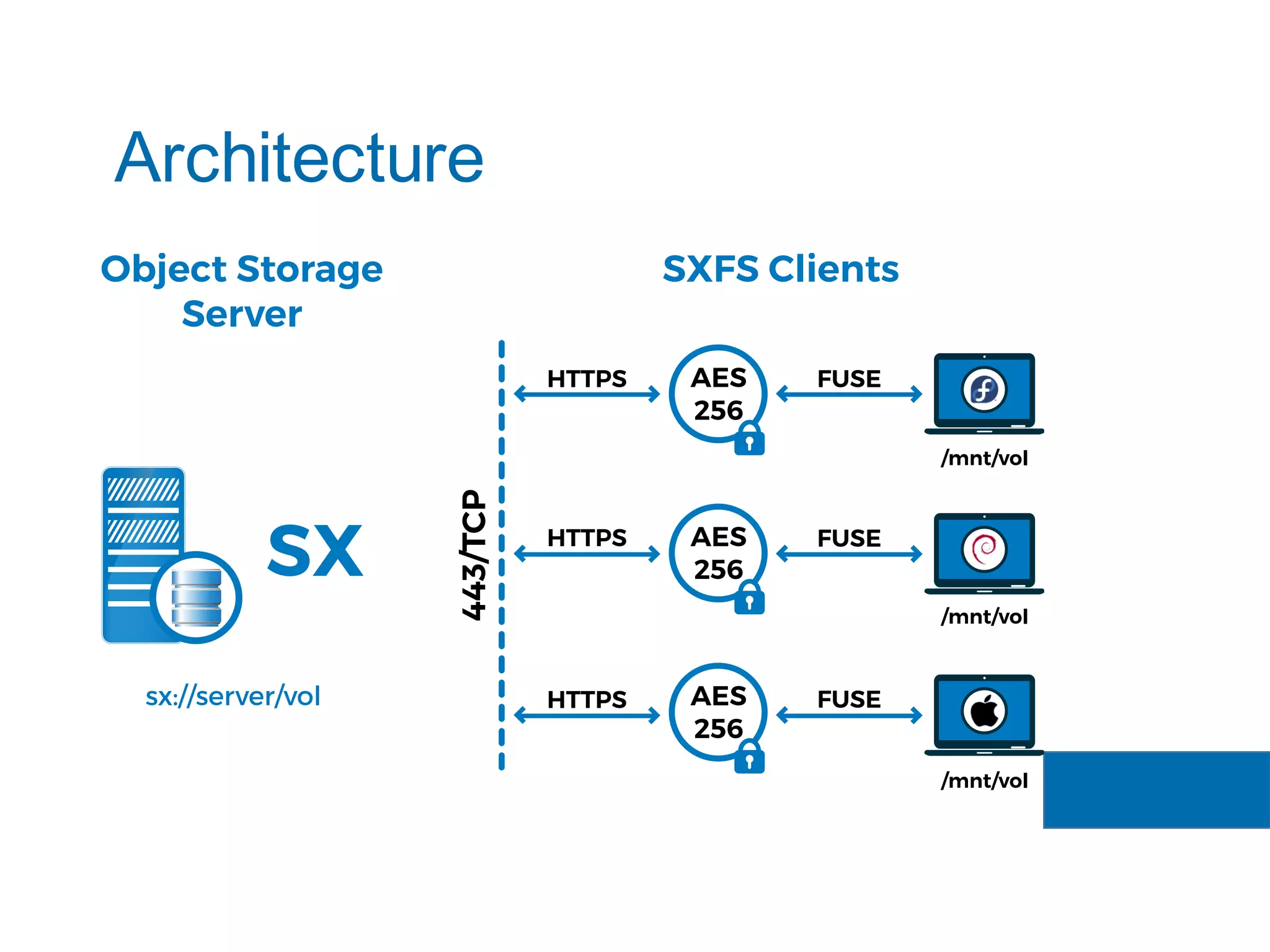
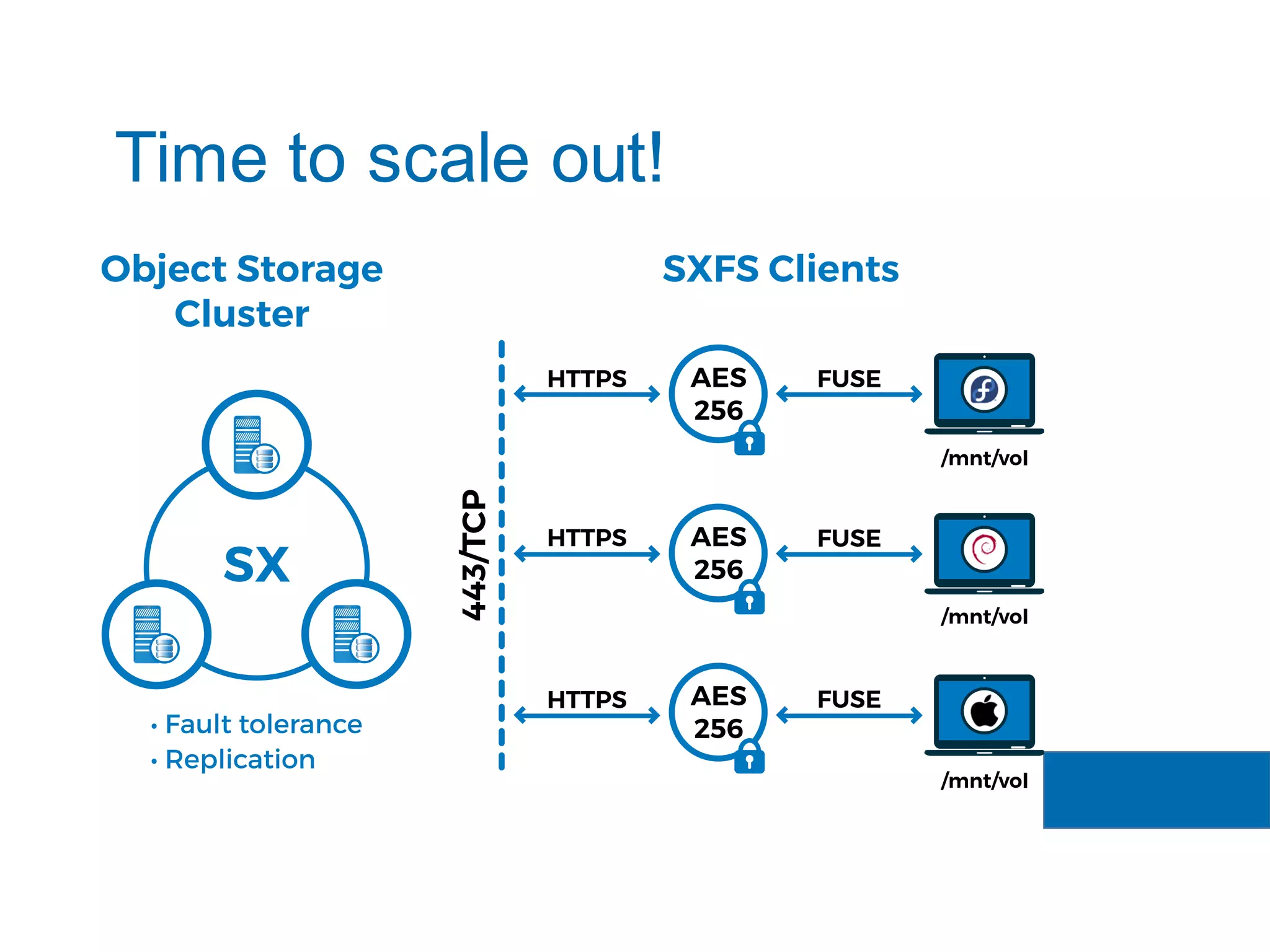
Architecture
Time to scale out!
SXFS
Getting started
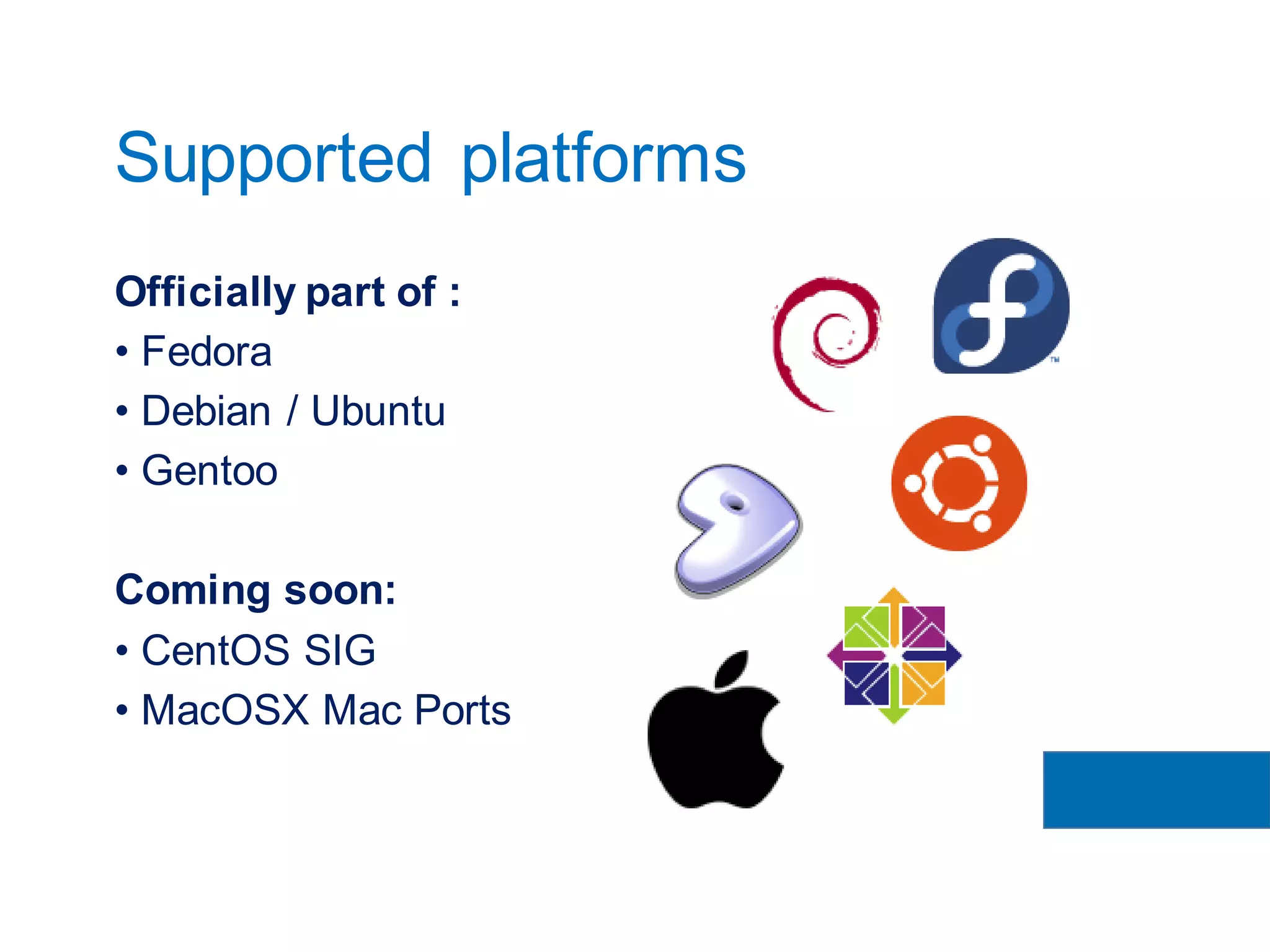
Officially part of :
• Fedora
• Debian / Ubuntu
• Gentoo
Coming soon:
• CentOS SIG
• MacOSX Mac Ports
Supported platforms
Fedora: yum install skylable-sx
Debian / Ubuntu: apt-get install sx
Gentoo: emerge net-misc/sx
Installation
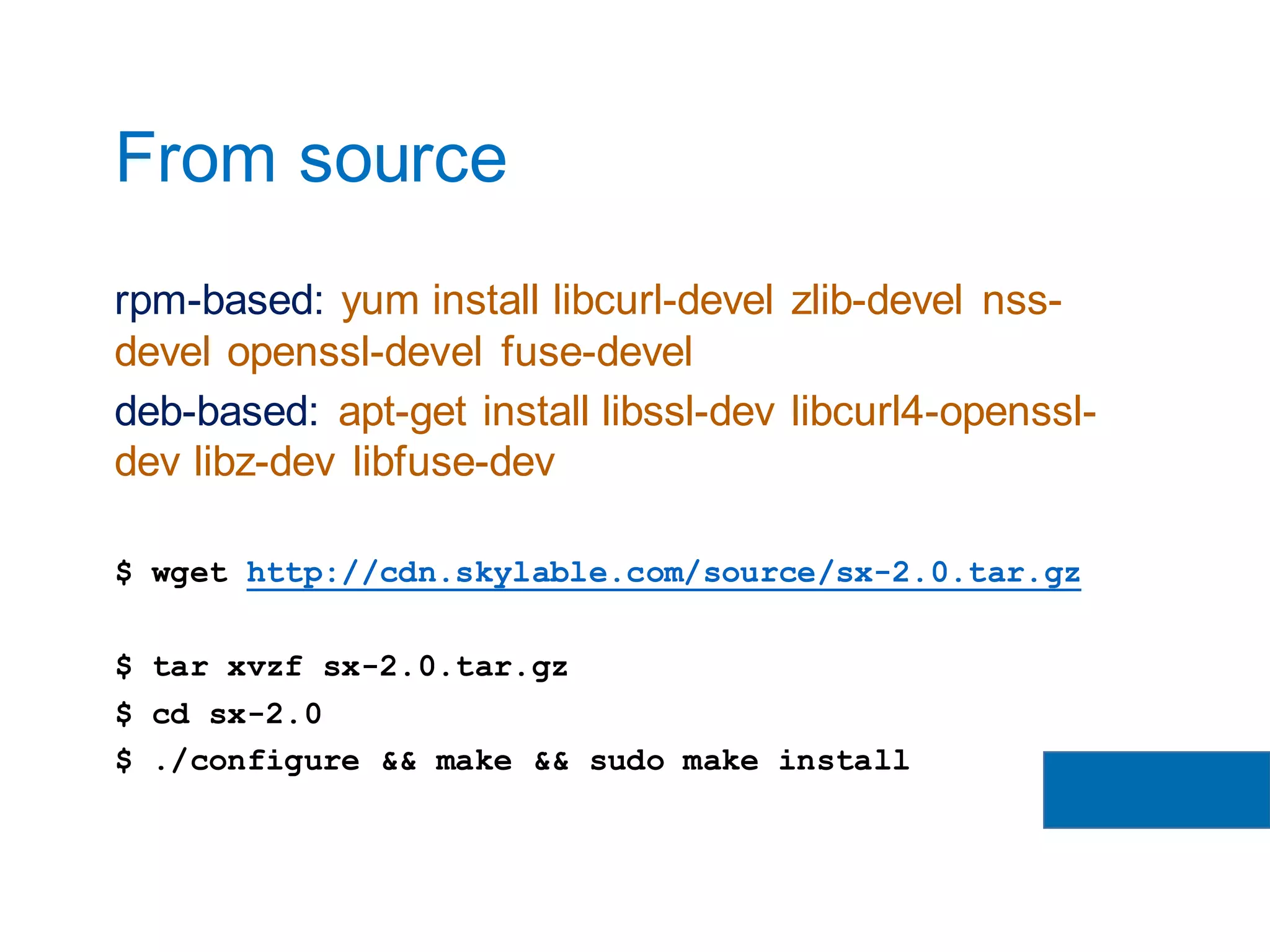
rpm-based: yum install libcurl-devel zlib-devel nss-
devel openssl-devel fuse-devel
deb-based: apt-get install libssl-dev libcurl4-openssl-
dev libz-dev libfuse-dev
$ wget http://cdn.skylable.com/source/sx-2.0.tar.gz
$ tar xvzf sx-2.0.tar.gz
$ cd sx-2.0
$ ./configure && make && sudo make install
From source
SXFS
Server setup
sx@node1 # sxsetup
Enter the cluster name (use the same across
all nodes: sx.foo.com
Path to SX storage[default=/var/lib/sxserver]:
<ENTER>
Maximum size: 1T
Enter the IP address of this node:
192.168.10.1
Is this the first node of a new cluster? (Y/n)
<ENTER>
Is this correct? (Y/n) <ENTER>
sx@node1 #
sxsetup
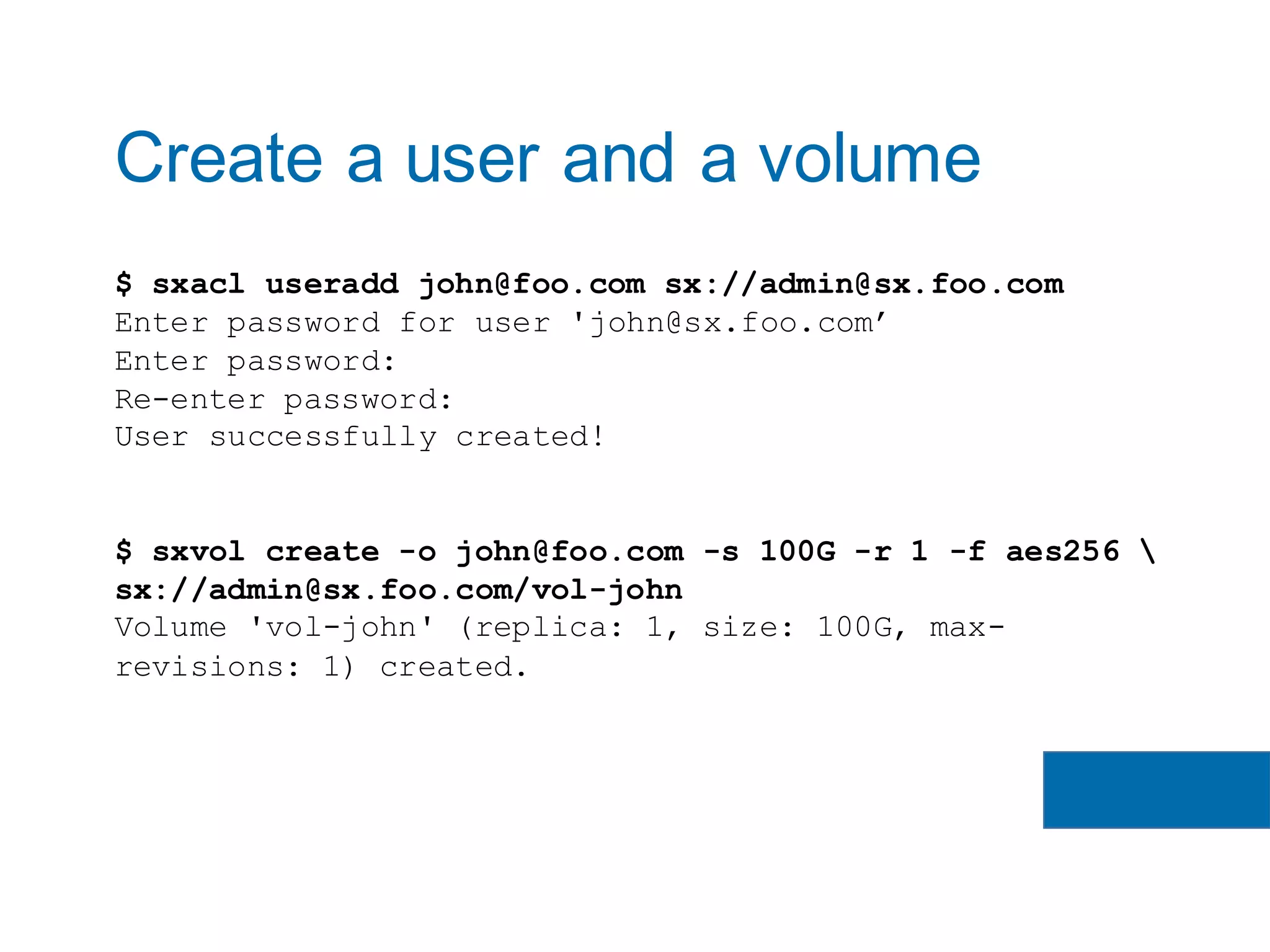
$ sxacl useradd john@foo.com sx://admin@sx.foo.com
Enter password for user 'john@sx.foo.com’
Enter password:
Re-enter password:
User successfully created!
$ sxvol create -o john@foo.com -s 100G -r 1 -f aes256 
sx://admin@sx.foo.com/vol-john
Volume 'vol-john' (replica: 1, size: 100G, max-
revisions: 1) created.
Create a user and a volume
SXFS
Client setup
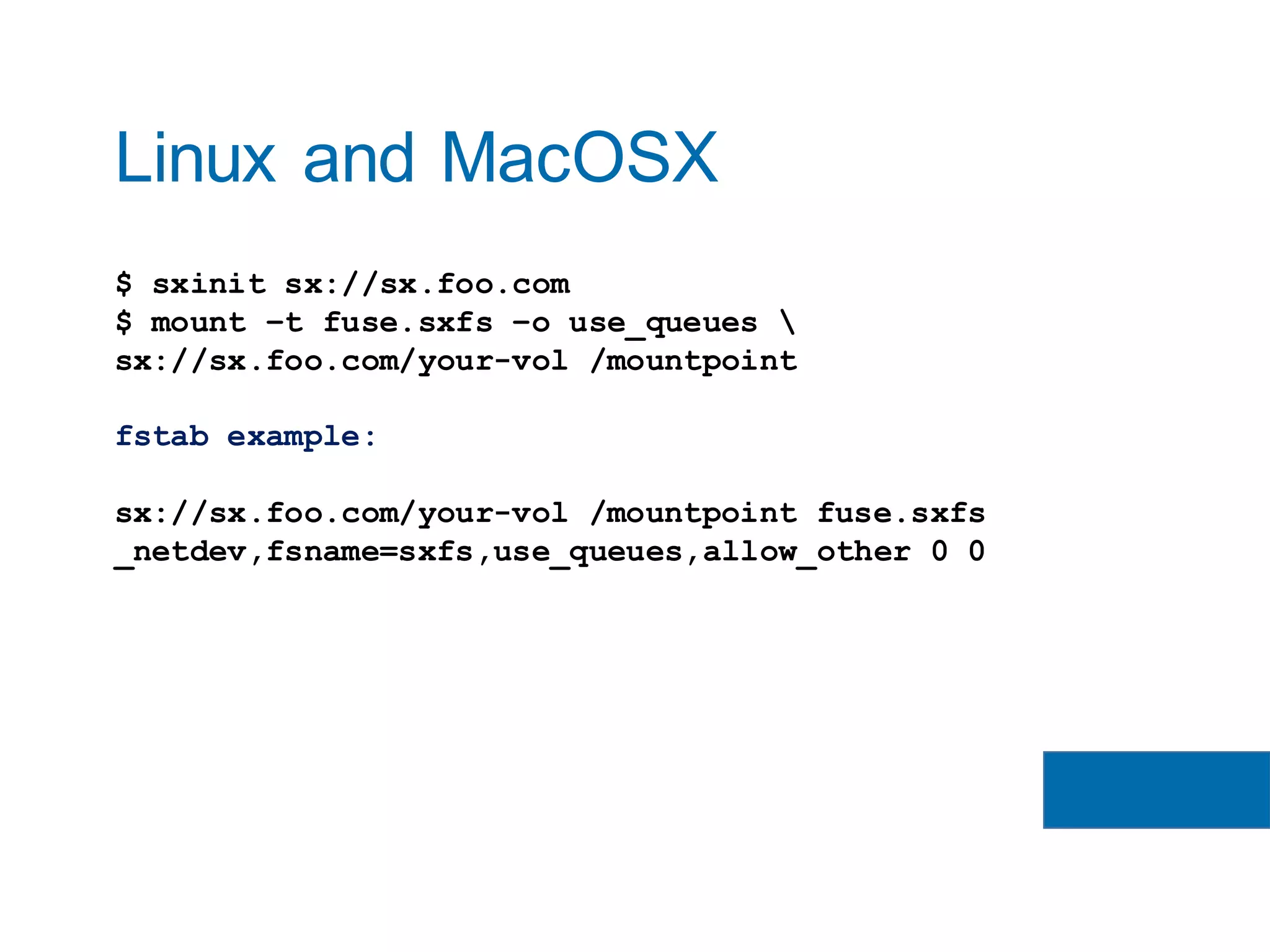
$ sxinit sx://sx.foo.com
$ mount –t fuse.sxfs –o use_queues 
sx://sx.foo.com/your-vol /mountpoint
fstab example:
sx://sx.foo.com/your-vol /mountpoint fuse.sxfs
_netdev,fsname=sxfs,use_queues,allow_other 0 0
Linux and MacOSX
If you liked SXFS
you might also like…
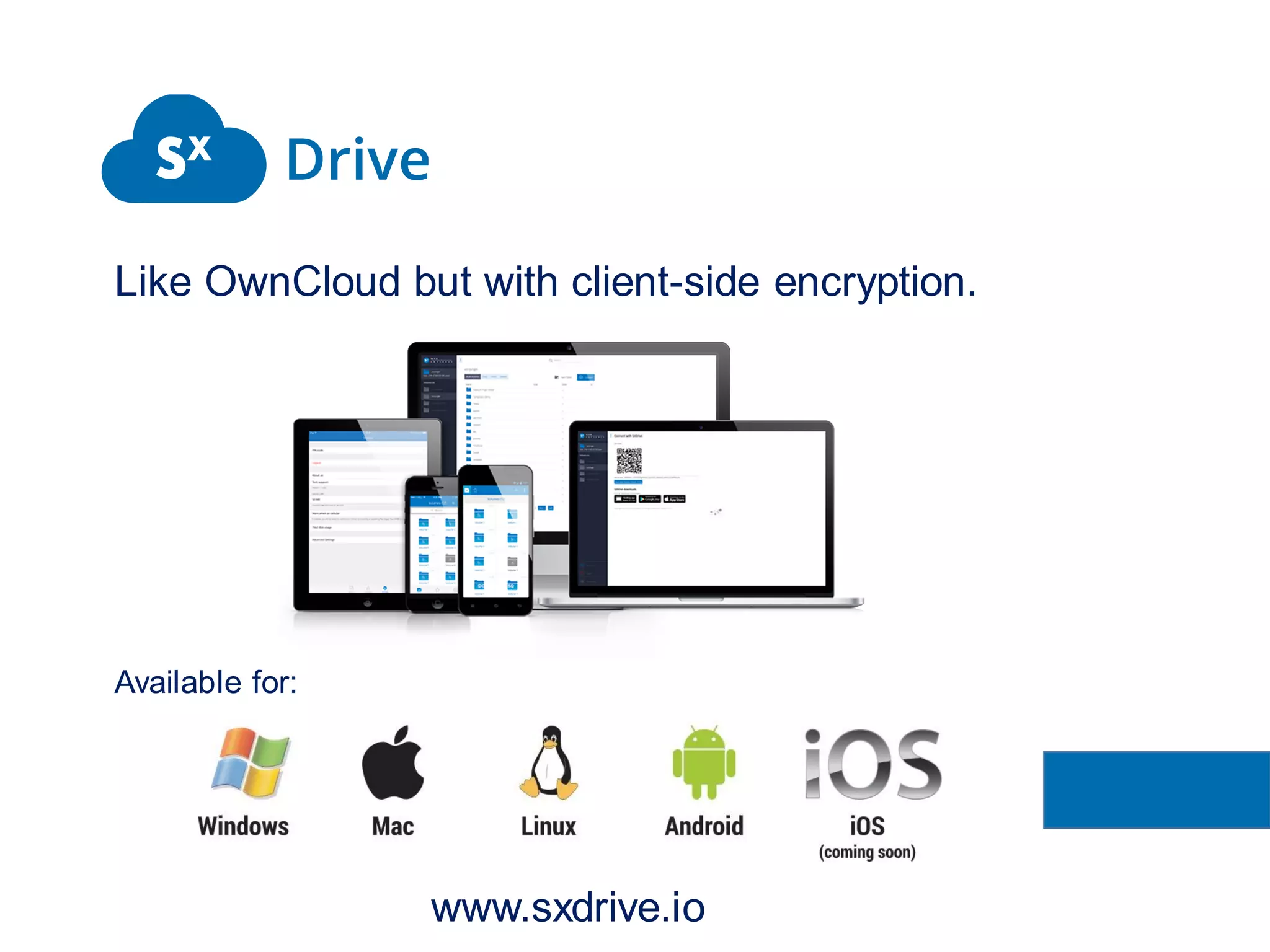
Like OwnCloud but with client-side encryption.
Available for:
www.sxdrive.io
Robert Wojciechowski
& Jakub Chyłkowski
follow @skylable
www.sxfs.io/faq
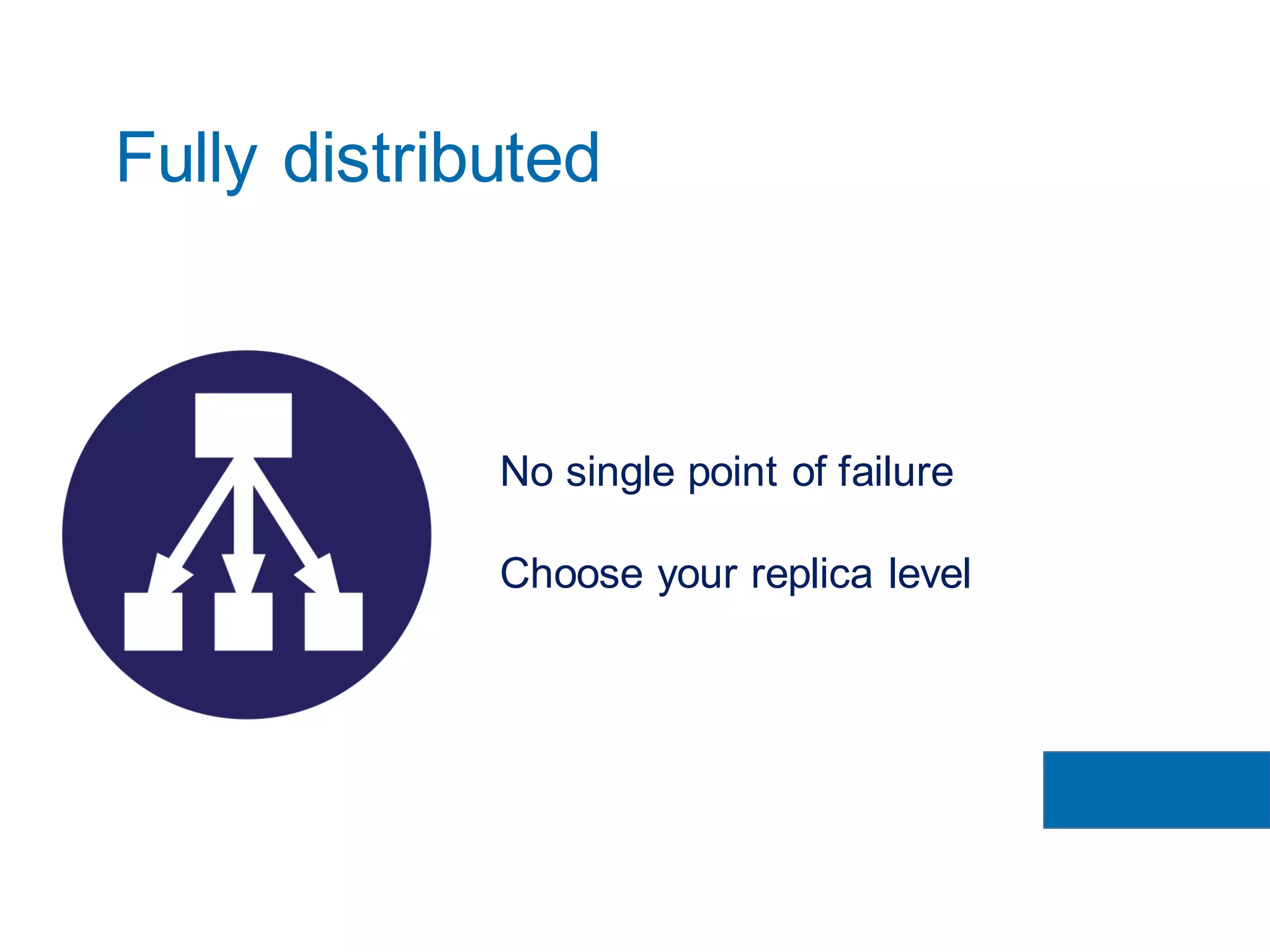
No single point of failure
Choose your replica level
Fully distributed
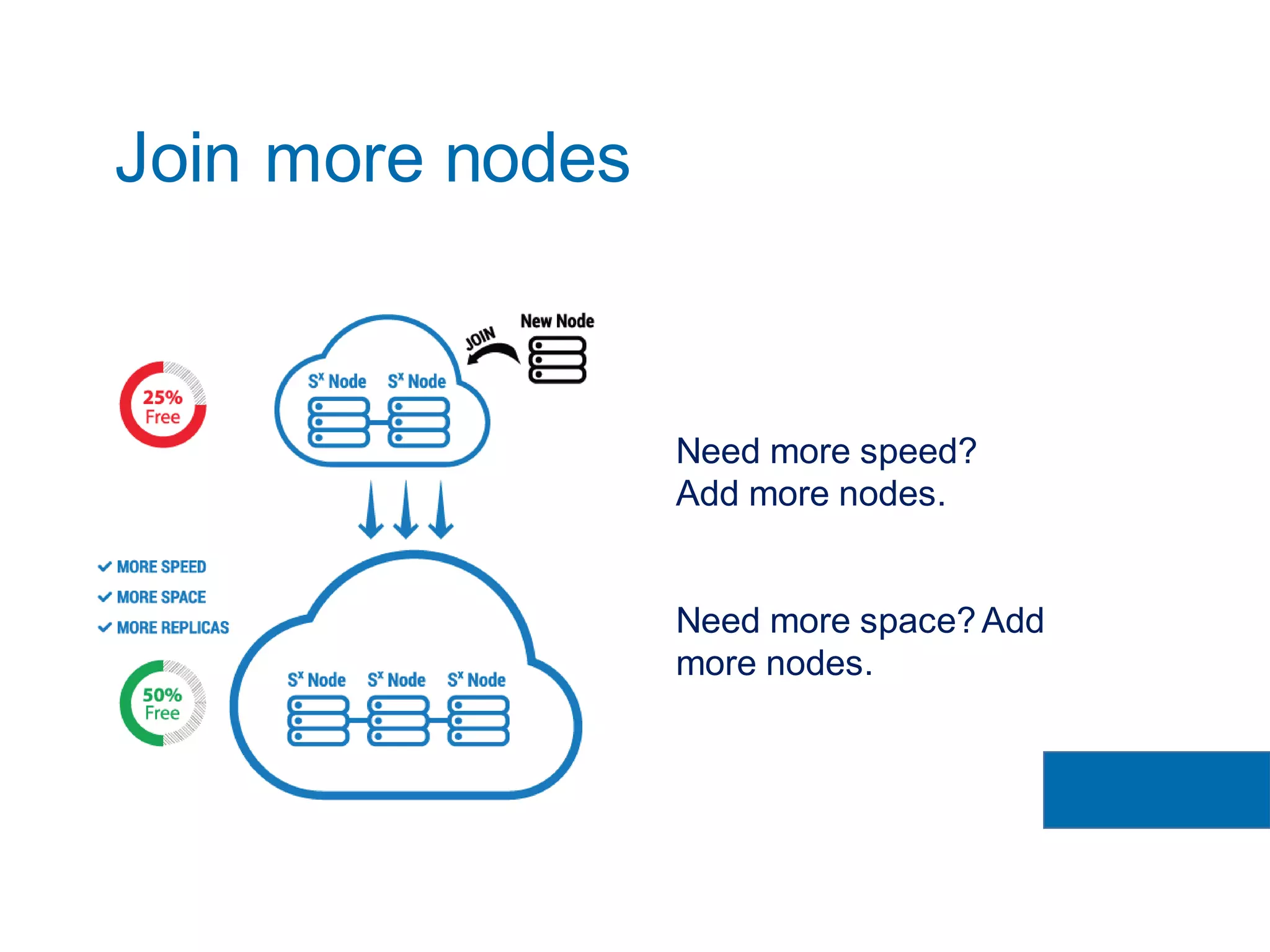
Need more speed?
Add more nodes.
Need more space?Add
more nodes.
Join more nodes
sx@node2 # sxsetup
Enter the cluster name: sx.foo.com
Path to SX storage [default=/var/lib/sxserver]: <ENTER>
Maximum size: 1T
Enter the IP address of this node [default=192.168.10.2]: <ENTER>
Is this the first node of a new cluster? (Y/n) n
Please provide the IP address of a working node in 'sx.foo.com'.
IP address: 192.168.10.1
Admin key or path to key-file [default=]:
0DPiKuNIrrVmD8IUCuw1hQxNqZcVPDD82Gkq7PMFYpk3qA8ddxxxxxxx
Is this correct? (Y/n) <ENTER>
Server certificate:
SHA1 fingerprint: 198b0ce5161757ea9bc83fc77627eb8c0958d591
Do you trust this SSL certificate? [y/N] y
sx@node2 #
How to join more nodes

Keeping your files safe in the post-Snowden era with SXFS

  • 1.
    Keeping your filessafe in the post-Snowden era with SXFS
  • 2.
    Never trust anyone… •Client side encryption • Secure transfer • Fault tolerance But keep it all easy!
  • 3.
    All-in-one solution Encrypted filesystembacked by SX object storage Licence: GPLv2 $ git clone http://git.skylable.com/sx
  • 4.
  • 5.
    • FUSE APIimplementation • Files are mapped to remote objects • Task queuing • Transfer resumes User interaction
  • 6.
    • Files aredivided into same sized blocks • Parallel block transfers • Consistent hashing Data transfer Only encrypted data is sent!
  • 7.
    • AES 256CBC + HMAC • Deduplication on a file level • Filename and file size encryption Client-side encryption FULLY DENIABLE!
  • 8.
  • 9.
  • 10.
  • 11.
    Officially part of: • Fedora • Debian / Ubuntu • Gentoo Coming soon: • CentOS SIG • MacOSX Mac Ports Supported platforms
  • 12.
    Fedora: yum installskylable-sx Debian / Ubuntu: apt-get install sx Gentoo: emerge net-misc/sx Installation
  • 13.
    rpm-based: yum installlibcurl-devel zlib-devel nss- devel openssl-devel fuse-devel deb-based: apt-get install libssl-dev libcurl4-openssl- dev libz-dev libfuse-dev $ wget http://cdn.skylable.com/source/sx-2.0.tar.gz $ tar xvzf sx-2.0.tar.gz $ cd sx-2.0 $ ./configure && make && sudo make install From source
  • 14.
  • 15.
    sx@node1 # sxsetup Enterthe cluster name (use the same across all nodes: sx.foo.com Path to SX storage[default=/var/lib/sxserver]: <ENTER> Maximum size: 1T Enter the IP address of this node: 192.168.10.1 Is this the first node of a new cluster? (Y/n) <ENTER> Is this correct? (Y/n) <ENTER> sx@node1 # sxsetup
  • 16.
    $ sxacl useraddjohn@foo.com sx://admin@sx.foo.com Enter password for user 'john@sx.foo.com’ Enter password: Re-enter password: User successfully created! $ sxvol create -o john@foo.com -s 100G -r 1 -f aes256 sx://admin@sx.foo.com/vol-john Volume 'vol-john' (replica: 1, size: 100G, max- revisions: 1) created. Create a user and a volume
  • 17.
  • 18.
    $ sxinit sx://sx.foo.com $mount –t fuse.sxfs –o use_queues sx://sx.foo.com/your-vol /mountpoint fstab example: sx://sx.foo.com/your-vol /mountpoint fuse.sxfs _netdev,fsname=sxfs,use_queues,allow_other 0 0 Linux and MacOSX
  • 19.
    If you likedSXFS you might also like…
  • 20.
    Like OwnCloud butwith client-side encryption. Available for: www.sxdrive.io
  • 22.
    Robert Wojciechowski & JakubChyłkowski follow @skylable www.sxfs.io/faq
  • 23.
    No single pointof failure Choose your replica level Fully distributed
  • 24.
    Need more speed? Addmore nodes. Need more space?Add more nodes. Join more nodes
  • 25.
    sx@node2 # sxsetup Enterthe cluster name: sx.foo.com Path to SX storage [default=/var/lib/sxserver]: <ENTER> Maximum size: 1T Enter the IP address of this node [default=192.168.10.2]: <ENTER> Is this the first node of a new cluster? (Y/n) n Please provide the IP address of a working node in 'sx.foo.com'. IP address: 192.168.10.1 Admin key or path to key-file [default=]: 0DPiKuNIrrVmD8IUCuw1hQxNqZcVPDD82Gkq7PMFYpk3qA8ddxxxxxxx Is this correct? (Y/n) <ENTER> Server certificate: SHA1 fingerprint: 198b0ce5161757ea9bc83fc77627eb8c0958d591 Do you trust this SSL certificate? [y/N] y sx@node2 # How to join more nodes