Linux Commands & Tools
v1.3
j3ffyang at gmail
Environment Setting
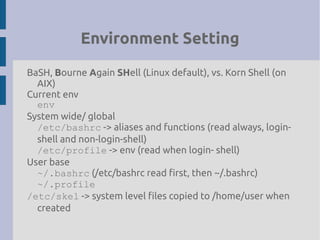
BaSH, Bourne Again SHell (Linux default), vs. Korn Shell (on
AIX)
Current env
env
System wide/ global
/etc/bashrc -> aliases and functions (read always, login-
shell and non-login-shell)
/etc/profile -> env (read when login- shell)
User base
~/.bashrc (/etc/bashrc read first, then ~/.bashrc)
~/.profile
/etc/skel -> system level files copied to /home/user when
created
Environment Setting
Objective:
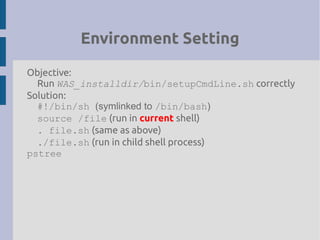
Run WAS_installdir/bin/setupCmdLine.sh correctly
Solution:
#!/bin/sh (symlinked to /bin/bash)
source /file (run in current shell)
. file.sh (same as above)
./file.sh (run in child shell process)
pstree
Hardware Specification
Objective:
How fast is CPU? How big is RAM? SWAP size?
Solution:
cat /proc/cpuinfo
cat /proc/meminfo
cat /proc/swaps
System Specification
Objective:
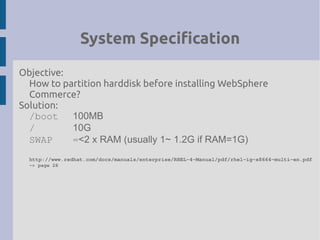
How to partition harddisk before installing WebSphere
Commerce?
Solution:
/boot 100MB
/ 10G
SWAP =<2 x RAM (usually 1~ 1.2G if RAM=1G)
http://www.redhat.com/docs/manuals/enterprise/RHEL­4­Manual/pdf/rhel­ig­x8664­multi­en.pdf
­> page 28
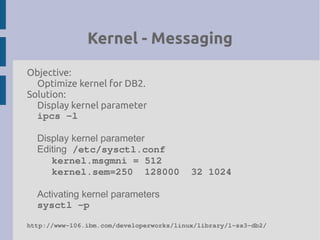
Kernel - Messaging
Objective:
Optimize kernel for DB2.
Solution:
Display kernel parameter
ipcs ­l
Display kernel parameter
Editing /etc/sysctl.conf
kernel.msgmni = 512
kernel.sem=250  128000  32 1024
Activating kernel parameters
sysctl ­p
http://www­106.ibm.com/developerworks/linux/library/l­ss3­db2/
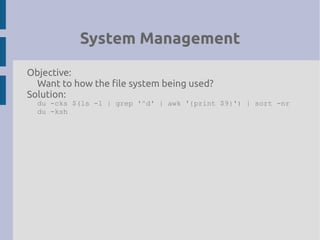
System Management
Objective:
Want to how the file system being used?
Solution:
du -cks $(ls -l | grep '^d' | awk '{print $9}') | sort -nr
du -ksh
System Startup
Objective:
Switch between X startup and command line startup.
Change the runlevel.
Solution:
cat /etc/inittab | grep “id”
System Mgmt - fuser
Objective:
Which process holds up the file?
Solution:
fuser
pid
[root@sevenj root]# fuser /var/log/messages
/var/log/messages: 3292
User
[root@sevenj root]# fuser -u /var/log/messages
/var/log/messages: 3292(root)
Terminate the processes that using file
fuser -kimuv /path/file
fuser -kxuc /path/file (on AIX)
Port
[root@sevenj root]# fuser 22/tcp
22/tcp: 3470
System Mgmt - lsof
Objective:
Which program is running over a port?
Solution:
lsof – LiSt Open File
Which application is using port 22?
lsof -i:22
[root@summerpalace /]# lsof -i:22
COMMAND PID USER FD TYPE DEVICE SIZE NODE NAME
sshd 3803 root 3u IPv4 3387 TCP *:ssh(LISTEN)
sshd 30328 root 4u IPv4 2616339 TCP
summerpalace.torolab.ibm.com:ssh->9.26.190.11:33875 (ESTABLISHED)
System Mgmt – lsof (cont'd)
What files are opened by PID?
[root@summerpalace /]# lsof -p 3803
COMMAND PID USER FD TYPE DEVICE SIZE NODE NAME
sshd 3803 root cwd DIR 3,2 4096 2 /
sshd 3803 root rtd DIR 3,2 4096 2 /
sshd 3803 root txt REG 3,2 280184 551800 /usr/sbin/sshd
sshd 3803 root mem REG 3,2 51924 535486 /lib/libnss_files-2.3.2.so
sshd 3803 root mem REG 3,2 1563240 1054615 /lib/tls/libc-2.3.2.so
sshd 3803 root mem REG 3,2 5572 292096 /usr/kerberos/lib/libcom_err.so.3.0
sshd 3803 root mem REG 3,2 63880 292106 /usr/kerberos/lib/libk5crypto.so.3.0
sshd 3803 root mem REG 3,2 385220 292116 /usr/kerberos/lib/libkrb5.so.3.1
sshd 3803 root mem REG 3,2 971612 535528 /lib/libcrypto.so.0.9.7a
sshd 3803 root mem REG 3,2 91368 535470 /lib/libnsl-2.3.2.so
sshd 3803 root mem REG 3,2 52584 1216870 /usr/lib/libz.so.1.1.4
sshd 3803 root mem REG 3,2 12564 535504 /lib/libutil-2.3.2.so
sshd 3803 root mem REG 3,2 76468 535498 /lib/libresolv-2.3.2.so
sshd 3803 root mem REG 3,2 14728 535466 /lib/libdl-2.3.2.so
sshd 3803 root mem REG 3,2 30448 535533 /lib/libpam.so.0.75
sshd 3803 root mem REG 3,2 28452 1216947 /usr/lib/libwrap.so.0.7.6
sshd 3803 root mem REG 3,2 106532 535453 /lib/ld-2.3.2.so
sshd 3803 root 0u CHR 1,3 66540 /dev/null
sshd 3803 root 1u CHR 1,3 66540 /dev/null
sshd 3803 root 2u CHR 1,3 66540 /dev/null
sshd 3803 root 3u IPv4 3387 TCP *:ssh (LISTEN)
System Mgmt – lsof (cont'd)
What application is holding a dir and files under that dir?
[root@summerpalace /]# lsof +d /var/log
COMMAND PID USER FD TYPE DEVICE SIZE NODE NAME
syslogd 3676 root 2w REG 3,2 1393576 780963 /var/log/messages
syslogd 3676 root 3w REG 3,2 925 780964 /var/log/secure
syslogd 3676 root 4w REG 3,2 430 781130 /var/log/maillog
syslogd 3676 root 5w REG 3,2 10246 781139 /var/log/cron
syslogd 3676 root 6w REG 3,2 0 781134 /var/log/spooler
syslogd 3676 root 7w REG 3,2 0 781138 /var/log/boot.log
System Mgmt – SWAP
Objective:
Want to change SWAP size?
Solution:
mkswap /dev/hdaX
sync
swapon /dev/hdaX
cat /proc/swaps
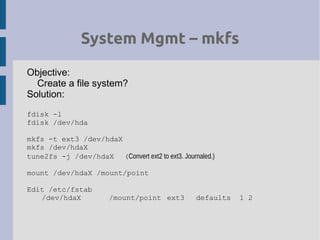
System Mgmt – mkfs
Objective:
Create a file system?
Solution:
fdisk -l
fdisk /dev/hda
mkfs -t ext3 /dev/hdaX
mkfs /dev/hdaX
tune2fs -j /dev/hdaX (Convert ext2 to ext3. Journaled.)
mount /dev/hdaX /mount/point
Edit /etc/fstab
/dev/hdaX /mount/point ext3 defaults 1 2
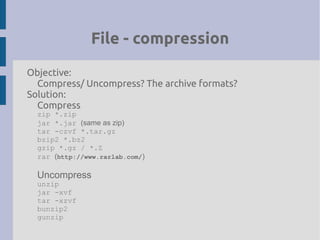
File - compression
Objective:
Compress/ Uncompress? The archive formats?
Solution:
Compress
zip *.zip
jar *.jar (same as zip)
tar -czvf *.tar.gz
bzip2 *.bz2
gzip *.gz / *.Z
rar (http://www.rarlab.com/)
Uncompress
unzip
jar -xvf
tar -xzvf
bunzip2
gunzip
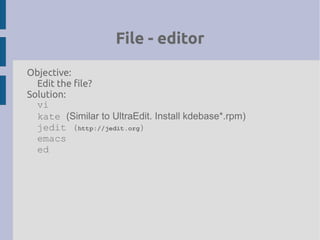
File - editor
Objective:
Edit the file?
Solution:
vi
kate (Similar to UltraEdit. Install kdebase*.rpm)
jedit (http://jedit.org)
emacs
ed
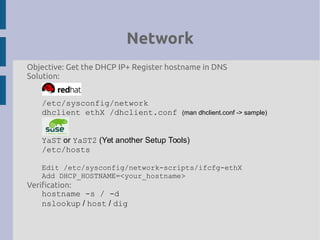
Network
Objective: Get the DHCP IP+ Register hostname in DNS
Solution:
/etc/sysconfig/network
dhclient ethX /dhclient.conf (man dhclient.conf -> sample)
YaST or YaST2 (Yet another Setup Tools)
/etc/hosts
Edit /etc/sysconfig/network-scripts/ifcfg-ethX
Add DHCP_HOSTNAME=<your_hostname>
Verification:
hostname -s / -d
nslookup / host / dig
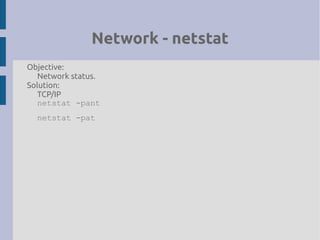
Network - netstat
Objective:
Network status.
Solution:
TCP/IP
netstat -pant
netstat -pat
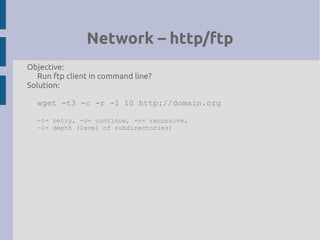
Network – http/ftp
Objective:
Run ftp client in command line?
Solution:
wget -t3 -c -r -l 10 http://domain.org
-t= retry, -c= continue, -r= recursive,
-l= depth (level of subdirectories)
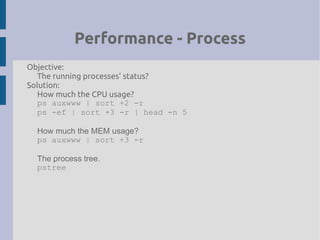
Performance - Process
Objective:
The running processes' status?
Solution:
How much the CPU usage?
ps auxwww | sort +2 -r
ps -ef | sort +3 -r | head -n 5
How much the MEM usage?
ps auxwww | sort +3 -r
The process tree.
pstree
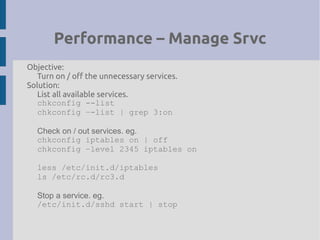
Performance – Manage Srvc
Objective:
Turn on / off the unnecessary services.
Solution:
List all available services.
chkconfig --list
chkconfig –-list | grep 3:on
Check on / out services. eg.
chkconfig iptables on | off
chkconfig –level 2345 iptables on
less /etc/init.d/iptables
ls /etc/rc.d/rc3.d
Stop a service. eg.
/etc/init.d/sshd start | stop
Performance - Memory
Objective: System memory usuage.
Solution:
vmstat <interval> <length>
eg.
vmstat 1 10
[root@summerpalace root]# vmstat 1 10
procs memory swap io system cpu
r b swpd free buff cache si so bi bo in cs us sy id wa
1 0 0 146512 107140 616064 0 0 4 17 105 30 0 0 99 0
0 0 0 146428 107140 616064 0 0 0 148 130 76 0 4 96 0
r: The number of processes waiting for run time.
si / so: Swap in/ out
bi / bo: Blocks in/ out
us: User time
sy: System time
id: Idle
Reference: What's block and character device?
http://www.uwsg.iu.edu/usail/concepts/filesystems/everything­is­a­file.html
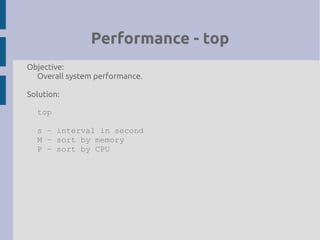
Performance - top
Objective:
Overall system performance.
Solution:
top
s – interval in second
M – sort by memory
P – sort by CPU
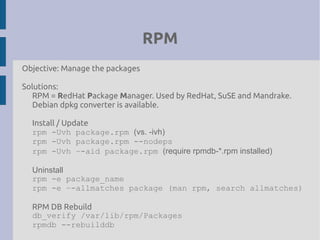
RPM
Objective: Manage the packages
Solutions:
RPM = RedHat Package Manager. Used by RedHat, SuSE and Mandrake.
Debian dpkg converter is available.
Install / Update
rpm -Uvh package.rpm (vs. -ivh)
rpm -Uvh package.rpm --nodeps
rpm -Uvh –-aid package.rpm (require rpmdb-*.rpm installed)
Uninstall
rpm -e package_name
rpm -e –-allmatches package (man rpm, search allmatches)
RPM DB Rebuild
db_verify /var/lib/rpm/Packages
rpmdb --rebuilddb
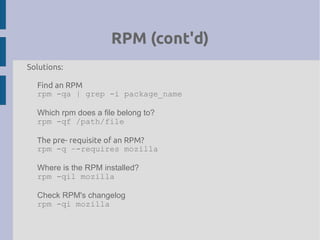
RPM (cont'd)
Solutions:
Find an RPM
rpm -qa | grep -i package_name
Which rpm does a file belong to?
rpm -qf /path/file
The pre- requisite of an RPM?
rpm -q –-requires mozilla
Where is the RPM installed?
rpm -qil mozilla
Check RPM's changelog
rpm -qi mozilla
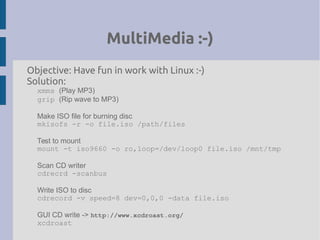
MultiMedia :-)
Objective: Have fun in work with Linux :-)
Solution:
xmms (Play MP3)
grip (Rip wave to MP3)
Make ISO file for burning disc
mkisofs -r -o file.iso /path/files
Test to mount
mount -t iso9660 -o ro,loop=/dev/loop0 file.iso /mnt/tmp
Scan CD writer
cdrecrd -scanbus
Write ISO to disc
cdrecord -v speed=8 dev=0,0,0 -data file.iso
GUI CD write -> http://www.xcdroast.org/
xcdroast

Linux Common Command

  • 1.
    Linux Commands &Tools v1.3 j3ffyang at gmail
  • 2.
    Environment Setting BaSH, BourneAgain SHell (Linux default), vs. Korn Shell (on AIX) Current env env System wide/ global /etc/bashrc -> aliases and functions (read always, login- shell and non-login-shell) /etc/profile -> env (read when login- shell) User base ~/.bashrc (/etc/bashrc read first, then ~/.bashrc) ~/.profile /etc/skel -> system level files copied to /home/user when created
  • 3.
    Environment Setting Objective: Run WAS_installdir/bin/setupCmdLine.shcorrectly Solution: #!/bin/sh (symlinked to /bin/bash) source /file (run in current shell) . file.sh (same as above) ./file.sh (run in child shell process) pstree
  • 4.
    Hardware Specification Objective: How fastis CPU? How big is RAM? SWAP size? Solution: cat /proc/cpuinfo cat /proc/meminfo cat /proc/swaps
  • 5.
    System Specification Objective: How topartition harddisk before installing WebSphere Commerce? Solution: /boot 100MB / 10G SWAP =<2 x RAM (usually 1~ 1.2G if RAM=1G) http://www.redhat.com/docs/manuals/enterprise/RHEL­4­Manual/pdf/rhel­ig­x8664­multi­en.pdf ­> page 28
  • 6.
    Kernel - Messaging Objective: Optimizekernel for DB2. Solution: Display kernel parameter ipcs ­l Display kernel parameter Editing /etc/sysctl.conf kernel.msgmni = 512 kernel.sem=250  128000  32 1024 Activating kernel parameters sysctl ­p http://www­106.ibm.com/developerworks/linux/library/l­ss3­db2/
  • 7.
    System Management Objective: Want tohow the file system being used? Solution: du -cks $(ls -l | grep '^d' | awk '{print $9}') | sort -nr du -ksh
  • 8.
    System Startup Objective: Switch betweenX startup and command line startup. Change the runlevel. Solution: cat /etc/inittab | grep “id”
  • 9.
    System Mgmt -fuser Objective: Which process holds up the file? Solution: fuser pid [root@sevenj root]# fuser /var/log/messages /var/log/messages: 3292 User [root@sevenj root]# fuser -u /var/log/messages /var/log/messages: 3292(root) Terminate the processes that using file fuser -kimuv /path/file fuser -kxuc /path/file (on AIX) Port [root@sevenj root]# fuser 22/tcp 22/tcp: 3470
  • 10.
    System Mgmt -lsof Objective: Which program is running over a port? Solution: lsof – LiSt Open File Which application is using port 22? lsof -i:22 [root@summerpalace /]# lsof -i:22 COMMAND PID USER FD TYPE DEVICE SIZE NODE NAME sshd 3803 root 3u IPv4 3387 TCP *:ssh(LISTEN) sshd 30328 root 4u IPv4 2616339 TCP summerpalace.torolab.ibm.com:ssh->9.26.190.11:33875 (ESTABLISHED)
  • 11.
    System Mgmt –lsof (cont'd) What files are opened by PID? [root@summerpalace /]# lsof -p 3803 COMMAND PID USER FD TYPE DEVICE SIZE NODE NAME sshd 3803 root cwd DIR 3,2 4096 2 / sshd 3803 root rtd DIR 3,2 4096 2 / sshd 3803 root txt REG 3,2 280184 551800 /usr/sbin/sshd sshd 3803 root mem REG 3,2 51924 535486 /lib/libnss_files-2.3.2.so sshd 3803 root mem REG 3,2 1563240 1054615 /lib/tls/libc-2.3.2.so sshd 3803 root mem REG 3,2 5572 292096 /usr/kerberos/lib/libcom_err.so.3.0 sshd 3803 root mem REG 3,2 63880 292106 /usr/kerberos/lib/libk5crypto.so.3.0 sshd 3803 root mem REG 3,2 385220 292116 /usr/kerberos/lib/libkrb5.so.3.1 sshd 3803 root mem REG 3,2 971612 535528 /lib/libcrypto.so.0.9.7a sshd 3803 root mem REG 3,2 91368 535470 /lib/libnsl-2.3.2.so sshd 3803 root mem REG 3,2 52584 1216870 /usr/lib/libz.so.1.1.4 sshd 3803 root mem REG 3,2 12564 535504 /lib/libutil-2.3.2.so sshd 3803 root mem REG 3,2 76468 535498 /lib/libresolv-2.3.2.so sshd 3803 root mem REG 3,2 14728 535466 /lib/libdl-2.3.2.so sshd 3803 root mem REG 3,2 30448 535533 /lib/libpam.so.0.75 sshd 3803 root mem REG 3,2 28452 1216947 /usr/lib/libwrap.so.0.7.6 sshd 3803 root mem REG 3,2 106532 535453 /lib/ld-2.3.2.so sshd 3803 root 0u CHR 1,3 66540 /dev/null sshd 3803 root 1u CHR 1,3 66540 /dev/null sshd 3803 root 2u CHR 1,3 66540 /dev/null sshd 3803 root 3u IPv4 3387 TCP *:ssh (LISTEN)
  • 12.
    System Mgmt –lsof (cont'd) What application is holding a dir and files under that dir? [root@summerpalace /]# lsof +d /var/log COMMAND PID USER FD TYPE DEVICE SIZE NODE NAME syslogd 3676 root 2w REG 3,2 1393576 780963 /var/log/messages syslogd 3676 root 3w REG 3,2 925 780964 /var/log/secure syslogd 3676 root 4w REG 3,2 430 781130 /var/log/maillog syslogd 3676 root 5w REG 3,2 10246 781139 /var/log/cron syslogd 3676 root 6w REG 3,2 0 781134 /var/log/spooler syslogd 3676 root 7w REG 3,2 0 781138 /var/log/boot.log
  • 13.
    System Mgmt –SWAP Objective: Want to change SWAP size? Solution: mkswap /dev/hdaX sync swapon /dev/hdaX cat /proc/swaps
  • 14.
    System Mgmt –mkfs Objective: Create a file system? Solution: fdisk -l fdisk /dev/hda mkfs -t ext3 /dev/hdaX mkfs /dev/hdaX tune2fs -j /dev/hdaX (Convert ext2 to ext3. Journaled.) mount /dev/hdaX /mount/point Edit /etc/fstab /dev/hdaX /mount/point ext3 defaults 1 2
  • 15.
    File - compression Objective: Compress/Uncompress? The archive formats? Solution: Compress zip *.zip jar *.jar (same as zip) tar -czvf *.tar.gz bzip2 *.bz2 gzip *.gz / *.Z rar (http://www.rarlab.com/) Uncompress unzip jar -xvf tar -xzvf bunzip2 gunzip
  • 16.
    File - editor Objective: Editthe file? Solution: vi kate (Similar to UltraEdit. Install kdebase*.rpm) jedit (http://jedit.org) emacs ed
  • 17.
    Network Objective: Get theDHCP IP+ Register hostname in DNS Solution: /etc/sysconfig/network dhclient ethX /dhclient.conf (man dhclient.conf -> sample) YaST or YaST2 (Yet another Setup Tools) /etc/hosts Edit /etc/sysconfig/network-scripts/ifcfg-ethX Add DHCP_HOSTNAME=<your_hostname> Verification: hostname -s / -d nslookup / host / dig
  • 18.
    Network - netstat Objective: Networkstatus. Solution: TCP/IP netstat -pant netstat -pat
  • 19.
    Network – http/ftp Objective: Runftp client in command line? Solution: wget -t3 -c -r -l 10 http://domain.org -t= retry, -c= continue, -r= recursive, -l= depth (level of subdirectories)
  • 20.
    Performance - Process Objective: Therunning processes' status? Solution: How much the CPU usage? ps auxwww | sort +2 -r ps -ef | sort +3 -r | head -n 5 How much the MEM usage? ps auxwww | sort +3 -r The process tree. pstree
  • 21.
    Performance – ManageSrvc Objective: Turn on / off the unnecessary services. Solution: List all available services. chkconfig --list chkconfig –-list | grep 3:on Check on / out services. eg. chkconfig iptables on | off chkconfig –level 2345 iptables on less /etc/init.d/iptables ls /etc/rc.d/rc3.d Stop a service. eg. /etc/init.d/sshd start | stop
  • 22.
    Performance - Memory Objective:System memory usuage. Solution: vmstat <interval> <length> eg. vmstat 1 10 [root@summerpalace root]# vmstat 1 10 procs memory swap io system cpu r b swpd free buff cache si so bi bo in cs us sy id wa 1 0 0 146512 107140 616064 0 0 4 17 105 30 0 0 99 0 0 0 0 146428 107140 616064 0 0 0 148 130 76 0 4 96 0 r: The number of processes waiting for run time. si / so: Swap in/ out bi / bo: Blocks in/ out us: User time sy: System time id: Idle Reference: What's block and character device? http://www.uwsg.iu.edu/usail/concepts/filesystems/everything­is­a­file.html
  • 23.
    Performance - top Objective: Overallsystem performance. Solution: top s – interval in second M – sort by memory P – sort by CPU
  • 24.
    RPM Objective: Manage thepackages Solutions: RPM = RedHat Package Manager. Used by RedHat, SuSE and Mandrake. Debian dpkg converter is available. Install / Update rpm -Uvh package.rpm (vs. -ivh) rpm -Uvh package.rpm --nodeps rpm -Uvh –-aid package.rpm (require rpmdb-*.rpm installed) Uninstall rpm -e package_name rpm -e –-allmatches package (man rpm, search allmatches) RPM DB Rebuild db_verify /var/lib/rpm/Packages rpmdb --rebuilddb
  • 25.
    RPM (cont'd) Solutions: Find anRPM rpm -qa | grep -i package_name Which rpm does a file belong to? rpm -qf /path/file The pre- requisite of an RPM? rpm -q –-requires mozilla Where is the RPM installed? rpm -qil mozilla Check RPM's changelog rpm -qi mozilla
  • 26.
    MultiMedia :-) Objective: Havefun in work with Linux :-) Solution: xmms (Play MP3) grip (Rip wave to MP3) Make ISO file for burning disc mkisofs -r -o file.iso /path/files Test to mount mount -t iso9660 -o ro,loop=/dev/loop0 file.iso /mnt/tmp Scan CD writer cdrecrd -scanbus Write ISO to disc cdrecord -v speed=8 dev=0,0,0 -data file.iso GUI CD write -> http://www.xcdroast.org/ xcdroast