Content Creation
@codewizacademy
CONTENT SELECTION
Content Selection
• Break down the content on the basis of
what students:
1. Must Know
2. Need to Know
3. Nice to know
Prioritized Learning
Must Know
• Prerequisite Ideas
• Module/Unit Objectives
• Absolutely necessary for understanding
• Outline for rapid acceleration or for
remediation
Need to know
• Less critical at the moment but must know
later.
• De-emphasize
Nice to Know
• Can be put off
• Adds
– Substance
– Breadth
– Interest
CONTENT CREATION
1. Get to know
• Characteristics of students who are likely to
take this course
• Get familiar with the students in initial
activities
• Make them familiar with you and the platform
they will be studying on
– Introductory Video
– Virtual Tour
– Highlighted labels
– Step by step guide
2. Activities
• Individual or group project work spaced over
several weeks
• Individual student blog or e-portfolio that
enables the student to reflect on their recent
learning
– Shared with the instructor or other students
• Online discussion forums
– Instructor needs to organize and moderate
3. Teacher – Learner Interaction
• Be a Person to Students
• Be Accessible to Students
• Enter the Student’s Space
• Provide Avenues for Feedback
4. Live Session
• Practice in remembering lecture material
– Ask questions from time to time or providing
quizzes at the end of the lecture
• Visual aids help a great deal.
– Mix up videos, graphics, info-graphics
• Summarize the important points which were
covered during the lecture
• Make explicit links between present and past
or future sessions
Enhancing effectiveness of Live
Session
• First slide of presentation- keywords
• State educational intent at the beginning
• Do not overload students with content
• Change demands on students every 10-15
minutes to ensure attention
• Avoid non-stop lecturing and note taking
• Try to be enthusiastic and expressive when
delivering
• Tell students when they have responded
correctly
Types of Activities for active
learning events
• Pre-planned questions:
– Talk in 7 -10 minute segments-> ask pre-planned
questions
• Surveys:
– Pause-> ask directly for a show of hands
• Guided Lecture:
– Students listen for 15-20 minutes-> without taking
notes-> at the end-> learners recall-> reconstruct the
lecture
• Immediate Feedback Quiz:
– Listening-> observing -> applying -> feedback
Cont...Types of Activities for active
learning events
• Storytelling: Stories, metaphor, and myth catch people
deeply within. No information overload.
• Short Writes: 1-3 minutes speaking assignments
focusing on a question.
• Topic Synthesis: Students rather than instructor
summarize the key points of the entire session or part
of it.
• Focused Listing: Ask students to create a list in
response to a specific question
• Outline: Provide students with an empty or partially
filled outline and ask them to fill in the blanks in a
limited time.
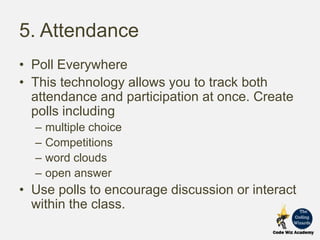
5. Attendance
• Poll Everywhere
• This technology allows you to track both
attendance and participation at once. Create
polls including
– multiple choice
– Competitions
– word clouds
– open answer
• Use polls to encourage discussion or interact
within the class.
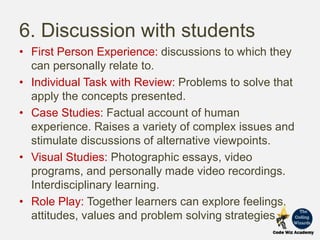
6. Discussion with students
• First Person Experience: discussions to which they
can personally relate to.
• Individual Task with Review: Problems to solve that
apply the concepts presented.
• Case Studies: Factual account of human
experience. Raises a variety of complex issues and
stimulate discussions of alternative viewpoints.
• Visual Studies: Photographic essays, video
programs, and personally made video recordings.
Interdisciplinary learning.
• Role Play: Together learners can explore feelings,
attitudes, values and problem solving strategies.
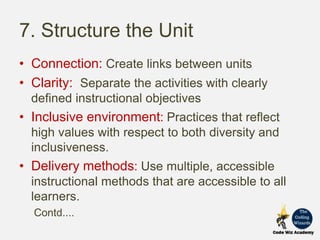
7. Structure the Unit
• Connection: Create links between units
• Clarity: Separate the activities with clearly
defined instructional objectives
• Inclusive environment: Practices that reflect
high values with respect to both diversity and
inclusiveness.
• Delivery methods: Use multiple, accessible
instructional methods that are accessible to all
learners.
Contd....
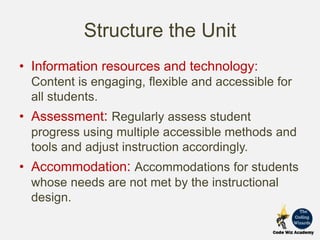
Structure the Unit
• Information resources and technology:
Content is engaging, flexible and accessible for
all students.
• Assessment: Regularly assess student
progress using multiple accessible methods and
tools and adjust instruction accordingly.
• Accommodation: Accommodations for students
whose needs are not met by the instructional
design.
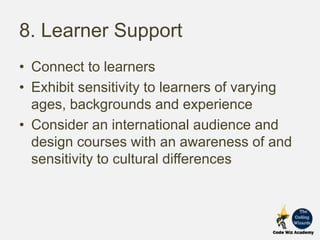
8. Learner Support
• Connect to learners
• Exhibit sensitivity to learners of varying
ages, backgrounds and experience
• Consider an international audience and
design courses with an awareness of and
sensitivity to cultural differences
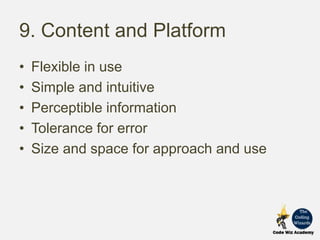
9. Content and Platform
• Flexible in use
• Simple and intuitive
• Perceptible information
• Tolerance for error
• Size and space for approach and use
Consider
• What students need to do to absorb, apply
and evaluate such content.
• Give learners
– Less time reading the content
– More time on interpreting, analyzing, or
applying that content through the activities
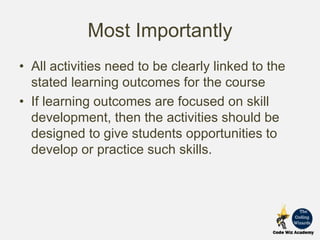
Most Importantly
• All activities need to be clearly linked to the
stated learning outcomes for the course
• If learning outcomes are focused on skill
development, then the activities should be
designed to give students opportunities to
develop or practice such skills.
Keep in touch
For more tutorials and free courses, please
visit:
 https://www.codewizacademy.com/
 https://www.facebook.com/codewizacademy/
 https://www.instagram.com/codewizacademy/

Content Creation

  • 1.
  • 2.
  • 3.
    Content Selection • Breakdown the content on the basis of what students: 1. Must Know 2. Need to Know 3. Nice to know Prioritized Learning
  • 4.
    Must Know • PrerequisiteIdeas • Module/Unit Objectives • Absolutely necessary for understanding • Outline for rapid acceleration or for remediation
  • 5.
    Need to know •Less critical at the moment but must know later. • De-emphasize
  • 6.
    Nice to Know •Can be put off • Adds – Substance – Breadth – Interest
  • 7.
  • 8.
    1. Get toknow • Characteristics of students who are likely to take this course • Get familiar with the students in initial activities • Make them familiar with you and the platform they will be studying on – Introductory Video – Virtual Tour – Highlighted labels – Step by step guide
  • 9.
    2. Activities • Individualor group project work spaced over several weeks • Individual student blog or e-portfolio that enables the student to reflect on their recent learning – Shared with the instructor or other students • Online discussion forums – Instructor needs to organize and moderate
  • 10.
    3. Teacher –Learner Interaction • Be a Person to Students • Be Accessible to Students • Enter the Student’s Space • Provide Avenues for Feedback
  • 11.
    4. Live Session •Practice in remembering lecture material – Ask questions from time to time or providing quizzes at the end of the lecture • Visual aids help a great deal. – Mix up videos, graphics, info-graphics • Summarize the important points which were covered during the lecture • Make explicit links between present and past or future sessions
  • 12.
    Enhancing effectiveness ofLive Session • First slide of presentation- keywords • State educational intent at the beginning • Do not overload students with content • Change demands on students every 10-15 minutes to ensure attention • Avoid non-stop lecturing and note taking • Try to be enthusiastic and expressive when delivering • Tell students when they have responded correctly
  • 13.
    Types of Activitiesfor active learning events • Pre-planned questions: – Talk in 7 -10 minute segments-> ask pre-planned questions • Surveys: – Pause-> ask directly for a show of hands • Guided Lecture: – Students listen for 15-20 minutes-> without taking notes-> at the end-> learners recall-> reconstruct the lecture • Immediate Feedback Quiz: – Listening-> observing -> applying -> feedback
  • 14.
    Cont...Types of Activitiesfor active learning events • Storytelling: Stories, metaphor, and myth catch people deeply within. No information overload. • Short Writes: 1-3 minutes speaking assignments focusing on a question. • Topic Synthesis: Students rather than instructor summarize the key points of the entire session or part of it. • Focused Listing: Ask students to create a list in response to a specific question • Outline: Provide students with an empty or partially filled outline and ask them to fill in the blanks in a limited time.
  • 15.
    5. Attendance • PollEverywhere • This technology allows you to track both attendance and participation at once. Create polls including – multiple choice – Competitions – word clouds – open answer • Use polls to encourage discussion or interact within the class.
  • 16.
    6. Discussion withstudents • First Person Experience: discussions to which they can personally relate to. • Individual Task with Review: Problems to solve that apply the concepts presented. • Case Studies: Factual account of human experience. Raises a variety of complex issues and stimulate discussions of alternative viewpoints. • Visual Studies: Photographic essays, video programs, and personally made video recordings. Interdisciplinary learning. • Role Play: Together learners can explore feelings, attitudes, values and problem solving strategies.
  • 17.
    7. Structure theUnit • Connection: Create links between units • Clarity: Separate the activities with clearly defined instructional objectives • Inclusive environment: Practices that reflect high values with respect to both diversity and inclusiveness. • Delivery methods: Use multiple, accessible instructional methods that are accessible to all learners. Contd....
  • 18.
    Structure the Unit •Information resources and technology: Content is engaging, flexible and accessible for all students. • Assessment: Regularly assess student progress using multiple accessible methods and tools and adjust instruction accordingly. • Accommodation: Accommodations for students whose needs are not met by the instructional design.
  • 19.
    8. Learner Support •Connect to learners • Exhibit sensitivity to learners of varying ages, backgrounds and experience • Consider an international audience and design courses with an awareness of and sensitivity to cultural differences
  • 20.
    9. Content andPlatform • Flexible in use • Simple and intuitive • Perceptible information • Tolerance for error • Size and space for approach and use
  • 21.
    Consider • What studentsneed to do to absorb, apply and evaluate such content. • Give learners – Less time reading the content – More time on interpreting, analyzing, or applying that content through the activities
  • 22.
    Most Importantly • Allactivities need to be clearly linked to the stated learning outcomes for the course • If learning outcomes are focused on skill development, then the activities should be designed to give students opportunities to develop or practice such skills.
  • 23.
    Keep in touch Formore tutorials and free courses, please visit:  https://www.codewizacademy.com/  https://www.facebook.com/codewizacademy/  https://www.instagram.com/codewizacademy/