Programming in Java Script
Java Script
Programming Fundamentals
Java Script
• Programming language of the web
• Works in unison with HTML and CSS for web
page
• Code interpreted line by line by the javascript
engine built within web browser
Different from HTML & CSS
• HTML
– Structure of web page
• CSS
– Layout and Design
• Java Script
– Behaviour/Interaction
Use of JS
• Adds dynamic components
• Helps interaction with user
• Can be deferred loading
– Increases site speed
How to write JS code
• 2 ways of writing JS
– External file
– Embedded within HTML
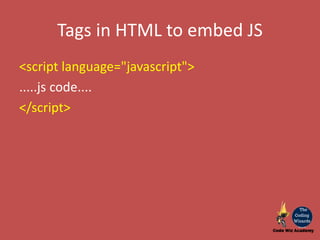
Tags in HTML to embed JS
<script language="javascript">
.....js code....
</script>
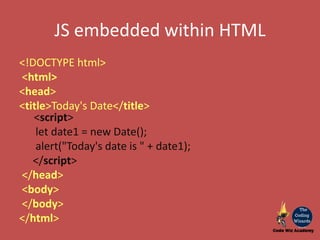
JS embedded within HTML
<!DOCTYPE html>
<html>
<head>
<title>Today's Date</title>
<script>
let date1 = new Date();
alert("Today's date is " + date1);
</script>
</head>
<body>
</body>
</html>
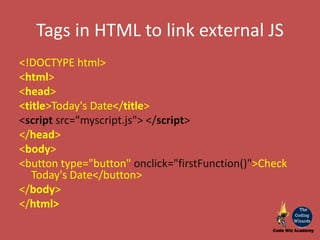
Tags in HTML to link external JS
<!DOCTYPE html>
<html>
<head>
<title>Today's Date</title>
<script src="myscript.js"> </script>
</head>
<body>
<button type="button" onclick="firstFunction()">Check
Today's Date</button>
</body>
</html>
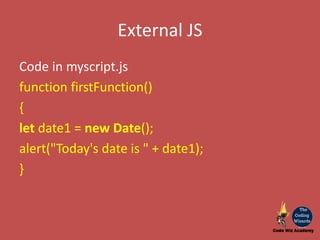
External JS
Code in myscript.js
function firstFunction()
{
let date1 = new Date();
alert("Today's date is " + date1);
}
Programming Fundamentals
3 Programming Basics
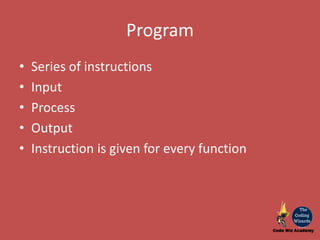
Program
• Series of instructions
• Input
• Process
• Output
• Instruction is given for every function
Programming
• Writing program in specific language
• Logically putting the solution together
• Breaking up solution into steps
• Writing instructions for every step
3 Programming Fundamentals
• Storage
• Conditional Constructs
• Iteration
Storage
• Save Data
• Input Data
– Data from user input
• Processed Data
– Data worked upon
• Output Data
– Message
Types of storage
• Variable
• Constants
• Arrays
Variables
• Named storage location in memory
• Holds a single value
• Value can change
Constants
• Named storage location in memory
• Holds a single value
• Value cannot change once assigned
Arrays
• Named storage location in memory
• Holds single or multiple values
• Value(s) can change
• Single array can contain one or more elements
• Each element has a value assigned to it
• All the elements of an array need to store values
of same data type
• Eg: int array of 5 elements will store 5 individual
values of integer type only. Cannot contain one
integer, one float, one string or any mix of it.
Conditional Constructs
• Applying Logic
– Yes-> Do this
– No-> Do that
• Black or White
• Zero or One
• Binary
• There is "No Grey Zone"
– If it is not yes or no then its an Error
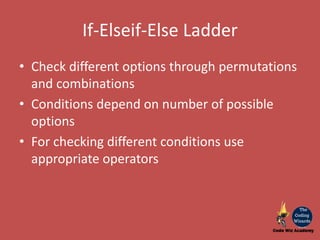
If-Elseif-Else Ladder
• Check different options through permutations
and combinations
• Conditions depend on number of possible
options
• For checking different conditions use
appropriate operators
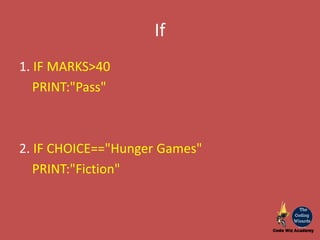
If
1. IF MARKS>40
PRINT:"Pass"
2. IF CHOICE=="Hunger Games"
PRINT:"Fiction"
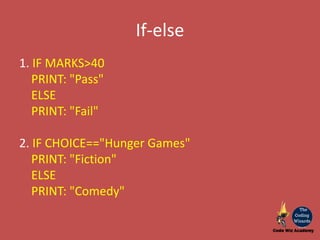
If-else
1. IF MARKS>40
PRINT: "Pass"
ELSE
PRINT: "Fail"
2. IF CHOICE=="Hunger Games"
PRINT: "Fiction"
ELSE
PRINT: "Comedy"
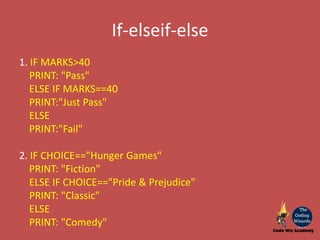
If-elseif-else
1. IF MARKS>40
PRINT: "Pass"
ELSE IF MARKS==40
PRINT:"Just Pass"
ELSE
PRINT:"Fail"
2. IF CHOICE=="Hunger Games"
PRINT: "Fiction"
ELSE IF CHOICE=="Pride & Prejudice"
PRINT: "Classic"
ELSE
PRINT: "Comedy"
Operators
• Different conditions -> different operations
– Logical operators
– Arithmetic operators
– Relational operators
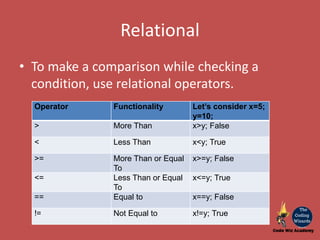
Relational
• To make a comparison while checking a
condition, use relational operators.
Operator Functionality Let’s consider x=5;
y=10;
> More Than x>y; False
< Less Than x<y; True
>= More Than or Equal
To
x>=y; False
<= Less Than or Equal
To
x<=y; True
== Equal to x==y; False
!= Not Equal to x!=y; True
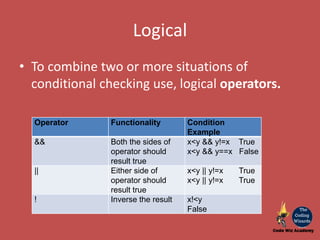
Logical
• To combine two or more situations of
conditional checking use, logical operators.
Operator Functionality Condition
Example
&& Both the sides of
operator should
result true
x<y && y!=x True
x<y && y==x False
|| Either side of
operator should
result true
x<y || y!=x True
x<y || y!=x True
! Inverse the result x!<y
False
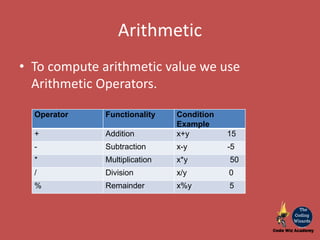
Arithmetic
• To compute arithmetic value we use
Arithmetic Operators.
Operator Functionality Condition
Example
+ Addition x+y 15
- Subtraction x-y -5
* Multiplication x*y 50
/ Division x/y 0
% Remainder x%y 5
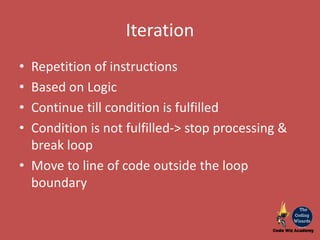
Iteration
• Repetition of instructions
• Based on Logic
• Continue till condition is fulfilled
• Condition is not fulfilled-> stop processing &
break loop
• Move to line of code outside the loop
boundary
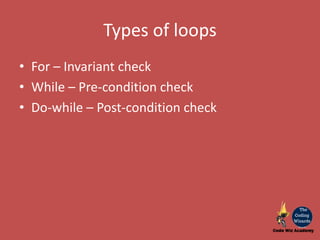
Types of loops
• For – Invariant check
• While – Pre-condition check
• Do-while – Post-condition check
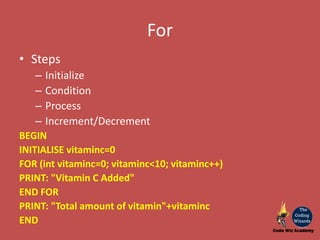
For
• Steps
– Initialize
– Condition
– Process
– Increment/Decrement
BEGIN
INITIALISE vitaminc=0
FOR (int vitaminc=0; vitaminc<10; vitaminc++)
PRINT: "Vitamin C Added"
END FOR
PRINT: "Total amount of vitamin"+vitaminc
END
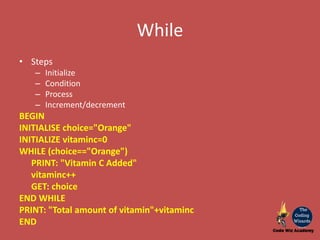
While
• Steps
– Initialize
– Condition
– Process
– Increment/decrement
BEGIN
INITIALISE choice="Orange"
INITIALIZE vitaminc=0
WHILE (choice=="Orange")
PRINT: "Vitamin C Added"
vitaminc++
GET: choice
END WHILE
PRINT: "Total amount of vitamin"+vitaminc
END
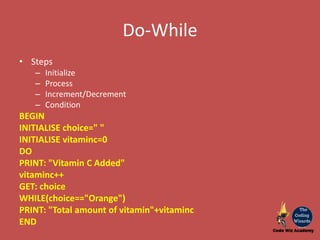
Do-While
• Steps
– Initialize
– Process
– Increment/Decrement
– Condition
BEGIN
INITIALISE choice=" "
INITIALISE vitaminc=0
DO
PRINT: "Vitamin C Added"
vitaminc++
GET: choice
WHILE(choice=="Orange")
PRINT: "Total amount of vitamin"+vitaminc
END
Basics of programming
https://www.codewizacademy.com
https://www.facebook.com/codewizacademy/
https://www.instagram.com/codewizacademy/

Programming fundamentals through javascript

  • 1.
    Programming in JavaScript Java Script Programming Fundamentals
  • 2.
    Java Script • Programminglanguage of the web • Works in unison with HTML and CSS for web page • Code interpreted line by line by the javascript engine built within web browser
  • 3.
    Different from HTML& CSS • HTML – Structure of web page • CSS – Layout and Design • Java Script – Behaviour/Interaction
  • 4.
    Use of JS •Adds dynamic components • Helps interaction with user • Can be deferred loading – Increases site speed
  • 5.
    How to writeJS code • 2 ways of writing JS – External file – Embedded within HTML
  • 6.
    Tags in HTMLto embed JS <script language="javascript"> .....js code.... </script>
  • 7.
    JS embedded withinHTML <!DOCTYPE html> <html> <head> <title>Today's Date</title> <script> let date1 = new Date(); alert("Today's date is " + date1); </script> </head> <body> </body> </html>
  • 8.
    Tags in HTMLto link external JS <!DOCTYPE html> <html> <head> <title>Today's Date</title> <script src="myscript.js"> </script> </head> <body> <button type="button" onclick="firstFunction()">Check Today's Date</button> </body> </html>
  • 9.
    External JS Code inmyscript.js function firstFunction() { let date1 = new Date(); alert("Today's date is " + date1); }
  • 10.
  • 11.
    Program • Series ofinstructions • Input • Process • Output • Instruction is given for every function
  • 12.
    Programming • Writing programin specific language • Logically putting the solution together • Breaking up solution into steps • Writing instructions for every step
  • 13.
    3 Programming Fundamentals •Storage • Conditional Constructs • Iteration
  • 14.
    Storage • Save Data •Input Data – Data from user input • Processed Data – Data worked upon • Output Data – Message
  • 15.
    Types of storage •Variable • Constants • Arrays
  • 16.
    Variables • Named storagelocation in memory • Holds a single value • Value can change
  • 17.
    Constants • Named storagelocation in memory • Holds a single value • Value cannot change once assigned
  • 18.
    Arrays • Named storagelocation in memory • Holds single or multiple values • Value(s) can change • Single array can contain one or more elements • Each element has a value assigned to it • All the elements of an array need to store values of same data type • Eg: int array of 5 elements will store 5 individual values of integer type only. Cannot contain one integer, one float, one string or any mix of it.
  • 19.
    Conditional Constructs • ApplyingLogic – Yes-> Do this – No-> Do that • Black or White • Zero or One • Binary • There is "No Grey Zone" – If it is not yes or no then its an Error
  • 20.
    If-Elseif-Else Ladder • Checkdifferent options through permutations and combinations • Conditions depend on number of possible options • For checking different conditions use appropriate operators
  • 21.
    If 1. IF MARKS>40 PRINT:"Pass" 2.IF CHOICE=="Hunger Games" PRINT:"Fiction"
  • 22.
    If-else 1. IF MARKS>40 PRINT:"Pass" ELSE PRINT: "Fail" 2. IF CHOICE=="Hunger Games" PRINT: "Fiction" ELSE PRINT: "Comedy"
  • 23.
    If-elseif-else 1. IF MARKS>40 PRINT:"Pass" ELSE IF MARKS==40 PRINT:"Just Pass" ELSE PRINT:"Fail" 2. IF CHOICE=="Hunger Games" PRINT: "Fiction" ELSE IF CHOICE=="Pride & Prejudice" PRINT: "Classic" ELSE PRINT: "Comedy"
  • 24.
    Operators • Different conditions-> different operations – Logical operators – Arithmetic operators – Relational operators
  • 25.
    Relational • To makea comparison while checking a condition, use relational operators. Operator Functionality Let’s consider x=5; y=10; > More Than x>y; False < Less Than x<y; True >= More Than or Equal To x>=y; False <= Less Than or Equal To x<=y; True == Equal to x==y; False != Not Equal to x!=y; True
  • 26.
    Logical • To combinetwo or more situations of conditional checking use, logical operators. Operator Functionality Condition Example && Both the sides of operator should result true x<y && y!=x True x<y && y==x False || Either side of operator should result true x<y || y!=x True x<y || y!=x True ! Inverse the result x!<y False
  • 27.
    Arithmetic • To computearithmetic value we use Arithmetic Operators. Operator Functionality Condition Example + Addition x+y 15 - Subtraction x-y -5 * Multiplication x*y 50 / Division x/y 0 % Remainder x%y 5
  • 28.
    Iteration • Repetition ofinstructions • Based on Logic • Continue till condition is fulfilled • Condition is not fulfilled-> stop processing & break loop • Move to line of code outside the loop boundary
  • 29.
    Types of loops •For – Invariant check • While – Pre-condition check • Do-while – Post-condition check
  • 30.
    For • Steps – Initialize –Condition – Process – Increment/Decrement BEGIN INITIALISE vitaminc=0 FOR (int vitaminc=0; vitaminc<10; vitaminc++) PRINT: "Vitamin C Added" END FOR PRINT: "Total amount of vitamin"+vitaminc END
  • 31.
    While • Steps – Initialize –Condition – Process – Increment/decrement BEGIN INITIALISE choice="Orange" INITIALIZE vitaminc=0 WHILE (choice=="Orange") PRINT: "Vitamin C Added" vitaminc++ GET: choice END WHILE PRINT: "Total amount of vitamin"+vitaminc END
  • 32.
    Do-While • Steps – Initialize –Process – Increment/Decrement – Condition BEGIN INITIALISE choice=" " INITIALISE vitaminc=0 DO PRINT: "Vitamin C Added" vitaminc++ GET: choice WHILE(choice=="Orange") PRINT: "Total amount of vitamin"+vitaminc END
  • 33.