Online Pedagogy –
Strategies and Models
Anastasia M. Trekles, Ph.D.
Experiences
• What are your usual
approaches/strategies
for teaching in the face-
to-face classroom?
• What strategies do you
use online?
• What is the most critical
factor to instructional
success in the F2F
classroom?
• What about the online
classroom?
Objectives
• Apply evidence about learning to the design of
online and hybrid courses
• Align learning objectives, activities and
assessment for online learning
• Adapt learning strategies from face-to-face
contexts for the online environment
Some evidence - key findings about how
people learn
• Draw out and engage prior understanding
• Promote depth of factual knowledge
• Provide organizing framework to lead students to
a coherent conceptual understanding
• Provide structures that support students’ ability to
organize knowledge for retrieval
• Promote meta-cognitive skills
• See Bransford, Brown, and Cocking (2000),
http://www.nap.edu/openbook.php?isbn=0309070
368
Developing expertise
• It takes experience,
which takes practice
• It also takes
meaningful learning
opportunities placed in
authentic contexts so
that learners begin to
“chunk” information
• This leads to the ability
to be flexible in
approaching problems
Top 9 Classroom Instruction that Works
 Identifying similarities and differences
 Summarizing and note taking
 Reinforcing effort and providing recognition
 Homework and practice
 Nonlinguistic representations
 Cooperative learning
 Setting objectives and providing feedback
 Generating and testing hypotheses
 Questions, cues and advance organizers
Dean, C.B., Hubbell, E.R., Pitler, H., & Stone, B. (2011). Classroom instruction that
works: Research-based strategies for increasing student achievement (2nd ed.).
ASCD: Alexandria, VA
How can you use this evidence
when you design for online
learning?
Use Strategies to Support How People
Learn
•Alignment
•Structure
•Interaction
•Assessment
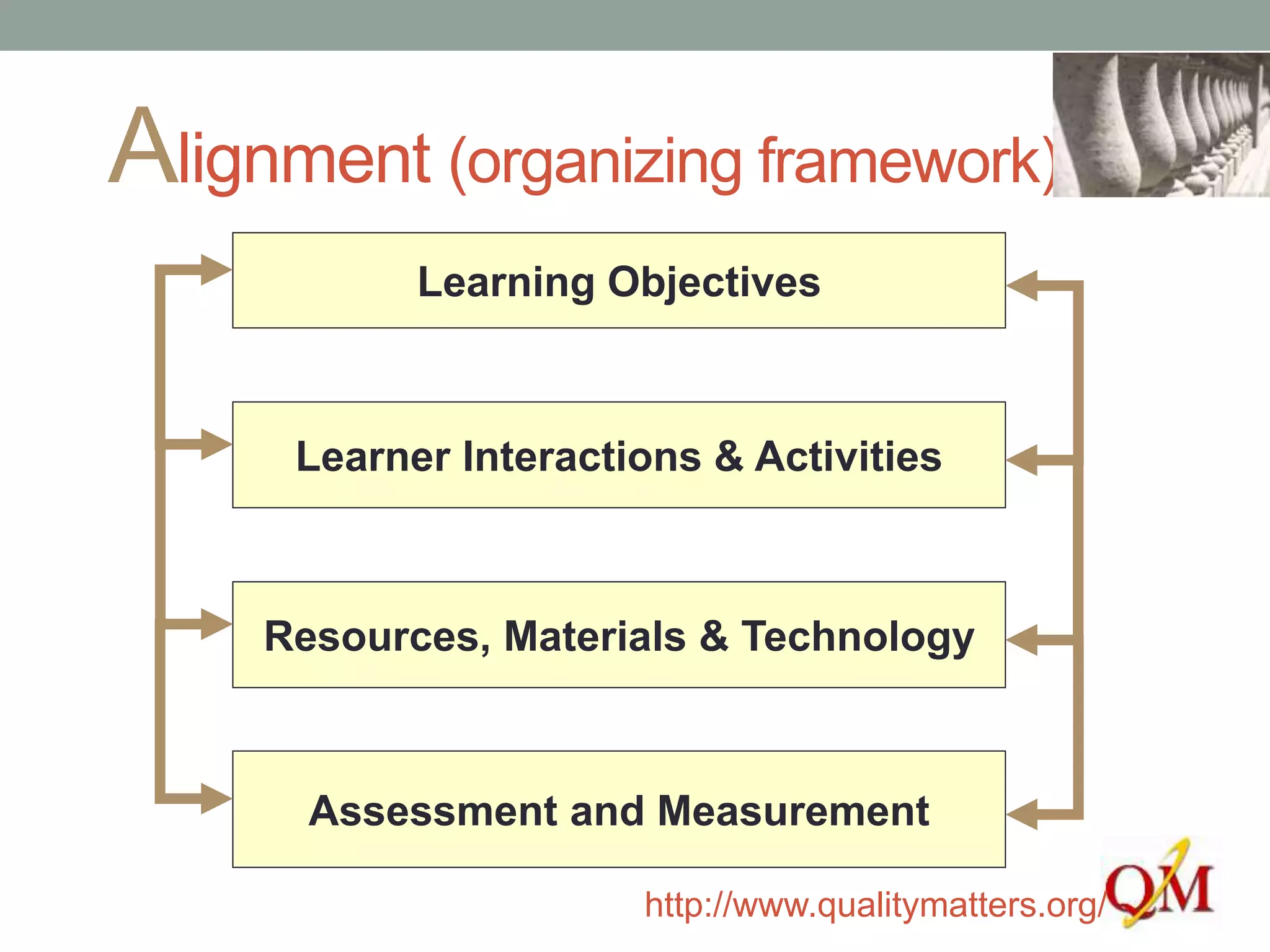
Alignment (organizing framework)
Learning Objectives
Resources, Materials & Technology
Assessment and Measurement
Learner Interactions & Activities
http://www.qualitymatters.org/
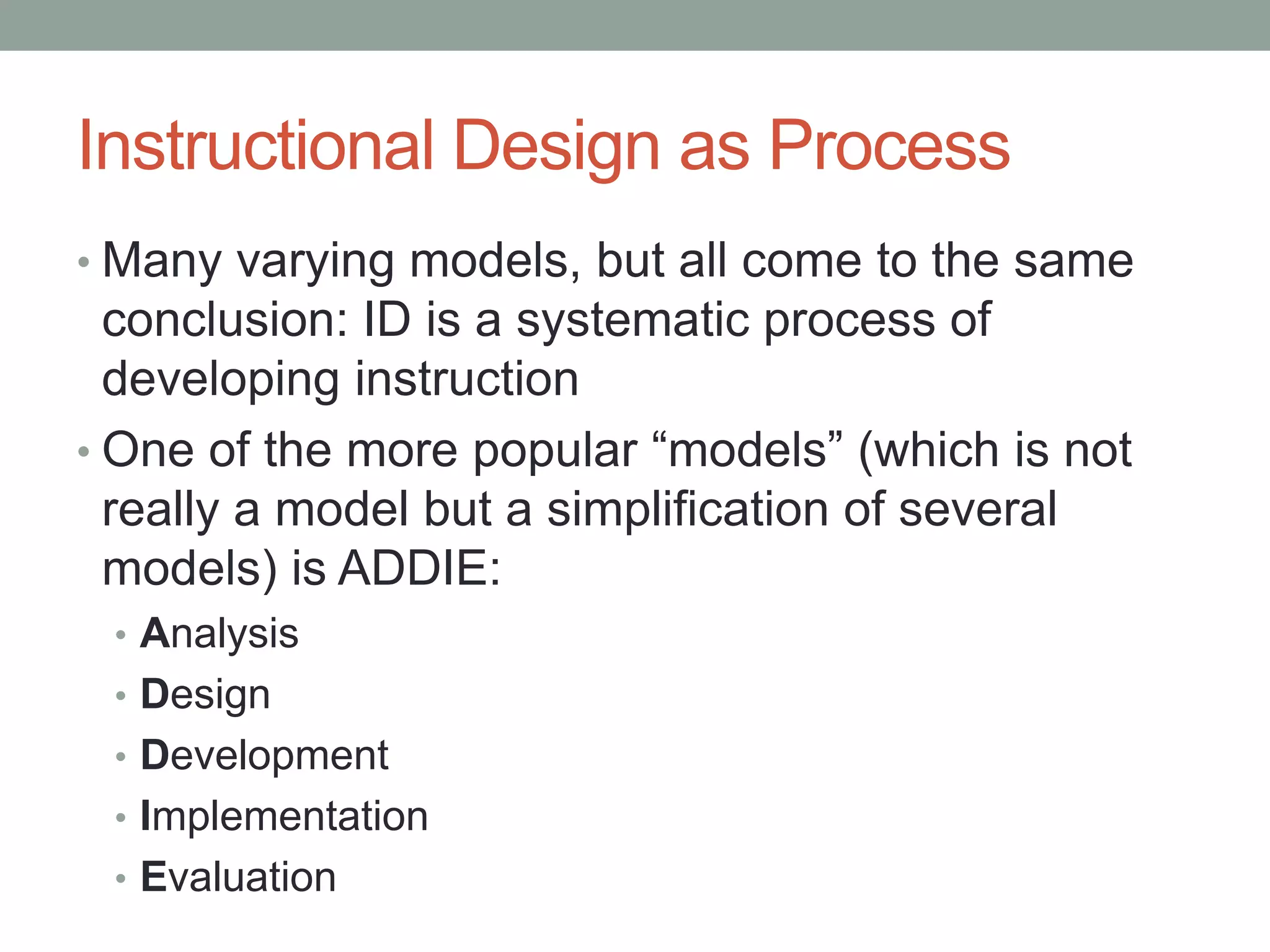
Instructional Design as Process
• Many varying models, but all come to the same
conclusion: ID is a systematic process of
developing instruction
• One of the more popular “models” (which is not
really a model but a simplification of several
models) is ADDIE:
• Analysis
• Design
• Development
• Implementation
• Evaluation
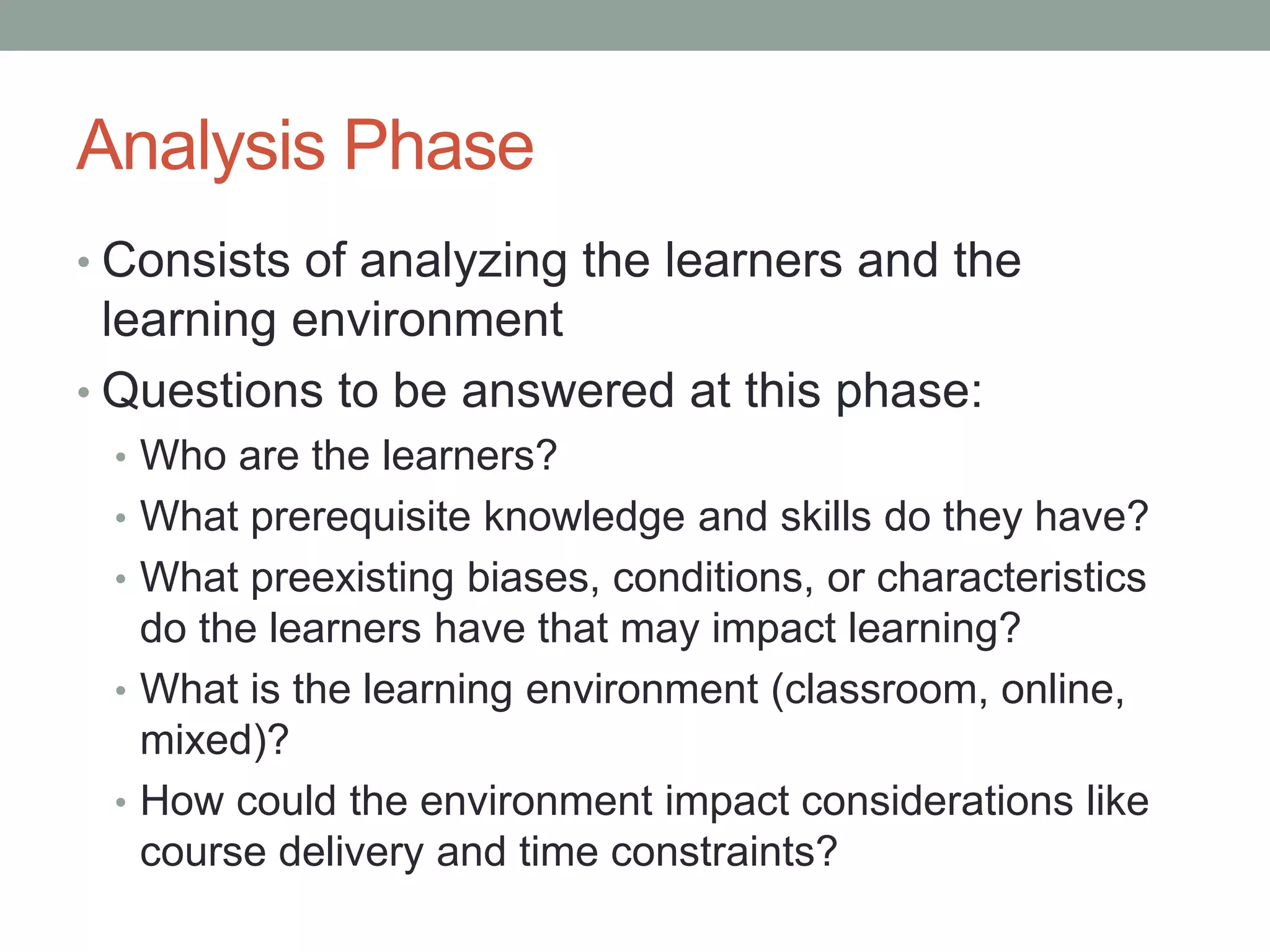
Analysis Phase
• Consists of analyzing the learners and the
learning environment
• Questions to be answered at this phase:
• Who are the learners?
• What prerequisite knowledge and skills do they have?
• What preexisting biases, conditions, or characteristics
do the learners have that may impact learning?
• What is the learning environment (classroom, online,
mixed)?
• How could the environment impact considerations like
course delivery and time constraints?
Design Phase
• This is where the blueprint of the course or lesson
is developed
• Goals and objectives are set at this stage – the
focus of today’s workshop
• But the basic outline of the course is also done at
this stage, which might consist of writing the
syllabus, planning the weekly topics and
assignments, the “shell” or skeleton structure of
an online course, etc.
Development Phase
• Once the basic structure of the course is planned
out, development of content and media elements
can begin
• This is where technologies are integrated,
learning materials are selected, assessment
strategies are set in place, and the real “meat” of
the course comes together
• In reality, the Design and Development phases
are somewhat fluid, and in some models they are
treated as the same phase
Implementation Phase
• This happens when the course is ready to
be used by real learners
• This is where you get to make sure
everything works as you anticipated, and
where you finally get to find out whether the
learners will be able to meet the course
objectives successfully
Evaluation Phase
• So… did they meet the objectives? Did everything work
out as planned?
• Likely not: there might be things that you just didn’t like
about the way the course ran, or you found out something
new about your learners you didn’t know previously
• So, this phase invites you to spend time evaluating what
worked and what did not, and revise accordingly
• If you remember Jana’s circular model of course
development, the ID process (regardless of the model you
follow) assumes that you are never quite finished – that
there is always something that will require another look
Tips for Online Implementation
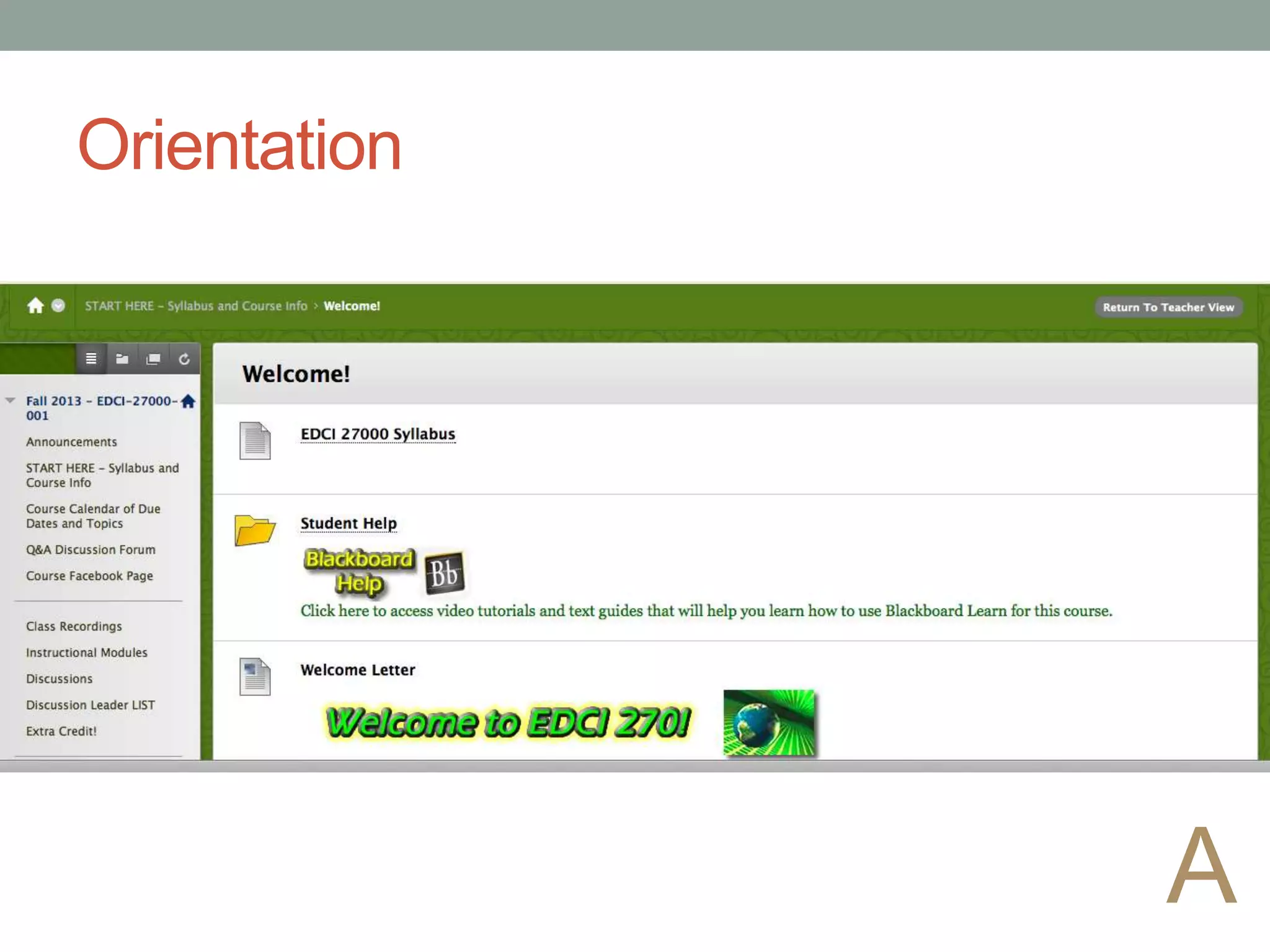
• Orient students to the course - tell them what the
organizing framework
• Use headings to aid organization
• Name files (or label) so they have meaning to the
learner
• Be consistent in the organization of lessons
• Bundle activities, assignments, interaction,
assessment in the same place
A
Orientation
A
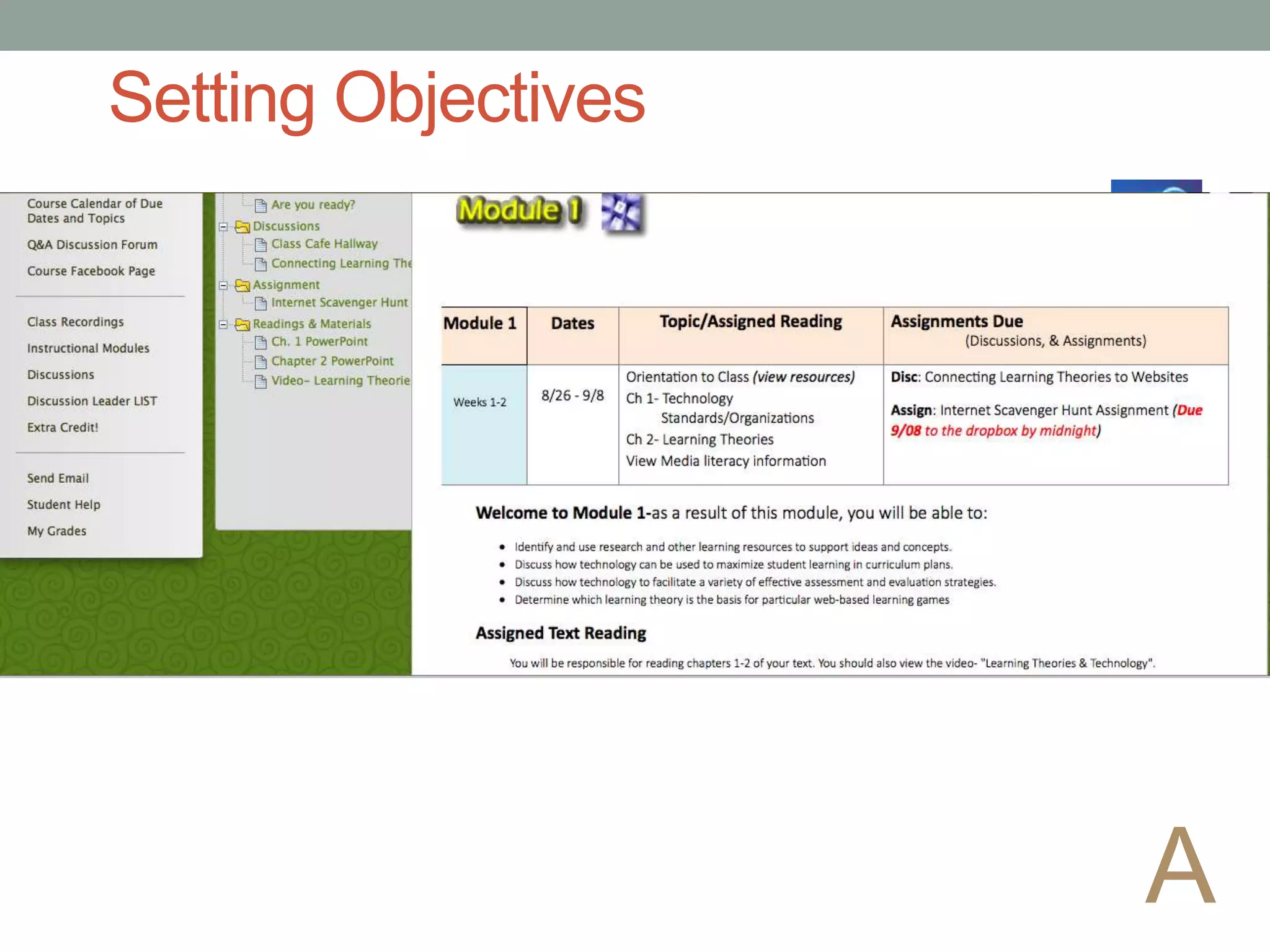
Setting Objectives
A
Design for Alignment
A
First, consider the learners…
• Who are your students? What do they know? What makes
them “tick”?
• It’s hard to write “student-centered” objectives without
knowing this!
• An effective course that students enjoy taking is one that
doesn’t go too far over or under the students’ abilities
• Spend a moment writing down some of the characteristics
of your learners – really consider who they are, and what
they can (and maybe cannot) do in relation to your course
and the online learning environment
Next, consider the goals
• What do you want your students to get from your course?
How do your students know what is expected from them?
• Jot down your list of things that you want your students to
know or be able to do before they leave you at the end of
the semester, in no particular order or format
• You might then be able to organize them by the type/level
of learning that will be involved in meeting each goal
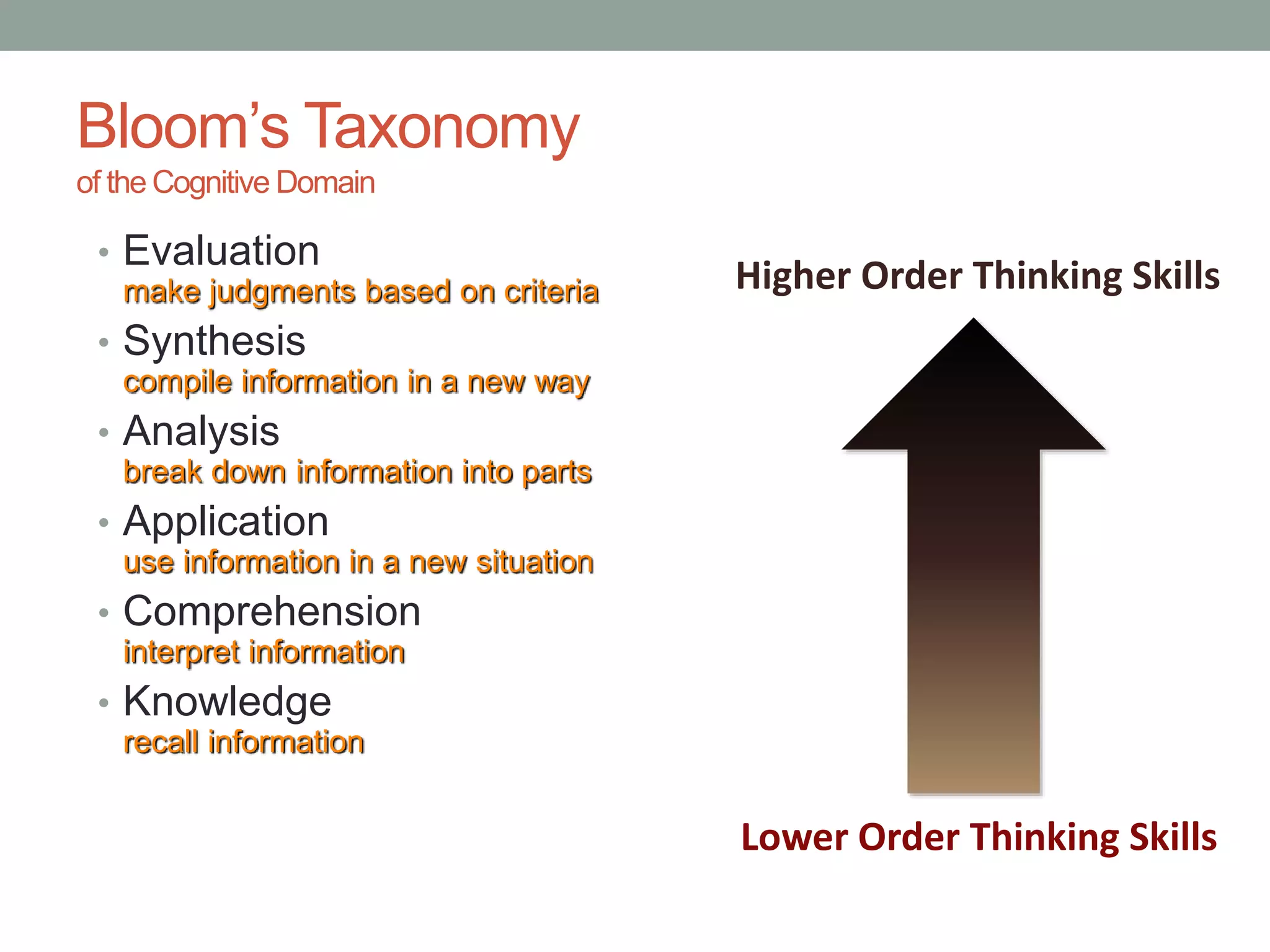
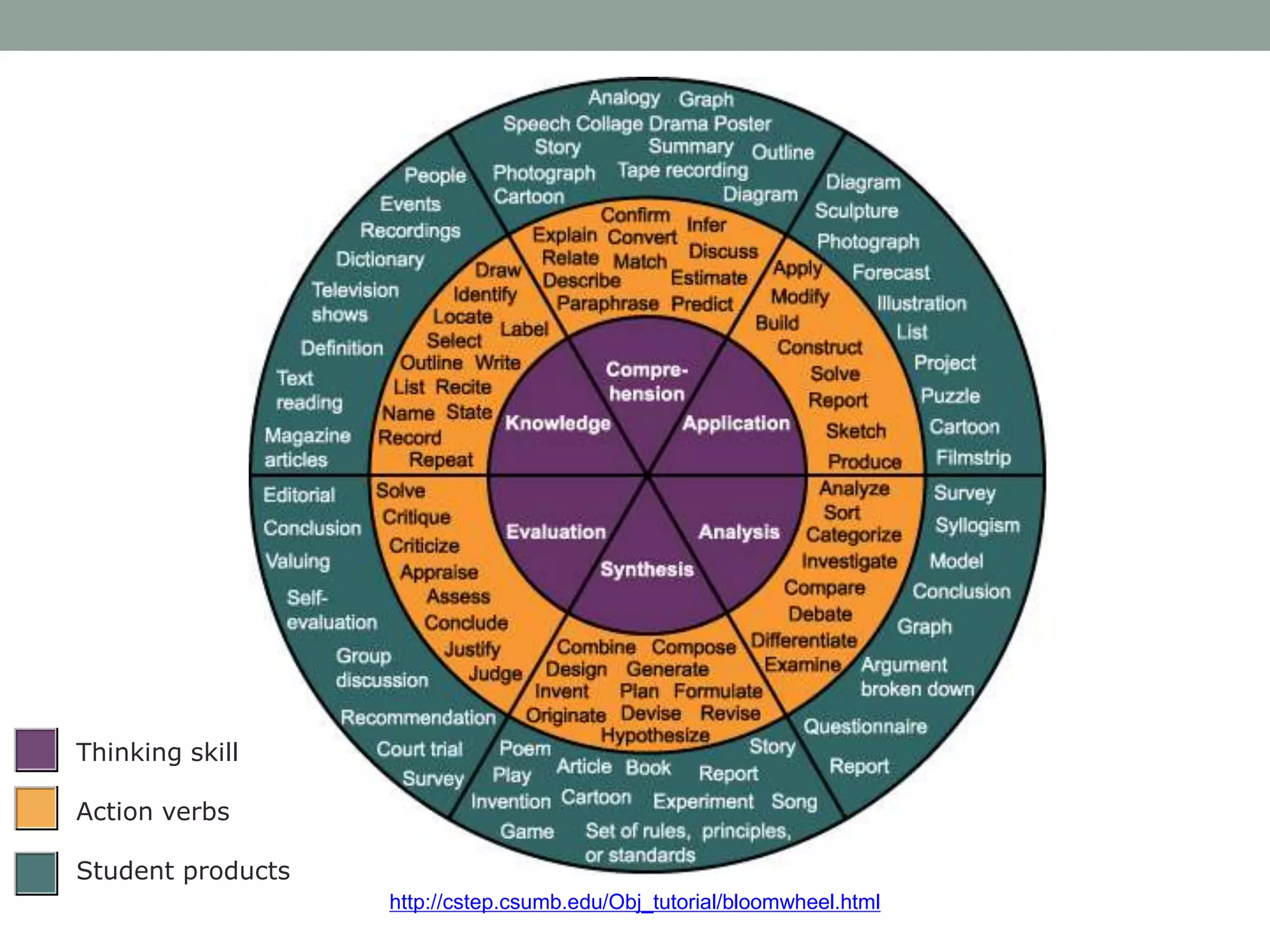
Bloom’s Taxonomy
of the Cognitive Domain
• Evaluation
make judgments based on criteria
• Synthesis
compile information in a new way
• Analysis
break down information into parts
• Application
use information in a new situation
• Comprehension
interpret information
• Knowledge
recall information
Lower Order Thinking Skills
Higher Order Thinking Skills
Writing Objectives
• An objective is simply a way to state a measurable
outcome or goal of your lesson/course
• Without the ability to measure a goal, it’s not useful to us
in the Evaluation phases of instructional design, nor is it
easy to develop assessment strategies for
• How do you measure a student’s ability to appreciate
poetry or artwork? How do you measure a student’s
understanding of the difference between microeconomics
and macroeconomics?
Let’s Take a Closer Look…
For example, take an objective such as: “Write at least five
measurable, student-centered learning objectives using appropriate
action verbs”
•What level is this objective on
Bloom’s?
•Could it be rewritten to achieve a
different level?
http://cstep.csumb.edu/Obj_tutorial/bloomwheel.html
Thinking skill
Action verbs
Student products
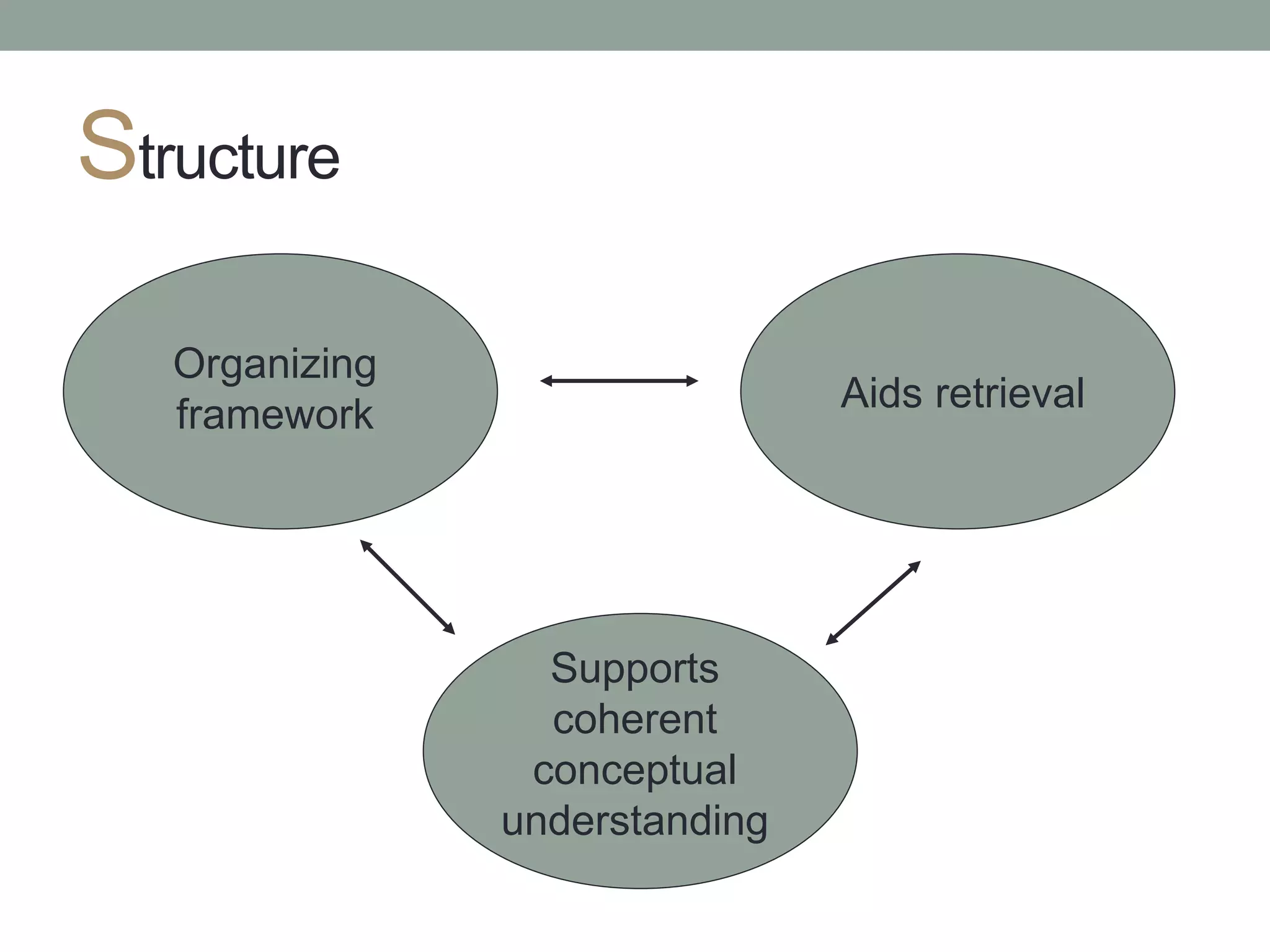
Structure
Organizing
framework
Aids retrieval
Supports
coherent
conceptual
understanding
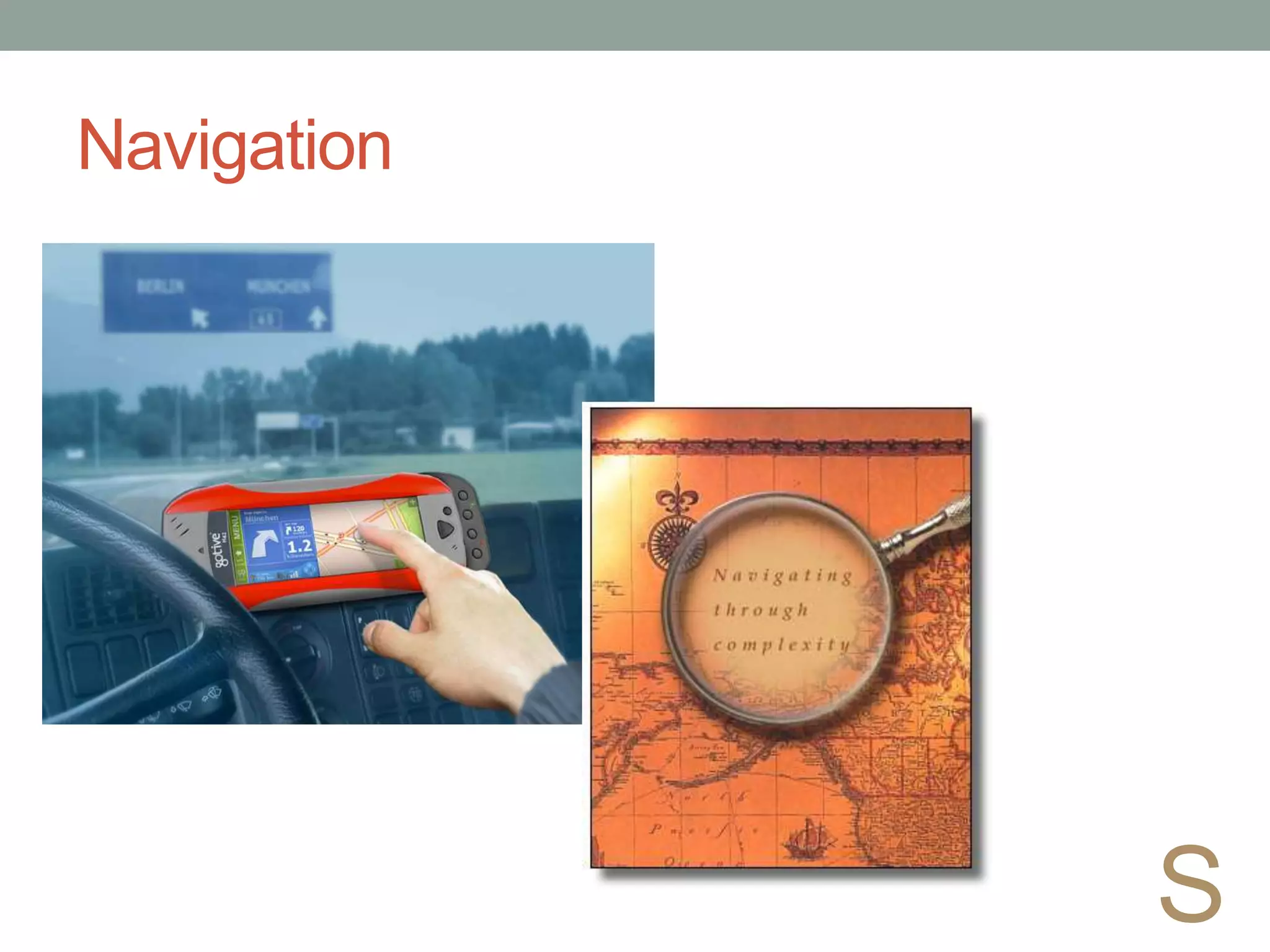
Navigation
S
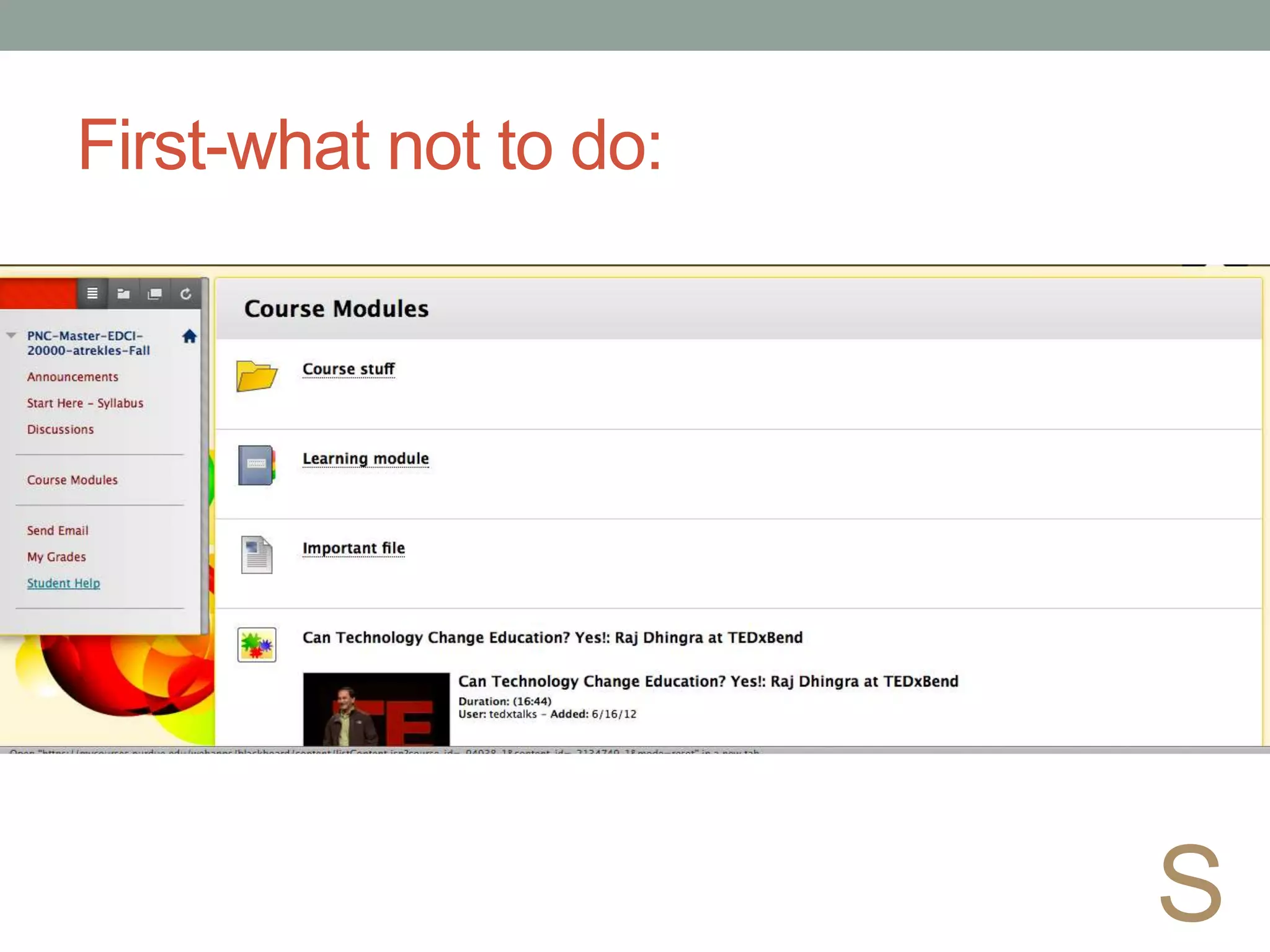
First-what not to do:
S
Better - Organized
S
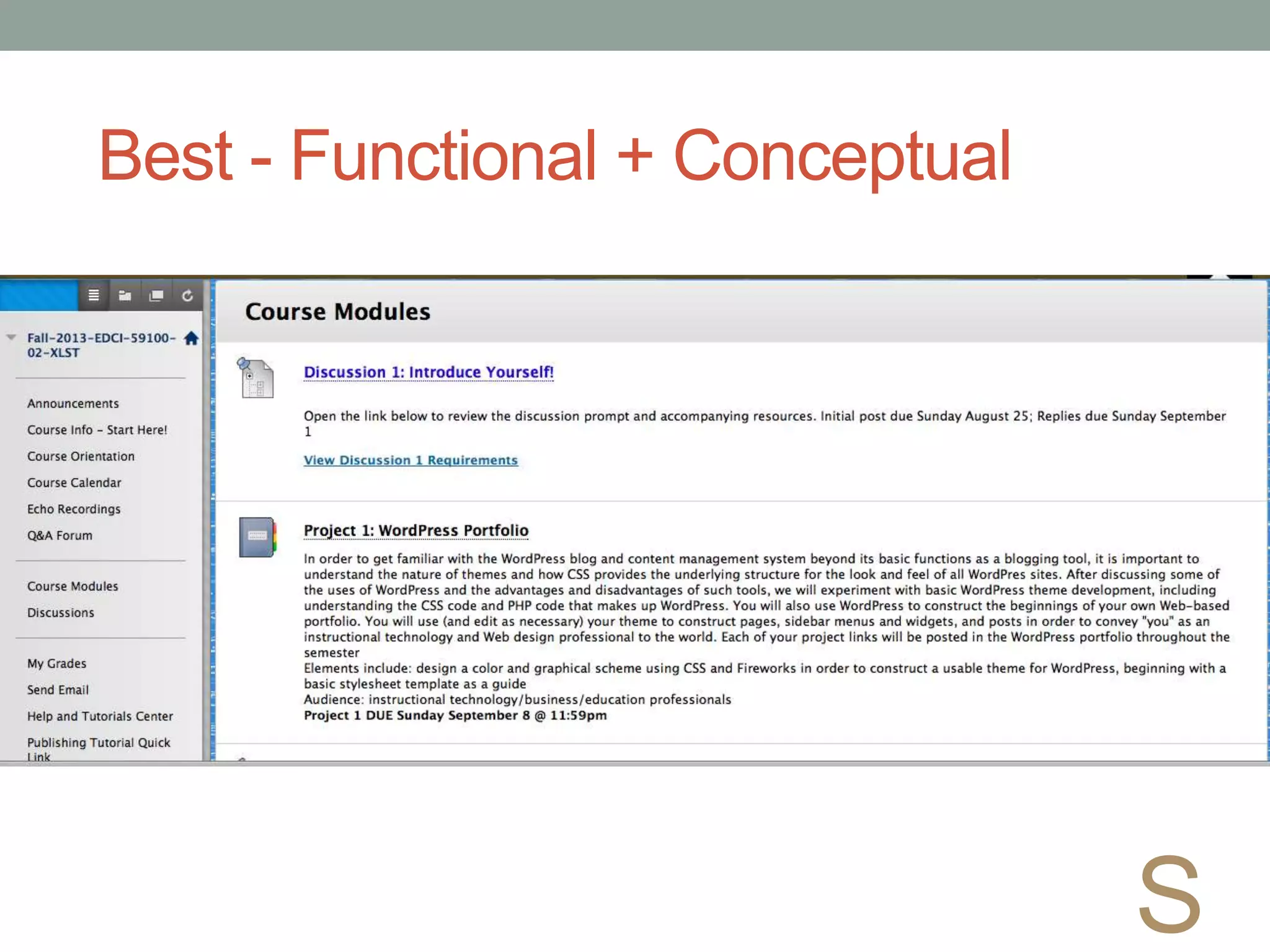
Best - Functional + Conceptual
S
Learning Modules / Folders
• Center learning on broad, related topics
• Or, separate the course into weeks
• Allows you to sequence access to content
and tools
• Limit access to the relevant tools/content
only
• Integrate processes with concepts
• Ideally, limit extra clicks
S
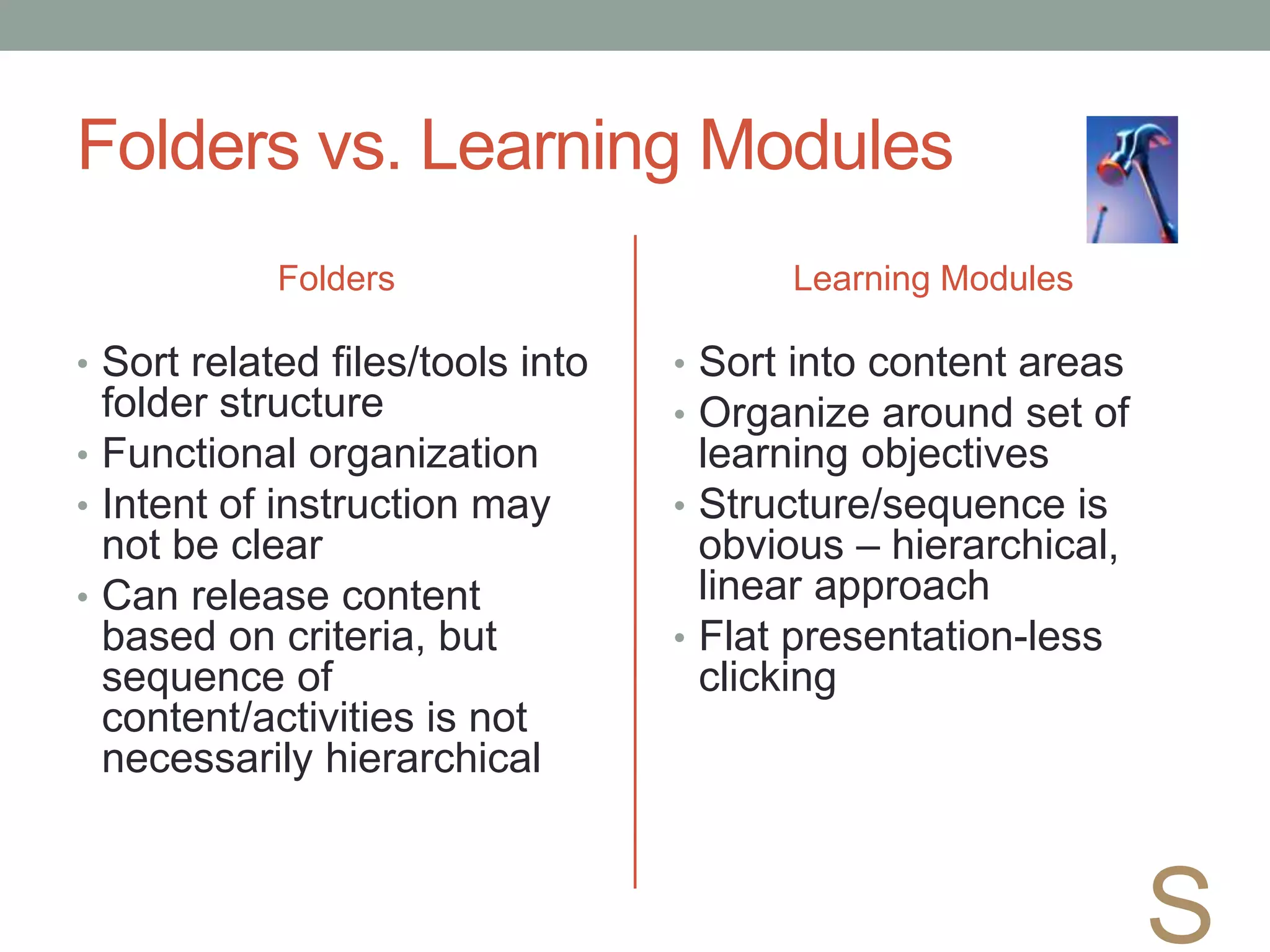
Folders vs. Learning Modules
Folders
• Sort related files/tools into
folder structure
• Functional organization
• Intent of instruction may
not be clear
• Can release content
based on criteria, but
sequence of
content/activities is not
necessarily hierarchical
Learning Modules
• Sort into content areas
• Organize around set of
learning objectives
• Structure/sequence is
obvious – hierarchical,
linear approach
• Flat presentation-less
clicking
S
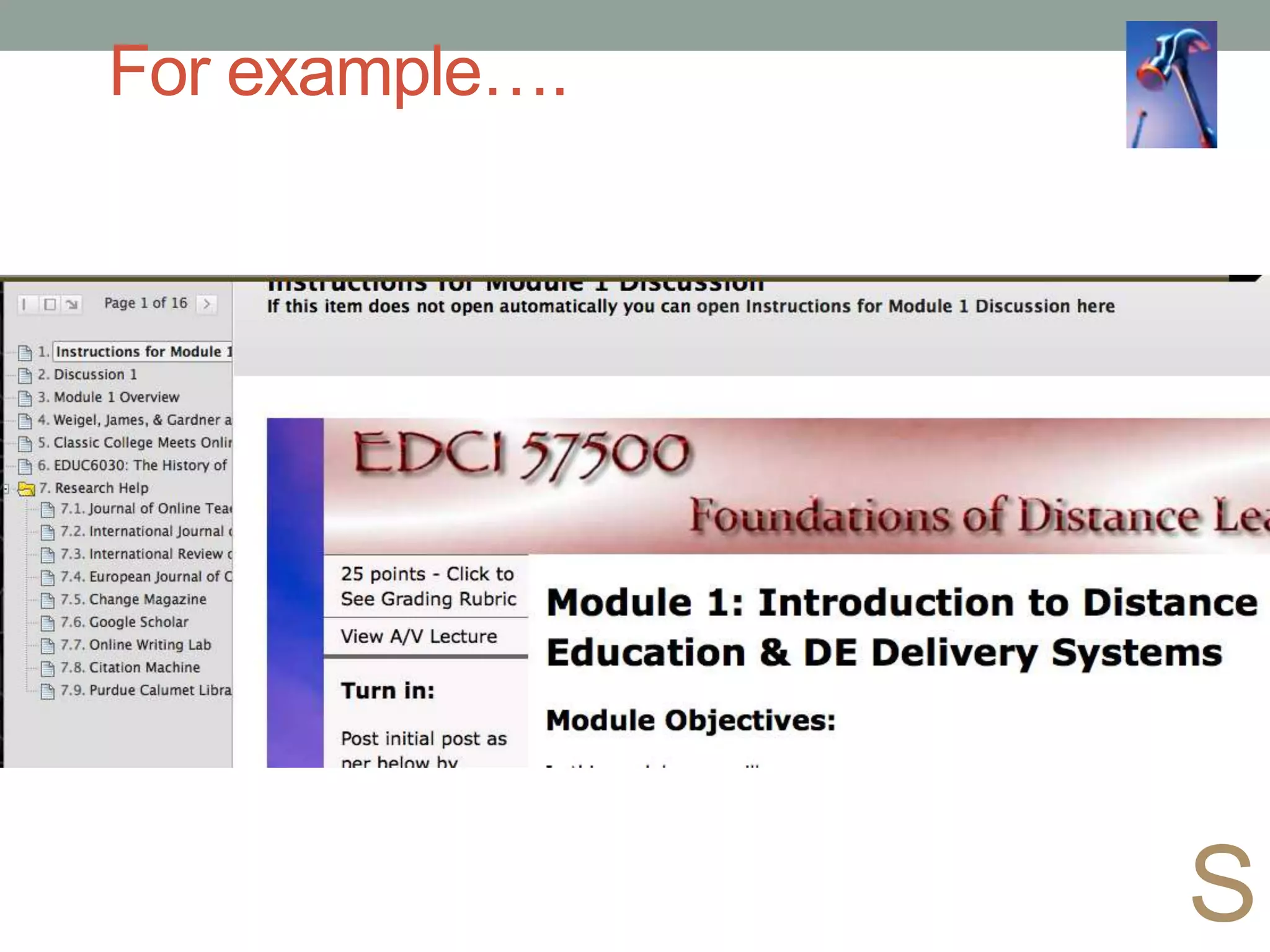
For example….
S
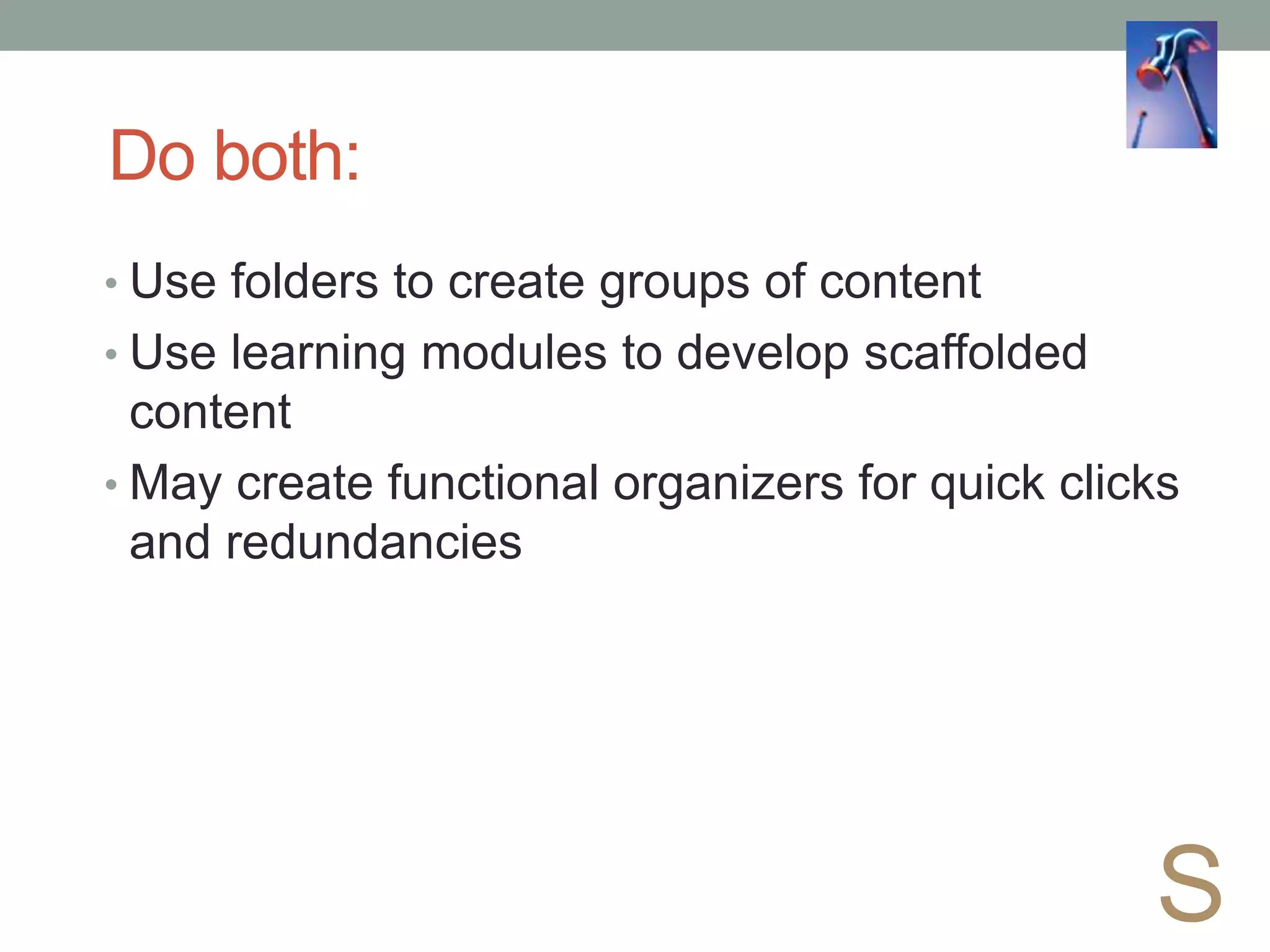
Do both:
• Use folders to create groups of content
• Use learning modules to develop scaffolded
content
• May create functional organizers for quick clicks
and redundancies
S
Strategies for Design
•Take a broad look at your course
• What are the main “things”?
• Concepts/Processes
• Prerequisite knowledge
S
Interaction
Student Content
Student
Faculty
Student
Student
Strategies for Student-Content Interaction
• Advance organizers
• Non-linguistic representations
• Similarities and differences
• Homework
• Summarizing and note-taking
I
Dean, C.B., Hubbell, E.R., Pitler, H., & Stone, B. (2011). Classroom instruction that
works: Research-based strategies for increasing student achievement (2nd ed.).
ASCD: Alexandria, VA
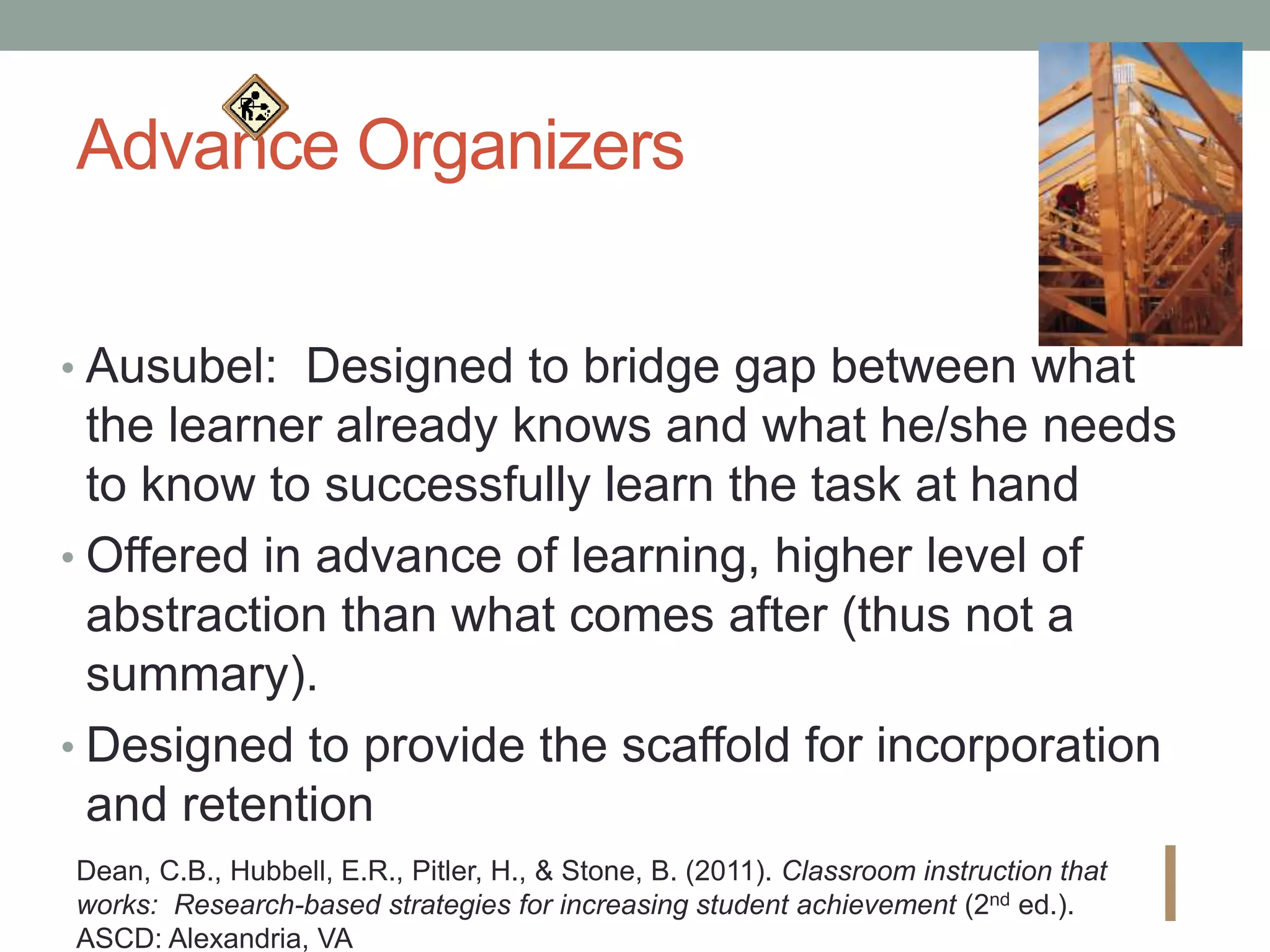
Advance Organizers
• Ausubel: Designed to bridge gap between what
the learner already knows and what he/she needs
to know to successfully learn the task at hand
• Offered in advance of learning, higher level of
abstraction than what comes after (thus not a
summary).
• Designed to provide the scaffold for incorporation
and retention
I
Dean, C.B., Hubbell, E.R., Pitler, H., & Stone, B. (2011). Classroom instruction that
works: Research-based strategies for increasing student achievement (2nd ed.).
ASCD: Alexandria, VA
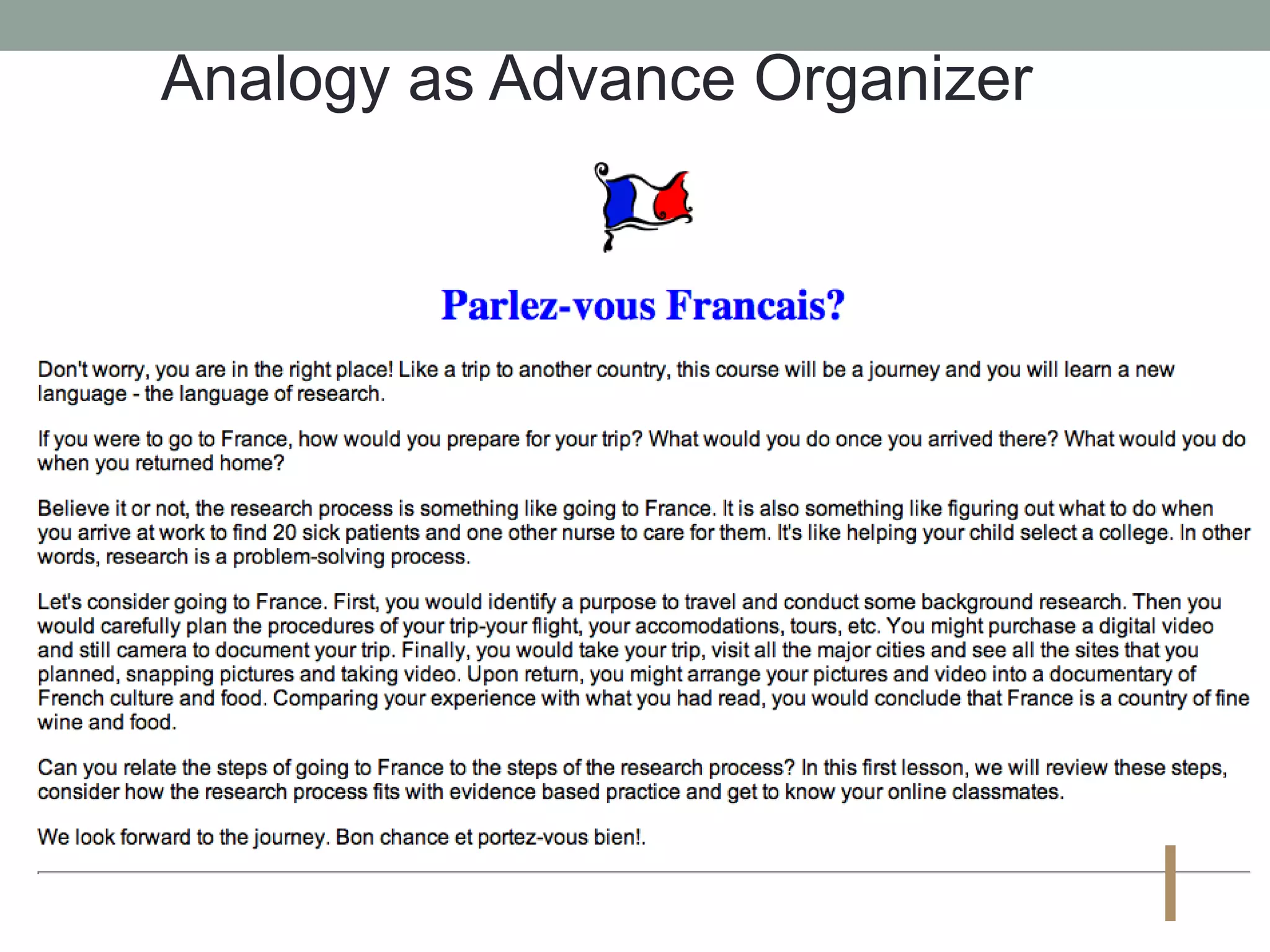
Analogy as Advance Organizer
I
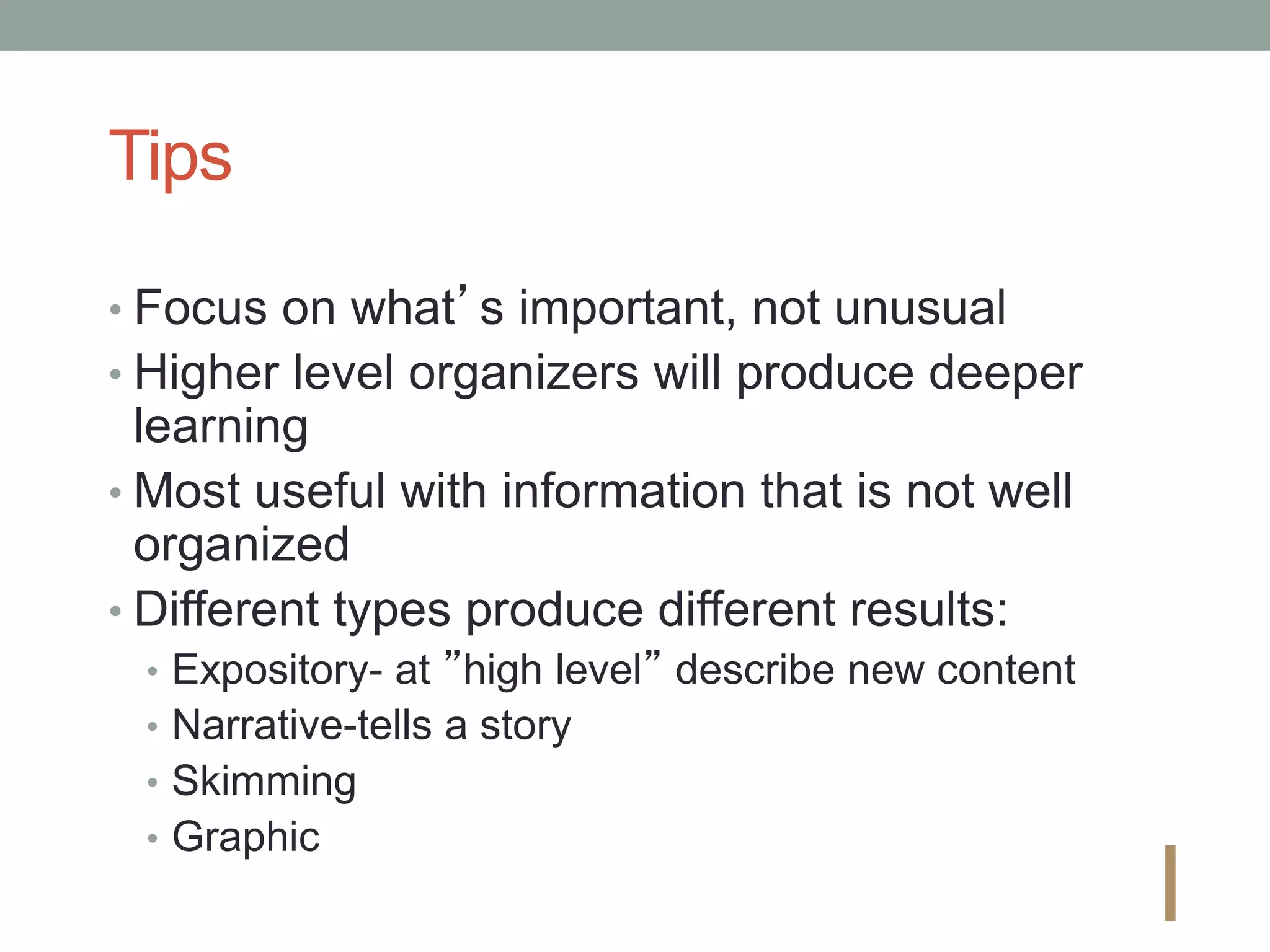
Tips
• Focus on what’s important, not unusual
• Higher level organizers will produce deeper
learning
• Most useful with information that is not well
organized
• Different types produce different results:
• Expository- at ”high level” describe new content
• Narrative-tells a story
• Skimming
• Graphic
I
Similarities and Differences
•Explicit teacher-directed activities
•Student-directed activities
•Graphic or symbolic
representations
Dean, C.B., Hubbell, E.R., Pitler, H., & Stone, B. (2011). Classroom instruction that
works: Research-based strategies for increasing student achievement (2nd ed.).
ASCD: Alexandria, VA I
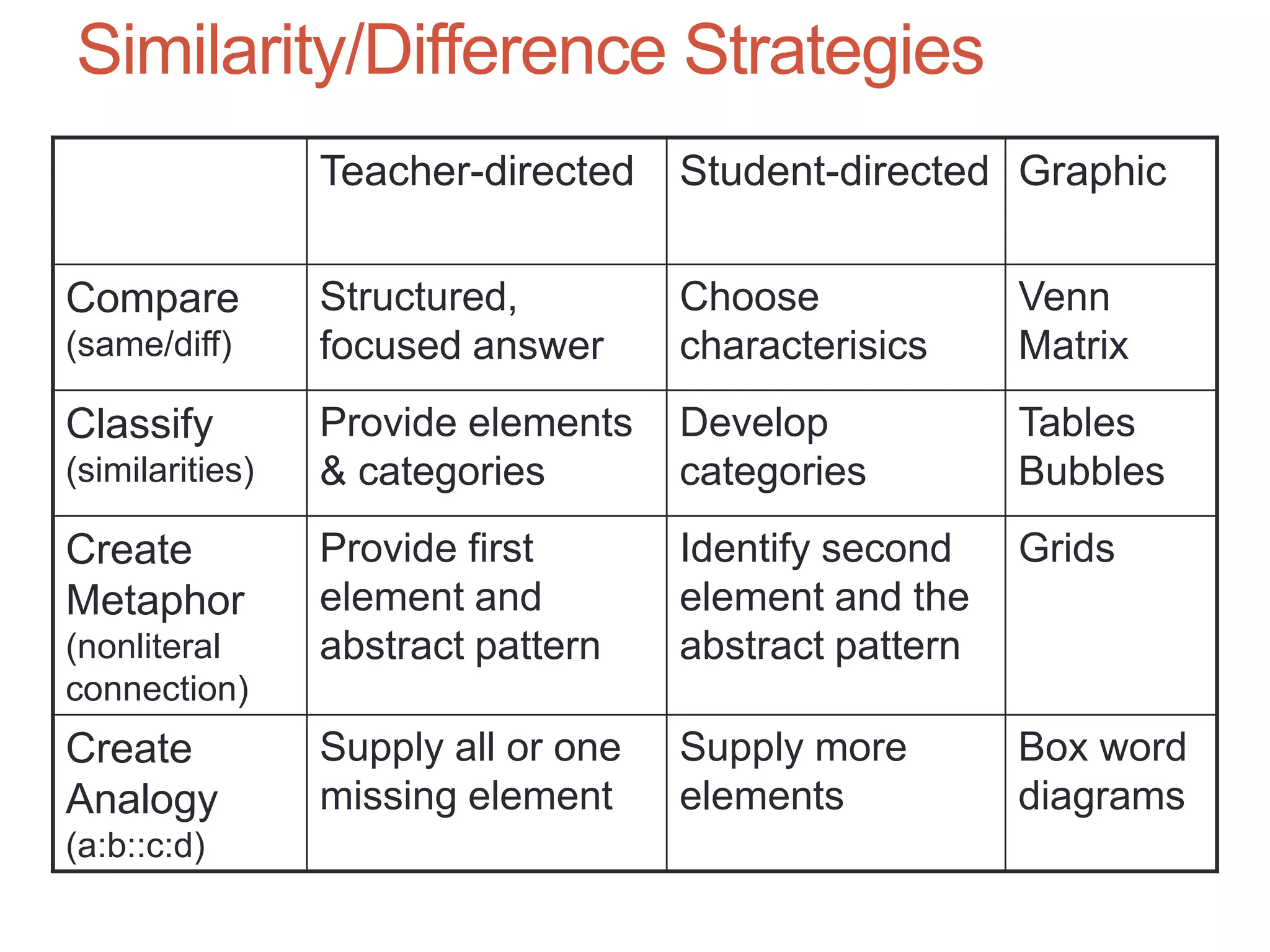
Similarity/Difference Strategies
Teacher-directed Student-directed Graphic
Compare
(same/diff)
Structured,
focused answer
Choose
characterisics
Venn
Matrix
Classify
(similarities)
Provide elements
& categories
Develop
categories
Tables
Bubbles
Create
Metaphor
(nonliteral
connection)
Provide first
element and
abstract pattern
Identify second
element and the
abstract pattern
Grids
Create
Analogy
(a:b::c:d)
Supply all or one
missing element
Supply more
elements
Box word
diagrams
Student-Student Interaction
• Asynchronous
• Threaded discussions-text-based and multimedia
• Blogs - online diaries, reflection
• Wikis - collaborative writing
• File sharing
• Synchronous
• Instant messaging and video chat (Skype, Adobe
Connect, etc)
• Telephone
• F2F meetings
I
Cues, Questions
• Activating prior knowledge - old to new
• Cues (hints) and questions may account for as much
as 80% of f2f classroom activity – online is not too
different
• Recommendations:
• Focus on what’s important (the more students know about
something, the more interested they are)
• Higher level questions lead to deeper thinking
• Wait-leads to more student discourse
• Ask questions before and during the learning experience
Dean, C.B., Hubbell, E.R., Pitler, H., & Stone, B. (2011). Classroom
instruction that works: Research-based strategies for increasing student
achievement (2nd ed.). ASCD: Alexandria, VA
I
Typical F2F Collaborative Activities
• Critical thinking questions
• Direct
• Convergent
• Divergent
• Activities
• Case study analysis, application of new
knowledge
• Reflection
I
Student-Faculty Interaction
• Online office hours
• Synchronous (Adobe Connect, Skype,
Google Hangout)
• Asynchronous (email turn-around;
discussion boards and other asynchronous
online activity)
I
Assessment
• Accomplishment of learning objectives
• Quality of interaction or project work (rubrics)
• Knowledge (tests and exams)
• Knowledge application (essay or advanced-level
tests)
• Experience with technology
• Course
• Instructor
Standards and Assessment
• Setting appropriately high and challenging
standards and assessing the learner as
well as learning progress -- including
diagnostic, process, and outcome
assessment -- are integral parts of the
learning process.
• Instructional strategies include formative, summative,
peer and self-assessment
http://www.apa.org/ed/lcp.html
A
Assessment recommendations based on
assumptions of constructivism
• Students should be assessed formatively,
serving to inform future learning experiences.
• Summative assessment comes after
opportunities for practice and feedback
• Students should be encouraged to become
self-regulatory, self-mediated, and self-aware.
• Teachers server primarily as guides and
facilitators of learning, not instructors.
Doolittle, P. (1999). Constructivism and online education.
http://www.chre.vt.edu/doolittle/tohe/tohe2.html
A
Tools
• Timed/untimed examinations
• Surveys - developmental/summary
• Application of rubrics
• Projects that build up toward a final goal over
time, with checkpoints throughout
A
Clear expectations, criteria
and alignment
Examples
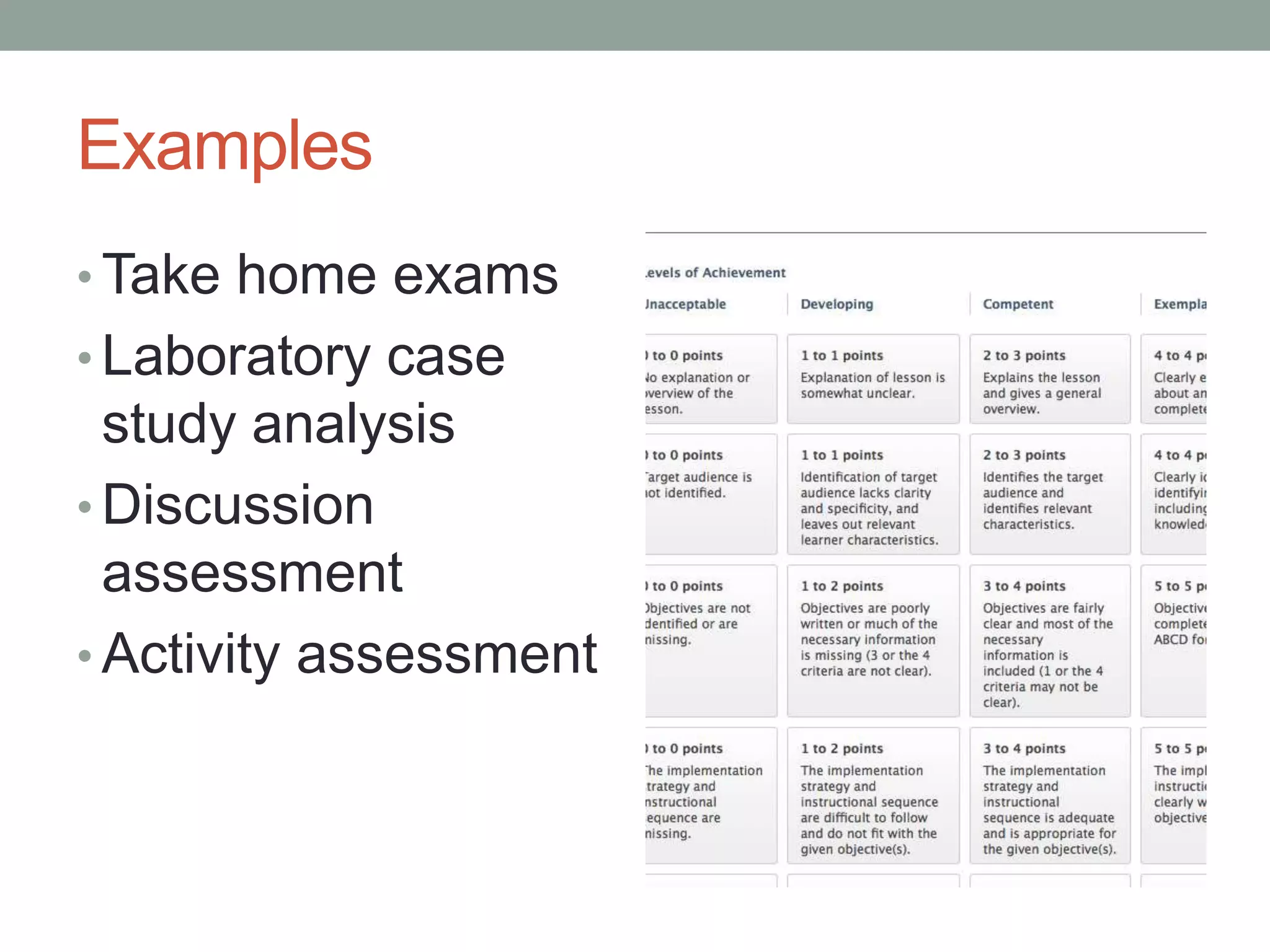
• Take home exams
• Laboratory case
study analysis
• Discussion
assessment
• Activity assessment
Questions?

Pedagogy in Online and Hybrid Instruction

  • 1.
    Online Pedagogy – Strategiesand Models Anastasia M. Trekles, Ph.D.
  • 2.
    Experiences • What areyour usual approaches/strategies for teaching in the face- to-face classroom? • What strategies do you use online? • What is the most critical factor to instructional success in the F2F classroom? • What about the online classroom?
  • 3.
    Objectives • Apply evidenceabout learning to the design of online and hybrid courses • Align learning objectives, activities and assessment for online learning • Adapt learning strategies from face-to-face contexts for the online environment
  • 4.
    Some evidence -key findings about how people learn • Draw out and engage prior understanding • Promote depth of factual knowledge • Provide organizing framework to lead students to a coherent conceptual understanding • Provide structures that support students’ ability to organize knowledge for retrieval • Promote meta-cognitive skills • See Bransford, Brown, and Cocking (2000), http://www.nap.edu/openbook.php?isbn=0309070 368
  • 5.
    Developing expertise • Ittakes experience, which takes practice • It also takes meaningful learning opportunities placed in authentic contexts so that learners begin to “chunk” information • This leads to the ability to be flexible in approaching problems
  • 6.
    Top 9 ClassroomInstruction that Works  Identifying similarities and differences  Summarizing and note taking  Reinforcing effort and providing recognition  Homework and practice  Nonlinguistic representations  Cooperative learning  Setting objectives and providing feedback  Generating and testing hypotheses  Questions, cues and advance organizers Dean, C.B., Hubbell, E.R., Pitler, H., & Stone, B. (2011). Classroom instruction that works: Research-based strategies for increasing student achievement (2nd ed.). ASCD: Alexandria, VA
  • 7.
    How can youuse this evidence when you design for online learning?
  • 8.
    Use Strategies toSupport How People Learn •Alignment •Structure •Interaction •Assessment
  • 9.
    Alignment (organizing framework) LearningObjectives Resources, Materials & Technology Assessment and Measurement Learner Interactions & Activities http://www.qualitymatters.org/
  • 10.
    Instructional Design asProcess • Many varying models, but all come to the same conclusion: ID is a systematic process of developing instruction • One of the more popular “models” (which is not really a model but a simplification of several models) is ADDIE: • Analysis • Design • Development • Implementation • Evaluation
  • 11.
    Analysis Phase • Consistsof analyzing the learners and the learning environment • Questions to be answered at this phase: • Who are the learners? • What prerequisite knowledge and skills do they have? • What preexisting biases, conditions, or characteristics do the learners have that may impact learning? • What is the learning environment (classroom, online, mixed)? • How could the environment impact considerations like course delivery and time constraints?
  • 12.
    Design Phase • Thisis where the blueprint of the course or lesson is developed • Goals and objectives are set at this stage – the focus of today’s workshop • But the basic outline of the course is also done at this stage, which might consist of writing the syllabus, planning the weekly topics and assignments, the “shell” or skeleton structure of an online course, etc.
  • 13.
    Development Phase • Oncethe basic structure of the course is planned out, development of content and media elements can begin • This is where technologies are integrated, learning materials are selected, assessment strategies are set in place, and the real “meat” of the course comes together • In reality, the Design and Development phases are somewhat fluid, and in some models they are treated as the same phase
  • 14.
    Implementation Phase • Thishappens when the course is ready to be used by real learners • This is where you get to make sure everything works as you anticipated, and where you finally get to find out whether the learners will be able to meet the course objectives successfully
  • 15.
    Evaluation Phase • So…did they meet the objectives? Did everything work out as planned? • Likely not: there might be things that you just didn’t like about the way the course ran, or you found out something new about your learners you didn’t know previously • So, this phase invites you to spend time evaluating what worked and what did not, and revise accordingly • If you remember Jana’s circular model of course development, the ID process (regardless of the model you follow) assumes that you are never quite finished – that there is always something that will require another look
  • 16.
    Tips for OnlineImplementation • Orient students to the course - tell them what the organizing framework • Use headings to aid organization • Name files (or label) so they have meaning to the learner • Be consistent in the organization of lessons • Bundle activities, assignments, interaction, assessment in the same place A
  • 17.
  • 18.
  • 19.
  • 20.
    First, consider thelearners… • Who are your students? What do they know? What makes them “tick”? • It’s hard to write “student-centered” objectives without knowing this! • An effective course that students enjoy taking is one that doesn’t go too far over or under the students’ abilities • Spend a moment writing down some of the characteristics of your learners – really consider who they are, and what they can (and maybe cannot) do in relation to your course and the online learning environment
  • 21.
    Next, consider thegoals • What do you want your students to get from your course? How do your students know what is expected from them? • Jot down your list of things that you want your students to know or be able to do before they leave you at the end of the semester, in no particular order or format • You might then be able to organize them by the type/level of learning that will be involved in meeting each goal
  • 22.
    Bloom’s Taxonomy of theCognitive Domain • Evaluation make judgments based on criteria • Synthesis compile information in a new way • Analysis break down information into parts • Application use information in a new situation • Comprehension interpret information • Knowledge recall information Lower Order Thinking Skills Higher Order Thinking Skills
  • 23.
    Writing Objectives • Anobjective is simply a way to state a measurable outcome or goal of your lesson/course • Without the ability to measure a goal, it’s not useful to us in the Evaluation phases of instructional design, nor is it easy to develop assessment strategies for • How do you measure a student’s ability to appreciate poetry or artwork? How do you measure a student’s understanding of the difference between microeconomics and macroeconomics?
  • 24.
    Let’s Take aCloser Look… For example, take an objective such as: “Write at least five measurable, student-centered learning objectives using appropriate action verbs” •What level is this objective on Bloom’s? •Could it be rewritten to achieve a different level?
  • 25.
  • 26.
  • 27.
  • 28.
  • 29.
  • 30.
    Best - Functional+ Conceptual S
  • 31.
    Learning Modules /Folders • Center learning on broad, related topics • Or, separate the course into weeks • Allows you to sequence access to content and tools • Limit access to the relevant tools/content only • Integrate processes with concepts • Ideally, limit extra clicks S
  • 32.
    Folders vs. LearningModules Folders • Sort related files/tools into folder structure • Functional organization • Intent of instruction may not be clear • Can release content based on criteria, but sequence of content/activities is not necessarily hierarchical Learning Modules • Sort into content areas • Organize around set of learning objectives • Structure/sequence is obvious – hierarchical, linear approach • Flat presentation-less clicking S
  • 33.
  • 34.
    Do both: • Usefolders to create groups of content • Use learning modules to develop scaffolded content • May create functional organizers for quick clicks and redundancies S
  • 35.
    Strategies for Design •Takea broad look at your course • What are the main “things”? • Concepts/Processes • Prerequisite knowledge S
  • 36.
  • 37.
    Strategies for Student-ContentInteraction • Advance organizers • Non-linguistic representations • Similarities and differences • Homework • Summarizing and note-taking I Dean, C.B., Hubbell, E.R., Pitler, H., & Stone, B. (2011). Classroom instruction that works: Research-based strategies for increasing student achievement (2nd ed.). ASCD: Alexandria, VA
  • 38.
    Advance Organizers • Ausubel:Designed to bridge gap between what the learner already knows and what he/she needs to know to successfully learn the task at hand • Offered in advance of learning, higher level of abstraction than what comes after (thus not a summary). • Designed to provide the scaffold for incorporation and retention I Dean, C.B., Hubbell, E.R., Pitler, H., & Stone, B. (2011). Classroom instruction that works: Research-based strategies for increasing student achievement (2nd ed.). ASCD: Alexandria, VA
  • 39.
    Analogy as AdvanceOrganizer I
  • 40.
    Tips • Focus onwhat’s important, not unusual • Higher level organizers will produce deeper learning • Most useful with information that is not well organized • Different types produce different results: • Expository- at ”high level” describe new content • Narrative-tells a story • Skimming • Graphic I
  • 41.
    Similarities and Differences •Explicitteacher-directed activities •Student-directed activities •Graphic or symbolic representations Dean, C.B., Hubbell, E.R., Pitler, H., & Stone, B. (2011). Classroom instruction that works: Research-based strategies for increasing student achievement (2nd ed.). ASCD: Alexandria, VA I
  • 42.
    Similarity/Difference Strategies Teacher-directed Student-directedGraphic Compare (same/diff) Structured, focused answer Choose characterisics Venn Matrix Classify (similarities) Provide elements & categories Develop categories Tables Bubbles Create Metaphor (nonliteral connection) Provide first element and abstract pattern Identify second element and the abstract pattern Grids Create Analogy (a:b::c:d) Supply all or one missing element Supply more elements Box word diagrams
  • 43.
    Student-Student Interaction • Asynchronous •Threaded discussions-text-based and multimedia • Blogs - online diaries, reflection • Wikis - collaborative writing • File sharing • Synchronous • Instant messaging and video chat (Skype, Adobe Connect, etc) • Telephone • F2F meetings I
  • 44.
    Cues, Questions • Activatingprior knowledge - old to new • Cues (hints) and questions may account for as much as 80% of f2f classroom activity – online is not too different • Recommendations: • Focus on what’s important (the more students know about something, the more interested they are) • Higher level questions lead to deeper thinking • Wait-leads to more student discourse • Ask questions before and during the learning experience Dean, C.B., Hubbell, E.R., Pitler, H., & Stone, B. (2011). Classroom instruction that works: Research-based strategies for increasing student achievement (2nd ed.). ASCD: Alexandria, VA I
  • 45.
    Typical F2F CollaborativeActivities • Critical thinking questions • Direct • Convergent • Divergent • Activities • Case study analysis, application of new knowledge • Reflection I
  • 46.
    Student-Faculty Interaction • Onlineoffice hours • Synchronous (Adobe Connect, Skype, Google Hangout) • Asynchronous (email turn-around; discussion boards and other asynchronous online activity) I
  • 47.
    Assessment • Accomplishment oflearning objectives • Quality of interaction or project work (rubrics) • Knowledge (tests and exams) • Knowledge application (essay or advanced-level tests) • Experience with technology • Course • Instructor
  • 48.
    Standards and Assessment •Setting appropriately high and challenging standards and assessing the learner as well as learning progress -- including diagnostic, process, and outcome assessment -- are integral parts of the learning process. • Instructional strategies include formative, summative, peer and self-assessment http://www.apa.org/ed/lcp.html A
  • 49.
    Assessment recommendations basedon assumptions of constructivism • Students should be assessed formatively, serving to inform future learning experiences. • Summative assessment comes after opportunities for practice and feedback • Students should be encouraged to become self-regulatory, self-mediated, and self-aware. • Teachers server primarily as guides and facilitators of learning, not instructors. Doolittle, P. (1999). Constructivism and online education. http://www.chre.vt.edu/doolittle/tohe/tohe2.html A
  • 50.
    Tools • Timed/untimed examinations •Surveys - developmental/summary • Application of rubrics • Projects that build up toward a final goal over time, with checkpoints throughout A Clear expectations, criteria and alignment
  • 51.
    Examples • Take homeexams • Laboratory case study analysis • Discussion assessment • Activity assessment
  • 52.

Editor's Notes

  • #10 Provide organizing framework to lead students to a coherent conceptual understanding-this organizing framework bundles chunks of the course.
  • #26 Perhaps have them generate an objective related to Bloom’s taxonomy at each level of Bloom’s taxonomy.
  • #30 How can this approach lead the student to a broader, conceptual understanding?
  • #32 Need to plan your design before building content in Vista. Think about the organization of the course. ahead in order to decide on design, sequence of content, processes and assessments.
  • #39 Engage prior learning Provide structures that support student’s ability to organize knowledge for retrieval