Storage
Variables
Constants
Arrays
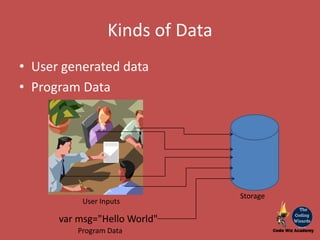
Kinds of Data
• User generated data
• Program Data
User Inputs
Storage
var msg="Hello World"
Program Data
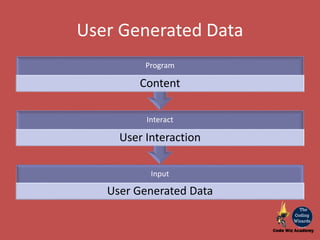
User Generated Data
Input
User Generated Data
Interact
User Interaction
Program
Content
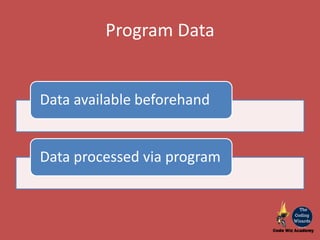
Program Data
Data available beforehand
Data processed via program
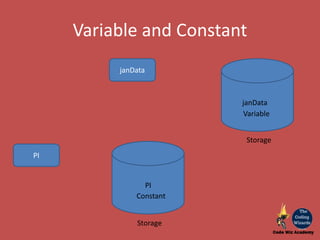
janData
janData
Variable
Variable and Constant
PI
PI
Constant
Storage
Storage
Variable
• Named storage location in memory
• By convention follow 'Camel Case' for naming
Eg:
– bigApple
– usbMic
• Value may change during program processing
• Can hold a single value
Variable
• Use word-let
let message = "Hello World";
alert (message);
let bigApple = 20;
alert(bigApple);
let user='Gauri', age= 20, message='Good Day';
alert(message + " "+user +" "+ age);
Constant
• Named storage location in memory
• By convention follow 'All Caps' for naming. Eg:
– BIGAPPLE
– USBMIC
• Value may never change during program
processing
• Can hold a single value
Constant
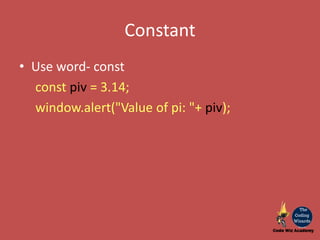
• Use word- const
const piv = 3.14;
window.alert("Value of pi: "+ piv);
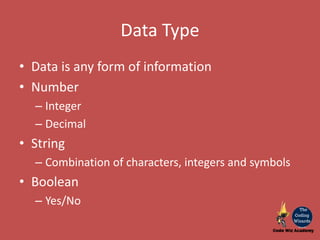
Data Type
• Data is any form of information
• Number
– Integer
– Decimal
• String
– Combination of characters, integers and symbols
• Boolean
– Yes/No
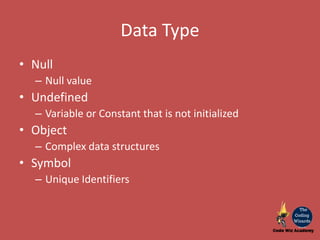
Data Type
• Null
– Null value
• Undefined
– Variable or Constant that is not initialized
• Object
– Complex data structures
• Symbol
– Unique Identifiers
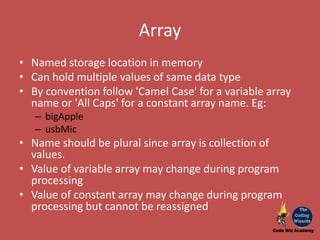
Array
• Named storage location in memory
• Can hold multiple values of same data type
• By convention follow 'Camel Case' for a variable array
name or 'All Caps' for a constant array name. Eg:
– bigApple
– usbMic
• Name should be plural since array is collection of
values.
• Value of variable array may change during program
processing
• Value of constant array may change during program
processing but cannot be reassigned
Array
23 45 33 65 76 77
7 4 3 6
apple[0] apple[1] apple[2] apple[3] apple[4] apple[5]
INTR[0] INTR[1] INTR[2] INTR[3]
An array index always starts from 0. If we have an array of 10
elements, then the elements to be referred to will be 0-9. Here,
the length of array will be 10.
For example: Integer array of 6 elements for storing the price of 6 varieties of
apple.
var apple = new Array(6);
apple[0] = 23;……
Integer array of 4 elements for storing the interest rate of 4 bank products
eg. Fixed Deposit, Saving A/c, Current A/c, Recurring Deposit will be constant.
const INTR = new Array(4);
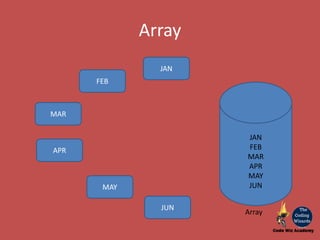
JAN
FEB
MAR
APR
MAY
JUN
JAN
FEB
MAR
APR
MAY
JUN
Array
Array
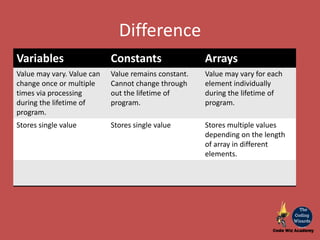
Difference
Variables Constants Arrays
Value may vary. Value can
change once or multiple
times via processing
during the lifetime of
program.
Value remains constant.
Cannot change through
out the lifetime of
program.
Value may vary for each
element individually
during the lifetime of
program.
Stores single value Stores single value Stores multiple values
depending on the length
of array in different
elements.
Storing data in JS
https://www.codewizacademy.com
https://www.facebook.com/codewizacademy/
https://www.instagram.com/codewizacademy/

Storage in programming

  • 1.
  • 2.
    Kinds of Data •User generated data • Program Data User Inputs Storage var msg="Hello World" Program Data
  • 3.
    User Generated Data Input UserGenerated Data Interact User Interaction Program Content
  • 4.
    Program Data Data availablebeforehand Data processed via program
  • 5.
  • 6.
    Variable • Named storagelocation in memory • By convention follow 'Camel Case' for naming Eg: – bigApple – usbMic • Value may change during program processing • Can hold a single value
  • 7.
    Variable • Use word-let letmessage = "Hello World"; alert (message); let bigApple = 20; alert(bigApple); let user='Gauri', age= 20, message='Good Day'; alert(message + " "+user +" "+ age);
  • 8.
    Constant • Named storagelocation in memory • By convention follow 'All Caps' for naming. Eg: – BIGAPPLE – USBMIC • Value may never change during program processing • Can hold a single value
  • 9.
    Constant • Use word-const const piv = 3.14; window.alert("Value of pi: "+ piv);
  • 10.
    Data Type • Datais any form of information • Number – Integer – Decimal • String – Combination of characters, integers and symbols • Boolean – Yes/No
  • 11.
    Data Type • Null –Null value • Undefined – Variable or Constant that is not initialized • Object – Complex data structures • Symbol – Unique Identifiers
  • 12.
    Array • Named storagelocation in memory • Can hold multiple values of same data type • By convention follow 'Camel Case' for a variable array name or 'All Caps' for a constant array name. Eg: – bigApple – usbMic • Name should be plural since array is collection of values. • Value of variable array may change during program processing • Value of constant array may change during program processing but cannot be reassigned
  • 13.
    Array 23 45 3365 76 77 7 4 3 6 apple[0] apple[1] apple[2] apple[3] apple[4] apple[5] INTR[0] INTR[1] INTR[2] INTR[3] An array index always starts from 0. If we have an array of 10 elements, then the elements to be referred to will be 0-9. Here, the length of array will be 10. For example: Integer array of 6 elements for storing the price of 6 varieties of apple. var apple = new Array(6); apple[0] = 23;…… Integer array of 4 elements for storing the interest rate of 4 bank products eg. Fixed Deposit, Saving A/c, Current A/c, Recurring Deposit will be constant. const INTR = new Array(4);
  • 14.
  • 15.
    Difference Variables Constants Arrays Valuemay vary. Value can change once or multiple times via processing during the lifetime of program. Value remains constant. Cannot change through out the lifetime of program. Value may vary for each element individually during the lifetime of program. Stores single value Stores single value Stores multiple values depending on the length of array in different elements.
  • 16.
    Storing data inJS https://www.codewizacademy.com https://www.facebook.com/codewizacademy/ https://www.instagram.com/codewizacademy/