What You Should Know About
Container Security
Opensource 101 SC
April 17, 2018
Anthony Chow
Intel Innovator
Auth0 Ambassador
Twitter: @vCloudernBeer
Blog: http://cloudn1n3.blogspot.com/

Small footprint

Self contained

Fast provisioning time

Docker: Build – Ship - Run

Useful tool for DevOps

Effective solution for Microservices

Not easy with persistent storage

Less isolated than a Virtual Machine

Share the same OS Kernel

Networking solutions to provide isolation

Escape

Cross-container attacks

Application vulnerabilities

Denial of Service attack on the host.

Host based

Container based

3rd
Party Security Offerings

Miscellaneous

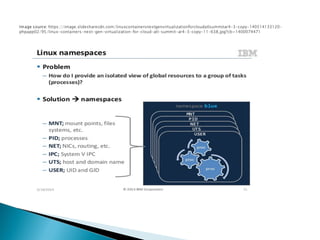
Namespace

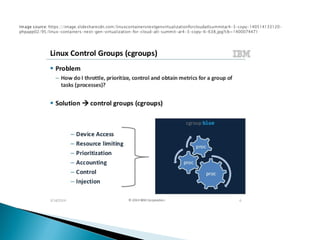
Control group (cgroup)

Root capabilities

Linux Security Modules

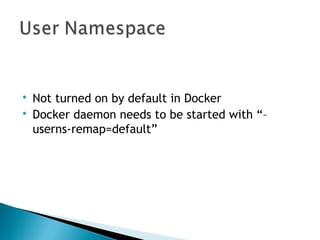
Not turned on by default in Docker

Docker daemon needs to be started with “–
userns-remap=default”

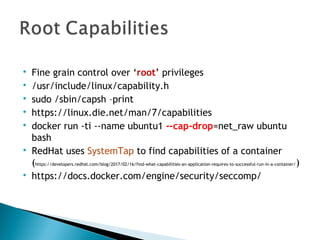
Fine grain control over ‘root’ privileges

/usr/include/linux/capability.h

sudo /sbin/capsh –print

https://linux.die.net/man/7/capabilities

docker run -ti --name ubuntu1 --cap-drop=net_raw ubuntu
bash

RedHat uses SystemTap to find capabilities of a container
(https://developers.redhat.com/blog/2017/02/16/find-what-capabilities-an-application-requires-to-successful-run-in-a-container/)

https://docs.docker.com/engine/security/seccomp/

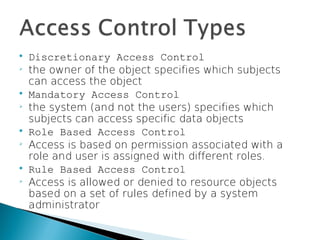
Discretionary Access Control

the owner of the object specifies which subjects
can access the object

Mandatory Access Control

the system (and not the users) specifies which
subjects can access specific data objects

Role Based Access Control

Access is based on permission associated with a
role and user is assigned with different roles.

Rule Based Access Control

Access is allowed or denied to resource objects
based on a set of rules defined by a system
administrator

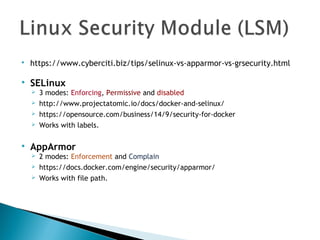
https://www.cyberciti.biz/tips/selinux-vs-apparmor-vs-grsecurity.html

SELinux
 3 modes: Enforcing, Permissive and disabled
 http://www.projectatomic.io/docs/docker-and-selinux/
 https://opensource.com/business/14/9/security-for-docker
 Works with labels.

AppArmor
 2 modes: Enforcement and Complain
 https://docs.docker.com/engine/security/apparmor/
 Works with file path.

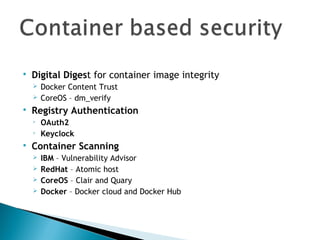
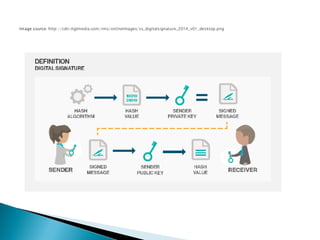
Digital Digest for container image integrity
 Docker Content Trust
 CoreOS – dm_verify

Registry Authentication

OAuth2

Keyclock

Container Scanning
 IBM – Vulnerability Advisor
 RedHat – Atomic host
 CoreOS – Clair and Quary
 Docker – Docker cloud and Docker Hub

Aqua - https://www.aquasec.com/

Anchore - https://github.com/anchore/anchore

TwistLock - https://www.twistlock.com/

Tenable - http://www.tenable.com/

Blackduck -https://www.blackducksoftware.com/

StackRox - stackrox.com

Open Container Initiative (OCI)

Hardware Assisted:

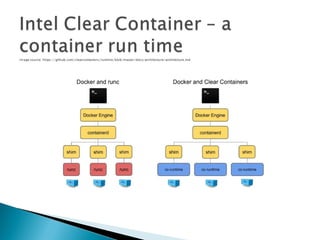
Intel Clear Container

SCONE - Secure Linux Containers on Intel SGX

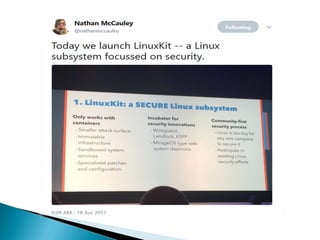
LinuxKit

Docker 1.13 Secret Management

Docker Authentication with Keycloak

Linux Container Hardening

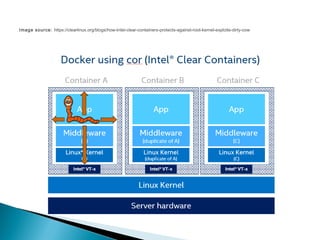
Utilizes Intel VT-x

QEMU-light

DAX – Direct Access

KSM – Kernel Same-page Mapping
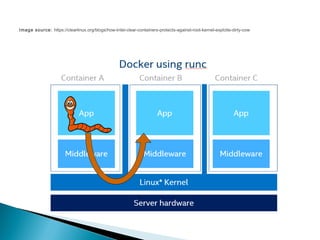
Image source: https://clearlinux.org/blogs/how-Intel-clear-containers-protects-against-root-kernel-exploits-dirty-cow
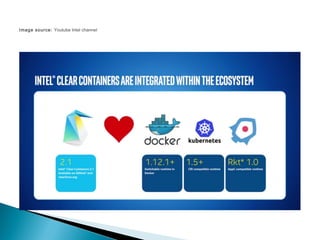
Image source: Youtube Intel channel
onboot:
- name: dhcpcd
image: linuxkit/dhcpcd:<hash>
command: ["/sbin/dhcpcd", "--nobackground", "-f", "/dhcpcd.conf", "-1"]
- name: wg
image: linuxkit/ip:<hash>
net: new
binds:
- /etc/wireguard:/etc/wireguard
command: ["sh", "-c", "ip link set dev wg0 up; ip address add dev wg0 192.168.2.1 peer 192.168.2.2; wg setconf wg0 /etc/wireguard/wg0.conf; wg show wg0"]
runtime:
interfaces:
- name: wg0
add: wireguard
createInRoot: true
bindNS:
net: /run/netns/wg
services:
- name: nginx
image: nginx:alpine
net: /run/netns/wg
capabilities:
- CAP_NET_BIND_SERVICE
- CAP_CHOWN
- CAP_SETUID
- CAP_SETGID
- CAP_DAC_OVERRIDE
Sample LinuxKit YAML File
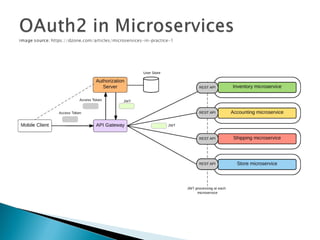
 OAuth2 for authentication and
authorization
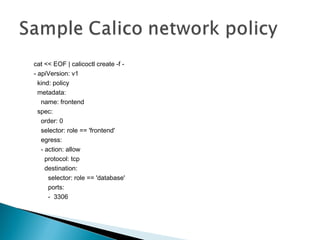
 Calico for security policy to protect east-
west traffic
apiVersion: extensions/v1beta1
kind: NetworkPolicy
metadata:
name: test-network-policy
spec:
podSelector:
matchLabels:
role: db
ingress:
- from:
- podSelector:
matchLabels:
role: frontend
ports:
- protocol: tcp
port: 6379
cat << EOF | calicoctl create -f -
- apiVersion: v1
kind: policy
metadata:
name: frontend
spec:
order: 0
selector: role == 'frontend'
egress:
- action: allow
protocol: tcp
destination:
selector: role == 'database'
ports:
- 3306
 Docker Security - SELinux
 Security for Docker
 CoreOS – runtime security
 Docker - security
 Redhat – Docker authentication
 Sysdig Kubernetes Security Guide
 Aquasec Kubernetes Security Deep Dive
Thanks for coming and enjoy the rest of
Opensource 101 SC, 2018

Container security