Docker Security In Production
#DevOps #Infrastructure #Deployment #Security
➔ CI/CD chain security ( git / notary / registry )
◆ … export DOCKER_CONTENT_TRUST=1
➔ Microservices architecture
◆ … secret management (Vault & al.)
◆ … Orchestration & Deployment Strategies
➔ Keeping binaries & libs. up to date in production
➔ Monitoring / Alerting / Metric / SOC / SIEM / etc.
What this talk is NOT about
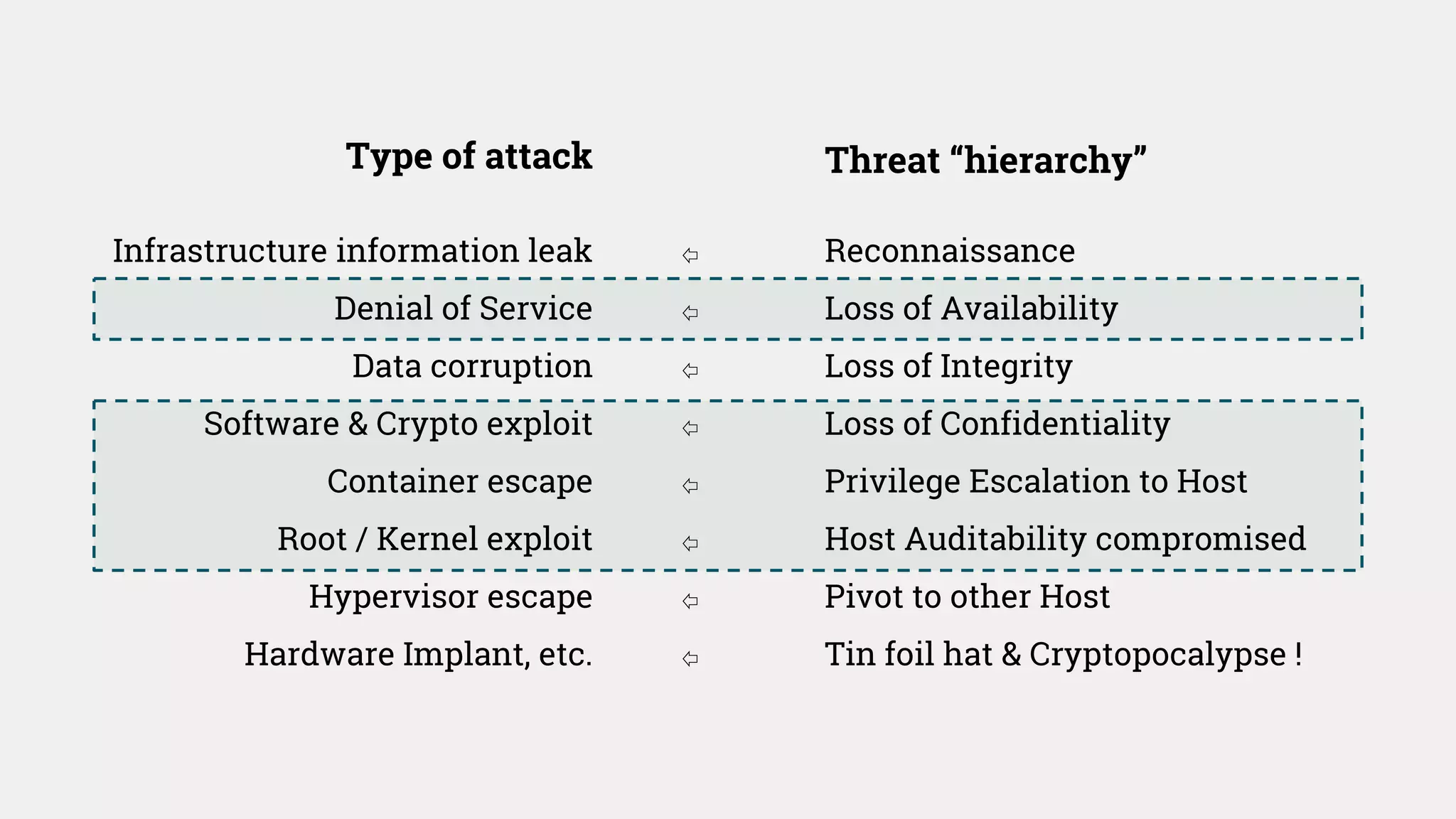
Infrastructure information leak
Denial of Service
Data corruption
Software & Crypto exploit
Container escape
Root / Kernel exploit
Hypervisor escape
Hardware Implant, etc.
Reconnaissance
Loss of Availability
Loss of Integrity
Loss of Confidentiality
Privilege Escalation to Host
Host Auditability compromised
Pivot to other Host
Tin foil hat & Cryptopocalypse !
Type of attack Threat “hierarchy”
⇦
⇦
⇦
⇦
⇦
⇦
⇦
⇦
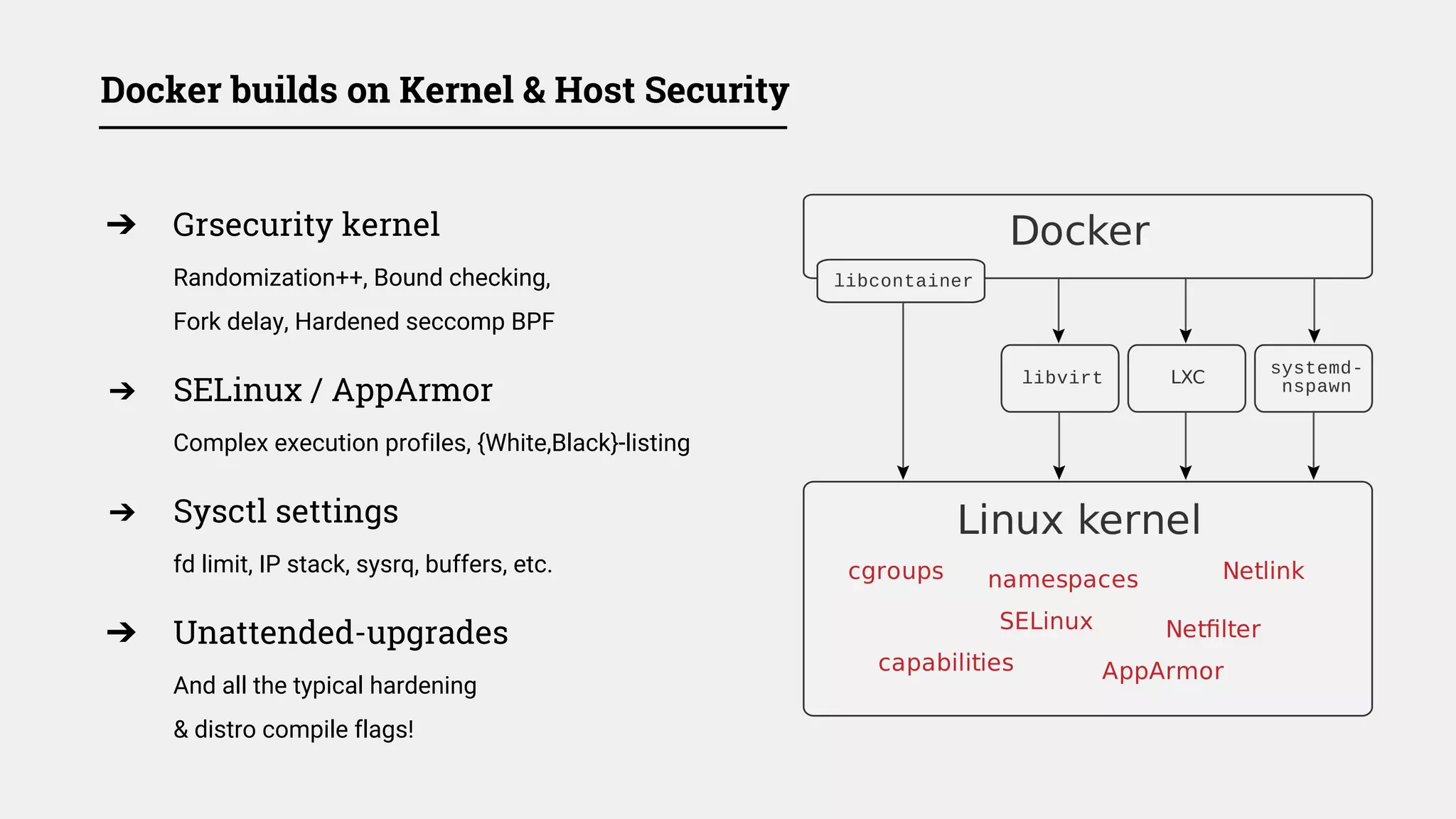
Docker builds on Kernel & Host Security
➔ Grsecurity kernel
Randomization++, Bound checking,
Fork delay, Hardened seccomp BPF
➔ SELinux / AppArmor
Complex execution profiles, {White,Black}-listing
➔ Sysctl settings
fd limit, IP stack, sysrq, buffers, etc.
➔ Unattended-upgrades
And all the typical hardening
& distro compile flags!
Docker Daemon
➔ Limit docker group : docker.sock
Access to socket = root
➔ Authorization plugin API
Docker 1.10+: --authorization-plugin
should help mitigate previous issue soon
➔ docker-machine & TLS
Use --tls-verify (port 2376)
➔ SELinux / AppArmor Profile
apparmor.d/docker + restrictions
limit path, resources, etc.
➔ Export logs outside of host
--log-driver= (syslog, fluentd, ...)
cgroups hardware resource limits
➔ Mitigate potential DoS attacks
Limit memory, disk, network I/O & CPU share
➔ cgroups only limit resources share, not access
Not blocking access to:
kcore, modprobe, sysrq, mknod, eth0, ...
➔ You can define your own initial cgroup
--cgroup-parent to inherit a previous context
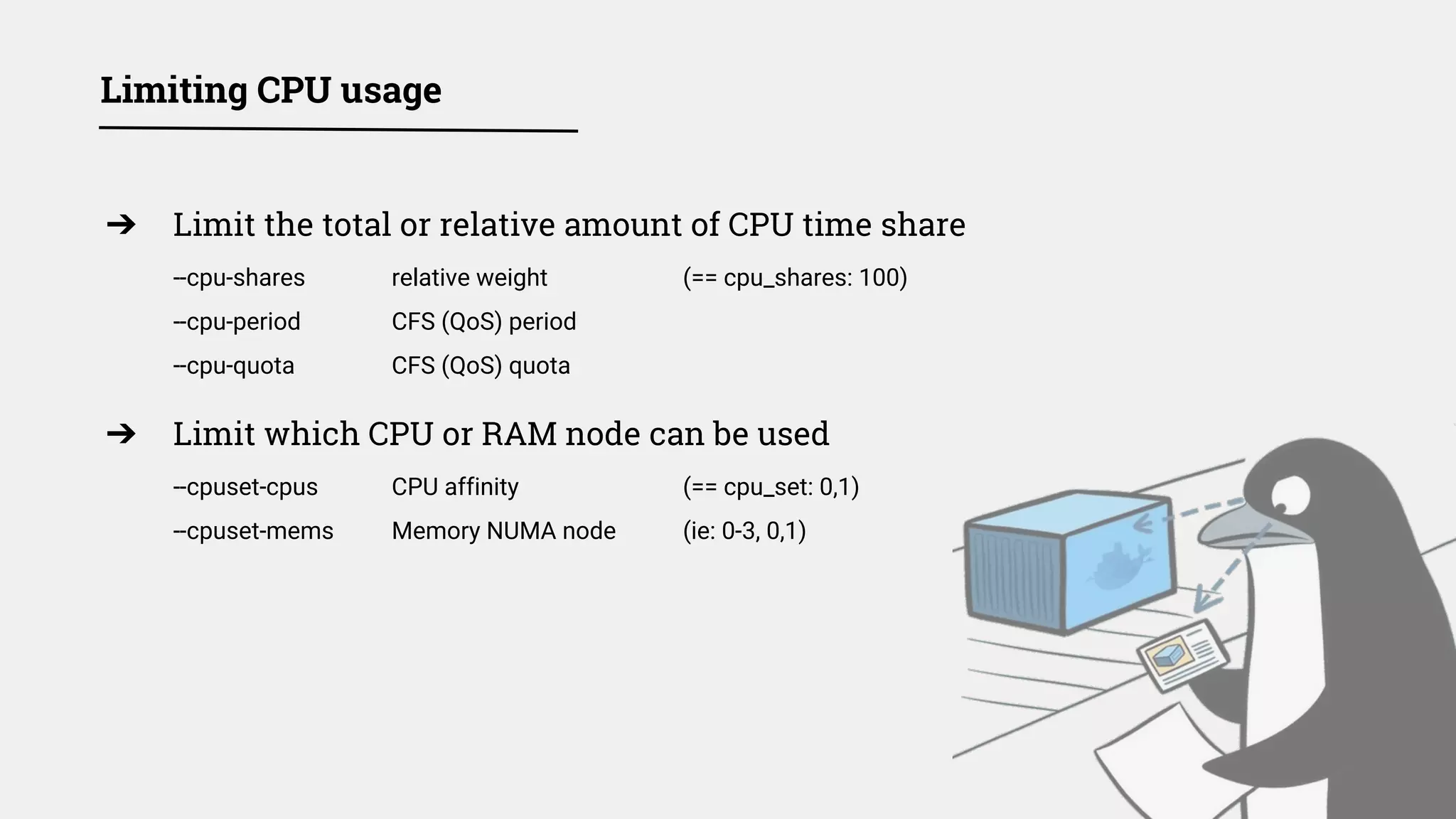
Limiting CPU usage
➔ Limit the total or relative amount of CPU time share
--cpu-shares relative weight (== cpu_shares: 100)
--cpu-period CFS (QoS) period
--cpu-quota CFS (QoS) quota
➔ Limit which CPU or RAM node can be used
--cpuset-cpus CPU affinity (== cpu_set: 0,1)
--cpuset-mems Memory NUMA node (ie: 0-3, 0,1)
Limiting memory usage
➔ Limit a container’s memory usage
Limit: --memory=1g (== mem_limit:)
Soft Limit: --memory-reservation
➔ Limit swap usage
Total Limit: --memory-swap (== memswap_limit:)
Swapiness: --memory-swapiness
** GRUB_CMDLINE_LINUX="cgroup_enable=memory swapaccount=1" **
➔ Limit container’s kernel memory usage
--kernel-memory limit
➔ Verify the Out Of Memory kernel policy
--oom-kill-disable & --oom-score-adj
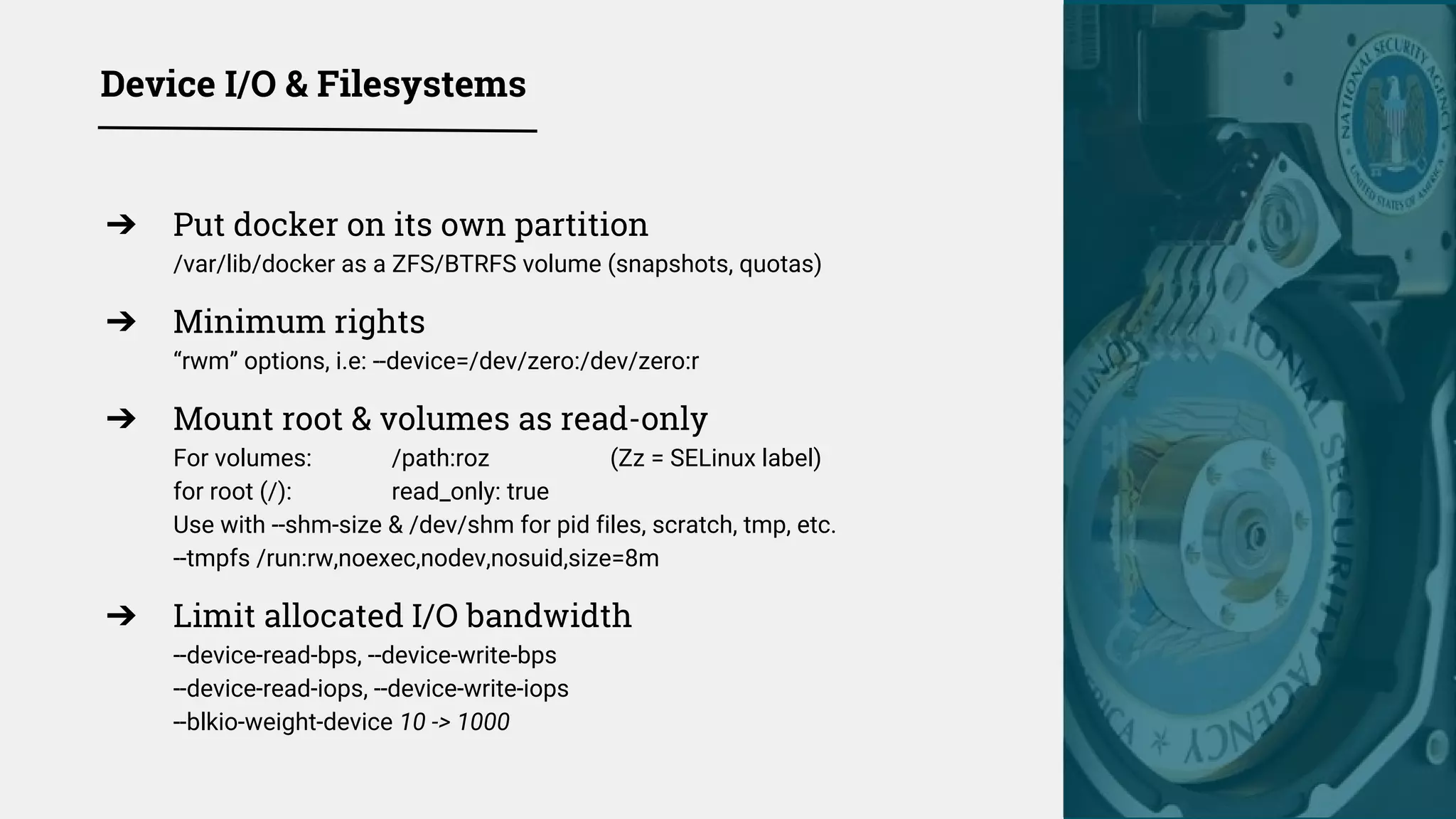
Device I/O & Filesystems
➔ Put docker on its own partition
/var/lib/docker as a ZFS/BTRFS volume (snapshots, quotas)
➔ Minimum rights
“rwm” options, i.e: --device=/dev/zero:/dev/zero:r
➔ Mount root & volumes as read-only
For volumes: /path:roz (Zz = SELinux label)
for root (/): read_only: true
Use with --shm-size & /dev/shm for pid files, scratch, tmp, etc.
--tmpfs /run:rw,noexec,nodev,nosuid,size=8m
➔ Limit allocated I/O bandwidth
--device-read-bps, --device-write-bps
--device-read-iops, --device-write-iops
--blkio-weight-device 10 -> 1000
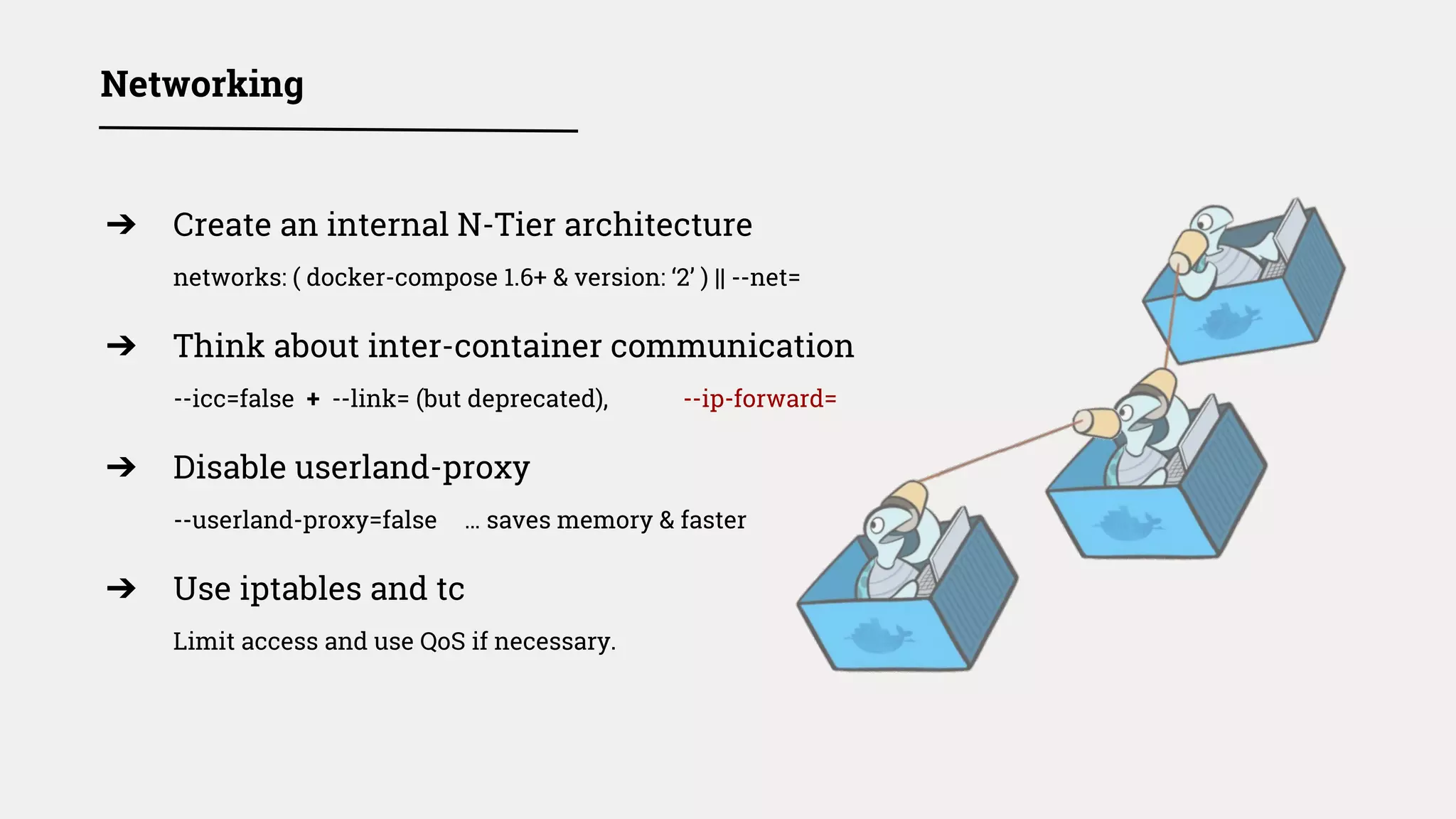
➔ Create an internal N-Tier architecture
networks: ( docker-compose 1.6+ & version: ‘2’ ) || --net=
➔ Think about inter-container communication
--icc=false + --link= (but deprecated), --ip-forward=
➔ Disable userland-proxy
--userland-proxy=false … saves memory & faster
➔ Use iptables and tc
Limit access and use QoS if necessary.
Networking
➔ Set your typical soft & hard limits
Daemon: --default-ulimit nofile=50:100
Container: --ulimit nofile=50:100
compose 1.6+: ulimit: nofile: soft:50 hard:100
➔ Prevent fork bombs: threads / process limits
compose 1.6+: ulimits: nproc: soft:32 hard:64
Docker 1.11+
& Kernel 4.3+: --pids-limit (cgroup support)
➔ Think about your restart policy
restart: always? no?
System resources & ulimits
Namespaces
➔ Currently namespaced resources
Audit, cgroups, IPC, mount, NET, PID, Syslog, UID, UTS
--userns-remap=default (new in 1.10+), *but*:
Per daemon, not per container (--userns=host not yet in compose)
Volumes UID/GID also remapped...
Incompatible with IPC/PID/NET NS sharing...
i.e. --net=container:app1, --readonly filesystem...
➔ NOT (yet) Namespaced
The Kernel, LSM, UID (by default), keyring,
ring buffer (dmesg), /proc/{sys}, /sys, /dev/{shm} ...
➔ A lot of work & cleanup still required for namespaces
Many holes over the years:
CVE-2010-0006, CVE-2011-2189, CVE-2013-1858, CVE-2013-1956, CVE-2013-4205,
CVE-2014-4014, CVE-2014-5206, CVE-2014-5207, CVE-2014-8989, CVE-2015-8709, (!)
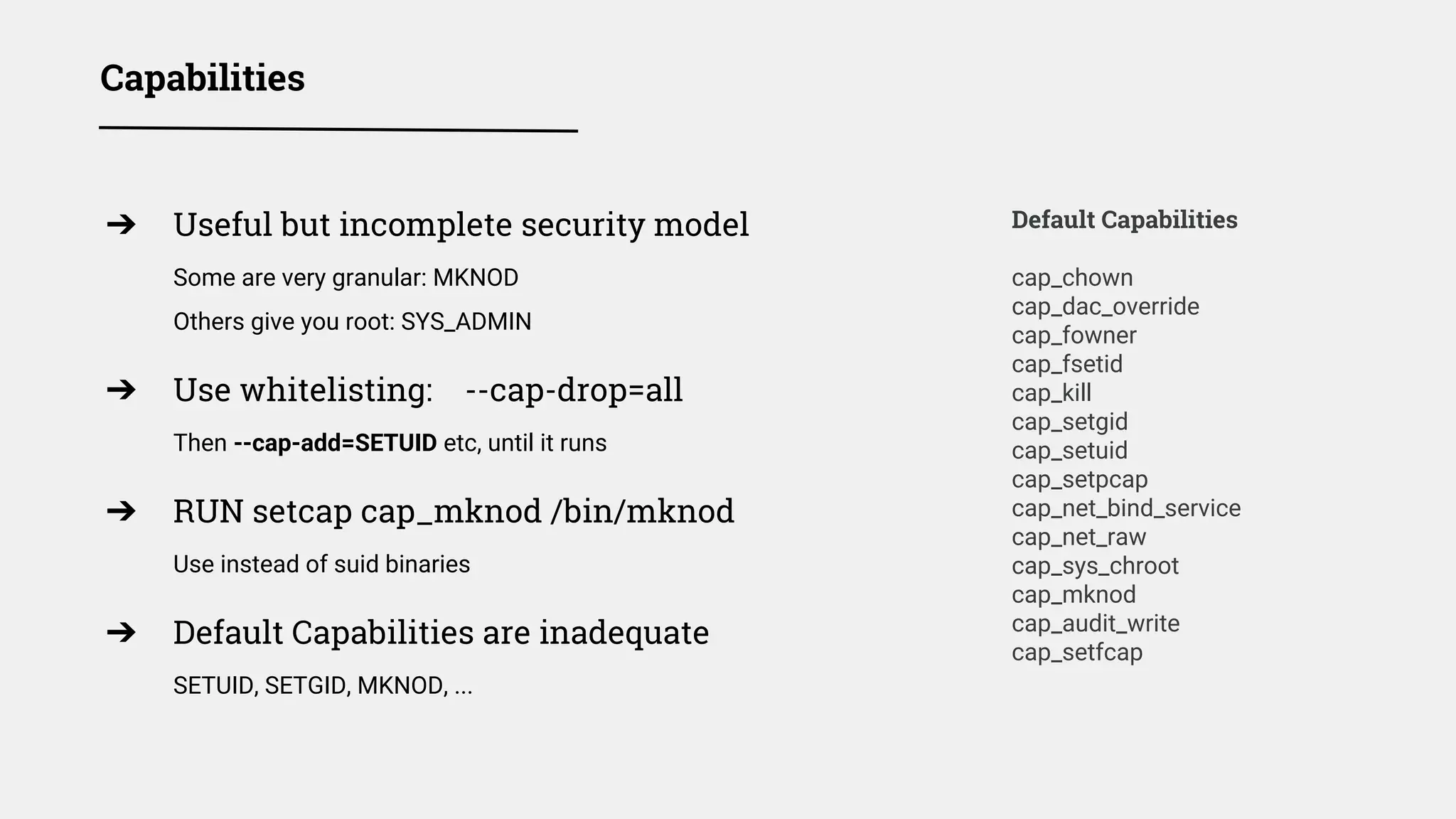
Capabilities
Default Capabilities
cap_chown
cap_dac_override
cap_fowner
cap_fsetid
cap_kill
cap_setgid
cap_setuid
cap_setpcap
cap_net_bind_service
cap_net_raw
cap_sys_chroot
cap_mknod
cap_audit_write
cap_setfcap
➔ Useful but incomplete security model
Some are very granular: MKNOD
Others give you root: SYS_ADMIN
➔ Use whitelisting: --cap-drop=all
Then --cap-add=SETUID etc, until it runs
➔ RUN setcap cap_mknod /bin/mknod
Use instead of suid binaries
➔ Default Capabilities are inadequate
SETUID, SETGID, MKNOD, ...
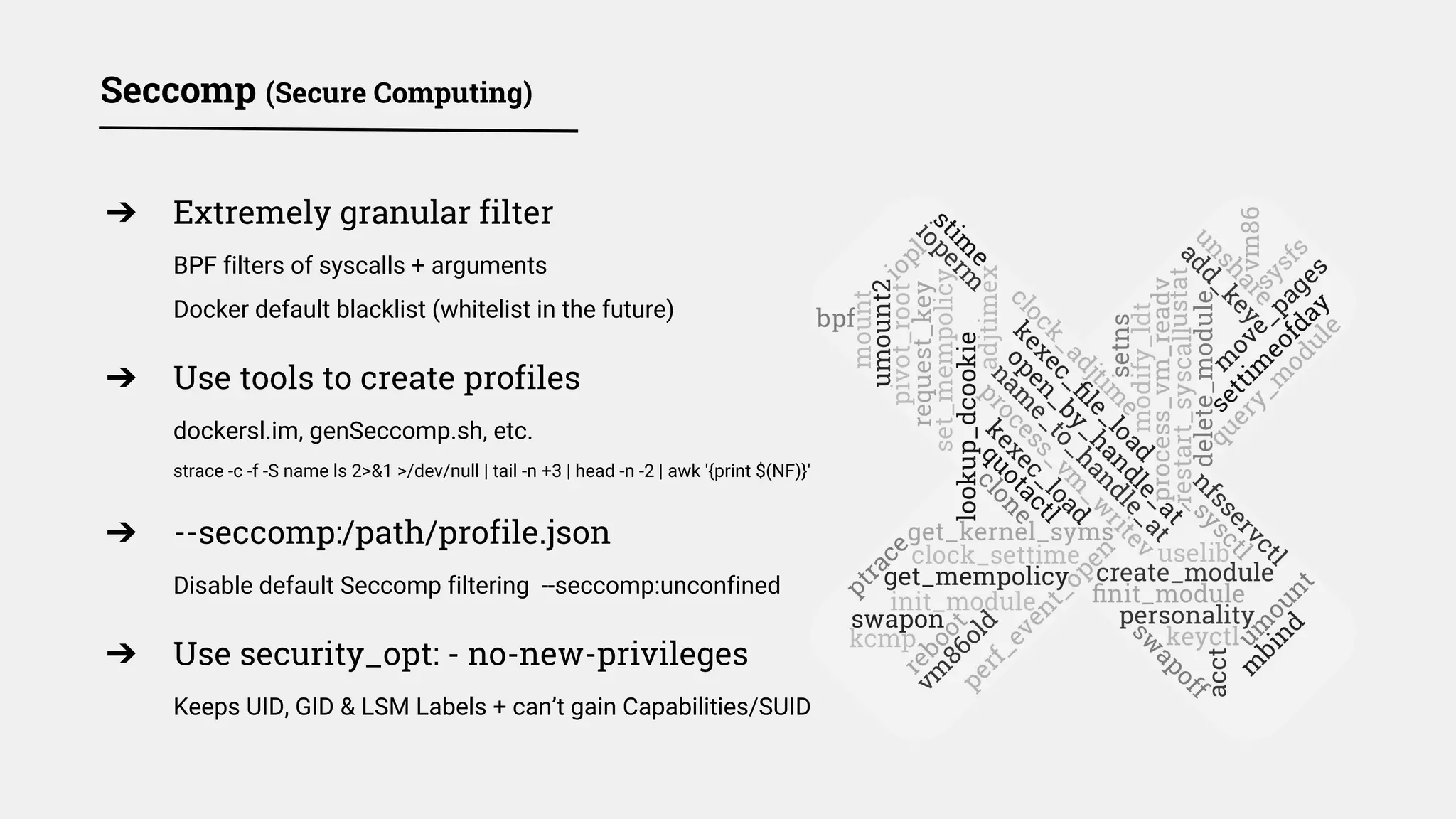
Seccomp (Secure Computing)
➔ Extremely granular filter
BPF filters of syscalls + arguments
Docker default blacklist (whitelist in the future)
➔ Use tools to create profiles
dockersl.im, genSeccomp.sh, etc.
strace -c -f -S name ls 2>&1 >/dev/null | tail -n +3 | head -n -2 | awk '{print $(NF)}'
➔ --seccomp:/path/profile.json
Disable default Seccomp filtering --seccomp:unconfined
➔ Use security_opt: - no-new-privileges
Keeps UID, GID & LSM Labels + can’t gain Capabilities/SUID
➔ Swarm init / join
Expose master nodes carefully (hold cluster’s secrets)
Mutually auth. TLS, AES-GCM, 12 hours key rotation (Gossip / Raft)
➔ Use overlay network encryption
docker network create -d overlay -o encrypted mynet
- Keys shared with tasks & services, but not «docker run»
➔ Mutually authenticate your microservices too
Microservices should not rely on overlay encryption:
Authenticate & Encrypt [container ↔ container] communications
➔ «docker-compose bundle» - experimental status
Lacks support for most useful runtime security options, maybe in 1.13+?
Swarm Networking [1.12+]
➔ Never use --privileged
Use granular solutions previously described
➔ Run process as a user
Don’t run inside container as root: use nobody
Remove SUID, strip unused files, etc.
➔ Layer as many security features
Not all of them will apply, work, be enabled, etc.
➔ Don’t forget to harden applications!
NGINX configs, exposed services, databases, etc.
Containers Runtime Security
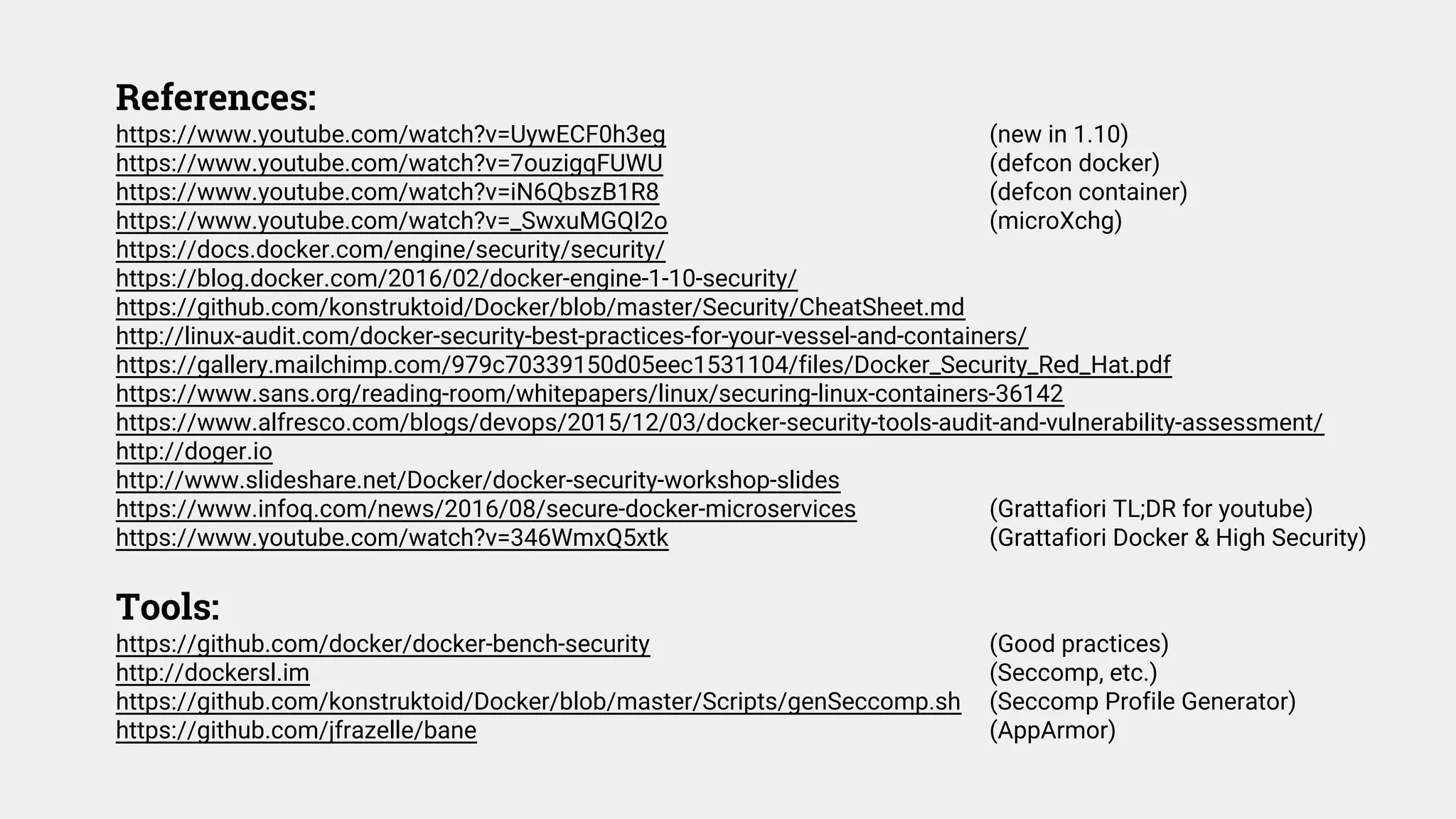
References:
https://www.youtube.com/watch?v=UywECF0h3eg (new in 1.10)
https://www.youtube.com/watch?v=7ouzigqFUWU (defcon docker)
https://www.youtube.com/watch?v=iN6QbszB1R8 (defcon container)
https://www.youtube.com/watch?v=_SwxuMGQI2o (microXchg)
https://docs.docker.com/engine/security/security/
https://blog.docker.com/2016/02/docker-engine-1-10-security/
https://github.com/konstruktoid/Docker/blob/master/Security/CheatSheet.md
http://linux-audit.com/docker-security-best-practices-for-your-vessel-and-containers/
https://gallery.mailchimp.com/979c70339150d05eec1531104/files/Docker_Security_Red_Hat.pdf
https://www.sans.org/reading-room/whitepapers/linux/securing-linux-containers-36142
https://www.alfresco.com/blogs/devops/2015/12/03/docker-security-tools-audit-and-vulnerability-assessment/
http://doger.io
http://www.slideshare.net/Docker/docker-security-workshop-slides
https://www.infoq.com/news/2016/08/secure-docker-microservices (Grattafiori TL;DR for youtube)
https://www.youtube.com/watch?v=346WmxQ5xtk (Grattafiori Docker & High Security)
Tools:
https://github.com/docker/docker-bench-security (Good practices)
http://dockersl.im (Seccomp, etc.)
https://github.com/konstruktoid/Docker/blob/master/Scripts/genSeccomp.sh (Seccomp Profile Generator)
https://github.com/jfrazelle/bane (AppArmor)
Alexandre Guédon
LEAD INFRASTRUCTURE ARCHITECT
alexandre@delvelabs.ca
@peerprod

Docker Security in Production Overview

  • 1.
    Docker Security InProduction #DevOps #Infrastructure #Deployment #Security
  • 2.
    ➔ CI/CD chainsecurity ( git / notary / registry ) ◆ … export DOCKER_CONTENT_TRUST=1 ➔ Microservices architecture ◆ … secret management (Vault & al.) ◆ … Orchestration & Deployment Strategies ➔ Keeping binaries & libs. up to date in production ➔ Monitoring / Alerting / Metric / SOC / SIEM / etc. What this talk is NOT about
  • 4.
    Infrastructure information leak Denialof Service Data corruption Software & Crypto exploit Container escape Root / Kernel exploit Hypervisor escape Hardware Implant, etc. Reconnaissance Loss of Availability Loss of Integrity Loss of Confidentiality Privilege Escalation to Host Host Auditability compromised Pivot to other Host Tin foil hat & Cryptopocalypse ! Type of attack Threat “hierarchy” ⇦ ⇦ ⇦ ⇦ ⇦ ⇦ ⇦ ⇦
  • 5.
    Docker builds onKernel & Host Security ➔ Grsecurity kernel Randomization++, Bound checking, Fork delay, Hardened seccomp BPF ➔ SELinux / AppArmor Complex execution profiles, {White,Black}-listing ➔ Sysctl settings fd limit, IP stack, sysrq, buffers, etc. ➔ Unattended-upgrades And all the typical hardening & distro compile flags!
  • 6.
    Docker Daemon ➔ Limitdocker group : docker.sock Access to socket = root ➔ Authorization plugin API Docker 1.10+: --authorization-plugin should help mitigate previous issue soon ➔ docker-machine & TLS Use --tls-verify (port 2376) ➔ SELinux / AppArmor Profile apparmor.d/docker + restrictions limit path, resources, etc. ➔ Export logs outside of host --log-driver= (syslog, fluentd, ...)
  • 7.
    cgroups hardware resourcelimits ➔ Mitigate potential DoS attacks Limit memory, disk, network I/O & CPU share ➔ cgroups only limit resources share, not access Not blocking access to: kcore, modprobe, sysrq, mknod, eth0, ... ➔ You can define your own initial cgroup --cgroup-parent to inherit a previous context
  • 8.
    Limiting CPU usage ➔Limit the total or relative amount of CPU time share --cpu-shares relative weight (== cpu_shares: 100) --cpu-period CFS (QoS) period --cpu-quota CFS (QoS) quota ➔ Limit which CPU or RAM node can be used --cpuset-cpus CPU affinity (== cpu_set: 0,1) --cpuset-mems Memory NUMA node (ie: 0-3, 0,1)
  • 9.
    Limiting memory usage ➔Limit a container’s memory usage Limit: --memory=1g (== mem_limit:) Soft Limit: --memory-reservation ➔ Limit swap usage Total Limit: --memory-swap (== memswap_limit:) Swapiness: --memory-swapiness ** GRUB_CMDLINE_LINUX="cgroup_enable=memory swapaccount=1" ** ➔ Limit container’s kernel memory usage --kernel-memory limit ➔ Verify the Out Of Memory kernel policy --oom-kill-disable & --oom-score-adj
  • 10.
    Device I/O &Filesystems ➔ Put docker on its own partition /var/lib/docker as a ZFS/BTRFS volume (snapshots, quotas) ➔ Minimum rights “rwm” options, i.e: --device=/dev/zero:/dev/zero:r ➔ Mount root & volumes as read-only For volumes: /path:roz (Zz = SELinux label) for root (/): read_only: true Use with --shm-size & /dev/shm for pid files, scratch, tmp, etc. --tmpfs /run:rw,noexec,nodev,nosuid,size=8m ➔ Limit allocated I/O bandwidth --device-read-bps, --device-write-bps --device-read-iops, --device-write-iops --blkio-weight-device 10 -> 1000
  • 11.
    ➔ Create aninternal N-Tier architecture networks: ( docker-compose 1.6+ & version: ‘2’ ) || --net= ➔ Think about inter-container communication --icc=false + --link= (but deprecated), --ip-forward= ➔ Disable userland-proxy --userland-proxy=false … saves memory & faster ➔ Use iptables and tc Limit access and use QoS if necessary. Networking
  • 12.
    ➔ Set yourtypical soft & hard limits Daemon: --default-ulimit nofile=50:100 Container: --ulimit nofile=50:100 compose 1.6+: ulimit: nofile: soft:50 hard:100 ➔ Prevent fork bombs: threads / process limits compose 1.6+: ulimits: nproc: soft:32 hard:64 Docker 1.11+ & Kernel 4.3+: --pids-limit (cgroup support) ➔ Think about your restart policy restart: always? no? System resources & ulimits
  • 13.
    Namespaces ➔ Currently namespacedresources Audit, cgroups, IPC, mount, NET, PID, Syslog, UID, UTS --userns-remap=default (new in 1.10+), *but*: Per daemon, not per container (--userns=host not yet in compose) Volumes UID/GID also remapped... Incompatible with IPC/PID/NET NS sharing... i.e. --net=container:app1, --readonly filesystem... ➔ NOT (yet) Namespaced The Kernel, LSM, UID (by default), keyring, ring buffer (dmesg), /proc/{sys}, /sys, /dev/{shm} ... ➔ A lot of work & cleanup still required for namespaces Many holes over the years: CVE-2010-0006, CVE-2011-2189, CVE-2013-1858, CVE-2013-1956, CVE-2013-4205, CVE-2014-4014, CVE-2014-5206, CVE-2014-5207, CVE-2014-8989, CVE-2015-8709, (!)
  • 14.
    Capabilities Default Capabilities cap_chown cap_dac_override cap_fowner cap_fsetid cap_kill cap_setgid cap_setuid cap_setpcap cap_net_bind_service cap_net_raw cap_sys_chroot cap_mknod cap_audit_write cap_setfcap ➔ Usefulbut incomplete security model Some are very granular: MKNOD Others give you root: SYS_ADMIN ➔ Use whitelisting: --cap-drop=all Then --cap-add=SETUID etc, until it runs ➔ RUN setcap cap_mknod /bin/mknod Use instead of suid binaries ➔ Default Capabilities are inadequate SETUID, SETGID, MKNOD, ...
  • 15.
    Seccomp (Secure Computing) ➔Extremely granular filter BPF filters of syscalls + arguments Docker default blacklist (whitelist in the future) ➔ Use tools to create profiles dockersl.im, genSeccomp.sh, etc. strace -c -f -S name ls 2>&1 >/dev/null | tail -n +3 | head -n -2 | awk '{print $(NF)}' ➔ --seccomp:/path/profile.json Disable default Seccomp filtering --seccomp:unconfined ➔ Use security_opt: - no-new-privileges Keeps UID, GID & LSM Labels + can’t gain Capabilities/SUID
  • 16.
    ➔ Swarm init/ join Expose master nodes carefully (hold cluster’s secrets) Mutually auth. TLS, AES-GCM, 12 hours key rotation (Gossip / Raft) ➔ Use overlay network encryption docker network create -d overlay -o encrypted mynet - Keys shared with tasks & services, but not «docker run» ➔ Mutually authenticate your microservices too Microservices should not rely on overlay encryption: Authenticate & Encrypt [container ↔ container] communications ➔ «docker-compose bundle» - experimental status Lacks support for most useful runtime security options, maybe in 1.13+? Swarm Networking [1.12+]
  • 17.
    ➔ Never use--privileged Use granular solutions previously described ➔ Run process as a user Don’t run inside container as root: use nobody Remove SUID, strip unused files, etc. ➔ Layer as many security features Not all of them will apply, work, be enabled, etc. ➔ Don’t forget to harden applications! NGINX configs, exposed services, databases, etc. Containers Runtime Security
  • 18.
    References: https://www.youtube.com/watch?v=UywECF0h3eg (new in1.10) https://www.youtube.com/watch?v=7ouzigqFUWU (defcon docker) https://www.youtube.com/watch?v=iN6QbszB1R8 (defcon container) https://www.youtube.com/watch?v=_SwxuMGQI2o (microXchg) https://docs.docker.com/engine/security/security/ https://blog.docker.com/2016/02/docker-engine-1-10-security/ https://github.com/konstruktoid/Docker/blob/master/Security/CheatSheet.md http://linux-audit.com/docker-security-best-practices-for-your-vessel-and-containers/ https://gallery.mailchimp.com/979c70339150d05eec1531104/files/Docker_Security_Red_Hat.pdf https://www.sans.org/reading-room/whitepapers/linux/securing-linux-containers-36142 https://www.alfresco.com/blogs/devops/2015/12/03/docker-security-tools-audit-and-vulnerability-assessment/ http://doger.io http://www.slideshare.net/Docker/docker-security-workshop-slides https://www.infoq.com/news/2016/08/secure-docker-microservices (Grattafiori TL;DR for youtube) https://www.youtube.com/watch?v=346WmxQ5xtk (Grattafiori Docker & High Security) Tools: https://github.com/docker/docker-bench-security (Good practices) http://dockersl.im (Seccomp, etc.) https://github.com/konstruktoid/Docker/blob/master/Scripts/genSeccomp.sh (Seccomp Profile Generator) https://github.com/jfrazelle/bane (AppArmor)
  • 19.
    Alexandre Guédon LEAD INFRASTRUCTUREARCHITECT alexandre@delvelabs.ca @peerprod