An Intro to CLI Wizardry
grep, sed, awk, and xargs
This presentation is licensed under a Creative Commons Attribution-NonCommercial-ShareAlike 3.0 Unported License.
(C) 2018 jim@openoid.net
Jim Salter
Technomancer,
Mercenary Sysadmin,
Small Business Owner
Today's slides can be found at:
http://openoid.net/presentations/
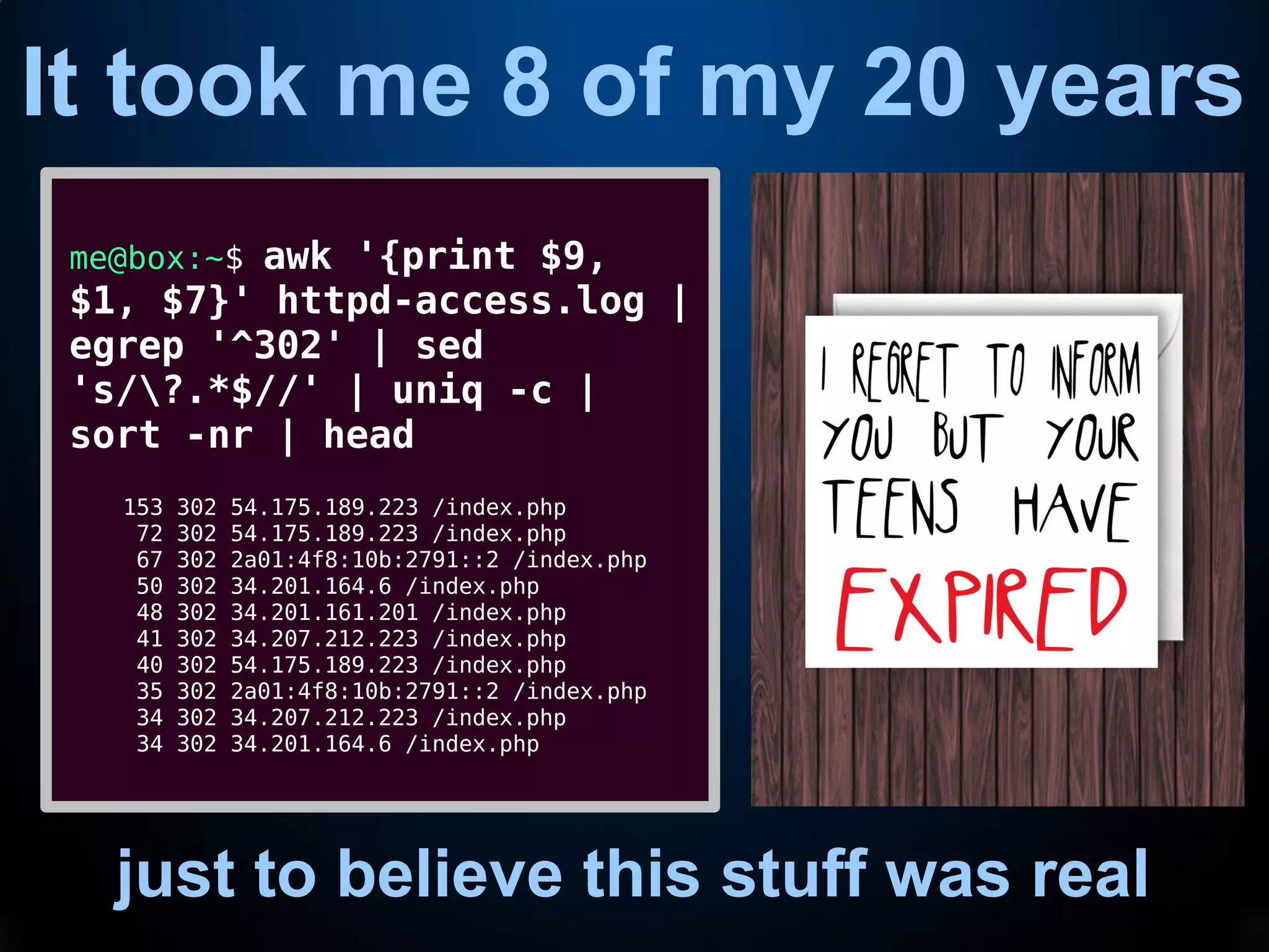
It took me 8 of my 20 years
just to believe this stuff was real
me@box:~$ awk '{print $9,
$1, $7}' httpd-access.log |
egrep '^302' | sed
's/?.*$//' | uniq -c |
sort -nr | head
153 302 54.175.189.223 /index.php
72 302 54.175.189.223 /index.php
67 302 2a01:4f8:10b:2791::2 /index.php
50 302 34.201.164.6 /index.php
48 302 34.201.161.201 /index.php
41 302 34.207.212.223 /index.php
40 302 54.175.189.223 /index.php
35 302 2a01:4f8:10b:2791::2 /index.php
34 302 34.207.212.223 /index.php
34 302 34.201.164.6 /index.php
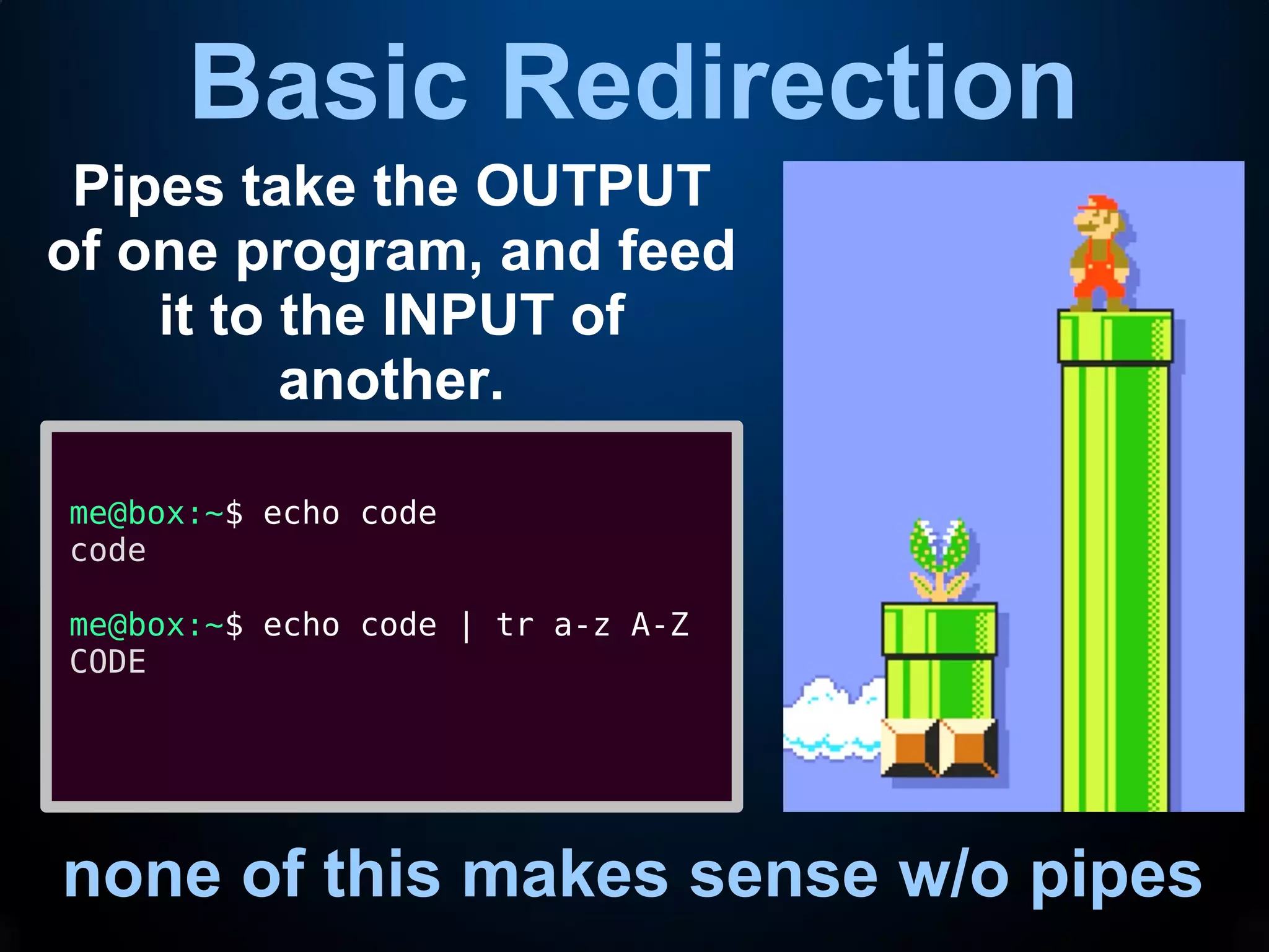
Basic Redirection
none of this makes sense w/o pipes
Pipes take the OUTPUT
of one program, and feed
it to the INPUT of
another.
me@box:~$ echo code
code
me@box:~$ echo code | tr a-z A-Z
CODE
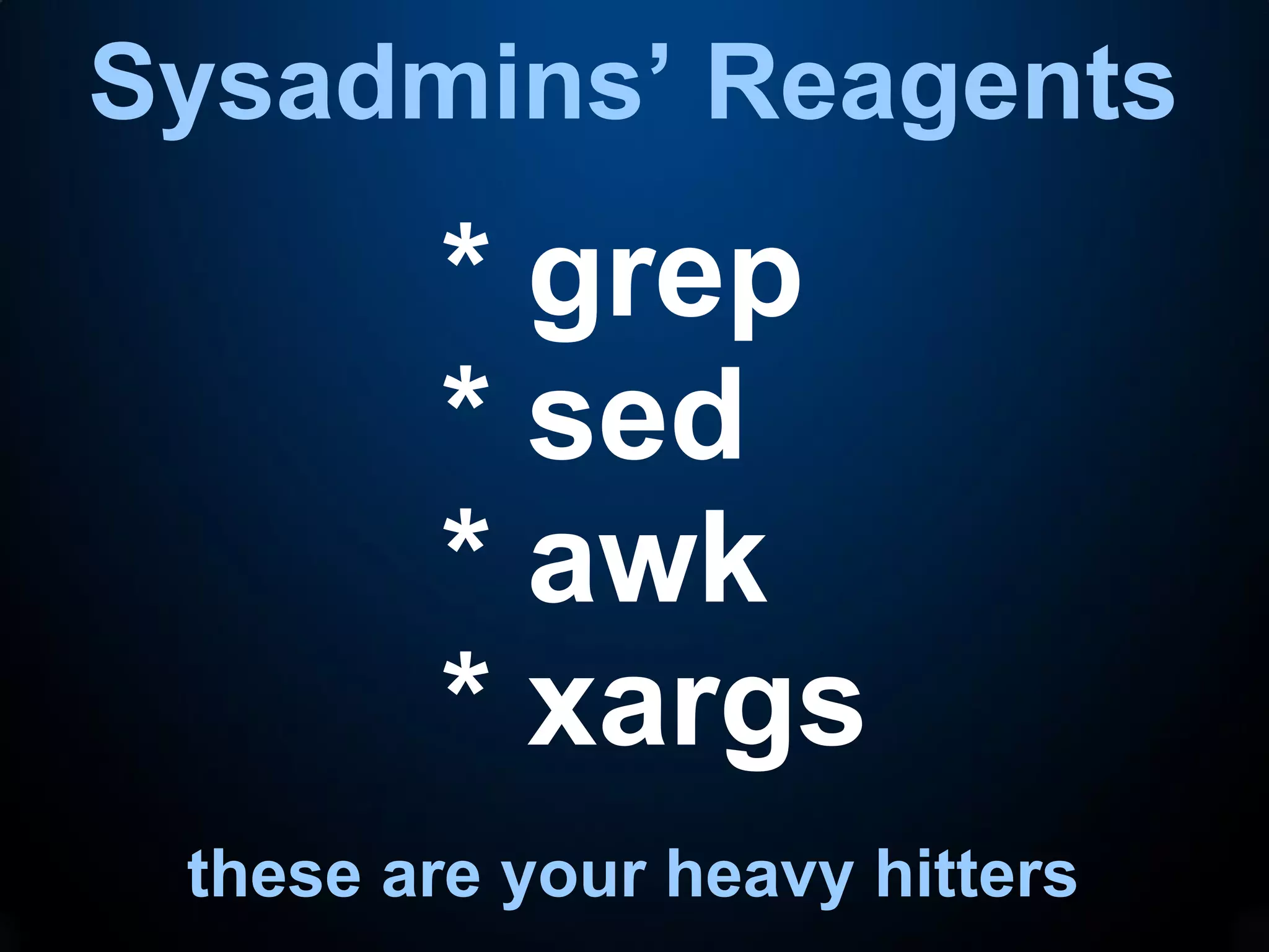
Sysadmins’ Reagents
these are your heavy hitters
* grep
* sed
* awk
* xargs
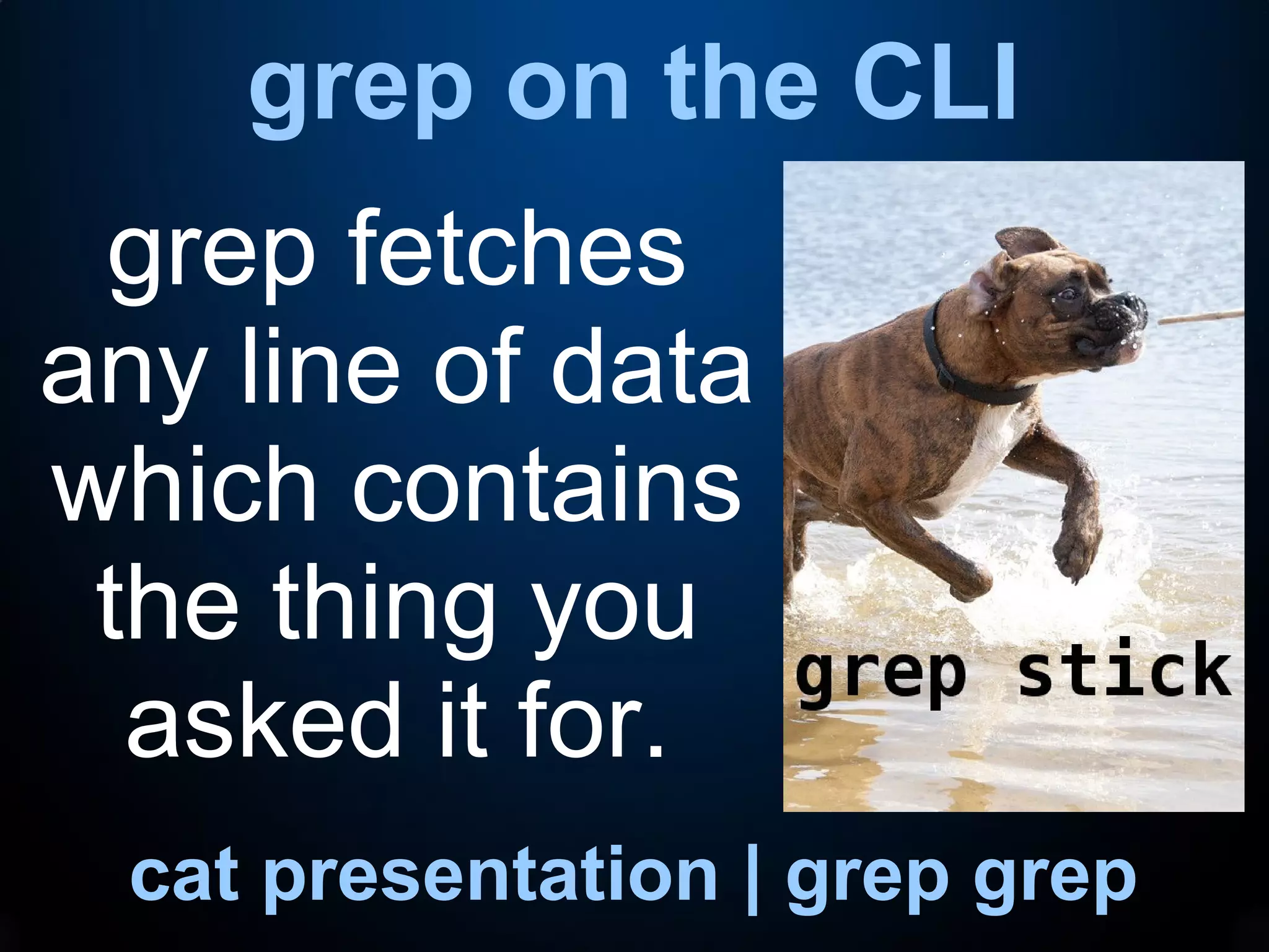
grep on the CLI
cat presentation | grep grep
grep fetches
any line of data
which contains
the thing you
asked it for.
grep on the CLI
cat presentation | grep grep
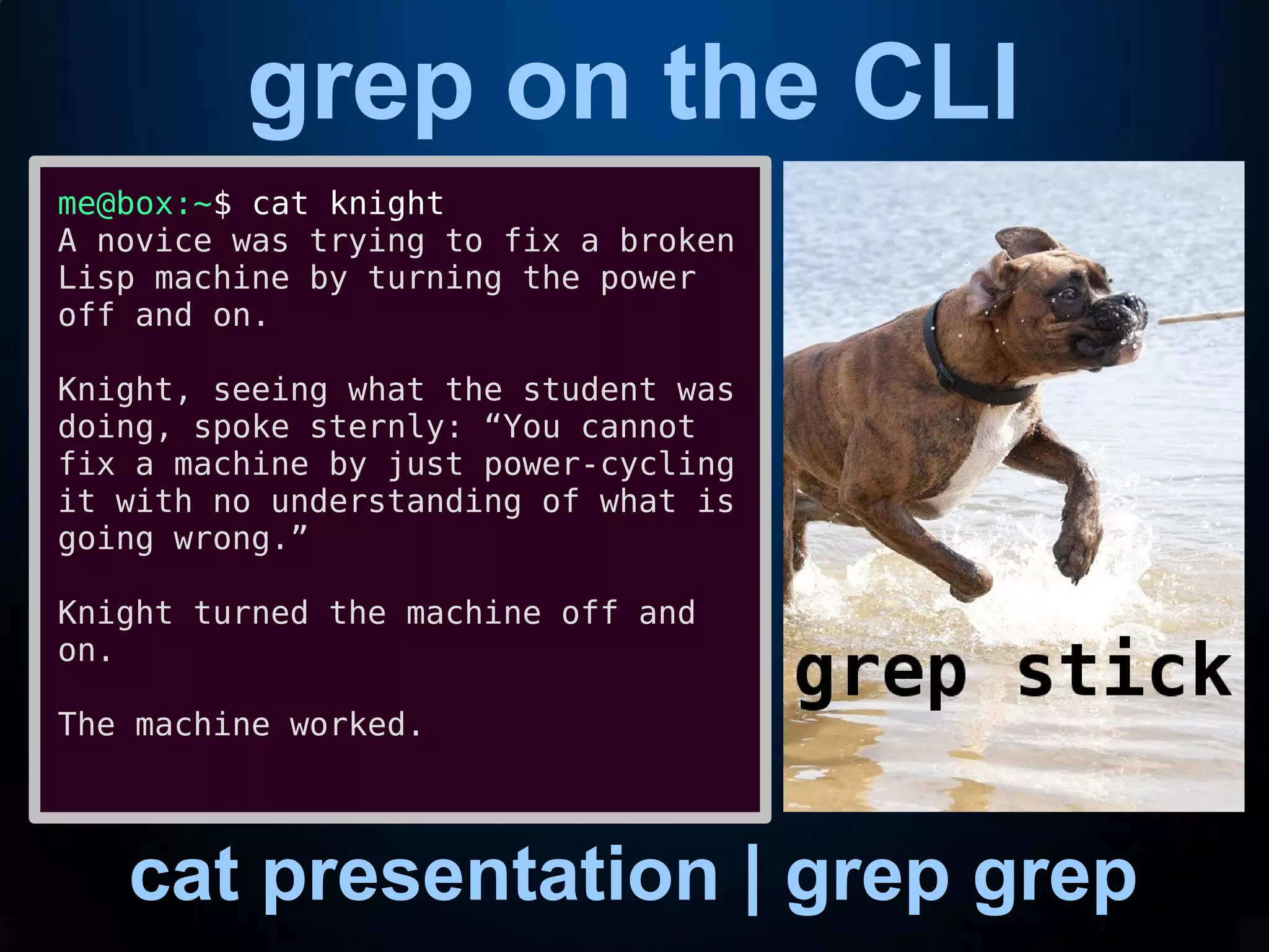
me@box:~$ cat knight
A novice was trying to fix a broken
Lisp machine by turning the power
off and on.
Knight, seeing what the student was
doing, spoke sternly: “You cannot
fix a machine by just power-cycling
it with no understanding of what is
going wrong.”
Knight turned the machine off and
on.
The machine worked.
grep on the CLI
cat presentation | grep grep
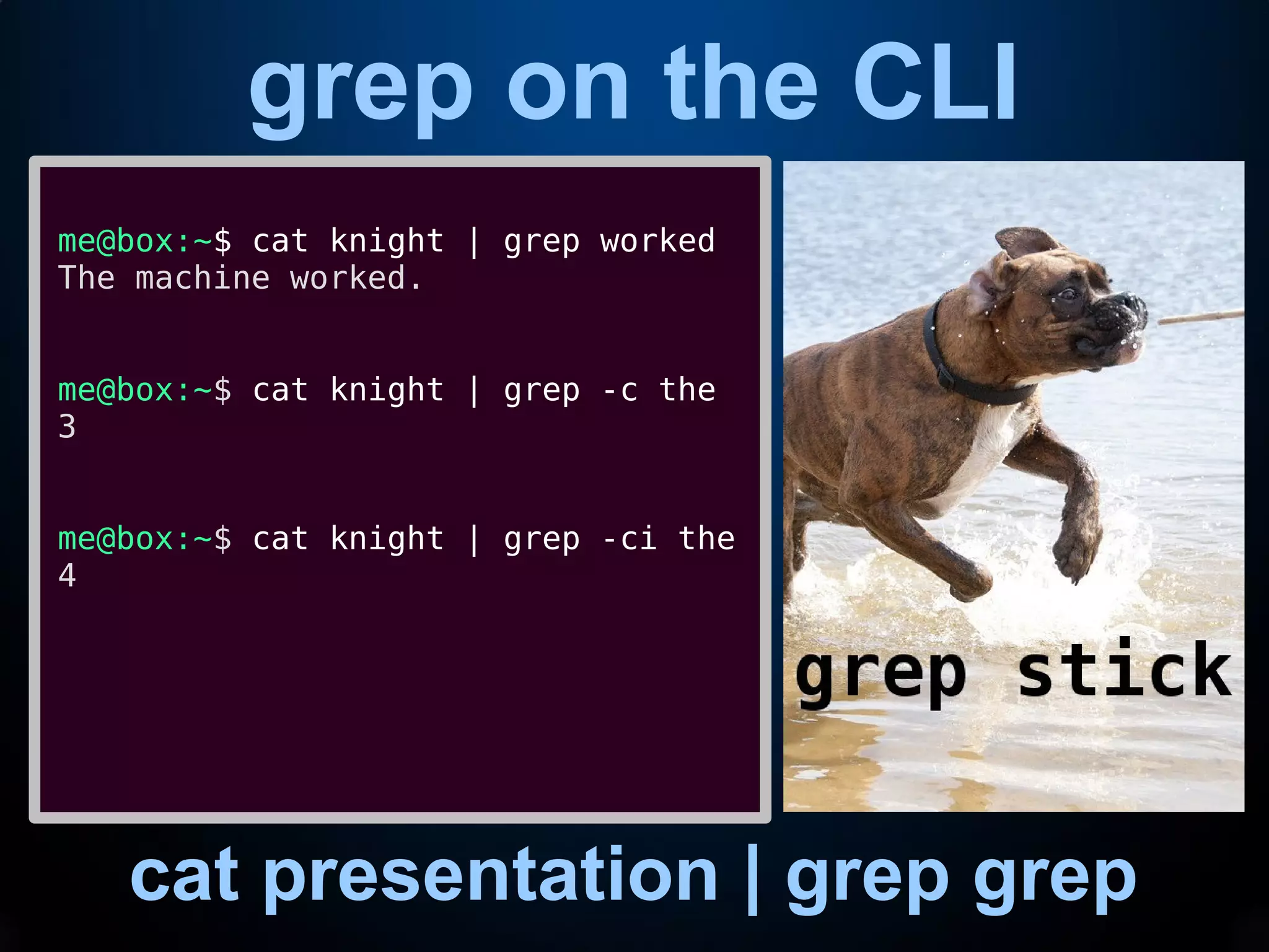
me@box:~$ cat knight | grep worked
The machine worked.
me@box:~$ cat knight | grep -c the
3
me@box:~$ cat knight | grep -ci the
4
(e)grep on the CLI
cat presentation | grep grep
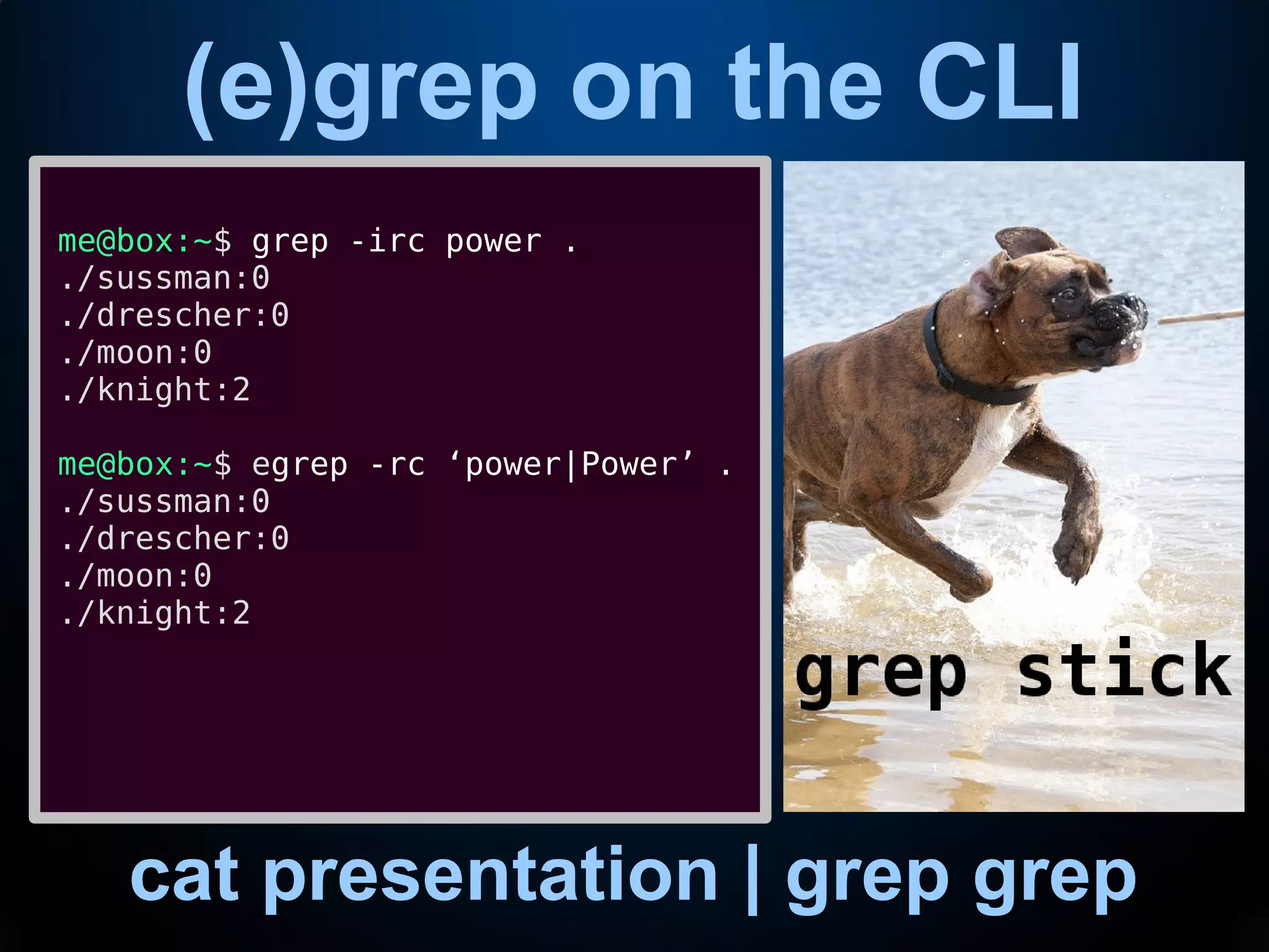
me@box:~$ grep -irc power .
./sussman:0
./drescher:0
./moon:0
./knight:2
me@box:~$ egrep -rc ‘power|Power’ .
./sussman:0
./drescher:0
./moon:0
./knight:2
sed on wikipedia
shut up shut up shut up shut up
“sed (stream editor) is a Unix utility that
parses and transforms text, using a simple,
compact programming language. sed was
developed from 1973 to 1974 by Lee E.
McMahon of Bell Labs,[1] and is available
today for most operating systems.[2] sed was
based on the scripting features of the
interactive editor ed ("editor", 1971) and the
earlier qed ("quick editor", 1965–66). sed was
one of the earliest tools to support regular
expressions, and remains in use for text
processing, most notably with the substitution
command. Other options for doing "stream
editing" include AWK and Perl.”
sed on the CLI
stream editor. yep.
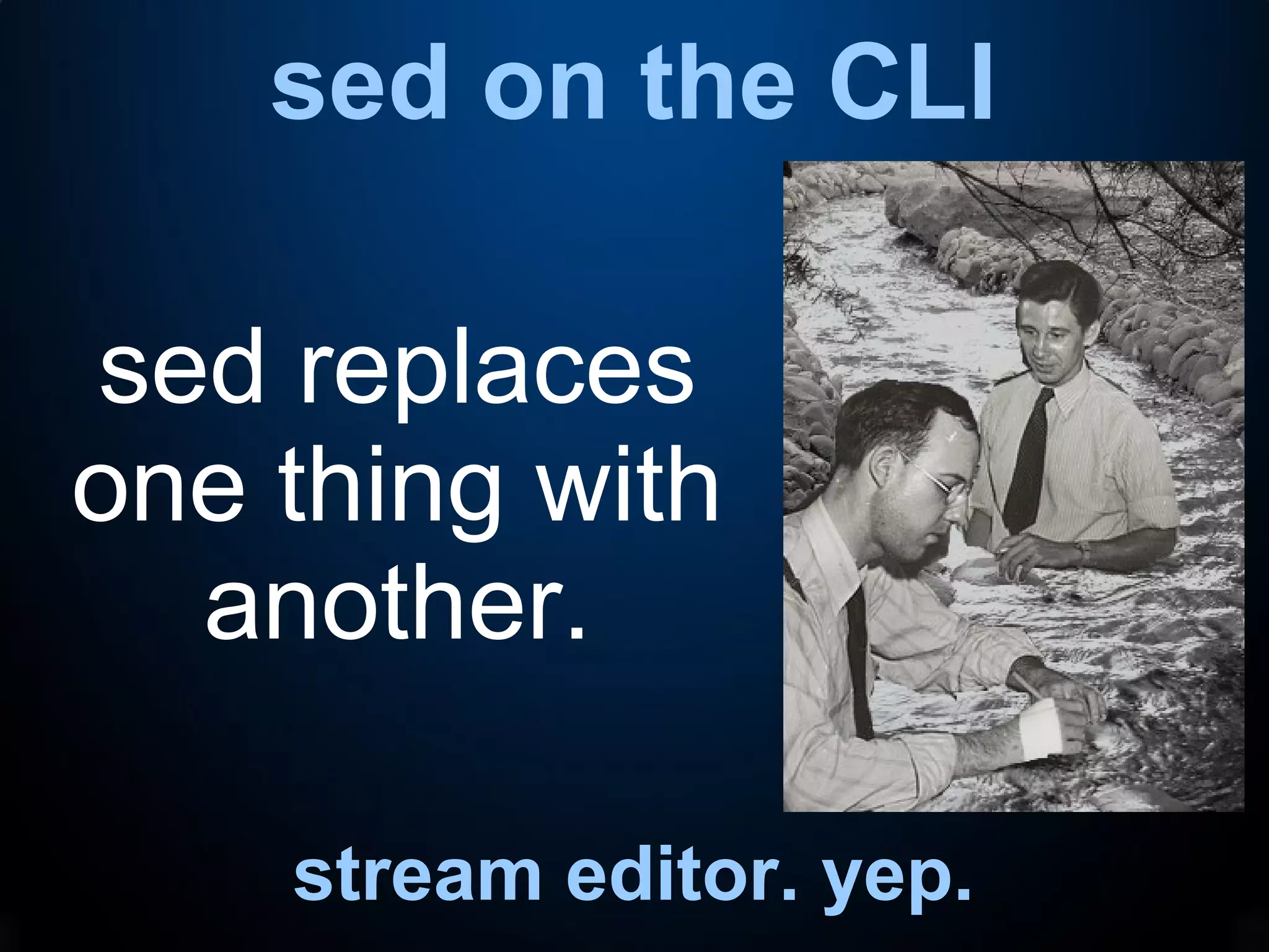
sed replaces
one thing with
another.
sed on the CLI
stream editor. yep.
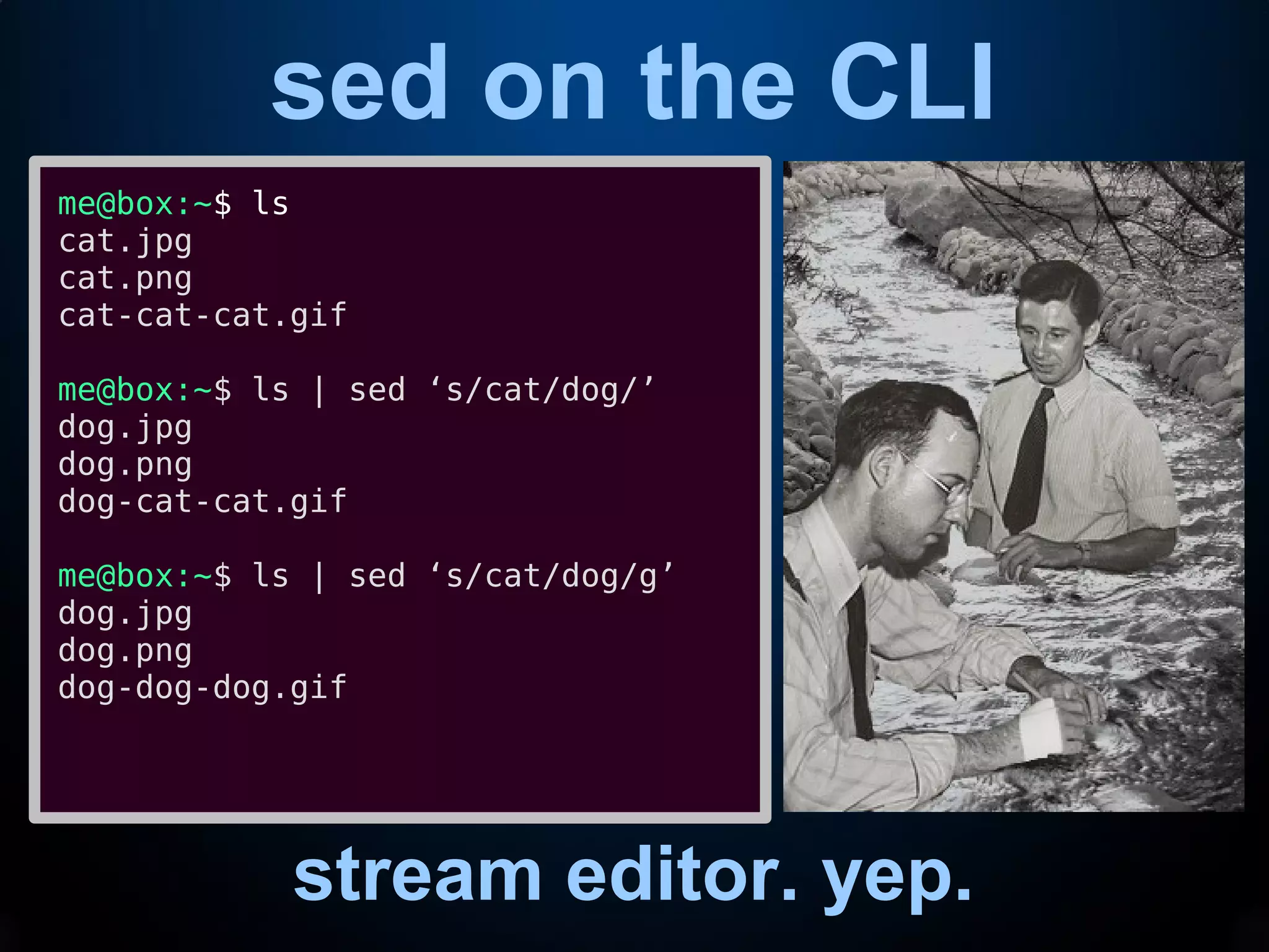
me@box:~$ ls
cat.jpg
cat.png
cat-cat-cat.gif
me@box:~$ ls | sed ‘s/cat/dog/’
dog.jpg
dog.png
dog-cat-cat.gif
me@box:~$ ls | sed ‘s/cat/dog/g’
dog.jpg
dog.png
dog-dog-dog.gif
awk on wikipedia
shut up shut up shut up shut up
“The AWK language is a data-driven scripting
language consisting of a set of actions to be
taken against streams of textual data – either
run directly on files or used as part of a
pipeline – for purposes of extracting or
transforming text, such as producing
formatted reports. The language extensively
uses the string datatype, associative arrays
(that is, arrays indexed by key strings), and
regular expressions. While AWK has a limited
intended application domain and was
especially designed to support one-liner
programs, the language is Turing-complete,
and even the early Bell Labs users of AWK
often wrote well-structured large AWK
programs.”
awk on the CLI
was that so freaking hard?
awk is for
processing
output data
by columns.
awk on the CLI
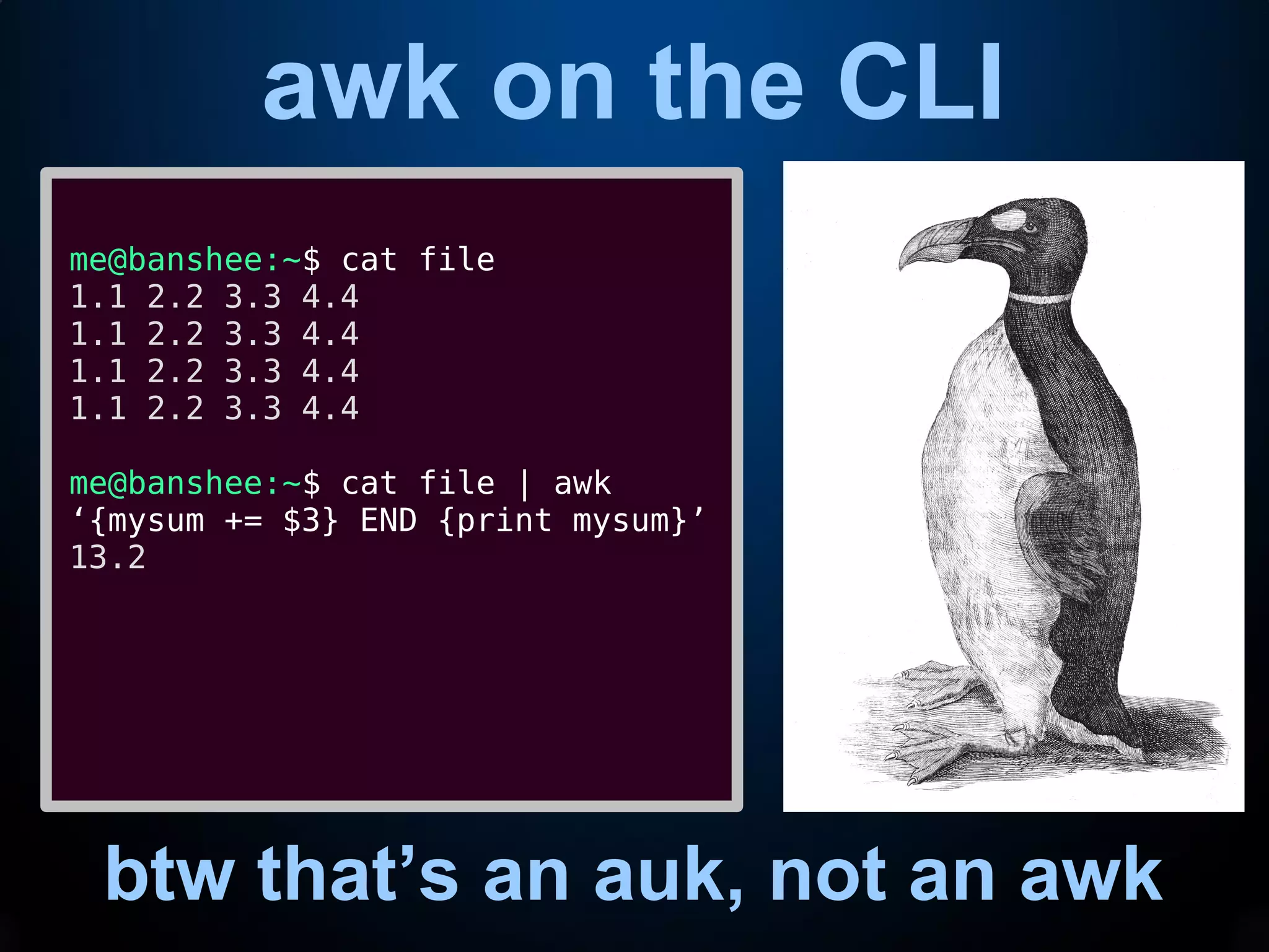
btw, that’s an auk, not an awk
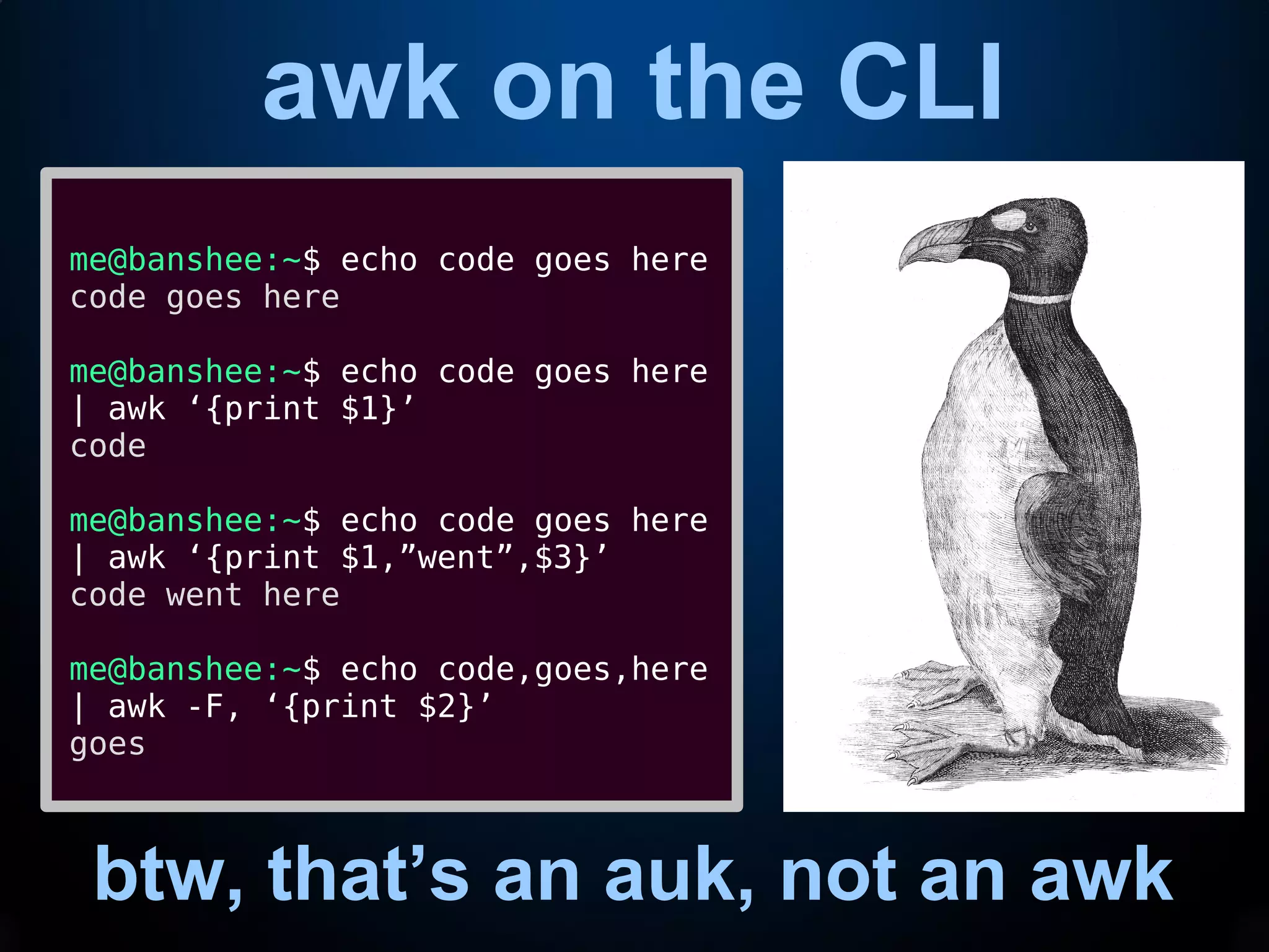
me@banshee:~$ echo code goes here
code goes here
me@banshee:~$ echo code goes here
| awk ‘{print $1}’
code
me@banshee:~$ echo code goes here
| awk ‘{print $1,”went”,$3}’
code went here
me@banshee:~$ echo code,goes,here
| awk -F, ‘{print $2}’
goes
awk on the CLI
btw that’s an auk, not an awk
me@banshee:~$ cat file
1.1 2.2 3.3 4.4
1.1 2.2 3.3 4.4
1.1 2.2 3.3 4.4
1.1 2.2 3.3 4.4
me@banshee:~$ cat file | awk
‘{mysum += $3} END {print mysum}’
13.2
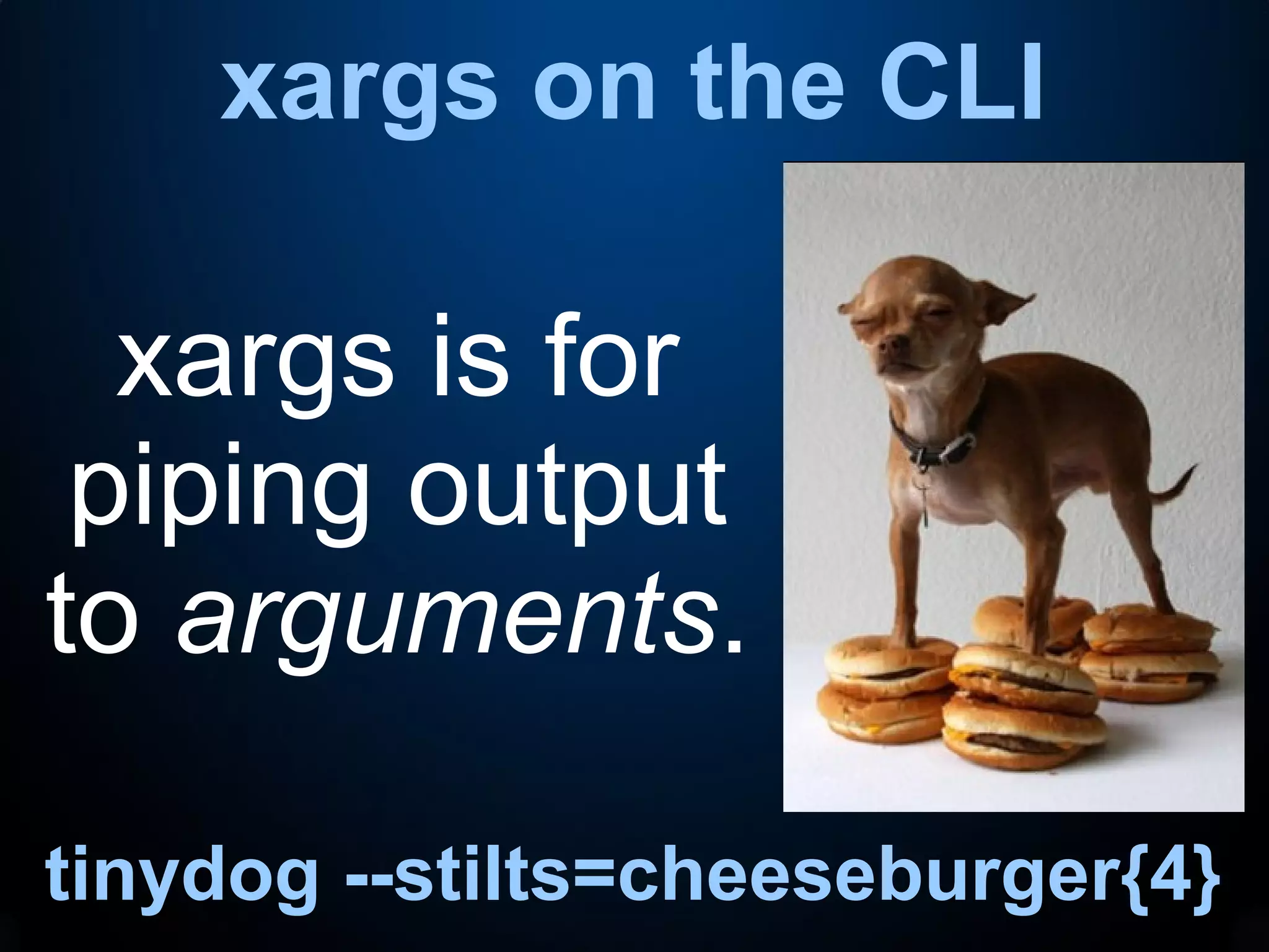
xargs on the CLI
tinydog --stilts=cheeseburger{4}
xargs is for
piping output
to arguments.
Putting it all together
(this may get confusing, sorry)
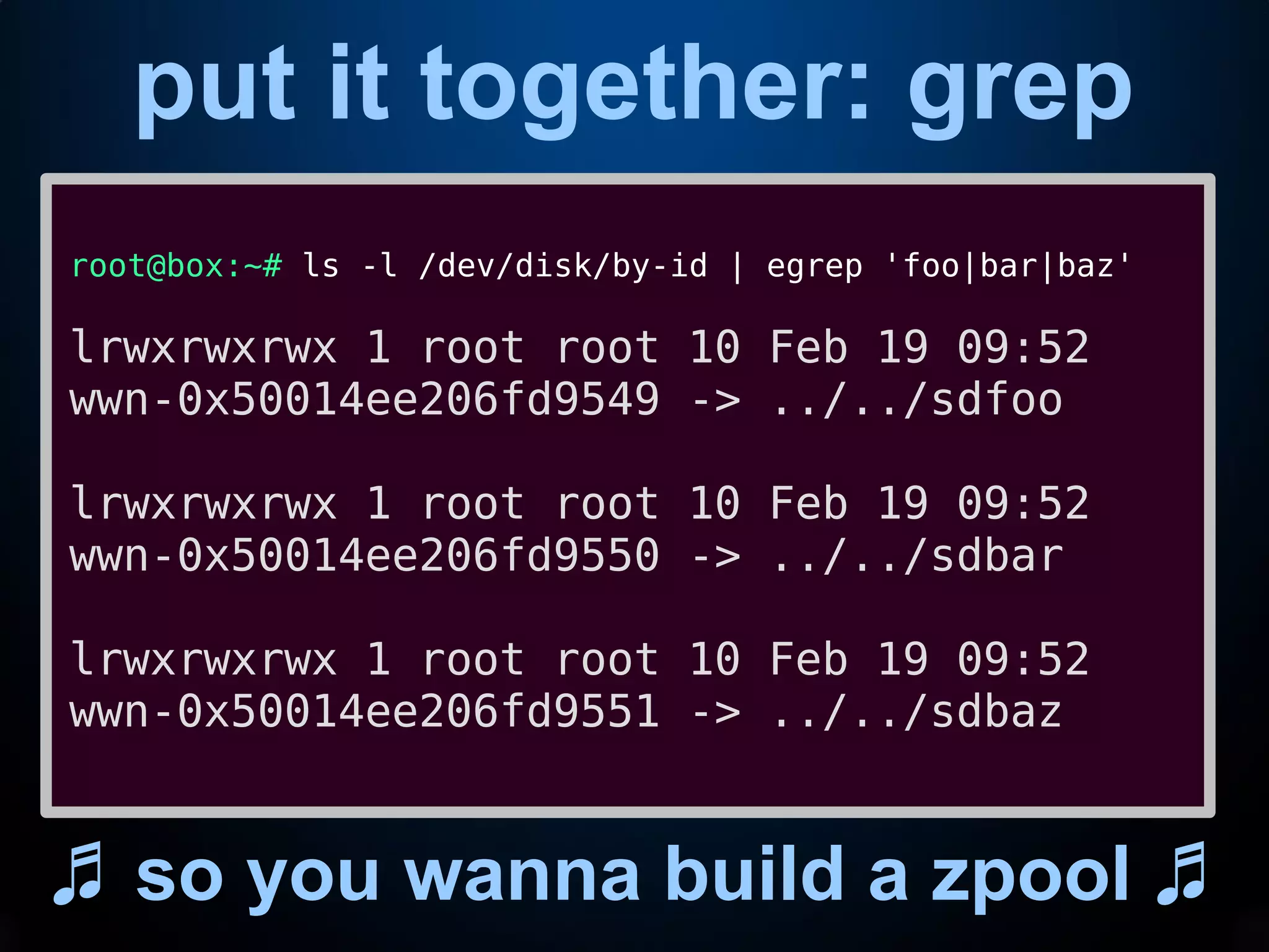
put it together: grep
♬ so you wanna build a zpool ♬
root@box:~# ls -l /dev/disk/by-id | egrep 'foo|bar|baz'
lrwxrwxrwx 1 root root 10 Feb 19 09:52
wwn-0x50014ee206fd9549 -> ../../sdfoo
lrwxrwxrwx 1 root root 10 Feb 19 09:52
wwn-0x50014ee206fd9550 -> ../../sdbar
lrwxrwxrwx 1 root root 10 Feb 19 09:52
wwn-0x50014ee206fd9551 -> ../../sdbaz
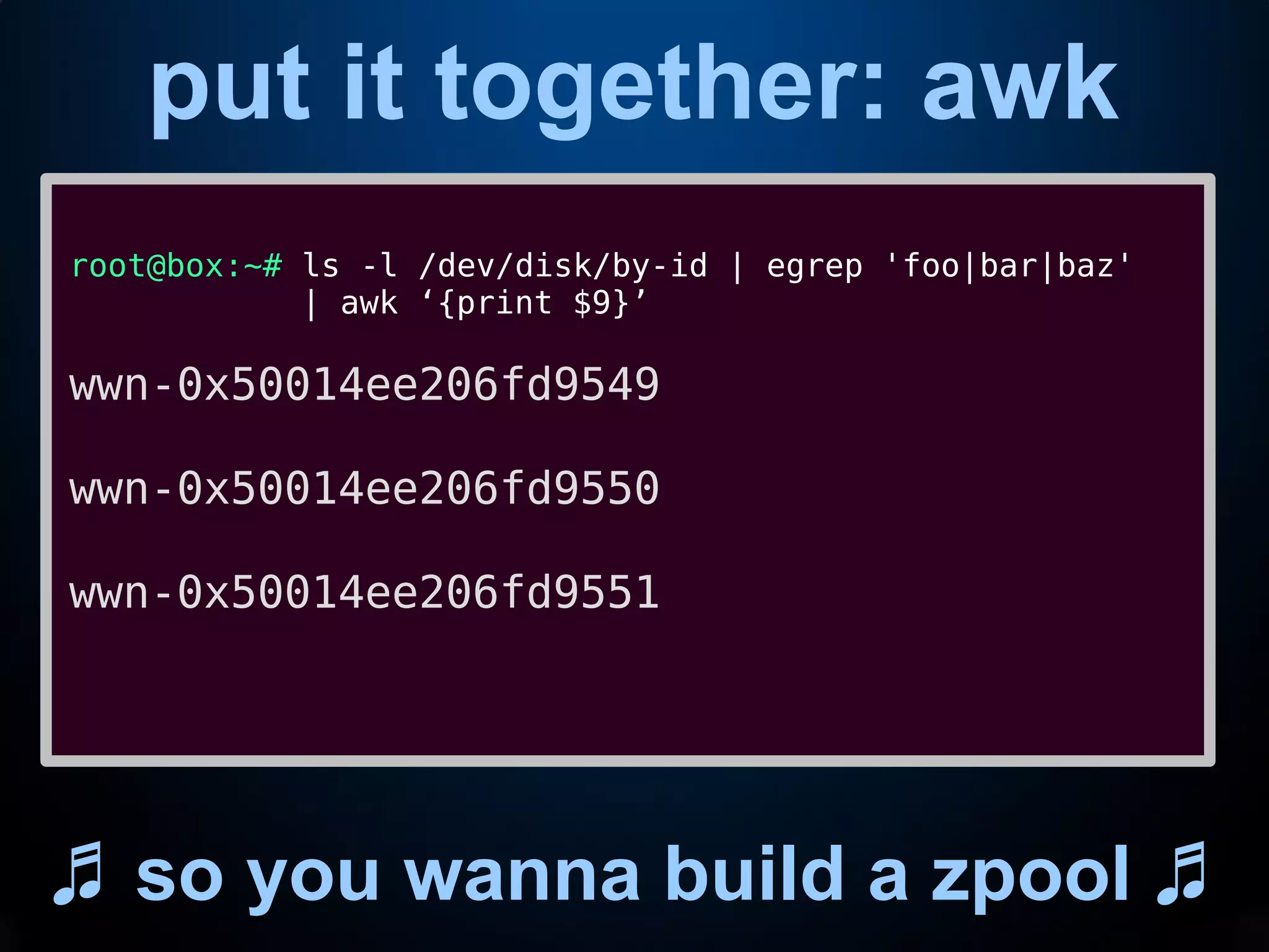
put it together: awk
♬ so you wanna build a zpool ♬
root@box:~# ls -l /dev/disk/by-id | egrep 'foo|bar|baz'
| awk ‘{print $9}’
wwn-0x50014ee206fd9549
wwn-0x50014ee206fd9550
wwn-0x50014ee206fd9551
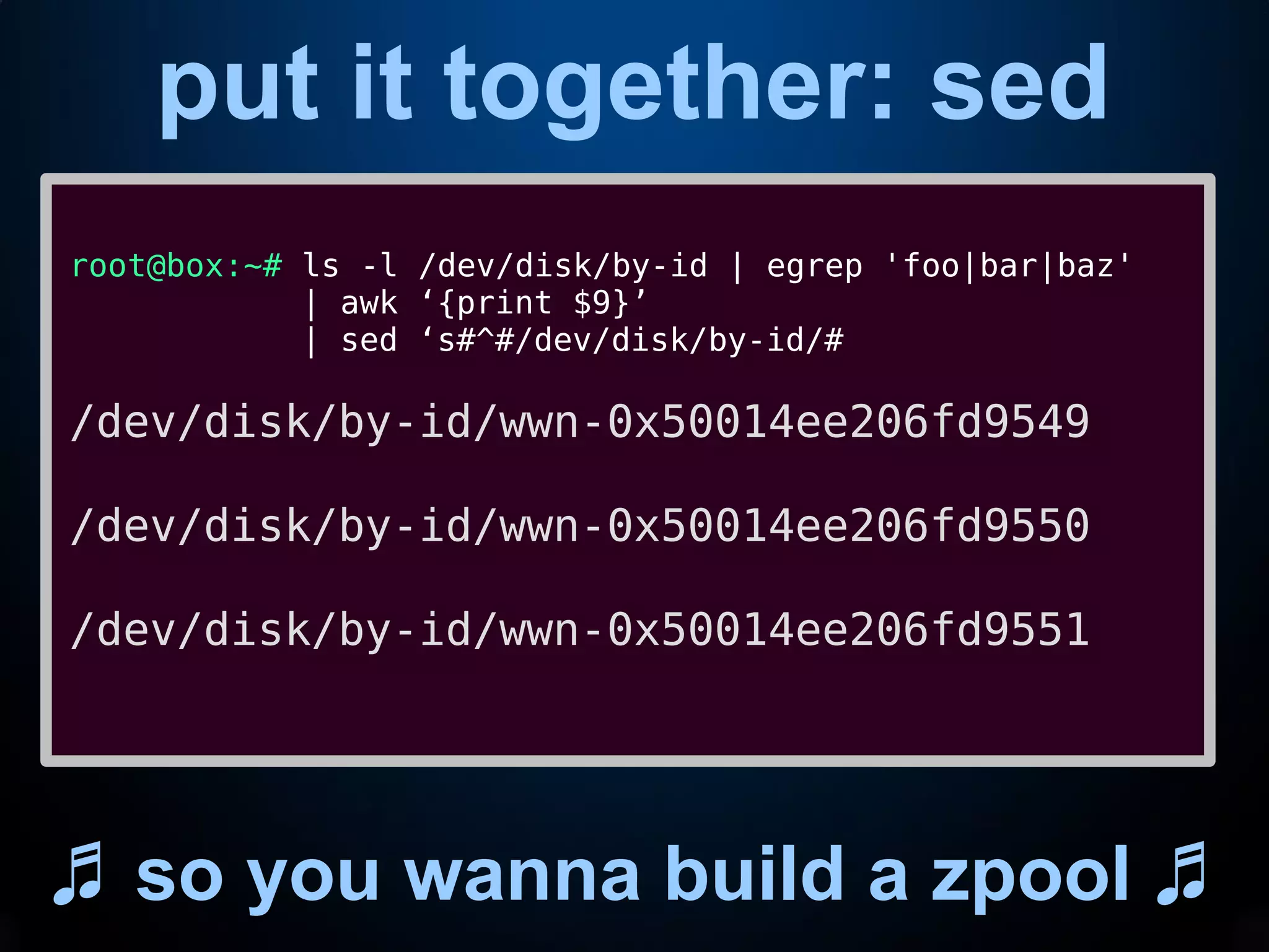
put it together: sed
♬ so you wanna build a zpool ♬
root@box:~# ls -l /dev/disk/by-id | egrep 'foo|bar|baz'
| awk ‘{print $9}’
| sed ‘s#^#/dev/disk/by-id/#
/dev/disk/by-id/wwn-0x50014ee206fd9549
/dev/disk/by-id/wwn-0x50014ee206fd9550
/dev/disk/by-id/wwn-0x50014ee206fd9551
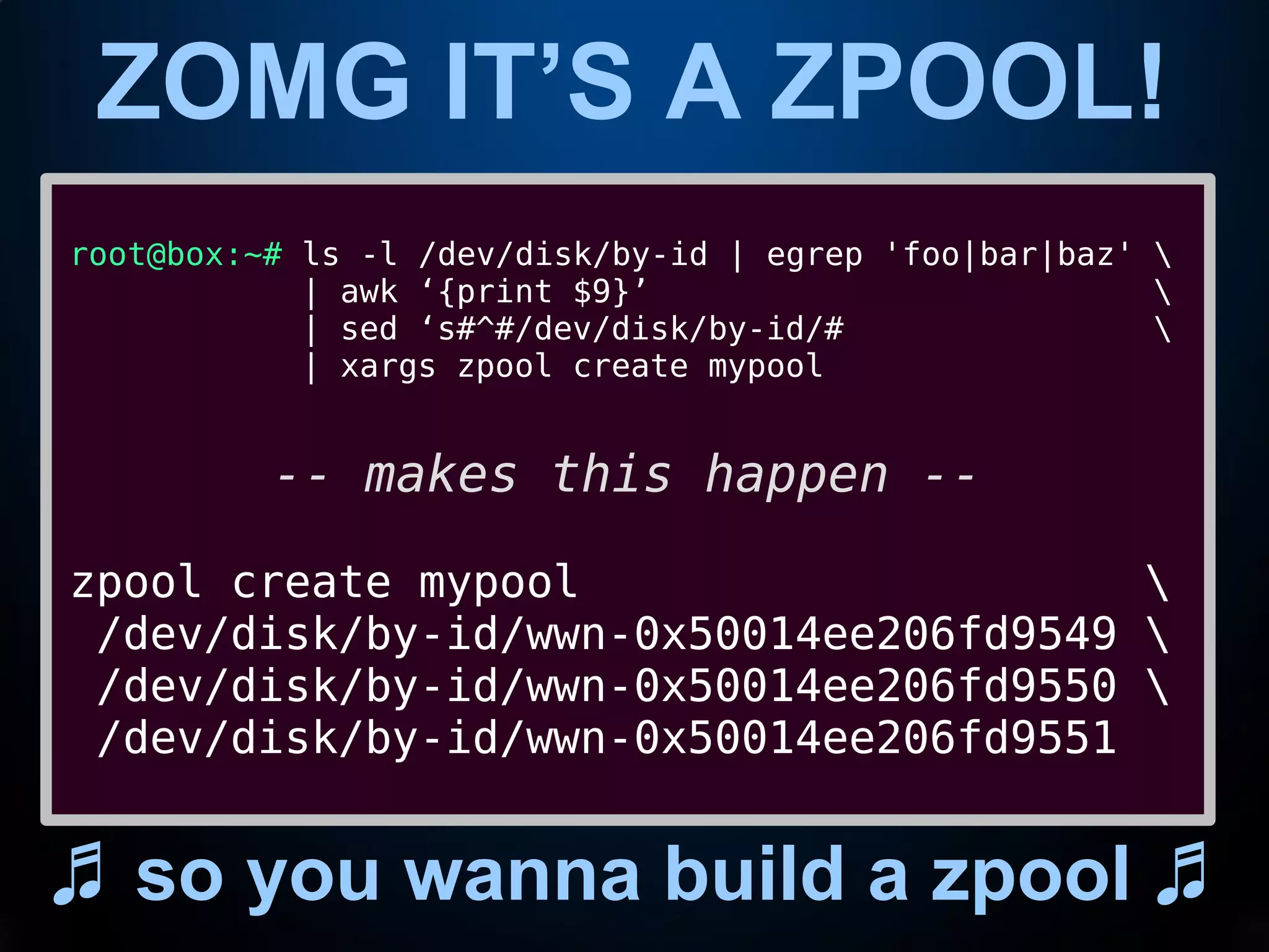
ZOMG IT’S A ZPOOL!
♬ so you wanna build a zpool ♬
root@box:~# ls -l /dev/disk/by-id | egrep 'foo|bar|baz' 
| awk ‘{print $9}’ 
| sed ‘s#^#/dev/disk/by-id/# 
| xargs zpool create mypool
-- makes this happen --
zpool create mypool 
/dev/disk/by-id/wwn-0x50014ee206fd9549 
/dev/disk/by-id/wwn-0x50014ee206fd9550 
/dev/disk/by-id/wwn-0x50014ee206fd9551
Questions?
Comments?
Angry denunciations?
https://github.com/jimsalterjrs/network-testing

CLI Wizardry - A Friendly Intro To sed/awk/grep

  • 1.
    An Intro toCLI Wizardry grep, sed, awk, and xargs This presentation is licensed under a Creative Commons Attribution-NonCommercial-ShareAlike 3.0 Unported License. (C) 2018 jim@openoid.net Jim Salter Technomancer, Mercenary Sysadmin, Small Business Owner Today's slides can be found at: http://openoid.net/presentations/
  • 2.
    It took me8 of my 20 years just to believe this stuff was real me@box:~$ awk '{print $9, $1, $7}' httpd-access.log | egrep '^302' | sed 's/?.*$//' | uniq -c | sort -nr | head 153 302 54.175.189.223 /index.php 72 302 54.175.189.223 /index.php 67 302 2a01:4f8:10b:2791::2 /index.php 50 302 34.201.164.6 /index.php 48 302 34.201.161.201 /index.php 41 302 34.207.212.223 /index.php 40 302 54.175.189.223 /index.php 35 302 2a01:4f8:10b:2791::2 /index.php 34 302 34.207.212.223 /index.php 34 302 34.201.164.6 /index.php
  • 3.
    Basic Redirection none ofthis makes sense w/o pipes Pipes take the OUTPUT of one program, and feed it to the INPUT of another. me@box:~$ echo code code me@box:~$ echo code | tr a-z A-Z CODE
  • 4.
    Sysadmins’ Reagents these areyour heavy hitters * grep * sed * awk * xargs
  • 5.
    grep on theCLI cat presentation | grep grep grep fetches any line of data which contains the thing you asked it for.
  • 6.
    grep on theCLI cat presentation | grep grep me@box:~$ cat knight A novice was trying to fix a broken Lisp machine by turning the power off and on. Knight, seeing what the student was doing, spoke sternly: “You cannot fix a machine by just power-cycling it with no understanding of what is going wrong.” Knight turned the machine off and on. The machine worked.
  • 7.
    grep on theCLI cat presentation | grep grep me@box:~$ cat knight | grep worked The machine worked. me@box:~$ cat knight | grep -c the 3 me@box:~$ cat knight | grep -ci the 4
  • 8.
    (e)grep on theCLI cat presentation | grep grep me@box:~$ grep -irc power . ./sussman:0 ./drescher:0 ./moon:0 ./knight:2 me@box:~$ egrep -rc ‘power|Power’ . ./sussman:0 ./drescher:0 ./moon:0 ./knight:2
  • 9.
    sed on wikipedia shutup shut up shut up shut up “sed (stream editor) is a Unix utility that parses and transforms text, using a simple, compact programming language. sed was developed from 1973 to 1974 by Lee E. McMahon of Bell Labs,[1] and is available today for most operating systems.[2] sed was based on the scripting features of the interactive editor ed ("editor", 1971) and the earlier qed ("quick editor", 1965–66). sed was one of the earliest tools to support regular expressions, and remains in use for text processing, most notably with the substitution command. Other options for doing "stream editing" include AWK and Perl.”
  • 10.
    sed on theCLI stream editor. yep. sed replaces one thing with another.
  • 11.
    sed on theCLI stream editor. yep. me@box:~$ ls cat.jpg cat.png cat-cat-cat.gif me@box:~$ ls | sed ‘s/cat/dog/’ dog.jpg dog.png dog-cat-cat.gif me@box:~$ ls | sed ‘s/cat/dog/g’ dog.jpg dog.png dog-dog-dog.gif
  • 12.
    awk on wikipedia shutup shut up shut up shut up “The AWK language is a data-driven scripting language consisting of a set of actions to be taken against streams of textual data – either run directly on files or used as part of a pipeline – for purposes of extracting or transforming text, such as producing formatted reports. The language extensively uses the string datatype, associative arrays (that is, arrays indexed by key strings), and regular expressions. While AWK has a limited intended application domain and was especially designed to support one-liner programs, the language is Turing-complete, and even the early Bell Labs users of AWK often wrote well-structured large AWK programs.”
  • 13.
    awk on theCLI was that so freaking hard? awk is for processing output data by columns.
  • 14.
    awk on theCLI btw, that’s an auk, not an awk me@banshee:~$ echo code goes here code goes here me@banshee:~$ echo code goes here | awk ‘{print $1}’ code me@banshee:~$ echo code goes here | awk ‘{print $1,”went”,$3}’ code went here me@banshee:~$ echo code,goes,here | awk -F, ‘{print $2}’ goes
  • 15.
    awk on theCLI btw that’s an auk, not an awk me@banshee:~$ cat file 1.1 2.2 3.3 4.4 1.1 2.2 3.3 4.4 1.1 2.2 3.3 4.4 1.1 2.2 3.3 4.4 me@banshee:~$ cat file | awk ‘{mysum += $3} END {print mysum}’ 13.2
  • 16.
    xargs on theCLI tinydog --stilts=cheeseburger{4} xargs is for piping output to arguments.
  • 17.
    Putting it alltogether (this may get confusing, sorry)
  • 18.
    put it together:grep ♬ so you wanna build a zpool ♬ root@box:~# ls -l /dev/disk/by-id | egrep 'foo|bar|baz' lrwxrwxrwx 1 root root 10 Feb 19 09:52 wwn-0x50014ee206fd9549 -> ../../sdfoo lrwxrwxrwx 1 root root 10 Feb 19 09:52 wwn-0x50014ee206fd9550 -> ../../sdbar lrwxrwxrwx 1 root root 10 Feb 19 09:52 wwn-0x50014ee206fd9551 -> ../../sdbaz
  • 19.
    put it together:awk ♬ so you wanna build a zpool ♬ root@box:~# ls -l /dev/disk/by-id | egrep 'foo|bar|baz' | awk ‘{print $9}’ wwn-0x50014ee206fd9549 wwn-0x50014ee206fd9550 wwn-0x50014ee206fd9551
  • 20.
    put it together:sed ♬ so you wanna build a zpool ♬ root@box:~# ls -l /dev/disk/by-id | egrep 'foo|bar|baz' | awk ‘{print $9}’ | sed ‘s#^#/dev/disk/by-id/# /dev/disk/by-id/wwn-0x50014ee206fd9549 /dev/disk/by-id/wwn-0x50014ee206fd9550 /dev/disk/by-id/wwn-0x50014ee206fd9551
  • 21.
    ZOMG IT’S AZPOOL! ♬ so you wanna build a zpool ♬ root@box:~# ls -l /dev/disk/by-id | egrep 'foo|bar|baz' | awk ‘{print $9}’ | sed ‘s#^#/dev/disk/by-id/# | xargs zpool create mypool -- makes this happen -- zpool create mypool /dev/disk/by-id/wwn-0x50014ee206fd9549 /dev/disk/by-id/wwn-0x50014ee206fd9550 /dev/disk/by-id/wwn-0x50014ee206fd9551
  • 22.