 A Version Control System is a tool you use to track,
make, and manage changes to your software code. It's
also called source control.
 There are three types of version control systems,
which are:
1. Local Version Control Systems
2. Centralized Version Control Systems
3. Distributed Version Control Systems.
 Git is a free open source distributed version control
system you can use to track changes in your files.
You can work on all types of projects in Git, from
small to large.
 With Git, you can add changes to your code and then
commit them (or save them) when you're ready. This
means you can also go back to changes you made
before.
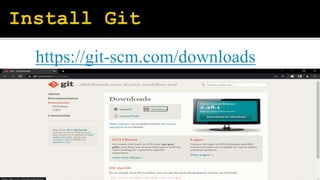
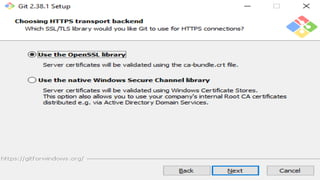
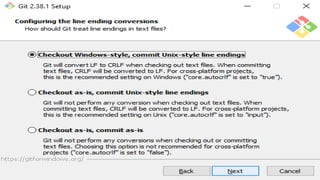
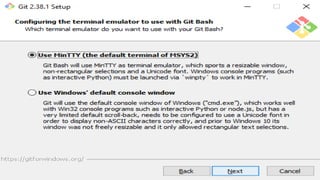
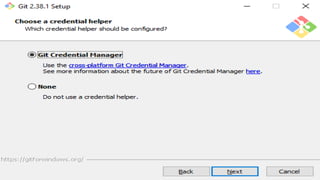
https://git-scm.com/downloads
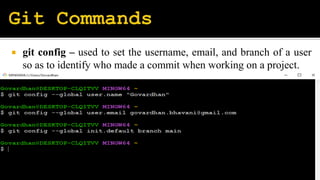
 git config – used to set the username, email, and branch of a user
so as to identify who made a commit when working on a project.
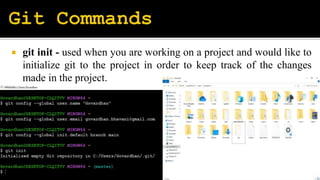
 git init - used when you are working on a project and would like to
initialize git to the project in order to keep track of the changes
made in the project.
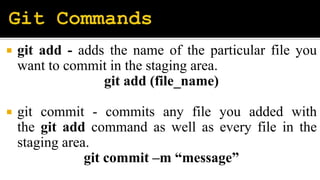
 git add - adds the name of the particular file you
want to commit in the staging area.
git add (file_name)
 git commit - commits any file you added with
the git add command as well as every file in the
staging area.
git commit –m “message”
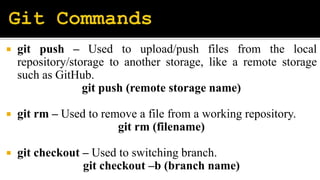
 git push – Used to upload/push files from the local
repository/storage to another storage, like a remote storage
such as GitHub.
git push (remote storage name)
 git rm – Used to remove a file from a working repository.
git rm (filename)
 git checkout – Used to switching branch.
git checkout –b (branch name)

Configure & Version Control-Git.pptx

  • 2.
     A VersionControl System is a tool you use to track, make, and manage changes to your software code. It's also called source control.  There are three types of version control systems, which are: 1. Local Version Control Systems 2. Centralized Version Control Systems 3. Distributed Version Control Systems.
  • 3.
     Git isa free open source distributed version control system you can use to track changes in your files. You can work on all types of projects in Git, from small to large.  With Git, you can add changes to your code and then commit them (or save them) when you're ready. This means you can also go back to changes you made before.
  • 5.
  • 17.
     git config– used to set the username, email, and branch of a user so as to identify who made a commit when working on a project.
  • 18.
     git init- used when you are working on a project and would like to initialize git to the project in order to keep track of the changes made in the project.
  • 19.
     git add- adds the name of the particular file you want to commit in the staging area. git add (file_name)  git commit - commits any file you added with the git add command as well as every file in the staging area. git commit –m “message”
  • 20.
     git push– Used to upload/push files from the local repository/storage to another storage, like a remote storage such as GitHub. git push (remote storage name)  git rm – Used to remove a file from a working repository. git rm (filename)  git checkout – Used to switching branch. git checkout –b (branch name)