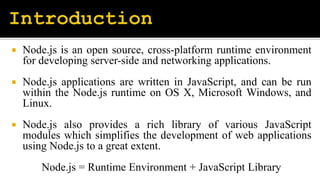
 Node.js is an open source, cross-platform runtime environment
for developing server-side and networking applications.
 Node.js applications are written in JavaScript, and can be run
within the Node.js runtime on OS X, Microsoft Windows, and
Linux.
 Node.js also provides a rich library of various JavaScript
modules which simplifies the development of web applications
using Node.js to a great extent.
Node.js = Runtime Environment + JavaScript Library
 High-performance for Real-time Applications
 Easy Scalability for Modern Applications
 Cost-effective with Fullstack JS
 Improves App Response Time and Boosts Performance
 Reduces Loading Time by Quick Caching
 Helps in Building Cross-Platform Applications
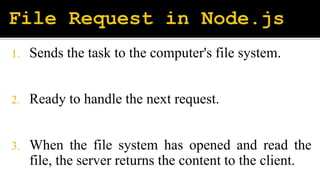
1. Sends the task to the computer's file system.
2. Ready to handle the next request.
3. When the file system has opened and read the
file, the server returns the content to the client.
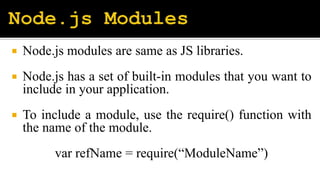
 Node.js modules are same as JS libraries.
 Node.js has a set of built-in modules that you want to
include in your application.
 To include a module, use the require() function with
the name of the module.
var refName = require(“ModuleName”)
NodeJS.pptx

NodeJS.pptx

  • 2.
     Node.js isan open source, cross-platform runtime environment for developing server-side and networking applications.  Node.js applications are written in JavaScript, and can be run within the Node.js runtime on OS X, Microsoft Windows, and Linux.  Node.js also provides a rich library of various JavaScript modules which simplifies the development of web applications using Node.js to a great extent. Node.js = Runtime Environment + JavaScript Library
  • 3.
     High-performance forReal-time Applications  Easy Scalability for Modern Applications  Cost-effective with Fullstack JS  Improves App Response Time and Boosts Performance  Reduces Loading Time by Quick Caching  Helps in Building Cross-Platform Applications
  • 4.
    1. Sends thetask to the computer's file system. 2. Ready to handle the next request. 3. When the file system has opened and read the file, the server returns the content to the client.
  • 6.
     Node.js modulesare same as JS libraries.  Node.js has a set of built-in modules that you want to include in your application.  To include a module, use the require() function with the name of the module. var refName = require(“ModuleName”)