GIT
Introduction
● When you work on a development team, you may be touching similar parts of the code throughout
a project.
● As a result, changes made in one part of the source can be incompatible with those made by
another developer working at the same time.
Introduction
● Version control helps to solve these kinds of problems and provides:
○ A complete history of every file, which enables you to go back to previous versions to analyze the
source of bugs and fix problems.
○ The ability to work on independent streams of changes, which allows you to merge the work back
together and verify whether your changes conflict or not.
○ The ability to trace each change with a message describing the purpose and intent of the change
and connect it to project management and bug tracking software.
● There are two types of version control: centralized and distributed.
Centralized version control
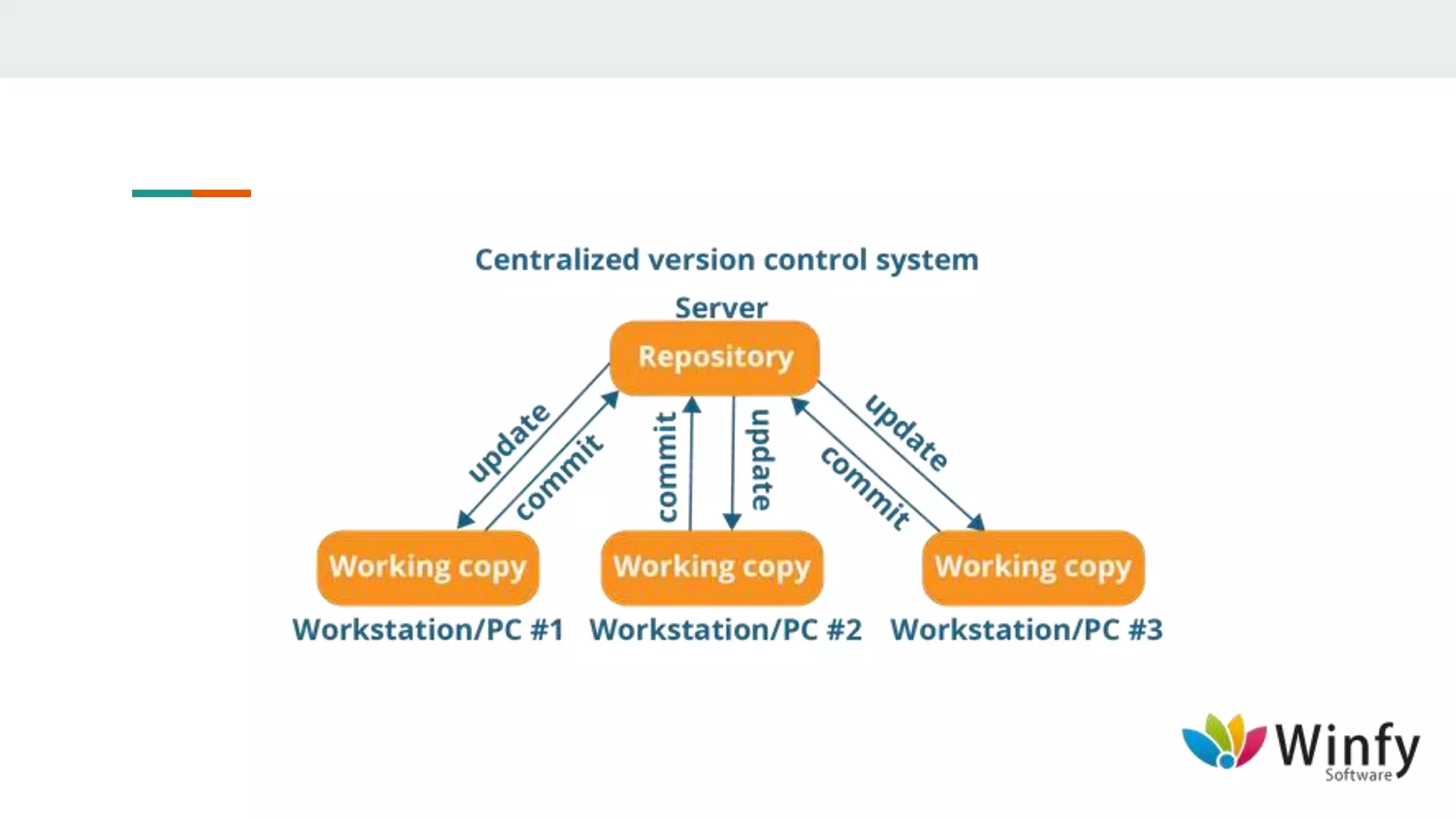
● With centralized version control systems, you have a single “central” copy of your project on a
server and commit your changes to this central copy.
● You pull the files that you need, but you never have a full copy of your project locally.
● Some of the most common version control systems are centralized, including Subversion (SVN)
and Visual Source Safe (VSS).
Distributed version control
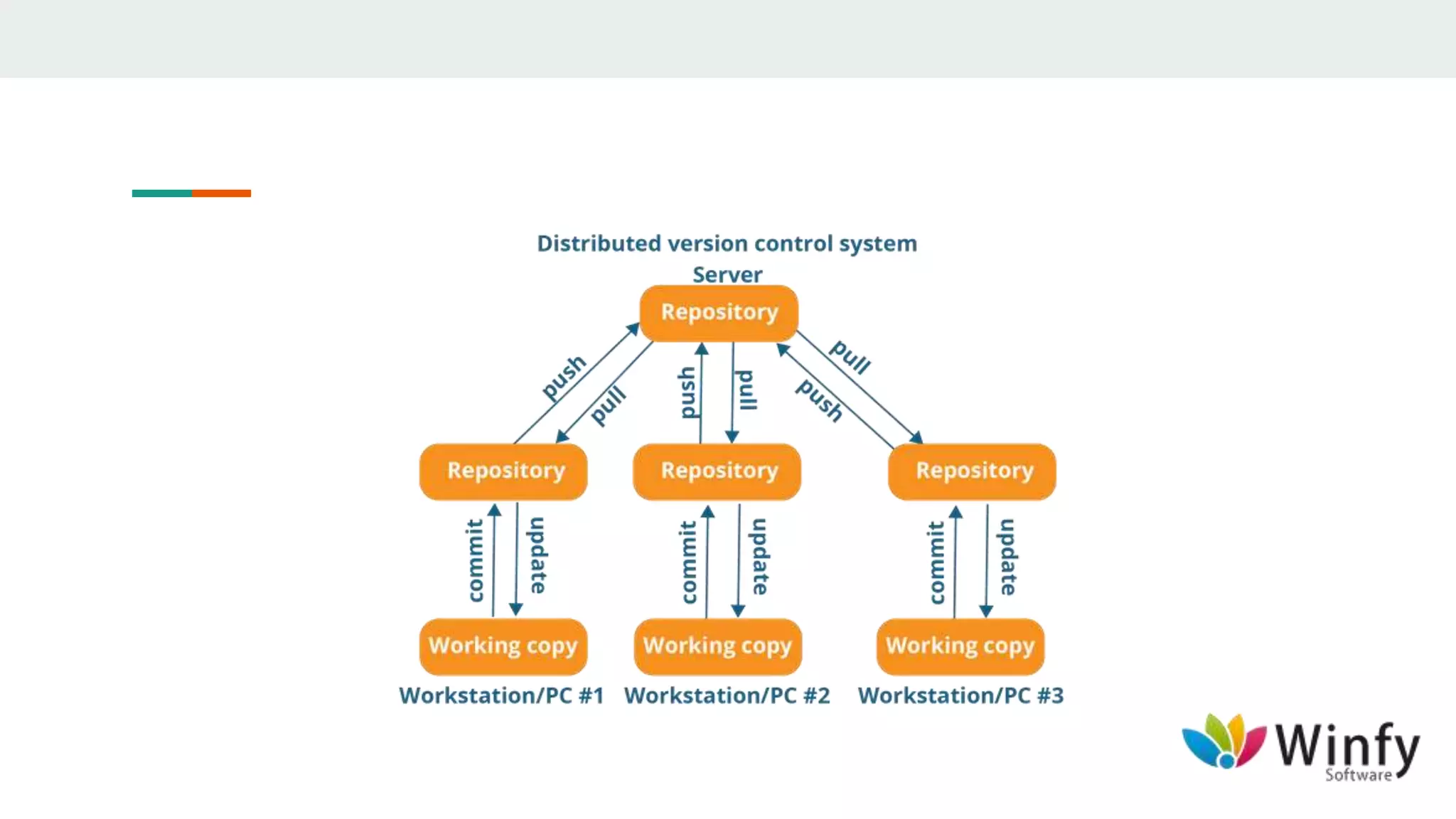
● With distributed version control systems (DVCS), you don't rely on a central server to store all the
versions of a project’s files.
● Instead, you clone a copy of a repository locally so that you have the full history of the project.
● Two common distributed version control systems are GIT and MERCURIAL.
Basic Workflow of GIT
● Add/Update files
● Add changes to repository history
● Commit changes to local repository
● Push changes to GIT
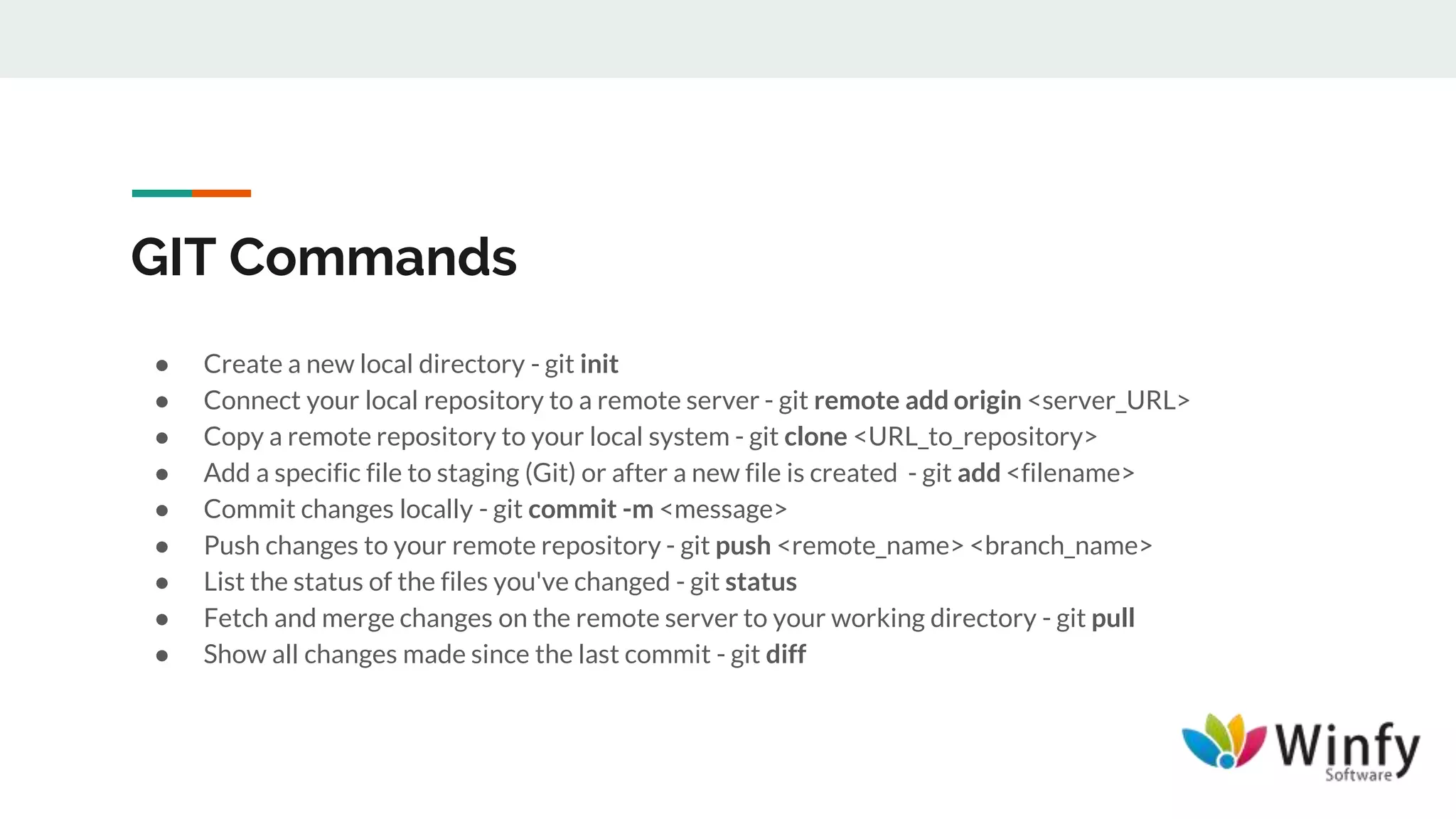
GIT Commands
● Create a new local directory - git init
● Connect your local repository to a remote server - git remote add origin <server_URL>
● Copy a remote repository to your local system - git clone <URL_to_repository>
● Add a specific file to staging (Git) or after a new file is created - git add <filename>
● Commit changes locally - git commit -m <message>
● Push changes to your remote repository - git push <remote_name> <branch_name>
● List the status of the files you've changed - git status
● Fetch and merge changes on the remote server to your working directory - git pull
● Show all changes made since the last commit - git diff
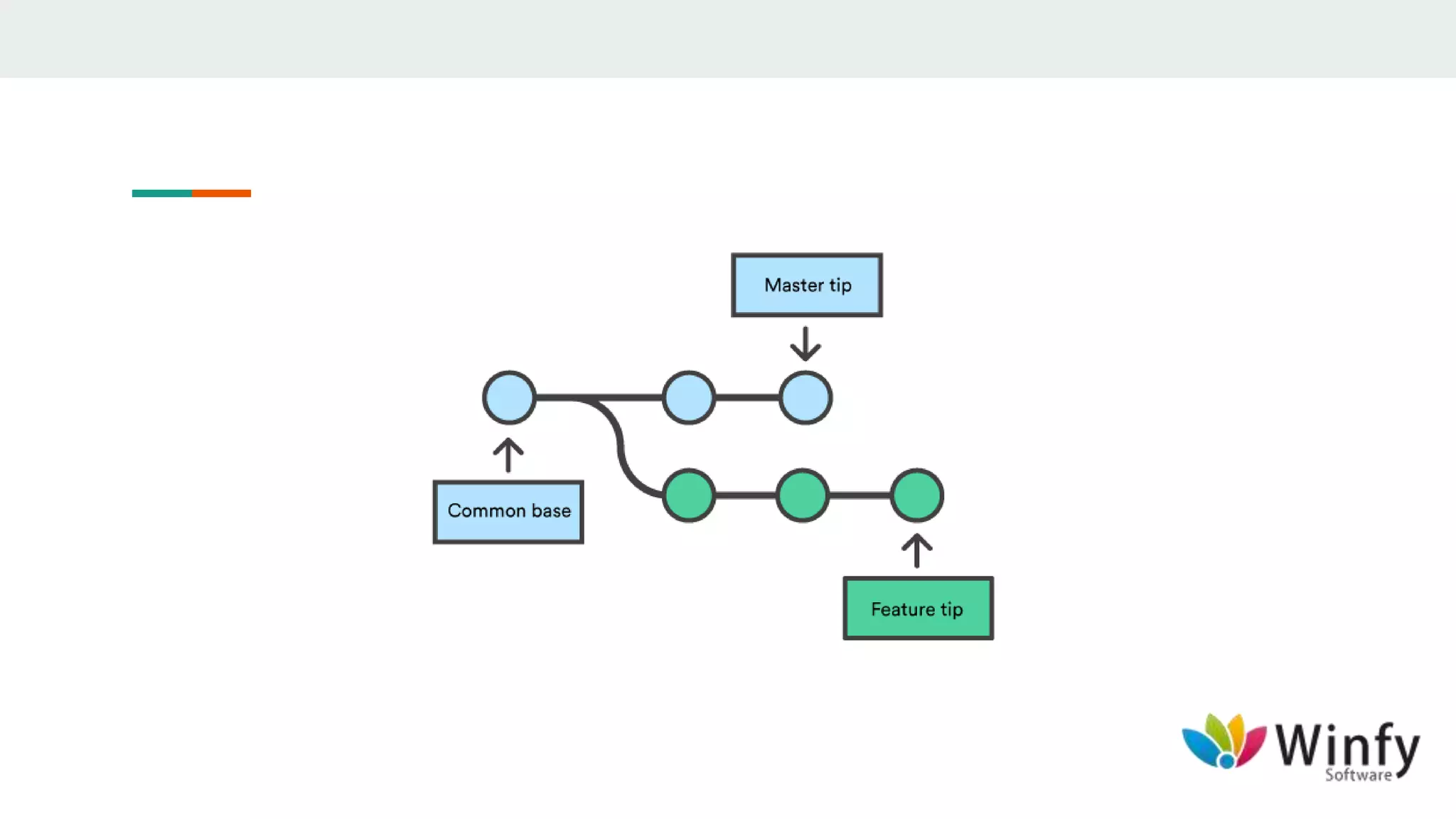
GIT Working With a Branch
● Branching offers a better way to work on a new feature without affecting the main codebase.
● You can create a branch from GIT Desktop client or from your terminal.
● After you make changes, you push your branch to GIT so that you can get it reviewed with a pull
request.
GIT Branch Commands
● List all the branches/bookmarks in your repo with an indication of the one you are on - git branch
● Create a new branch and switch to it - git checkout -b <branch_name>
● Switch from one branch to another - git checkout <branch_name>
● Push the branch/bookmark to your remote repository - git push origin <branch_name>
● Delete the feature branch - git branch -d <branch_name>
THANK YOU

GIT

  • 1.
  • 2.
    Introduction ● When youwork on a development team, you may be touching similar parts of the code throughout a project. ● As a result, changes made in one part of the source can be incompatible with those made by another developer working at the same time.
  • 4.
    Introduction ● Version controlhelps to solve these kinds of problems and provides: ○ A complete history of every file, which enables you to go back to previous versions to analyze the source of bugs and fix problems. ○ The ability to work on independent streams of changes, which allows you to merge the work back together and verify whether your changes conflict or not. ○ The ability to trace each change with a message describing the purpose and intent of the change and connect it to project management and bug tracking software. ● There are two types of version control: centralized and distributed.
  • 5.
    Centralized version control ●With centralized version control systems, you have a single “central” copy of your project on a server and commit your changes to this central copy. ● You pull the files that you need, but you never have a full copy of your project locally. ● Some of the most common version control systems are centralized, including Subversion (SVN) and Visual Source Safe (VSS).
  • 7.
    Distributed version control ●With distributed version control systems (DVCS), you don't rely on a central server to store all the versions of a project’s files. ● Instead, you clone a copy of a repository locally so that you have the full history of the project. ● Two common distributed version control systems are GIT and MERCURIAL.
  • 9.
    Basic Workflow ofGIT ● Add/Update files ● Add changes to repository history ● Commit changes to local repository ● Push changes to GIT
  • 10.
    GIT Commands ● Createa new local directory - git init ● Connect your local repository to a remote server - git remote add origin <server_URL> ● Copy a remote repository to your local system - git clone <URL_to_repository> ● Add a specific file to staging (Git) or after a new file is created - git add <filename> ● Commit changes locally - git commit -m <message> ● Push changes to your remote repository - git push <remote_name> <branch_name> ● List the status of the files you've changed - git status ● Fetch and merge changes on the remote server to your working directory - git pull ● Show all changes made since the last commit - git diff
  • 11.
    GIT Working Witha Branch ● Branching offers a better way to work on a new feature without affecting the main codebase. ● You can create a branch from GIT Desktop client or from your terminal. ● After you make changes, you push your branch to GIT so that you can get it reviewed with a pull request.
  • 12.
    GIT Branch Commands ●List all the branches/bookmarks in your repo with an indication of the one you are on - git branch ● Create a new branch and switch to it - git checkout -b <branch_name> ● Switch from one branch to another - git checkout <branch_name> ● Push the branch/bookmark to your remote repository - git push origin <branch_name> ● Delete the feature branch - git branch -d <branch_name>
  • 15.